 Ruben Buijs
The best AI helpdesk is not the product with the longest feature list. It is the product that fits the work your support team actually does.
A small team may need reliable AI answers, business actions, a shared inbox and a clean handoff. A support department may also need ticket queues, SLA policies, workforce management and detailed agent reporting. An ecommerce team may care more about order changes and refunds than either category.
That makes the first decision simpler: choose the operating model before you compare product names. The right shortlist becomes much clearer once you know which work the system must own.
Quick verdict: Choose Boei when you want AI answers, actions, routing and human replies around one customer profile. Choose Intercom when support already runs inside a broad SaaS service platform. Choose Zendesk or Freshdesk when formal ticket operations lead the decision. Choose Gorgias when Shopify orders dominate the queue.
I compared eight different operating models, not eight near-identical feature lists. Pricing and packaging were checked against public vendor pages on November 17, 2026. Always verify the final quote and included AI usage before buying.
Best AI helpdesk software at a glance
| Product | Best for | Entry price for an AI setup | AI billing model | Ticketing depth |
|---|---|---|---|---|
| Boei | Customer teams that want answers, actions, routing and human takeover | From $19 per month | Workspace plan with included AI usage | Medium |
| Intercom | SaaS and digital products with mature support operations | $19 per seat plus $0.99 per Fin outcome | Per seat plus Fin outcomes | Strong |
| Zendesk | Larger teams with formal queues, SLAs and reporting | $55 per agent | Suite plan plus AI usage | Very strong |
| Freshdesk | Omnichannel ticketing inside the Freshworks ecosystem | $19 per agent | Per agent plus AI sessions after the included allowance | Strong |
| Help Scout | Teams that prefer a calm, email-like shared inbox | $25 per user plus $0.75 per AI resolution | Per user plus AI resolutions | Medium |
| Gorgias | Ecommerce support teams using Shopify | Usage quote | Ticket volume plus resolved AI conversations | Strong for commerce |
| Tidio | Ecommerce teams wanting chat and AI in one workspace | $32.50 for 50 Lyro conversations | Lyro conversation allowance | Light to medium |
| Front | Teams coordinating support across shared channels | $25 per seat plus AI from $0.39 per conversation | Per seat plus AI conversations | Medium to strong |
How I evaluated these tools
The shortlist is based on six questions that matter after the demo:
- Can the AI answer from your actual sources? Website pages alone are rarely enough. Useful systems also accept files, exact answers, product data or an existing knowledge base.
- Can it do work? An AI helpdesk should be able to retrieve an order, book an appointment or update another system, not only quote an FAQ.
- What happens when it is uncertain? The customer should reach a person without repeating the conversation.
- Does the agent receive usable context? A transcript is the minimum. A summary, attempted actions and reason for escalation make handoff much faster.
- Does the operating model fit the team? Ticket queues and SLA controls are valuable when you need them and expensive clutter when you do not.
- What is the real bill? Seats, AI outcomes, sessions, channel fees and add-ons can matter more than the advertised entry price.
This is not a laboratory ranking of answer quality. That would require the same private knowledge base, test questions and support policies inside every product. Instead, this guide helps you build the right shortlist and know what to test.
With that test in mind, the eight products below fall into distinct groups. Start with the one that matches your work, then compare its nearest alternatives.
1. Boei: best for AI answers, actions and team routing
Best for: Customer teams that want AI answers, actions and team routing
Pricing: from $19 per month when billed annually
Channels: website, WhatsApp, email, SMS and more
Ticketing depth: medium
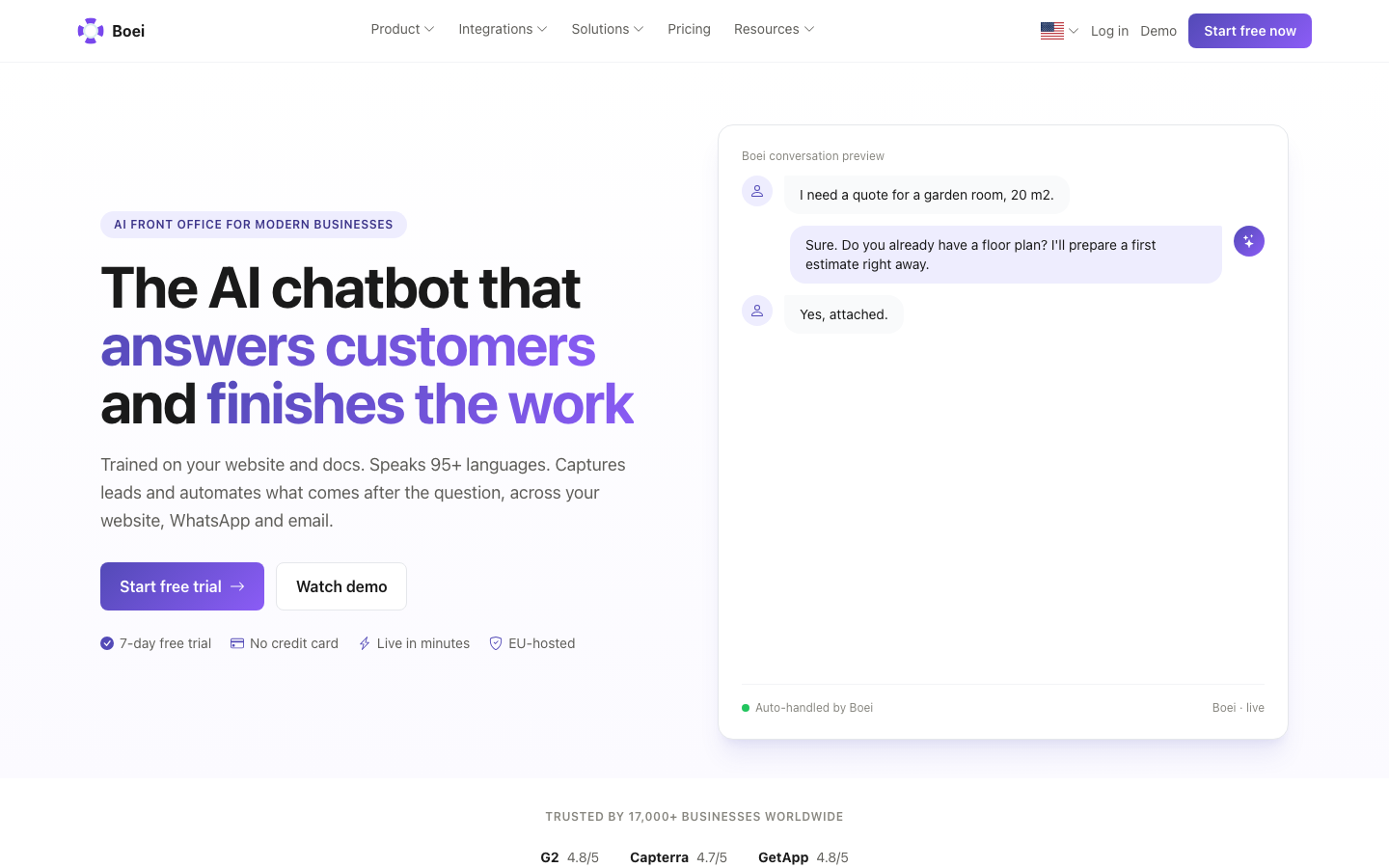
Boei combines a customer-facing AI assistant with a shared team inbox. It can answer from website pages, PDFs, spreadsheets, product data and exact Q&A pairs. Configured AI Actions can also look up data, calculate a quote, book an appointment or update another system.
The useful difference is the shared customer context. Supported conversations, known details, notes and actions build one customer profile. This lets the AI answer personally. An action can run automatically, pause for human approval or hand the conversation over. When a person takes over, the transcript, profile, completed work and AI summary remain available in the same inbox.
That makes Boei more than a basic chat widget. It combines AI answers and actions with teams, personal hours, breaks, work limits and team performance reports. Teams with a larger or custom service process can connect Boei to their existing stack or discuss the workflow with us.
What Boei does well
- One practical workflow for AI answers, business actions and human replies
- Shared inbox without a separate per-channel tool
- Human approval gates for sensitive actions and workflows
- Website, WhatsApp, email and SMS conversations in one place
- Multilingual conversations and EU-based hosting
- Predictable plans with included AI usage rather than a charge for every resolved conversation
What to check before choosing Boei
- Map specialist queues and service targets before replacing an existing helpdesk
- Discuss complex staffing or reporting workflows as part of a custom setup
- Custom integrations still require a suitable API, webhook or automation platform
Choose Boei if: repeat questions consume your team and customers contact you across several channels. You want AI to resolve routine work, route each exception and hand it to a person with context.
See how the Boei AI helpdesk works
2. Intercom: best AI-first suite for SaaS support

Best for: SaaS and digital-product teams with a dedicated support operation
Pricing: Essential starts at $19 per seat per month when billed annually; Fin starts at $0.99 per outcome
Ticketing depth: strong
Intercom combines its Messenger, inbox, tickets, workflows, help center and Fin AI Agent. That breadth works well when support happens inside a software product and the team wants contextual messaging, automation and agents in one environment.
Fin can sit in front of Intercom's helpdesk or work with some external helpdesks. The buying question is not simply whether Fin can answer questions. It is whether the combined seat and outcome bill makes sense at your expected volume.
What Intercom does well
- Mature in-app support experience for software products
- Strong combination of AI, workflows, tickets and agent workspace
- Detailed routing and reporting for established teams
- A polished customer messenger and help-center ecosystem
Where Intercom is weaker
- The total cost depends on both seats and AI outcomes
- Setup and administration can be excessive for a very small team
- Many useful support operations assume you adopt more of the Intercom suite
Choose Intercom if: support is central to your SaaS product and the team will use the broader platform, not only the chatbot.
Source: Intercom pricing.
3. Zendesk: best for mature ticket operations

Best for: larger support teams with formal ownership, queues and service targets
Pricing: public annual prices start at $19 per agent for Support Team and $55 per agent for Suite Team
Ticketing depth: very strong
Zendesk remains the safer shortlist choice when the ticket operation is the center of the organization. It supports queues, routing, messaging, knowledge, analytics and increasingly capable AI agents.
The depth is the reason to buy it and the reason not to. If you need multiple support tiers, contractual response targets, specialist routing and detailed reports, the administration is justified. If two people mainly answer repeated questions, you may be paying for an operating system you do not need.
What Zendesk does well
- Deep ticketing, ownership and routing controls
- Mature knowledge-base and reporting capabilities
- Broad enterprise integration ecosystem
- Suitable for complex, multi-team support operations
Where Zendesk is weaker
- Pricing and AI usage can become difficult to model from the entry price alone
- More configuration and administration than a small team usually needs
- The customer and agent experience spans several products and settings areas
Choose Zendesk if: formal ticket operations are requirements today, not vague future possibilities.
Source: Zendesk pricing.
4. Freshdesk: best conventional helpdesk with packaged AI

Best for: omnichannel teams that want conventional ticketing plus Freddy AI
Pricing: public annual prices list Growth at $19, Pro at $55 and Enterprise at $89 per agent
Ticketing depth: strong
Freshdesk starts from a familiar ticketing model, then adds messaging, automation, knowledge and Freddy AI. It is a logical option for teams already using Freshworks products or buyers who want an established helpdesk foundation before introducing AI.
Its packaging deserves careful reading. Included sessions, additional AI packs and channel features can differ by plan. Model the volume you expect rather than comparing only monthly seat prices.
What Freshdesk does well
- Familiar ticket workflow with omnichannel options
- Useful fit for the wider Freshworks ecosystem
- Conventional automation, routing and reporting
- AI capabilities sit inside an established support product
Where Freshdesk is weaker
- The product can feel broad when the need is only AI plus a shared inbox
- AI session limits and plan dependencies add buying complexity
- Teams outside the Freshworks ecosystem may get less value from the suite
Choose Freshdesk if: you want ticketing to remain the system of record and prefer adding AI inside that model.
Source: Freshdesk features and pricing.
5. Help Scout: best email-like shared inbox

Best for: customer support teams that want an approachable inbox and knowledge base
Pricing: Standard starts at $25 per user per month; Envoy costs $0.75 per resolution
Ticketing depth: medium
Help Scout is built around a shared inbox that feels closer to email than a traditional enterprise helpdesk. Teams get ownership, workflows, customer context and knowledge content without the visual weight of a large service-management suite.
AI Answers adds customer-facing resolution, while AI features can help agents summarize or draft. It is a useful middle ground for teams that want real support operations without making every interaction feel like an IT ticket.
What Help Scout does well
- Calm and familiar agent experience
- Strong fit for email-centered support teams
- Knowledge base and customer context are closely integrated
- Less operational overhead than many enterprise suites
Where Help Scout is weaker
- AI resolution has a separate usage price
- Less suitable for complex enterprise queues and workforce controls
- Teams focused on proactive actions may need additional integration work
Choose Help Scout if: your team lives in a shared email inbox and wants a gentle path to customer-facing AI.
Source: Help Scout pricing.
6. Gorgias: best for Shopify support

Best for: ecommerce support teams, especially Shopify stores
Pricing: based on ticket volume and resolved AI conversations; request a current usage quote
Ticketing depth: strong for ecommerce
Gorgias is built around ecommerce context. Agents can see customer and order information, use macros and handle common store actions without jumping between as many tools. That makes it more relevant to a Shopify support team than a general feature comparison shows.
What Gorgias does well
- Ecommerce data is close to the conversation
- Strong focus on Shopify support workflows
- Useful automation for order, shipping and return questions
- Reporting is designed around ecommerce support operations
Where Gorgias is weaker
- Ticket-volume pricing can become expensive as contacts grow
- The product is less compelling outside ecommerce
- Buyers need to verify which actions and AI features are included in each tier
Choose Gorgias if: Shopify is the center of your support workflow and agents frequently need order context or commerce actions.
7. Tidio: best for chat-first ecommerce beginners

Best for: smaller ecommerce teams that want live chat, visual flows and AI in one product
Pricing: Lyro starts at an annual equivalent of $32.50 per month for 50 AI conversations and includes up to ten operators
Ticketing depth: light to medium
Tidio combines live chat, visual automations and Lyro AI. It is approachable for teams that want to start with website conversations and ecommerce integrations rather than build a formal ticket operation.
What Tidio does well
- Friendly setup for chat-first teams
- Visual flow builder for predictable interactions
- Ecommerce integrations and live chat in the same product
- A usable entry point for small businesses testing automation
Where Tidio is weaker
- AI conversation costs need to be checked at realistic volume
- Ticketing and service-management depth are below enterprise suites
- Channel and feature availability vary across plans
Choose Tidio if: your immediate need is website chat and ecommerce automation, not a deep helpdesk migration.
8. Front: best for cross-team customer operations

Best for: teams coordinating support work across shared email and other customer channels
Pricing: Starter costs $25 per seat per month when billed annually; Autopilot starts at $0.39 per conversation
Ticketing depth: medium to strong
Front uses an inbox-style interface for customer operations. Its strength is cross-team coordination. Messages, assignments, internal comments and workflows stay close to the way many teams already handle email.
What Front does well
- Familiar inbox model with shared ownership
- Strong collaboration across support and other teams
- Rules and multi-step workflows
- AI assistance inside the same workspace
Where Front is weaker
- It is broader and more expensive than a simple AI chatbot plus inbox
- Teams need to design ownership rules before automation adds value
- AI packaging and limits need to be checked against the expected volume
Choose Front if: customer requests regularly cross support, operations and account teams, and coordination is the main problem.
Source: Front pricing.
Match the tool to the support job
Feature tables become misleading when every feature counts equally. A workforce-planning module is critical for a contact center and irrelevant to a three-person ecommerce team. Start with the recurring job, then ask which product removes the most steps without weakening control.
For repeated pre-sales and support questions
Look for broad knowledge-source support, clear citations or source controls, multilingual answers and a visible human path. Boei and Tidio are approachable starting points. Intercom becomes relevant when those questions happen inside a software product and the broader suite will also be used.
Test whether the AI handles paraphrases and follow-ups, not only an FAQ copied word for word. Ask a question that is not in the source and confirm that the system admits the boundary instead of inventing an answer.
For orders, bookings and account data
Knowledge is not enough. The helpdesk needs actions or integrations that can retrieve current information. Boei can call APIs and webhooks inside multi-step workflows. Gorgias is strong when Shopify order context is the center of the workflow. Zendesk and Freshdesk provide larger integration ecosystems around their ticket systems.
Check the control level for every action. Reading an order can run automatically. A refund, cancellation or account change may need customer confirmation or human approval. A product that says it supports "actions" but cannot pause sensitive work creates avoidable risk.
For email support with shared ownership
Help Scout and Front deserve a closer look. Their agent experience is closer to an inbox the team already understands. Boei also handles email in the shared inbox when the team wants customer-facing AI and several messaging channels in the same system.
Test assignment, internal notes, collision handling and the reply path. A good AI answer does not compensate for two agents replying to the same customer.
For formal service operations
Zendesk, Freshdesk and Intercom are a logical shortlist when their ticketing model already matches the way your team works. Boei is the clearer shortlist when answers, actions, team routing and one customer conversation matter most.
Ask the support manager which reports are used today. If nobody can name an SLA, queue or staffing decision that depends on the report, do not let a future feature checklist dictate the purchase.
Calculate the real monthly cost
Build one simple model before a trial:
| Cost component | What to enter |
|---|---|
| Agent or seat fees | Current users plus near-term hires |
| AI usage | Monthly conversations, sessions, outcomes or messages |
| Channels | WhatsApp, SMS, phone or social fees |
| Required add-ons | Knowledge, reporting, sandbox or advanced routing |
| Integration cost | Automation platform, developer time and maintenance |
| Administration | Time spent configuring and reviewing the system |
Run the model at today's volume and at twice that volume. Usage-based AI may look inexpensive in a small pilot and become the largest line item after adoption. A larger suite may also replace several existing tools, which can justify a higher sticker price.
The goal is not to find the lowest subscription. It is to find the lowest total cost for a workflow that customers and agents can trust.
Once the full cost is visible, the final choice is less about features and more about which system should own the work.
Which AI helpdesk should you choose?
Use the operating model, not the logo, to narrow the list:
- Choose Boei when your team wants AI answers and actions first, with routing and people handling exceptions in a shared inbox
- Choose Intercom when you run a SaaS product and want a mature AI-first suite around in-app support
- Choose Zendesk or Freshdesk when queues, SLAs, reporting and ticket administration are core requirements
- Choose Help Scout or Front when email remains the center of support and agent adoption matters most
- Choose Gorgias when Shopify orders and ecommerce actions dominate the workload
- Choose Tidio when you want an approachable chat-first starting point with visual flows
Five tests to run in every demo
Do not ask vendors to show only their prepared happy path. Bring the same five scenarios to every demo:
- Ask a clear question that is answered in your documentation.
- Ask the same question with missing context, spelling mistakes and a follow-up.
- Ask a question for which two sources appear to conflict.
- Trigger a business action, then cancel or change direction halfway through.
- Request a person and inspect exactly what the agent receives.
Also ask the vendor to calculate the bill at your seat count, channel mix and monthly AI volume. Include implementation, AI usage and required add-ons.
Frequently asked questions
What is AI helpdesk software?
AI helpdesk software answers or assists with support conversations using approved knowledge and customer context. Depending on the product, it may also categorize work, draft replies, run actions, route conversations and hand cases to people.
Is an AI helpdesk the same as a chatbot?
No. A chatbot is the customer-facing conversation layer. A helpdesk also includes the team's working layer, such as an inbox, ownership, history, handoff and reporting.
Can a small business use AI without a traditional helpdesk?
Yes. If the team mainly needs fast answers, one shared inbox, basic workflow automation and human takeover, an AI-first helpdesk can be enough. A traditional suite becomes important when formal ticket operations are requirements.
What should never be fully automated?
Keep complaints, sensitive account access, legal or medical guidance and irreversible financial actions behind clear controls. In Boei, an action or workflow can pause for human approval before it runs.
How many tools should I trial?
Usually three. Choose one that matches your current operating model, one lighter alternative and one more capable alternative. Run the same real scenarios and compare the complete bill.
Next, compare the underlying operating models in AI helpdesk vs traditional helpdesk or follow the practical AI helpdesk setup guide.