Jimdo logo

Best Jimdo Chat Widget

Live Chat for Jimdo Websites

Jimdo is great for building a website fast. But it gives you no way to talk to visitors. No chat widget, no messenger, nothing. Boei adds AI-powered live chat to any Jimdo site. Paste one code snippet into Jimdo's Head settings, and every page on your Jimdo website gets a chat button that actually works.

Trusted by 17,220 websites

5-minute Jimdo setup

Andrew Lee David S. Vance W. Grant Nitesh Manav
from 159 reviews

Also available for:

Try the Jimdo Live Chat

The Problem with Jimdo's Visitor Engagement

Jimdo is popular across Europe, especially in Germany, the Netherlands, and Spain. Millions of small businesses, freelancers, and local shops use it. But Jimdo has a visitor engagement problem that costs you customers every day.

What Jimdo gives you for visitor communication:

  • A contact form. That is it. Jimdo's built-in contact form collects a name, email, and message. No instant response, no follow-up, no conversation. Visitors fill it out (maybe) and wait for you to reply by email hours or days later
  • No live chat option. Jimdo has no native chat widget. Not in the free plan, not in the paid plans. If you want to talk to visitors in real time, you need a third-party tool
  • Tiny app ecosystem. Jimdo's marketplace has a handful of integrations. Most popular chat tools do not offer a dedicated Jimdo integration. You are on your own with custom code
  • No WhatsApp or messenger link. Many Jimdo users are local businesses where customers prefer WhatsApp. Jimdo offers no way to add a WhatsApp button natively

That is why Jimdo users lose leads. A visitor lands on your Jimdo site at 8pm, wants to know if you are available next week, sees only a contact form, and leaves for a competitor who answers faster.

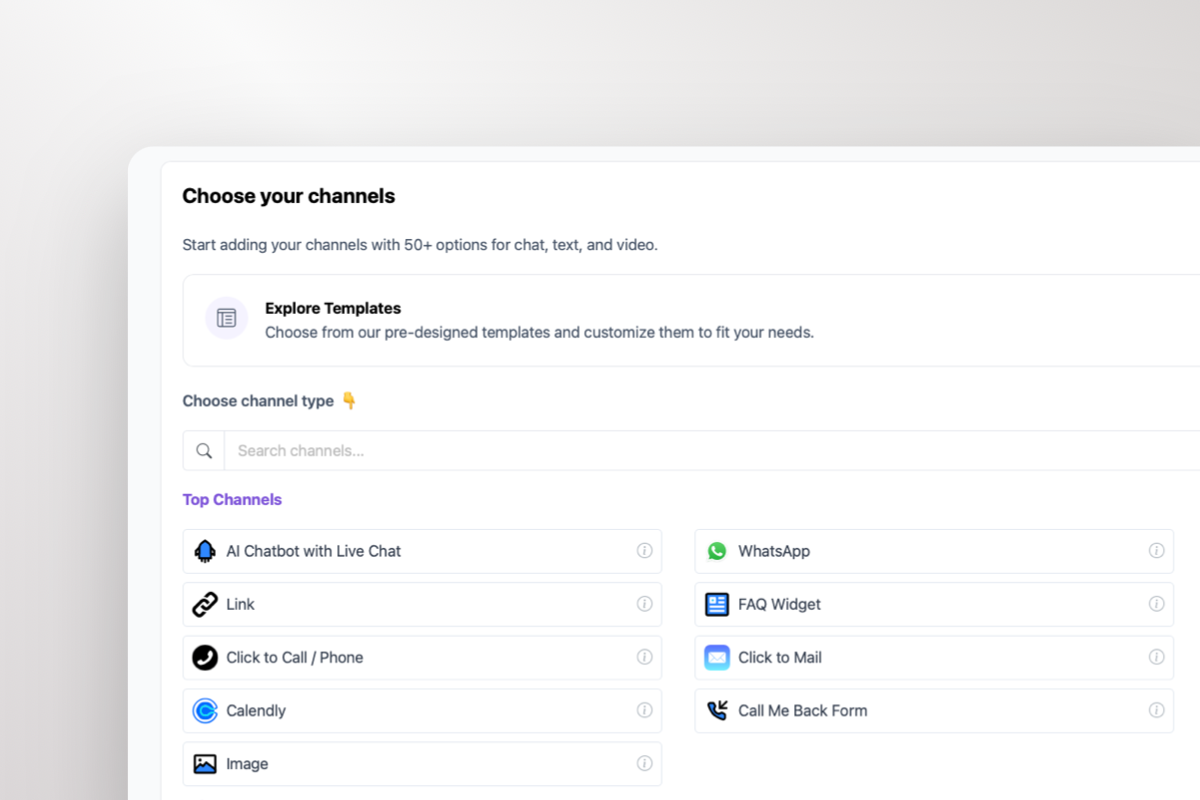
Boei changes this. Add one script to Jimdo's Head code, and you get live chat, AI responses, WhatsApp, and 50+ channels on every page. See the Jimdo installation guide.

Boei live chat for local Jimdo business

Built for the Businesses That Use Jimdo

Jimdo users are not big companies. They are local plumbers, bakeries, yoga studios, tax advisors, and wedding photographers. They need something simple that works without a support team. Boei's AI answers common questions (opening hours, service areas, pricing) automatically. You check leads on your phone. No dashboard babysitting required.

  • AI learns your Jimdo pages: services, prices, hours, location
  • Answers 'Are you open on Saturday?' at 11pm without you lifting a finger
  • Visitors can switch to WhatsApp to continue the conversation on their phone
  • Leads arrive by email with the full chat transcript attached
  • Works on every Jimdo page, including your homepage, services, and about page

WhatsApp on Your Jimdo Site

In Germany, the Netherlands, and most of Europe, WhatsApp is the default messaging app. Your Jimdo visitors already have it on their phone. Boei adds a WhatsApp button to your Jimdo site so visitors can start a chat with one tap. The AI even replies on WhatsApp automatically, so you can respond when you have time.

  • One-tap WhatsApp button on your Jimdo website
  • AI auto-replies on WhatsApp when you are busy
  • Conversations continue on WhatsApp after visitors leave your Jimdo site
  • All WhatsApp messages land in Boei's shared inbox alongside live chat
  • Perfect for local businesses where customers expect WhatsApp contact
WhatsApp live chat on Jimdo website

Why Jimdo Users Pick Boei

Simple Enough for a One-Person Business

🇪🇺

GDPR by Default

Jimdo users are mostly European. Boei is Dutch, servers are in Amsterdam, and the widget runs without cookies. No GDPR headaches. No consent popups needed for the chat widget.

🌐

Speaks Your Visitors' Language

German, Dutch, Spanish, French, whatever your Jimdo visitors speak. Boei auto-detects their language and responds in it. No separate Jimdo pages per language needed.

📱

Check Leads on Your Phone

You are a small business owner, not a support desk. Boei sends lead notifications to your email or WhatsApp. Check and reply from your phone between appointments.

💰

Priced for Jimdo Budgets

Jimdo users pick Jimdo because it is affordable. Boei starts at $11/mo. No per-agent fees, no message limits that force upgrades. One price, everything included.

Jimdo Setup

How to Add Live Chat to Jimdo

Paste one code snippet into Jimdo's Head code settings. Done

1

Copy installation code

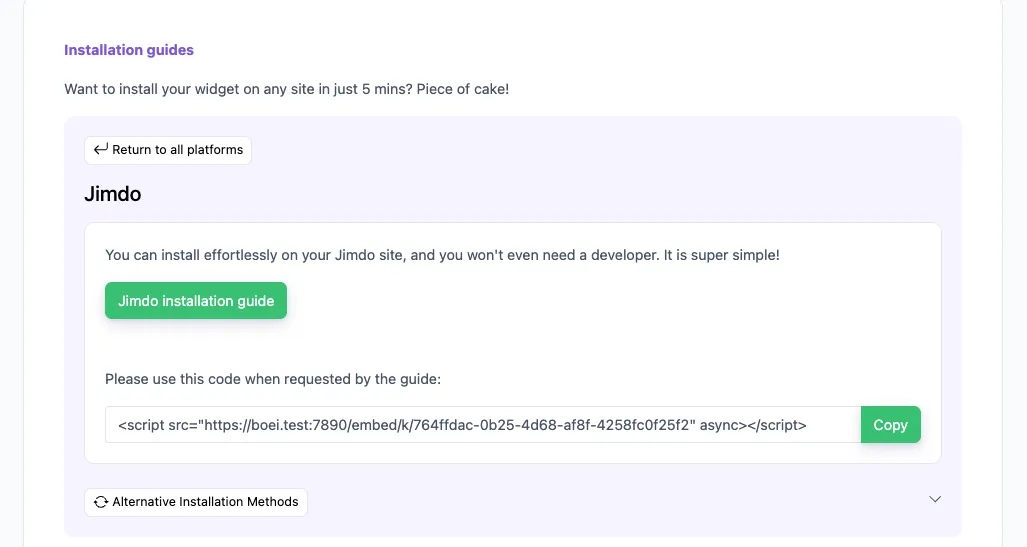
In your Boei dashboard, open your widget and click the Install tab. Select Jimdo and copy the installation code.

Tip: The Install tab also offers a landing page link, QR code, and iframe embed.

Copy installation code
2

Log in to Jimdo

Log in to your Jimdo account and choose the desired website.

3

Add Widget/HTML Element

  1. Click Edit to enter your Jimdo Creator website’s edit mode
  2. Hover over the content area to click on Add Element > More elements and Add-ons
  3. Choose the Widget/HTML Element to add it to your website
  4. Paste the code snippet you copied in step 2 in the text box.

Note that Jimdo may not allow code scripts on all account types; you may need to upgrade.

4

Save

Save your changes in Jimdo.

5

Finished coffee

Congrats, you are done!

Compare

Live Chat Options for Jimdo Sites

What Jimdo website owners actually get at each price point

Boei Tidio Smartsupp tawk.to
Price from $11/mo EUR 39/mo EUR 19.50/mo Free (with their logo)
AI chatbot Included Paid add-on
Jimdo install method Head code Head code Head code Head code
WhatsApp channel Included + AI Extra cost
Multilingual (auto) 95+ languages ✗ Limited 6 languages 45 languages
EU servers Yes (Amsterdam) No (US/Poland) Yes (Czech Republic)
Remove branding Included EUR 39+/mo EUR 48/mo $19/mo
Team seats Unlimited 3 1 Unlimited

Bottom line: tawk.to is free but shows their branding and has no AI. Smartsupp has EU servers but no AI and no WhatsApp. Tidio has good features but costs EUR 39/mo per agent. Boei includes AI, WhatsApp, EU servers, and no branding for $11/mo.

How Jimdo Users Use Live Chat

Local Service Businesses

Plumbers, electricians, cleaners, and contractors on Jimdo get calls all day and miss website visitors. Boei's AI handles common questions (service area, availability, pricing) and collects the visitor's phone number. You call them back between jobs.

Freelancers and Consultants

Your Jimdo portfolio shows your work. But prospects want to know your rates and availability before reaching out. AI answers those questions from your services page and captures project details. You get a qualified brief in your inbox instead of a vague contact form submission.

Small Online Shops on Jimdo

Jimdo's shop feature is basic. Visitors have questions about products, shipping, and returns that the product description does not cover. AI answers instantly using your Jimdo pages, keeping shoppers on the site instead of bouncing.

Restaurants and Cafes

Visitors want to know today's menu, reservation availability, or if you cater events. AI answers these questions at any hour. They can also reach you on WhatsApp to book a table.

Small Business Owners Love Boei

FAQ

Jimdo Live Chat Questions

How do I add live chat to my Jimdo website?

In your Jimdo dashboard, go to Settings, then Head Code (or SEO settings depending on your Jimdo version). Paste the Boei script there. Save. The chat widget appears on every Jimdo page. Takes about 3 minutes. Full Jimdo installation guide.

Does it work with the new Jimdo editor and Jimdo Creator?

Yes, both. Jimdo Creator (the classic editor) supports Head code via Settings. The newer Jimdo editor also supports custom code in the SEO/Head area. Boei works on both versions the same way.

I have a free Jimdo plan. Can I add live chat?

Custom code (Head code) is only available on paid Jimdo plans (Start, Grow, or higher). If you are on the free Jimdo plan, you would need to upgrade to at least Jimdo Start (about EUR 9/mo) to add Boei.

Will the chat widget slow down my Jimdo site?

No. Boei loads after your Jimdo page content, uses CDN delivery, and the script is under 50KB. Your Jimdo site speed stays the same.

Can the AI answer in German and Dutch?

Yes. Boei supports 95+ languages and auto-detects each visitor's language. If a German visitor chats on your Jimdo site, the AI responds in German. Dutch visitor? Dutch response. No configuration needed.

Can I add WhatsApp to my Jimdo site with Boei?

Yes. Boei adds a WhatsApp button alongside the live chat on your Jimdo website. Visitors tap it and land in a WhatsApp conversation with you. AI can auto-reply on WhatsApp too.

How does the AI know about my business?

When you sign up, you enter your Jimdo website URL. Boei crawls every page and learns your services, pricing, hours, and other content. The AI only answers based on what it finds on your Jimdo site. No made-up information.

What happens when the AI can't answer a question?

It hands off to you. The visitor gets connected to a human (you or your team) via live chat, WhatsApp, or email. You see the full conversation so far, so the visitor does not have to repeat themselves.

Is Boei GDPR compliant? I am in Germany.

Yes. Boei is a Dutch company. All data is stored on EU servers in Amsterdam. The chat widget uses no cookies by default. We provide a DPA (Data Processing Agreement) on request. Built for European businesses from day one.

How much does live chat for Jimdo cost?

Boei Lite is $11/mo (annual). It includes AI chatbot with 50 messages, live chat, and the widget. Starter at $19/mo gives you 2,000 AI messages, lead collectors, and WhatsApp AI replies. No per-agent fees. 7-day free trial, no credit card.

Live Chat for Other Platforms

Add Live Chat to Your Jimdo Website Today

3-minute setup. AI included. Built for European small businesses.

7-day free trial • No credit card required • Works on Jimdo Creator and new editor • EU servers (Amsterdam)
Andrew Lee David S. Vance W. Grant Nitesh Manav
from 159 reviews