 Ruben Buijs
Looking for Tidio alternatives or Tidio competitors that include AI, WhatsApp, and more channels without add-on fees? Tidio is solid for Shopify live chat, but costs climb fast once you add Lyro AI (billed per conversation), WhatsApp ($59/month), and extra operators. This guide compares 11 alternatives with honest pros, cons, and pricing.
TL;DR: Boei is the strongest all-in-one Tidio alternative for SMBs. Agentic AI chatbot that takes real actions (books via Google Calendar, fires webhooks, hands off to a human), live chat, unified inbox, built-in CRM, and 50+ channels (WhatsApp, email, SMS, Messenger, forms) in one widget from $19/month flat. Tidio's Lyro AI is conversational but doesn't take actions, and Tidio bills per Lyro conversation on top of seat pricing. Used by 17,000+ businesses (4.7/5 on G2, 5/5 on Capterra, 4.7 on Trustpilot), EU-hosted in Nuremberg.
Lyro per-conversation billing adds up fast. Tidio's Lyro AI is billed per AI conversation beyond your included quota. A site handling 1,000 AI chats per month racks up significant overage on top of seat pricing. Boei includes AI credits in every plan with no per-conversation meter.
Tidio Alternatives Compared
Below is a quick scan of the top Tidio competitors by price, AI, WhatsApp, and channel count.
| Software | Starting Price | AI Chatbot | Channels | Best For | |
|---|---|---|---|---|---|
| Boei | $19/mo | Included | Included | 50+ | Best all-in-one stack for SMBs |
| Crisp | Free / $45/mo | $295/mo plan | $295/mo plan | ~6 | Built-in knowledge base |
| tawk.to | Free | $29/mo add-on | No | 1 | Zero budget |
| LiveChat | $20/agent | ChatBot from $19/user | Via integration | 5 | Agent-focused teams |
| Intercom | $29/seat (Essential) | $0.99/resolution | Higher plans | 6 | Enterprise |
| Freshchat | $15/agent | Add-on | Add-on | 8+ | Freshworks users |
| Chatbase | $40/mo (or $32/mo annual) | Included | Yes (via integration) | 1 | Pure AI chatbot |
| Zendesk Chat | $55/agent | Per-outcome + $50/agent Copilot | Suite | 8 | Zendesk users |
| Olark | $29/seat | No | No | 1 | Simple live chat |
| JivoChat | Free / $19/agent | Limited | Yes | 8+ | Multi-channel budget |
| ProProfs Chat | Free (1 operator) / $1.99/operator annual | Basic bot included, AI automation $450/yr | Included | 4 | Teams already on ProProfs |
Skip the comparison, try Boei free. AI chatbot, live chat, unified inbox, and 50+ channels from $19/month. EU-hosted in Nuremberg. Start your 7-day free trial (no credit card required).
One widget, five tools' worth. Boei combines AI chatbot, live chat, unified inbox, built-in CRM, and 50+ contact channels (WhatsApp, email, SMS, Messenger, forms, more). From $19/month, EU-hosted in Nuremberg, used by 17,000+ businesses (4.7/5 on G2, 5/5 on Capterra). Most teams pay for each of these tools separately.
Top Tidio Alternative Picks
- Best all-in-one stack for SMBs: Boei, from $19/month flat with agentic AI, CRM, and 50+ channels included.
- Best EU-hosted alternative: Boei. Nuremberg-hosted, GDPR by default, AI plus 50+ channels included from $19/month. Crisp is also EU-hosted, with Essentials at $95/mo or Plus (with AI) at $295/mo, vs Boei from $19/mo with AI included.
- Best free option: tawk.to, genuinely free live chat with unlimited agents and no hidden catches.
- Best for e-commerce on a budget: Boei or JivoChat, both offer affordable multi-channel support that does not spiral as your team grows.
- Best for large support teams: Intercom or Zendesk, production-ready workflows, advanced routing, and deep analytics for teams with 10+ agents.
The 11 best Tidio alternatives:
Why People Switch from Tidio
Tidio does a lot of things right. But there are four recurring problems that push people toward alternatives.
1. Lyro AI costs spiral quickly. Tidio bills Lyro AI per conversation. If your site handles 200 AI chats per month beyond the included quota, you stack significant overage on top of your base plan. Competitors like Boei and Chatbase include AI in their base pricing with no per-conversation fees.
2. Lyro is conversational, not agentic. Lyro answers questions from your knowledge base, but it does not take actions. It will not book a meeting on Google Calendar, fire a webhook to your backend, or update a CRM record. Boei's AI does all three inside the same conversation.
3. WhatsApp costs $59/month extra. WhatsApp is the most-used messaging app in Europe, Latin America, and large parts of Asia. On Tidio, adding it requires a separate $59/month add-on. Several alternatives include WhatsApp in their standard plans.
4. Per-operator pricing adds up. Tidio's Starter plan starts at $24.17/month per operator (with 100 billable conversations included). A team of five operators pays around $121/month before any add-ons. Tools like tawk.to do not charge per seat at all. Boei starts from $19/month flat and scales with tiers rather than per-seat pricing.
5. Limited to roughly 10 channels. Tidio supports live chat, email, Instagram, Messenger, and a few more. If you need Telegram, Signal, Viber, WeChat, SMS, phone callbacks, Discord, Slack, or contact forms, you are out of luck. Some alternatives offer 50+ channels from a single widget.
11 Best Tidio Alternatives (Reviewed)
1. Boei - Best All-in-One Tidio Alternative
Boei is the Tidio alternative with WhatsApp and AI included in the base price. AI isn't billed per conversation, and WhatsApp doesn't cost $59/month extra. Live chat, a shared inbox, and a built-in CRM come included on the same plan. Hosted in Nuremberg, GDPR by default. Rated 4.7/5 on G2 by 17,000+ businesses.

Key Strengths:
-
Agentic AI that trains on your business. Boei's AI trains on tickets, products, FAQ, and your site. It takes real actions. It books meetings via Google Calendar, fires webhooks, and hands off to a human in the same conversation. Tidio's Lyro is conversational and does not take actions.
-
One tool, not five. Boei bundles the AI chatbot, live chat, unified inbox, built-in Kanban CRM, and 50+ channels. Channels include WhatsApp, email, SMS, Messenger, and web forms. Tidio is chat and bot only, so you still need a separate CRM and inbox.
-
Flat pricing, EU-hosted. Boei starts at $19/month flat with no per-conversation AI fees. The Nuremberg data center is GDPR by default. Tidio charges per Lyro conversation on top of seat pricing.
Key Weaknesses:
-
Smaller installed base than Tidio. Tidio powers hundreds of thousands of stores; Boei's footprint is 17,000+ businesses. Less third-party tutorial content if you prefer learning from community videos.
-
No native e-commerce UI shortcuts. Boei does not pull product cards into chat the way Tidio does for Shopify. If in-chat product browsing is core to your funnel, Tidio's e-commerce widget is deeper.
Switching from Tidio: Install the Boei snippet (5 minutes). The AI auto-learns from your existing website content. Run both tools side-by-side during transition and remove Tidio once you are confident.
Best for: SMBs wanting agentic AI + CRM + chat in one widget instead of Tidio + HubSpot + inbox.
Pricing: From $19/month flat. Free 7-day trial.
2. Crisp - Best for Built-in Knowledge Base
Crisp is a French-built customer messaging platform with a strong following among European teams. It offers a clean interface, EU data hosting, and a good free plan with two seats and basic live chat.

Crisp's main remaining differentiator is the built-in helpdesk. The knowledge base is included in the Mini plan and trains Crisp's AI on the Plus tier. Tidio charges extra for a comparable help center.
-
Built-in knowledge base: The Mini plan at $45/month includes a help center you can embed on your site. Tidio does not offer a native knowledge base at a similar price.
-
EU-hosted with strong privacy: Data stays in Europe. Note that Boei is also EU-hosted (Nuremberg) with GDPR by default from $19/month, so EU residency alone is not a unique reason to pick Crisp.
-
Decent free tier: Two seats and basic live chat for free. Good for freelancers and very small teams getting started.
-
AI requires the $295/month Plus tier: Crisp's AI features are bundled into the Plus (AI-First Support Suite) plan at $295/month. That is a big jump from Mini ($45) and Essentials ($95).
-
Limited channel support: Crisp supports live chat, email, Messenger, Instagram, WhatsApp (on higher tiers), and a few more. You will not find Telegram, Signal, Viber, or many other channels.
Best for: Small European teams that specifically need a bundled knowledge base alongside chat.
Pricing: Free for basic use. Mini $45/month. Essentials $95/month. Plus (with AI) $295/month.
3. tawk.to - Best for Zero Budget
tawk.to is the rare live chat tool that is genuinely, completely free. There is no catch, no trial period, and no conversation limit.

The business model relies on optional paid add-ons like hiring chat agents ($1/hour) and removing branding ($19/month). The core product, live chat with unlimited agents, costs nothing. If your only need is a live chat widget on your website, tawk.to delivers.
-
Genuinely free forever: Unlimited agents, unlimited chats, no conversation caps. The free plan is the real product, not a lead magnet for paid plans.
-
Unlimited agents at no cost: Whether you have 2 agents or 20, the price stays at zero. This alone makes it useful for growing teams on tight budgets.
-
Solid mobile apps: The iOS and Android apps are well-maintained and let agents respond on the go.
-
No AI features: tawk.to does not offer an AI chatbot. If you want automated responses, you need to look elsewhere or pay $29/month for the AI Assist add-on.
-
No channels beyond live chat: There is no WhatsApp, no Instagram DM, no Telegram. It is a pure live chat tool. If you need multi-channel support, tawk.to will not cover it.
Best for: Teams with zero budget that only need basic live chat on their website.
Pricing: Free. Optional add-ons for branding removal ($19/month) and AI Assist ($29/month).
4. LiveChat - Best for Agent Productivity
LiveChat has been around since 2002 and spent over two decades refining its agent experience. The desktop app is fast, the interface is clean, and message sneak-peek gives agents a real edge.

The platform connects with over 200 tools, including most e-commerce platforms, CRMs, and helpdesks. It also offers canned responses, chat tags, file sharing, and detailed analytics. The trade-off is per-agent pricing that adds up quickly.
-
Best-in-class agent desktop app: The agent experience is polished and fast. Message sneak-peek, canned responses, chat routing, and keyboard shortcuts make agents more productive.
-
200+ integrations: LiveChat connects with Shopify, WooCommerce, Salesforce, HubSpot, and virtually every major tool your team already uses.
-
Message sneak-peek: Agents can see what visitors are typing before they hit send. This small feature dramatically improves response times.
-
AI is a separate product: LiveChat's AI features come through a separate product called ChatBot, which starts at $19/user/month (annual). It is not included in any LiveChat plan.
-
Per-agent pricing escalates: At $20/agent/month for Starter (and $39/agent for Business), a team of five pays $100-$195/month before any add-ons.
Best for: Teams with dedicated support agents who prioritize the agent experience and workflow.
Pricing: $20/agent/month (Starter), $39/agent/month (Business). ChatBot AI from $19/user/month (annual).
5. Intercom - Best for Enterprise Teams
Intercom is the heavyweight of the customer messaging space. Its Fin AI agent handles complex conversations, the help center is solid, and workflow automation suits enterprise teams.

The flip side is price and complexity. Intercom's Advanced plan is $85 per seat per month. Fin AI charges $0.99 per resolution. A team of five with 500 AI resolutions per month pays $920/month. Setup takes days or weeks, not minutes. This is a platform you commit to.
-
Fin AI is genuinely impressive: Fin resolves complex questions by pulling from your help center, past conversations, and custom data sources. It is one of the most capable AI chat agents available.
-
Complete help center: A full knowledge base with articles, categories, and search, built into the same platform as your chat.
-
Production-ready workflows: Custom bots, advanced routing rules, SLA tracking, and detailed reporting for teams that need operational control.
-
Massive price jump from Tidio: Going from Tidio's $25/operator plan to Intercom's $85/seat Advanced plan is a big budget increase, especially for small teams.
-
Weeks of setup required: Intercom is not a plug-and-play widget. Setting up workflows, training Fin, and building the help center takes real time and effort.
Best for: Enterprise teams with large support operations that need advanced AI and workflow automation.
Pricing: $29/seat/month (Essential), $85/seat/month (Advanced). Fin AI costs $0.99 per resolution on top.
6. Freshchat - Best for Freshworks Users
Freshchat is the messaging part of the Freshworks ecosystem. If your team already uses Freshdesk or Freshsales, Freshchat slots in naturally.

On its own, Freshchat is a solid messaging platform starting at $15 per agent per month. It supports web chat, email, WhatsApp, Facebook Messenger, Instagram, and Apple Business Chat. The AI chatbot (Freddy AI) is available as an add-on.
-
Tight Freshworks integration: If you use Freshdesk or Freshsales, Freshchat connects without friction. Conversations flow into tickets, contacts sync, and your team works in one ecosystem.
-
Reasonable starting price: At $15/agent/month, the entry point is lower than LiveChat, Intercom, and Zendesk. The free plan also allows up to 10 agents.
-
Multi-channel from the start: Web chat, email, WhatsApp, Messenger, Instagram, and more are available without needing the most expensive plan.
-
Per-agent pricing still applies: Like most competitors, Freshchat charges per agent. A team of five starts at $75/month and climbs with higher-tier plans.
-
Advanced features gated behind higher tiers: Co-browsing, advanced routing, and some AI features require the Pro ($39/agent) or Enterprise ($79/agent) plans.
Best for: Teams already using other Freshworks products who want a unified ecosystem.
Pricing: Free for up to 10 agents (limited), $15/agent/month (Growth), $39/agent/month (Pro), $79/agent/month (Enterprise).
7. Chatbase - Best for AI-Only Automation
Chatbase takes a completely different approach from Tidio. It is not a live chat tool with AI bolted on. It is a pure AI chatbot that you train on your own data.

Upload documents, paste your website URL, or connect a knowledge base. Chatbase builds a conversational AI that answers visitor questions based on your content. There is no agent interface, no shared inbox, and no live chat fallback. If most of your support questions are repetitive and well-documented, Chatbase can handle them for much less than Tidio with Lyro.
-
Focused AI experience: Chatbase does one thing and does it well. The AI training interface is easy to use, and the chatbot quality is strong with good training data.
-
Train on your own documents: Upload PDFs, paste website URLs, or connect to Notion. Chatbase builds its knowledge from your actual content, not generic templates.
-
Good training UI: The interface for reviewing conversations, improving answers, and growing the knowledge base is clean and useful.
-
Chat-focused with limited channels: Chatbase is primarily a website chatbot. WhatsApp is available via integration, but there are no forms, phone callbacks, or email. If you need full multi-channel, Chatbase does not cover it.
-
Message credits limit usage: Plans come with a set number of message credits per month. High-traffic sites can burn through credits quickly and face overage charges.
Best for: Teams that want a pure AI chatbot trained on their own content, without needing live chat or multi-channel support. For other AI-first bot builders, our Chatbase alternatives guide compares the leading options.
Pricing: Hobby $40/month (or $32/month annual), $99/month (Standard), $399/month (Unlimited).
8. Zendesk Chat - Best for Full Support Suites
Zendesk is the giant of customer support. Zendesk Chat (now part of Zendesk Suite) gives you live chat as part of a complete support platform.

That includes ticketing, a help center, community forums, voice support, and advanced analytics. The AI agent (with the Zendesk Copilot add-on at $50/agent/month) is billed per successful outcome. Like Intercom, this platform rewards scale. A team handling thousands of tickets per month can justify the cost.
-
Complete support platform: Ticketing, live chat, help center, community forums, voice, and analytics in one product. You do not need to piece together multiple tools.
-
Enterprise-scale reliability: Zendesk handles millions of tickets for companies like Airbnb, Slack, and Shopify. Uptime and reliability are proven.
-
Advanced analytics and reporting: Detailed reporting on agent performance, customer satisfaction, and response times. Useful for teams that need to optimize operations.
-
$55/agent/month is steep: The Suite Team plan starts at $55/agent/month. A team of five pays $275/month before any AI add-ons.
-
Complex setup: Zendesk has a learning curve. Setting up triggers, automations, views, and macros takes time and often needs a dedicated admin.
Best for: Large support teams that need a complete, production-ready support platform with ticketing, chat, and help center in one place. If Zendesk Chat's per-agent stack feels steep, our Zendesk Chat alternatives guide covers cheaper paths.
Pricing: $55/agent/month (Suite Team), $89/agent/month (Suite Growth), $115/agent/month (Suite Professional). Zendesk Copilot add-on $50/agent/month. AI agents billed per successful outcome.
9. Olark - Best for Simple Live Chat
Olark is refreshingly simple. It is a live chat tool that does live chat well and does not try to be a full support platform.

The widget is clean, the setup takes about five minutes, and the pricing is clear. Olark offers automated messages, chat transcripts, visitor insights, and basic reporting. It connects with popular CRMs and helpdesks. What it does not offer is AI, multi-channel support, or a knowledge base.
-
Simple and easy to set up: Copy a snippet, paste it on your site, and you are live. No complex setup, no workflow builders, no overwhelming dashboards.
-
Clean, customizable widget: The chat widget looks good out of the box and can be styled to match your brand. It is lightweight and loads fast.
-
Good for basic chat needs: Automated greetings, pre-chat surveys, transcript emails, and visitor insights cover the essentials without extra complexity.
-
No AI chatbot: Olark does not offer any AI-powered automation. Every conversation needs a human agent to respond.
-
No multi-channel support: There is no WhatsApp, no Messenger, no Instagram DM. Olark is web chat only. If visitors want to reach you through other channels, you need separate tools.
Best for: Small teams that want simple, reliable live chat without the complexity and cost of feature-heavy platforms.
Pricing: $29/seat/month. Volume discounts available for annual billing.
10. JivoChat - Best for Budget Multi-Channel
JivoChat is an underrated option that packs a lot of multi-channel features into a competitive price. The free plan includes live chat for up to five agents.

The Professional plan at $19/agent/month adds phone, email, Facebook, Instagram, WhatsApp, Telegram, and more. Originally popular in Russia and Eastern Europe, JivoChat has expanded globally and now serves over 300,000 businesses. The platform includes a built-in CRM, callback requests, and visitor monitoring.
-
Free for 5 agents: Five agents with live chat, visitor monitoring, and basic CRM for free. More generous than most competitors' free tiers.
-
Multi-channel at $19/agent: Phone, WhatsApp, Telegram, Instagram, Facebook, email, and live chat in one dashboard for $19/agent/month. That is a lot of channels for the price.
-
Built-in CRM and callbacks: Track leads, schedule callback requests, and manage contacts without a separate CRM tool. Useful for sales-focused teams.
-
AI features are limited: JivoChat's AI is basic compared to dedicated tools like Chatbase or enterprise solutions like Intercom's Fin.
-
Interface can feel cluttered: With so many channels and features in one dashboard, the interface sometimes feels crowded. New users may need time to find their way around.
Best for: Budget-conscious teams that need multiple communication channels without enterprise pricing. For other lightweight multi-channel widgets, our GetButton alternatives guide walks through the budget options.
Pricing: Free for up to 5 agents (chat only), $19/agent/month (Professional with all channels).
11. ProProfs Chat - Best for Bundled Support Tools
ProProfs Chat is the live chat piece of a much larger ProProfs suite that also includes a help desk, a knowledge base, survey tools, and Qualaroo. That is the whole point of it: if you are already running two or three ProProfs products, the chat widget shares the same login, the same contacts, and the same knowledge base the bot answers from.
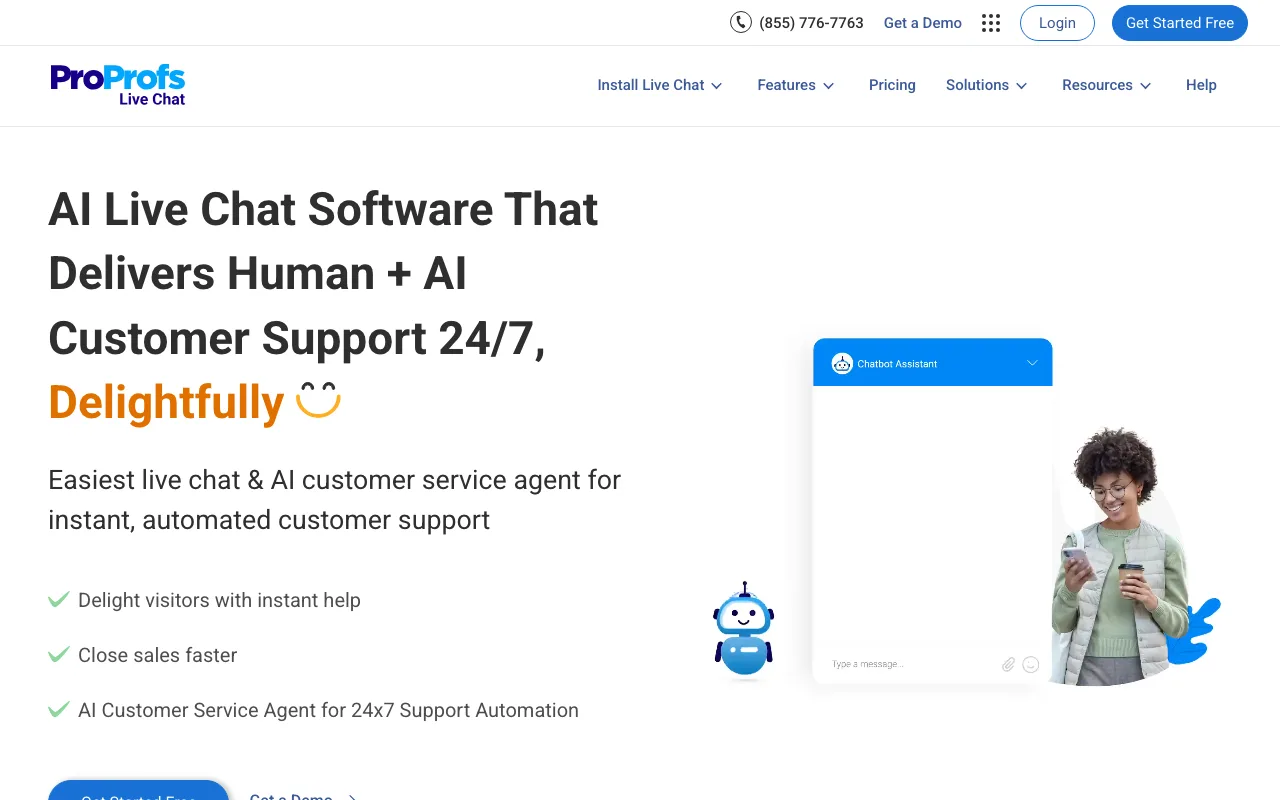
The free plan is genuinely free for a single operator with the premium features included, which is unusual. Beyond that, Essentials runs $23.88 per operator per year, so $1.99/operator/month on annual billing, and includes live chat with a basic AI bot. The Business tier at $359.88 per operator per year adds the advanced AI, omnichannel chat, and vertical bot templates. At the top, Business Complete Elite is $179.97/month for three operators with 15,000 AI chats included.
-
A real free tier for solo operators: one operator, premium features, no time limit. If you are a one-person shop that just needs chat on the site, this is hard to beat on price.
-
Channels in a single inbox: website chat plus WhatsApp Business, Facebook Messenger, and Instagram DMs land in the same dashboard, so you are not switching apps per channel.
-
The bot answers from your knowledge base: if you also run ProProfs Knowledge Base, the chatbot is trained on it directly rather than needing a separate content upload.
-
AI is metered and priced separately: the AI Chat Automation add-on is $450/year for 2,500 interactions per month. The cheap entry plans include only a basic bot, so the AI you actually want sits behind either a high tier or an add-on.
-
Per-operator annual billing: the headline $1.99 is the annual rate per operator. Costs scale with every seat you add, which is the same model that makes Tidio expensive once a team grows.
-
White-label costs extra: removing the "Powered By" link is a $300/year add-on rather than part of a plan.
-
The value is in the bundle, not the widget: on its own the chat product is fairly standard. The reason to pick it is the suite, and the full Customer Delight Suite starts at $499/month.
Best for: Teams already invested in the ProProfs suite, and solo operators who want a free, no-time-limit live chat widget.
Pricing: Free for 1 operator, $23.88/operator/year (Essentials), $359.88/operator/year (Business), $179.97/month for 3 operators (Business Complete Elite). AI Chat Automation add-on $450/year.
Still weighing your options? Boei replaces the Tidio stack with one widget: AI, live chat, CRM, WhatsApp, and 50+ channels from $19/month. Try it free for 7 days.
Tidio Alternatives FAQ
Is Boei cheaper than Tidio with AI?
Yes. Boei's Starter plan starts at $19/month (annual) including AI credits and email/WhatsApp/SMS automation. Tidio's Starter plan starts at $24.17/month per operator (with 100 billable conversations included). Lyro AI conversations beyond the included quota are billed per conversation. With multiple operators and AI overage, Tidio costs climb beyond Boei's flat tiers. Boei's pricing stays predictable with fixed flat tiers.
Does Tidio have a free plan?
Yes, Tidio offers a free plan that is useful for getting started. It includes live chat for up to 50 conversations per month, basic chatbot flows, and email support. The free plan does not include Lyro AI, WhatsApp, or advanced chatbot triggers. Most growing businesses outgrow the free plan within a few months. That is when the add-on costs start adding up.
Which Tidio alternative works best with Shopify?
Both Boei and LiveChat work well with Shopify and install in minutes through the Shopify App Store. That said, Tidio's Shopify integration is genuinely deeper than most alternatives. Tidio can pull product cards into chat, enable in-chat order tracking, and trigger automations based on cart activity. If those specific Shopify features are critical to your workflow, Tidio may still be the better choice. But if you need more channels or want to avoid per-conversation AI fees, Boei and LiveChat are strong Shopify-compatible options.
What can Tidio do that alternatives cannot?
Tidio has a few real strengths that not every alternative matches. Its visual chatbot flow builder lets you create complex conversation trees with drag-and-drop. Most alternatives use simpler rule-based setups or AI training instead. Tidio's deep Shopify integration supports in-chat product recommendations, order status lookups, and cart-based automations. And Tidio's Lyro AI, while expensive at scale, is well-built and easy to set up. These are real advantages. The question is whether they justify the total cost once you add AI, WhatsApp, and extra operators.
Does Tidio's Lyro AI take actions like booking meetings?
No. Lyro is conversational. It answers visitor questions from your knowledge base and product data, but it does not book meetings, fire webhooks to your backend, or update CRM records on its own. Boei's AI is agentic. It books via Google Calendar, calls webhooks for custom logic, and hands off to a human inside the same conversation when needed.
Can I switch from Tidio in one day?
Yes. Most alternatives on this list install in 5 to 10 minutes. You paste a code snippet or install a plugin, set up your channels, and you are live. The harder part is migrating chatbot flows if you have built complex automations in Tidio's flow builder. AI-based tools like Boei and Chatbase work differently. You train them on your content rather than building flows. So there is no direct migration path for chatbot logic. But for the chat widget itself, the switch is fast.
Tidio vs Alternatives Cost Comparison
Tidio is a strong product, especially for Shopify stores that value its visual chatbot builder and deep e-commerce integration. But its pricing model gets expensive once you move beyond basic live chat. Per-operator base fees, Lyro AI billed per conversation, and $59/month WhatsApp add-ons add up fast.
If you want more channels, agentic AI included, and predictable flat pricing, start a free trial and see for yourself. Setup takes less than five minutes, and no credit card is required.