WhatsApp Live Chat for Your Website
A click-to-chat widget that opens WhatsApp on desktop and mobile. Visitors click, the WhatsApp app opens with your number already loaded and an optional pre-filled message. No plugins for your customers to install, no Business API contracts. Works on any website in 5 minutes.
✓Click to open WhatsApp✓Works on desktop + mobile✓One-line install✓Optional AI auto-reply
Free tier available. No credit card required.
How WhatsApp Click-to-Chat Works on a Website
WhatsApp live chat on a website is not a chat window that stays on your page. It is a click-to-chat handoff. A visitor clicks your WhatsApp button, the browser opens WhatsApp (Web on desktop, the app on mobile) with your number pre-loaded and an optional pre-filled message. The conversation happens inside WhatsApp, where the visitor already has their contacts, history, and notifications. That's why it converts: no signup, no fresh chat window to abandon, and the message thread lives on the customer's phone forever.
- ✓One click on desktop: opens web.whatsapp.com with your number
- ✓One click on mobile: opens the WhatsApp app directly
- ✓Optional pre-filled message so visitors don't stare at an empty input
- ✓Works with your regular WhatsApp number or WhatsApp Business number
- ✓No login required on your customer's side
WhatsApp Live Chat
Hi! I'm interested in your services, can you tell me more?
Sure! What would you like to know first: pricing, features, or getting started?
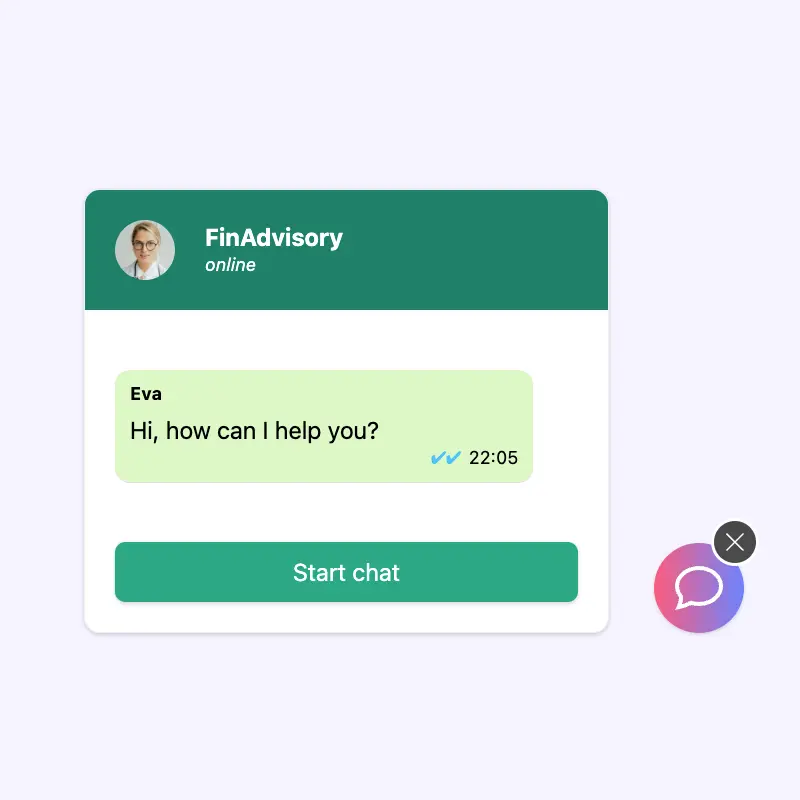
Add AI Auto-Reply for 24/7 Live Chat
A basic WhatsApp click-to-chat link works if someone is awake to reply. If you want live chat that actually replies at 2am, add Boei's AI to the widget. The AI trains on your website content and replies to WhatsApp messages instantly, in your voice, with sources. When a lead is warm or a customer asks for a human, the conversation escalates to your shared inbox with the full history.
- ✓AI answers on WhatsApp 24/7, trained on your website
- ✓Escalates to a human agent when needed
- ✓Full conversation history in a shared inbox
- ✓One WhatsApp number, one AI, one team
- ✓Free click-to-chat tier; AI from $19/mo
WhatsApp Live Chat FAQ
What is WhatsApp live chat on a website?
WhatsApp live chat is a click-to-chat widget on your website. A visitor clicks a button and WhatsApp opens (Web on desktop, the app on mobile) with your number pre-loaded and an optional pre-filled message. The conversation happens inside WhatsApp, not in a chat window on your site. That means the visitor keeps the message history on their own phone, and you can reply from any device where you're signed into WhatsApp.
Do I need WhatsApp Business API for live chat?
No. The click-to-chat handoff works with any WhatsApp number: regular WhatsApp, WhatsApp Business (the free app), or a Business API number. The Business API is only necessary if you want to send automated messages at scale, use templates, or run outbound campaigns. For live chat where visitors initiate the conversation, no BSP contract is needed.
Does WhatsApp live chat work on desktop?
Yes. When a desktop visitor clicks your WhatsApp button, the browser opens web.whatsapp.com with your number pre-loaded. If the visitor has scanned the WhatsApp Web QR code with their phone at any point, they land straight in the chat. If not, they scan the QR code once and continue. On mobile, clicking the button opens the WhatsApp app directly.
Can multiple agents reply to WhatsApp live chat?
Not with the basic WhatsApp app - one WhatsApp number = one device signed in at a time (WhatsApp Business supports up to 4 linked devices). If you want multiple agents replying from the same number simultaneously, you need a shared inbox on top of WhatsApp. Boei's shared inbox handles this: multiple agents see the same WhatsApp conversations, claim them, and reply from a unified interface. No lost messages, no double-replies.
What is the difference between WhatsApp live chat and website live chat?
Website live chat happens inside a chat widget on your page. The visitor stays on the site; the conversation lives in your database. WhatsApp live chat hands off to WhatsApp: the conversation lives on the visitor's phone and continues even after they close your website. WhatsApp usually has higher engagement (the visitor already trusts the app) and better follow-up (you can message them again), but website chat is better for anonymous browsing and for visitors who don't have WhatsApp. Boei supports both from the same widget.
Is WhatsApp live chat free?
The click-to-chat link itself is free (WhatsApp doesn't charge for wa.me links). Boei offers a free tier for the basic WhatsApp button widget. AI auto-reply, shared inbox, multi-channel, and CRM start at $19/month.
Add WhatsApp Live Chat to Your Site Today
Click-to-chat widget, optional AI auto-reply, shared team inbox. From $19/month.
✓ Free tier available • ✓ 5-minute setup • ✓ No Business API needed • ✓ GDPR compliant