WhatsApp Button for Your Website
A floating WhatsApp button in the corner, a popup that opens on scroll, or an inline button on a page. All three styles from one install, on any website. Customize color, size, position, and pre-filled message. No coding required.
✓Floating, popup, or inline✓Custom color + position✓One-line install✓Works with any WhatsApp number
Free tier available. No credit card required.
Three WhatsApp Button Styles, One Install
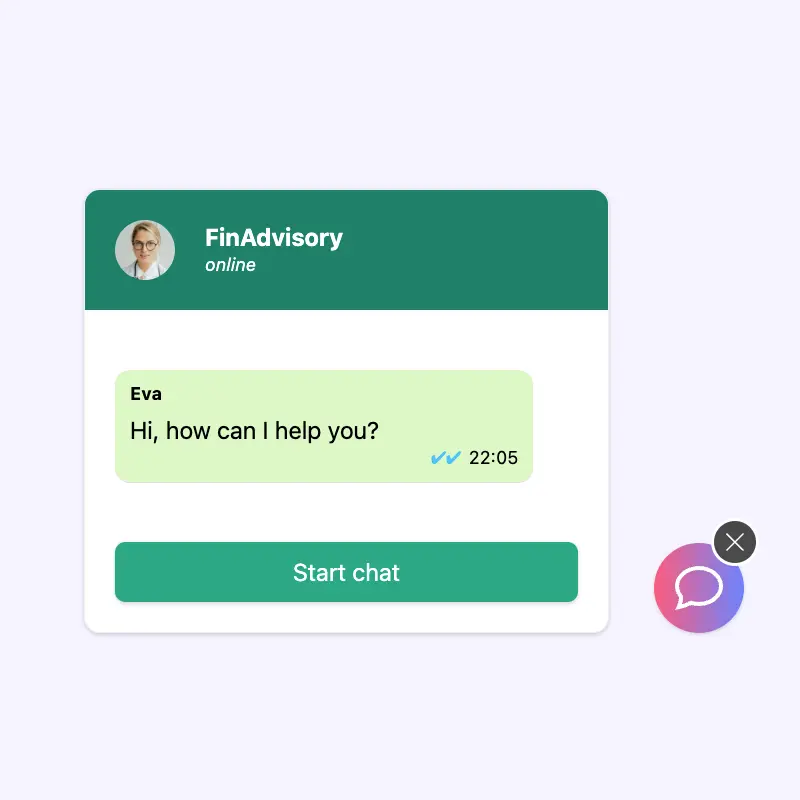
The right button style depends on the page and the visitor's stage. A floating button in the corner catches every visitor without being intrusive. A popup that opens after scroll or time-on-page is louder but converts higher on pages where you already know the visitor is engaged. An inline button (in a hero, sidebar, or CTA block) is a direct call-to-action, useful for landing pages and contact pages. Boei ships all three and lets you mix them per page.
- ✓Floating: bottom-right or bottom-left, always visible
- ✓Popup: opens after scroll, time-on-page, or exit intent
- ✓Inline: drop the button inside any content block
- ✓Custom color, icon, size, position, and animation
- ✓Optional pre-filled message loaded from the link generator
✦
Add a WhatsApp Button in 5 Minutes, No Coding
Add a WhatsApp Button in 5 Minutes, No Coding
Paste one line of JavaScript into your website's . Or install the plugin on WordPress, Shopify, Wix, Squarespace, Webflow, and any other platform. Configure the button style, color, and pre-filled message in the Boei dashboard. Changes go live instantly, no redeploy needed.
- ✓One-line script tag works on any HTML site
- ✓Native plugins for WordPress, Shopify, Wix, Squarespace, Webflow
- ✓Configure and preview in the dashboard, changes go live immediately
- ✓Trigger rules: show on specific pages, hide for returning visitors, etc.
- ✓Works with your regular WhatsApp number or Business number
WhatsApp Button FAQ
How do I add a WhatsApp button to my website?
The fastest way is a click-to-chat button that opens WhatsApp when clicked. You need three things: your WhatsApp number, a wa.me link, and a button. The link format is https://wa.me/{country-code-and-number}?text={pre-filled-message}. You can generate one with the WhatsApp link generator and wrap it in an HTML anchor with a button style, or install a widget that handles all three styles (floating, popup, inline) for you.
What is the best WhatsApp button placement?
Floating bottom-right converts best across most websites - it is where visitors expect to find help, doesn't cover the primary content, and stays visible during scroll. Bottom-left works well for right-to-left languages. Popup styles (opening on scroll or exit intent) convert higher on landing pages but are annoying if overused - keep them off high-volume informational pages. Inline buttons (in a hero or CTA block) are best for contact pages and pricing pages where the visitor is already deciding.
Do I need coding to add a WhatsApp button?
No. Boei installs with one line of JavaScript or via a native plugin (WordPress, Shopify, Wix, Squarespace, Webflow). You configure the button style, color, position, and pre-filled message in the dashboard. If you prefer to hand-code a static link, use the WhatsApp link generator to build a wa.me URL and drop it into any anchor tag.
Can I change the WhatsApp button color?
Yes. Boei lets you set any hex color for the button background, icon color, and hover state. Default is WhatsApp green (#25D366). You can also swap the icon (WhatsApp bubble, phone, chat, custom SVG) and set the size, position offset, and animation (bounce, pulse, none).
Does the WhatsApp button work on mobile?
Yes. On mobile, tapping the button opens the WhatsApp app directly with your number pre-loaded. On desktop, it opens web.whatsapp.com. The button is responsive: it sizes down on small screens and respects safe areas on iOS (so it doesn't overlap with the home indicator).
Add a WhatsApp Button to Your Site Today
Floating, popup, and inline styles from one install. From $19/month.
✓ Free tier available • ✓ 5-minute setup • ✓ Works on any website • ✓ GDPR compliant