WordPress logo

Best WordPress Chatbot Plugin

AI Chatbot for WordPress

Add an AI chatbot to your WordPress site in 5 minutes. Answer visitor questions automatically, capture leads around the clock β€” no coding required. Works with any theme, including Elementor, Divi, and WooCommerce.

Trusted by 14,368 websites

WordPress plugin available

Andrew Lee David S. Vance W. Grant Nitesh Manav
from 159 reviews

Also available for:

Try the WordPress AI Chatbot

Why Add an AI Chatbot to WordPress?

WordPress powers over 40% of all websites. Whether you run a blog, WooCommerce store, membership site, or business website, your visitors have questions. An AI chatbot for WordPress answers them instantly β€” even at 3am when you're asleep.

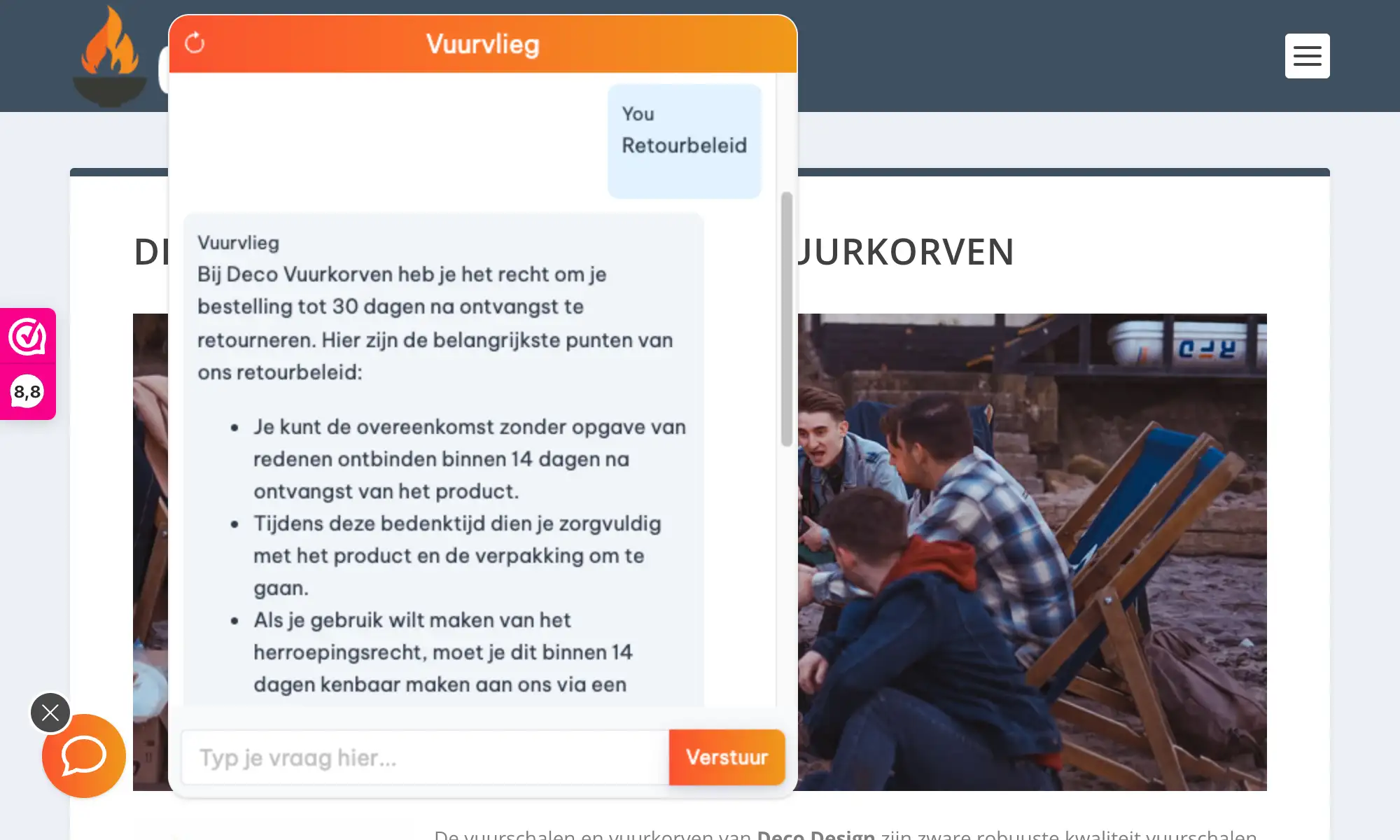
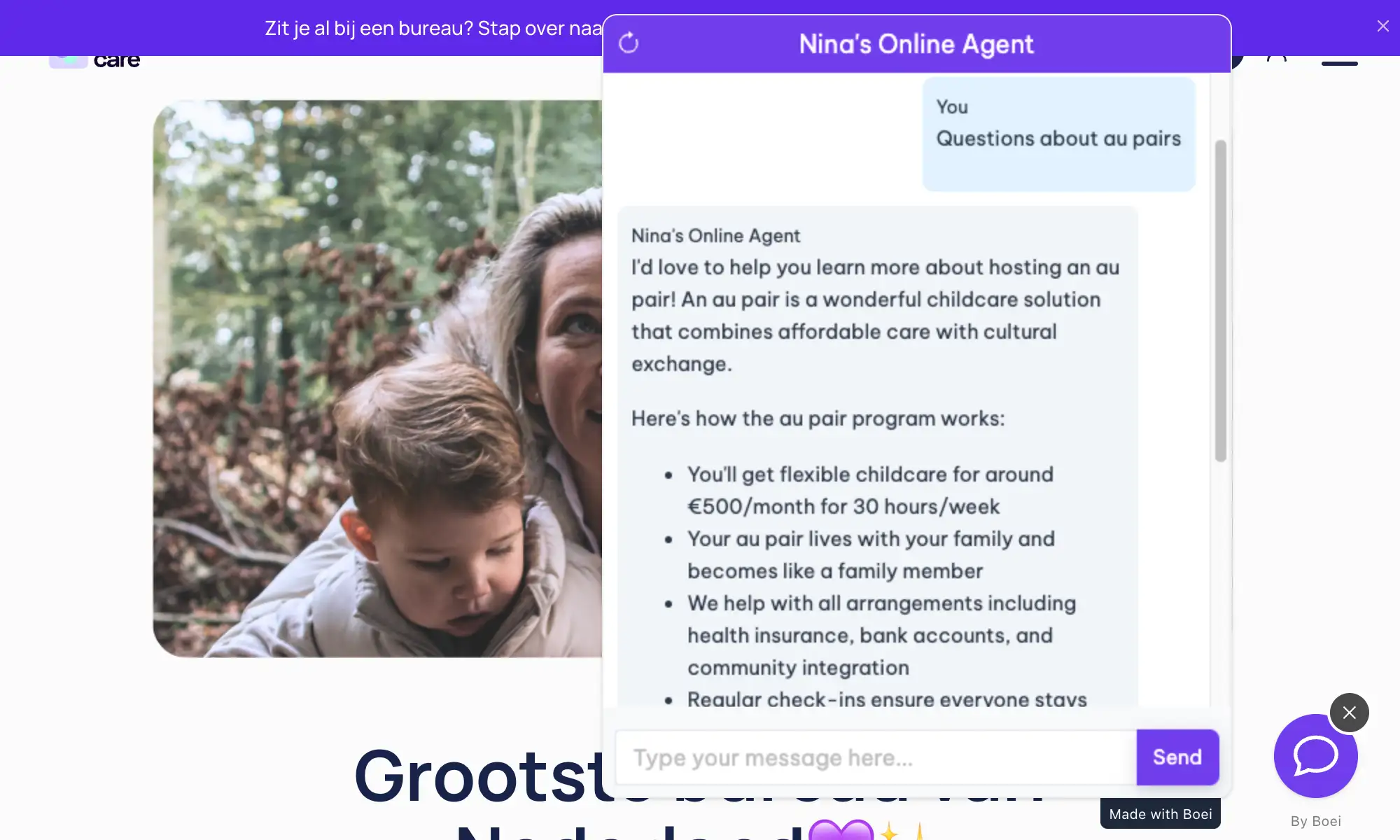
Unlike traditional chatbots that follow rigid scripts, Boei's WordPress chatbot plugin uses GPT-5 and Claude to understand what visitors actually mean. It learns from your existing content (pages, posts, products, FAQs) and responds naturally. No manual training, no decision trees to build.

What makes this different from other WordPress chatbot plugins:

  • One-click learning β€” Enter your domain and the AI crawls your entire WordPress site automatically
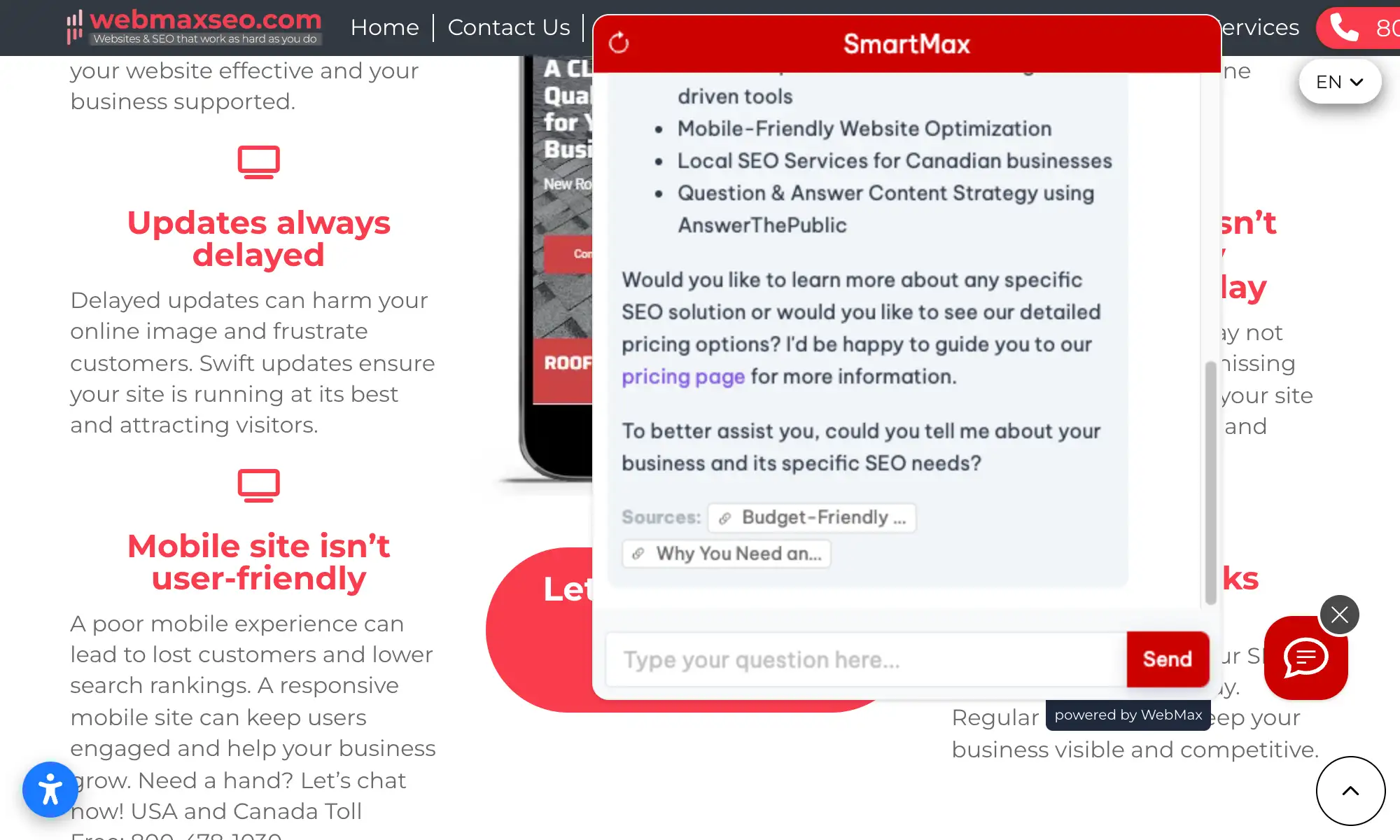
  • No hallucinations β€” Answers come only from your content, with source links visitors can verify
  • Lead capture built-in β€” Collect emails, phone numbers, and custom fields during conversations
  • Works with everything β€” Elementor, Divi, WooCommerce, WPML, caching plugins, you name it
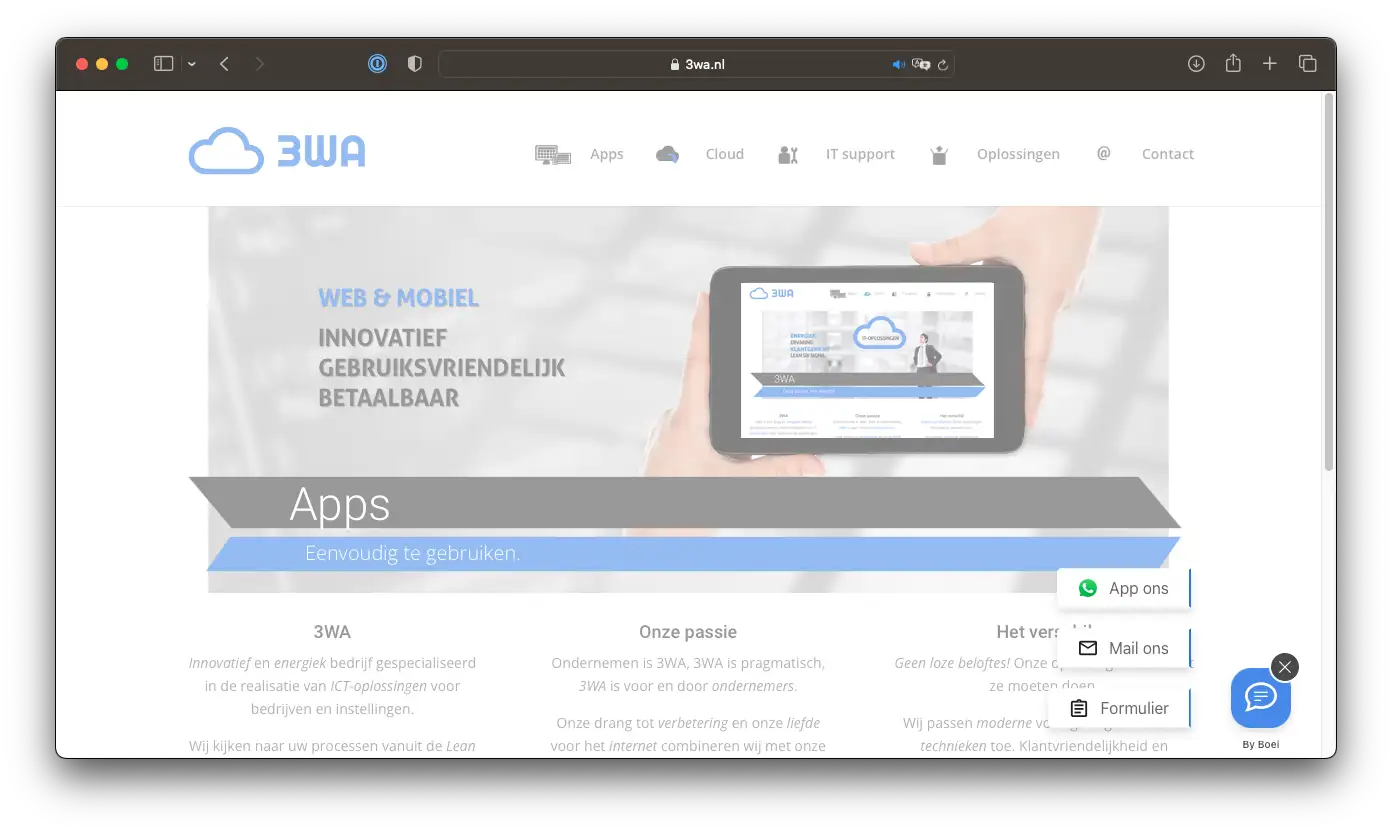
  • 50+ channels included β€” Add WhatsApp, contact forms, Messenger alongside your chatbot

The average WordPress site owner spends hours answering the same questions. An AI chatbot handles 70-80% of those automatically, giving you time back while improving visitor experience.

Popular WordPress use cases:

Running an online store? Learn how our chatbot helps ecommerce businesses automate support. Medical practices on WordPress can stay HIPAA compliant with our chatbot. Many real estate agents use WordPress with our chatbot for property inquiries. See all WordPress chatbot use cases.

Key Benefits

Why WordPress Users Love Boei

⚑

Answer Questions Instantly

Visitors get immediate answers about your products, services, pricing, or policies. No waiting for email replies or business hours. The AI understands context and responds naturally in 95+ languages.

πŸ‘€

Capture More Leads

Every conversation is an opportunity. The chatbot collects contact information naturally during helpful conversations. Leads arrive in your inbox with full transcripts and AI-generated summaries.

🧩

Easy WordPress Integration

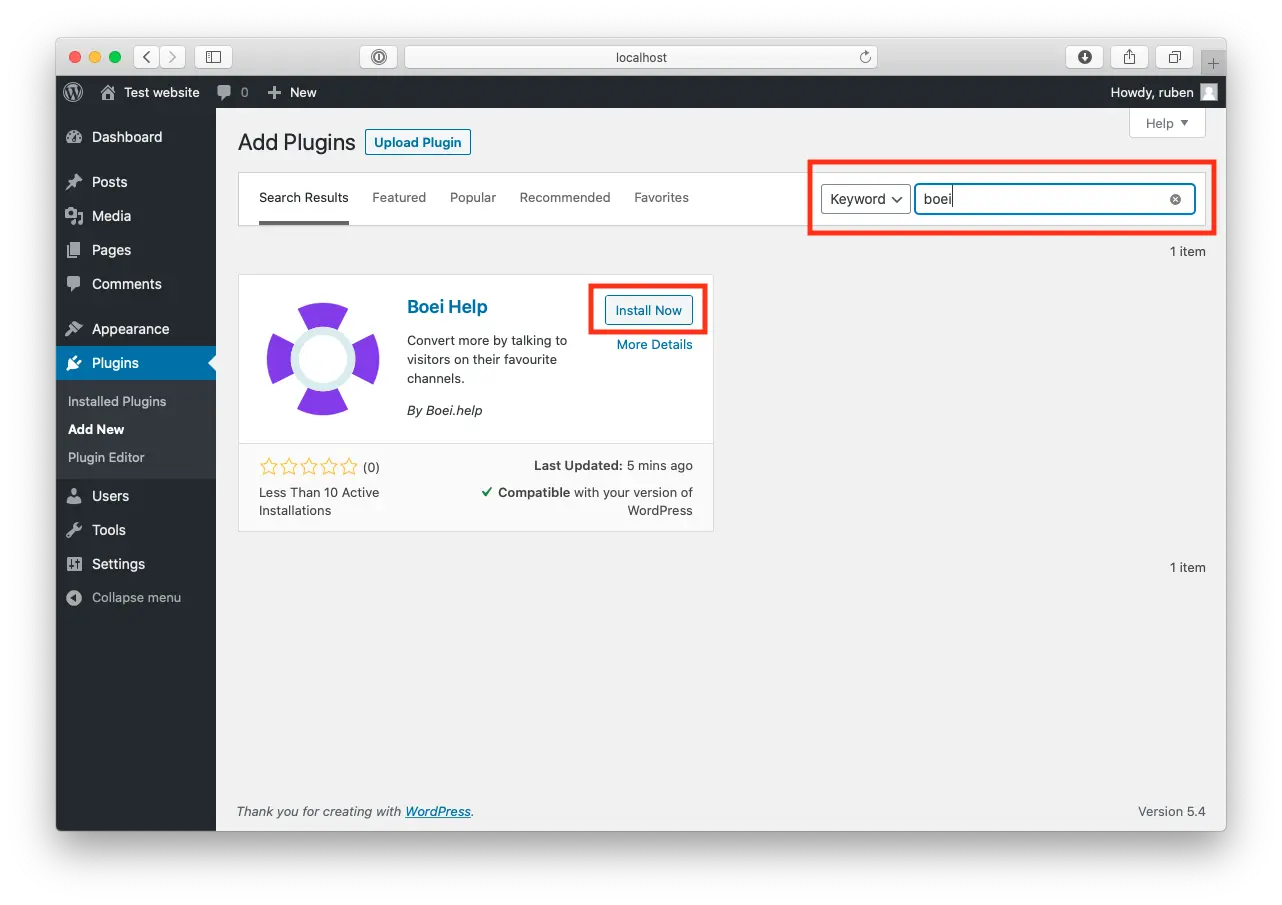
Install like any other plugin β€” search 'Boei' in WordPress, activate, enter your key. Works with page builders, themes, and plugins you already use. No theme file editing required.

🎧

Reduce Support Burden

Stop answering 'What are your hours?' for the hundredth time. The AI handles repetitive questions automatically and escalates complex issues to you with full context.

Quick Setup

Install in 3 Simple Steps

Get your AI chatbot live on WordPress in under 5 minutes

1

Install the Plugin

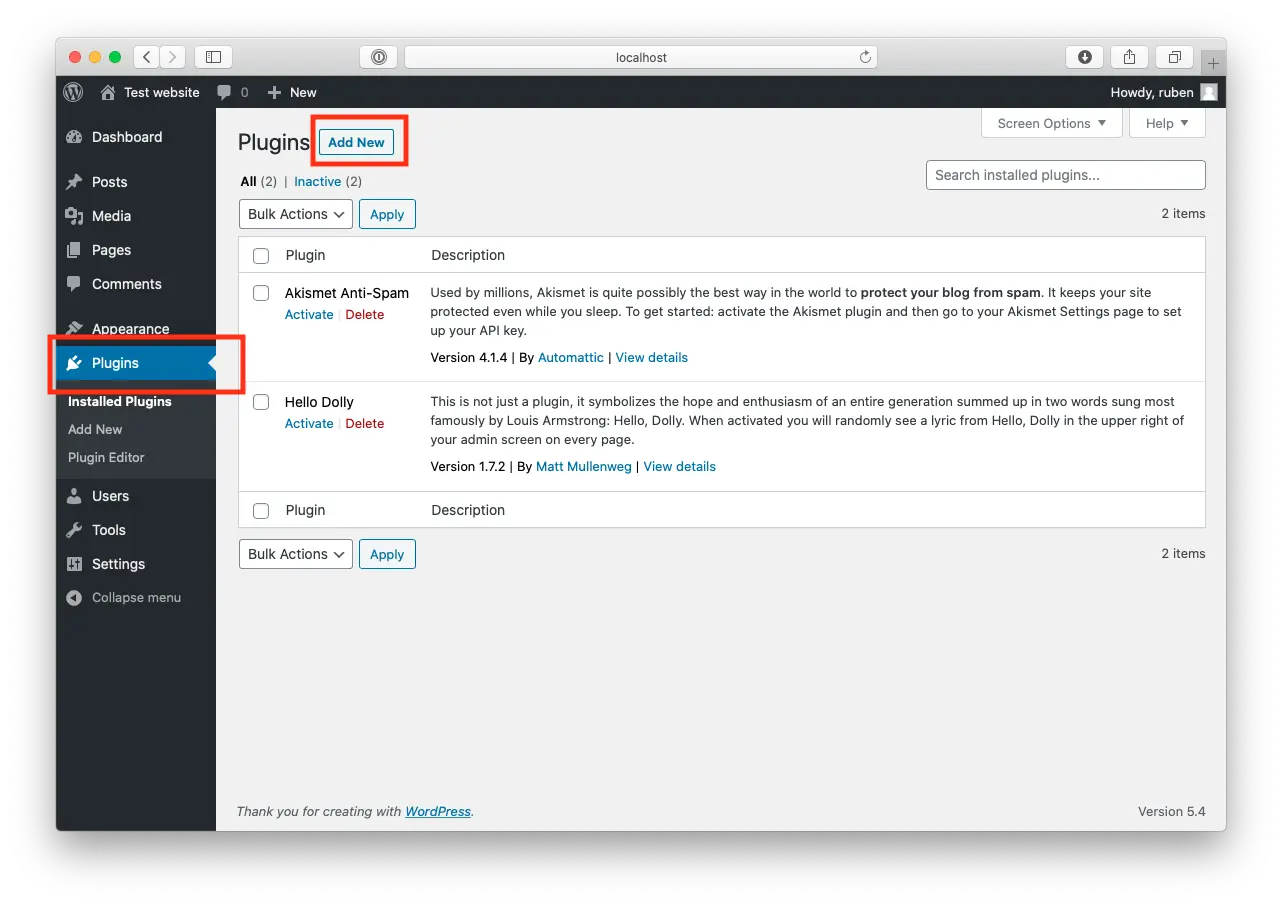
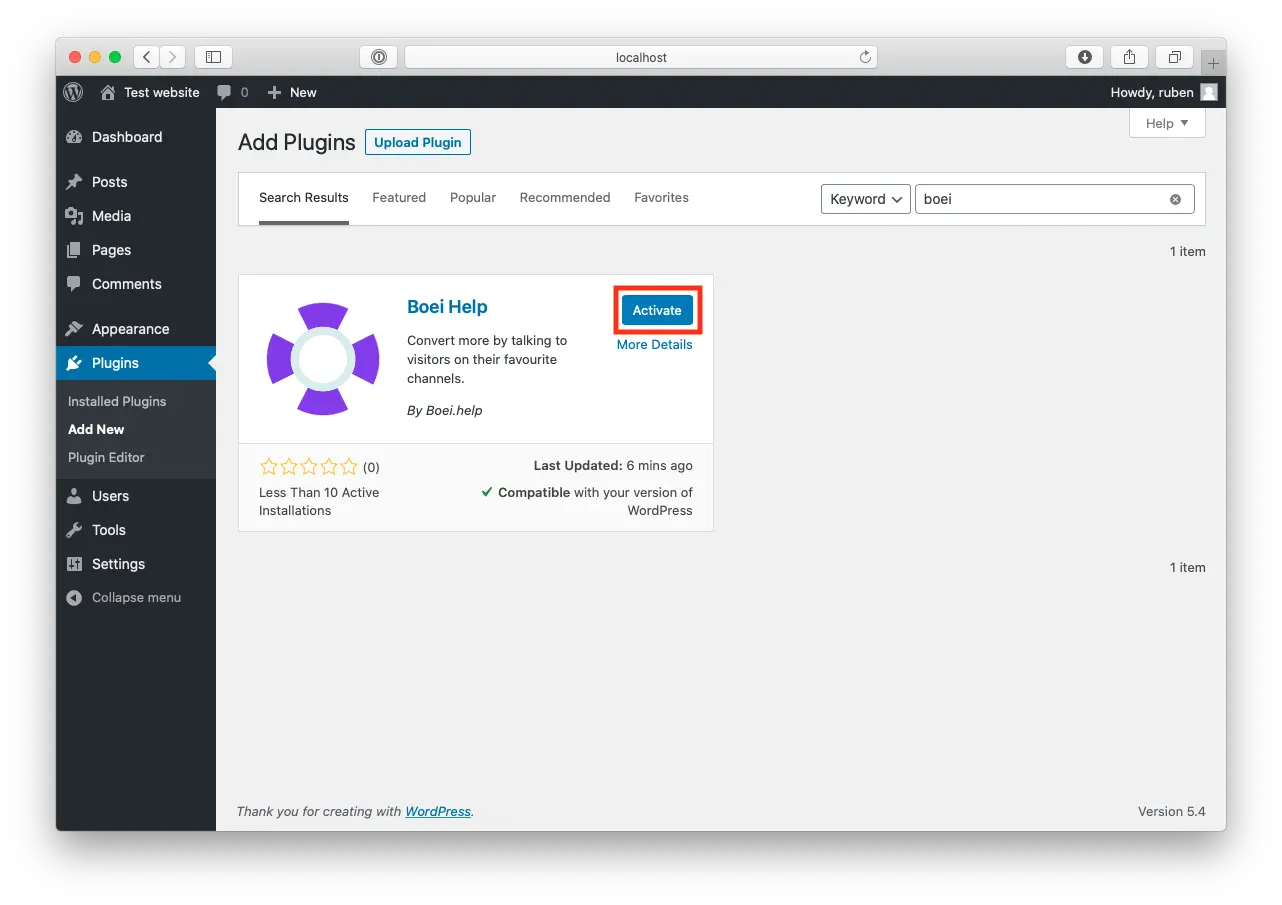
Go to Plugins β†’ Add New in WordPress. Search for 'Boei' and click Install Now, then Activate.

2

Enter Your Widget Key

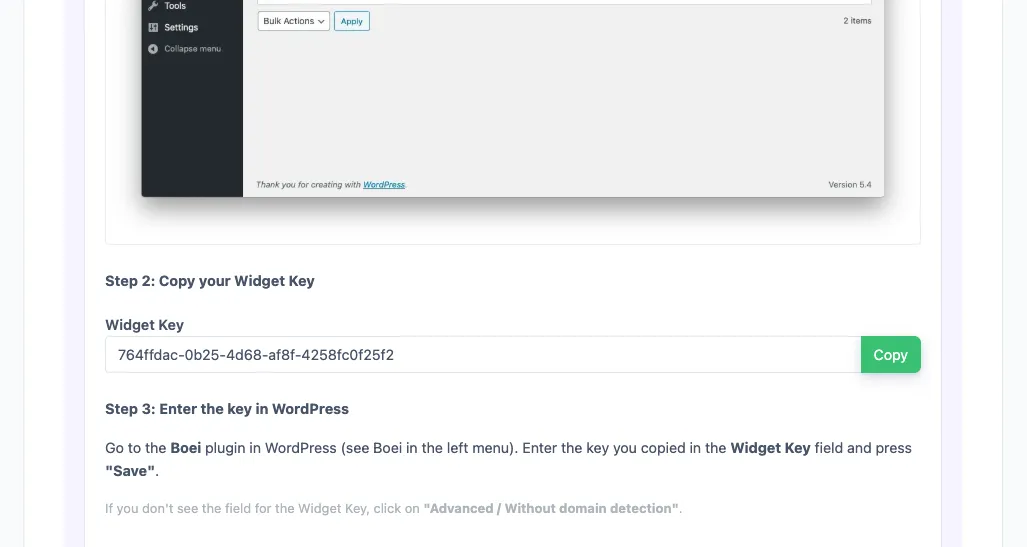
Go to Settings β†’ Boei. Copy your Widget Key from the Boei dashboard and paste it here. Click Save.

3

Train the AI

In Boei dashboard, enter your WordPress URL. The AI automatically crawls your pages, posts, and products to learn your content.

Watch: WordPress Chatbot Setup

See the complete installation process in 2 minutes

WordPress Features

Built for WordPress

Works perfectly with your existing WordPress setup

🎨

Page Builder Compatible

Works with Elementor, Divi, Beaver Builder, WPBakery, and Gutenberg.

πŸ›’

WooCommerce Ready

Train on your product catalog. Answer questions about products, shipping, returns.

🌍

Multilingual (WPML)

Auto-detects visitor language. Works with WPML and Polylang. Supports 95+ languages.

πŸ“

Shortcode Available

Use [boei] shortcode to place chatbot on specific pages or inline in content.
πŸš€

Cache Friendly

Compatible with WP Rocket, W3 Total Cache, LiteSpeed. Won't affect PageSpeed.

πŸ”’

Security Compatible

Works with Wordfence, Sucuri, iThemes Security. No special firewall rules needed.

Compare Options

Boei vs Other WordPress Chatbots

See how we compare to popular alternatives

Feature Boei Tidio LiveChat WP Chatbot
Starting price €14/mo €39/mo €52/mo €39/year + API
AI messages included 2,000 50-1,000 1,000 You pay OpenAI
Train on your site ✓ Yes ✗ Limited ✗ Limited ✗ Limited

WhatsApp, forms, 50+ channels ✓ Yes
WooCommerce support ✓ Yes ✓ Yes ✓ Yes ✗ Limited
Plugin install ✓ Yes ✓ Yes ✓ Yes ✓ Yes
GDPR compliant (EU servers) ✓ Yes ✗ Limited

Bottom line: Boei gives you more AI conversations, automatic training, and 50+ channels for less than competitors charge for basic chat.

Perfect for WooCommerce Stores

Running a WooCommerce store? Your AI chatbot becomes a knowledgeable sales assistant. It learns your entire product catalog and can answer detailed questions about specifications, availability, shipping, and returns.

  • Train on all WooCommerce products automatically
  • Answer pre-sale questions to reduce cart abandonment
  • Explain shipping costs and delivery times
  • Handle return and refund policy questions
  • Capture leads from browsers not ready to buy yet
WooCommerce AI Chatbot

Pro Tips

Get More From Your WordPress Chatbot

1

Train on WooCommerce Products

Include your shop URL in AI training. Upload product catalog as CSV for complete coverage.

2

Optimize for Caching

Add Boei script to cache exclusions in WP Rocket. Script is under 50KB and loads async.

3

Combine with Contact Form 7

Use chatbot for quick questions, forms for complex inquiries. Both integrate with your CRM.

4

Set Up Quick Reply Buttons

Configure buttons for common questions: 'Pricing', 'How it works', 'Contact sales'.

Need Help?

Troubleshooting Common Issues

Widget not appearing?
Clear your WordPress cache (WP Rocket, W3 Total Cache, etc.) and browser cache. Check if the Boei plugin is activated and the Widget Key is entered correctly in Settings β†’ Boei.
Conflict with another plugin?
Temporarily deactivate other chat or popup plugins to check for conflicts. Boei works with most plugins, but some older chat widgets may conflict. Contact support if issues persist.
Chatbot loading slowly?
The Boei script loads asynchronously and shouldn't affect page speed. If you notice slowness, check that your hosting isn't blocking external scripts. Also verify you're using the latest plugin version.
AI giving wrong answers?
Re-train the AI on your current content. Go to Boei dashboard β†’ Training β†’ refresh your site crawl. Also review your custom instructions to ensure they're guiding the AI correctly.

What WordPress Users Say

See AI Chatbot in Action

Real websites using Boei's AI chatbot to answer visitor questions

Add More Contact Channels

Combine AI chatbot with other ways for visitors to reach you

Related Resources

Explore AI chatbots by industry

E-commerce

WooCommerce and online stores

Healthcare

Medical practices and clinics

Real Estate

Agencies and realtors

WordPress Chatbot Pricing

Simple, transparent pricing with AI chatbot included

Loading...

Questions?

WordPress AI Chatbot FAQ

How do I install the AI chatbot on WordPress?

Go to Plugins β†’ Add New, search for 'Boei', install and activate. Then go to Settings β†’ Boei and enter your Widget Key from the Boei dashboard.

Will the chatbot slow down my WordPress site?

No. The Boei script is under 50KB and loads asynchronously. It's compatible with all major caching plugins and won't affect your PageSpeed score.

Does it work with my WordPress theme?

Yes. Boei works with all WordPress themes including Elementor, Divi, Astra, GeneratePress, and custom themes.

Can I use it on multiple WordPress sites?

Yes. Your Boei subscription covers unlimited websites. Create separate chatbots for each site, each trained on that site's content.

Which AI models does Boei use?

Boei uses GPT-5 from OpenAI and Claude from Anthropic. We automatically select the best model for each conversation.

Will the AI make up incorrect answers?

No. Boei only answers based on your content β€” WordPress pages, products, and documents. Every answer includes source links.

How do I receive captured leads?

Choose email notifications, webhook to your CRM (HubSpot, Salesforce), or check Boei's built-in inbox with full transcripts.

Is it GDPR compliant?

Yes. Servers in Amsterdam (EU), we don't train on your conversations, and cookieless mode available. DPA provided on request.

Ready to Add AI Chat to WordPress?

Join thousands of WordPress sites using Boei. Install in 5 minutes.

7-day free trial β€’ No credit card required β€’ Works with any theme
Andrew Lee David S. Vance W. Grant Nitesh Manav
from 159 reviews