Squarespace logo

Best AI Chatbot for Squarespace

AI Chatbot for Squarespace

Add an AI chatbot to your Squarespace website in 5 minutes. Answer visitor questions automatically, capture leads around the clock β€” works with all Squarespace 7.0 and 7.1 templates.

Trusted by 14,368 websites

Works with Code Injection

Andrew Lee David S. Vance W. Grant Nitesh Manav
from 159 reviews

Also available for:

Try the Squarespace AI Chatbot

Why Add an AI Chatbot to Squarespace?

Squarespace is known for beautiful, professional websites. But even the most stunning design can't answer visitor questions at 2am. An AI chatbot for Squarespace bridges that gap β€” providing instant answers 24/7 while maintaining the elegant experience your site is known for.

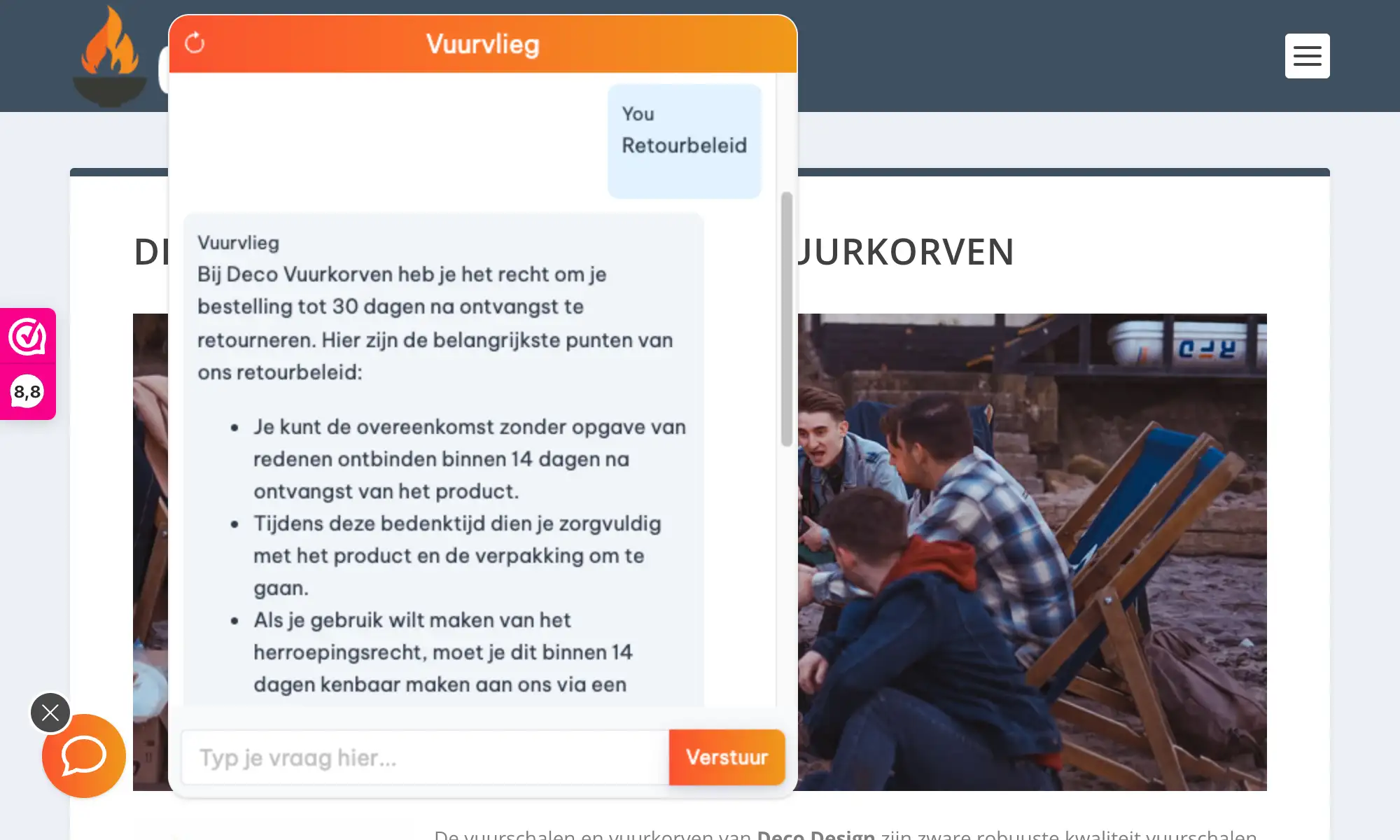
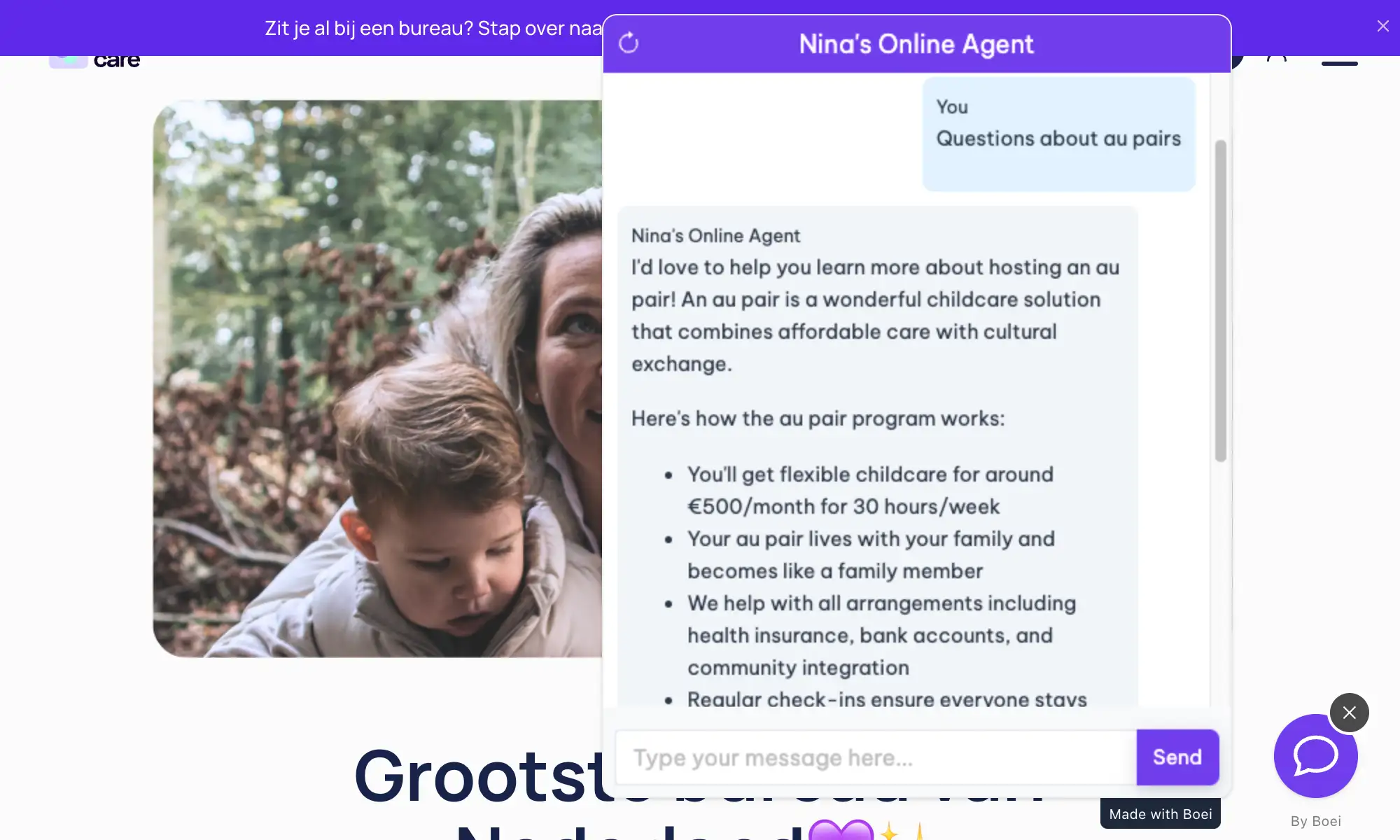
Boei's Squarespace chatbot learns directly from your website content. Point it at your URL, and the AI reads your pages, services, portfolio, and FAQs. When visitors have questions, they get helpful answers based on what you've already written β€” no manual training required.

Why Squarespace site owners choose Boei:

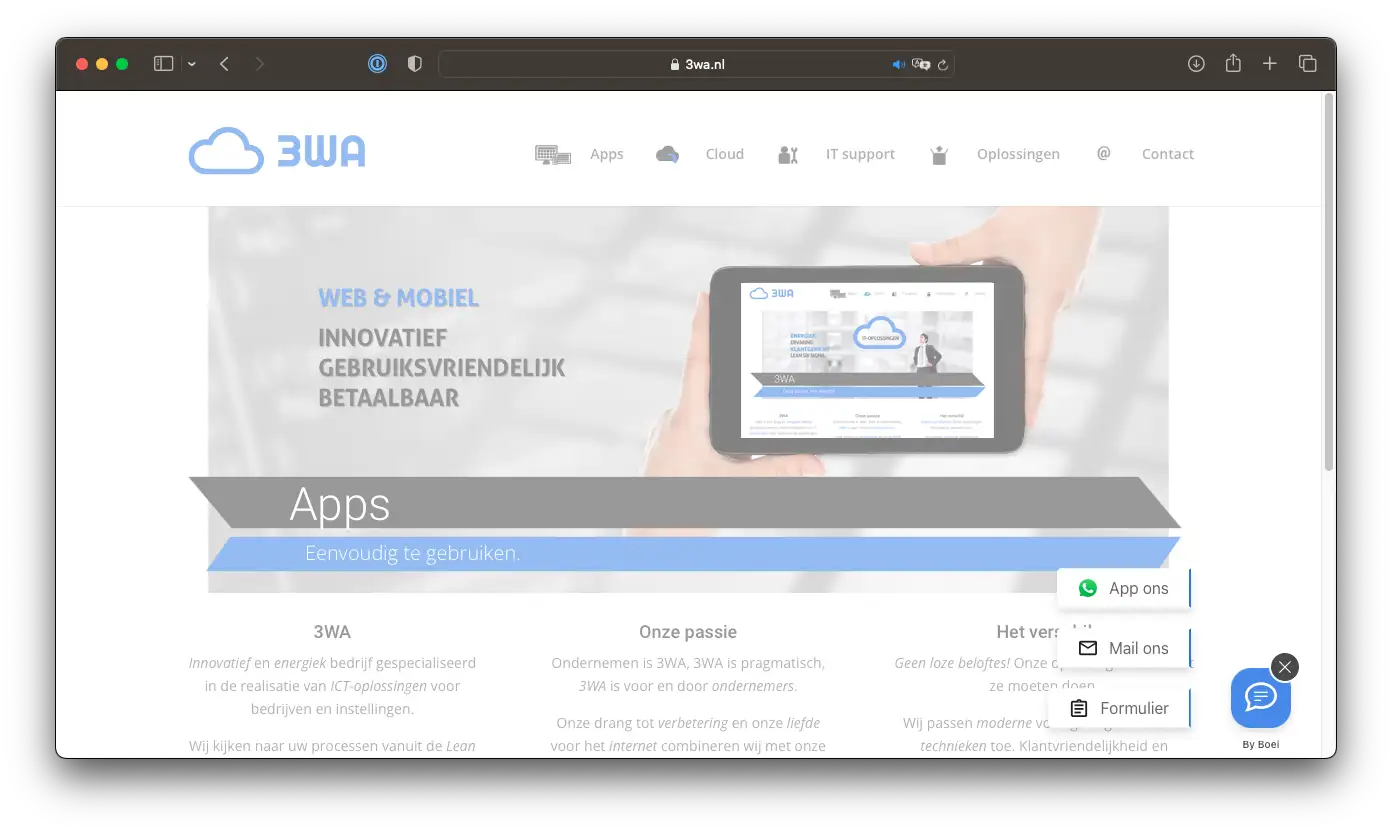
  • Design-conscious widget β€” The floating chat button matches Squarespace's clean aesthetic and your brand colors
  • Works with all templates β€” Brine, Bedford, Tremont, and every other Squarespace 7.0/7.1 template
  • Lead capture built-in β€” Collect emails and inquiries without disrupting your minimal design
  • Squarespace Commerce ready β€” Train on your products and answer pre-sale questions automatically
  • No developer mode needed β€” Add via Code Injection, no CSS editing or advanced coding

Your Squarespace site already looks professional. Now make it work professionally too β€” answering questions and capturing leads around the clock. Squarespace stores can improve ecommerce support with AI. Popular with real estate professionals on Squarespace. See all available features.

Key Benefits

Why Squarespace Sites Love Boei

πŸ’¬

Answer Questions Instantly

Visitors to your portfolio, services page, or store have questions. The AI responds immediately β€” about your work, pricing, availability β€” in 95+ languages.

πŸ‘€

Capture More Leads

Turn browsers into contacts without adding clunky forms to your clean Squarespace design. Collects information naturally during conversations.

🎨

Matches Your Design

Squarespace users care about aesthetics. The widget uses your brand colors and maintains the minimal, professional look.

πŸŒ™

Works While You Sleep

Creative professionals can't be online 24/7. The chatbot handles inquiries at midnight, on weekends, and during busy periods.

Quick Setup

Install in 3 Simple Steps

Get your AI chatbot live on Squarespace in under 5 minutes

1

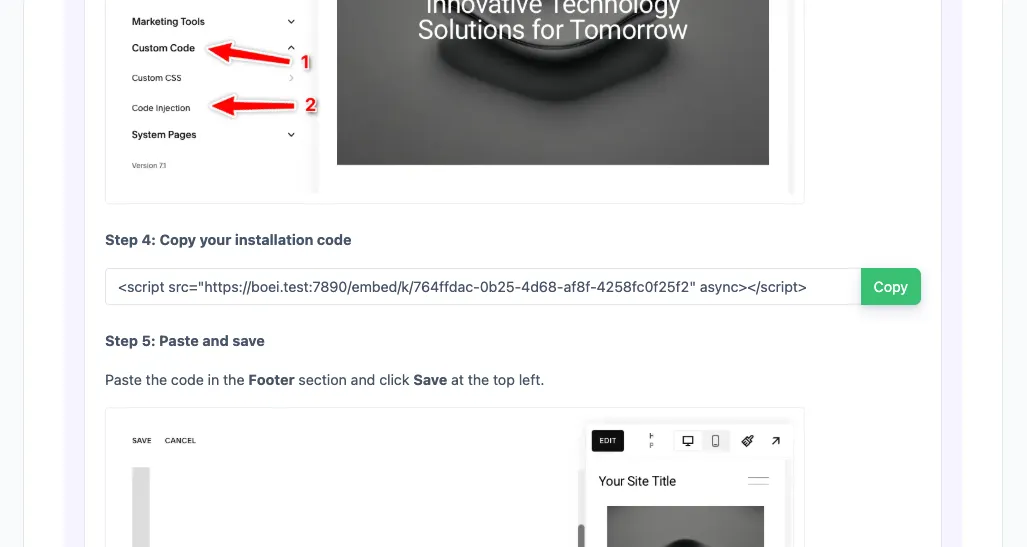
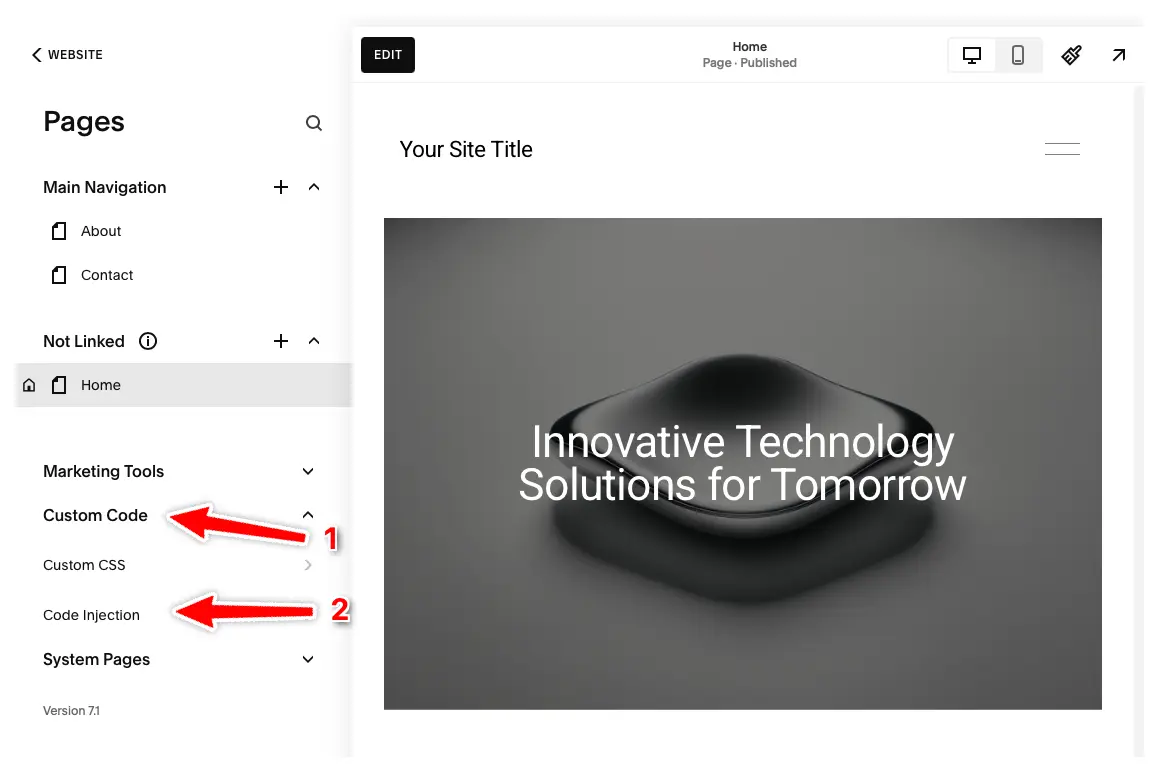
Open Code Injection

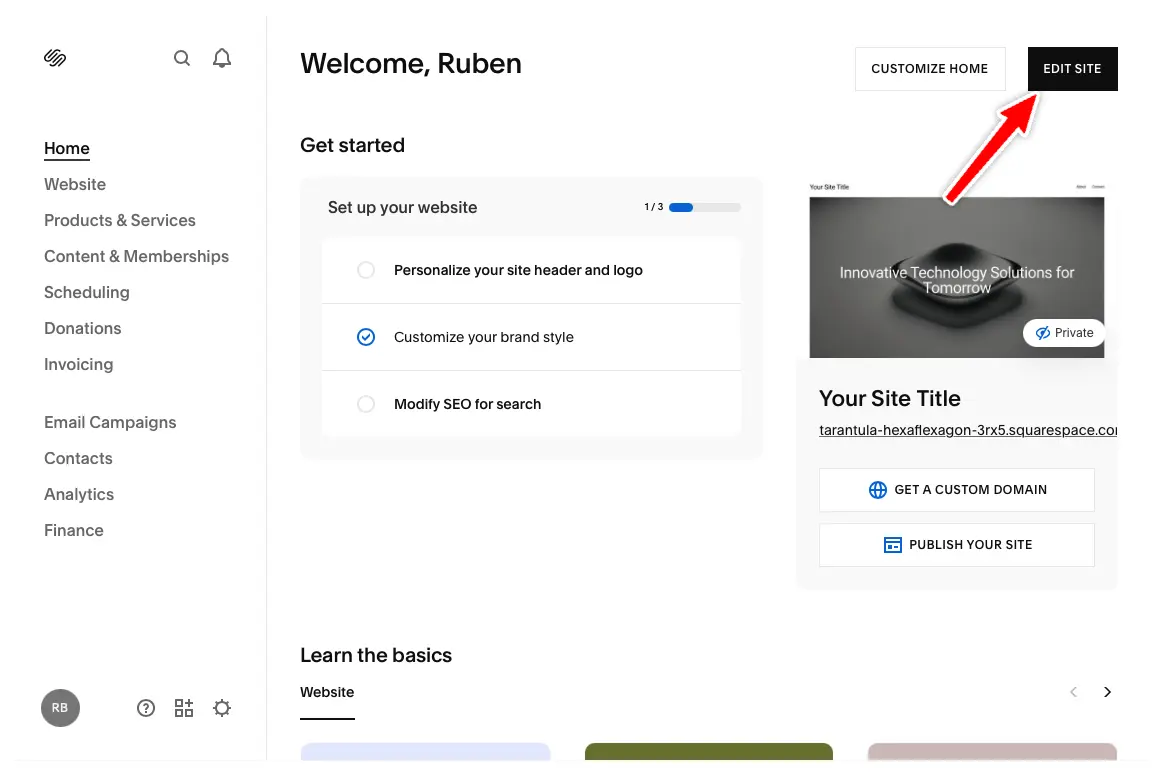
In Squarespace dashboard, go to Settings β†’ Advanced β†’ Code Injection.

2

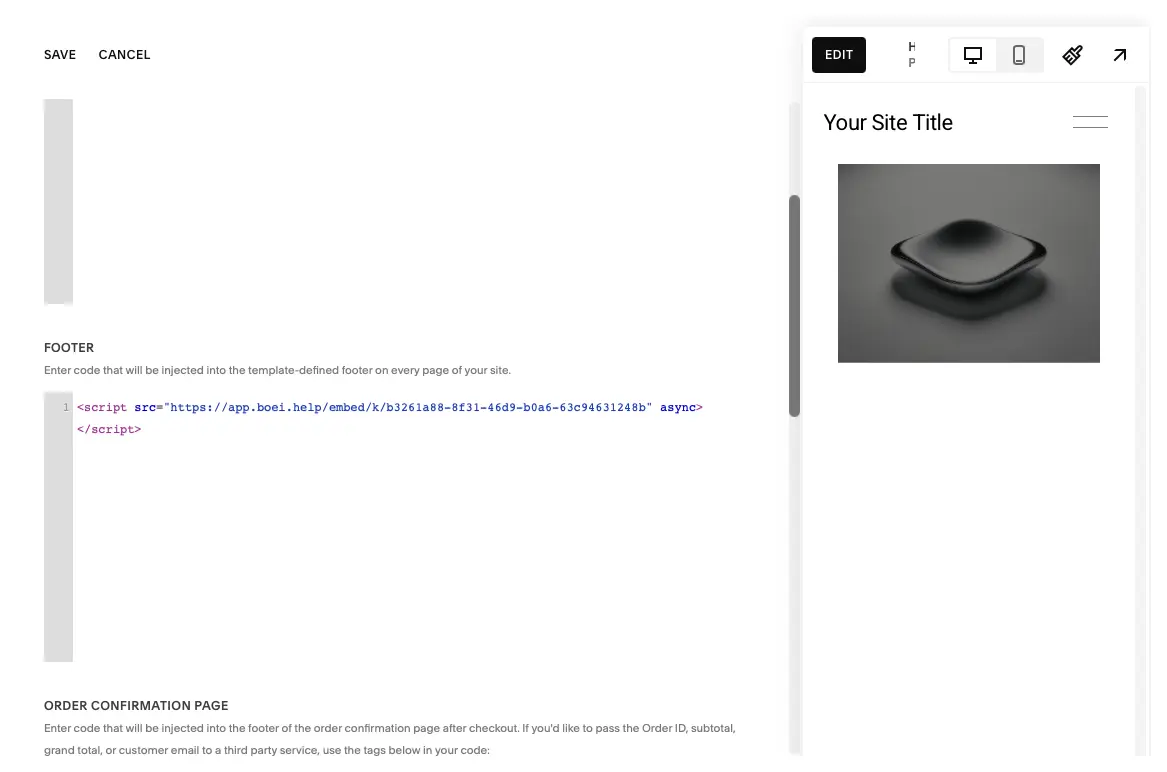
Paste in Footer

Scroll to the 'Footer' section. Paste your Boei script code here. Click Save.

3

Train the AI

In Boei dashboard, enter your Squarespace URL. The AI crawls your pages, portfolio, and products automatically.

Watch: Squarespace Chatbot Setup

Complete installation walkthrough

Squarespace Features

Built for Squarespace

Works perfectly with your Squarespace website

🎨

All Templates Supported

Works with Brine, Bedford, Tremont, Montauk, Five, and all 7.1 templates.

πŸ“±

7.0 and 7.1 Compatible

Works identically on both platforms. Same installation, same features.

πŸ›’

Commerce Ready

Train on your products. Answer questions about features, sizing, shipping.

πŸ–ŒοΈ

Style System Integration

Customize colors to match your site's style settings. Visual consistency.

πŸ–ΌοΈ

Portfolio & Gallery Sites

Perfect for photographers and designers. Answer inquiries about your work.

πŸ“…

Works with Acuity

Answer availability questions, direct visitors to book appointments.

Compare Options

Boei vs Other Squarespace Chatbots

See how we compare to alternatives

Feature Boei Squarespace Chat Tidio Tawk.to
Starting price €14/mo Included €39/mo Free
AI conversations 2,000/mo 50-1,000
Train on your site ✓ Yes ✗ Limited
WhatsApp, forms, 50+ channels ✓ Yes ✗ Limited
Lead capture ✓ Yes ✗ Limited ✓ Yes ✗ Limited
GDPR compliant (EU servers) ✓ Yes

Bottom line: Squarespace's built-in chat is manual-only. Tidio AI costs €39/mo. Boei gives you AI-powered automation for €14/mo with 50+ channels.

Perfect for Creatives & Service Providers

Squarespace is popular with photographers, designers, consultants, and creative professionals. The AI chatbot answers the inquiries you get most β€” pricing, availability, process, and portfolio questions.

  • Answer 'How much do you charge?' with your pricing info
  • Explain your process and what working with you looks like
  • Handle 'Are you available?' questions about booking
  • Share portfolio highlights and relevant work samples
  • Capture qualified leads while you focus on your craft
Squarespace AI Chatbot for Creatives

Pro Tips

Get More From Your Squarespace Chatbot

1

Create a Detailed Services/FAQ Page

The AI learns from your content. A comprehensive FAQ or services page gives better material for answers.

2

Match Your Site Styles

Customize the widget colors to match your Squarespace palette. Use your brand's primary color.

3

Configure Quick Replies for Inquiries

Set up buttons: 'Get a quote', 'See portfolio', 'Book a call'. Visitors can tap instead of type.

4

Combine with Squarespace Scheduling

Answer pre-booking questions via chatbot, then link to Acuity for visitors ready to book.

Need Help?

Troubleshooting Common Issues

Chatbot not appearing?
Make sure you pasted the code in the Footer section of Code Injection (not Header). Also verify you clicked Save after adding the code.
Code Injection not available?
Code Injection requires a Squarespace Business plan or higher. Personal plans don't have this feature. Upgrade your plan to access it.
Widget position issues?
By default, the widget appears in the bottom-right corner. In your Boei dashboard, you can change it to bottom-left if it conflicts with other elements.
AI not learning all pages?
Check that your pages are published (not in draft mode) and not password protected. Try adding specific page URLs to the training if needed.

What Squarespace Site Owners Say

See AI Chatbot in Action

Real websites using Boei's AI chatbot

Add More Contact Channels

Combine AI chatbot with other ways for visitors to reach you

Related Resources

Learn more about AI chatbots

E-commerce

AI chatbots for online stores

Real Estate

Popular on Squarespace

Squarespace Chatbot Pricing

Simple, transparent pricing with AI chatbot included

Loading...

Questions?

Squarespace AI Chatbot FAQ

How do I install the AI chatbot on Squarespace?

Go to Settings β†’ Advanced β†’ Code Injection. Paste the Boei script in the Footer section and click Save.

Will it slow down my Squarespace site?

No. The Boei script is under 50KB and loads asynchronously. Won't affect loading speed or SEO.

Does it work with my Squarespace template?

Yes. Works with all templates β€” Brine, Bedford, Pacific, Montauk, and all 7.0/7.1 templates.

Can I use it on multiple Squarespace sites?

Yes. Your subscription covers unlimited websites. Create separate chatbots for each site.

Which AI models does Boei use?

GPT-5 from OpenAI and Claude from Anthropic. We automatically select the best model.

Will the AI make up answers?

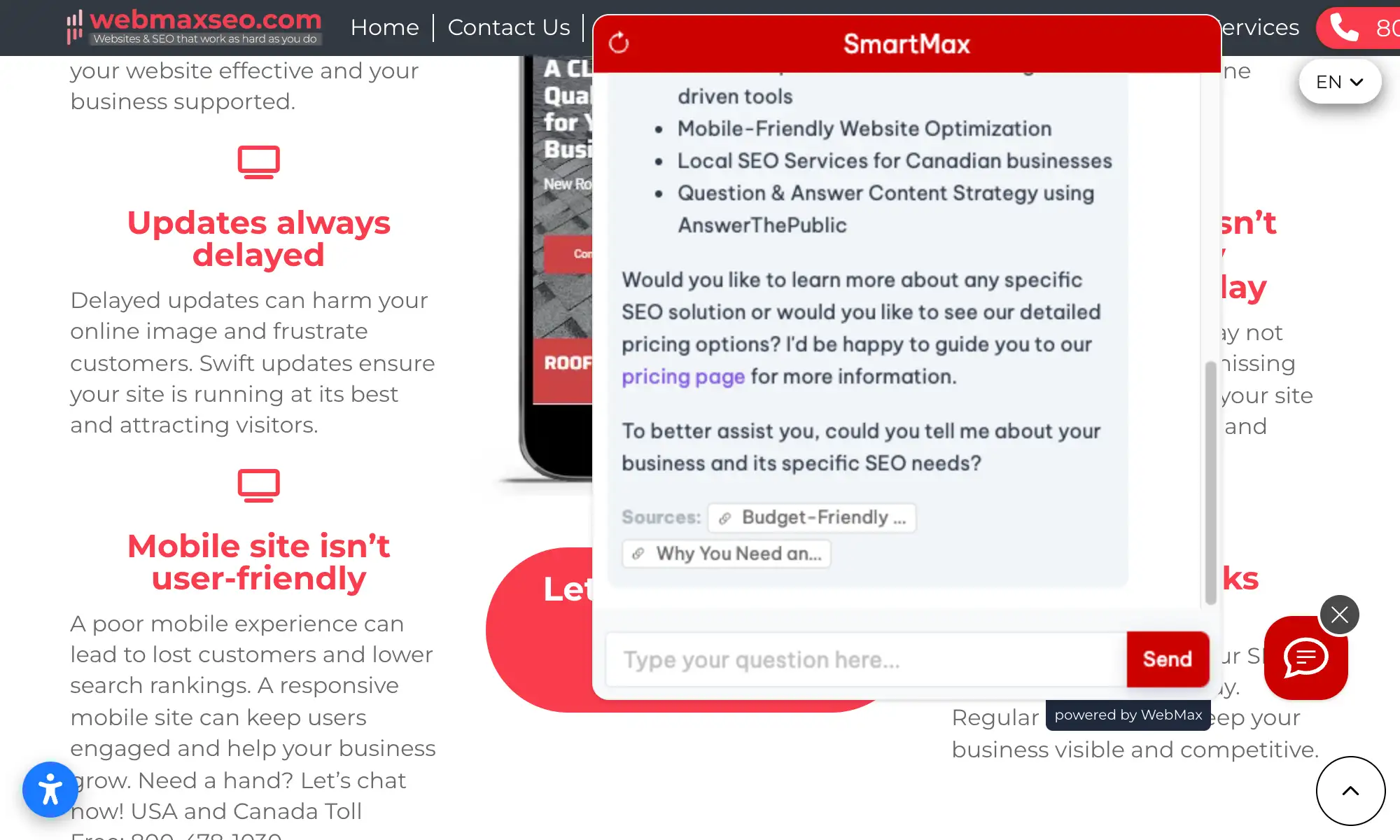
No. Boei only answers based on your Squarespace content. Shows sources and admits when unsure.

How do I receive leads?

Get leads via email, webhook to your CRM, or Boei's inbox. Each includes full conversation.

Is it GDPR compliant?

Yes. EU servers (Amsterdam), no training on conversations, cookieless mode available.

Ready to Add AI Chat to Squarespace?

Join thousands of Squarespace sites using Boei. Setup takes 5 minutes.

7-day free trial β€’ No credit card required β€’ Works with any template
Andrew Lee David S. Vance W. Grant Nitesh Manav
from 159 reviews