Messenger Chat Widget
Add Facebook Messenger to your Squarespace site. AI answers visitor questions, captures leads, and routes conversations to your team. 5-minute setup.
Trusted by 14,368 websites
No Facebook API setup required
When visitors click the Messenger button on your Squarespace site, they open a direct conversation with your Facebook page. Messages land in your Facebook inbox and Messenger app. Squarespace doesn't have a native Messenger integration — Boei fills that gap with a simple code injection.
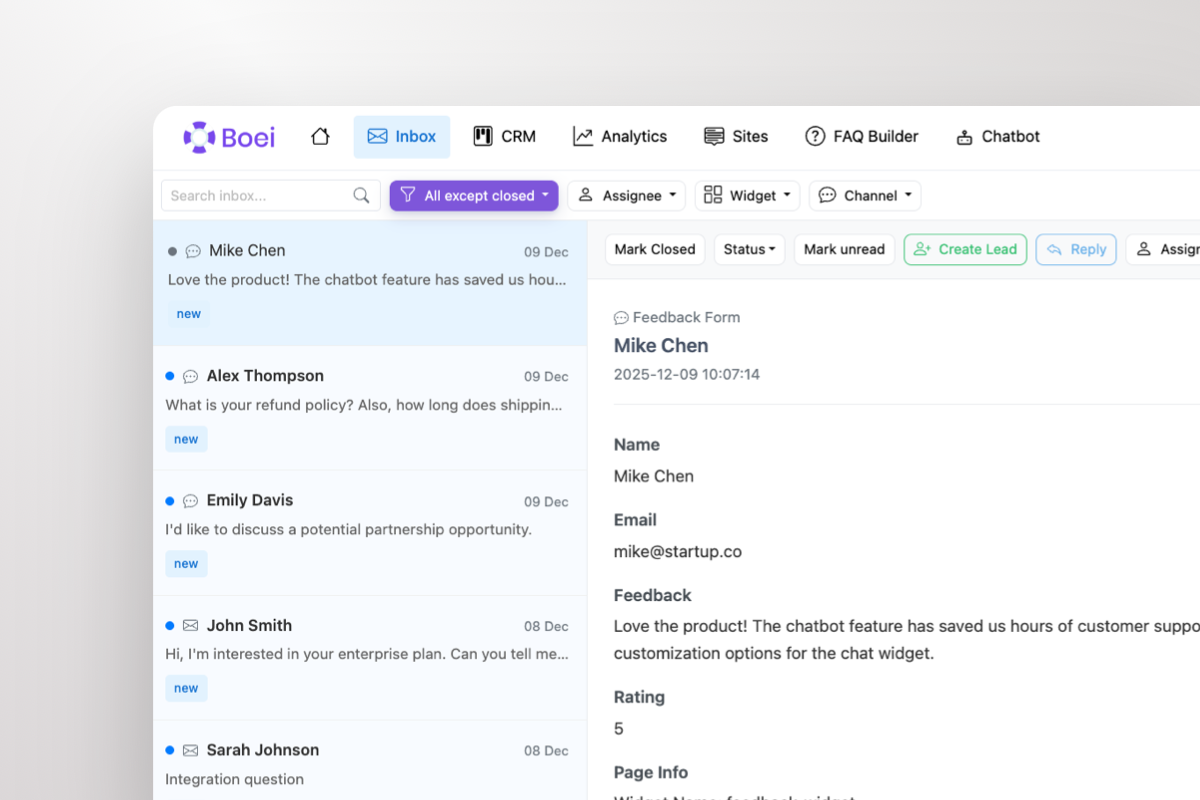
Squarespace has no built-in messaging hub. Boei gives you a shared inbox where Messenger conversations sit alongside WhatsApp, email, Instagram DM, and 50+ other channels. Your team handles every inquiry from one place with AI-generated summaries.
Squarespace builds beautiful websites but lacks native messaging channels. The built-in form block captures inquiries, but visitors often want real-time conversation — especially for services, bookings, and custom orders. Facebook Messenger bridges that gap with 3 billion monthly active users.
Creative professionals, photographers, consultants, and service businesses on Squarespace benefit most from Messenger. Clients can share inspiration photos, discuss project details, and get quotes conversationally. Unlike email, responses feel instant and personal.
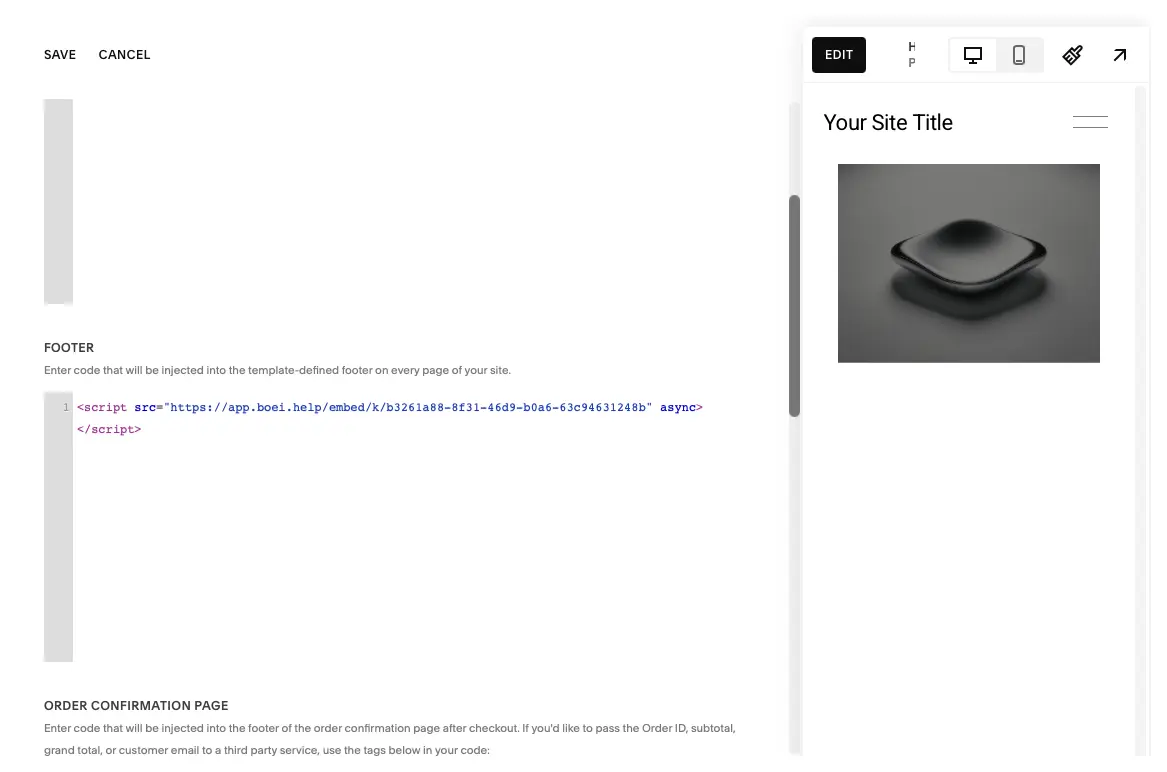
Squarespace doesn't support third-party chat plugins natively, but Boei works through Code Injection — Squarespace's built-in feature for adding custom scripts. Paste one snippet in Settings → Advanced → Code Injection and your Messenger widget is live on every page. No developer needed.
Combine Messenger with WhatsApp for international clients, Instagram DM for portfolio inquiries, and AI chatbot for 24/7 answers — all in one floating button on your Squarespace site.
From setup to your first Messenger conversation in under 5 minutes
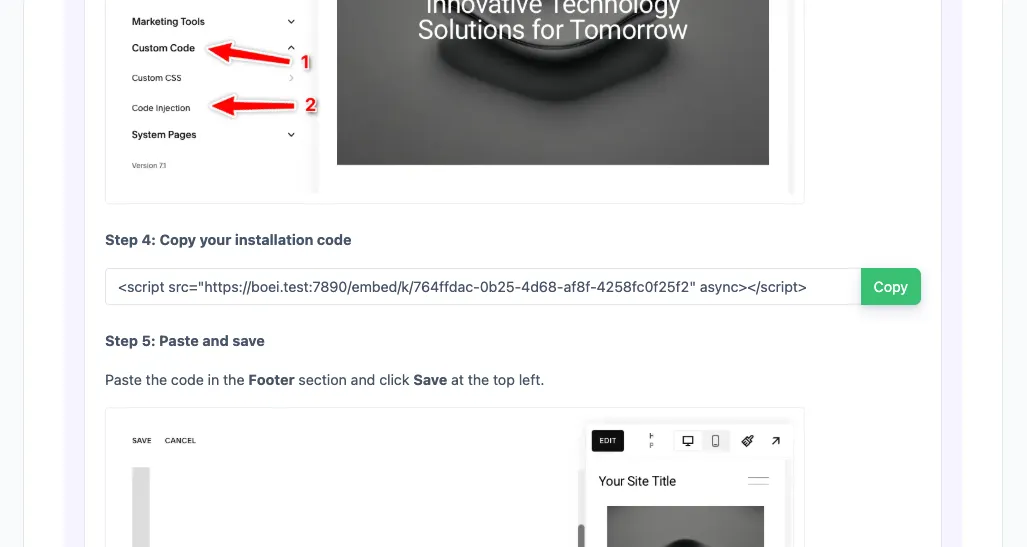
In your Boei dashboard, open your widget and click the Install tab. Select Squarespace and copy the installation code.
Tip: The Install tab also offers a landing page link, QR code, and iframe embed.
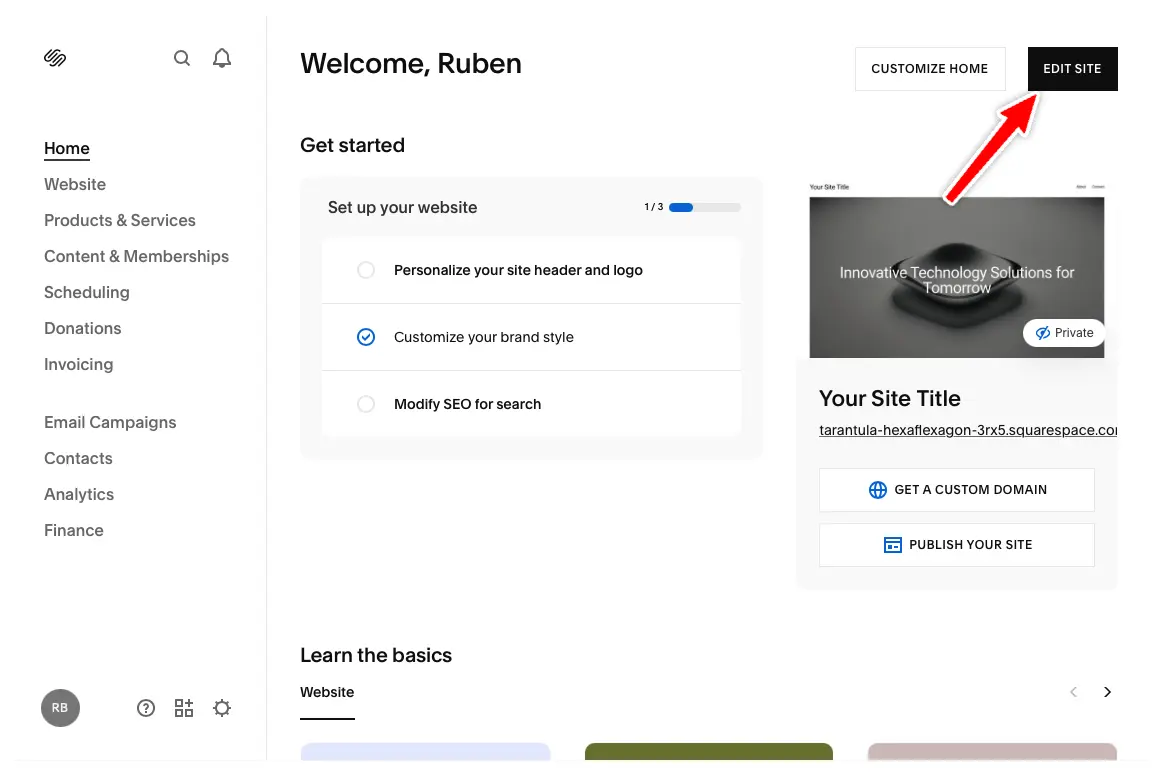
In your Squarespace dashboard, click "Edit Site" in the top right corner.
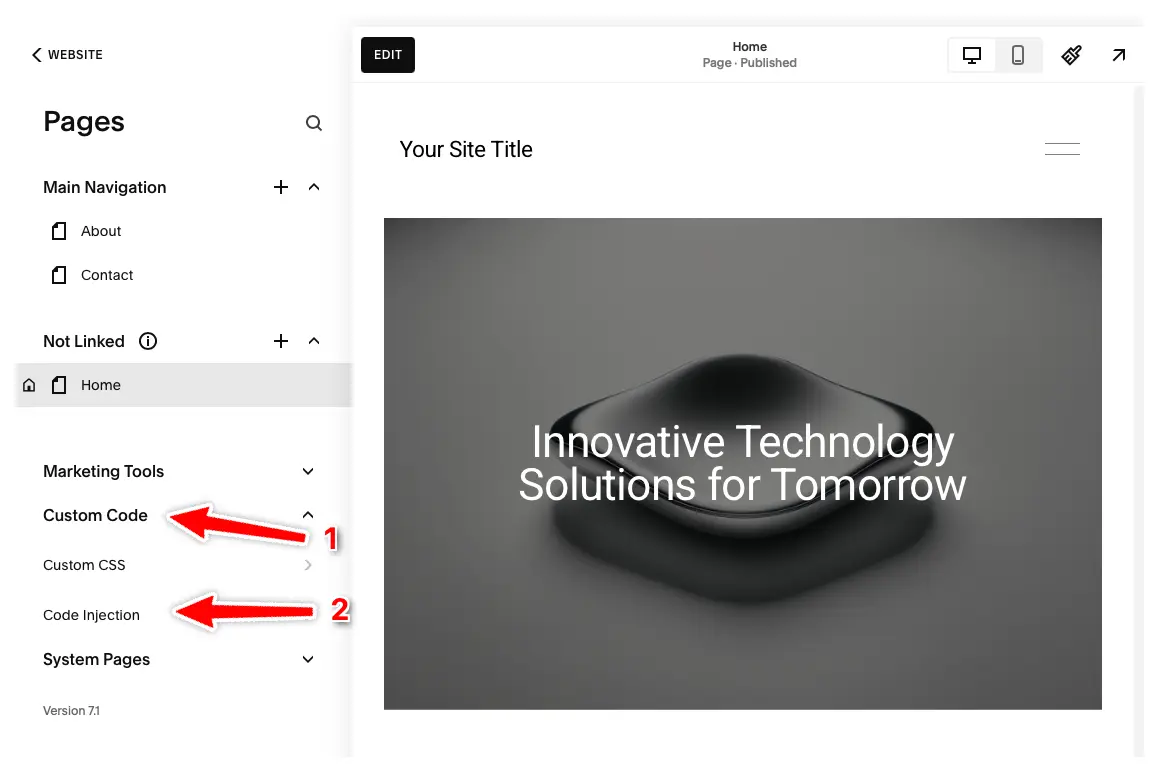
Click "Pages" in the left menu, then click "Custom Code" and select "Code Injection".
Note: Code Injection is available on Core, Plus, Advanced, Business, Commerce Basic, and Commerce Advanced plans. Personal plans don't have this feature.
Enter your Boei code in the Footer section and press "Save" at the top left.
The Boei widget will now appear on all pages of your Squarespace site. Congrats, you are done!
Messenger chat widget that complements your Squarespace design
Add Messenger via Squarespace's built-in Code Injection. One snippet, all pages. No developer or third-party app needed.
AI chatbot answers visitor questions 24/7 using your website content, FAQs, and service descriptions. Captures leads automatically.
All Messenger conversations in one inbox alongside WhatsApp, email, and 50+ channels. AI summaries help your team respond faster.
Customize colors, position, and branding to match your Squarespace template. Clean, minimal design that doesn't clash with your aesthetic.
Perfect for photographers, consultants, and creatives. Clients discuss projects, share references, and get quotes through Messenger.
Dutch company, Amsterdam servers. Zero cookies before click. Full GDPR compliance. DPA available on request.
Squarespace has limited native messaging — see how Boei compares
| Feature | Boei | Squarespace Form Block | Elfsight Messenger | Facebook Chat Plugin (Deprecated) |
|---|---|---|---|---|
| Messenger integration | ✓ | ✗ | ✓ | Deprecated |
| AI chatbot included | ✓ | ✗ | ✗ | ✗ |
| Real-time conversations | ✓ | ✗ | ✓ | Deprecated |
| Shared team inbox | ✓ | ✗ | ✗ | ✗ |
| Lead capture & CRM | ✓ | Basic | ✗ | ✗ |
| Channels included | 50+ | Form only | 1 | 1 |
| Price | €14/mo | Included | $5/mo | Deprecated |
| Setup via Code Injection | ✓ | N/A | ✓ | ✗ |
Bottom line: Squarespace's form block is static — no real-time messaging. Elfsight adds a basic Messenger button. Boei gives you Messenger plus AI chatbot, shared inbox, CRM, and 50+ channels for €14/month. See all features.
David K.
CEO Small-Business (50 or fewer emp.)
Seif Ahmed
@seif588
Neu
@siddharthaneu
Irfan
@mak_web_media
Peter C
@peter_c1
Andrew Lee
@fromlife89
Grzegorz G.
Joshua G.
Ronald D.
Director Small-Business (50 or fewer emp.)
Fahd T.
Founder Small-Business (50 or fewer emp.)
David S.
CEO/Founder Small-Business (50 or fewer emp.)
Vance W.
Julien V.
Développeur d'e-commerce Small-Business (50 or fewer emp.)
Grant
Hansie
David K.
CEO Small-Business (50 or fewer emp.)
Seif Ahmed
@seif588
Neu
@siddharthaneu
Irfan
@mak_web_media
Peter C
@peter_c1
Chandra Kusuma
Pepe
Arjun E.
José Manuel D.
Cristian Trappolini
Daniel Gyger
Nitesh Manav
Renaat Sioncke
Fran Tully
Proinsias M.
Gavin S.
Sara Hall
Mike Foston
Lukáš H.
Bikram K. S.
Chandra Kusuma
Pepe
Arjun E.
José Manuel D.
When a visitor clicks the Messenger button on your Squarespace site, it opens a direct conversation with your Facebook page. On mobile it opens the Messenger app, on desktop it opens Messenger.com. You respond from your Facebook Page inbox, Messenger app, or Boei's shared inbox.
Sign up at Boei (free trial), add your Facebook page ID, and copy the widget code. In Squarespace, go to Settings → Advanced → Code Injection → paste the snippet in the Footer section. Your Messenger widget appears on every page. See our Squarespace installation guide.
Yes. Boei works with all Squarespace templates including Brine, Bedford, York, Skye, and Squarespace 7.1 templates. The widget floats above your content and never interferes with your design.
Yes. Facebook deprecated its official Chat Plugin in 2024. Boei provides a modern alternative using Messenger deep links — no SDK, no cookies, no breakage.
Yes. The Messenger widget works on all pages including Squarespace Commerce product pages and checkout. Shoppers can ask about products and get instant answers.
Yes. Add Messenger alongside WhatsApp, Instagram DM, Telegram, phone, email, AI chatbot, and 50+ other channels — all in one floating button.
Yes. Boei is a Dutch company with servers in Amsterdam (EU). No cookies, full GDPR compliance, DPA available on request. The widget collects no personal data before a visitor clicks.
Boei Pro is €14/month and includes the Messenger widget, AI chatbot with 2,000 messages, shared inbox, built-in CRM, 50+ channels, and unlimited team seats. Start with a 7-day free trial — no credit card required.
One-snippet setup via Code Injection. AI chatbot, shared inbox, and 50+ channels included.