Joomla logo

Best AI Chatbot for Joomla

AI Chatbot for Joomla Websites

Add an AI chatbot to your Joomla site in 5 minutes. Answer visitor questions automatically, capture leads around the clock — works with Joomla 4, 5, and 6.

Trusted by 14,368 websites

Simple Script Installation

Andrew Lee David S. Vance W. Grant Nitesh Manav
from 159 reviews

Also available for:

Try the Joomla AI Chatbot

Why Add an AI Chatbot to Joomla?

Joomla powers millions of websites worldwide — from business sites to community portals. But even the most feature-rich Joomla site can't answer visitor questions at 2am. An AI chatbot for Joomla bridges that gap — providing instant answers 24/7.

Boei's Joomla chatbot learns directly from your website content. Point it at your URL, and the AI reads your articles, pages, and menus. When visitors have questions, they get helpful answers based on what you've already written — no manual training required.

Why Joomla site owners choose Boei:

  • Works with all Joomla versions — Compatible with Joomla 4, 5, and 6
  • No extension conflicts — Simple Custom HTML module that doesn't interfere with your existing setup
  • Template agnostic — Works with any Joomla template framework (Gantry, Helix, T4, etc.)
  • Multilingual ready — Supports Joomla's native multilingual features and 95+ languages
  • Lead capture built-in — Collect emails and inquiries without additional extensions

Your Joomla site already has powerful content management. Now make it interactive too — answering questions and capturing leads around the clock. See all available features.

Key Benefits

Why Joomla Sites Love Boei

💬

Answer Questions Instantly

Visitors to your Joomla site have questions. The AI responds immediately — about your services, products, or content — in 95+ languages.

👤

Capture More Leads

Turn browsers into contacts without complex form extensions. Collects information naturally during conversations.

🔧

No Extension Required

Add via a simple script — no Joomla extension to install, update, or maintain. Fewer compatibility issues.

🌙

Works While You Sleep

The chatbot handles inquiries at midnight, on weekends, and during busy periods when you can't respond manually.

Quick Setup

Add Chatbot to Joomla Site

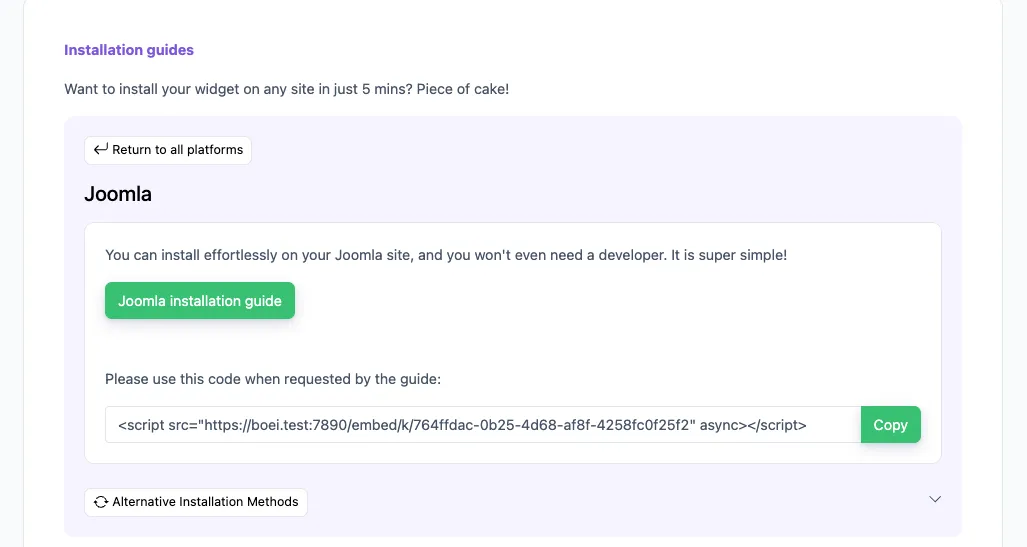
Get your AI chatbot live on Joomla in under 5 minutes using a Custom HTML module

1

Open Module Manager

In Joomla admin, go to Extensions → Site Modules (Joomla 4) or System → Site Modules (Joomla 5/6). Click New.

Open Module Manager
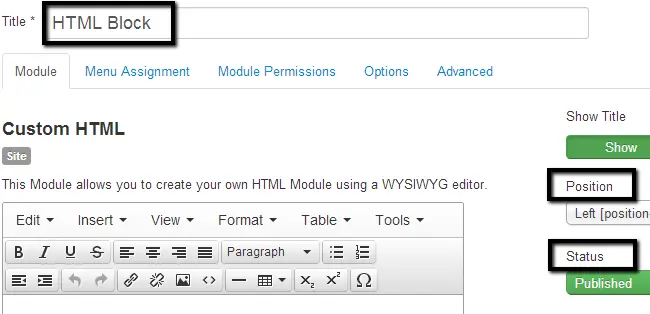
2

Create Custom Module

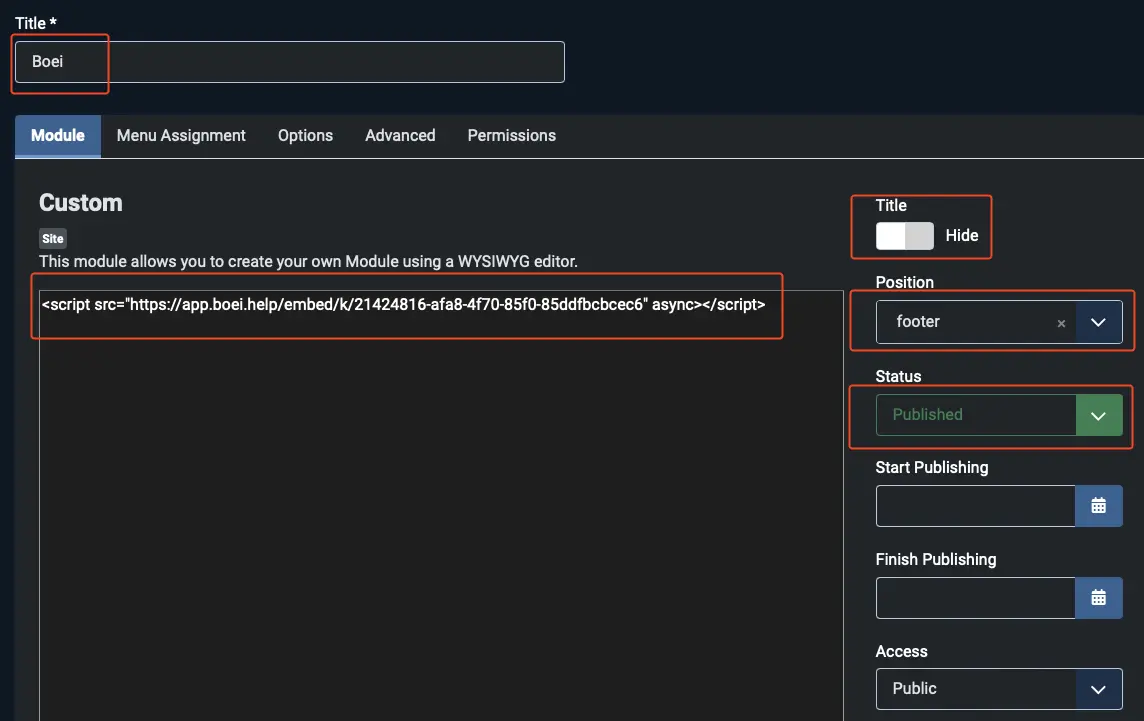
Select 'Custom' or 'Custom HTML' as the module type. Set Title to 'Boei', Position to 'footer', and Status to 'Published'.

Create Custom Module
3

Paste Installation Code

Click Tools → Source Code (or switch to code view). Paste your Boei script code from the dashboard and click Save & Close.

Paste Installation Code
4

Train the AI

In Boei dashboard, enter your Joomla site URL. The AI crawls your articles, pages, and content automatically.

Joomla Installation Code

Your unique installation code is available in the Boei dashboard after signup. Copy it and paste it in your Joomla Custom HTML module.

Installation methods:

  • Custom Module (Recommended): Create a new Custom/Custom HTML module, switch to Source Code view, paste the script, set position to 'footer', and publish on all pages
  • Joomla 5/6 tip: You may need to set your Editor to 'None' temporarily in your user profile to paste raw HTML code
  • Template file: Advanced users can add the script directly before </body> in the template's index.php file

For detailed instructions, see our Joomla installation guide.

Joomla Features

Built for Joomla

Works perfectly with your Joomla website

📦

All Versions Supported

Works with Joomla 4, 5, and 6. Same Custom Module installation for all versions.

🎨

Any Template Framework

Compatible with Gantry, Helix Ultimate, T4, JoomlArt, and custom templates.

🌐

Multilingual Support

Works with Joomla's native multilingual system. Chatbot auto-detects visitor language.

🛒

E-commerce Ready

Train on VirtueMart, J2Store, or HikaShop products. Answer pre-sale questions.

👥

Community Sites

Perfect for membership sites, forums, and community portals built on Joomla.

🔒

No Conflicts

Simple script doesn't conflict with other extensions or security components.

Compare Options

Boei vs Other Joomla Chatbots

See how we compare to alternatives

Feature Boei Joomla Chat Extensions Tidio Tawk.to
Starting price €14/mo €20-50/mo €39/mo Free
AI conversations 2,000/mo Limited/None 50-1,000
Train on your site ✓ Yes ✗ Limited
No extension required ✓ Yes ✓ Yes ✓ Yes
Lead capture ✓ Yes ✗ Limited ✓ Yes ✗ Limited
GDPR compliant (EU servers) ✓ Yes Varies

Bottom line: Most Joomla chat extensions lack AI. Boei gives you AI-powered automation for €14/mo without installing an extension.

Perfect for Joomla Business Sites

Joomla is popular with businesses, organizations, and government sites that need robust content management. The AI chatbot answers the inquiries you get most — service questions, contact requests, and general information.

  • Answer questions about your services and offerings
  • Provide instant responses to common inquiries
  • Handle contact requests and route to the right department
  • Support multilingual visitors automatically
  • Capture qualified leads while you focus on your business
Joomla AI Chatbot for Business

How a Joomla Business Directory Automated Support

Business Directory Reduces Support Tickets by 60%

A regional business directory running on Joomla was overwhelmed with repetitive questions about listings, advertising options, and how to claim a business profile.

Pro Tips

Get More From Your Joomla Chatbot

1

Create a Comprehensive FAQ Article

The AI learns from your content. A detailed FAQ article in Joomla gives better material for chatbot answers.

2

Match Your Template Colors

Customize the widget colors to match your Joomla template's color scheme for a cohesive look.

3

Use Custom HTML Module as Backup

If your template doesn't have a custom code section, use a Custom HTML module positioned in the footer.

4

Train on Multiple Content Types

Include your articles, categories, and any custom content types in the AI training for comprehensive coverage.

Need Help?

Troubleshooting Common Issues

Chatbot not appearing?
Clear your Joomla cache (System → Clear Cache) and browser cache. Verify the script is placed before and the module/code is published.
Conflict with security extension?
If using Admin Tools, RSFirewall, or similar, whitelist cdn.boei.help in your security settings. The script is safe and loads from our CDN.
Widget position issues?
By default, the widget appears in the bottom-right corner. In your Boei dashboard, you can change it to bottom-left if it conflicts with other elements.
Not learning all articles?
Check that your articles are published and not restricted by access levels. The AI can only read publicly accessible content.

What Joomla Site Owners Say

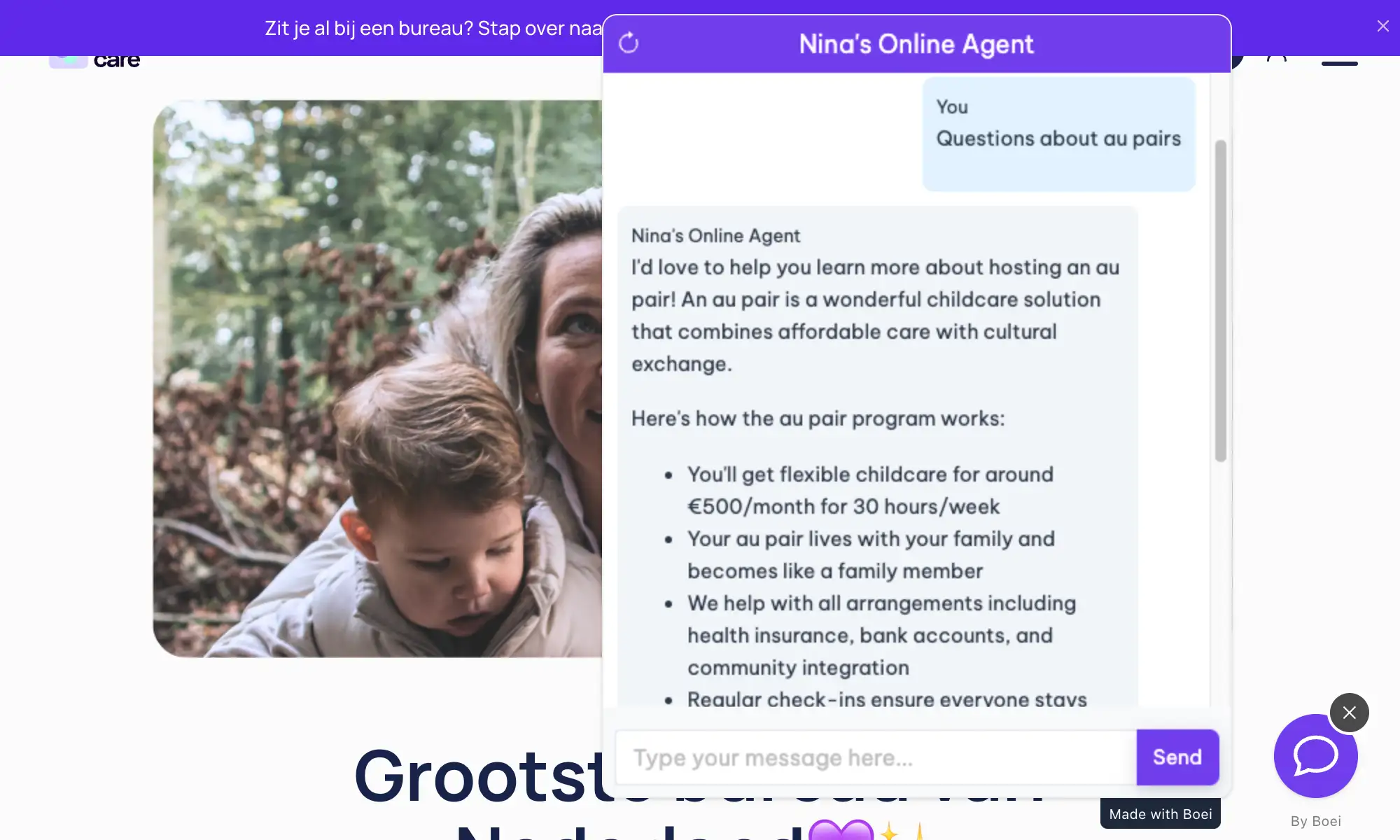
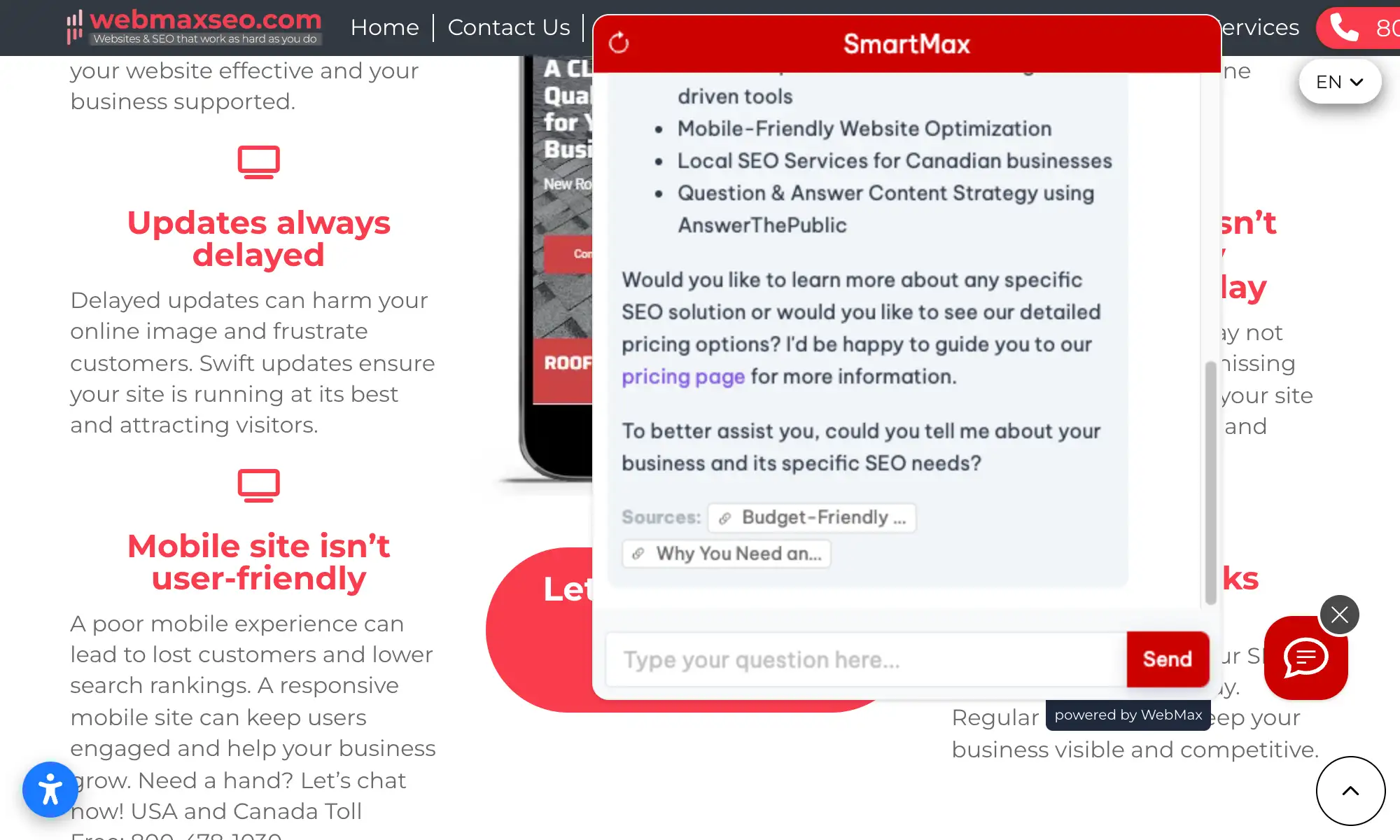
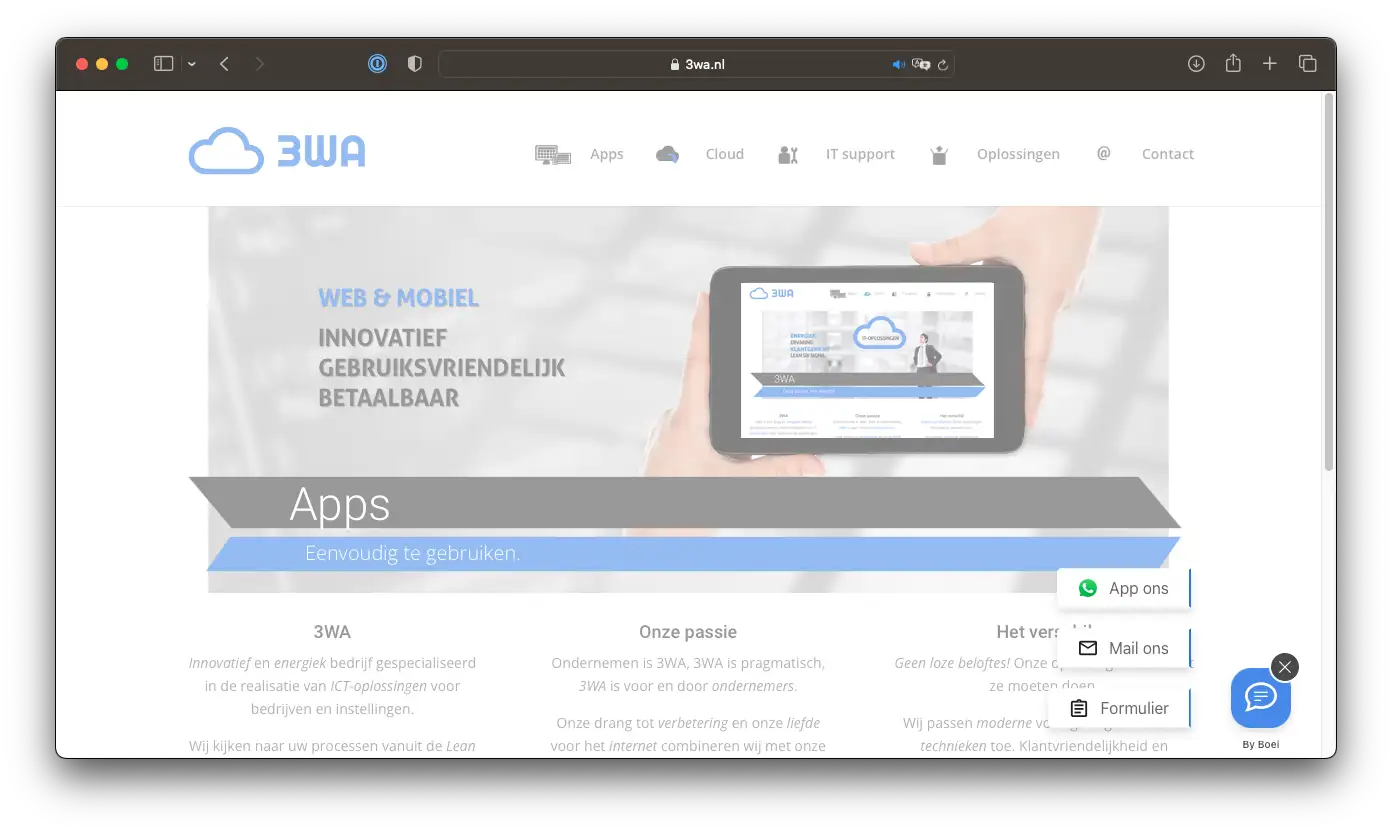
See AI Chatbot in Action

Real websites using Boei's AI chatbot

Add More Contact Channels

Combine AI chatbot with other ways for visitors to reach you

Related Resources

Learn more about AI chatbots

Joomla Chatbot Pricing

Simple, transparent pricing with AI chatbot included

Vance
Vance: " Helps me to convert website visitors to warm leads " ★★★★★

$8 / month

Billed annually at $96Cancel anytime

Number of websites

Optional Add-ons

Optional

Enhance your plan with these extras

What's included

    No contractsCancel anytime Trusted by 14.368 businesses

    Start 7-Day Free Trial

    Prices exclude VAT, calculated at checkout

    Need an Agency or Enterprise Solution?

    Get custom pricing, priority support, and advanced features such as custom domains and mailers

    Contact Sales

    Questions?

    Joomla AI Chatbot FAQ

    How do I install the AI chatbot on Joomla?

    Create a Custom HTML module in Extensions → Site Modules, paste the Boei script in Source Code view, set position to 'footer', and publish. See our detailed guide at /docs/installation-joomla.

    Will it slow down my Joomla site?

    No. The Boei script is under 50KB and loads asynchronously. It's compatible with Joomla caching and won't affect your page speed.

    Does it work with my Joomla version?

    Yes. Boei works with Joomla 4, 5, and 6. Same Custom Module installation for all versions.

    Can I use it on multiple Joomla sites?

    Yes. Your subscription covers unlimited websites. Create separate chatbots for each site.

    Which AI models does Boei use?

    GPT-5 from OpenAI and Claude from Anthropic. We automatically select the best model for each query.

    Will the AI make up answers?

    No. Boei only answers based on your Joomla content. Shows sources and admits when it doesn't know something.

    Does it support Joomla multilingual?

    Yes. The chatbot auto-detects visitor language and can answer in 95+ languages. Works with Joomla's native multilingual system.

    Is it GDPR compliant?

    Yes. EU servers (Amsterdam), no training on conversations, cookieless mode available.

    Ready to Add AI Chat to Joomla?

    Join thousands of websites using Boei. Setup takes 5 minutes.

    7-day free trial • No credit card required • Works with Joomla 4, 5 & 6
    Andrew Lee David S. Vance W. Grant Nitesh Manav
    from 159 reviews