AI Chatbot for Hostinger

Add an AI chatbot to your Hostinger website in 5 minutes. Answer visitor questions instantly, capture leads around the clock, and convert more visitors — easy setup, no coding required.

Trusted by 14,368 websites

Works with Hostinger Website Builder

Andrew Lee David S. Vance W. Grant Nitesh Manav
from 159 reviews

Try the Hostinger AI Chatbot

Why Add an AI Chatbot to Your Hostinger Website?

You chose Hostinger for its ease of use and affordable hosting. Now make your website work even harder with an AI chatbot for Hostinger that answers visitor questions 24/7, captures leads while you sleep, and helps convert more visitors into customers.

Boei's AI chatbot learns your entire Hostinger website automatically. It reads your pages, services, pricing, and FAQ content — then answers visitor questions accurately, around the clock. Perfect for small businesses, freelancers, and startups using Hostinger.

Why Hostinger users choose Boei:

  • Beginner-friendly setup — Add the chatbot through Hostinger's website builder or WordPress in minutes
  • Always-on support — Answer customer questions at any hour, even when you're away
  • Lead capture — Collect visitor emails and inquiries automatically through natural conversations
  • Budget-friendly — Just €14/mo for AI chat, matching Hostinger's affordable approach
  • Works everywhere — Whether you use Hostinger Website Builder or WordPress hosting, the chatbot integrates easily

Hostinger websites get more value when visitors can get instant answers. Check our transparent pricing and explore all AI chatbot features.

Key Benefits

Why Hostinger Users Love Boei

🔌

Two Install Methods

Using Hostinger Website Builder? Paste the script in the embed element. Running WordPress on Hostinger? Install the Boei plugin with one click from hPanel.

🤖

Works With Hostinger AI Builder

Built your site with Hostinger's AI website builder? Boei adds the one thing AI builder can't — live AI chat that answers visitor questions using your generated content.

📈

Turn Traffic Into Revenue

Hostinger drives traffic with its SEO tools. Boei converts that traffic — engaging visitors who would otherwise bounce, collecting their details for follow-up.

💰

Matches Hostinger's Value

You chose Hostinger because it's affordable without compromising. Boei follows the same philosophy — €14/mo for full AI chat, no per-seat fees.

Quick Setup

Simple Setup

Get your AI chatbot live on Hostinger in under 5 minutes

1

Copy installation code

In your Boei dashboard, open your widget and click the Install tab. Select Hostinger and copy the installation code.

Tip: The Install tab also offers a landing page link, QR code, and iframe embed.

Copy installation code
2

Open Hostinger admin panel

Go to your Hostinger admin panel and click "Edit website".

Open Hostinger admin panel
3

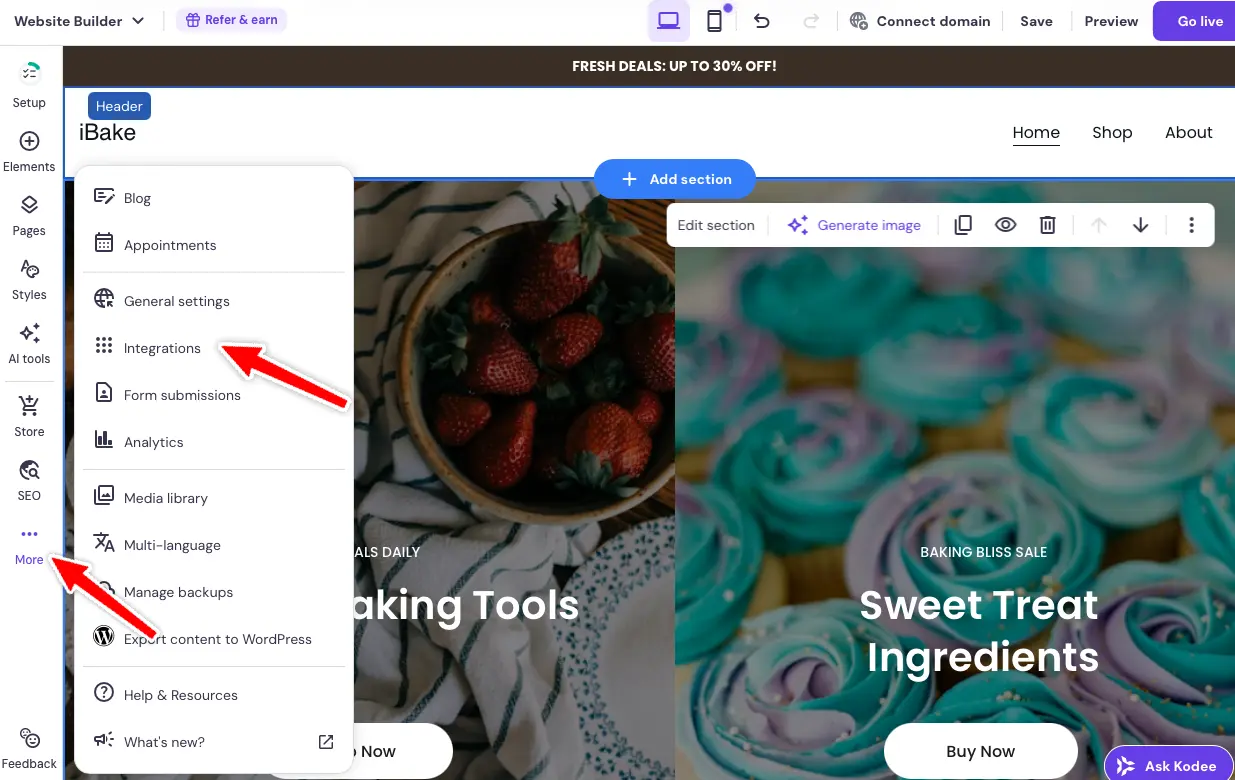
Open integrations

Click on the dots icon on the left side panel and choose "Integrations".

Open integrations
4

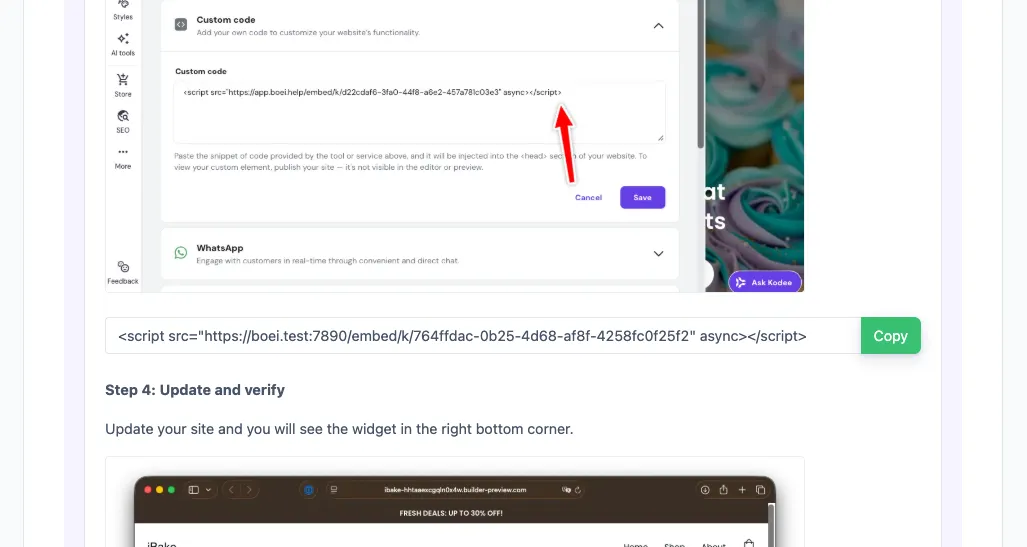
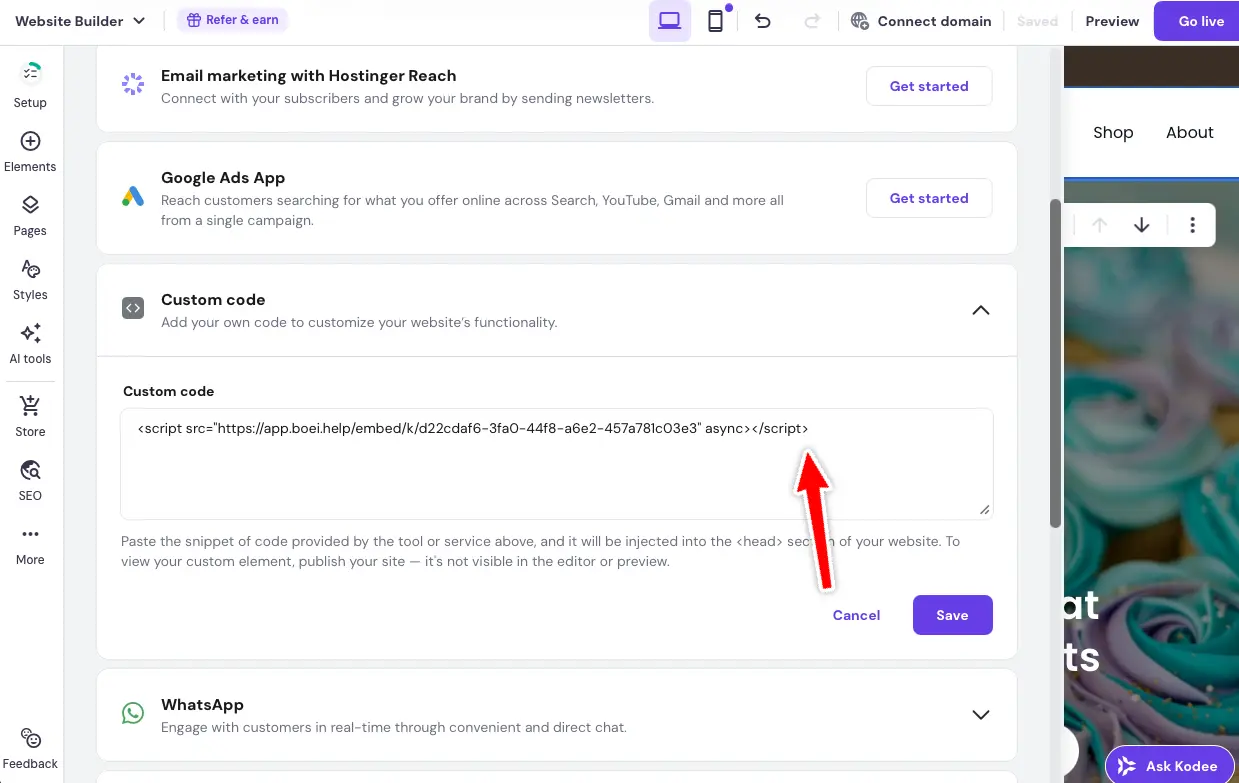
Add custom code

Scroll to "Custom code" and paste your one-line Boei installation code there.

Add custom code
5

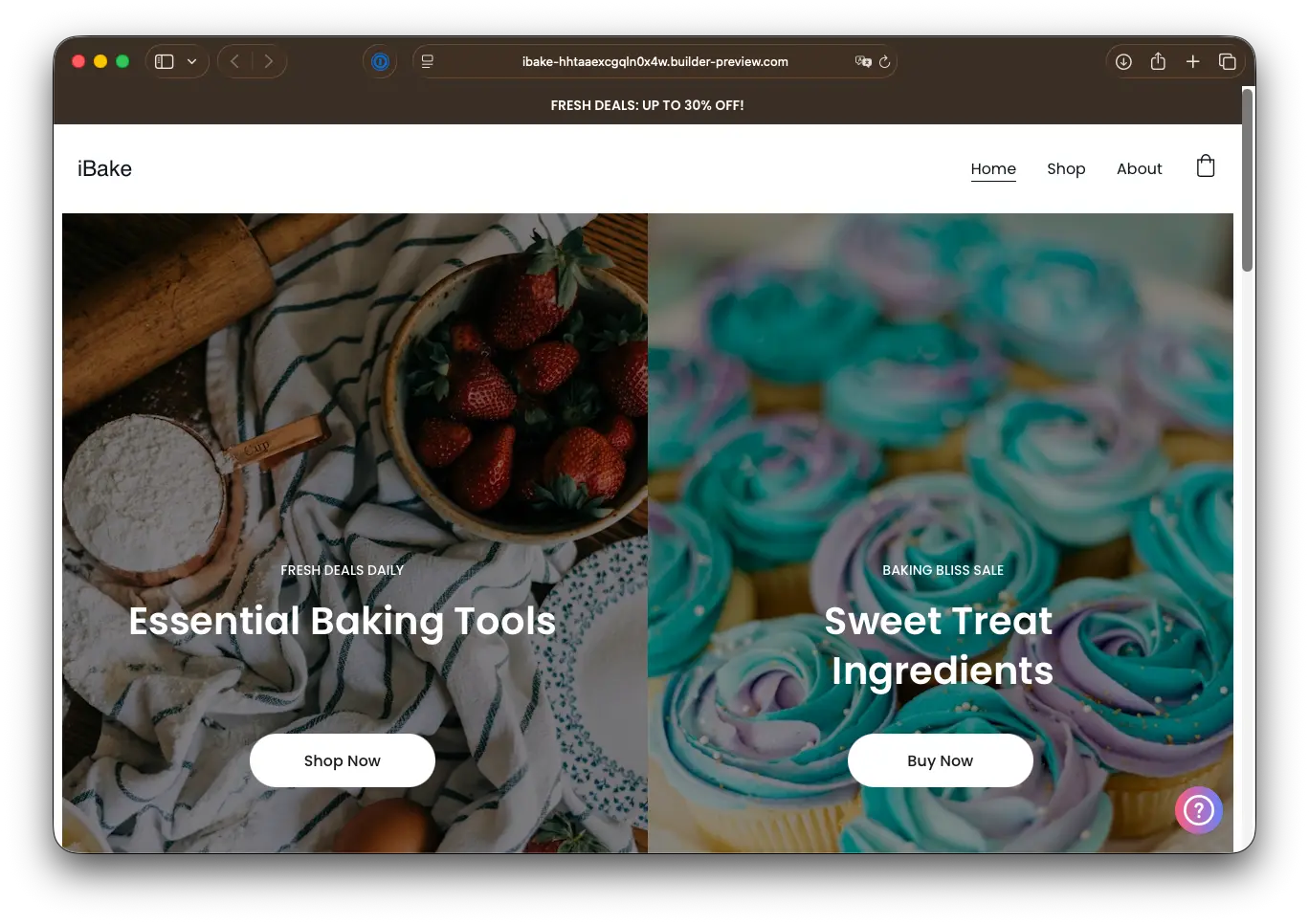
Save and publish

Save and update your site. The Boei widget will now appear on your website.

Congrats, you are done!

Save and publish

Hostinger Features

Built for Growing Websites

Everything your Hostinger site needs

🤖

AI Builder + AI Chat

Hostinger's AI creates your website. Boei's AI staffs it — answering visitors based on the pages Hostinger generated for you.

🔄

hPanel Integration

Manage hosting in hPanel, manage chat in Boei's dashboard. Both are simple, beginner-friendly control panels.

📧

Replace Hostinger Forms

Hostinger's built-in contact form is static. Boei adds conversational forms that qualify leads before they submit.
🌐

WordPress Plugin Available

On WordPress hosting? Install Boei from the plugin directory. Auto-updates, no script pasting needed.

🔒

Free SSL Compatible

Works with Hostinger's free SSL certificates. All chat data encrypted in transit, no security conflicts.

🌍

Global Audience Ready

Hostinger serves 178 countries. Boei's AI responds in 95+ languages, so your chatbot speaks to visitors worldwide.

Compare Options

Boei vs Other Chat Options

See how we compare to popular alternatives

Feature Boei Hostinger AI Builder Chat Tidio tawk.to
Starting price €14/mo Included (basic) €39/mo Free (with branding)
AI conversations 2,000/mo ✗ Limited 50-1,000 AI Assist $29/mo
Train on your content Yes (automatic) ✗ Limited
WhatsApp, forms, 50+ channels ✓ Yes ✗ Limited
Works with Builder + WordPress ✓ Yes Builder only ✓ Yes ✓ Yes
GDPR compliant (EU servers) ✓ Yes ✓ Yes

Bottom line: Boei offers AI chat that learns your content for €14/mo. No branding, no per-seat fees — perfect for budget-conscious Hostinger users.

Your 24/7 Virtual Receptionist

Imagine having a team member who greets every website visitor, knows everything about your business, and never calls in sick. That's what Boei's AI chatbot does for your Hostinger website.

  • Answer questions about your services and pricing
  • Share business hours, location, and contact details
  • Collect visitor information for follow-up
  • Guide visitors to the right page on your site
  • Handle common questions so you can focus on your work
Hostinger AI Virtual Receptionist

Pro Tips

Get More From Your Hostinger Chatbot

1

Use Hostinger's AI Writer First

Generate content with Hostinger's AI writing tool, then let Boei's chatbot learn it. More pages = smarter chatbot responses.

2

Connect Your Custom Domain

Train the chatbot on your custom domain (not the .hostingersite.com preview). This ensures it learns the final, public version of your content.

3

Leverage Hostinger's SEO Tools

Use Hostinger's built-in SEO toolkit to drive traffic, then use Boei to convert visitors who land on your site through search.

4

Add Google Analytics Alongside

Pair Boei's conversation insights with Hostinger's Google Analytics integration. See which pages drive chat interactions.

Need Help?

Troubleshooting Common Issues

Widget not showing on my Hostinger site?
For Hostinger Website Builder: add the code via the embed HTML element in the footer. For WordPress on Hostinger: install the Boei plugin or add the script to your theme's footer.
Chatbot not learning my pages?
Ensure your pages are published and publicly accessible. Add your website URL to Boei's training section. Wait a few minutes for the AI to crawl your content.
Widget looks different on mobile?
The Boei widget is fully responsive. If it overlaps with other elements, adjust the widget position (left/right) in the Boei dashboard.
Works with Hostinger WordPress hosting?
Yes. If you're using WordPress on Hostinger, install the Boei WordPress plugin for the easiest setup. Or add the script manually to your theme.

What Website Owners Say

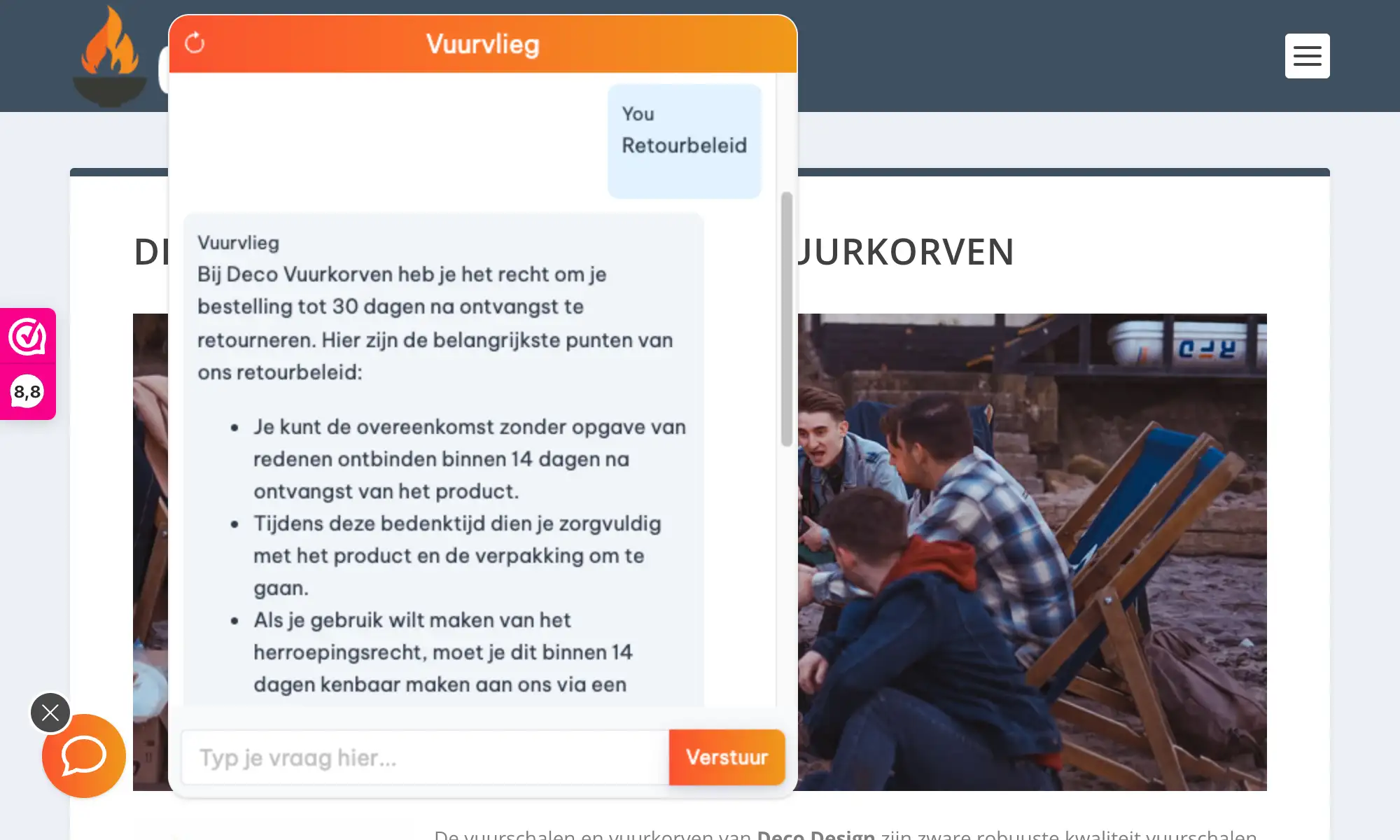
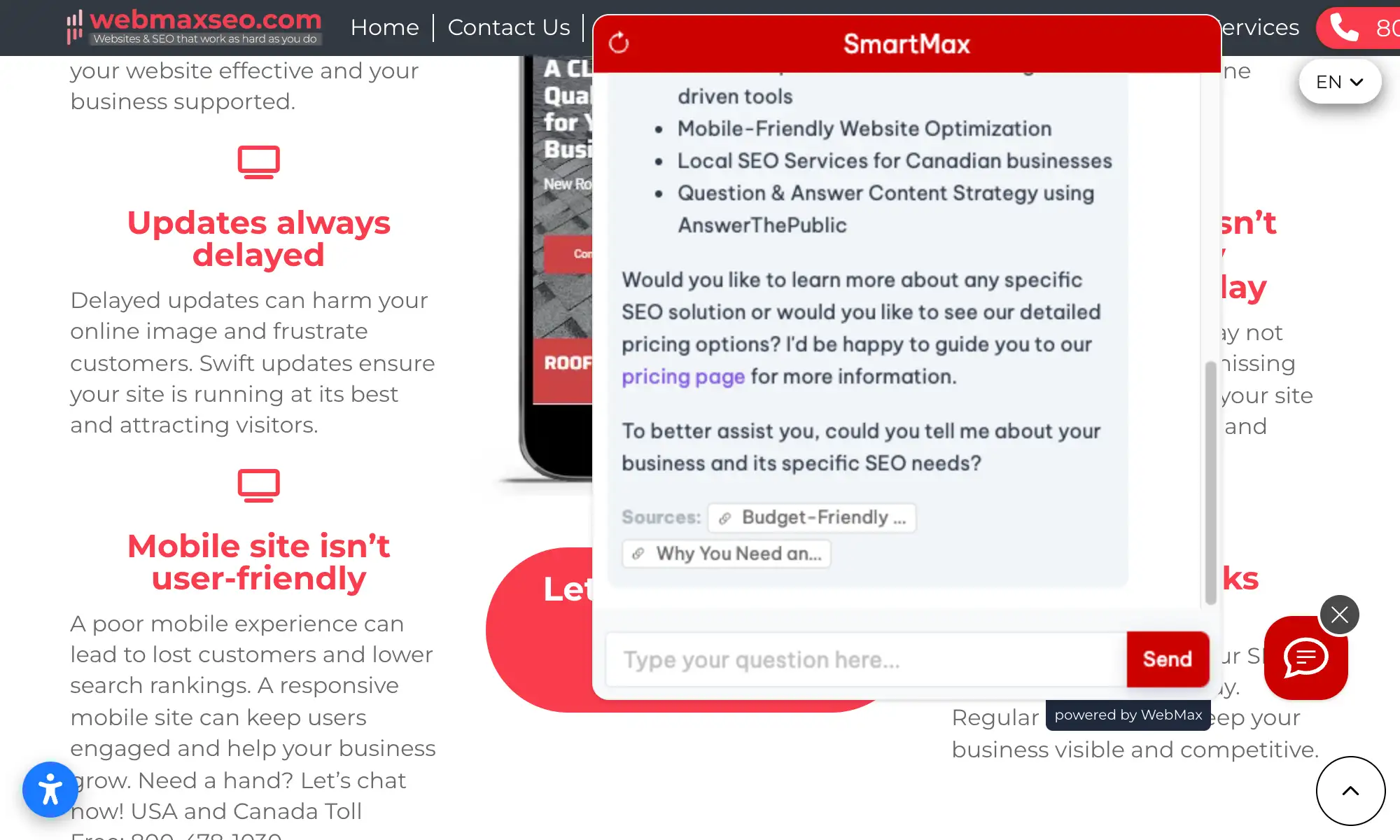
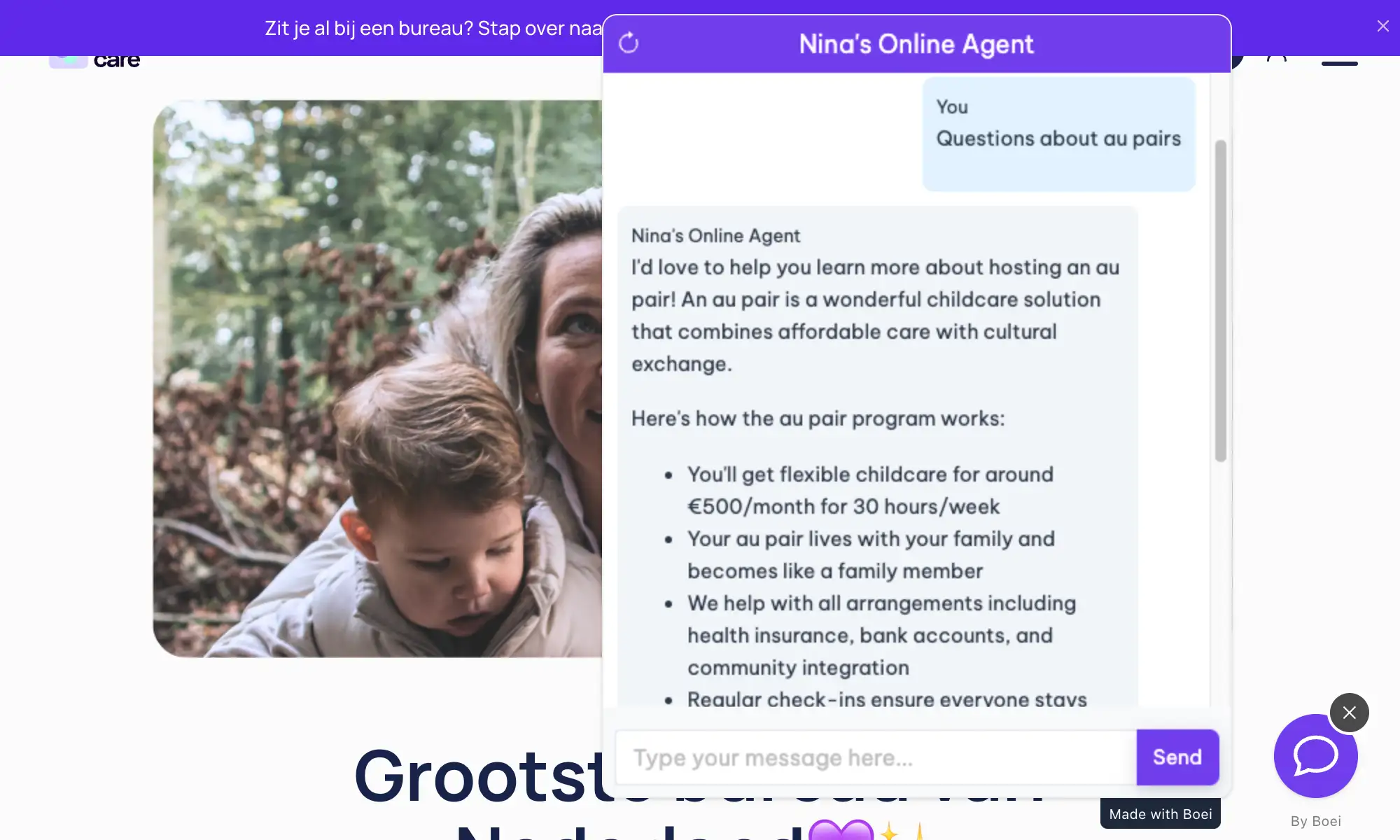
See AI Chatbot in Action

Real websites using Boei's AI chatbot

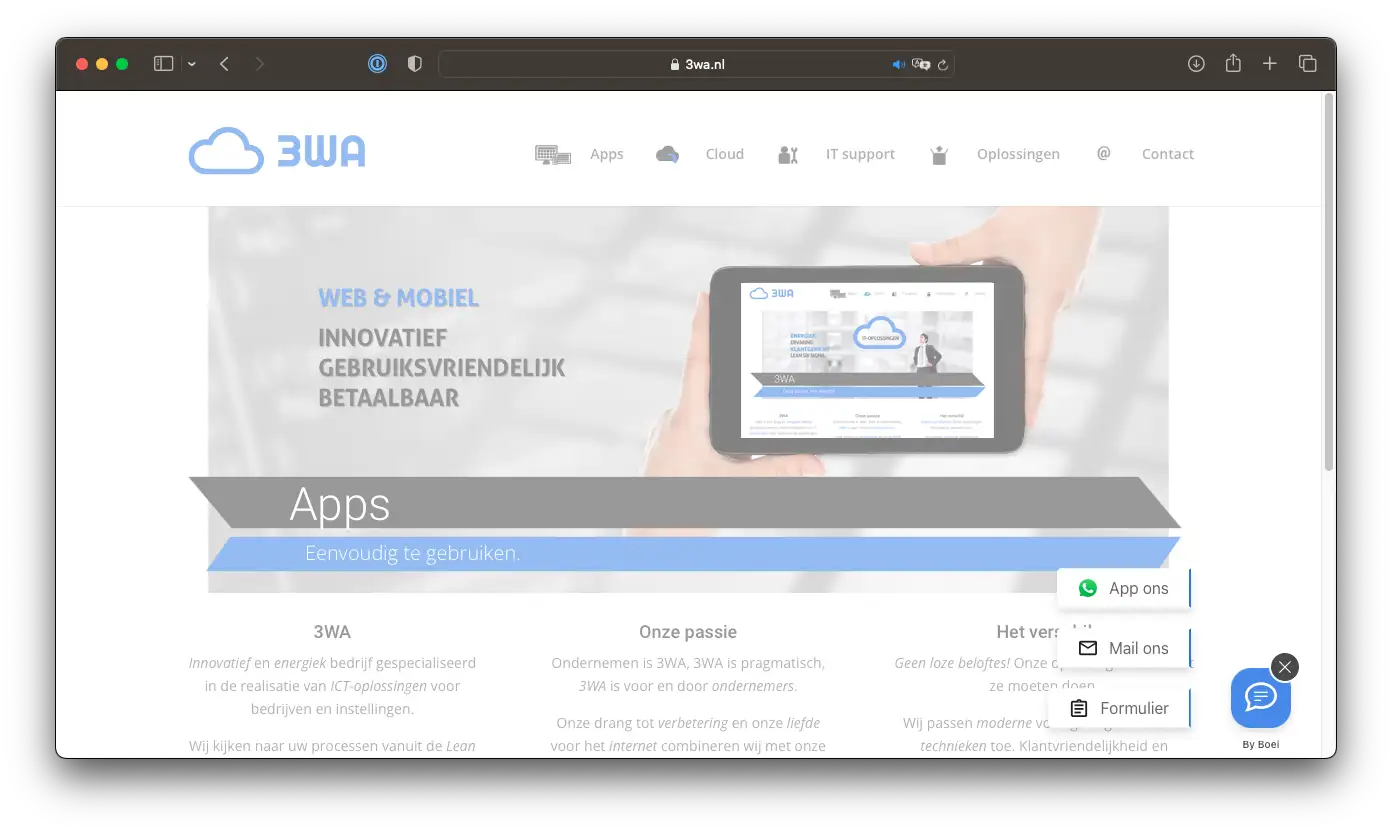
Add More Contact Channels

Combine AI chatbot with other ways for visitors to reach you

Related Resources

Learn more about AI chatbots

WordPress

AI chatbot for WordPress

Pricing

Transparent AI chatbot pricing

Hostinger Chatbot Pricing

Simple, transparent pricing with AI chatbot included

Vance
Vance: " Helps me to convert website visitors to warm leads " ★★★★★

$8 / month

Billed annually at $96Cancel anytime

Number of websites

Optional Add-ons

Optional

Enhance your plan with these extras

What's included

    No contractsCancel anytime Trusted by 14.368 businesses

    Start 7-Day Free Trial

    Prices exclude VAT, calculated at checkout

    Need an Agency or Enterprise Solution?

    Get custom pricing, priority support, and advanced features such as custom domains and mailers

    Contact Sales

    Questions?

    Hostinger AI Chatbot FAQ

    How do I install the AI chatbot on Hostinger?

    For Hostinger Website Builder, add the Boei script via an embed HTML element in the footer. For WordPress on Hostinger, install the Boei plugin from the plugin directory.

    Will it slow down my Hostinger website?

    No. The Boei script is under 50KB and loads asynchronously after your page content. It won't affect your site's loading speed.

    Does it work with Hostinger Website Builder?

    Yes. Add the Boei script using the embed HTML element in Hostinger's drag-and-drop builder. No coding knowledge needed.

    Does it work with WordPress on Hostinger?

    Yes. Install the Boei WordPress plugin or add the script to your theme. Both methods work perfectly on Hostinger's WordPress hosting.

    Is the AI actually good at answering questions?

    Yes. Boei uses GPT-5 and Claude, the same AI models behind ChatGPT and similar tools. The difference is they're trained specifically on your Hostinger website content, so answers are accurate and relevant.

    Can the chatbot give wrong information?

    The AI strictly uses your published website content. It won't guess or fabricate — if the answer isn't on your site, it admits that and offers to collect the visitor's details for manual follow-up.

    Can I use it on multiple Hostinger websites?

    Yes. Your Boei subscription covers unlimited websites. Create separate chatbots for each site, all managed from one dashboard.

    Does it comply with privacy regulations?

    Yes. Data hosted on EU servers in Amsterdam. Visitor chats are never used for AI training. Cookieless mode available for sites that want to minimize cookie consent requirements. DPA on request.

    Does the AI chatbot work on WhatsApp too?

    Yes. Boei’s AI chatbot works on your website and on WhatsApp. Incoming WhatsApp messages get automatic AI replies, and all conversations land in your shared inbox with AI summaries.

    Ready to Supercharge Your Hostinger Website?

    Join thousands of website owners using Boei. Setup takes 5 minutes.

    7-day free trial • No credit card required • Works with any Hostinger setup
    Andrew Lee David S. Vance W. Grant Nitesh Manav
    from 159 reviews