 Ruben Buijs
Chatbot payment collection lets your website chatbot generate a secure payment link, accept a deposit, or process a full invoice inside the same conversation - using providers like Stripe, PayPal, or Mollie. No redirects. No follow-up emails. No lost momentum.
This guide covers how chatbot payments work, which provider to pick for your market, the use cases that drive the most revenue, and how to stay PCI compliant.
67% of millennials say they are ready to purchase directly through chat.
Source: Business Insider
62% of consumers prefer chatbots over waiting for a human agent.
Source: Tidio Consumer Chatbot Survey
How Do Chatbot Payments Work?
The concept is simple. Your chatbot generates a secure payment link during the conversation and shares it with the customer. The customer clicks the link, pays through a hosted checkout page from your payment provider, and both you and the customer get a confirmation.
Here is the typical flow:
- Customer asks about a product or service - "How much does a logo design cost?"
- Chatbot provides a quote - "A basic logo package starts at $350. Want me to send you a payment link?"
- Customer agrees - "Yes, let's do it."
- Chatbot generates a payment link - The AI calls your payment provider's API via a webhook and creates a checkout session.
- Customer pays - They click the link, enter their card details on the provider's secure page, and pay.
- Confirmation - Both sides get notified. The chatbot updates the conversation with payment status.
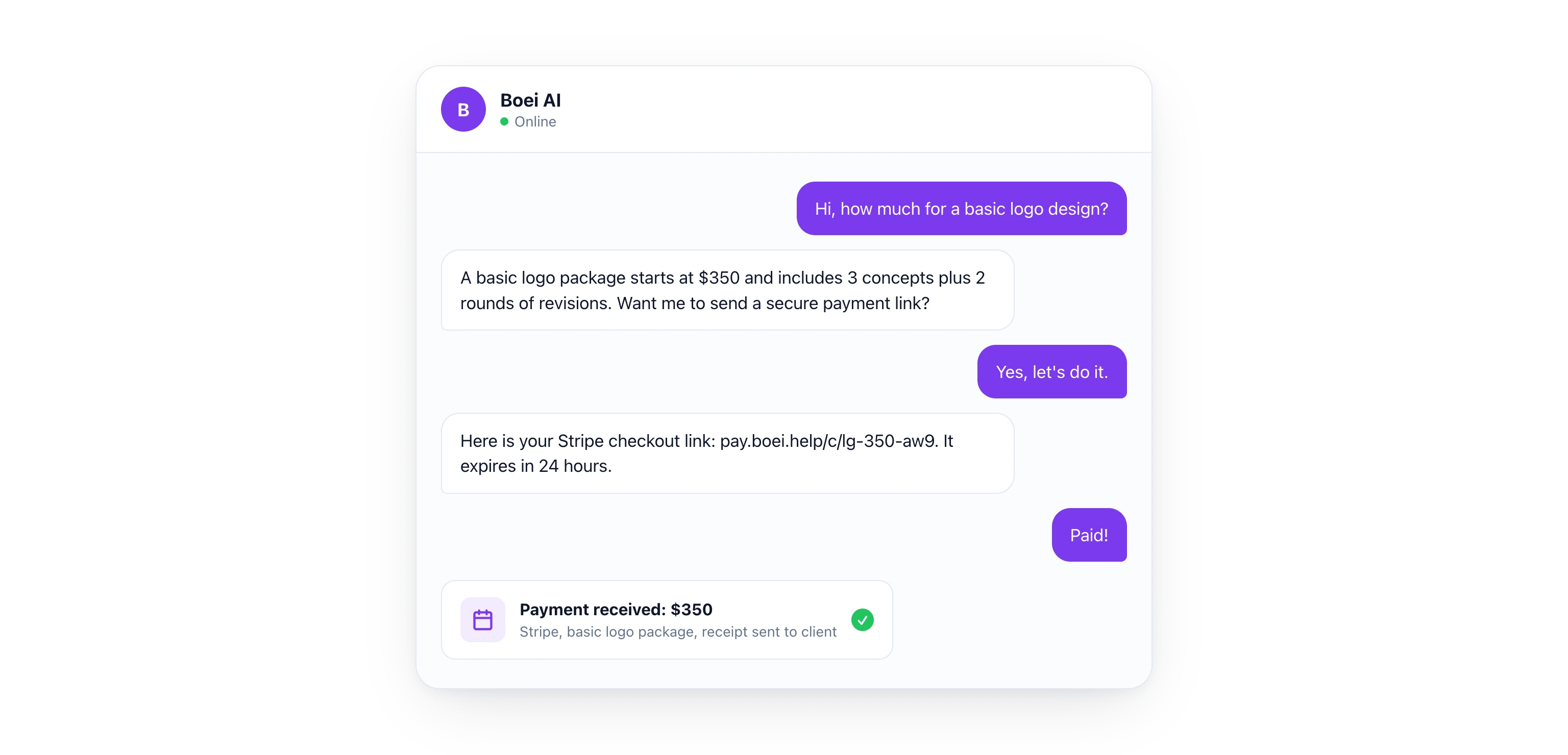
The key detail here: your chatbot never touches card numbers. The payment provider handles all of that. Your chatbot only generates and shares the link. This keeps things secure and simple.
Phone payments cost $3-6 per call when you factor in agent time and processing. Chatbot-generated payment links cost pennies. For businesses handling dozens of payments per week, the savings add up fast.
Which Payment Provider Is Best for Chatbot Payments?
Not every payment provider works the same way. Here is a comparison of the six most popular options for chatbot payments.
| Provider | Best For | Transaction Fee | Currencies | EU-Friendly | Subscription Billing | API Complexity |
|---|---|---|---|---|---|---|
| Stripe | SaaS, global businesses | 2.9% + $0.30 | 135+ | Yes | Built-in | Medium |
| PayPal | Broad consumer trust | 2.99% + $0.49 | 25+ | Yes | Via subscriptions API | Low |
| Square | In-person + online | 2.9% + $0.30 | Limited | No | Via invoices | Low |
| Mollie | EU and Dutch market | From 1.8% | 15+ | Excellent (iDEAL, SEPA, Bancontact) | Via Mollie Subscriptions | Low |
| Paddle | Digital products, SaaS | 5% + $0.50 | 30+ | Yes (Merchant of Record) | Built-in | Medium |
| LemonSqueezy | Digital creators | 5% + $0.50 | 30+ | Yes (Merchant of Record) | Built-in | Low |
Which one should you pick?
- Selling services in the US? Stripe or PayPal give you the broadest reach.
- Selling to European customers? Mollie is the clear winner. It supports iDEAL (used by 70% of Dutch online shoppers), SEPA direct debit, Bancontact for Belgium, and other local methods.
- Selling digital products? Paddle or LemonSqueezy handle VAT collection and act as your Merchant of Record, so you do not need to deal with EU tax compliance.
- Need a simple setup? PayPal payment links require the least technical work.
5 Use Cases for Chatbot Payments
1. Service Quotes and Invoicing
A customer asks your chatbot about web design pricing. The AI asks a few qualifying questions (number of pages, timeline, special features) and generates a custom quote. If the customer approves, the chatbot sends a payment link for a deposit or the full amount.
This works especially well for freelancers, agencies, and consultants who send quotes regularly. Instead of a three-email back-and-forth, the entire process happens in one chat session.
2. Deposits and Booking Fees
Restaurants, salons, event venues, and service businesses can collect deposits directly through chat. A customer asks to book a table for 12 people on Saturday. The chatbot confirms availability and says: "We require a $50 deposit for groups over 8. Here is a secure payment link." The booking is confirmed the moment the payment goes through.
3. Subscription Billing
SaaS companies and membership businesses can use the chatbot to handle upgrades and plan changes. A customer on your free plan asks about premium features. The chatbot explains the benefits and offers a direct checkout link for the monthly or annual subscription. Stripe, Paddle, and LemonSqueezy all support recurring billing through their APIs.
4. Digital Products
Selling ebooks, templates, courses, or downloadable files? Your chatbot becomes the sales assistant. A visitor asks "Do you have a social media template pack?" and the chatbot shares a preview, answers questions, and sends a payment link. After payment, the download link is delivered automatically.
5. Donations and Tips
Nonprofits and content creators can collect donations through chat. A supporter asks how to contribute. The chatbot offers suggested amounts or lets them choose their own, then generates a one-time or recurring payment link.
Let's do some quick math. If your AI chatbot generates 10 quotes per week at an average of $500, and even 30% convert to payment, that is $78,000 per year in revenue from chat alone. That is the kind of ROI that makes this worth setting up.
How Do You Set Up Payment Links in a Chatbot?
The most flexible way to connect your chatbot to a payment provider is through webhooks. Here is how the setup works with Boei's AI Agent:
Step 1: Create Your Payment Provider Account
Sign up with your chosen provider and get your API keys. For Stripe, this is your publishable key and secret key. For PayPal, it is your client ID and secret.
Step 2: Build a Payment Link Endpoint
Create a simple API endpoint on your server (or use a serverless function) that:
- Accepts a product description and amount
- Calls your payment provider's API to create a checkout session
- Returns the payment URL
Most payment providers make this straightforward. Stripe's Checkout Session API, for example, creates a hosted payment page with just a few parameters: amount, currency, success URL, and cancel URL.
Step 3: Connect the Webhook to Your Chatbot
In your chatbot's settings, add the webhook as a tool the AI can call. Configure it so the AI knows when to trigger it - for example, when a customer confirms they want to pay.
With Boei, you set this up in the AI Agent's tool configuration. The agent learns when to offer payment and calls your endpoint automatically.
Step 4: Test the Flow
Run through the full conversation as a customer. Ask about pricing, approve a quote, and verify the payment link works. Check that both the confirmation and the payment status update correctly.
No coding skills? You can also connect payment providers through Zapier. Create a Zap that triggers when your chatbot collects payment approval, then generates a Stripe or PayPal payment link and sends it back to the chat.
Are Chatbot Payments PCI Compliant?
One of the biggest concerns about chatbot payments is security. Here is the good news: if you use payment links, your chatbot never handles card data.
How payment links keep you PCI-safe:
- No card data in chat - The customer clicks a link and enters payment details on the provider's secure, PCI-compliant checkout page (Stripe Checkout, PayPal's hosted page, etc.)
- Tokenized transactions - The payment provider handles tokenization, encryption, and fraud detection
- No storage required - Your server never sees or stores card numbers, CVVs, or bank details
- SSL/TLS encryption - All payment provider checkout pages use HTTPS by default
This is a major advantage over phone payments, where an agent might write down card numbers or enter them into a system manually. Payment links eliminate human error and PCI scope entirely.
For EU businesses, make sure your payment provider supports Strong Customer Authentication (SCA) as required by PSD2. Stripe, Mollie, and PayPal all handle SCA automatically through 3D Secure.
Turn Your Chatbot Into a Revenue Channel
Most businesses treat their chatbot as a support tool. But the real opportunity is using it as a sales channel. When you connect payment collection to your ecommerce chatbot, every conversation becomes a potential transaction.
70% of online shopping carts are abandoned before checkout.
Source: Baymard Institute
A chatbot that answers last-minute questions and offers instant checkout can recover a significant portion of those abandoned carts.
Start with one payment provider and one use case. Get the flow working, measure the results, and expand from there. Whether you are collecting deposits for a restaurant, selling consulting packages, or processing subscription upgrades, the setup is the same: chatbot qualifies, customer approves, payment link closes the deal.
Sign up for Boei's free 7-day trial and connect Stripe, PayPal, Mollie, or any payment provider to your chatbot.
FAQ
Can a chatbot securely process credit card payments?
Yes, but the chatbot itself does not process the payment. It generates a secure payment link from a PCI-compliant provider like Stripe or PayPal. The customer clicks the link and enters their card details on the provider's hosted checkout page. Your chatbot never sees or stores card data.
Which payment provider is best for chatbot payments?
It depends on your market. Stripe is the most versatile for global businesses. PayPal has the highest consumer trust. Mollie is the best choice for European businesses because it supports iDEAL, SEPA, and Bancontact. For digital products, Paddle and LemonSqueezy handle tax compliance as your Merchant of Record.
Do I need coding skills to set up chatbot payments?
Not necessarily. You can use no-code tools like Zapier to connect your chatbot to payment providers. With Boei, you configure webhooks in the AI Agent settings without writing code. If you want more control, a simple API endpoint is all you need.
How much does it cost to collect payments through a chatbot?
The chatbot itself adds minimal cost. Your main expense is the payment provider's transaction fee, which ranges from 1.8% (Mollie) to 5% (Paddle and LemonSqueezy). Compare that to phone payments at $3-6 per call, and chatbot payments are significantly cheaper.
Can I collect recurring subscription payments through a chatbot?
Yes. Stripe, Paddle, LemonSqueezy, and Mollie all support recurring billing through their APIs. Your chatbot can offer subscription options during the conversation and generate a checkout link that sets up automatic monthly or annual payments.