Best AI Chatbot for Webflow
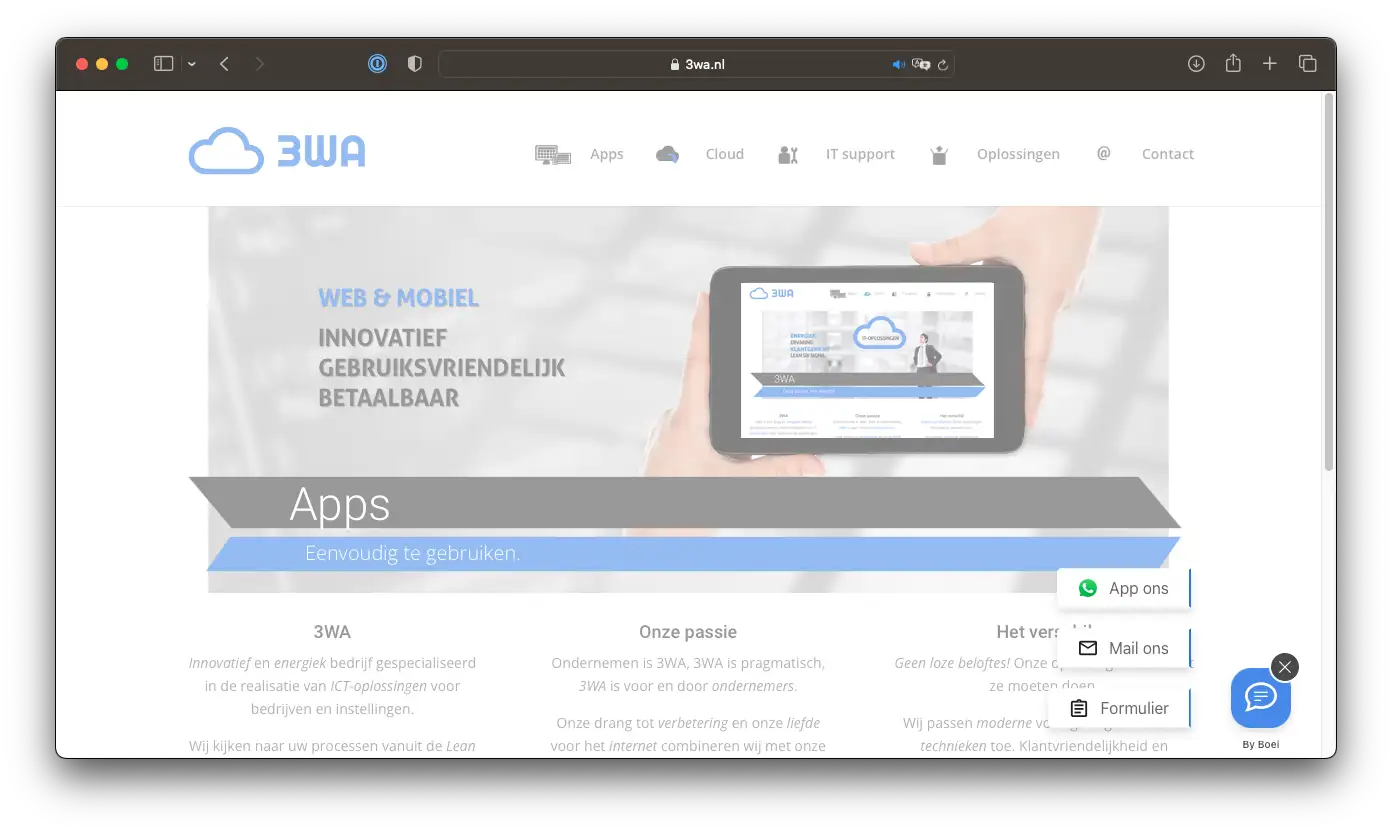
Add an AI chatbot to your Webflow site in 5 minutes. Answer visitor questions instantly, capture leads around the clock, and deliver a premium experience. All without touching your design.
Trusted by 14,368 websites
Works with any Webflow project
Also available for:
You've spent hours perfecting your Webflow design. But when visitors land on your site, they have questions: about your services, pricing, process, or availability. Without instant answers, they leave. An AI chatbot for Webflow engages those visitors the moment they arrive, answering questions and capturing leads while you focus on design work.
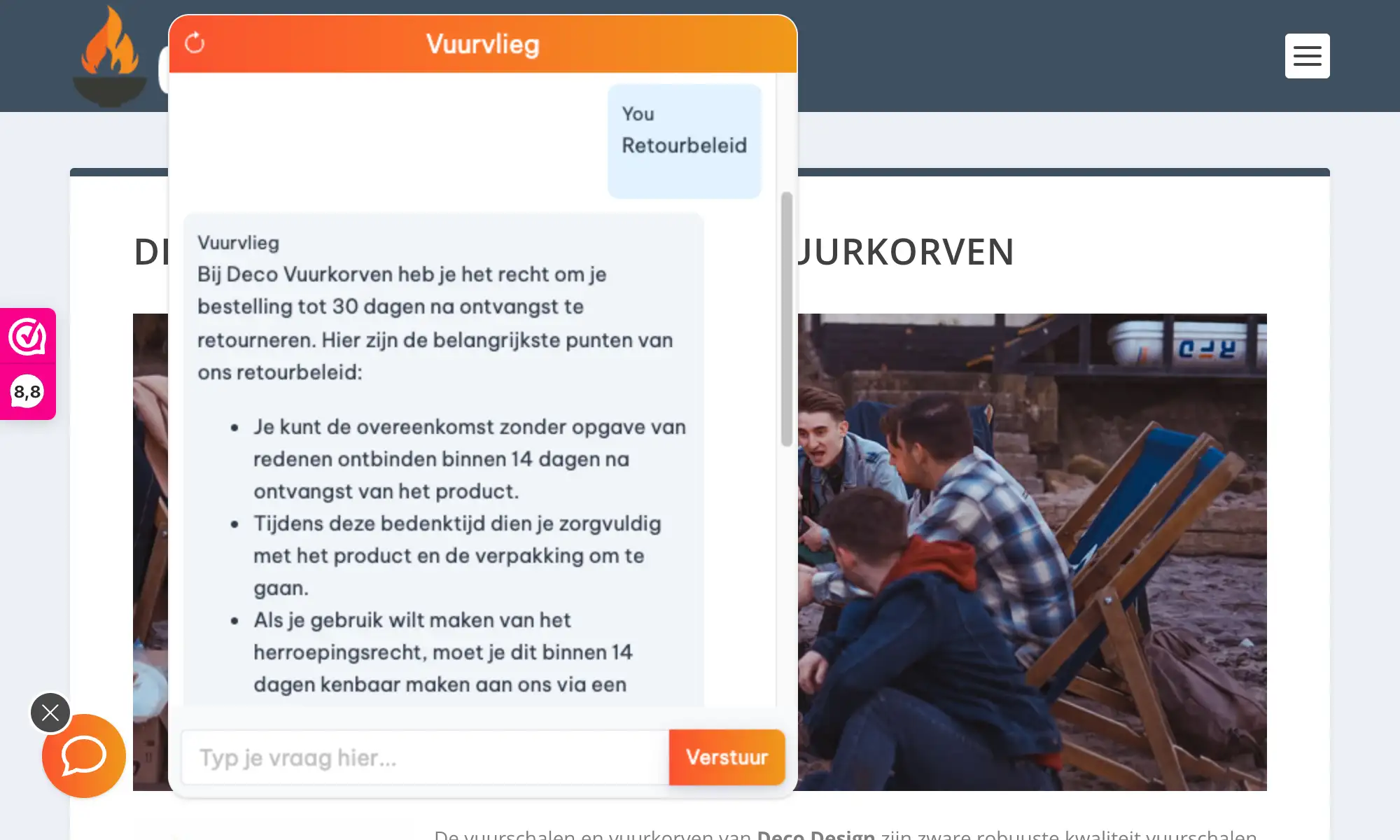
Boei's AI chatbot learns your entire Webflow site automatically. It reads your pages, portfolio, services, and FAQ content. Then answers visitor questions accurately, 24/7. Perfect for agencies, freelancers, and SaaS companies running on Webflow.
Webflow sites convert better when visitors get instant answers. Add AI chat to engage visitors before they bounce. Check our transparent pricing and explore all AI chatbot features.
The chatbot widget matches your brand colors and typography. It enhances your Webflow site without compromising the design you've carefully built.
Install chatbots on multiple client Webflow sites. Each gets its own trained AI, managed from your single Boei dashboard.
Turn anonymous visitors into qualified leads. The chatbot collects contact details naturally during conversations, no extra forms needed.
Lightweight async script that won't affect your Webflow site's loading speed or Lighthouse scores. Under 50KB total.
Get your AI chatbot live on Webflow in under 5 minutes
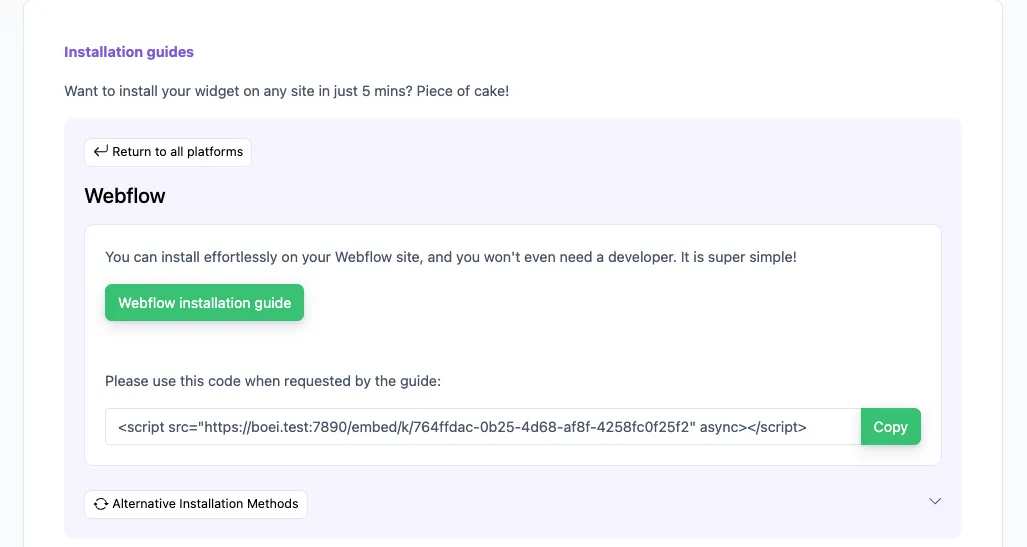
In your Boei dashboard, open your widget and click the Install tab. Select Webflow and copy the installation code.
Tip: The Install tab also offers a landing page link, QR code, and iframe embed.
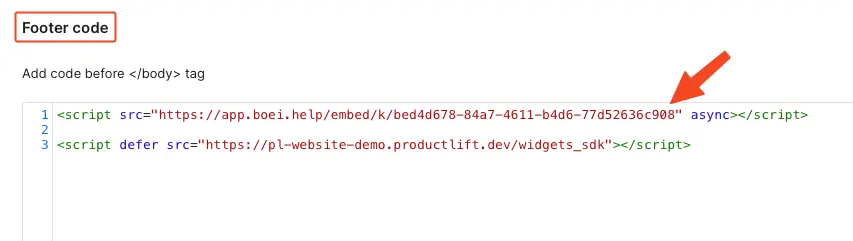
Click Save and then Publish to see the changes on your live site.
Congrats, you are done!
Everything your Webflow project needs
AI reads all your Webflow pages, CMS collections, and dynamic content. Answers visitor questions accurately.
Looks perfect on desktop, tablet, and mobile. Follows Webflow's responsive breakpoints naturally.
Automatically learns from your blog posts, case studies, and portfolio items stored in Webflow CMS.
Running multiple Webflow projects? Create separate chatbots for each, manage from one dashboard.
Capture leads and send them to your CRM, email, or webhook. Integrates with your existing workflow.
Auto-detects visitor language. Responds in 95+ languages. Perfect for international Webflow sites.
Capture leads with structured question flows. Ask for name, email, phone, and company inside the chat conversation.
Pick from OpenAI, Anthropic, Google, or Mistral. Switch models anytime from your dashboard.
Override AI responses for specific questions. Bulk-import Q&A pairs via Excel template.
See how we compare to popular alternatives
| Feature | Boei | Intercom | Crisp | Tidio |
|---|---|---|---|---|
| Starting price | β¬14/mo | β¬74/mo | Free (limited) | β¬39/mo |
| AI conversations | 2,000/mo | Add-on ($) | ✗ Limited | 50-1,000 |
| Train on your site | ✓ Yes | ✓ Yes | ✗ Limited | ✗ Limited |
| WhatsApp, forms, 50+ channels | ✓ Yes | ✗ Limited | ✗ Limited | ✗ |
| Webflow custom code install | ✓ Yes | ✓ Yes | ✓ Yes | ✓ Yes |
| GDPR compliant (EU servers) | ✓ Yes | ✗ | ✓ Yes | ✗ |
Bottom line: Boei gives you AI chat with automatic site training and 50+ channels for β¬14/mo. Intercom starts at β¬74/mo. Perfect for Webflow designers who want powerful features without enterprise pricing.
Imagine having a team member who knows every project in your portfolio, every service you offer, and every FAQ answer. Available 24/7. That's what Boei's AI chatbot does for your Webflow site.
The AI learns from your content. More detailed service and about pages mean better, more accurate chatbot responses.
Create a CMS collection for FAQs. The chatbot learns from it automatically, and you get an FAQ page too.
Configure buttons like 'Our services', 'Get a quote', 'View portfolio'. Guide visitors to what they need.
Send leads to Notion, Slack, email, or your CRM via webhooks. Keep your existing workflow intact.
David K.
CEO Small-Business (50 or fewer emp.)
Seif Ahmed
@seif588
Neu
@siddharthaneu
Irfan
@mak_web_media
Peter C
@peter_c1
Andrew Lee
@fromlife89
Grzegorz G.
Joshua G.
Ronald D.
Director Small-Business (50 or fewer emp.)
Fahd T.
Founder Small-Business (50 or fewer emp.)
David S.
CEO/Founder Small-Business (50 or fewer emp.)
Vance W.
Julien V.
DΓ©veloppeur d'e-commerce Small-Business (50 or fewer emp.)
Grant
Hansie
David K.
CEO Small-Business (50 or fewer emp.)
Seif Ahmed
@seif588
Neu
@siddharthaneu
Irfan
@mak_web_media
Peter C
@peter_c1
Chandra Kusuma
Pepe
Arjun E.
JosΓ© Manuel D.
Cristian Trappolini
Daniel Gyger
Nitesh Manav
Renaat Sioncke
Fran Tully
Proinsias M.
Gavin S.
Sara Hall
Mike Foston
LukΓ‘Ε‘ H.
Bikram K. S.
Chandra Kusuma
Pepe
Arjun E.
JosΓ© Manuel D.
Real Webflow sites using Boei's AI chatbot
Combine AI chatbot with other ways for visitors to reach you
Learn more about AI chatbots
AI chatbot for Framer sites
Transparent AI chatbot pricing
Simple, transparent pricing with AI chatbot included
Billed annually at $96 β’ Cancel anytime
Number of websites β
Optional Add-ons
OptionalEnhance your plan with these extras
What's included
β No contracts β’ Cancel anytime β Trusted by 14.368 businesses
Start 7-Day Free TrialPrices exclude VAT, calculated at checkout
Get custom pricing, priority support, and advanced features such as custom domains and mailers
Contact SalesGo to your Webflow Project Settings β Custom Code. Paste the Boei script in the Footer Code section. Publish your site and the chatbot appears automatically.
No. The Boei script is under 50KB and loads asynchronously after your page content. It won't affect your site's loading speed or Lighthouse scores.
Yes. The AI automatically crawls and learns from your CMS collection pages, blog posts, and all dynamic content on your Webflow site.
Yes. Your Boei subscription covers unlimited sites. Create separate chatbots for each client project, all managed from one dashboard.
Boei uses GPT-5 and Claude, the latest from OpenAI and Anthropic. These models understand design terminology and can discuss your Webflow portfolio intelligently.
No. The AI only references content published on your Webflow site. If a visitor asks about a service you don't offer, it says so rather than guessing.
Yes. The chatbot learns your product pages, pricing, and policies. It can answer product questions and help shoppers find what they need.
Yes. All data stays on EU servers in Amsterdam. No visitor conversations are used for AI training. Cookieless mode available. DPA provided for agency contracts.
Yes. Boeiβs AI chatbot works on your website and on WhatsApp. Incoming WhatsApp messages get automatic AI replies, and all conversations land in your shared inbox with AI summaries.
Yes. Boei supports OpenAI, Anthropic, Google, and Mistral models. You can switch models anytime from your dashboard settings. All models train on your website content automatically.
Join thousands of Webflow designers using Boei. Setup takes 5 minutes.