Framer logo

Best AI Chatbot for Framer

AI Chatbot for Framer

Add an AI chatbot to your Framer site in 5 minutes. Answer visitor questions automatically, capture leads around the clock — designed to match your aesthetic.

Trusted by 14,368 websites

Embed Code Ready

Andrew Lee David S. Vance W. Grant Nitesh Manav
from 159 reviews

Also available for:

Try the Framer AI Chatbot

Why Designers Choose Boei for Framer

You chose Framer because you care about design. Every pixel matters. Every interaction should feel intentional. An AI chatbot for Framer should be no different — it needs to enhance your design, not fight against it.

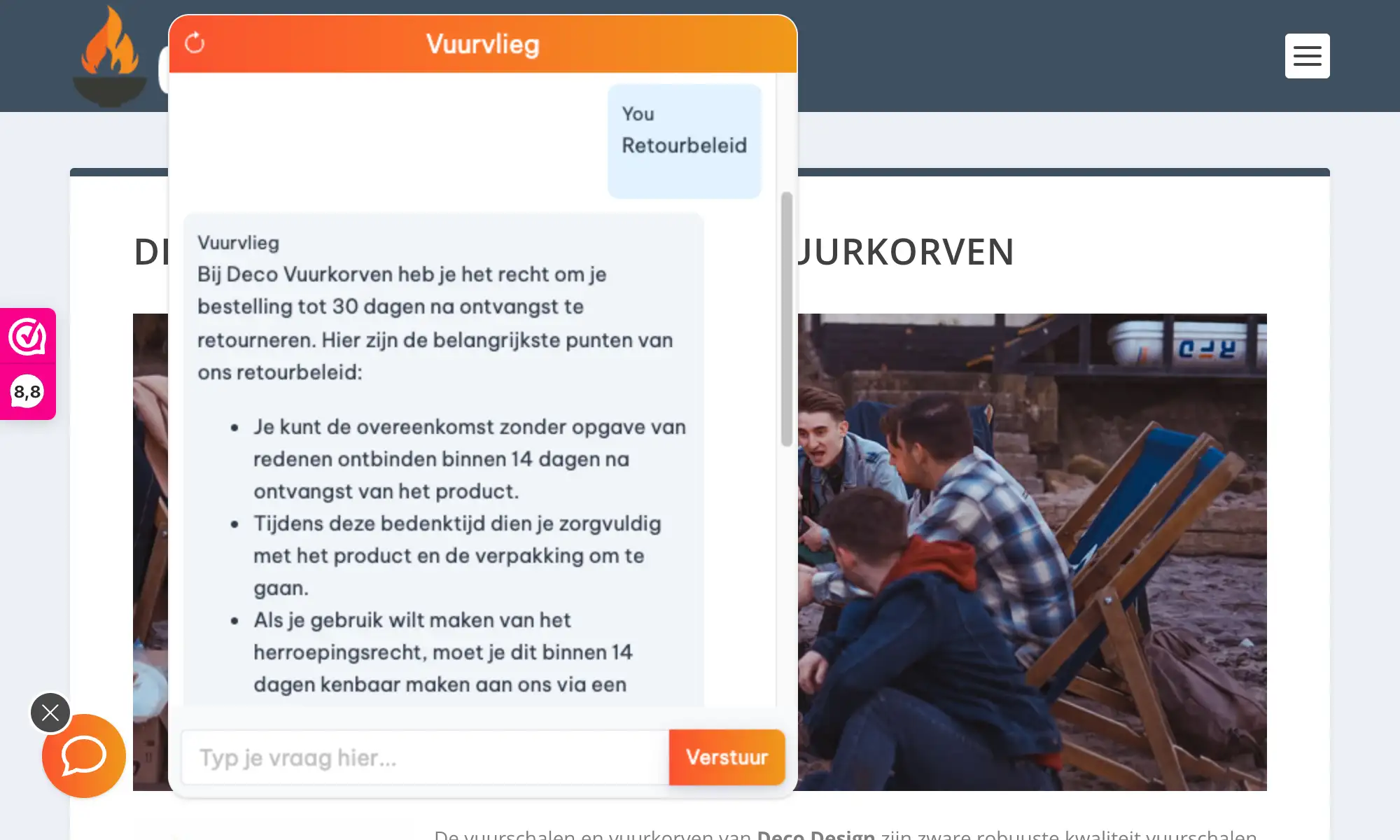
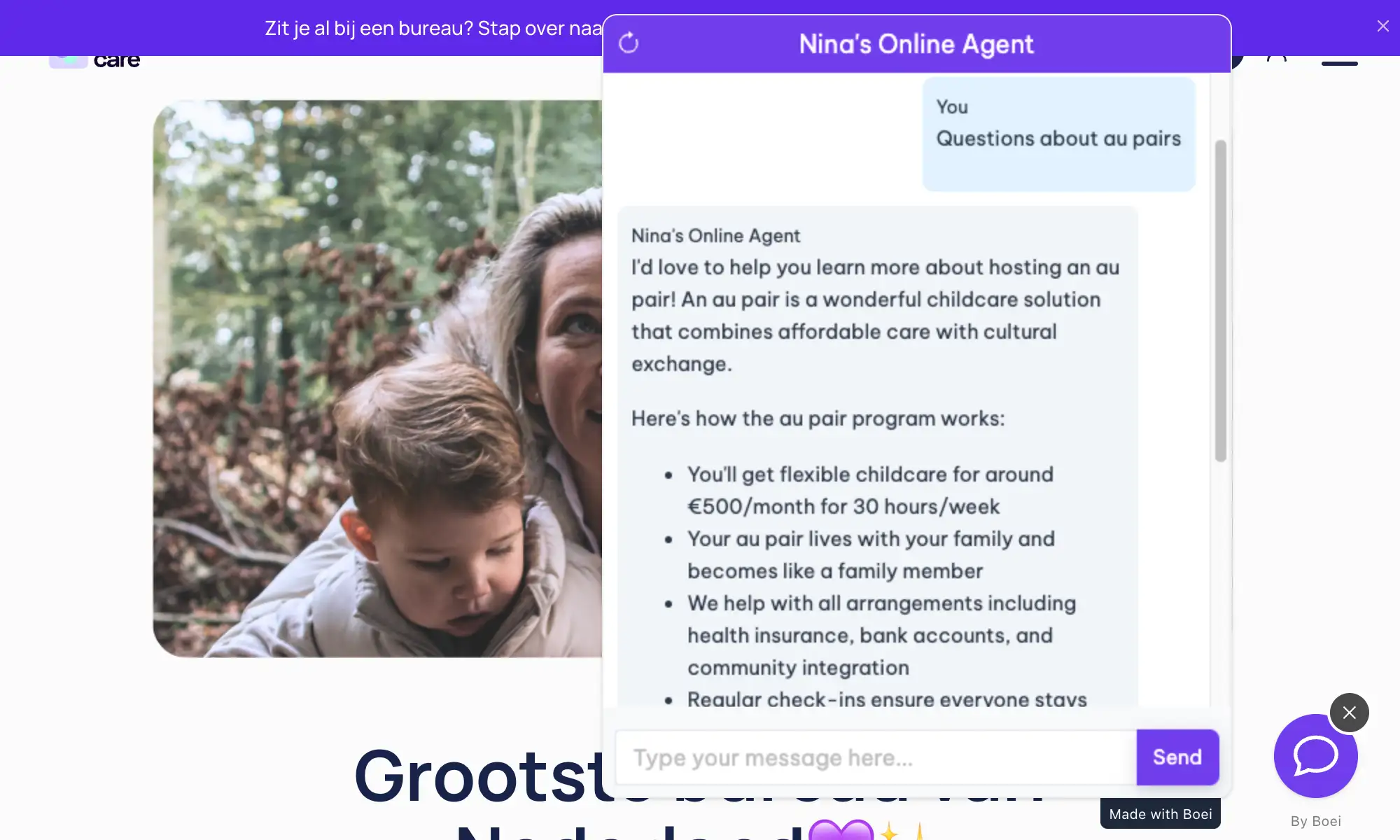
Boei's Framer chatbot is built for designers. Fully customizable colors, smooth animations, and a minimal footprint that complements rather than clutters. The AI learns from your website content automatically — your copy, your services, your portfolio — and answers visitor questions in your voice.

Why Framer designers choose Boei:

  • Design-first approach — Customizable widget that matches your Framer aesthetic
  • Smooth animations — Micro-interactions that feel native to modern web design
  • Minimal footprint — Clean chat interface that doesn't overwhelm your layout
  • Portfolio-ready — Train on your case studies and let the AI explain your work
  • Lead capture without forms — Collect inquiries conversationally, not with clunky forms

Your Framer site is a statement about your design philosophy. Boei keeps that statement intact while adding functionality. Perfect for real estate professionals and agencies. See all available features.

Built for Designers

Why Framer Sites Love Boei

🎨

Matches Your Aesthetic

Fully customizable colors, fonts, and positioning. The widget feels like part of your design, not an afterthought.

💬

Answer Questions Instantly

Visitors to your portfolio or agency site have questions. The AI responds immediately about your work, process, and availability.

👤

Capture Leads Conversationally

Skip the contact form. Collect inquiries through natural conversation that feels more personal.

Lightweight & Fast

Under 50KB, loads asynchronously. Won't affect your Framer site's performance or PageSpeed scores.

Quick Setup

Install in 3 Simple Steps

Get your AI chatbot live on Framer in under 5 minutes

1

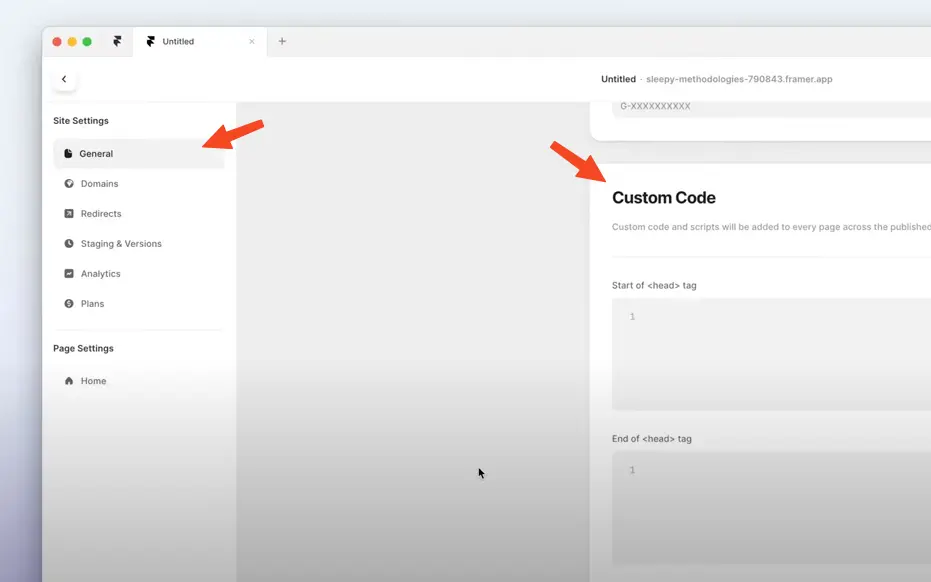
Open Site Settings

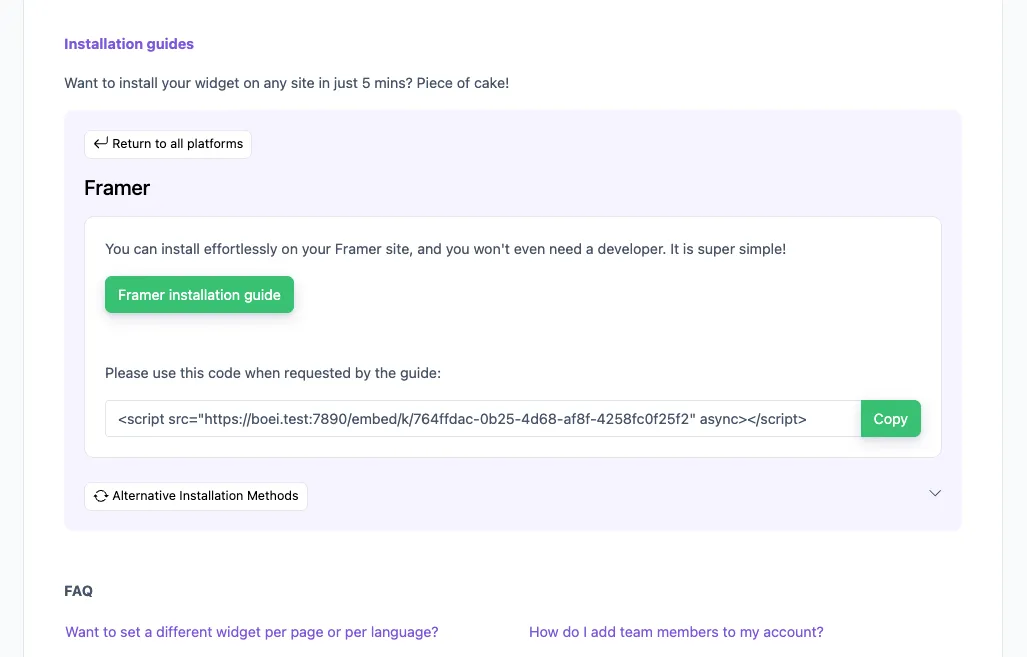
In your Framer project, click the cog icon (top right) → Settings → General → scroll to Custom Code.

Open Site Settings
2

Add to End of <body>

Paste your Boei script code in the 'End of <body> tag' section. Click Save, then Publish your site.

3

Train the AI

In Boei dashboard, enter your Framer site URL. The AI crawls your pages and portfolio automatically. Note: Preview mode won't show Boei — test on your live site.

Designer Features

Built for Framer

Works perfectly with your Framer website

🖼️

Portfolio Sites

Train on your case studies. Let the AI explain your design process and past work.

🏢

Agency Websites

Handle initial inquiries, qualify leads, and book discovery calls automatically.

🎯

Landing Pages

Perfect for Framer landing pages. Answer questions and reduce bounce rate.

🌙

Dark Mode Support

Widget adapts to light and dark themes. Seamless experience for visitors.

📱

Mobile Optimized

Looks great on mobile. Responsive design that matches Framer's mobile-first approach.

🔗

Custom Domain Ready

Works with Framer's custom domains. No additional configuration needed.

Compare Options

Boei vs Other Framer Chatbots

See how we compare to alternatives

Feature Boei Intercom Crisp Tawk.to
Starting price €14/mo $74/mo €25/mo Free
AI conversations 2,000/mo ✗ Limited ✗ Limited
Train on your site ✓ Yes Add-on ✗ Limited
Design customization Full ✗ Limited Good Basic
Lead capture ✓ Yes ✓ Yes ✓ Yes ✗ Limited
GDPR compliant (EU servers) ✓ Yes ✓ Yes

Bottom line: Intercom costs $74/mo. Boei gives you AI-powered automation for €14/mo with better design customization.

Perfect for Design Portfolios & Agencies

Framer is the choice of designers who refuse to compromise. Your chatbot should meet that same standard. Boei answers the inquiries you get most — project requests, availability, pricing questions — while you focus on your craft.

  • Answer 'What's your rate?' and pricing questions automatically
  • Explain your design process to potential clients
  • Handle 'Are you available?' questions about booking
  • Share relevant case studies and portfolio pieces
  • Capture qualified project leads while you're designing
Framer AI Chatbot for Designers

How a Framer Design Agency Doubled Project Inquiries

Design Studio Captures 50% More Project Leads

A boutique design agency with a stunning Framer portfolio was losing potential clients who visited outside business hours. Prospects wanted quick answers about availability, pricing, and the agency's design process.

Pro Tips

Get More From Your Framer Chatbot

1

Match Your Color Palette

Use your exact brand colors from Framer's design system. The widget should feel like part of your design.

2

Train on Case Studies

Include your portfolio case studies in the AI training. Let the chatbot explain your work and process.

3

Position Thoughtfully

Consider bottom-left if your design has important elements in bottom-right. The widget shouldn't cover key content.

4

Set Up Quick Replies

Configure buttons: 'See my work', 'Get a quote', 'Book a call'. Visitors can tap instead of type.

Need Help?

Troubleshooting Common Issues

Chatbot not appearing?
Make sure you added the code to 'End of tag' (not Start of ). Publish your site after adding the code.
Only showing on some pages?
Custom code in Site Settings applies to all pages. If you only see it on some pages, check that you published the entire site, not just specific pages.
Widget conflicts with my design?
Adjust position (bottom-left vs bottom-right) in Boei dashboard. You can also adjust the margin from edges and z-index if needed.
Not learning from password-protected pages?
The AI can only learn from publicly accessible pages. Remove password protection temporarily for training, or add content manually.

What Designers Say

See AI Chatbot in Action

Real websites using Boei's AI chatbot

Add More Contact Channels

Combine AI chatbot with other ways for visitors to reach you

Related Resources

Explore more platforms

Framer Chatbot Pricing

Simple, transparent pricing with AI chatbot included

Vance
Vance: " Helps me to convert website visitors to warm leads " ★★★★★

$8 / month

Billed annually at $96Cancel anytime

Number of websites

Optional Add-ons

Optional

Enhance your plan with these extras

What's included

    No contractsCancel anytime Trusted by 14.368 businesses

    Start 7-Day Free Trial

    Prices exclude VAT, calculated at checkout

    Need an Agency or Enterprise Solution?

    Get custom pricing, priority support, and advanced features such as custom domains and mailers

    Contact Sales

    Questions?

    Framer AI Chatbot FAQ

    How do I install the AI chatbot on Framer?

    Go to Site Settings → General → Custom Code. Paste the Boei script in the 'End of tag' section and publish.

    Will it slow down my Framer site?

    No. The Boei script is under 50KB and loads asynchronously. Won't affect loading speed or PageSpeed scores.

    Does it work with Framer's CMS?

    Yes. The AI can learn from CMS collections and dynamic pages. Just include them when training.

    Can I match my exact brand colors?

    Yes. Full color customization including primary color, background, text colors, and button styles.

    Which AI models does Boei use?

    GPT-5 from OpenAI and Claude from Anthropic. We automatically select the best model for each query.

    Will the AI make up answers?

    No. Boei only answers based on your Framer content. Shows sources and admits when unsure.

    Does it work with custom domains?

    Yes. Works with Framer's custom domains and subdomains. No additional setup required.

    Is it GDPR compliant?

    Yes. EU servers (Amsterdam), no training on conversations, cookieless mode available.

    Ready to Add AI Chat to Framer?

    Join designers who use Boei. Setup takes 5 minutes.

    7-day free trial • No credit card required • Full design customization
    Andrew Lee David S. Vance W. Grant Nitesh Manav
    from 159 reviews