Your website visitors expect instant answers. Especially when they're ready to buy. Without an AI chatbot, you're losing customers to competitors who respond faster.
I tested the top 7 AI chatbot plugins for WordPress over three weeks. Here's what actually works in 2026.
TL;DR: Boei is our top pick for WordPress AI chatbots, offering GPT-5.1/Claude models and 2,000 AI messages for $14/month. Double the AI messages of Tawk.to ($29/month) at half the price. Prices across these 7 plugins range from $39/year (WPBot with your own API key) to $76/month (LiveChat + ChatBot combo). For most WordPress sites, an AI chatbot with automatic website training and live chat escalation delivers the best ROI.
Testing methodology: I evaluated setup time, AI accuracy, real support scenarios, multi-channel capabilities, pricing transparency, and lead generation performance.
The best AI chatbot for WordPress is Boei. Offers GPT-5.1 and Claude AI models, automatic website training up to 1,000 pages, and live chat escalation. It starts at $14/month for 2,000 AI messages and includes the full widget with 50+ contact channels.
For budget options, WPBot offers WordPress-native AI starting at $39/year with unlimited messages (you provide your own API key).
| Feature | Boei | Tidio | WPBot | Tawk.to | IBM Watson | Jotform AI | LiveChat |
|---|---|---|---|---|---|---|---|
| Setup Time | 5 minutes | 10 minutes | 15 minutes | 10 minutes | 30 minutes | 10 minutes | 15 minutes |
| AI Model | GPT-5.1/Claude | Lyro AI | Multiple | Apollo AI | IBM Watson | Custom AI | Custom |
| Website Training | 1,000 pages | Manual | Yes | 500 pages | Yes | Yes | Yes |
| AI Messages/Month | 2,000 | 50-1,000 | Unlimited* | 1,000 | Limited | 1,000 | 1,000 |
| Live Chat Escalation | With context | Yes | No | Yes | No | No | Yes |
| Multi-Channel | 50+ channels | Limited | Limited | No | No | No | Limited |
| Starting Price | $14/month | $39/month | $39/year | $29/month | Free tier | $34/month | $76/month |
*Uses your own API key - you pay AI provider directly
Top Pick: For most sites, AI-powered solutions with automatic training and live chat escalation deliver the best ROI.
WordPress AI chatbot costs range from:
You need an AI chatbot if you're losing leads outside business hours, spending excessive time answering repetitive questions, or your competitors respond faster than you do.
Modern AI chatbots resolve 70-85% of customer inquiries automatically while escalating complex questions to human agents.
AI chatbots work 24/7 and handle unlimited conversations simultaneously, while live chat requires human agents to be online. The best solution combines both. AI handles routine questions while escalating complex issues to humans.
Hybrid solutions like Boei offer both AI automation and live chat escalation with full conversation context.
Free AI chatbots like Tawk.to's basic live chat and WPBot's basic version offer limited AI responses, manual knowledge base setup, and basic features. They work for small sites with simple questions.
Paid AI chatbots ($15-76/month) provide advanced AI models like GPT-5.1, automatic website training, multi-channel support, live chat escalation, and higher message limits. Worth it for businesses serious about conversion.
If you specifically need WhatsApp integration, check out our WordPress WhatsApp plugins comparison.
Looking for a free chatbot for WordPress? Here are your best options for a free WordPress chatbot plugin:
WPBot Free Version. The most capable free WordPress chatbot. Includes basic AI responses, FAQ builder, and simple conversations. Limitations: No advanced AI models, limited customization, requires your own API key for AI features.
Tawk.to Free Live Chat. Not AI-powered, but offers unlimited free live chat with human agents. Good starting point if you want to add chat to WordPress without cost. Upgrade to AI Assist ($29/month) for automated responses.
IBM Watson Free Tier. Production-ready AI through IBM Cloud Lite account. Powerful NLP but requires technical setup. Best free option for developers comfortable with API integration.
Boei 7-Day Free Trial. Full-featured AI chatbot with 250 messages during trial. Test GPT-5.1/Claude AI, automatic website training, and 50+ channels before committing. Best way to evaluate premium AI chatbot capabilities for free.
Important: Free chatbot plugins for WordPress typically limit AI messages, lack automatic website training, and don't include live chat escalation. For businesses serious about conversion, paid options ($14-39/month) deliver significantly better ROI.
Best Comprehensive AI Chatbot Solution
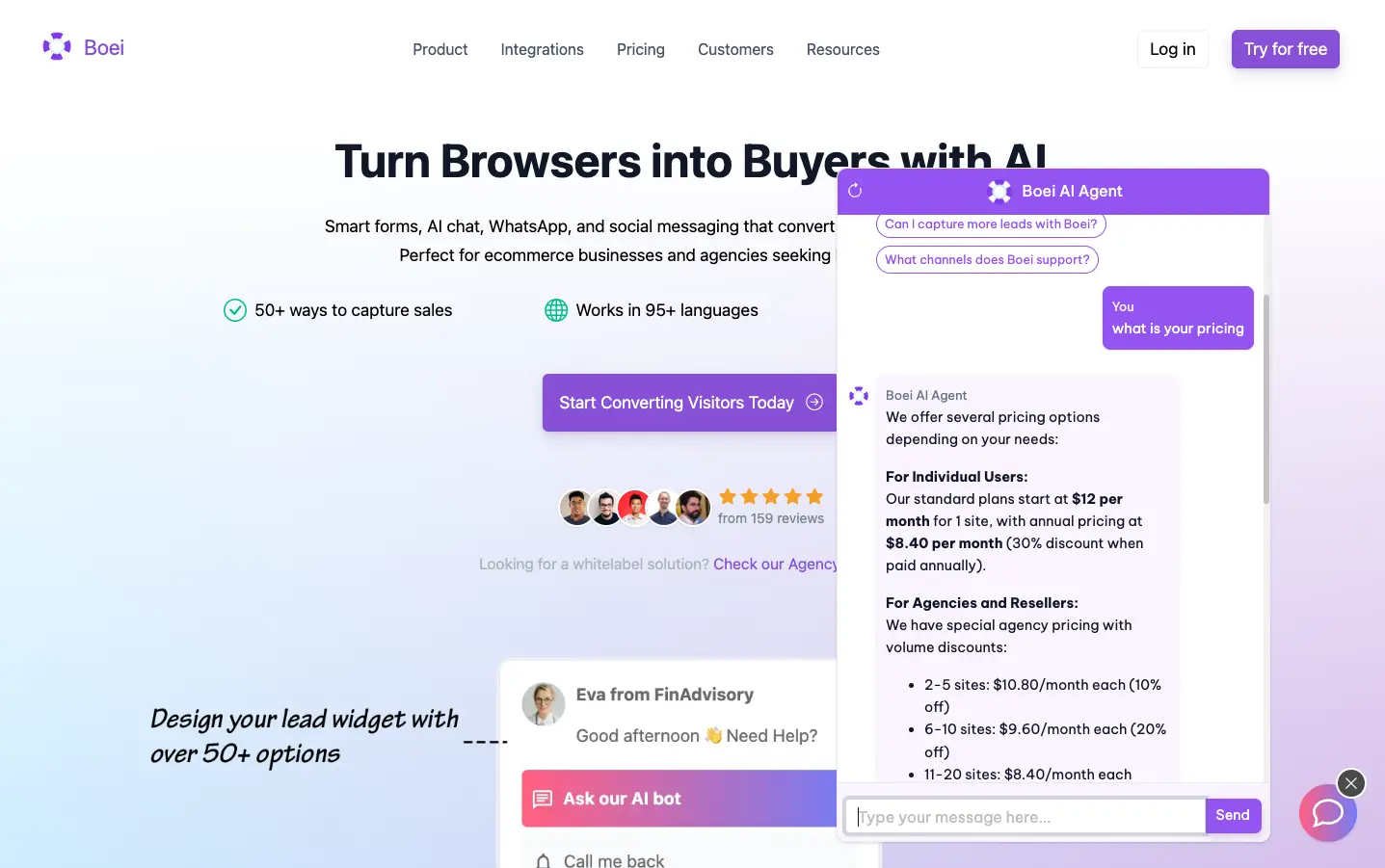
Boei is a comprehensive AI chatbot solution for WordPress trusted by 10,000+ businesses with 160+ five-star reviews. Unlike single-purpose chatbots, it combines latest AI models with multi-channel support and live chat escalation.
Key features:
What sets it apart: At $14/month, you get double the AI messages and double the page training compared to Tawk.to's $29/month plan. Plus the full widget with 50+ contact channels is included. The AI resolves 70-85% of inquiries without human intervention. For complex questions, live chat escalation ensures no customer gets stuck.
Best for: Growing businesses, e-commerce stores, SaaS companies, agencies managing multiple clients.
Pricing: 7-day free trial (250 AI messages) | From $14/month (2,000 AI messages, 1,000 pages) | Agency pricing available
Read more about this AI chatbot solution
Popular WordPress Option with Good AI
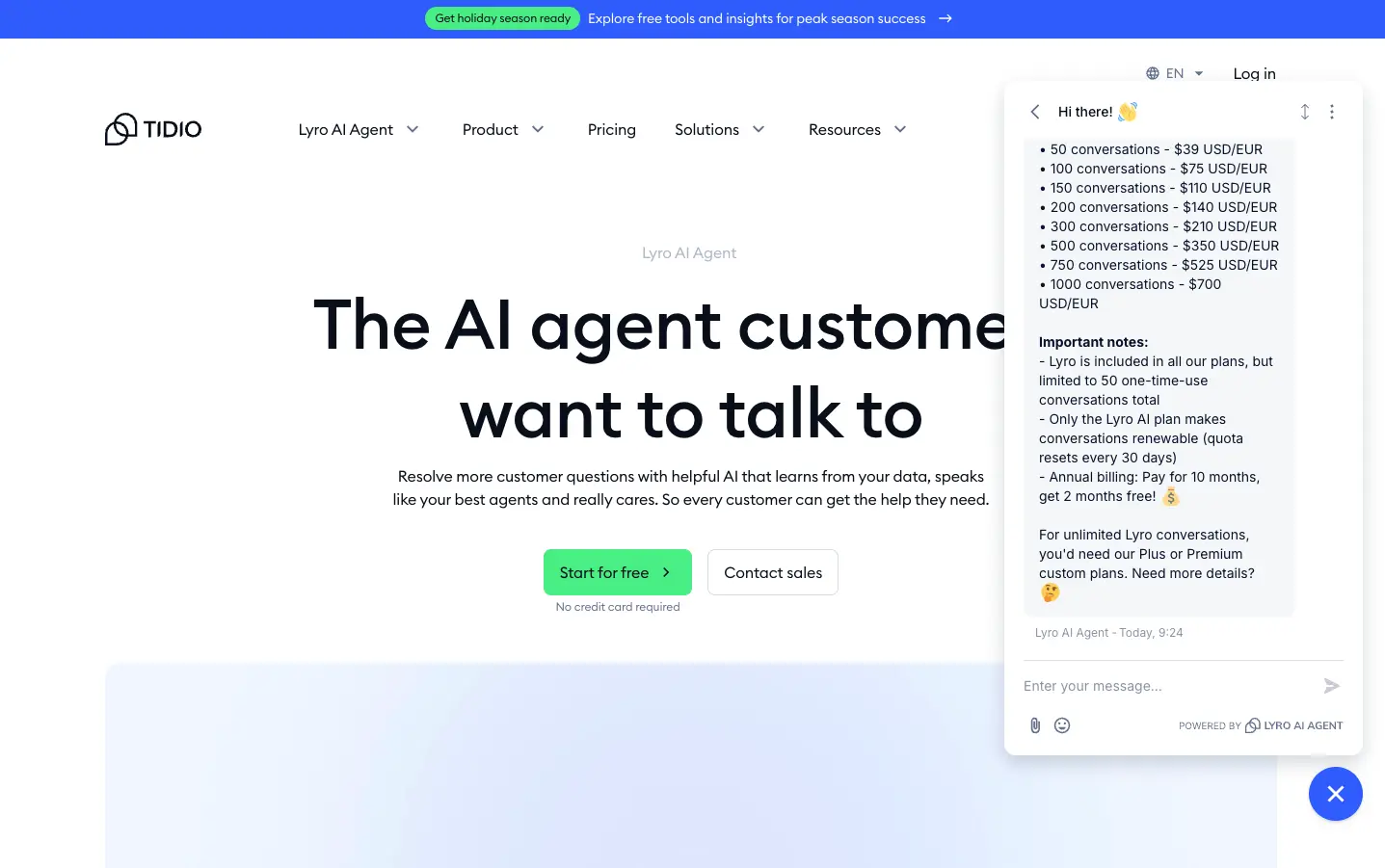
Tidio has built a solid reputation in WordPress, and their Lyro AI brings genuine artificial intelligence to live chat. Straightforward implementation with decent AI performance.
Key features:
Limitations: Conversation-based pricing gets expensive fast. $39/month gets you only 50 renewable conversations, scaling to $700/month for 1,000 conversations. Compare to Boei at $14/month for 2,000 AI messages. Limited to 10 agents maximum on most plans.
Best for: Very small businesses with under 50 conversations/month.
Pricing: Free (50 one-time AI conversations) | $39/month (50 conversations) | $75/month (100) | $700/month (1,000)
Versatile WordPress-Native Solution
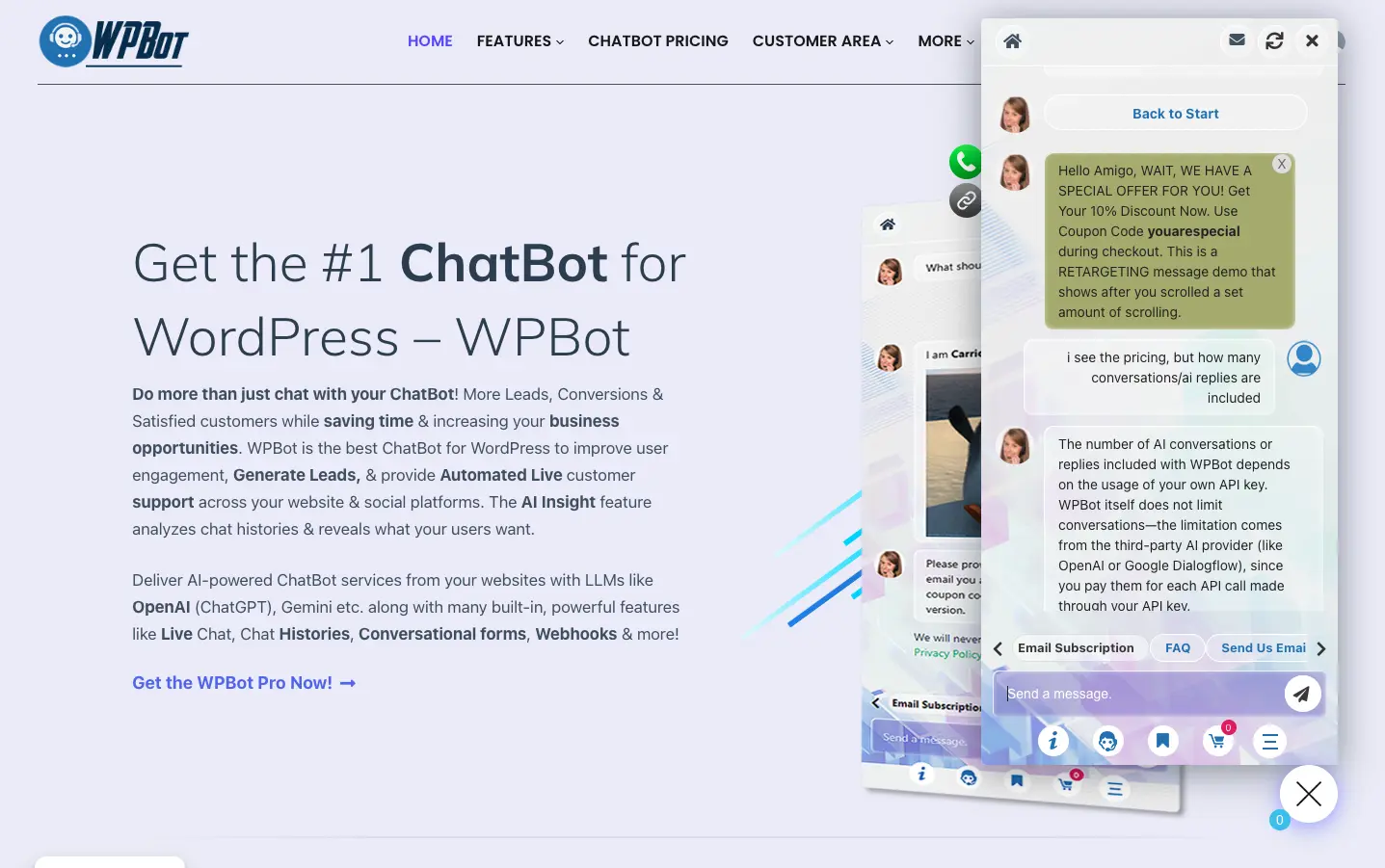
WPBot is WordPress-native with support for multiple AI providers including OpenAI ChatGPT, DialogFlow. Various models through OpenRouter (GPT, Claude, Gemini, Grok, Cohere, DeepSeek, Mistral, Llama).
Key features:
Important: WPBot uses your own API key, so conversations are unlimited. You pay your AI provider (OpenAI, Dialogflow, etc.) directly per API call. This gives you flexibility but requires managing API costs separately.
Drawbacks: Some users report resource-intensive performance. Security concerns mentioned in reviews including SQL injection vulnerabilities requiring frequent updates.
Best for: WordPress developers, agencies managing multiple sites, businesses wanting AI provider flexibility and control over API costs.
Pricing: Free version | $39/year (1 site, unlimited AI with your API key) | $99/year (2 sites) | Lifetime deals available
AI Chat Starting at $29/Month
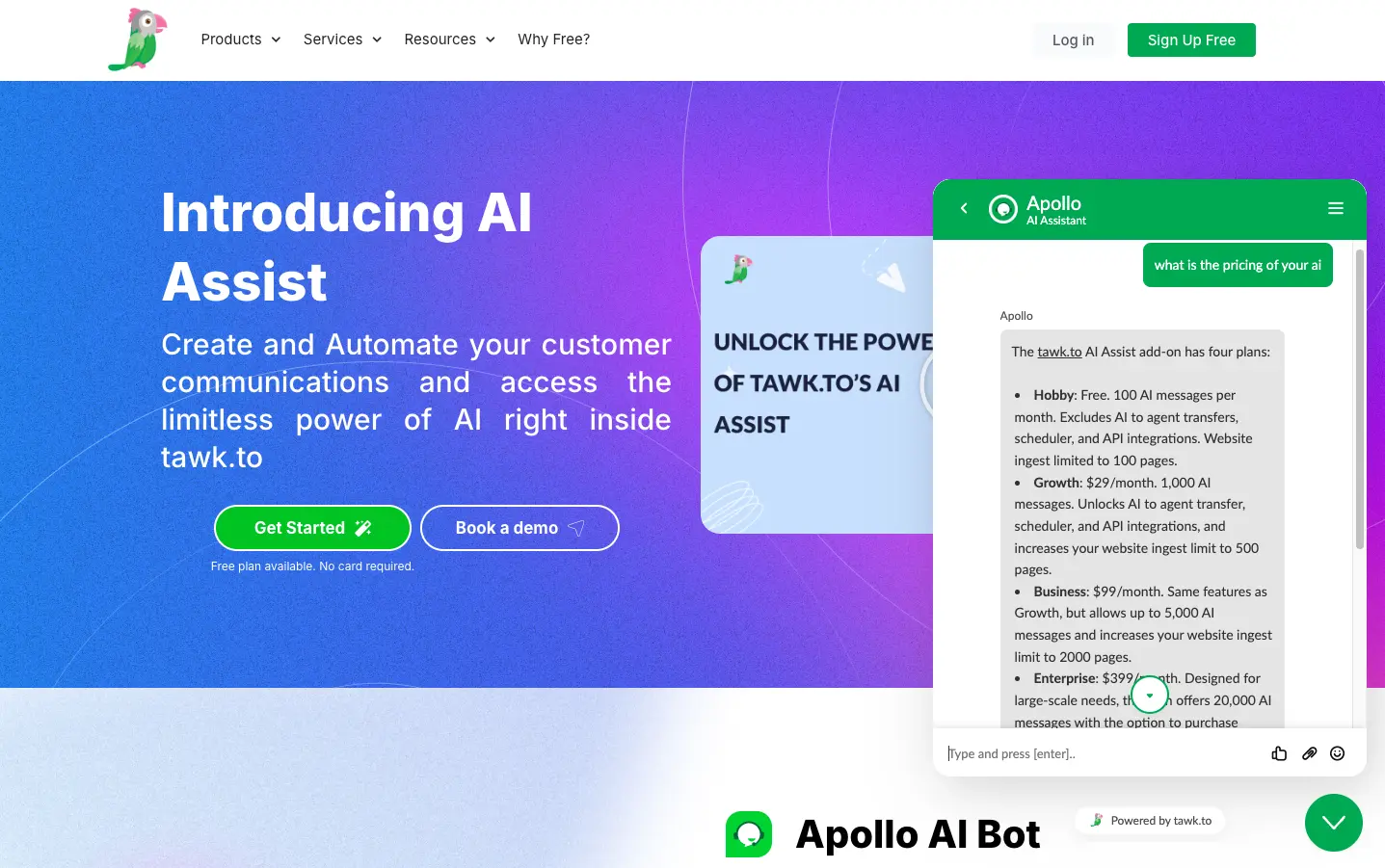
Tawk.to offers live chat with AI capabilities through their Apollo AI Assist. Their Growth plan with AI costs $29/month.
AI Assist features:
Important: At $29/month, Tawk.to AI Assist provides 1,000 AI messages and 500 pages training. Compare this to Boei at $14/month which includes 2,000 AI messages (double), 1,000 pages (double), and the full widget with 50+ contact channels. All for nearly half the price.
Best for: Businesses already using Tawk.to for live chat who want to add AI capabilities.
Pricing: AI Assist Growth: $29/month (1,000 AI messages, 500 pages)
Enterprise AI Technology for WordPress
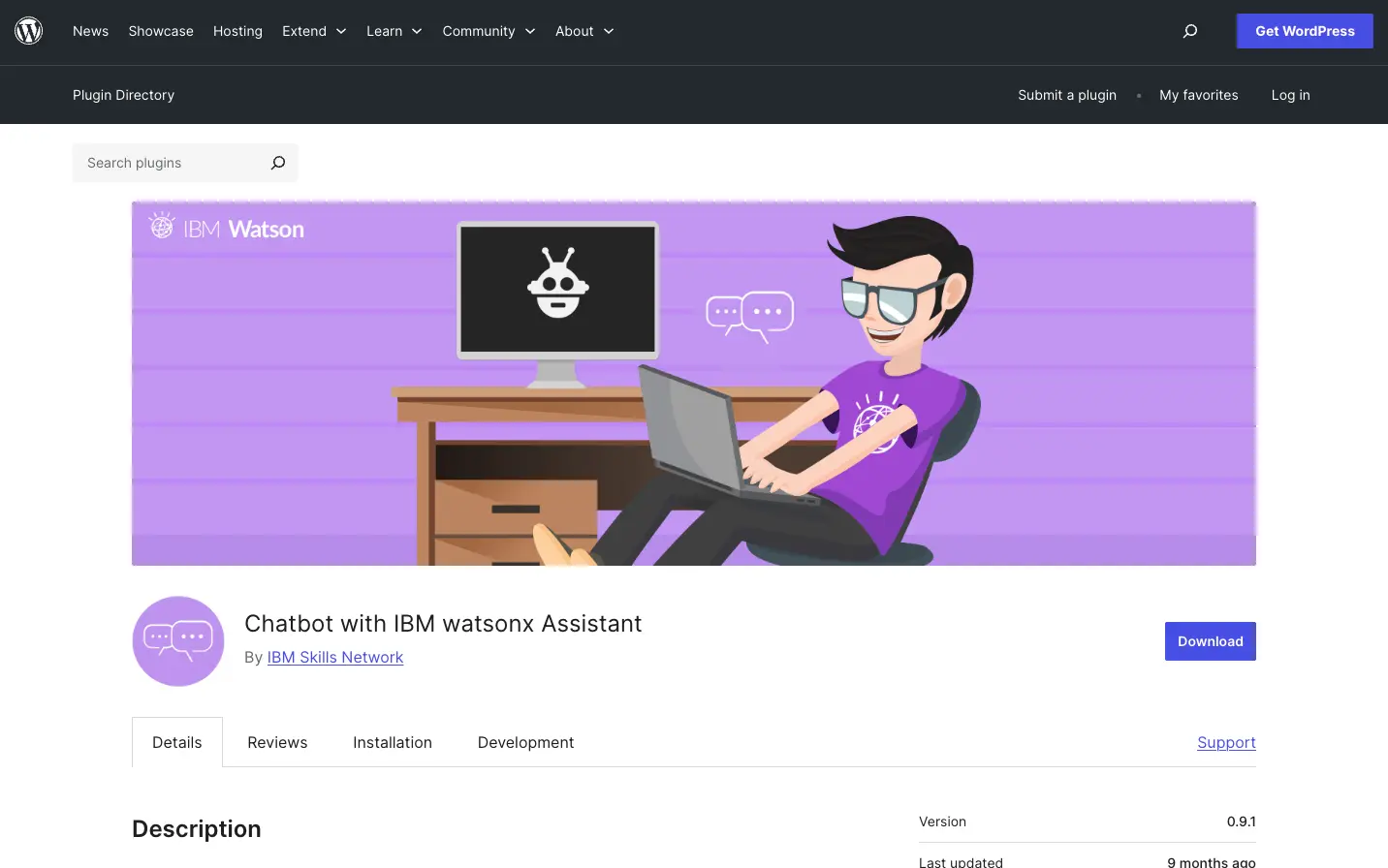
IBM Watson brings production-ready AI to WordPress through watsonx Assistant. Serious AI technology from one of the industry leaders in machine learning and NLP.
Key features:
Challenges: Requires more technical knowledge than plug-and-play solutions. Steeper learning curve for setup and training.
Best for: Enterprise websites, technically sophisticated teams, businesses needing advanced NLP.
Pricing: Free with IBM Cloud Lite | Paid IBM Cloud tiers for higher volume
AI-Powered Forms and Chat
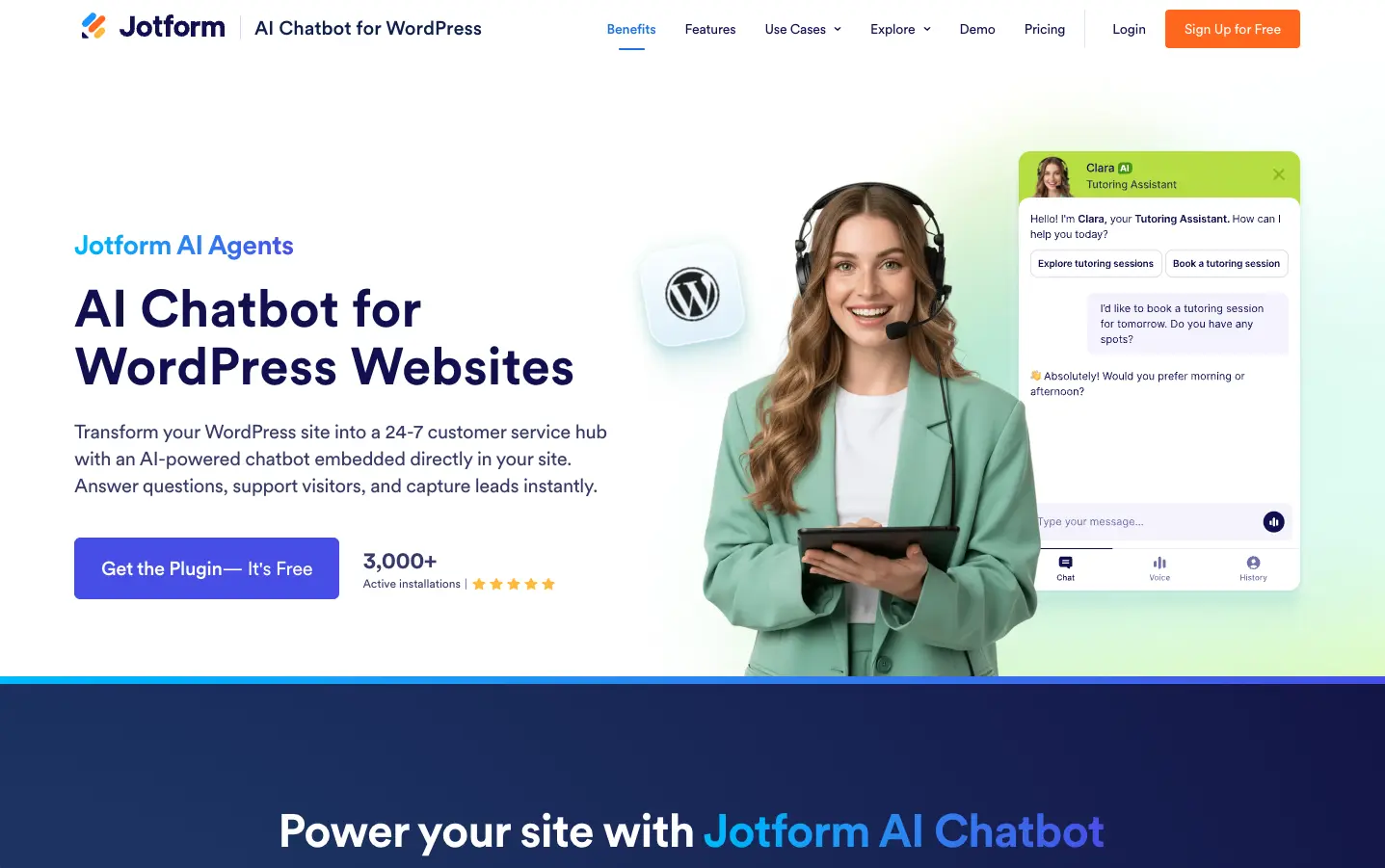
Jotform AI Chatbot combines conversational AI with form-building capabilities, allowing you to create intelligent chatbots that collect information and answer questions.
Key features:
What sets it apart: Unlike pure form tools, Jotform includes actual AI to answer questions, not just collect data. The AI can provide information while also gathering leads.
Best for: Businesses wanting both AI chat and form functionality, lead generation campaigns, appointment booking.
Pricing: $34/month (1,000 AI conversations)
Live Chat + Automation Combo
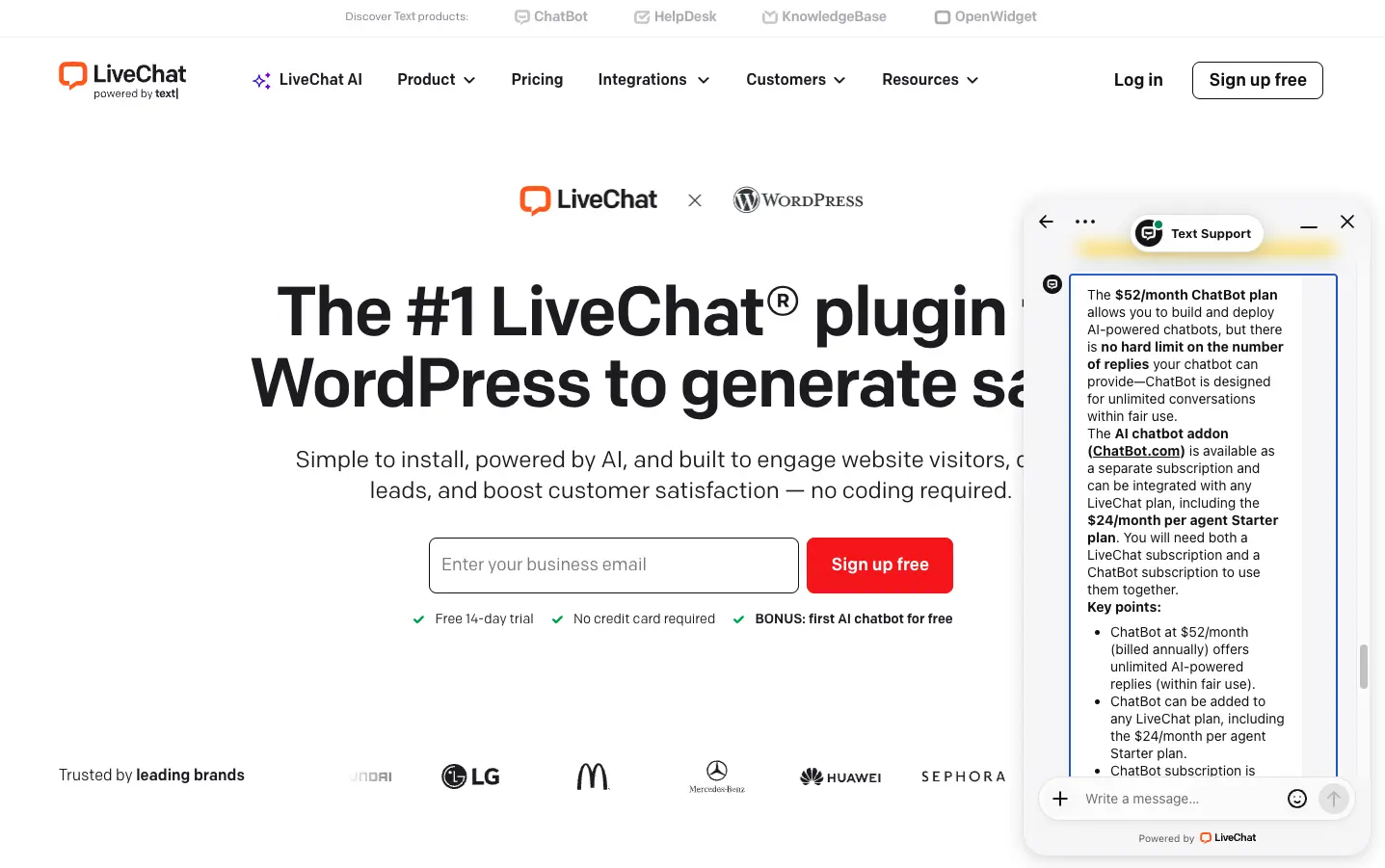
LiveChat combines human live chat with ChatBot.com for both automated and human support. Designed for businesses wanting balance between AI automation and human touchpoints.
Key features:
Pricing structure: ChatBot ($52/month billed annually) is separate from LiveChat ($24/month per agent). Minimum total cost is $76/month for 1 agent + ChatBot. The ChatBot plan includes unlimited AI replies within fair use (1,000 chats/month).
Pricing catch: You need both subscriptions. 1 agent + AI = $76/month. 5 agents + AI = $172/month ($120 LiveChat + $52 ChatBot).
Best for: Teams already using LiveChat who want to add AI automation.
Pricing: $24/agent/month (LiveChat) + $52/month (ChatBot) = $76/month minimum | 1,000 chats/month
Choose Boei. Combination of latest AI models, automatic website training, multi-channel support, live chat escalation, and transparent pricing delivers best overall value. No chatbot builder experience required. The AI learns from your website automatically.
WPBot at $39/year for basic AI. Understand the limitations. You're trading features for cost.
Boei for AI-powered lead qualification, or Jotform AI Chatbot if you specifically need AI combined with form-building.
Boei with white-label options, subaccounts, and agency pricing for custom chatbot solutions. WPBot lifetime deals also work for many sites.
IBM Watson provides most sophisticated NLP. Requires technical expertise but delivers production-ready results.
Boei is the only solution offering 50+ channels (WhatsApp, Messenger, Telegram, SMS, email) with unified AI intelligence.
Integrating a chatbot with WordPress is straightforward with most modern plugins:
Plugin Installation (Easiest):
Script Installation (For non-plugin chatbots):
</body> tagWooCommerce Chatbot Integration:
For e-commerce sites, look for chatbots with WooCommerce-specific features:
Boei and WPBot both offer WooCommerce integration, with Boei providing automatic product catalog training.
Here's what your visitors will actually experience:
Visitor: "Does this laptop support Linux?"
AI Chatbot: "Yes! The XPS 15 fully supports Linux. Customers commonly install Ubuntu, Fedora, and other distributions. The hardware drivers are well-supported. Would you like me to send you our Linux installation guide?"
The AI answers based on your product documentation. Providing accurate information that moves customers toward purchase.
Visitor: "I'm getting an error code E-4492 when trying to export data."
AI Chatbot: "I don't have specific information about error code E-4492. This needs investigation from our technical team. Let me connect you with a support specialist who can help. They'll have access to our full conversation so you won't need to repeat anything."
[Transfers to human agent with full context]
This is where AI shines. Handling what it can, escalating what it can't, and ensuring humans receive full context.
Upload FAQs, product documentation, support articles, and policy pages. Better trained AI = fewer "I don't know" responses. Boei's automatic 1,000-page crawling handles this; manual solutions require upfront work.
First message should clarify capabilities: "Hi! I'm your AI assistant. I can answer questions about our products, pricing, shipping, and policies. How can I help?"
Don't leave customers stuck. Configure clear escalation paths for complex questions. Ensure human agents receive full conversation context.
Review analytics weekly. Which questions work well? Which fail? Use data to improve training content.
Over 65% of interactions happen on mobile. Test the entire flow on your phone before launch.
Launching a new business website: Boei (7-day trial, then $14/month for 2,000 AI messages + 50+ channels)
Running an e-commerce store: Boei for WooCommerce with multi-channel support
Managing an agency: Boei Agency with white-label features and subaccounts
Very tight budget: WPBot free version, accepting limitations
Enterprise NLP needs: IBM Watson for sophisticated language understanding
Learn more about AI chatbot benefits and how to build an AI chatbot for your business.
The best AI chatbot plugin isn't the one with the longest feature list. It's the one that actually converts visitors into customers while reducing support workload.
Start with a free trial or free version. Test with real traffic for 1-2 weeks. Pay attention to AI accuracy, conversation completion rates, lead quality, and customer feedback.
AI chatbots should enhance human support, not replace authentic relationships. Handle routine questions instantly, escalate complex situations to humans smoothly.
Today's AI chatbots powered by GPT-5.1 and Claude are genuinely helpful. Not the frustrating bots from five years ago. Choose a solution with modern AI models, transparent pricing, and room to grow.
For most WordPress sites in 2026, start with Boei's 7-day free trial (250 AI messages). Test latest AI models, multi-channel support, and live chat escalation with your real traffic. At $14/month for 2,000 AI messages and 50+ contact channels, it delivers double the AI messages of Tawk.to ($29/month for 1,000) at half the price.
Check out our AI chatbot pricing comparison and explore 18 proven AI chatbot use cases.
WPBot's free version is the most capable free option. It includes basic AI responses and an FAQ builder. If you want full AI features for free temporarily, Boei's 7-day trial gives you 250 AI messages with GPT-5.1/Claude models to test before committing.
Most small business websites use 500-2,000 AI messages per month. A "message" is one AI response to a visitor question. If you get 50 visitors per day and 10% start a chat with 3-4 messages each, that is about 450-600 messages/month. Boei includes 2,000 messages for $14/month, which covers most sites.
Lightweight plugins like Boei and WPBot add minimal load because they use small scripts that load asynchronously. Avoid plugins that bundle heavy JavaScript frameworks. Always test your page speed after installing any new plugin.
Yes. Boei and WPBot both integrate with WooCommerce. The AI can answer questions about product details, pricing, shipping, and availability by training on your product pages. Boei crawls up to 1,000 pages automatically, including your product catalog.
No. Most modern WordPress AI chatbot plugins install through the standard WordPress plugin directory. You search for the plugin, click install, activate it, and configure settings in the dashboard. Boei and Tidio both take under 10 minutes to set up with zero coding.

Article by
Ruben is the founder of Boei, with 12+ years of experience in conversion optimization. Former IT consultant at Ernst & Young and Accenture, where he helped product teams at Shell, ING, Rabobank, Aegon, NN, and AirFrance/KLM optimize their digital experiences. Now building tools to help businesses convert more website visitors into customers.
Get 30% more conversations and effortlessly convert them into customers.
Don't wait, experience it for free yourself!
URL
Trusted by 10,000+ businesses
Quick 5-min, no code setup






Learn how to add Facebook Messenger chat to your WordPress site. Let readers message you directly from your blog without leaving the page.

Easily add a WhatsApp chat button to your website with our step-by-step guide. Enhance communication and user engagement effortlessly.

I compared message credit systems across 8 AI chatbot platforms. See what each response actually costs on budget, mid-tier, and premium AI models.

I compared how 10 AI chatbot platforms measure training data: characters, pages, MB, and words. See normalized costs per dollar.

Discover 18 proven AI chatbot use cases across customer support, sales, e-commerce, and HR. Real examples with ROI metrics and implementation tips.



 from Utrecht