Kajabi logo

Best AI Chatbot for Kajabi

AI Chatbot for Kajabi

Add an AI chatbot to your Kajabi site in minutes. Answer student questions, support course buyers, and capture leads automatically. Works on landing pages, course pages, and your Kajabi blog. No code required.

Trusted by 14,368 websites

Works on all Kajabi pages

Andrew Lee David S. Vance W. Grant Nitesh Manav
from 159 reviews

Try the Kajabi AI Chatbot

Why Add an AI Chatbot to Kajabi?

Kajabi is the all-in-one platform for coaches, course creators, and membership site owners. You've built your courses, set up your funnels, and launched your community. But prospective students have questions before they buy β€” about course content, pricing, access, refund policies, and what makes your program different. An AI chatbot answers all of this instantly, 24/7. No more losing sales because someone couldn't get an answer at 11pm.

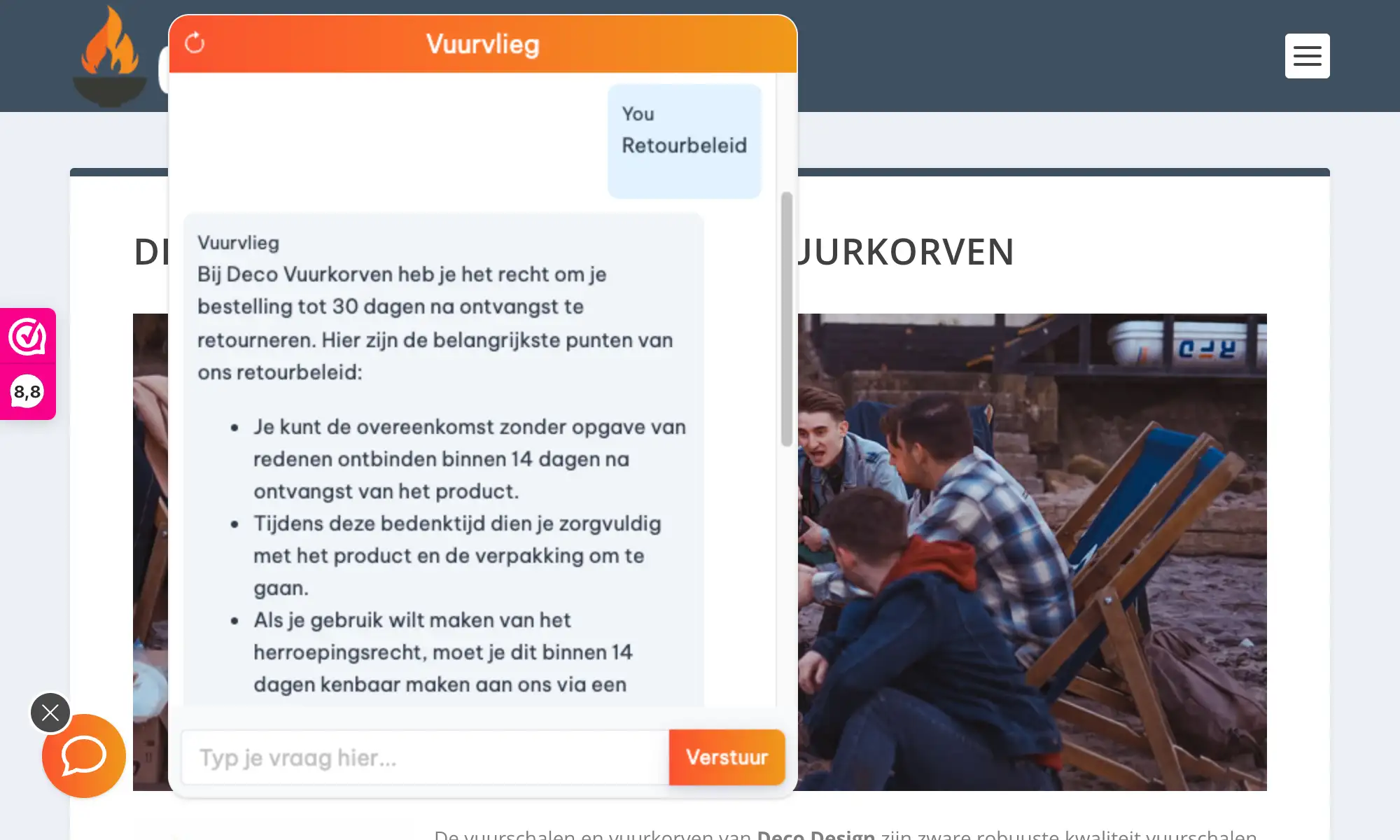
Boei's AI chatbot learns your course descriptions, sales pages, and FAQ automatically. It handles the pre-sale questions that drive conversions, captures leads from visitors who aren't ready to buy yet, and works on your Kajabi landing pages β€” which is key for funnel conversion. It also supports membership site inquiries so existing members get instant help without waiting for you to respond manually.

Why Kajabi creators choose Boei:

  • Learns your content: Automatically trains on your course descriptions, sales pages, and FAQ pages
  • Pre-sale conversion: Answers buyer questions about course content, pricing, and access instantly
  • Lead capture: Collects emails from visitors browsing your sales pages who aren't ready to buy
  • Funnel-ready: Works on Kajabi landing pages, the most critical touchpoint for conversions
  • Membership support: Handles questions from existing members about access, progress, and content

See our AI chatbot use cases for more ideas. Explore all AI chatbot features or learn how Boei helps with lead generation.

Key Benefits

Why Kajabi Creators Love Boei

πŸŽ“

Sell More Courses

Answer pre-sale questions instantly β€” about course content, what's included, pricing, and outcomes. Reduce buyer hesitation and close more enrollments.

🎧

Student Support

Handle common questions about login access, course progress, content navigation, and technical issues automatically. Free up your time for creating content.

πŸ“§

Lead Capture

Collect emails from visitors browsing your sales pages who aren't ready to buy. Nurture them with your email sequences and convert them later.

⚑

Simple Setup

Paste one snippet in Kajabi Settings β†’ Site Details β†’ Header Tracking Code. Works on all pages automatically, including funnels, courses, and your blog.

Quick Setup

Install on Kajabi

Get your AI chatbot live on Kajabi in under 5 minutes

1

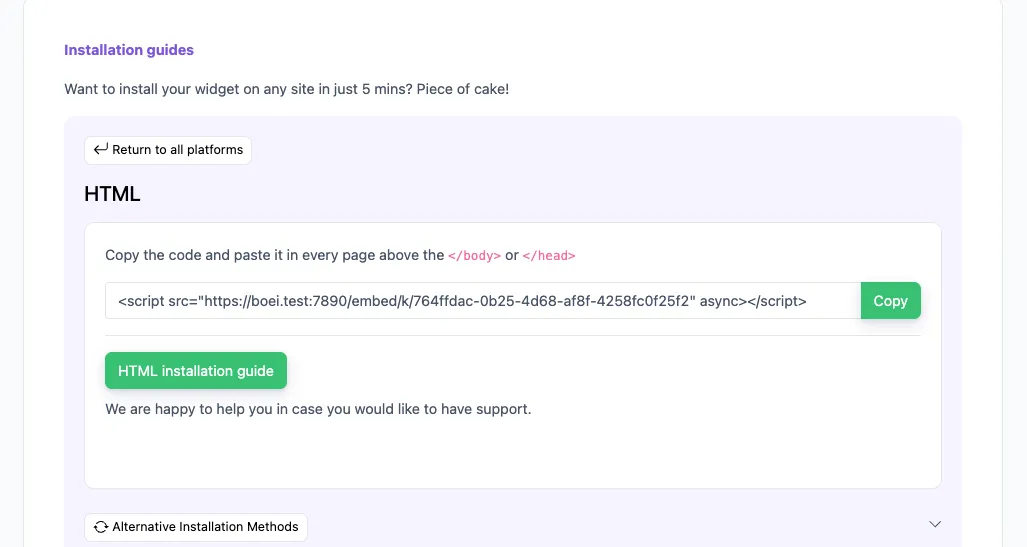
Copy installation code

In your Boei dashboard, open your widget and click the Install tab. Select Other / Script and copy the installation code.

Tip: The Install tab also offers a landing page link, QR code, and iframe embed.

Copy installation code
2

Open Kajabi Settings

Log in to Kajabi and go to Settings β†’ Site Details. Scroll down to the Header Tracking Code section.

3

Paste the code

Paste the Boei script code into the Header Tracking Code text area. This will add the chatbot to all pages on your Kajabi site, including landing pages, course pages, and your blog.

4

Save and verify

Click Save and visit your Kajabi site. The chatbot widget should appear on all pages immediately.

Congrats, you are done! You now have the Boei AI chatbot installed on Kajabi.

Kajabi Features

Built for Course Creators

Everything your Kajabi site needs

πŸ“š

Course Page Support

AI appears on all course pages, answering student questions about content, progress, and access.

πŸš€

Landing Page Ready

Works on Kajabi landing pages and funnels. Capture leads and answer questions right where conversions happen.

πŸ‘₯

Membership Site Compatible

Supports membership areas, communities, and gated content. Members get instant help without waiting.

πŸ“‹

Lead Flow

Capture leads with structured question flows. Ask for name, email, phone, and company inside the chat conversation.

🧠

Choose AI Model

Pick from OpenAI, Anthropic, Google, or Mistral. Switch models anytime from your dashboard.

🎯

Exact Answers

Override AI responses for specific questions like pricing or refund policy. Bulk-import Q&A pairs via Excel.

🌍

Multi-language 95+

Auto-detects visitor language and responds accordingly. Reach international students without extra setup.

πŸ’¬

50+ Channels

WhatsApp, email, contact forms, social media, and more. All from one widget on your Kajabi site.

πŸ”’

GDPR Compliant

EU-based servers in Amsterdam. No training on your conversations. Optional cookieless mode. DPA available.

Compare Options

Boei vs Other Chatbots for Kajabi

See how we compare to popular alternatives

Feature Boei Tidio Intercom Drift
Starting price €14/mo €39/mo €74/mo €50/mo
AI messages included 2,000/mo 50-1,000 Add-on 100
Train on your site ✓ Yes ✗ Limited ✗ Limited
WhatsApp, forms, 50+ channels ✓ Yes
Kajabi compatible ✓ Yes ✓ Yes ✓ Yes ✓ Yes
GDPR compliant (EU servers) ✓ Yes

Bottom line: Boei offers AI chat with automatic site training and 50+ channels for €14/mo. Tidio charges €39/mo with limited AI. Intercom starts at €74/mo without AI included.

Pro Tips

Get More From Your Kajabi Chatbot

1

Train on Course Sales Pages

The AI learns your value propositions and answers buyer questions accurately. Include all your course and offer pages when training.

2

Add to Your Funnel Pages

The chatbot on your Kajabi landing pages captures leads who aren't ready to buy. They can ask questions and leave their email for follow-up.

3

Use Exact Answers for Pricing

Set precise responses for pricing and refund policy questions. This ensures potential students always get accurate, consistent information.

4

Set Up Quick Replies for Common Topics

Configure quick reply buttons like 'Course info', 'Pricing', 'Support' so visitors get instant answers to the most frequent questions.

What Kajabi Creators Say

See AI Chatbot in Action

Real websites using Boei's AI chatbot

Related Resources

Learn more about AI chatbots

WordPress

AI chatbot for WordPress

Wix

AI chatbot for Wix

Lead Generation

Capture more leads with AI

Features

All AI chatbot features

Kajabi Chatbot Pricing

Simple, transparent pricing with AI chatbot included

Vance
Vance: " Helps me to convert website visitors to warm leads " β˜…β˜…β˜…β˜…β˜…

$8 /month

Billed annually at $96 β€’ Cancel anytime

Number of websites β“˜

Optional Add-ons

Optional

Enhance your plan with these extras

What's included

  • βœ“Show 50+ contact channels β“˜
  • βœ“Shared inbox included β“˜
  • βœ“Unlimited leads & conversations β“˜
  • βœ“Smart visitor targeting β“˜

βœ“ No contracts β€’ Cancel anytime βœ“ Trusted by 14.368 businesses

Start 7-Day Free Trial

Prices exclude VAT, calculated at checkout

Need an Agency or Enterprise Solution?

Get custom pricing, priority support, and advanced features such as custom domains and mailers

Contact Sales

Questions?

Kajabi AI Chatbot FAQ

How do I install the AI chatbot on Kajabi?

Log in to Kajabi, go to Settings β†’ Site Details, scroll to the Header Tracking Code section, and paste the Boei script code. Click Save and the chatbot appears on all pages immediately.

Does the chatbot work on Kajabi course pages?

Yes. The chatbot appears on all Kajabi pages β€” landing pages, course pages, blog posts, membership areas, and community pages. One installation covers everything.

Can the AI learn my course content?

Yes. The AI automatically crawls your Kajabi site and learns from your course descriptions, sales pages, FAQ, and any other public content. It answers questions based on what you've published.

Will the chatbot slow down my Kajabi site?

No. The Boei script is under 50KB and loads asynchronously after your page content. It won't affect your site's loading speed or SEO performance.

Can I use it on multiple Kajabi sites?

Yes. Your Boei subscription covers unlimited sites. Create separate chatbots for each Kajabi site, each trained on that site's content.

Which AI models does Boei use?

Boei supports OpenAI, Anthropic, Google, and Mistral models. You can switch models anytime from your dashboard settings. All models train on your website content automatically.

How do I receive leads from the chatbot?

Get leads via email notification, webhook to your email marketing tool, or check Boei's inbox. Each lead includes the full conversation and what the visitor asked about.

Is it GDPR compliant?

Yes. EU-based servers in Amsterdam, no training on your conversations, optional cookieless mode. DPA available on request.

Does the AI chatbot work on WhatsApp too?

Yes. Boei's AI chatbot works on your website and on WhatsApp. Incoming WhatsApp messages get automatic AI replies, and all conversations land in your shared inbox with AI summaries.

Does the chatbot work in the Kajabi membership area?

Yes. The chatbot appears on all Kajabi pages, including membership areas and gated content. Members can get instant help with access, navigation, and content questions.

Ready to Add AI Chat to Your Kajabi Site?

Join thousands of creators using Boei. Setup takes 5 minutes.

7-day free trial β€’ No credit card required β€’ Works on all Kajabi pages
Andrew Lee David S. Vance W. Grant Nitesh Manav
from 159 reviews