AI Chatbot for Lead Generation

Stop losing leads to boring forms. Boei's AI chatbot engages visitors in conversation, collects their information naturally. Delivers qualified leads to your inbox: 24 hours a day, 7 days a week.

3x more leads than forms
Captures leads 24/7
Auto-qualifies prospects
Andrew Lee David S. Vance W. Grant Nitesh Manav
from 159 reviews

Try the Lead Generation Chatbot

3x

More leads than forms

70%

Conversation-to-lead rate

< 1 min

Average response time

24/7

Lead capture availability

Why Use AI Chatbot for Lead Generation?

Traditional contact forms have a problem: they're boring, impersonal, and most visitors ignore them. The average form conversion rate is just 2-3%. That means 97% of your visitors leave without becoming leads.

An AI chatbot for lead generation changes this dynamic entirely. Instead of asking visitors to fill out a static form, the chatbot starts a conversation. It answers their questions first, builds rapport, and then naturally collects their information as part of helping them.

Why conversational lead capture works better:

  • Engagement first. Visitors get value (answers to their questions) before being asked for anything
  • Natural flow. Contact details are collected during conversation, not in a cold form
  • Qualification built-in. The AI learns what visitors want and how interested they are
  • 24/7 availability. Capture leads at 2am on Sunday when your team is offline
  • Instant response. No waiting for a sales rep to reply to a form submission

The result? Businesses using AI chatbots for lead generation see 2-3x more leads compared to forms alone. And those leads are often better qualified because you know exactly what they're looking for.

The Difference

Contact Forms vs Lead Generation Chatbot

Why conversations convert better than forms

Contact Forms AI Lead Chatbot
Conversion rate 2-3% 8-15%
Visitor experience Cold, impersonal Engaging, helpful
Lead qualification None Automatic
Response time Hours/days Instant
Available hours Form only 24/7 conversation
Context captured Form fields only Full conversation + intent
Follow-up quality Generic Personalized based on chat

Bottom line: Forms ask visitors to do work. Chatbots help visitors first, then capture their information naturally.

How Lead Generation Chatbot Works

From visitor to qualified lead in minutes

1

Visitor Asks a Question

A visitor lands on your website with a question about your product, service, or pricing. Instead of hunting through pages, they ask the chatbot.

2

AI Provides Helpful Answer

The chatbot answers their question using your website content. This builds trust and shows you can help them. Before asking for anything in return.

3

Natural Lead Capture

As the conversation progresses, the chatbot naturally collects contact information: 'Happy to send you more details. What's the best email to reach you?'

4

Lead Delivered to You

You receive the lead instantly via email, webhook, or in your CRM. Complete with the full conversation transcript and AI-generated summary of what they want.

Capture Any Information You Need

Configure exactly what information the chatbot collects. Standard fields like name and email, or custom fields specific to your business: budget range, company size, project timeline, or anything else that helps you qualify leads.

  • Name, email, phone: the basics, collected conversationally
  • Company name and size for B2B qualification
  • Custom fields: budget, timeline, specific needs
  • Required vs optional fields. You control what's mandatory
  • Progressive profiling. Collect more over multiple conversations
Lead capture configuration
Lead delivery options

Leads Delivered Where You Need Them

Every lead captured by the chatbot is delivered instantly to wherever your sales team works. No logging into another dashboard. Leads arrive in your existing workflow.

  • Email notifications with full conversation transcript
  • Webhook to any CRM (Salesforce, HubSpot, Pipedrive, etc.)
  • Zapier and Make integration for custom workflows
  • AI-generated lead summary highlighting key details
  • Built-in inbox for reviewing conversations and leads

Lead Flow: Structured Question Workflows

Lead Flow lets you build structured question flows directly inside the chatbot. Define the exact fields you want to collect: name, email, phone, company, or any custom field. Then choose how to collect them.

Two modes for collecting leads:

  • Classic form mode. Visitors see a clean, step-by-step form inside the chat widget. One question at a time, no distractions. Great when you want a predictable, structured experience.
  • AI-powered conversation mode. The AI weaves your required fields into a natural conversation. It asks for a name when introducing itself, requests an email when offering to send details, and captures company info when discussing use cases. Same fields collected, but it feels like a conversation instead of a form.

Trigger lead capture at the right moment:

With the "After X replies" trigger, lead collectors appear after a set number of chat messages. Instead of interrupting visitors immediately or waiting until the end, you decide the sweet spot. Show the lead form after 3 replies when the visitor is engaged but before they leave. You can duplicate collectors with different triggers and variations to test what converts best.

Start fast with templates:

Lead collector templates give you ready-made presets so you don't start from scratch. Choose from templates like "Contact form", "Book a demo", or "Get a quote", each with pre-configured fields and messaging. Customize them to match your brand, or use them as-is.

Push leads to your analytics stack:

Every lead captured is automatically pushed to your analytics tools. Email, phone, and name are sent to Google Analytics, Meta Pixel, and other tracking platforms you've connected. This means you can build retargeting audiences from chatbot leads, track lead events as conversions, and close the loop between ad spend and actual leads captured.


Benefits

Why Businesses Choose AI for Lead Generation

📈

More Leads, Same Traffic

Convert more of your existing visitors into leads without spending more on ads. Most users see 2-3x improvement over forms.

🎯

Better Qualified Leads

Every lead comes with conversation context. You know exactly what they want before you call them.

Instant Response

Speed to lead matters. The chatbot responds in seconds while competitors take hours to reply to form submissions.

🌙

Never Miss a Lead

Capture leads at 2am, on weekends, and during holidays. The AI never sleeps, takes breaks, or goes on vacation.

How a B2B SaaS Company Tripled Lead Capture

Software Company Increases Leads by 215%

A B2B software company was generating decent traffic but struggling to convert visitors into demo requests. Their contact form had a 2.1% conversion rate, and most leads were poorly qualified.

Lead Gen Features

Everything You Need to Capture More Leads

Built specifically for lead generation

💬

Conversational Capture

Collect info naturally during conversation, not through cold form fields.

🎯

Auto-Qualification

AI identifies hot leads based on questions asked and buying signals.

📧

Instant Delivery

Leads delivered immediately via email, webhook, or CRM integration.

📝

Full Transcript

Every lead includes complete conversation history for context.

🤖

AI Summary

AI-generated summary of what the lead wants and how interested they are.

🔗

CRM Integration

Connect to Salesforce, HubSpot, Pipedrive, or any CRM via webhook.

🔀

Lead Flow Workflows

Build structured question flows inside the chatbot. Classic form mode or AI-powered conversation mode.

⏱️

After X Replies Trigger

Show lead collectors after a set number of chat messages, not just at start or end of conversation.

📋

Lead Collector Templates

Start fast with presets like 'Contact form', 'Book a demo', or 'Get a quote' with pre-configured fields.

📊

Push Leads to Analytics

Auto-send email, phone, and name to Google Analytics and Meta Pixel for conversion tracking and retargeting.

Lead Generation Chatbot by Industry

See how different businesses use AI for lead capture

What Our Customers Say

Questions?

Lead Generation Chatbot FAQ

How does the chatbot collect lead information?

The chatbot collects information naturally during conversation. After answering a visitor's question, it might say 'Happy to send you more details. What email should I use?' This feels helpful rather than pushy, leading to higher conversion rates than forms.

What information can I collect from leads?

You can configure any fields: name, email, phone, company, job title, budget range, timeline, or custom fields specific to your business. Mark fields as required or optional based on your needs.

How do I receive leads?

Multiple options: instant email notifications, webhook to your CRM (Salesforce, HubSpot, etc.), Zapier/Make integration, or check Boei's built-in inbox. Each lead includes the full conversation and an AI summary.

Will the chatbot be too pushy asking for information?

No. The AI is trained to collect information naturally as part of helping the visitor. It asks for contact details in context ('Should I email you the pricing sheet?') rather than demanding them upfront.

How does lead qualification work?

The AI analyzes the conversation to identify buying signals: specific product questions, pricing inquiries, timeline mentions. Each lead includes an AI-generated quality score and summary of their intent.

Can I customize when the chatbot asks for contact info?

Yes. Use the 'After X replies' trigger to show lead collectors after a set number of chat messages. You can also create multiple collectors with different triggers to test what converts best. The chatbot can collect info at the start, after 3 messages, after 5, or whenever you decide.

What is Lead Flow and how does it work?

Lead Flow is a structured question workflow inside the chatbot. You define the fields to collect (name, email, phone, company, etc.) and choose between two modes: classic form mode shows a step-by-step form in the chat widget, while AI-powered conversation mode weaves the questions naturally into the chat. Both collect the same data, but the experience is different.

Can I track chatbot leads in Google Analytics or Meta Pixel?

Yes. Boei automatically pushes lead data (email, phone, name) to Google Analytics, Meta Pixel, and other connected analytics tools. This lets you track chatbot leads as conversion events, build retargeting audiences, and measure ROI on ad spend.

Does it work with my existing forms?

Yes. The chatbot complements your forms, it doesn't replace them. Visitors who prefer forms can still use them. The chatbot captures leads from visitors who would never fill out a form.

What's the conversion rate improvement?

Most businesses see 2-3x more leads compared to forms alone. The exact improvement depends on your industry, traffic quality, and how well the chatbot is configured for your use case.

Lead Generation Chatbot Pricing

Simple pricing with lead capture included in every plan

Vance
Vance: " Helps me to convert website visitors to warm leads " ★★★★★

$8 /month

Billed annually at $96 • Cancel anytime

Number of websites

Optional Add-ons

Optional

Enhance your plan with these extras

What's included

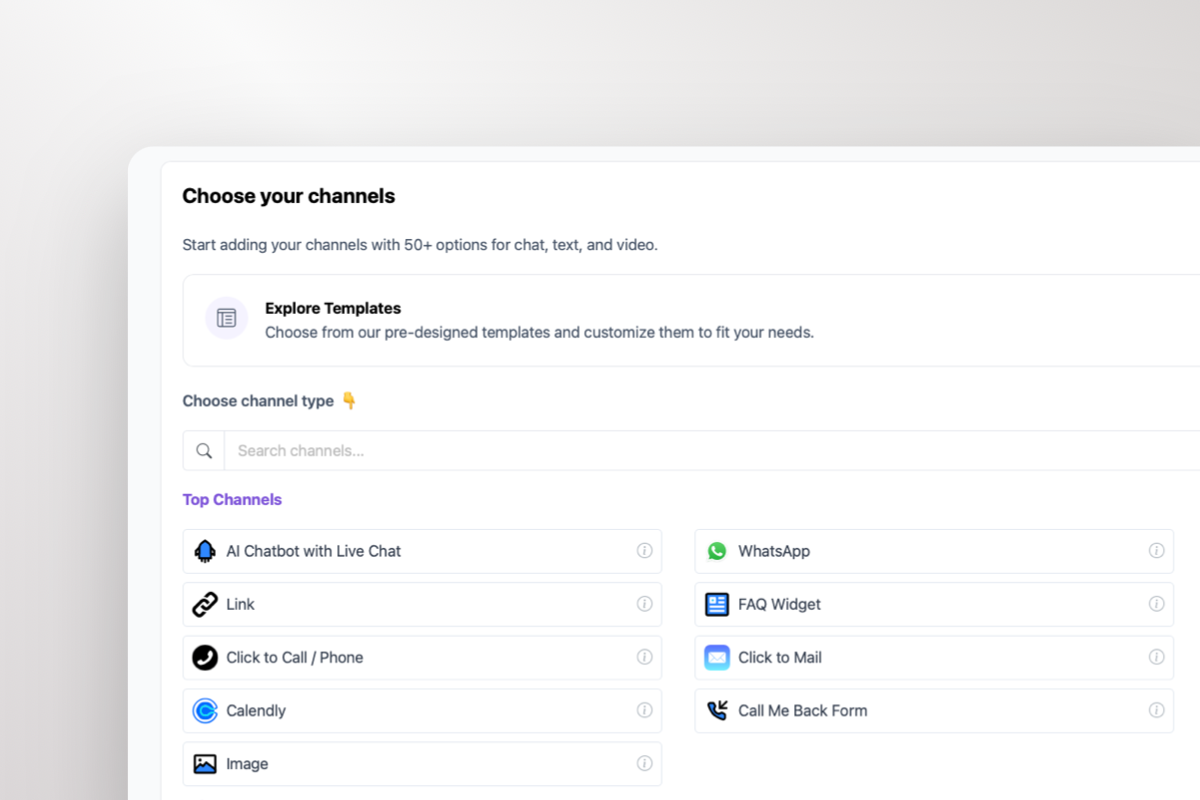
  • Show 50+ contact channels
  • Shared inbox included
  • Unlimited leads & conversations
  • Smart visitor targeting

No contracts • Cancel anytime Trusted by 14.368 businesses

Start 7-Day Free Trial

Prices exclude VAT, calculated at checkout

Need an Agency or Enterprise Solution?

Get custom pricing, priority support, and advanced features such as custom domains and mailers

Contact Sales

Ready to Capture More Leads?

Join 10,000+ businesses using Boei. Setup takes 5 minutes.

7-day free trial • No credit card required • Lead capture included
Andrew Lee David S. Vance W. Grant Nitesh Manav
from 159 reviews