Elementor logo

Best AI Chatbot for Elementor

AI Chatbot for Elementor

Add an AI chatbot to your Elementor website in minutes. Fully compatible with Elementor widgets, popups, and templates. No widget conflicts, no z-index issues. Works with both Elementor Free and Pro.

Trusted by 14,368 websites

Compatible with Elementor Free & Pro

Andrew Lee David S. Vance W. Grant Nitesh Manav
from 159 reviews

Try the Elementor AI Chatbot

Why Add an AI Chatbot to Elementor?

Elementor is the world's leading WordPress page builder, used by over 15 million websites. You've crafted pixel-perfect pages with its drag-and-drop editor — stunning hero sections, polished service pages, high-converting landing pages. But even the best-designed page can't answer visitor questions in real time.

An AI chatbot for Elementor bridges that gap. It learns your content and engages visitors the moment they need help, whether they're browsing a portfolio page or reading your pricing section. No manual scripting, no decision trees.

How it works with Elementor:

  • Installs via Custom Code or WordPress plugin — no Elementor widget needed, so it never interferes with the editor or frontend rendering
  • Works on popup pages too — visitors can chat even when viewing Elementor popups or modal content
  • Handles visitor questions while you focus on design — the AI answers questions about your services, pricing, and availability around the clock
  • No z-index conflicts — Boei sits cleanly on top of all Elementor elements without breaking your layout
  • 50+ channels included — add WhatsApp, contact forms, and Messenger alongside your chatbot

Whether you build sites for clients or run your own business on Elementor, an AI chatbot turns passive page visitors into active conversations and captured leads.

Learn more:

Already using WordPress without Elementor? See our WordPress chatbot page. Explore all chatbot use cases or dive into the full feature list.

Key Benefits

Why Elementor Users Love Boei

🧩

Widget-Safe

No conflicts with Elementor widgets or popups. Boei loads independently from the Elementor editor, so your design workflow stays fast and your frontend stays clean.

⚙️

Multiple Install Options

Choose Elementor Custom Code (Pro), the WordPress plugin, or a manual script embed. Pick whichever method fits your workflow best.

👤

Convert More Visitors

Turn page visitors into leads with AI-powered conversations. The chatbot collects contact information naturally and sends you full transcripts with AI summaries.

🌐

Works Everywhere

Appears on all pages including Elementor landing pages, popups, and template-based pages. One install covers your entire site.

Quick Setup

Install on Elementor

Get your AI chatbot live on Elementor in under 5 minutes

1

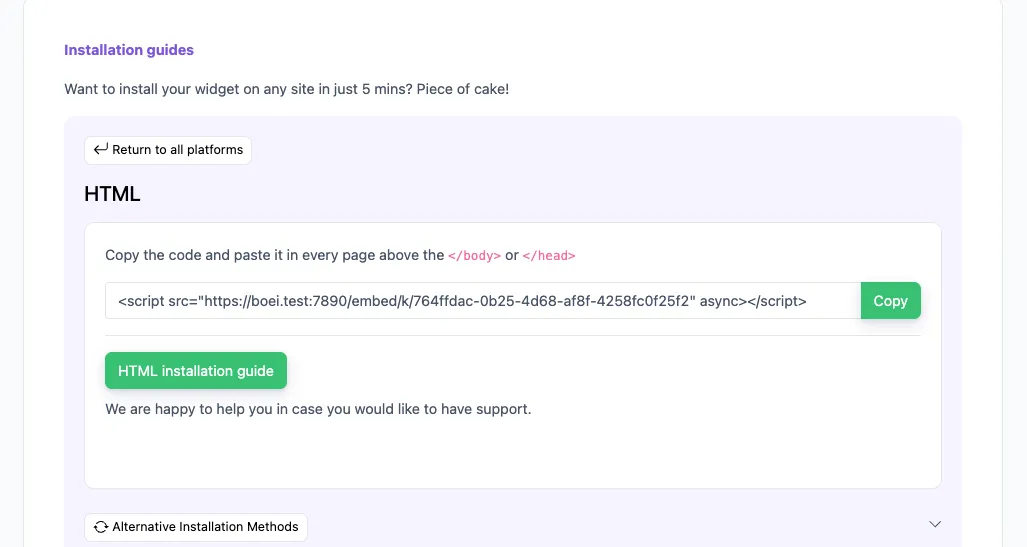
Copy installation code

In your Boei dashboard, open your widget and click the Install tab. Select WordPress and copy the installation code.

Tip: The Install tab also offers a landing page link, QR code, and iframe embed.

Copy installation code
2

Open Elementor Custom Code

In your WordPress admin, go to Elementor → Custom Code (requires Elementor Pro). Click Add New to create a new custom code snippet.

Don't have Elementor Pro? Use the WordPress plugin method instead: go to Plugins → Add New, search for "Boei", install and activate. Then go to Settings → Boei and enter your Widget Key.

3

Configure the snippet

Give it a name like "Boei Chatbot". Set the Location to </body> - End and Priority to 10. Paste the Boei script code into the code area.

4

Publish and verify

Click Publish and visit your site. The chatbot widget will appear on all pages, including those built with Elementor's visual editor.

Congrats, you are done! You now have the Boei AI chatbot installed on Elementor.

Elementor Features

Built for Elementor + more

Works perfectly with your existing Elementor setup

🧩

Elementor Compatible

No widget conflicts. Loads independently from the Elementor editor and frontend renderer.

💬

Popup-Friendly

Works alongside Elementor popups and modals without z-index or layering issues.

🎨

Hello Theme Ready

Tested with Hello, Astra, GeneratePress, and all popular Elementor-compatible themes.

📋

Lead Flow

Capture leads with structured question flows. Ask for name, email, phone, and company inside the chat conversation.

🧠

Choose AI Model

Pick from OpenAI, Anthropic, Google, or Mistral. Switch models anytime from your dashboard.

🎯

Exact Answers

Override AI responses for specific questions. Bulk-import Q&A pairs via Excel template.

🌍

Multi-Language 95+

Auto-detects visitor language and responds naturally. Supports 95+ languages out of the box.

📱

50+ Channels

Add WhatsApp, Messenger, contact forms, and more alongside your AI chatbot.

🔒

GDPR Compliant

EU servers in Amsterdam. No training on conversations. Cookieless mode available. DPA on request.

Compare Options

Boei vs Other Elementor Chatbots

See how we compare to popular alternatives

Feature Boei Tidio LiveChat WP Chatbot
Starting price €14/mo €39/mo €52/mo €39/year + API
AI messages included 2,000 50-1,000 1,000 You pay OpenAI
Train on your site ✓ Yes ✗ Limited ✗ Limited ✗ Limited
WhatsApp, forms, 50+ channels ✓ Yes
Elementor compatible ✓ Yes ✓ Yes ✓ Yes ✓ Yes
GDPR compliant (EU servers) ✓ Yes ✗ Limited

Bottom line: Boei gives you more AI conversations, automatic training, and 50+ channels for less than competitors charge for basic chat. All fully compatible with Elementor.

Pro Tips

Get More From Your Elementor Chatbot

1

Use Custom Code for the Cleanest Install

Elementor Pro's Custom Code feature keeps your setup tidy and the Elementor editor fast. No extra plugins needed.

2

Train on Landing Pages

The AI learns from your Elementor service pages, portfolio pages, and pricing sections. It answers visitor questions based on your actual content.

3

Match Your Brand Colors

Customize the chatbot colors, position, and icon to match your Elementor design system. Consistent branding across every element.

4

Combine with Elementor Forms

Use the chatbot for instant answers and Elementor forms for detailed requests. Both capture leads, each for a different visitor intent.

What Elementor Users Say

See AI Chatbot in Action

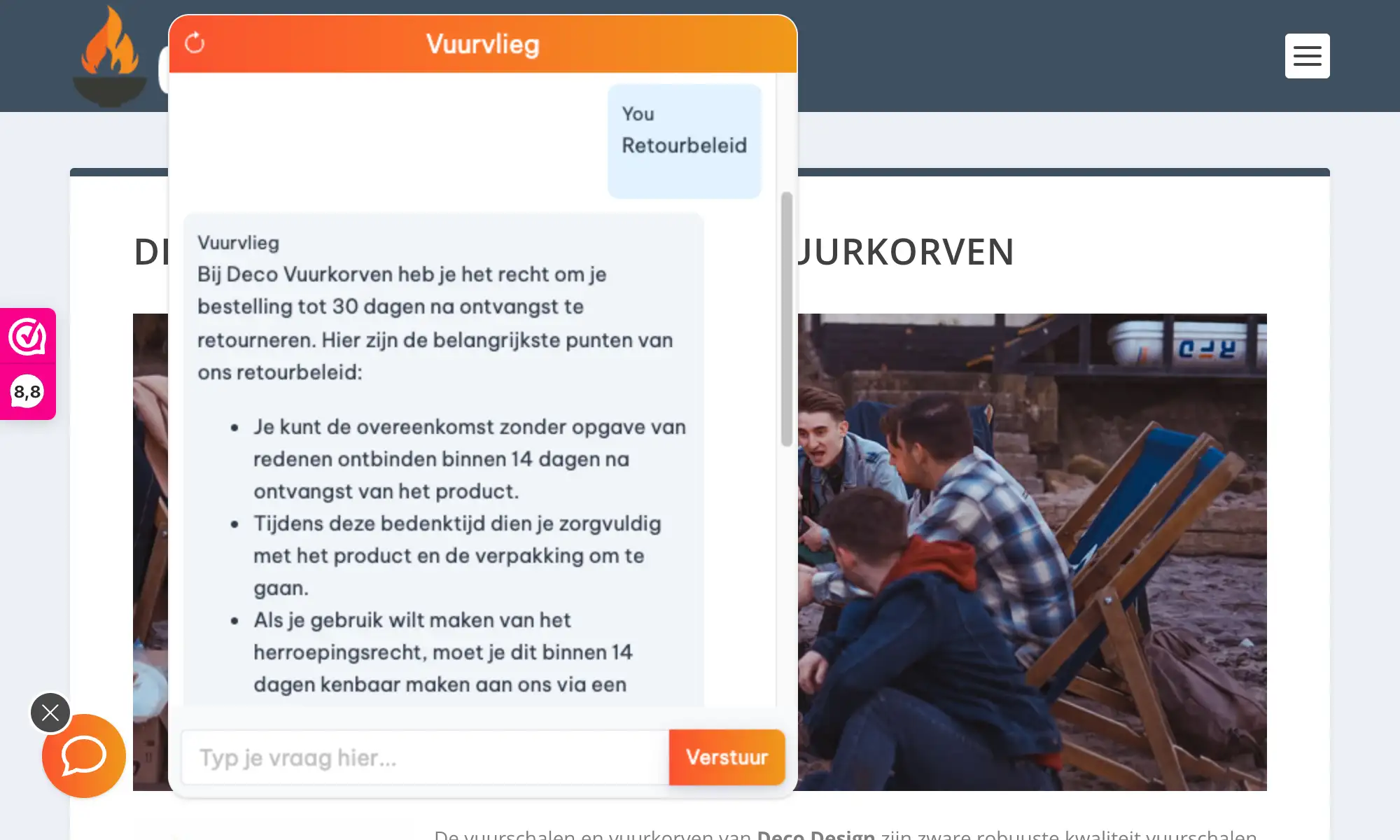
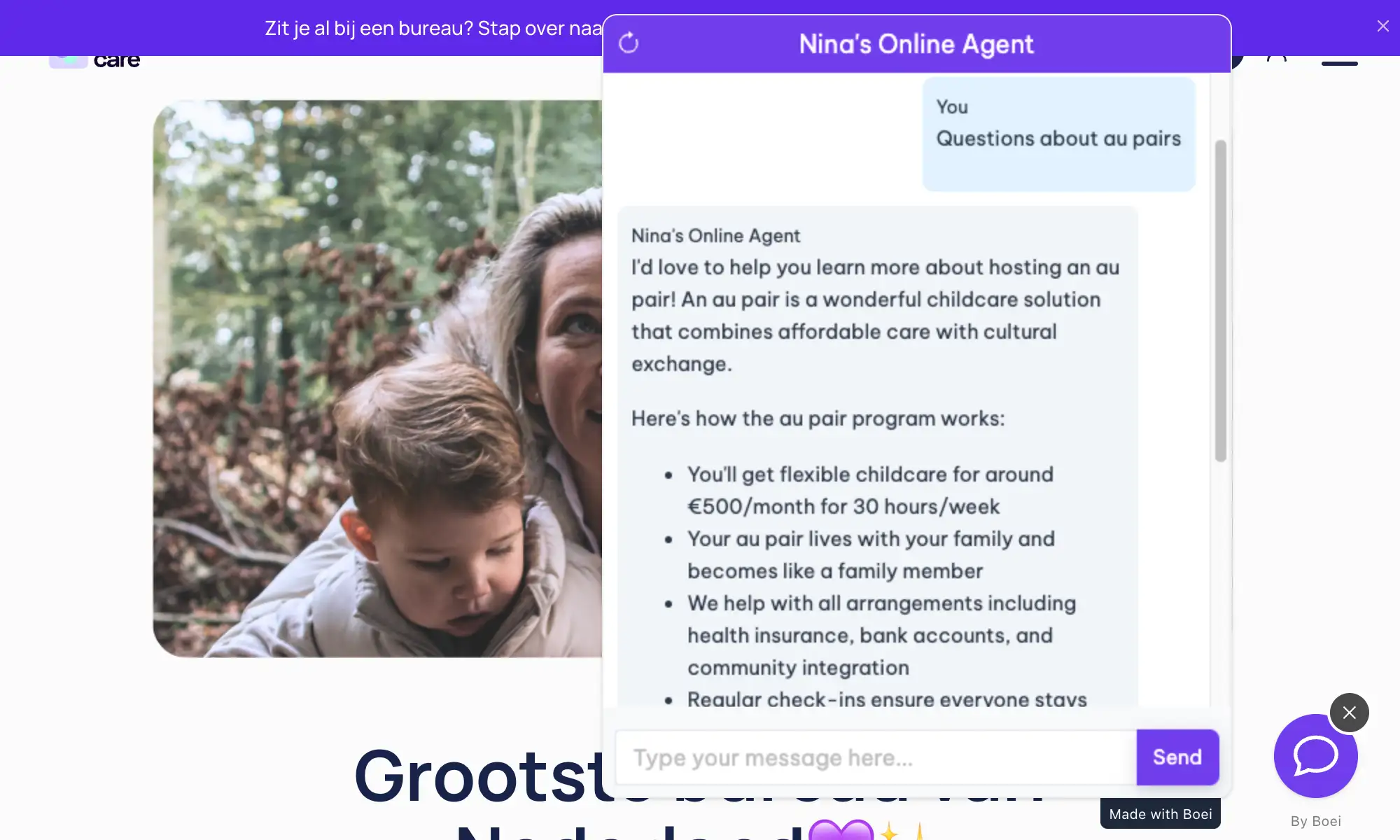
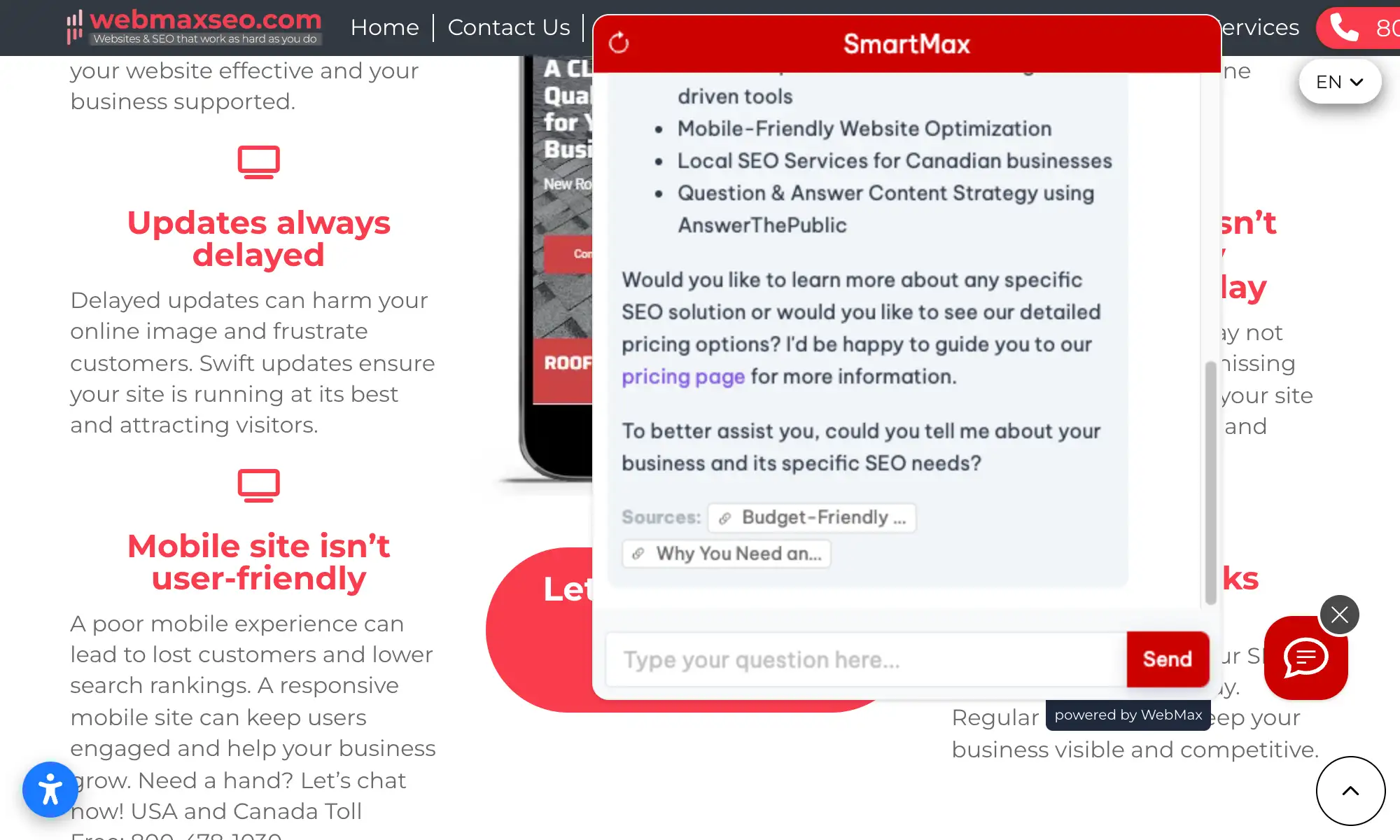
Real websites using Boei's AI chatbot to answer visitor questions

Related Resources

Explore chatbots for other platforms

WordPress

WordPress plugin and setup guide

Divi

Divi theme and page builder

E-commerce

WooCommerce and online stores

Features

Full AI chatbot feature list

Elementor Chatbot Pricing

Simple, transparent pricing with AI chatbot included

Vance
Vance: " Helps me to convert website visitors to warm leads " ★★★★★

$8 /month

Billed annually at $96 • Cancel anytime

Number of websites

Optional Add-ons

Optional

Enhance your plan with these extras

What's included

  • Show 50+ contact channels
  • Shared inbox included
  • Unlimited leads & conversations
  • Smart visitor targeting

No contracts • Cancel anytime Trusted by 14.368 businesses

Start 7-Day Free Trial

Prices exclude VAT, calculated at checkout

Need an Agency or Enterprise Solution?

Get custom pricing, priority support, and advanced features such as custom domains and mailers

Contact Sales

Questions?

Elementor AI Chatbot FAQ

Will the chatbot conflict with my Elementor widgets?

No. Boei loads independently from Elementor's editor and frontend scripts. It won't interfere with your widgets, popups, or any page builder elements.

How do I install the chatbot on Elementor?

Two options: with Elementor Pro, use Custom Code (Elementor → Custom Code → paste script in location). Without Pro, install the Boei WordPress plugin from Plugins → Add New, search 'Boei', activate, and enter your Widget Key.

Does it work with Elementor Free (without Pro)?

Yes. Elementor Free users can install via the Boei WordPress plugin. No Elementor Pro features are required to run the chatbot.

Will the chatbot slow down the Elementor editor?

No. Boei only loads on the live frontend of your site, not inside the Elementor editor. Your editing workflow stays exactly the same.

Does it work on Elementor landing page templates?

Yes. The chatbot appears on all pages regardless of the template used — standard pages, landing page templates, canvas templates, and full-width layouts.

Which AI models does Boei use?

Boei supports OpenAI, Anthropic, Google, and Mistral models. You can switch models anytime from your dashboard settings.

How do I receive captured leads?

Choose email notifications, webhook to your CRM (HubSpot, Salesforce), or check Boei's built-in inbox with full transcripts and AI-generated summaries.

Is it GDPR compliant?

Yes. Servers in Amsterdam (EU), we don't train on your conversations, and cookieless mode is available. DPA provided on request.

Can I add WhatsApp alongside the chatbot?

Yes. Boei includes 50+ channels — WhatsApp, Messenger, contact forms, phone, and more. All appear in the same widget alongside your AI chatbot.

Can I choose which AI model powers the chatbot?

Yes. Pick from OpenAI, Anthropic, Google, or Mistral from your Boei dashboard. Switch anytime — all models train on your website content automatically.

Ready to Add AI Chat to Your Elementor Site?

Install in 5 minutes. Works with all Elementor pages and templates.

7-day free trial • No credit card required • Works with all Elementor pages
Andrew Lee David S. Vance W. Grant Nitesh Manav
from 159 reviews