Best AI Chatbot for Divi
Add an AI chatbot to your Divi website in minutes. Works perfectly with Divi Builder, Theme Builder, and all Divi modules. No shortcode conflicts. Paste one snippet in Divi Theme Options and you're live.
Trusted by 14,368 websites
Compatible with Divi Builder & Theme Builder
Also available for:
Divi is the most popular WordPress page builder with millions of active installations. You've spent hours perfecting your layouts, animations, and design in the Visual Builder. But beautiful pages don't answer visitor questions at midnight. An AI chatbot for Divi fills that gap β it learns your entire site and responds to visitors instantly.
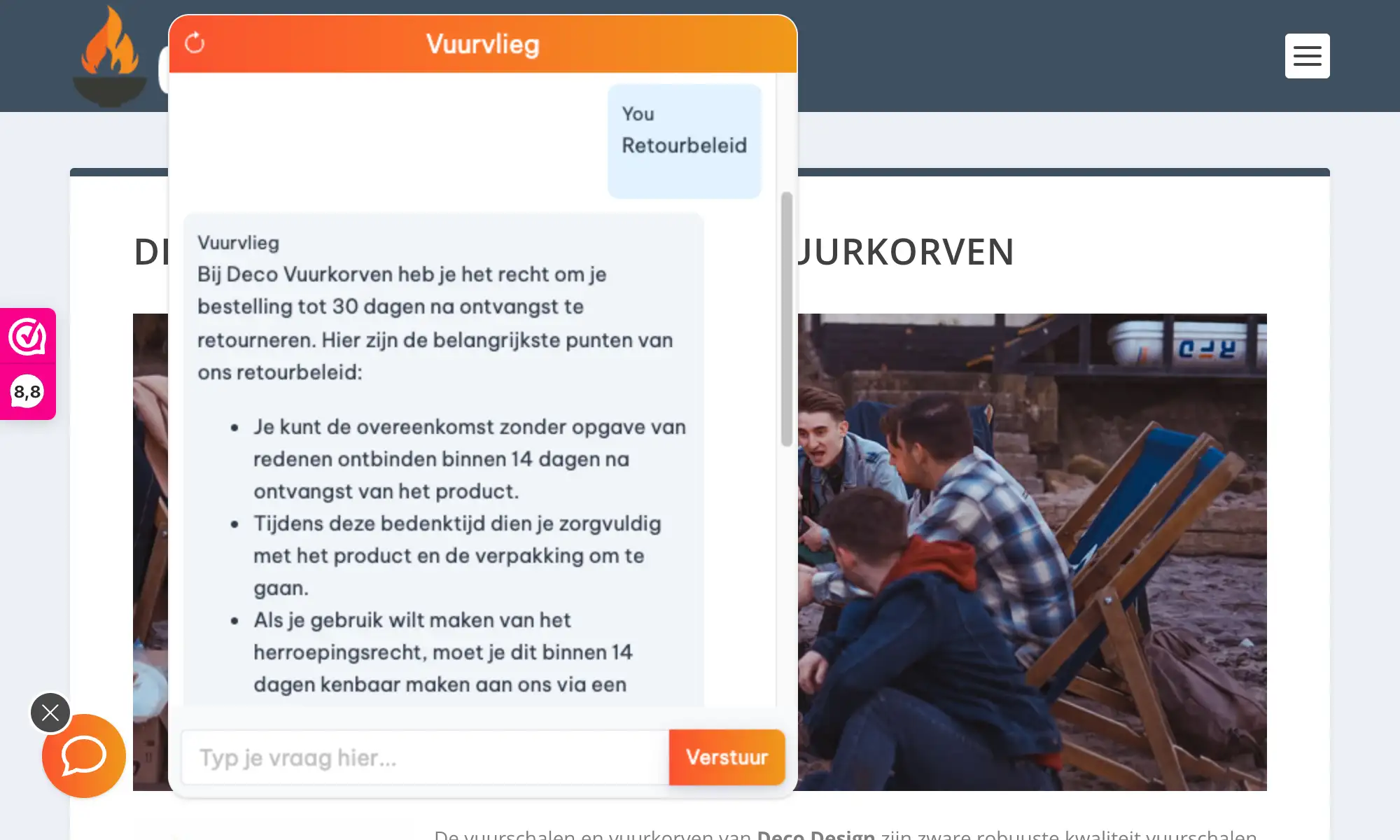
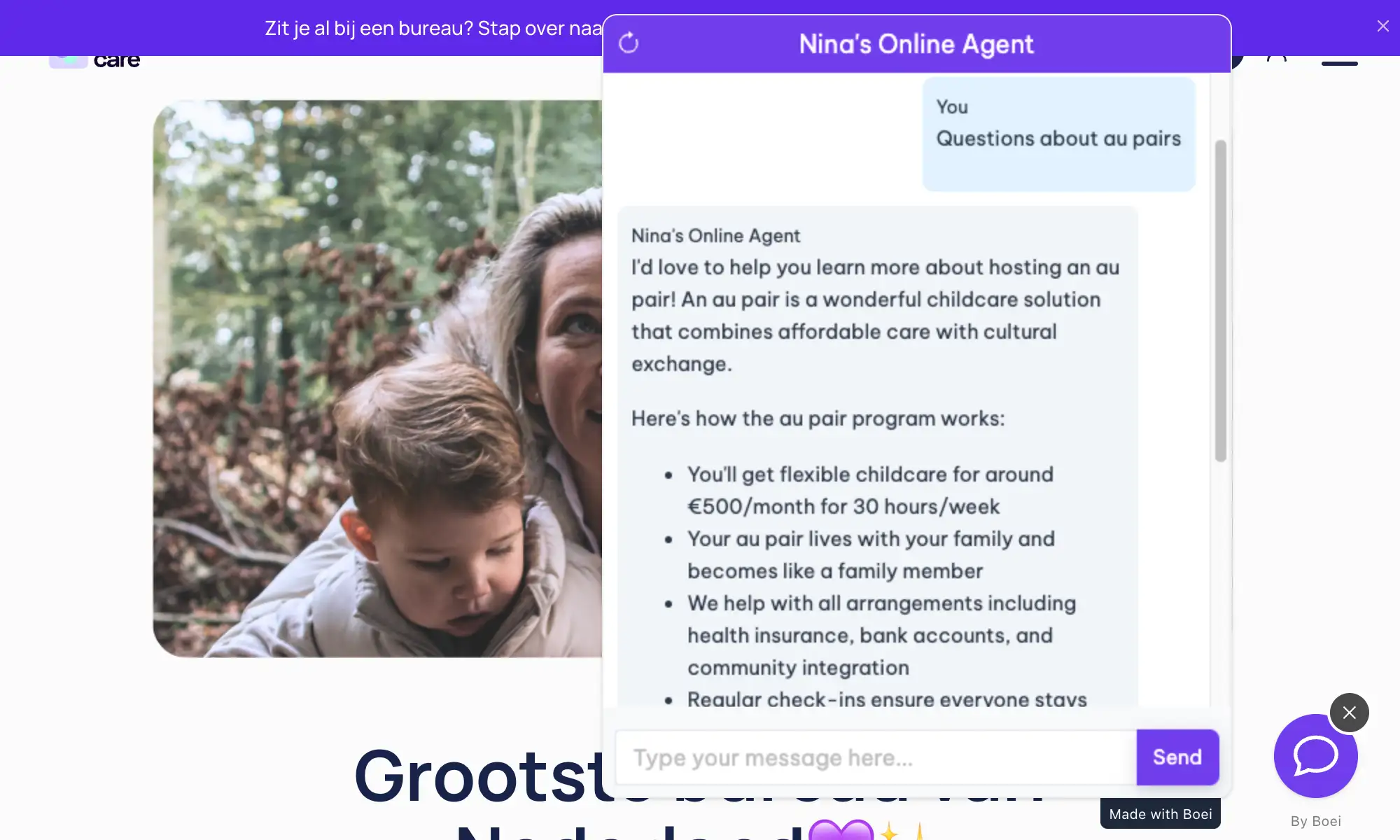
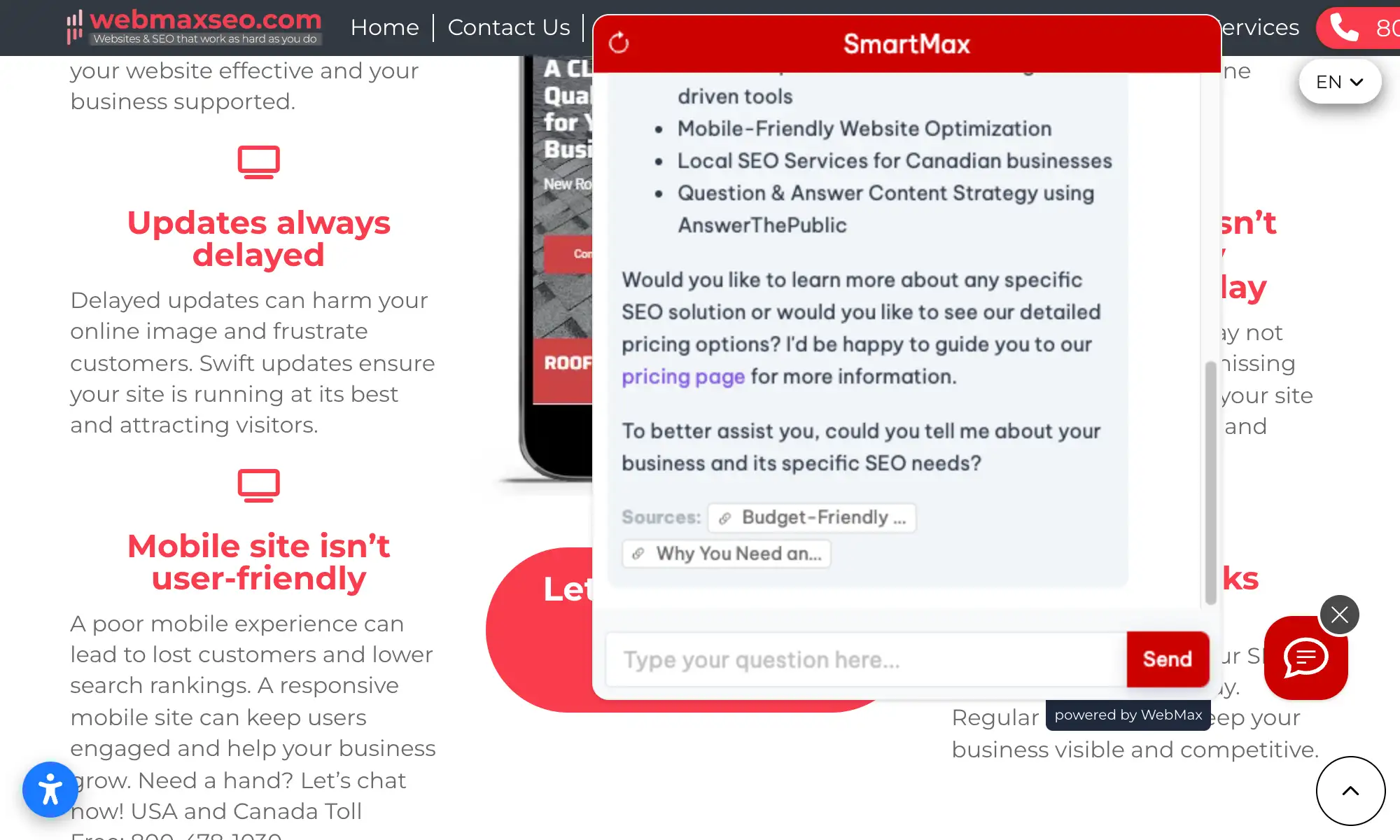
Unlike form plugins or basic live chat, Boei's AI chatbot understands what visitors actually mean. It reads your pages, portfolio items, and service descriptions, then answers questions naturally. No decision trees to build, no rigid scripts to maintain.
Divi users build stunning websites for clients and their own businesses. An AI chatbot turns those beautiful pages into lead-generating machines. Learn more about chatbot use cases, explore the full feature set, or see how it works on WordPress in general.
Works alongside all Divi modules and layouts. Installs via Theme Options, not as a module. Your carefully crafted designs stay exactly as you built them.
Paste one script in Divi Theme Options β Integration. No shortcodes, no module configuration, no per-page setup. It just works globally.
Collect leads from conversations on your beautiful Divi pages. Names, emails, phone numbers β captured naturally during chat and delivered to your inbox.
Answer visitor questions even when you're building the next page. The AI learns your content and responds instantly, day and night, in 95+ languages.
Get your AI chatbot live on Divi in under 5 minutes
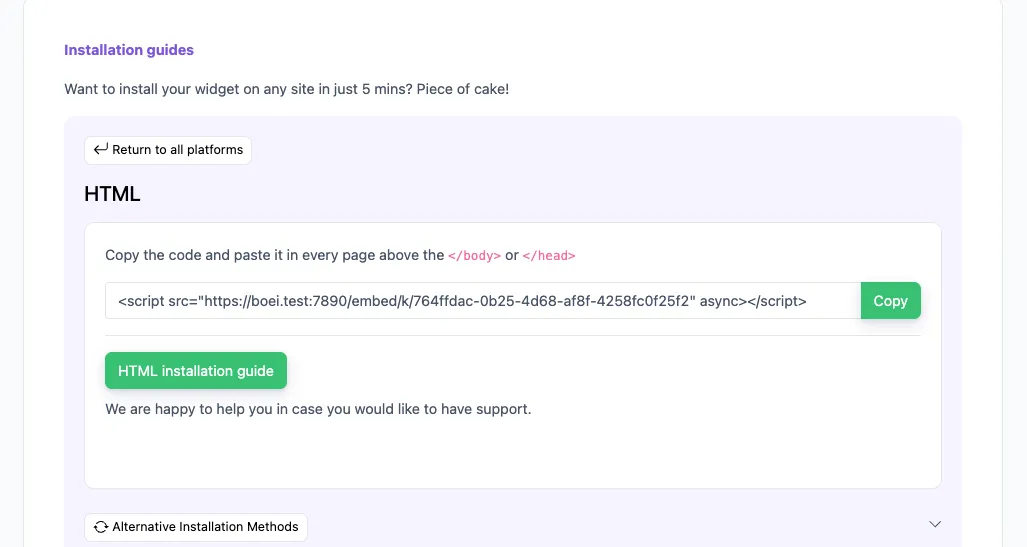
In your Boei dashboard, open your widget and click the Install tab. Select WordPress and copy the installation code.
Tip: The Install tab also offers a landing page link, QR code, and iframe embed.
In your WordPress admin, go to Divi β Theme Options β Integration. You'll see a field for adding code to the body of your site.
Paste the Boei script code into the Add code to the body field (or the Add code to the head field). Make sure the "Enable header code" and "Enable body code" options are checked.
Click Save Changes at the top of the page. Visit your site to confirm the chatbot widget appears. It works on all pages built with the Divi Builder.
Congrats, you are done! You now have the Boei AI chatbot installed on Divi.
Works perfectly with your existing Divi setup
Works on every page built with Divi Builder. Sections, rows, modules β nothing conflicts.
Appears on custom templates, headers, footers, and dynamic content created with Divi Theme Builder.
Doesn't interfere with Divi's front-end visual editing. Build your pages as usual.
Capture leads with structured question flows. Ask for name, email, phone, and company inside the chat conversation.
Pick from OpenAI, Anthropic, Google, or Mistral. Switch models anytime from your dashboard.
Override AI responses for specific questions. Bulk-import Q&A pairs via Excel template.
Auto-detects visitor language and responds accordingly. Works with WPML and Polylang on Divi sites.
Add WhatsApp, Messenger, contact forms, and more alongside your AI chatbot. All in one widget.
EU servers in Amsterdam. No training on conversations. Cookieless mode available. DPA on request.
See how we compare to popular alternatives
| Feature | Boei | Tidio | LiveChat | WP Chatbot |
|---|---|---|---|---|
| Starting price | β¬14/mo | β¬39/mo | β¬52/mo | β¬39/year + API |
| AI messages included | 2,000 | 50-1,000 | 1,000 | You pay OpenAI |
| Train on your site | ✓ Yes | ✗ Limited | ✗ Limited | ✗ Limited |
| WhatsApp, forms, 50+ channels | ✓ Yes | ✗ | ✗ | ✗ |
| Divi compatible | ✓ Yes | ✓ Yes | ✓ Yes | ✗ Limited |
| GDPR compliant (EU servers) | ✓ Yes | ✗ | ✗ | ✗ Limited |
Bottom line: Boei gives you more AI conversations, automatic training, and 50+ channels for less than competitors charge for basic chat. And it works flawlessly with Divi.
Paste the script in Divi β Theme Options β Integration. This loads the chatbot on every page β no need for per-page shortcodes or module placement.
Divi is popular with agencies and freelancers. Train the AI on your portfolio pages so it can answer questions about your work, process, and pricing automatically.
Use the chatbot for quick questions and Divi's built-in contact form module for detailed inquiries. Both can feed into your CRM for complete lead tracking.
Customize the chatbot's colors in the Boei dashboard to match your Divi site's color palette. Keep the experience consistent with your brand.
David K.
CEO Small-Business (50 or fewer emp.)
Seif Ahmed
@seif588
Neu
@siddharthaneu
Irfan
@mak_web_media
Peter C
@peter_c1
Andrew Lee
@fromlife89
Grzegorz G.
Joshua G.
Ronald D.
Director Small-Business (50 or fewer emp.)
Fahd T.
Founder Small-Business (50 or fewer emp.)
David S.
CEO/Founder Small-Business (50 or fewer emp.)
Vance W.
Julien V.
DΓ©veloppeur d'e-commerce Small-Business (50 or fewer emp.)
Grant
Hansie
David K.
CEO Small-Business (50 or fewer emp.)
Seif Ahmed
@seif588
Neu
@siddharthaneu
Irfan
@mak_web_media
Peter C
@peter_c1
Chandra Kusuma
Pepe
Arjun E.
JosΓ© Manuel D.
Cristian Trappolini
Daniel Gyger
Nitesh Manav
Renaat Sioncke
Fran Tully
Proinsias M.
Gavin S.
Sara Hall
Mike Foston
LukΓ‘Ε‘ H.
Bikram K. S.
Chandra Kusuma
Pepe
Arjun E.
JosΓ© Manuel D.
Real websites using Boei's AI chatbot to answer visitor questions
Explore AI chatbots on similar platforms
AI chatbot for WordPress sites
AI chatbot for Elementor pages
WooCommerce and online stores
Full feature overview
Simple, transparent pricing with AI chatbot included
Billed annually at $96 β’ Cancel anytime
Number of websites β
Optional Add-ons
OptionalEnhance your plan with these extras
What's included
β No contracts β’ Cancel anytime β Trusted by 14.368 businesses
Start 7-Day Free TrialPrices exclude VAT, calculated at checkout
Get custom pricing, priority support, and advanced features such as custom domains and mailers
Contact SalesNo. Boei loads independently via a lightweight script in Divi Theme Options. It doesn't add modules, shortcodes, or anything that could interfere with Divi Builder or the Visual Builder.
Go to Divi β Theme Options β Integration. Paste the Boei script in the 'Add code to the body' field. Make sure 'Enable body code' is checked and save. That's it.
Yes. Since the script loads globally via Theme Options, it appears on all pages including those using custom Divi Theme Builder templates, headers, and footers.
No. The Boei script is under 50KB and loads asynchronously. It won't affect your PageSpeed score or Divi's front-end performance. Compatible with WP Rocket and other caching plugins.
Yes. Whether you use the default Divi theme or a child theme, the chatbot installs the same way via Theme Options and works identically.
Boei supports OpenAI, Anthropic, Google, and Mistral models. You can choose and switch models anytime from your dashboard.
The chatbot collects names, emails, and phone numbers during natural conversations. Leads are delivered to your inbox with full transcripts and AI-generated summaries. You can also push leads to your CRM via webhook.
Yes. Our servers are in Amsterdam (EU). We don't train on your conversations. Cookieless mode is available, and we provide a DPA on request.
Yes. Boei includes 50+ channels: WhatsApp, Messenger, email, contact forms, and more. All channels appear in one widget on your Divi site.
Yes. Boei supports OpenAI, Anthropic, Google, and Mistral models. You can switch models anytime from your dashboard settings. All models train on your website content automatically.
Join thousands of websites using Boei. Install in 5 minutes via Divi Theme Options.