Blogger logo

Best AI Chatbot for Blogger

AI Chatbot for Blogger

Add an AI chatbot to your Blogger site in minutes. Engage your readers, answer questions about your content, and capture subscriber emails automatically. Works with all Blogger themes. No coding needed.

Trusted by 14,368 websites

Works with all Blogger themes

Andrew Lee David S. Vance W. Grant Nitesh Manav
from 159 reviews

Also available for:

Try the Blogger AI Chatbot

Why Add an AI Chatbot to Blogger?

Blogger is one of the oldest and most trusted blogging platforms on the web, backed by Google and used by millions of content creators worldwide. Whether you share personal stories, product reviews, tutorials, or niche expertise, Blogger gives you a reliable home for your content β€” complete with AdSense integration for monetization.

But blog readers often have questions that comments can't answer fast enough. They want to know more about your recommendations, ask about your experience, or find a specific post you wrote months ago. An AI chatbot for Blogger trained on your blog content answers these questions instantly, keeping readers engaged instead of bouncing to another site.

What an AI chatbot does for your Blogger site:

  • Learns all your posts and pages. The AI reads every published article and understands your content deeply
  • Helps readers find relevant content. Instead of searching or scrolling through archives, visitors simply ask the chatbot
  • Captures email subscribers naturally. Collect emails from engaged readers through conversational Lead Flow
  • Works alongside AdSense without issues. The chatbot doesn't interfere with your ad placements or revenue
  • Simple gadget install. Add one HTML/JavaScript gadget in Blogger Layout β€” no coding knowledge needed

Explore our AI chatbot use cases, see all chatbot features, or learn how to capture leads with AI chat.

Key Benefits

Why Bloggers Love Boei

πŸ’¬

Reader Engagement

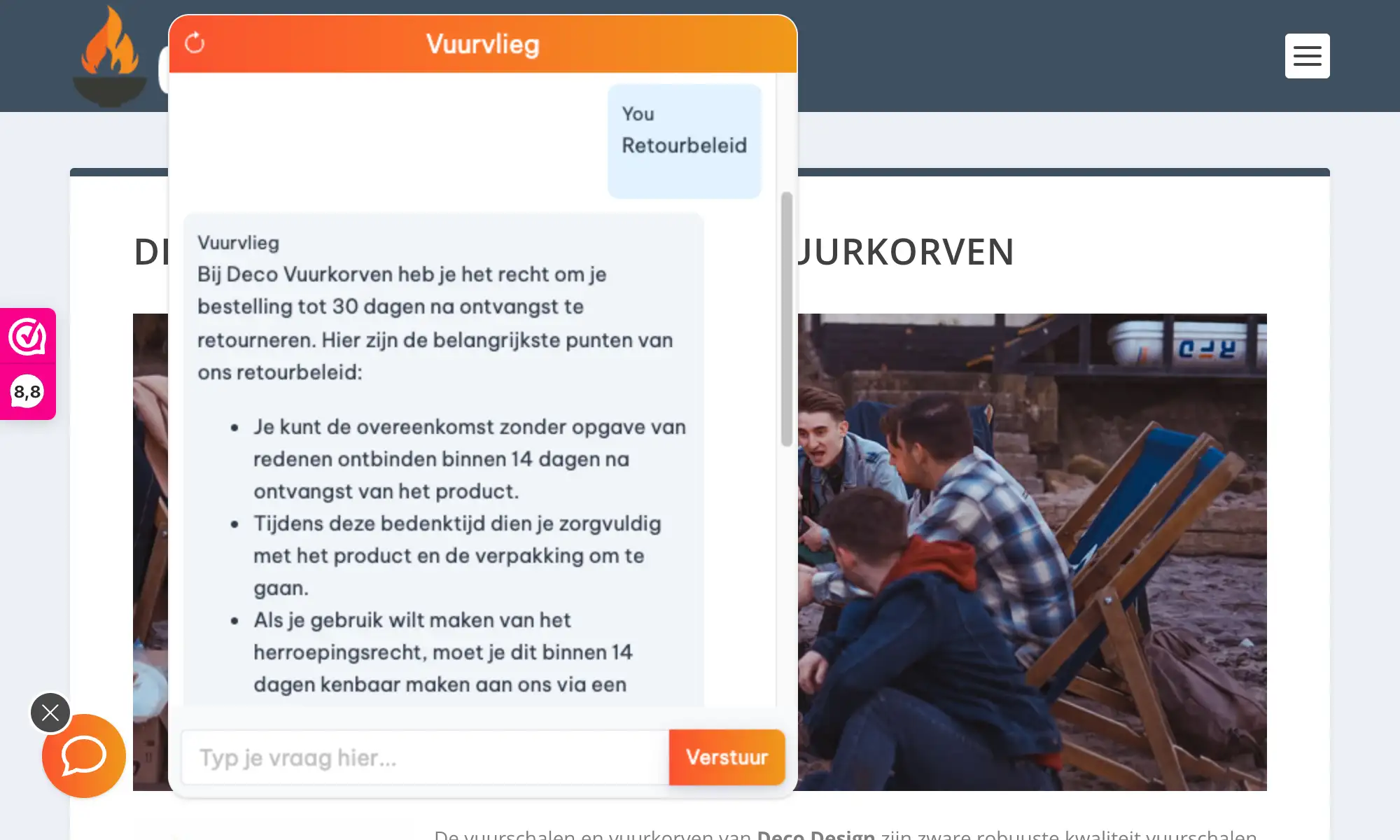
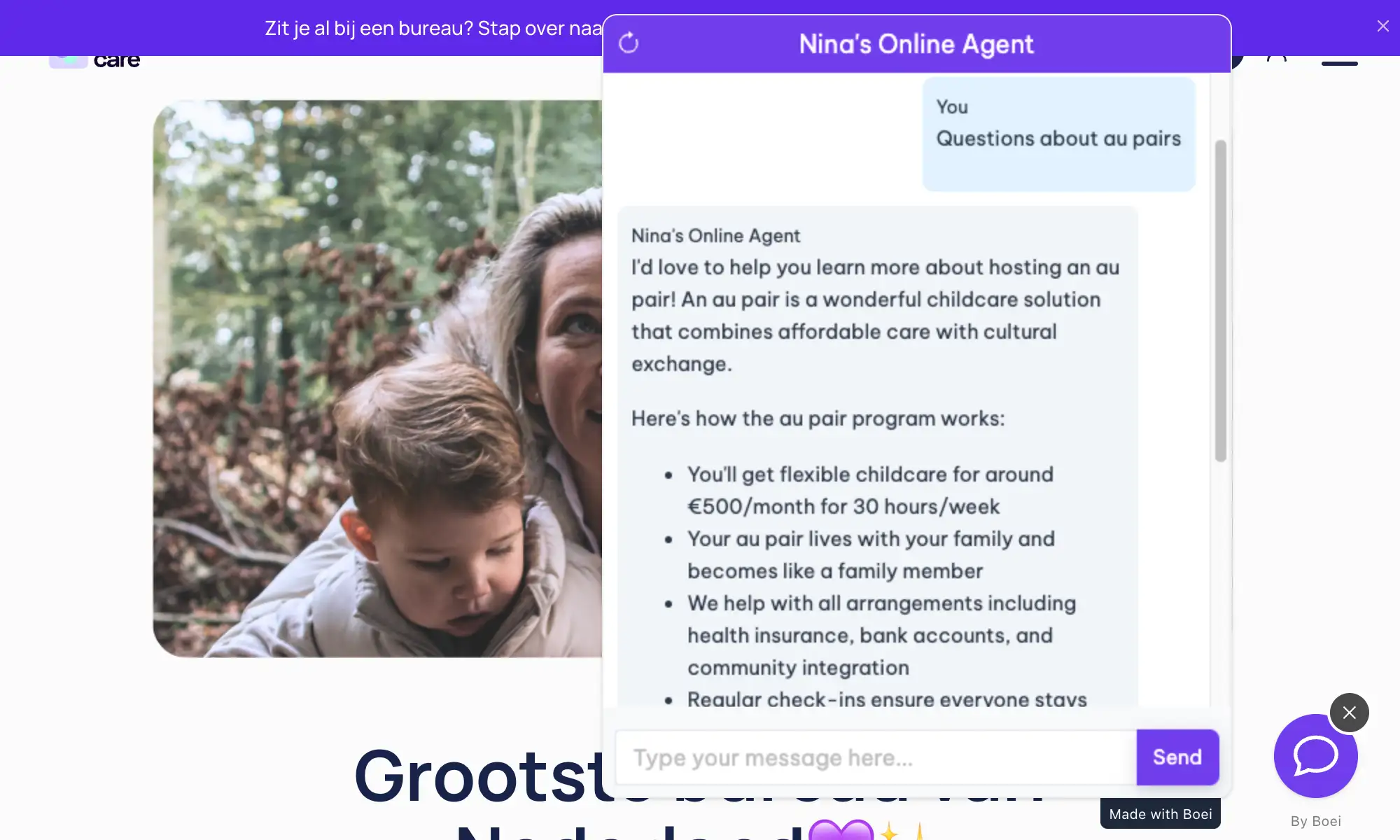
Keep visitors on your blog longer with instant answers about your content. Readers get the information they need without waiting for comment replies.

πŸ“§

Email Capture

Grow your subscriber list through natural conversations. The chatbot collects emails from engaged readers who want to hear more from you.

⚑

Simple Setup

Add one HTML/JavaScript gadget in Blogger Layout and you're done. No coding, no plugins, no theme modifications needed.

πŸ’°

AdSense Friendly

The chatbot doesn't interfere with your ad placements or revenue. It loads asynchronously and stays out of the way of your AdSense units.

Quick Setup

Install on Blogger

Get your AI chatbot live on Blogger in under 5 minutes

1

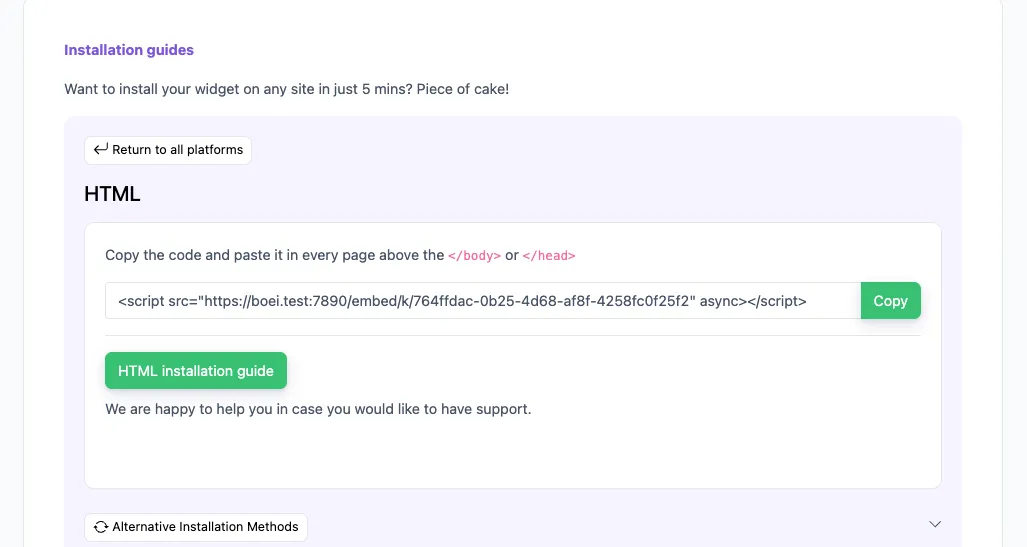
Copy installation code

In your Boei dashboard, open your widget and click the Install tab. Select Other / Script and copy the installation code.

Tip: The Install tab also offers a landing page link, QR code, and iframe embed.

Copy installation code
2

Open Blogger Layout

Log in to Blogger and select your blog. Go to Layout in the left sidebar.

3

Add an HTML/JavaScript gadget

Click Add a Gadget in the footer section. Select HTML/JavaScript from the gadget list. Leave the title empty and paste the Boei script code into the content area.

4

Save

Click Save on the gadget, then click Save arrangement on the Layout page. Visit your blog to confirm the chatbot appears.

Congrats, you are done! You now have the Boei AI chatbot installed on Blogger.

Blogger Features

Built for Bloggers

Everything your Blogger site needs

πŸ“š

Blog Content Learning

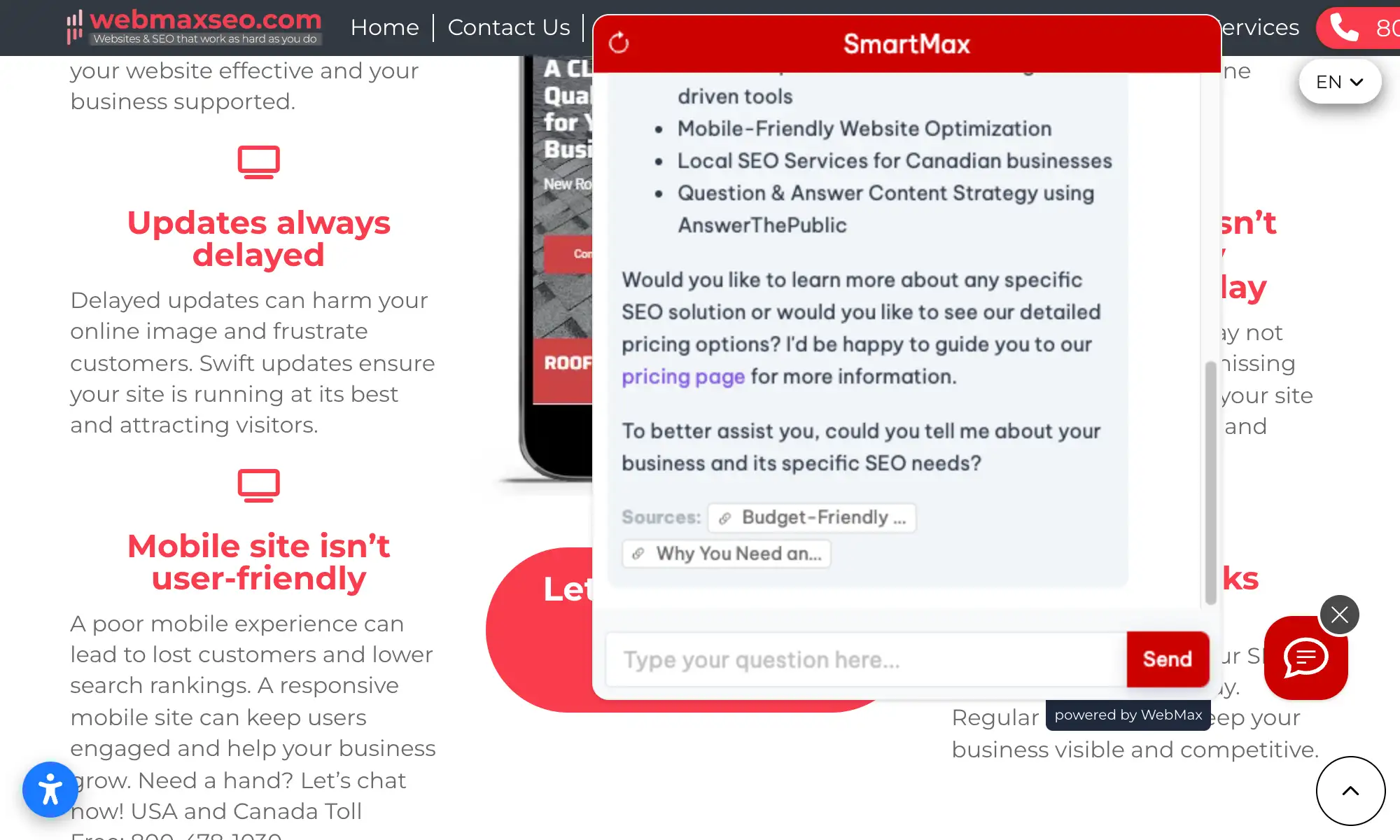
AI reads every post and page on your Blogger site. Answers reader questions with accurate, sourced responses from your content.

❓

Reader Q&A

Visitors ask questions about your articles, recommendations, or expertise. The chatbot answers instantly, 24/7.

πŸ“©

Email Capture

Capture email subscribers directly through chat conversations. Build your mailing list while readers engage with your content.

πŸ“‹

Lead Flow

Capture leads with structured question flows. Ask for name, email, phone, and company inside the chat conversation.

🧠

Choose AI Model

Pick from OpenAI, Anthropic, Google, or Mistral. Switch models anytime from your dashboard.

βœ…

Exact Answers

Override AI responses for specific questions. Bulk-import Q&A pairs via Excel template for precise control.

🌍

Multi-language (95+)

Auto-detects visitor language and responds accordingly. Reach international readers in their native language.

πŸ“±

50+ Channels

Combine AI chatbot with WhatsApp, Facebook Messenger, email, contact forms, and 50+ other contact channels.

πŸ”’

GDPR Compliant

All data processed on EU servers in Amsterdam. Cookieless mode available. Reader conversations never used to train AI models.

Compare Options

Boei vs Other Blogger Chat Options

See how we compare to popular alternatives

Feature Boei Tidio tawk.to Chatra
Starting price €14/mo €39/mo Free (branded) €21/mo
AI messages 2,000/mo 50-1,000 None None
Train on blog content ✓ Yes ✗ Limited
50+ channels ✓ Yes
Blogger compatible ✓ Yes ✓ Yes ✓ Yes ✓ Yes
GDPR compliant (EU servers) ✓ Yes

Bottom line: Boei offers AI chat that learns your Blogger content with 50+ channels for €14/mo. The only option that trains on your blog posts and serves from EU servers.

Pro Tips

Get More From Your Blogger Chatbot

1

Train on All Posts

Include your full blog URL when setting up AI training for complete coverage. The AI will learn every published post and page on your Blogger site.

2

Use for Content Discovery

The chatbot helps readers find related posts they might have missed. Visitors can ask about topics and get pointed to your best articles instantly.

3

Capture Emails Naturally

Set up Lead Flow to collect subscriber emails during conversations. Readers who are already engaged with your content are more likely to subscribe.

4

Add Quick Reply Buttons

Set up buttons for popular topics like "Latest posts", "About me", or "Popular articles" so readers can explore your blog with one click.

What Bloggers Say

See AI Chatbot in Action

Real websites using Boei's AI chatbot

Related Resources

Learn more about AI chatbots

WordPress

AI chatbot for WordPress

Ghost

AI chatbot for Ghost

Lead Generation

Capture leads with AI chat

Features

All AI chatbot features

Blogger Chatbot Pricing

Simple, transparent pricing with AI chatbot included

Vance
Vance: " Helps me to convert website visitors to warm leads " β˜…β˜…β˜…β˜…β˜…

$8 /month

Billed annually at $96 β€’ Cancel anytime

Number of websites β“˜

Optional Add-ons

Optional

Enhance your plan with these extras

What's included

  • βœ“Show 50+ contact channels β“˜
  • βœ“Shared inbox included β“˜
  • βœ“Unlimited leads & conversations β“˜
  • βœ“Smart visitor targeting β“˜

βœ“ No contracts β€’ Cancel anytime βœ“ Trusted by 14.368 businesses

Start 7-Day Free Trial

Prices exclude VAT, calculated at checkout

Need an Agency or Enterprise Solution?

Get custom pricing, priority support, and advanced features such as custom domains and mailers

Contact Sales

Questions?

Blogger AI Chatbot FAQ

How do I install the AI chatbot on Blogger?

Go to Blogger β†’ Layout β†’ Add a Gadget β†’ HTML/JavaScript. Leave the title empty, paste the Boei script code into the content area, and click Save. The chatbot appears on all pages automatically.

Does it work with custom Blogger themes?

Yes. The chatbot works with all Blogger themes β€” both default templates and custom designs. It loads independently via a JavaScript gadget, so your theme doesn't matter.

Can it learn all my blog posts?

Yes. The AI crawls all published posts and pages on your Blogger site. It understands your content deeply and updates when you publish new articles.

Will it slow down my blog?

No. The Boei script is under 50KB and loads asynchronously after your page content. It won't affect your blog's loading speed, Core Web Vitals, or SEO.

Can I use it on multiple Blogger blogs?

Yes. You can create unlimited widgets in your Boei account. Each blog can have its own chatbot trained on its specific content.

What AI models power the chatbot?

Boei supports OpenAI, Anthropic, Google, and Mistral models. You can switch models anytime from your dashboard settings. All models train on your blog content automatically.

How does email capture work?

Set up Lead Flow in your Boei dashboard to collect emails during chat conversations. The chatbot naturally asks for contact details from engaged readers. Leads appear in your inbox and can be exported or synced to Mailchimp.

Is the chatbot GDPR compliant?

Yes. All data is processed on EU servers in Amsterdam. Reader conversations are never used to train AI models. Cookieless mode is available, and a DPA is provided on request.

Can readers contact me on WhatsApp too?

Yes. Boei supports 50+ channels including WhatsApp, Facebook Messenger, Instagram, email, and more. Combine AI chatbot with any channel your readers prefer.

Does the chatbot conflict with AdSense?

No. The chatbot loads asynchronously and doesn't interfere with your AdSense ad units, placements, or revenue. They work completely independently on your Blogger site.

Ready to Add AI Chat to Your Blog?

Join thousands of bloggers using Boei. Setup takes 5 minutes.

7-day free trial β€’ No credit card required β€’ Works with all Blogger themes
Andrew Lee David S. Vance W. Grant Nitesh Manav
from 159 reviews