# Boei
> Boei is an AI employee for small and medium businesses. It combines an agentic AI chatbot, live chat, WhatsApp, email, SMS, contact forms, and 50+ communication channels into one lightweight widget that installs on any website in minutes. The AI doesn't just answer questions — it takes actions: calling webhooks, performing calculations, looking up data, and executing multi-step tasks through a tool-calling loop. Visitors choose their preferred channel while the AI responds instantly, qualifies leads, and captures contact details automatically.
> The AI operates across your website, WhatsApp, email, and SMS simultaneously. It trains on your website content, documents, products, and support history, then responds in context-appropriate styles — concise for live chat, conversational for WhatsApp, professional with greetings and signatures for email. All conversations flow into a unified inbox and built-in CRM pipeline where teams manage leads, track deals, send bulk follow-ups, and continue conversations across channels.
> Boei (Dutch for "buoy") — like a maritime buoy that guides ships safely, the Boei widget prevents visitors from drifting away by offering instant AI-powered support and multiple contact options.
## Company Information
- **Website**: https://boei.help
- **App**: https://app.boei.help
- **Founded**: Netherlands
- **Company**: Ruby Foundry B.V.
- **Founder**: Ruben Buijs
- **Team**: Small, bootstrapped, remote team
- **Users**: Trusted by 17,000+ businesses
## Pricing
Four flat tiers. All prices in USD. Annual billing saves 25%.
- **Starter**: $19/mo (annual) / $25/mo (monthly) - 1 domain, 1 chatbot, 2,000 AI credits, 1,000 training pages, 1 agent. Lead collectors, email and WhatsApp chatbot, source gap detection, 50 product training items.
- **Growth**: $49/mo (annual) / $69/mo (monthly) - 3 domains, 3 chatbots, 7,000 AI credits, 3,500 training pages, 3 agents. Adds API access, deal pipeline, tagging, auto retrain, AI summary on handover, webhooks. Most popular plan.
- **Business**: $129/mo (annual) / $179/mo (monthly) - 10 domains, 10 chatbots, 20,000 AI credits, 10,000 training pages, 5 agents. Adds custom domain, white-label, branding removed, unlimited product training.
- **Scale**: $229/mo (annual) / $309/mo (monthly) - "Enterprise compliance" tier. Everything in Business plus 25,000 AI credits/mo, 15,000 training pages, 20 AI actions/bot, 7 live chat agents, custom DPA signed by your legal team (not self-service), 99.5% uptime SLA, priority support, dedicated 60-min onboarding call, quarterly review call to discuss agent performance. Built for businesses that need procurement-grade compliance and contractual uptime guarantees rather than raw volume.
### Add-ons
- Extra domain: $15/mo
- Extra chatbot: $9/mo ($6/mo annual)
- Extra agent: $9/mo ($6/mo annual)
- Additional 1,000 AI credits: $9/mo ($6/mo annual)
- Branding removal: $14/mo
- SMS credits: $10 per 100 credits
### Agency Pricing
- Modular per-client pricing with volume discounts
- Trial subaccounts for client onboarding
- Client management dashboard
- Chatbot ownership transfer between accounts
- Billing permission delegation
### Trial
- 7-day free trial, no credit card required.
## Trust & Reviews
- **G2**: 4.7/5 rating
- **Capterra**: 5/5 rating
- **Trustpilot**: 4.7/5 rating (159 reviews)
---
## Features Overview
### AI Chatbot
**Training & Knowledge**
- Auto-trains on website content via sitemap or automatic crawler
- Trains on PDFs, Excel, PowerPoint, text files, and SRT video subtitle files (YouTube/Loom/webinar transcripts)
- Product training via CSV upload or Google Sheets URL sync, with auto-sync on schedule (hourly/daily/weekly/monthly)
- Product cards displayed in chat — scrollable carousel with thumbnail, price, availability, and brand
- Train AI on your own support replies — toggle per reply, Q&A pair saved automatically
- Revised Answers — define exact Q&A pairs that override AI when matched, with hit counter and tag support
- Ticket Training — train AI on support ticket history (Growth and Business plans)
- FAQ export/import — export as JSON/Excel, import with add or replace modes
- Auto-sync website content — sitemaps resync on daily/weekly/monthly schedule with include/exclude path filters
- Auto-train during onboarding — top 10 sitemap pages trained automatically
- Import training URLs from HTML sitemaps and link pages
- File training from public URLs with queued download pipeline
- Source priority boost — curated sources (FAQ, training text, products, revised answers) rank higher than scraped pages
**AI Models & Quality**
- Choose your AI model: Anthropic (incl. Claude Opus 4.7), OpenAI (GPT), Google (Gemini), Mistral models available
- Anti-hallucination — grounding verification with safety constraints, information boundaries, and fabrication prevention
- Contextual retrieval — section-aware chunking, same-URL dedup, minimum similarity threshold
- Shows sources with every answer (collapsed by default)
- AI credits vary by model; 2,000 credits included on Starter plan
- Per-visitor rate limit — configurable max messages per visitor per minute to prevent credit drain from abuse
**Agentic AI (Tool-Calling)**
- Tool-calling loop where the chatbot takes actions based on conversation context
- Webhook API calls, calculations, data lookups, multi-step task execution
- Book appointments via Google Calendar with confirmations (calendar bookings include an auto-generated Google Meet link)
- Admin configures actions conversationally via Agent tab
- Plan limits: Starter 5 actions, Growth 10 actions, Business 15 actions per bot, Scale 20 actions per bot
**Lead Capture**
- Set lead generation fields the bot should gather (email, name, phone, custom fields)
- Lead Flow — structured question flows inside the chatbot as classic form or AI-powered conversation
- "After X replies" trigger — lead collectors appear after N chat messages, not just start/end
- Lead collector templates — presets like "Contact form", "Book a demo", "Get a quote"
- Push leads to analytics — email/phone/name auto-sent to Google Analytics, Meta Pixel for conversion tracking
- Get leads via email, webhook, or Boei inbox with transcripts, qualification check, and AI summary
**Conversation Features**
- Adapts reply style by channel — concise for live chat, conversational for WhatsApp, professional for email
- Quick prompts — suggested conversation starters, configurable display (always/once/never)
- Conversation persistence — chat history persists across page reloads with auto-reopen
- Copy conversation — visitors can copy the full conversation from the widget menu
- Chatbot timezone — configurable for accurate date/time references
- SMS response limit — AI responses automatically limited to 320 chars for SMS to reduce costs
- Automatically translates interface to user's language
**Handoff & Monitoring**
- Hands off to live chat (automatic or manual)
- AI handoff summary — generates summary for live agents on escalation
- Live monitoring of AI conversations with takeover option
**Customization**
- Fully adjustable instructions and custom prompts
- Custom CSS for full widget styling control
- API available (v1 endpoints with Scribe-generated documentation)
---
### Channels (50+)
**AI-Powered Channels (bidirectional with AI auto-reply)**
- Website chatbot — AI chatbot embedded in widget
- WhatsApp — AI auto-replies, messages received in Boei inbox
- Email — full email inbox with AI auto-reply (configurable max replies 0-100), BCC support, customizable greeting/signature with variables ({name}/{agent}/{email}/{phone}/{company}), silent AI escalation, AI spam filter on inbound mail (Gemini Flash classifier), multilingual auto-reply/out-of-office detection so the AI doesn't loop replying to a robot
- SMS via Twilio — bidirectional SMS with AI auto-reply, integrated in Boei inbox
**Social & Messaging**
- Facebook Messenger
- Instagram DMs
- Telegram
- Signal
- Viber
- WeChat
- Slack
- Discord
**Direct Communication**
- Phone / Click-to-call
- SMS
- Email
**Forms & Self-Service**
- Contact forms / Lead forms
- Contact Form V2 — iframe-based with drag-and-drop reorder, new field types, auto-translation
- FAQ widget
- Newsletter signup
- Feedback forms
- Call-me-back
- Search widget — URL template with {query} replacement, iframe-based
**Additional**
- 30+ more regional and niche channels
---
### Live Chat
- Real-time visitor chat
- Multiple team members with smart agent allocation
- AI-to-human handoff
- Transfer chats between agents (with automatic internal note)
- Auto re-assign when an agent goes offline
- Internal notes — agent-only messages visible only to the team
- Playbooks — named prompt scripts to guide AI replies for specific scenarios, assignable per conversation
- Team chat visibility — see what colleagues are handling (read-only)
- Central team notification email — single email per chatbot instead of per-agent
- Rich text email editor — Quill editor with image paste support for inbox replies
- Inbox spam management — mark threads as spam to suppress reopening
- Auto-save reply drafts to localStorage
- AI Copilot sidebar — drafts replies for agents using full thread history + training content, click to insert, edit before sending, or auto-send. Inline "Revise this answer" affordance saves improved replies for future reuse
- Customer Panel — iframe your own CRM, order system, or internal tool right next to the conversation, with visitor email/ID/custom fields passed as URL parameters
- Forward conversations externally — forward an inbox thread to an external email so a specialist outside Boei can pick it up
- Auto-assign on reply — when an agent replies, the thread is automatically assigned to them so the AI doesn't take over again
---
### Lead Management & CRM
**Unified Inbox**
- All messages from chatbot, WhatsApp, live chat, email, SMS, and forms in one place
- WhatsApp messages received directly in inbox
- Leads overview — dedicated tab showing contacts who provided email, with dynamic columns, search, and XLSX export
**Deal Pipeline**
- Kanban pipeline (New, Contacted, Won)
- Contact custom fields — configurable fields per contact, bulk mark as customers
- SDK prefills — pass visitor info (name, email, phone, company, ID, tags, notes) via SDK
- Contact merge — merge a duplicate contact into another with a preview of the resulting record (notes are concatenated, deals reassigned)
- Multi-domain deal selector — deals carry a business/domain field so agencies and multi-site accounts can keep pipelines separate
**Follow-ups**
- AI drafts personalized follow-ups by reading the full conversation history
- Per-bot follow-up instructions and a deal context panel guide tone and content
- Bulk follow-ups with smart scheduling (working days, send time, timezone)
- Max follow-up limits per contact
- Channel-based sending (email or WhatsApp)
- CC assigned team member
- Approve drafts or auto-send
- Customer transcript emails — independent transcript emails to customers
**Integrations**
- CRM integration via webhooks
- HubSpot CRM integration
- Mailchimp integration — collected leads auto-added to audiences
- API tab — API credentials and docs in chatbot settings
---
### Analytics
- Conversion funnel tracking (pageviews, widget opens, leads)
- Performance tab — resolution rate donut chart, chats/day, AI replies/day, replies/chat, daily line chart
- Conversation analytics — filterable by all/needs attention/escalated/failed, with health score badges and outcome classification
- Conversation detail — full message thread with source attribution, similarity scores, session metadata, knowledge lookup scores
- Channel performance stats
- Page-level performance
- Device and location data
- A/B testing (duplicate widget, compare side-by-side)
- Integrations: Google Analytics, Google Tag Manager, Meta Pixel, Plausible, Simple Analytics
- 90-day data retention
- Daily, weekly, or monthly email reports
---
### Widget Options
**Installation**
- Install in 5 minutes on any platform
- One line of code, iframe, or plugin
- Works on 300+ platforms
- WordPress plugin with one-click install
- Platform auto-detection — shows detected platform badge on install tab
- 3-step onboarding wizard: training review, test the bot, install snippet (auto-trains the top sitemap pages and suggests test prompts)
**Design & Theming**
- Unified theme system — 3 themes (Clean, Minimal, WhatsApp)
- Dark mode with OS auto-detection
- Gradient support (subtle/vivid)
- Branded header with title, subtitle, and image
- Widget shadow presets
- Unified font across iframe widgets
- Custom CSS support
- Fully adjustable: icons, colors, all text
**Display Modes**
- Inline display mode — show iframe channel content directly in widget channel list
- Compact display mode — condensed channel display with layout elements (header, text, divider)
- Vary widget by device (mobile/desktop) or by page
- Show QR code on desktop for easy mobile scanning
- Create landing page with all channels (no website needed)
- Generate QR codes for physical marketing materials
**Display Rules**
- Show/hide based on office hours
- Display rules by time, page, or device
- Set out-of-office for specific channels
**Privacy & Compliance**
- Privacy-friendly: no cookies used
- Does not collect personal data without consent
- GDPR compliant by default
- EU servers (Nuremberg, Netherlands)
- Configurable conversation data retention per domain with daily auto-delete
- One-click right to be forgotten (GDPR Article 17) per contact, no support ticket needed
- Self-service Data Processing Agreement at /dpa (free, public form)
- Custom DPA reviewed by your legal team and 99.5% uptime SLA on the Scale plan
**Notifications**
- Email, Slack, and webhook notifications
- Customizable notification settings
---
### FAQ Management
- Inline FAQ manager inside chatbot settings
- Create new FAQ directly, or link existing ones
- Full CRUD with drag-and-drop reorder
- AI-powered FAQ generation from documentation
- FAQ export/import — JSON/Excel, add or replace modes
- Use FAQ content to train AI chatbots
- Create standalone FAQ landing page
---
### AI Office
- Visual animated office scene showing your AI chatbot at work
- Three rooms: Website lobby, AI Desk, Your Office (leads + support)
- Replay mode playing through the day's conversations with animations
- Day/week toggle, date navigation, stats bar
---
### White Label & Agency
**Branding**
- White-label email with your own SMTP server
- White-label the widget with your branding
- White-label the entire designer interface with your logo and domain
- Set your own "powered by" link
- Custom domain support
- Branding removal available
**Agency Management**
- Client management dashboard with overview of all clients
- Modular per-client pricing with volume discounts
- Trial subaccounts for client onboarding
- Chatbot ownership transfer between accounts
- Billing permission delegation
- Manage multiple client accounts from one dashboard
- One-click impersonation — log into any subaccount to fix a setting or replicate a bug, then jump back, no password sharing
- Audit log — every agency action recorded (who impersonated whom, who changed what, when)
- Collaborators inherit branding — added team members automatically work under the agency's primary color, branding, and client list
---
## Supported Platforms
Boei works on 300+ platforms including:
- WordPress (most popular)
- WooCommerce
- Shopify
- Wix
- Squarespace
- Webflow
- Framer
- Ghost
- Joomla
- PrestaShop
- Jimdo
- Carrd
- Weebly
- Hostinger
- Ecwid
- Any website via JavaScript, iframe, or plugin
---
## Languages
- **Widget**: Fully customizable text — works in any language
- **AI Chatbot**: Automatically responds in 95+ languages
- **Forms**: AI auto-translation to visitor's language
- **Dashboard**: English
---
## Use Cases
- Customer support automation with AI that takes actions (lookups, calculations, API calls)
- Lead generation and qualification with structured lead flows
- Sales assistance with deal pipeline and bulk follow-ups
- WhatsApp business communication with AI auto-reply
- Email support automation with bidirectional AI replies
- SMS customer engagement via Twilio integration
- FAQ and self-service support
- Multi-channel customer communication (50+ channels)
- Appointment booking and callback scheduling
- E-commerce product recommendations via product training
- Agency client management with white-label solution
- Conversion tracking and analytics across all channels
---
## Documentation
For detailed guides and API documentation: https://boei.help/docs
---
# Blog Posts
## How to Add a WhatsApp Chat Button to Your Website
URL: https://boei.help/blog/add-whatsapp-chat-button-website/
Summary: Easily add a WhatsApp chat button to your website with our step-by-step guide. Enhance communication and user engagement effortlessly.
---
Do you want to get more leads from your website? Do you want to improve customer engagement? If yes, you need to add a WhatsApp chat button to your website. This article will discuss how to add a WhatsApp chat button on websites and mobile apps.
WhatsApp is one of the world’s most popular messaging apps, with over 1 billion monthly active users. The app has become a primary means of communication for many internet users, especially younger ones, who are less likely to use email and social media sites as frequently as older generations.
Looking for the fastest way to add WhatsApp to your website? Check out [this WhatsApp chat widget](/whatsapp/) it takes just 5 minutes and requires no coding.
This guide covers multiple methods, including DIY solutions and ready-made tools like [Boei](/whatsapp/).
### Table of contents
## What is a WhatsApp Chat Button?
A WhatsApp chat button is a feature that allows users to share text, audio, and video content with other WhatsApp users. The buttons are typically added to websites and mobile apps.
## How to add a WhatsApp chat button to your website for free?
So, now you want to add WhatsApp chat as an option. But how?
The first step is to sign up for a WhatsApp Business account. If you don’t have one, you can create one at https://www.whatsapp.com/business/. Next, install the WhatsApp app that will use your WhatsApp business number to send and receive messages.
Once the app is installed, the next step is to let your users know how they can find the button on your website and blog.
If you run a WordPress website, you can also use a plugin. See the [best WhatsApp WordPress plugins](/blog/top-whatsapp-wordpress-plugins/).
There are two methods:
1. Open WhatsApp using a link (simple)
2. Get WhatsApp chats using Boei (simple)
### 1. WhatsApp using a link
For this to work, you need to create a button on your website.
To open WhatsApp, you can use the following link format.
https://api.whatsapp.com/send/?phone=
You can replace `` with your phone number.
To make this easier, you can use [this tool to generate a custom WhatsApp link for free](/free-whatsapp-link-generator/).
### 2. WhatsApp chat using Boei
[Boei](https://boei.help) lets your customers chat with you via their favorite channels like WhatsApp, Facebook Messenger, Viber, Slack, Telegram, and many other chat channels.
When you set up WhatsApp on [Boei](https://boei.help), it will look like this:

In [Boei](https://boei.help), you can create a new (so-called) helper for WhatsApp. Here you can fill in your WhatsApp or WhatsApp for business phone number.

Next to WhatsApp, you can also add many other channels (like Facebook Messenger chat or Telegram, see [here](https://boei.help/#integrations)). Or even an embedded contact form and newsletter subscription.
Boei is super easy to install, see [the documentation](/docs/installation-script/).
Also, [Boei](https://boei.help) is super lightweight and does not need to use a heavy Javascript library.
## Tips to get more conversations on WhatsApp
- [Create a WhatsApp QR code](/free-whatsapp-qr-code-generator/) that people can scan on their desktop computer when they don't use WhatsApp web
- Use a prepopulated message as a starting point, so you know where the customer is coming from
- **Use Boei's AI chatbot on WhatsApp** to auto-reply to incoming messages 24/7. The AI qualifies leads and delivers full conversations to your [shared inbox](/team-inbox/)
- Add more space between the text and the button
- Use a dark background so that it will stand out on light backgrounds like white or light grey
- Make sure to include your logo or friendly face in the button design so that it is not missed
- Consider using colorful buttons with different shapes and designs to make them stand out more
## Frequently Asked Questions
### Is it free to add a WhatsApp button to my website?
Yes. You can add a basic WhatsApp button for free using a simple link (wa.me/yournumber). For a more polished chat widget with features like office hours and pre-filled messages, tools like Boei offer a free trial and paid plans starting at EUR 8/month.
### Do my visitors need WhatsApp installed to use the chat button?
Yes, visitors need WhatsApp on their phone or WhatsApp Web on their desktop. When they click the button, it opens WhatsApp directly with your number pre-filled. Over 2 billion people already use WhatsApp, so most of your visitors will have it.
### Can I use a regular WhatsApp number or do I need WhatsApp Business?
Both work. A regular WhatsApp number handles basic chat just fine. WhatsApp Business gives you extra features like business profiles, quick replies, automated greetings, and catalog links. It is free to use and worth setting up if you are serious about customer communication.
### How do I track how many people click my WhatsApp button?
Tools like Boei include built-in analytics that show click counts and conversion data. If you use a plain link, you can set up Google Analytics event tracking on the button to measure clicks. Tracking helps you understand which pages drive the most WhatsApp conversations.
### Can I add WhatsApp chat to Shopify, Wix, or WordPress?
Yes. Most website platforms support WhatsApp buttons. WordPress has dedicated plugins (see our [WhatsApp plugin comparison](/blog/top-whatsapp-wordpress-plugins/) or the [WhatsApp for WordPress](/whatsapp/wordpress/) setup guide). For [Shopify](/whatsapp/shopify/), [Wix](/whatsapp/wix/), [Squarespace](/whatsapp/squarespace/), and [Webflow](/whatsapp/webflow/), you can use Boei's embed code or a simple HTML link.
## Conclusion
With the help of this article, you can learn how to add a WhatsApp chat button to your website for free. With [Boei](/whatsapp/), you can go beyond a simple button. Incoming WhatsApp messages get AI auto-replies and land in your shared inbox, so your team can manage everything in one place.
---
## AI Agent vs AI Chatbot: What's the Difference?
URL: https://boei.help/blog/ai-agent-vs-ai-chatbot/
Summary: AI agent vs AI chatbot: what's the real difference? Learn how agents take actions while chatbots answer questions, and which one your business needs.
---
AI agent vs AI chatbot: these terms get used interchangeably, but they describe very different things. Understanding the difference helps you pick the right tool for your business.
An AI chatbot answers questions. An [AI agent](/ai-agent/) answers questions AND takes actions. That single distinction changes everything about what the software can do for you. In this guide, I will break down exactly how they differ, where the industry is headed, and which one your business actually needs.
## Quick Definitions
**AI Chatbot:** Software that answers questions based on training data. You ask a question, it responds with text. It pulls from a knowledge base, FAQ, or website content. It is reactive. Text in, text out. It cannot book a meeting, look up an order, or calculate a quote. It can only tell you things.
**AI Agent:** Software that reasons, plans, and takes actions. It has access to tools: APIs, databases, calendars, CRMs, payment systems. You ask it to do something, and it actually does it. It can call an API, look up live data, make calculations, trigger workflows, and send emails. It is proactive and autonomous.
The difference is like asking a librarian for information versus asking an assistant to handle a task for you. The librarian points you to the right book. The assistant reads the book, summarizes it, books your next appointment, and sends the notes to your team.
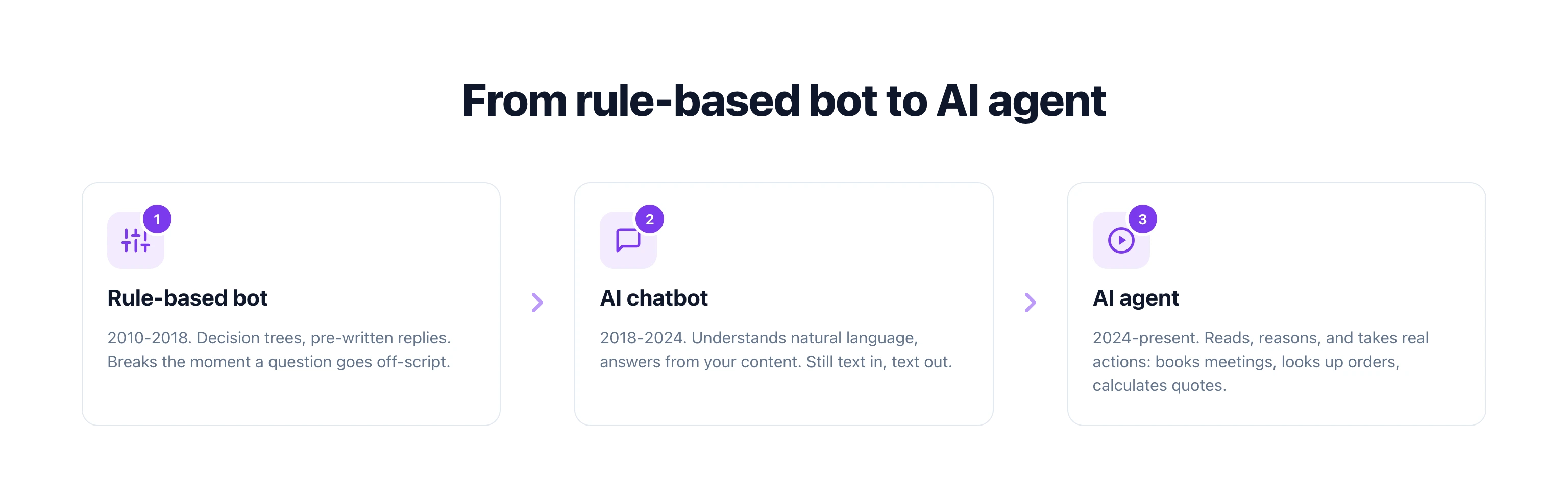
## The Evolution: Rule-Based Bot to AI Agent
The technology did not jump from simple bots to AI agents overnight. There is a clear evolution, and understanding it helps you see where your current tools fall on the spectrum.
### Stage 1: Rule-Based Chatbots (2010-2018)
These are the chatbots that gave chatbots a bad name. Decision trees with pre-written responses. "Press 1 for sales, press 2 for support." If a visitor asked anything outside the script, the bot broke. No intelligence, no learning, no flexibility.
You still see these today. They work for extremely simple use cases like basic FAQ routing. But they frustrate visitors the moment a question gets even slightly complex.
### Stage 2: AI Chatbots (2018-2024)
Large language models changed everything. AI chatbots could understand natural language, handle variations in how people ask questions, and generate human-sounding responses. Train them on your website content and they answer questions intelligently.
This was a massive improvement. But they still only answered questions. They could not check inventory, calculate prices, book appointments, or update records. They were smart librarians, not assistants.
### Stage 3: AI Agents (2024-Present)
AI agents combine language understanding with tool use. They do not just understand what you are asking. They figure out what actions to take, execute those actions through API calls, and report back with results.
An AI agent can:
- Check your Google Calendar and book a meeting at an available time
- Query your inventory system and show real-time stock levels
- Connect to a pricing API and calculate a custom quote
- Send a follow-up email after a conversation ends
- Create a support ticket in your helpdesk
- Look up an order status and share tracking information
This is the leap that matters. Going from "I can tell you about our pricing" to "Let me calculate your exact quote based on your requirements and send it to your email."
## AI Chatbot vs AI Agent: Full Comparison
| Capability | AI Chatbot | AI Agent |
|------------|-----------|----------|
| **Answers questions** | Yes | Yes |
| **Takes actions** | No | Yes (APIs, webhooks, tools) |
| **Reasoning** | Basic (pattern matching) | Advanced (plans multi-step tasks) |
| **Integrations** | None or read-only | Reads and writes to external systems |
| **Autonomy** | Responds only when asked | Can initiate follow-ups and workflows |
| **Data access** | Static training data | Live data from connected systems |
| **Use cases** | FAQ, information lookup | Booking, quoting, ordering, routing |
| **Setup complexity** | Low (upload content) | Medium (connect tools and APIs) |
| **Cost** | Lower | Slightly higher (tool calls use credits) |
| **Customer experience** | Helpful but limited | Feels like talking to a real employee |
The most important row is "takes actions." That is the dividing line. If the software can only generate text responses, it is a chatbot. If it can execute tasks in external systems, it is an agent.
> **Boei's AI Agent does both.** Answer questions from your knowledge base AND take real actions through API integrations. Describe what you want in plain English and the agent builds it. [Start your 7-day free trial](/pricing/) at $19/month.
## Where Most Tools Fall in 2026
Here is what makes this confusing. Most tools marketed as "AI chatbots" in 2026 sit somewhere between a pure chatbot and a full agent. The labels do not match reality.
**Pure chatbots (no actions):**
- Basic website FAQ bots
- Most WordPress chat plugins
- Free-tier tools from Tidio and tawk.to
- Simple knowledge base search widgets
**Chatbot-agent hybrids (limited actions):**
- Intercom Fin (can route and tag, limited integrations)
- Drift (books meetings, basic routing)
- Zendesk AI (ticket creation, pre-built actions)
**True AI agents (full tool use):**
- [Boei AI Agent](/ai-agent/) (builds custom integrations from descriptions)
- Ada (enterprise, custom actions)
- Custom-built solutions using OpenAI function calling
The trend is clear. Every chat tool is moving toward agent capabilities. Within two years, the distinction between chatbot and agent will blur completely. But right now, the gap between a chatbot that answers questions and an agent that takes actions is massive in terms of business impact.
## Real Examples: AI Agent in Action
Let me show you concrete examples of what an AI agent can do that a chatbot cannot. These are real use cases from businesses running [Boei's AI Agent](/ai-agent/).
### Car Dealership: Inventory + Loan Calculator
A car dealership connected their inventory database and a loan calculation API to their AI agent. Here is what happens when a visitor chats:
**Visitor:** "I'm looking for a used SUV under $30,000"
**AI Agent:** Queries the inventory API, filters by type and price, returns 4 matching vehicles with photos, mileage, and pricing.
**Visitor:** "What would monthly payments look like on the RAV4?"
**AI Agent:** Calls the loan calculator with the vehicle price, applies current interest rates, and returns payment options for 36, 48, and 60-month terms.
**Visitor:** "Can I book a test drive for Saturday?"
**AI Agent:** Checks Google Calendar availability, finds open Saturday slots, and books the appointment. Sends a confirmation email to the visitor and a notification to the sales team.
A chatbot could only say "please contact our sales team for pricing and availability." The agent handled the entire interaction from search to booking without a human touching anything.
### Restaurant: Reservation Booking
A restaurant connected their reservation system to the AI agent. Visitors ask about table availability, and the agent checks real-time capacity, suggests available times, and completes the booking. It handles dietary restrictions, party size changes, and special requests by writing directly to the reservation system.
During peak hours, this saves the host from answering the phone 30 times per evening. After hours, it captures reservations that would otherwise go to competitors who pick up the phone.
### SaaS Company: Quote Calculator
A B2B software company connected their pricing engine. Visitors describe their needs (number of users, features required, contract length) and the AI agent calculates an exact quote. It applies volume discounts, checks for active promotions, and emails a formatted proposal. The sales team only gets involved when the prospect is ready to sign.
### How Boei's Agent Builds Integrations
What makes [Boei's approach](/ai-agent/) different is how you set up these integrations. You do not write code or configure API endpoints manually. You describe what you want in plain English.
Tell the agent: "Connect to our Stripe account so customers can check their subscription status and update their payment method." The agent researches the Stripe API, builds the integration, tests it, and deploys it. You review and approve. That is it.
This is the "describe it in chat" workflow. It turns what used to be a developer task into something any business owner can set up in minutes.
## When to Use a Chatbot vs an Agent
Not every business needs a full AI agent. Here is a practical breakdown.
### Use a pure AI chatbot when:
- Your visitors mostly ask informational questions (hours, location, pricing tiers)
- You do not need the bot to take any actions in external systems
- Your FAQ covers 90%+ of what visitors ask
- You want the simplest possible setup with minimal maintenance
- Budget is extremely tight and you need basic coverage only
### Use an AI agent when:
- Visitors need to book appointments, get quotes, or check order status
- You want to qualify leads by collecting specific information and routing to sales
- Your business involves calculations (pricing, loan payments, shipping estimates)
- You need the bot to write data to your CRM, calendar, or helpdesk
- You want to automate follow-up emails based on conversation context
- After-hours lead capture is a priority and you need more than just "leave a message"
### Most businesses need both
Here is the practical truth. Most businesses need a chatbot that can also act as an agent. They need something that answers questions from a knowledge base AND takes actions when the conversation calls for it.
A visitor might start by asking "what are your pricing plans?" (chatbot territory). Then they ask "can you calculate what it would cost for my team of 12?" (agent territory). Then they say "that works, book a demo for Thursday" (agent territory again).
[Boei](/ai-chatbot/) handles this naturally. The same AI answers questions from your training data and takes actions through connected tools. You do not run two separate systems. One [AI employee](/ai-employee/) does both.
> **Need an AI that answers AND acts?** [Boei's AI Agent](/ai-agent/) combines chatbot intelligence with real tool use. Connect your calendar, CRM, APIs, and more. Used by 17,000+ businesses. EU/GDPR compliant. [Try it free for 7 days](/pricing/).
## The Business Impact: Chatbot vs Agent
The ROI difference between a chatbot and an agent is significant. Here is why.
A chatbot deflects questions. It reduces the number of repetitive queries your team handles. That saves time. Good.
An agent generates revenue. It qualifies leads, books meetings, sends quotes, and moves prospects through your pipeline. That is a fundamentally different value proposition.
**Chatbot ROI metrics:**
- Questions deflected from human agents
- Average response time improvement
- Support cost reduction
**Agent ROI metrics:**
- Leads qualified and captured
- Meetings booked automatically
- Quotes sent without human involvement
- After-hours conversions
- Pipeline velocity increase
When you frame it this way, the agent is not a cost center. It is a revenue generator. It is an [AI employee](/ai-employee/) that works your sales and support process 24/7 for a fraction of what a human costs.
Speed-to-lead matters enormously here. The average business takes 47 hours to respond to a new lead. An AI agent responds in under 2 seconds. Businesses that respond within 5 minutes are 100x more likely to connect with a lead than those that wait 30 minutes. An agent does not just respond fast. It qualifies, calculates, and books in the same conversation.
## Common Misconceptions
**"AI agents are just chatbots with plugins."** No. Plugins are pre-built integrations with fixed capabilities. AI agents reason about which tools to use, in what order, based on the conversation context. They plan multi-step workflows dynamically.
**"AI agents are too expensive for small businesses."** [Boei starts at $19/month](/pricing/) with AI agent capabilities included. You do not need an enterprise budget to use tool-calling AI. The Growth plan at $49/month includes 7,000 AI credits and 3 chatbots.
**"Setting up an AI agent requires developers."** With Boei, you describe integrations in plain English. No code, no API documentation, no developer hours. The agent builds its own integrations.
**"Chatbots are dead."** Not at all. Pure chatbot functionality (answering questions from a knowledge base) is still the foundation. Agents add actions on top of that foundation. You need both layers.
## What to Look for in an AI Agent Platform
If you are evaluating tools, here is what separates a real AI agent from a chatbot wearing an agent label.
**Tool calling:** Can it execute actions in external systems, or does it just suggest actions for humans to take? Real agents call APIs directly.
**Multi-step reasoning:** Can it plan and execute a sequence of actions? For example: check calendar availability, then create the booking, then send a confirmation email. Three separate API calls, planned and executed autonomously.
**Custom integrations:** Can you connect your own systems, or are you limited to pre-built integrations? Boei lets you [describe any integration](/automation/) and the agent builds it.
**Fallback to humans:** Can the agent detect when it should hand off to a human? Good agents know their limits.
**Conversation memory:** Does it remember context across a conversation? An agent that forgets what you said three messages ago cannot plan multi-step workflows.
**Channel coverage:** Does it work on your website only, or also WhatsApp, email, and SMS? Boei covers all four channels with the same AI agent.
## FAQ
### What is the main difference between an AI agent and an AI chatbot?
An AI chatbot answers questions using training data. It is reactive: you ask, it responds with text. An [AI agent](/ai-agent/) goes further by taking real actions. It can call APIs, book meetings, calculate quotes, update CRMs, and trigger workflows. The key difference is that agents have tools and can execute tasks, while chatbots can only generate text responses.
### Can an AI chatbot become an AI agent?
Yes, by adding tool-calling capabilities. Many platforms that started as chatbots are evolving into agents by connecting to external systems. [Boei](/ai-chatbot/) includes both chatbot and agent functionality in one platform, so you do not need to migrate between tools as your needs grow.
### Are AI agents more expensive than AI chatbots?
Not necessarily. AI agent actions (API calls, calculations, data lookups) use slightly more compute than simple text responses. But the cost difference is small. Boei includes agent capabilities starting at $19/month. The revenue an agent generates through lead qualification, automated bookings, and instant quotes far outweighs the marginal cost increase.
### Do I need technical skills to set up an AI agent?
With Boei, no. You describe what you want the agent to do in plain English. "Connect to my Google Calendar and let visitors book appointments." The agent builds the integration itself. No coding, no API documentation, no developer hours. More complex setups with custom APIs may benefit from technical input, but most small business use cases work out of the box.
### Is an AI agent safe to let interact with my business systems?
Yes, with proper guardrails. [Boei's AI Agent](/ai-agent/) only accesses the systems you explicitly connect. Every integration goes through a review step before it goes live. The agent operates within defined boundaries and cannot access systems you have not approved. It is also EU/GDPR compliant with data processing in Europe.
### What tasks can an AI agent handle that a chatbot cannot?
An agent can book appointments via Google Calendar, calculate custom quotes using pricing formulas, look up order status from your database, qualify leads by collecting structured information, send follow-up emails, create support tickets, process form submissions, and route conversations to the right team member. Anything that requires writing data to an external system is agent territory. Learn more about [automation capabilities](/automation/).
> **Your customers do not care about labels.** They care about getting help fast. [Boei's AI Agent](/pricing/) answers questions AND takes actions, 24/7, across website, WhatsApp, email, and SMS. 17,000+ businesses trust it. Start your 7-day free trial today, no credit card needed.
## The Bottom Line
AI chatbots answer questions. AI agents answer questions and take actions. Most "chatbots" in 2026 are somewhere between the two, and the gap is closing fast.
For your business, the distinction matters because it determines what the software can actually do for you. A chatbot saves your team time by handling repetitive questions. An agent saves time AND generates revenue by qualifying leads, booking meetings, sending quotes, and running workflows autonomously.
[Boei](/ai-agent/) gives you both in one platform. Train it on your content for chatbot-level Q&A. Connect your tools for agent-level actions. Describe what you want in plain English and let the AI employee handle the rest.
The future is not chatbot or agent. It is both, working together, 24/7.
---
## AI Chatbot Book Meetings: Google Calendar, Calendly & More
URL: https://boei.help/blog/ai-chatbot-book-meetings/
Summary: Connect your AI chatbot to Google Calendar, Calendly, Cal.com, Acuity, or Outlook. Step-by-step guide for service businesses to automate meeting booking.
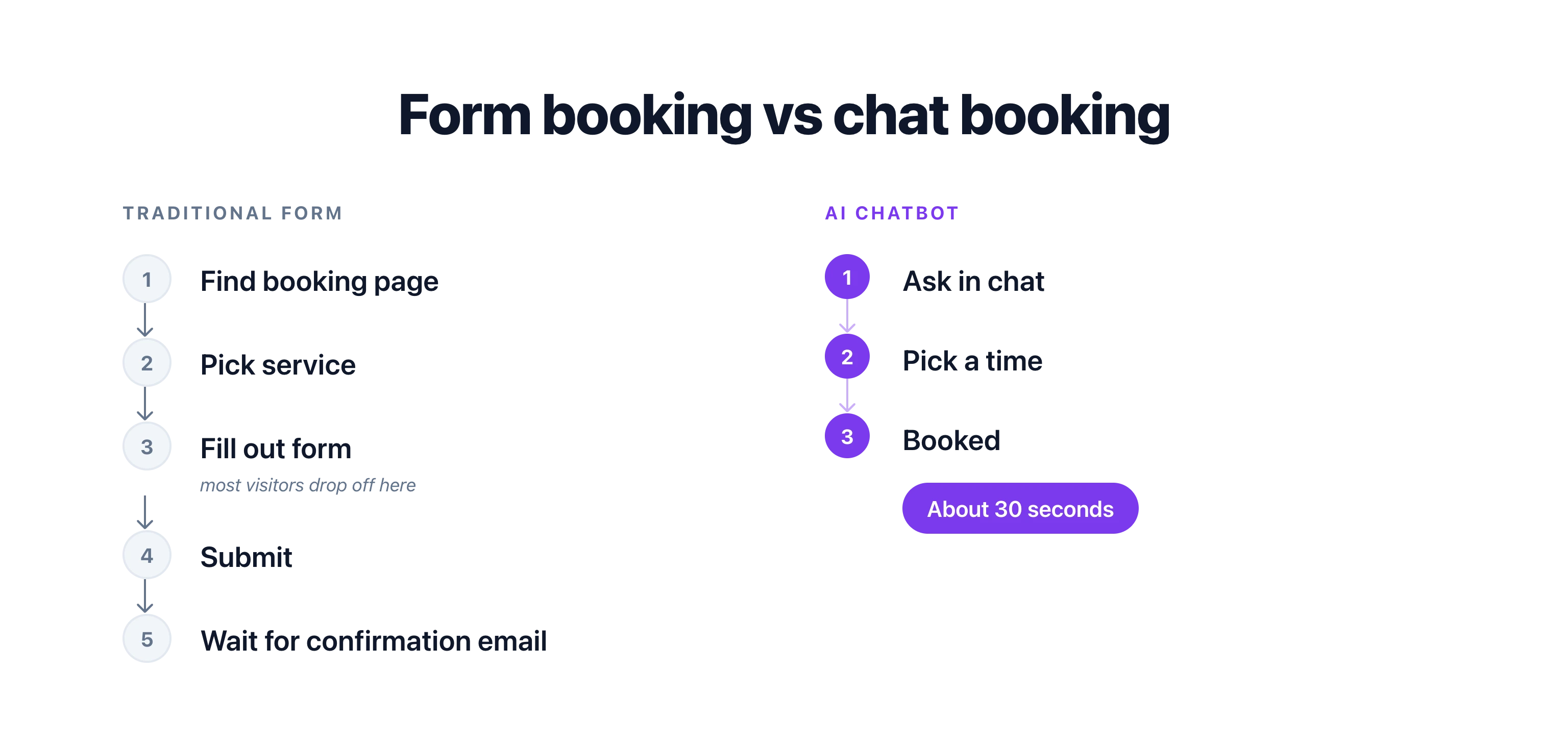
Most visitors who want to book a meeting never finish booking. They have to find the right button, load a scheduling page, pick a service, and fill in a form. Half drop off before the calendar even loads.
An AI chatbot that can book meetings skips all of that. It asks "Want me to book that for you?" and handles the rest inside the conversation, using the calendar you already have.
> **In short:** An AI chatbot books meetings by connecting to your calendar tool's API (Google Calendar, Calendly, Cal.com, Acuity, or Outlook), reading real-time availability, and creating events directly inside the conversation. Visitors book in 30 seconds without leaving your website. Setup takes a few minutes and captures intent when it is highest, which lifts show rates compared to form-based booking.
## Why Does Chat-Based Booking Convert Better Than Forms?
The difference between a traditional booking form and a chatbot booking flow comes down to friction. Every extra step costs you conversions.
| | Traditional Booking Form | AI Chatbot Booking |
|---|---|---|
| **Steps to book** | 5-7 (find page, pick service, fill form, confirm) | 2-3 (chat, confirm time, done) |
| **Questions answered first** | No - visitor must leave and come back | Yes - AI answers, then offers to book |
| **Available 24/7** | Yes, but no help if visitor is confused | Yes, with real-time guidance |
| **No-show rate** | 20-30% (healthcare industry average) | Reduced by up to 40% with real-time booking |
| **Time to complete** | 3-5 minutes | Under 60 seconds |
| **Mobile experience** | Often clunky calendar grids | Natural chat interface |
According to Zendesk, 67% of customers prefer self-service for simple tasks like scheduling. But "self-service" does not mean "figure it out yourself on a confusing booking page." It means getting it done quickly without waiting for a human.
> **67% of customers prefer self-service over speaking to a company representative for simple tasks.**
> Source: Zendesk Customer Experience Trends Report
Chat visitors who book a meeting during a conversation have higher show rates than those who fill out a form and wait for a callback. The reason is simple. They booked when their intent was highest. No delay, no cooling off period, no forgetting about it.
Here is the math. If you are a consultant billing $200/hour and you lose 2 meetings per week to no-shows, that is $20,800 per year in lost revenue. Cutting no-shows by even 40% saves you over $8,000 annually, just by changing how people book.
> **$8,000 saved per year.** A consultant billing $200/hour who cuts weekly no-shows from 2 to roughly 1 recovers over $8,000 in annual revenue. The only change is how visitors book.
## Which Calendar Tools Let an AI Chatbot Book Meetings?
You do not need to switch calendar tools. A good AI chatbot connects to whatever you already use through APIs and webhooks. The most popular options are Google Calendar, Calendly, Cal.com, Acuity Scheduling, and Microsoft Outlook. Each connects in a slightly different way.
### Google Calendar
The most widely used option for small businesses. Your chatbot reads your availability in real time and creates events directly on your calendar. If you use Google Workspace, it can also check team members' calendars to find the best overlap.
[Connect Google Calendar to your chatbot](/integrations/google-calendar/)
### Calendly
Calendly handles the scheduling logic (buffer times, round-robin, event types) while your chatbot handles the conversation. The chatbot collects context from the visitor, then creates the Calendly booking with pre-filled information. The visitor never has to re-enter their name or reason for the meeting.
[Connect Calendly to your chatbot](/integrations/calendly/)
### Cal.com
Cal.com is an open-source alternative to Calendly. It works the same way - your chatbot triggers bookings through the API. A good choice if you want full control over your scheduling data or prefer self-hosted tools.
[Connect Cal.com to your chatbot](/integrations/cal-com/)
### Acuity Scheduling
Acuity Scheduling (by Squarespace) is popular with salons, fitness studios, and healthcare providers. It supports intake forms, packages, and payment collection at booking time. Your chatbot can pass all the required intake information directly to Acuity, so the visitor completes everything in one conversation.
[Connect Acuity Scheduling to your chatbot](/integrations/acuity-scheduling/)
### Microsoft Outlook
For businesses on Microsoft 365, connecting to Outlook Calendar keeps everything inside the ecosystem you already use. Your chatbot checks availability through the Microsoft Graph API and books directly onto your Outlook calendar.
[Connect Outlook Calendar to your chatbot](/integrations/outlook-calendar/)
## How Does an AI Chatbot Book a Meeting?
An AI chatbot books a meeting in three steps: it asks the visitor what they want, checks your calendar's real-time availability through the API, and creates the event with the visitor's details. The whole exchange happens inside the chat window. Here is what a typical chat-to-calendar conversation looks like:
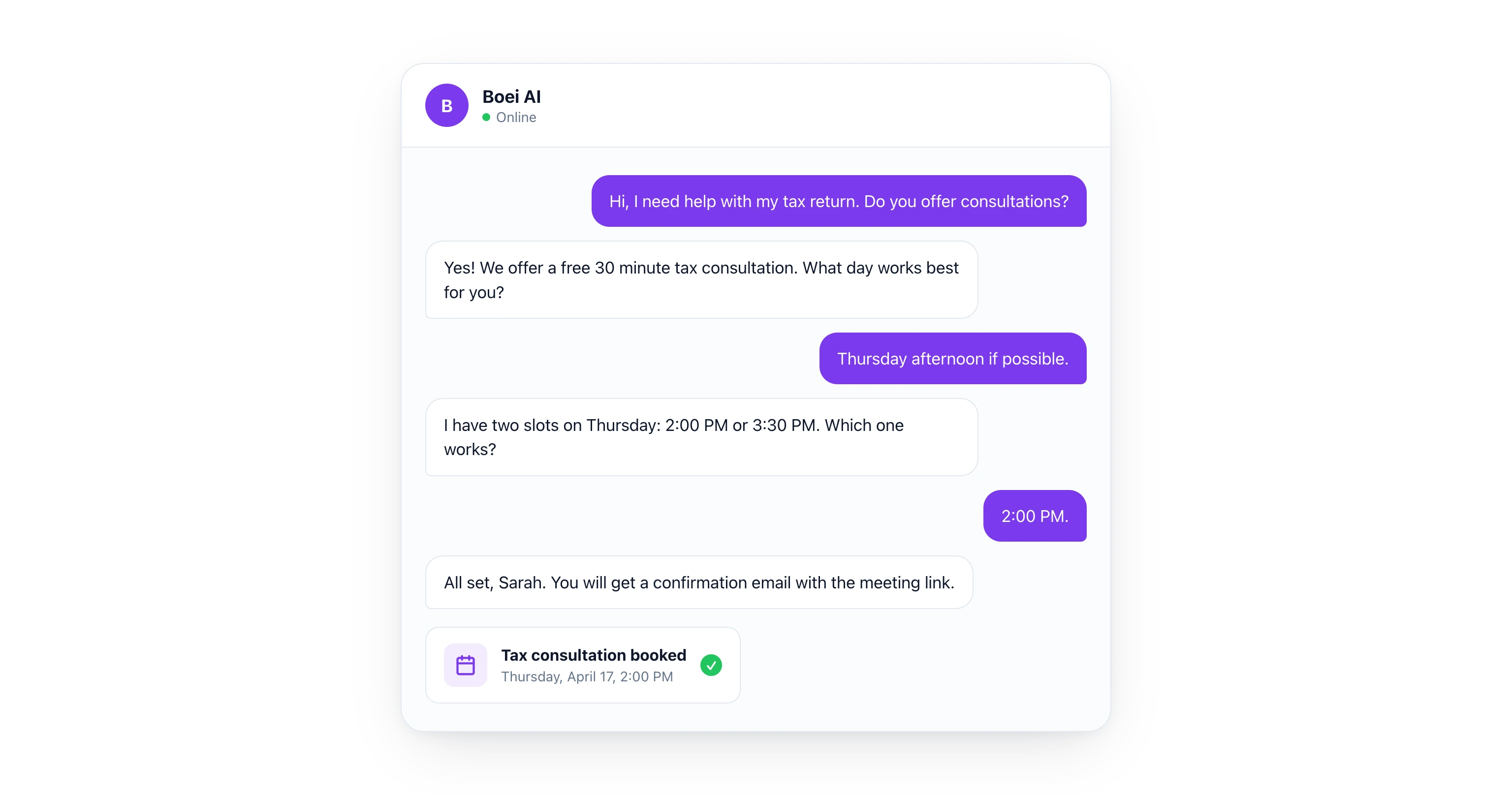
**Visitor:** "Hi, I need help with my tax return. Do you offer consultations?"
**AI Chatbot:** "Yes! We offer a free 30-minute tax consultation. I can book one for you right now. What day works best for you?"
**Visitor:** "Thursday afternoon if possible."
**AI Chatbot:** "I have two slots available on Thursday: 2:00 PM and 3:30 PM. Which one would you prefer?"
**Visitor:** "2:00 PM works."
**AI Chatbot:** "Done! I have booked you for Thursday at 2:00 PM. You will receive a confirmation email with a Google Meet link. Can I get your name and email to send the details?"
**Visitor:** "Sarah Johnson, sarah@email.com"
**AI Chatbot:** "All set, Sarah. You are booked for Thursday, April 17 at 2:00 PM. See you then!"
The whole exchange takes about 30 seconds. The visitor never left the chat window. The AI checked real-time calendar availability, created the event, and sent the confirmation. No forms, no page loads, no friction.
## Which Industries Benefit Most from Chatbot Booking?
Any business that books appointments benefits, but the impact is largest in industries with high no-show rates, after-hours intent, or complex booking rules. Below are four common patterns.
### Dental Practices
A patient visits your website at 9 PM with a toothache. Your office is closed. The AI chatbot asks about symptoms, confirms you accept their insurance, and books the earliest available emergency slot for the next morning. The patient gets an SMS reminder 2 hours before the appointment. Result: fewer no-shows, fewer phone calls to your front desk.
### Consultants and Coaches
A potential client reads your case studies and wants to talk. Instead of sending them to a Calendly link where they stare at a calendar grid, the chatbot asks two qualifying questions ("What is your company size?" and "What is your biggest challenge right now?") and then books a discovery call. The meeting invite includes the visitor's answers so you walk into the call prepared.
### Salons and Spas
A visitor wants a haircut and color but is not sure how long to book. The chatbot explains that a cut and color takes about 90 minutes, checks which stylists have 90-minute blocks available, and books the appointment. It can even collect a deposit or card on file through your payment integration.
### Marketing Agencies
A lead fills out nothing. They just start chatting: "How much do you charge for SEO?" The AI answers their pricing question, gauges their budget, and if they are a fit, offers to book a strategy call with the right team member. Round-robin scheduling distributes meetings across your sales team automatically.
## Setting Up Chat-to-Calendar in Boei
Setting up meeting booking through [Boei's AI chatbot](/ai-chatbot/booking/) takes a few minutes. No coding required.
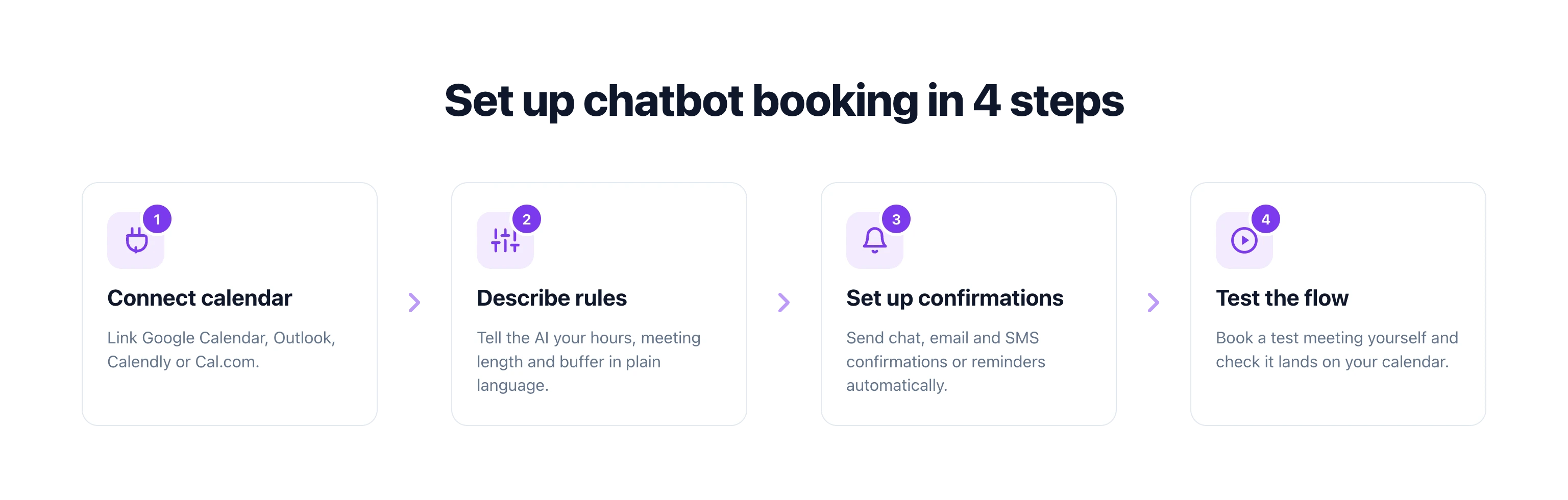
**Step 1: Connect your calendar.** In the Boei dashboard, link your Google Calendar, Outlook, or any tool with an API. For Calendly and Cal.com, you can connect through [Zapier](/integrations/zapier/) or use a direct webhook.
**Step 2: Describe your booking rules.** Tell the AI your constraints in plain language: "Available Monday through Friday, 9 AM to 5 PM. Each meeting is 30 minutes. Leave a 15-minute buffer between meetings. No bookings on public holidays."
**Step 3: Set up confirmations.** Choose what happens after a booking: send a chat confirmation, trigger an email with meeting details, send an SMS reminder 24 hours before, or add the contact to your CRM pipeline.
**Step 4: Test the flow.** Open your chatbot, ask to book a meeting, and verify the event shows up on your calendar. Adjust the AI's tone and questions until the conversation feels natural.
That is it. Your chatbot is now a 24/7 booking assistant that works while you sleep.
For a deeper walkthrough on appointment-based chatbots, see our full guide: [AI Chatbot for Booking and Appointments](/blog/ai-chatbot-booking-appointments/).
## What About Rescheduling and Cancellations?
A booking chatbot that only creates meetings is only half the solution. The best setups also handle changes. When a customer comes back and says "I need to move my Thursday call," the AI can look up their booking, show alternative slots, and update the calendar event. No human involvement needed.
This is where webhook-based approaches shine. The chatbot sends a request to your calendar tool's API, the change is made instantly, and both parties get updated confirmations. It works the same way whether you use Google Calendar, Calendly, or any other tool.
## Start Booking Meetings Through Chat
Your website visitors are ready to book. The question is whether you make it easy or make them work for it. An AI chatbot that connects to your calendar removes every unnecessary step between "I am interested" and "I am booked."
Pick your calendar tool, connect it to your chatbot, describe your rules, and start converting more visitors into meetings today.
[Try Boei free for 7 days](https://app.boei.com/register?ref=ext-blog-book-meetings&plausible-event-name=Signup) - no credit card required.
## FAQ
### Can an AI chatbot book meetings on Google Calendar?
Yes. An AI chatbot can connect to Google Calendar through its API, check your real-time availability, and create events directly on your calendar. The visitor picks a time inside the chat without ever leaving your website.
### Does chatbot booking work with Calendly?
Yes. Your chatbot can trigger Calendly bookings through the API or through a webhook integration like [Zapier](/integrations/zapier/). The chatbot collects the visitor's information and preferred time, then creates the Calendly event with all details pre-filled.
### How does chat-based booking reduce no-shows?
Real-time booking captures visitors at peak intent. Instead of filling out a form and waiting for a callback (where 20-30% never show up), the visitor books immediately during the conversation. Studies show this approach reduces no-shows by up to 40%.
### Do I need to code anything to set this up?
No. Tools like [Boei](/ai-chatbot/booking/) let you connect your calendar and describe your booking rules in plain language. The AI handles the conversation flow, availability checks, and event creation automatically. No code or developer needed.
### Which calendar tools work with AI chatbot booking?
Most major calendar and scheduling tools work, including Google Calendar, Microsoft Outlook, Calendly, Cal.com, and Acuity Scheduling. If your tool has an API or supports webhooks, it can connect to an AI chatbot.
---
## AI Chatbot for Booking & Appointments (2026)
URL: https://boei.help/blog/ai-chatbot-booking-appointments/
Summary: How to use an AI chatbot for booking appointments. Setup guide, industry examples, and comparison with Calendly and Acuity.
---
An AI chatbot for booking appointments eliminates the back-and-forth that kills conversions. Visitors describe what they need, the AI checks your calendar, and the slot is booked in under 60 seconds. No forms, no phone calls, no waiting for a reply.
Businesses that offer online booking see 26% more appointments than those that rely on phone or email scheduling (GetApp). Adding AI to the process pushes that number higher because the booking happens inside a conversation, not on a separate page.
## How AI Chatbot Booking Works
Traditional booking widgets show a calendar grid and let visitors pick a time. That works, but it misses context. A visitor has to know exactly what service they want, how long it takes, and which team member to book with. If they have questions first, they leave the booking page and may never come back.
An [AI chatbot](/ai-chatbot/) combines the conversation and the booking into one flow:
**1. Visitor asks a question.** "Do you offer evening consultations?" or "I need a haircut and color, how long should I book?"
**2. AI answers and suggests booking.** The AI uses your training data to answer, then naturally offers to schedule: "Yes, we have evening slots available. Want me to book one for you?"
**3. AI checks availability.** The [AI Agent](/ai-agent/) connects to your Google Calendar (or any calendar API) and pulls real-time availability. No double-bookings, no stale data.
**4. Visitor picks a time.** The AI presents available slots in the conversation. The visitor picks one without leaving the chat.
**5. Booking is confirmed.** The AI creates the calendar event, sends a confirmation message, and can trigger an email or SMS reminder.
The entire process takes 30 to 60 seconds. Compare that to the traditional flow: visitor finds your booking page, browses a calendar, fills out a form, submits, waits for a confirmation email. That takes 3 to 5 minutes if everything goes smoothly. And if they have a question mid-process, they abandon.
## Setting Up AI Booking with Boei
Setting up appointment booking through Boei's AI Agent is straightforward. You don't need to write code or build integrations manually.
### Step 1: Connect Your Calendar
In your Boei dashboard, connect your Google Calendar. The AI Agent gets read and write access to check availability and create events. If you use a different calendar system, Boei connects via API or webhook.
### Step 2: Describe the Booking Rules
Tell the AI Agent your booking rules in plain language. For example:
*"Visitors can book a free 30-minute consultation. Available Monday through Friday, 9am to 5pm CET. Leave a 15-minute buffer between meetings. Don't book anything on public holidays."*
The AI Agent understands these constraints and applies them automatically. No configuration forms. No dropdown menus. Just describe what you want.
### Step 3: Set Up Confirmation Messages
Configure what happens after a booking is made:
- Send a confirmation message in the chat
- Trigger an email confirmation with meeting details
- Send an SMS reminder 24 hours before the appointment
- Add the visitor's contact information to your CRM pipeline
### Step 4: Install and Test
Add the Boei widget to your website with the one-line code snippet. Test by opening the chat and asking to book an appointment. Verify that the calendar event appears correctly with all details.
The entire setup takes under 5 minutes if your calendar is already configured.
> **Turn website visitors into booked appointments.** Start your free 7-day trial and connect your calendar in minutes.
## Industry Use Cases
AI chatbot booking works differently depending on your industry. Here are six examples with specific implementations.
### Restaurants: Table Reservations
A restaurant chatbot handles reservations without requiring staff to answer the phone during service. The visitor says "Table for 4, Saturday evening around 7pm." The AI checks availability, suggests 7:00pm or 7:30pm, confirms the reservation, and sends a reminder the day before.
For restaurants with multiple locations, the AI asks which branch first. For those with special menus (tasting menu, wine pairing), it provides details and upsells naturally during the conversation.
Boei has a dedicated setup for restaurants that includes reservation management alongside menu questions, dietary information, and directions.
### Real Estate: Property Viewings
Real estate agents lose deals when viewings take too long to schedule. A buyer sees a listing at 9pm, wants to view it this weekend, and emails the agent. The agent responds Monday morning. By then, the buyer has already booked viewings with three other agents.
An AI chatbot for real estate books viewings instantly. The visitor asks about a property, the AI answers questions about square footage, neighborhood, and pricing, then offers to schedule a viewing. The agent wakes up to a calendar full of confirmed appointments.
The speed-to-lead advantage here is massive. The first agent to offer a viewing usually gets the deal.
### Salons and Spas: Service Appointments
Salon booking has a unique challenge: different services take different amounts of time, and some require specific staff members. A haircut is 30 minutes. A color treatment is 90 minutes. A cut and color with a senior stylist is 2 hours with only certain time slots available.
The AI chatbot handles this by asking what service the visitor wants, checking the appropriate duration, and matching it against available slots for qualified staff. It can also suggest add-on services: "Would you like to add a conditioning treatment for $20?"
### Medical and Dental Clinics: Patient Consultations
Healthcare booking requires sensitivity and compliance. The AI chatbot collects basic information (new or returning patient, type of consultation, insurance provider) before showing available slots.
For clinics, the AI can triage basic questions: "Is this urgent?" routes to an emergency number. "I need a routine checkup" goes to the booking flow. "What does my insurance cover?" provides information from the clinic's FAQ data.
GDPR compliance matters here, especially for EU-based clinics. Boei processes data within the EU and complies with GDPR requirements, which makes it suitable for healthcare applications. See the dedicated [Boei for Healthcare](/for/healthcare/) page for compliance details and clinic-specific workflows.
### Car Dealerships: Test Drive Scheduling
A visitor browsing your inventory at midnight sees a car they like. With a traditional website, they fill out a contact form and wait. With an AI chatbot, they ask questions about the car (engine, mileage, financing options), get instant answers, and book a test drive before closing the browser.
The AI can also qualify leads during the conversation: budget range, trade-in vehicle, financing preferences. When the salesperson meets the customer for the test drive, they already know what the buyer wants. No cold start.
### Consultants and Coaches: Discovery Calls
For service businesses, the discovery call is where deals start. An AI chatbot qualifies the prospect first: "What's your company size? What challenge are you trying to solve? What's your timeline?" Based on the answers, it either books a call with the right team member or provides self-serve resources for prospects that aren't a good fit.
This pre-qualification saves consultants hours per week that would otherwise be spent on calls with unqualified leads.
## Benefits of AI-Powered Booking
### 24/7 Availability
The most obvious benefit. Your booking system works when you sleep, when you are in meetings, and during holidays. For businesses with international clients across time zones, this matters even more. A visitor in Tokyo can book an appointment with your London office at 3am GMT without waiting for business hours.
### No Phone Tag
The average business loses 62% of calls that come in during busy hours (Ruby Receptionist). Each missed call is a missed booking. An AI chatbot never misses a message and never puts anyone on hold.
### Reduced No-Shows
When the booking happens inside a conversation, the AI collects the visitor's phone number and email naturally. It then sends confirmation messages and reminders. Businesses using automated reminders see 29% fewer no-shows compared to manual confirmation.
### Qualified Appointments
Not every appointment is worth your time. The AI pre-qualifies by asking relevant questions before offering to book. A real estate agent can filter out casual browsers. A consultant can identify budget mismatches. A clinic can route patients to the right specialist. This means fewer wasted slots and higher conversion from appointment to customer.
### Faster Speed-to-Lead
Harvard Business Review found that businesses responding within 5 minutes are 21x more likely to qualify a lead. An AI chatbot responds in seconds. For appointment-based businesses, speed-to-lead translates directly to speed-to-booking. The first business to offer a concrete appointment time wins.
## Boei vs Booking Tools: Comparison
| Feature | Boei AI Agent | Calendly | Acuity | Dedicated Booking Bots |
|---|---|---|---|---|
| **Booking via chat** | Yes, conversational | No, form-based | No, form-based | Yes |
| **AI answers questions** | Yes, trained on your content | No | No | Limited, scripted |
| **Lead capture** | Built into conversation | Separate form | Separate form | Basic |
| **Website chat widget** | Yes | No (embed or link only) | No (embed or link only) | Yes |
| **WhatsApp booking** | Yes | No | No | Some |
| **Pre-qualification** | AI-powered, natural | Manual form fields | Manual form fields | Decision trees |
| **Multiple channels** | Website, WhatsApp, email, SMS | Website embed | Website embed | Usually one channel |
| **Starting price** | $19/month | Free (limited) | $16/month | $30-100/month |
| **GDPR compliant** | Yes, EU-based | Yes | Yes | Varies |
| **Languages** | 95+ automatic | Interface-level only | Interface-level only | Varies |
The key difference: Calendly and Acuity are standalone booking tools. They do one thing well. But they require visitors to leave the conversation, navigate to a booking page, and complete a form. Every extra step loses visitors.
Boei combines booking with AI-powered answers and lead capture in one widget. A visitor can ask "What's included in your premium package?", get an answer, then book a consultation without ever leaving the chat window. That seamless flow is what drives higher booking rates.
> **One widget for answers, leads, and bookings.** Try Boei free for 7 days and connect your calendar today.
## Real-World Results
The numbers tell the story for appointment-based businesses that switch to AI chatbot booking:
**Response time drops from hours to seconds.** Instead of waiting for someone to check email or return a call, visitors get an immediate response and a booked appointment. For real estate, salons, and clinics, this single improvement often increases bookings by 20-30%.
**After-hours bookings appear.** Most businesses are surprised by how many bookings come in outside business hours. The AI handles conversations at 10pm, midnight, and 6am. These are visitors that would have bounced without the chatbot.
**No-show rates decrease.** Automated confirmations and reminders through email and SMS keep the appointment top of mind. The conversational nature of the booking also creates a stronger commitment than a cold form submission.
**Staff spends time on service, not scheduling.** A salon receptionist who spent 2 hours per day on the phone scheduling appointments now handles only complex requests. A real estate agent who answered 15 calls per day about viewings now focuses on showing properties.
## How to Maximize Booking Conversions
### Ask the Right Qualifying Questions
Don't book everyone. Configure your AI to ask one or two qualifying questions that help match the visitor to the right appointment type. This reduces cancellations and improves the quality of every meeting.
### Offer the Next Available Slot First
When the AI presents booking options, lead with the earliest available time. "I have an opening tomorrow at 2pm. Does that work?" converts better than showing a full calendar grid. Urgency drives action.
### Send Multi-Channel Reminders
Use both email and SMS reminders. An email sent 24 hours before plus an SMS sent 2 hours before reduces no-shows significantly compared to a single reminder.
### Follow Up After the Appointment
The AI can send a follow-up message after the appointment: "How was your consultation? Would you like to book a follow-up?" This closes the loop and drives repeat bookings.
### Track Which Pages Drive Bookings
Use Boei's analytics to see which website pages generate the most booking conversations. Double down on those pages with better content, clearer calls to action, and proactive chat triggers.
## FAQ
### How does the AI chatbot connect to my calendar?
Boei's AI Agent connects to Google Calendar natively. For other calendar systems (Outlook, Apple Calendar, custom solutions), it connects via API or webhook. The AI gets real-time access to your availability and can create events directly. Setup takes under 2 minutes.
### Can the AI handle different appointment types with different durations?
Yes. You describe your appointment types in plain language: "Initial consultation is 60 minutes, follow-up is 30 minutes, quick call is 15 minutes." The AI matches the visitor's request to the right type and checks availability accordingly.
### What happens if two people try to book the same slot?
The AI checks availability in real-time before confirming any booking. If a slot gets taken between the time options are shown and the visitor confirms, the AI apologizes and offers the next available time. No double-bookings.
### Can I limit bookings to certain days or hours?
Yes. Tell the AI your availability rules: "Available Monday to Friday, 9am to 5pm. No bookings on weekends or Dutch public holidays. Maximum 6 appointments per day." The AI applies these rules automatically.
### Does the AI chatbot work on WhatsApp for bookings?
Yes. The same booking flow works on WhatsApp. A customer messages your WhatsApp business number, asks a question, and books an appointment without leaving WhatsApp. The calendar integration works identically across all channels.
### How much does this cost?
Boei's Starter plan starts at $19/month (annual billing) and includes AI chatbot functionality. For businesses that need booking across multiple channels with more AI credits, the Growth plan at $49/month covers 3 chatbots, 7,000 AI credits, and 3 domains. See the full [pricing breakdown](/pricing/).
### Can I use this alongside my existing Calendly or Acuity setup?
Yes. You don't have to replace your existing booking tool. Boei's AI can include a link to your Calendly or Acuity page as part of the conversation. But for the best experience, connecting directly through Google Calendar keeps everything inside the chat window.
> **Stop losing bookings to slow response times.** Start your free trial and let your AI Agent handle scheduling 24/7. No credit card required.
## Getting Started
Setting up AI chatbot booking takes less time than the appointments it will generate. Here is the quickest path:
1. Sign up for Boei (free 7-day trial, no credit card)
2. Create your AI Agent and describe your booking rules
3. Connect your Google Calendar
4. Install the widget on your website
5. Test by booking an appointment through the chat
Within 10 minutes, you will have an [AI chatbot](/ai-chatbot/) that answers questions, qualifies visitors, and books appointments automatically. Across your website, WhatsApp, email, and SMS.
For industry-specific setups, check out our guides for restaurants and real estate. Or explore the full [AI Agent capabilities](/ai-agent/) to see what else your chatbot can handle beyond booking.
---
## AI Chatbot for Car Dealerships: Automate Leads 24/7 (2026)
URL: https://boei.help/blog/ai-chatbot-car-dealerships/
Summary: Short answer: an AI chatbot for car dealerships answers vehicle inquiries 24/7, books test drives, and captures leads from $19/mo.
---
**Short answer:** the best AI chatbot for car dealerships answers vehicle inquiries 24/7, calculates monthly payments, and books test drives directly on your sales calendar. Boei starts at $19/mo (annual Starter) and covers new and used car dealers, with WhatsApp, SMS, and email built in. Dealership-specific vendors like Podium ($399/mo Core, quote-only for enterprise tiers) and DealerSocket (custom) sit at a much higher price point.
> Verified 2026-08-05 — pricing from vendor sites: [Boei](/pricing/), [Podium](https://www.podium.com/pricing/), DealerSocket (contact sales — no public pricing).
> **Ready to capture after-hours leads?** Try Boei free for 7 days and set up your dealership chatbot in under 10 minutes.
## 5 Dealership-Specific AI Chatbot Use Cases
Before comparing tools, know which jobs an AI chatbot actually needs to do on a dealer site. These are the five that move the needle for new and used car dealers:
1. **Lead capture from vehicle detail pages.** Buyers land on a specific VIN and want price, availability, or a "hold this car" note. The chatbot captures name, phone, and preferred contact time, then hands off to sales.
2. **Inventory Q&A.** "Do you still have the 2023 F-150 XLT in silver?" The chatbot reads live inventory (via DMS integration) and confirms the exact vehicle, trim, and mileage instead of a generic "please call us".
3. **Service booking.** Oil change, tire rotation, warranty check. The chatbot reads service-bay availability and books directly on the service calendar, cutting phone volume.
4. **Trade-in valuation.** The chatbot asks for year, make, model, mileage, and condition, then returns a KBB-style range so the buyer keeps the conversation going with a real number in hand.
5. **Financing pre-qualification.** Down payment, credit tier, and target monthly payment go in; the chatbot returns a payment estimate and captures the pre-qual lead for the F&I desk.
Any AI chatbot for dealerships that skips more than one of these is a general-purpose tool, not a dealership tool.
## Why Car Dealerships Need an AI Chatbot in 2026
Car buying has changed. People spend **14 hours researching online** before they ever step on your lot (Cox Automotive Digital Retailing Study). They want answers fast. They want them at midnight. And they will not wait until Monday morning.
Here is what happens without a chatbot. Remember, car buyers typically message 3-4 dealerships at the same time. Responding within 5 minutes makes you 21x more likely to qualify a lead (InsideSales). The first dealership to answer wins the visit.
- A customer finds a used 2023 Camry on your site at 9pm. They want to know if it is still available. No answer. They check another dealer, and that dealer's AI already answered
- Someone wants to calculate their monthly payment on a $35,000 truck. Your finance team went home. The buyer loses interest
- A Spanish-speaking customer visits your site. Nobody on your night shift speaks Spanish. You lose the lead
**The average dealership misses 30% of leads due to slow response times** (Conversica). That is not a small number. On a lot that generates 200 leads per month, you are losing 60 potential buyers.
An AI chatbot solves all three problems. It answers instantly, in any language, at any hour.
### What Makes Automotive AI Different
A generic chatbot can answer basic questions. A dealership chatbot needs to do more:
- **Search live inventory** by make, model, year, price, and color
- **Calculate financing** based on down payment, credit tier, and current rates
- **Book test drives** directly on your calendar
- **Capture trade-in info** and give preliminary estimates
- **Route hot leads** to your sales team instantly via SMS or email
This is where [Boei's AI Agent](/ai-agent/) changes the game. You do not need a developer to build these connections. You describe what you want, and the agent figures out the rest.
## How the AI Agent Works for Dealerships
The [AI Agent](/ai-agent/) is what separates Boei from basic chatbot tools. Instead of writing code or hiring a developer, you tell the agent what you need in plain English. It researches the API, builds the integration, and tests it.
Here are the exact use cases that matter for your dealership.
### 1. Live Inventory Search
Tell the agent: **"Connect to our DMS so visitors can search our current inventory by make, model, year, and price range."**
The agent connects to your dealer management system. Your chatbot then shows available cars with photos and specs. A customer types "Show me SUVs under $30,000" and gets a list of matching vehicles from your actual lot. Not a generic response. Your real inventory, updated in real time.
### 2. Monthly Payment Calculator
Tell the agent: **"When someone finds a car they like, calculate their monthly payment based on the price, their down payment, and current interest rates."**
The chatbot does the math in real time. A buyer looking at a $28,000 Honda CR-V puts in $5,000 down. The chatbot shows them $395/month at 6.5% for 60 months. No waiting for your finance manager. No phone tag. The buyer gets their answer in seconds.
### 3. Test Drive Booking
Tell the agent: **"Connect to Google Calendar so visitors can book a test drive."**
The chatbot checks your sales team's availability and confirms the appointment. The customer picks a date and time. They get a confirmation. Your salesperson gets a notification. Done. No back-and-forth emails. No missed calls.
You can also use this for [general appointment booking](/ai-chatbot/booking/) across service departments.
### 4. Trade-In Value Estimates
Tell the agent: **"When a visitor asks about trade-in value, look up the KBB estimate for their car."**
The chatbot asks for the year, make, model, mileage, and condition. Then it pulls the Kelley Blue Book data and gives a range. "Your 2020 Toyota Camry with 45,000 miles is worth approximately $18,500 to $20,200." The customer stays engaged. They have a number. They are closer to a deal.
### 5. The Full Pipeline (This Is Where It Gets Powerful)
Here is how all the pieces work together:
1. **Visitor searches inventory** and finds a 2024 Ford Bronco they like
2. **Chatbot calculates monthly payments** at $550/month with $8,000 down
3. **Visitor asks about their trade-in.** Chatbot estimates $15,000 for their current car
4. **Chatbot captures lead info.** Name, phone, email, preferred contact time
5. **Visitor books a test drive** for Saturday at 11am
6. **Lead appears in your [Boei inbox](/team-inbox/)** with the full conversation history
7. **Deal gets created in the [CRM](/chatbot-crm/)** with all the details attached
8. **AI drafts a follow-up email** confirming the appointment and next steps
All automatic. All from one conversation. The customer never waited. Your sales team gets a fully qualified lead with financing interest, trade-in details, and a confirmed appointment.
## After-Hours Lead Capture: Your Biggest Opportunity
Let me be blunt. **Most dealership leads come in after business hours.** Your website gets the most traffic between 7pm and 11pm. That is when people sit on their couch, scroll their phones, and dream about their next car.
Without a chatbot, your website is a brochure after 6pm. With a chatbot, it is like hiring a salesperson who works every shift, knows every car on the lot, and never calls in sick.
Here is what your after-hours chatbot should handle:
| Task | Without Chatbot | With AI Chatbot |
|------|----------------|-----------------|
| Inventory questions | Unanswered until morning | Instant response with live data |
| Payment calculations | "Call us during business hours" | Real-time math with current rates |
| Test drive booking | Contact form (maybe) | Confirmed appointment in 60 seconds |
| Trade-in estimates | No option available | KBB estimate during conversation |
| Lead capture | Basic form, 50% bounce | Conversational, 3x higher completion |
| Follow-up | Next business day | Instant confirmation email |
| Language support | English only | 100+ languages automatically |
The difference in conversion is massive. Dealerships using AI chatbots see **2-3x more after-hours leads** compared to contact forms alone.
## WhatsApp for Service Reminders and Follow-Ups
Your relationship with a customer does not end at the sale. Service revenue keeps dealerships profitable. [WhatsApp integration](/whatsapp/) lets your chatbot stay in touch:
- **Service reminders.** "Hi John, your 2024 Camry is due for its 15,000-mile service. Want to book an appointment?"
- **Appointment confirmations.** "Your oil change is confirmed for Thursday at 2pm. Reply YES to confirm or CHANGE to reschedule"
- **Recall notifications.** "There is a recall on your vehicle. We have parts in stock. Book your free repair here"
- **Post-service follow-up.** "How was your service visit today? Rate us 1-5"
WhatsApp has a **98% open rate** compared to 20% for email (MessageBird). Your customers actually see these messages.
## Multi-Language Support for Diverse Markets
If your dealership is in Miami, Houston, Los Angeles, or any major metro area, you serve customers who speak different languages. Hiring bilingual staff for every shift is expensive. An AI chatbot speaks **100+ languages** automatically.
A Spanish-speaking customer asks "Tienen camionetas por menos de $25,000?" and gets a response in Spanish with matching trucks from your inventory. No translation app. No awkward miscommunication. Just a smooth buying experience.
This works for Vietnamese, Mandarin, Arabic, Portuguese, and every other language your community speaks. The [AI chatbot](/ai-chatbot/) detects the language and responds naturally.
## Comparison: AI Chatbot Options for Car Dealerships
| Feature | Boei | Podium | DealerSocket | CarGurus Chat |
|---------|------|--------|-------------|---------------|
| AI chatbot | Yes, fully trained on your data | Basic AI responses | Limited AI | No AI, live only |
| Live inventory search | Yes, via AI Agent | No | Yes, native DMS | CarGurus listings only |
| Payment calculator | Yes, via AI Agent | No | Yes, built-in | No |
| Test drive booking | Yes, via AI Agent | Yes | Yes | No |
| WhatsApp + SMS | Both included | SMS only | No | No |
| Live chat fallback | Yes | Yes | Yes | Yes |
| Multi-language | 100+ languages | Limited | Limited | No |
| [CRM included](/chatbot-crm/) | Yes, with deal pipeline | Separate product | Yes, full DMS | No |
| Email channel | Yes, AI replies | No | Yes | No |
| Setup time | Under 10 minutes | Days | Weeks | Minutes |
| Starting price | $19/month | $399/month (Core, annual) | Custom pricing | Free (limited) |
**The key difference:** Podium and DealerSocket are full platforms that cost thousands per month. CarGurus chat only works within their marketplace. Boei gives you AI-powered lead capture across every channel for a fraction of the cost. And with the [AI Agent](/ai-agent/), you build custom integrations yourself. No developer needed.
> **Want to see it in action?** Check out how dealerships use Boei on our [automotive page](/for/automotive/).
## How to Set Up Your Dealership Chatbot (Step by Step)
Getting started takes less than 10 minutes. Here is the process:
**Step 1: Create your Boei account.** Start a free 7-day trial. No credit card needed.
**Step 2: Train the AI on your dealership.** Upload your website URL. The AI learns your inventory pages, service offerings, hours, location, and policies. Add any PDFs like your financing terms or warranty info.
**Step 3: Set up AI Agent integrations.** Tell the agent to connect to your DMS for inventory, Google Calendar for test drives, and your payment calculation logic. Each one takes a few minutes.
**Step 4: Add your channels.** Turn on live chat, WhatsApp, and email. Set up SMS for lead notifications to your sales team.
**Step 5: Configure your [lead pipeline](/chatbot-crm/).** Set up stages like New Lead, Test Drive Booked, Financing Submitted, and Closed Won. Every chatbot lead flows into this pipeline automatically.
**Step 6: Install on your website.** Copy one line of code and paste it into your site. Works with any website builder, DMS platform, or custom site.
**Step 7: Test everything.** Search inventory, calculate a payment, book a test drive. Make sure every flow works before going live.
## Real Results: What Dealerships Can Expect
Based on industry data and Boei customer results, here is what a typical mid-size dealership sees:
- **Response time drops from 4 hours to instant** for website inquiries
- **After-hours leads increase 2-3x** because every visitor gets a response
- **Lead qualification improves 40%** because the chatbot asks the right questions
- **Sales team saves 15+ hours per week** on repetitive inquiries
- **Cost per lead drops 60%** compared to third-party lead providers
The math is simple. If your dealership spends $500 per lead from third-party sources and the chatbot generates 20 extra leads per month at $19-$69/month for the software, the ROI is obvious.
## SMS and Email: Close the Loop on Every Lead
The chatbot captures the lead. Now what? You need follow-up that actually happens. Boei gives you SMS and email built into the same platform.
When a visitor books a test drive, they get an automatic confirmation email. The morning of the appointment, they get an SMS reminder. If they no-show, the AI drafts a follow-up email with a link to reschedule.
Your sales team sees every interaction in one [inbox](/team-inbox/). No switching between apps. No leads falling through because someone forgot to check a separate tool.
For [lead generation](/ai-chatbot/lead-generation/) at scale, this matters. A dealership running paid ads to their website needs every click to count. The chatbot captures the lead. Email and SMS keep them warm. The CRM tracks the deal. One platform handles the entire journey.
## Common Mistakes Dealerships Make with Chatbots
**1. Using a generic chatbot.** A chatbot that cannot search your inventory is useless for car buyers. They want specific answers about specific vehicles.
**2. No human fallback.** Some questions need a person. Make sure your chatbot can [escalate to live chat](/ai-chatbot/) when needed. A frustrated customer talking to a loop is worse than no chatbot at all.
**3. Ignoring mobile.** Over 70% of your website traffic is mobile. Your chatbot needs to look great on phones. Boei's widget is mobile-first by design.
**4. Not connecting to your CRM.** If chatbot leads go to an email inbox and sit there, you have the same response time problem. Connect directly to your [deal pipeline](/chatbot-crm/) so nothing falls through the cracks.
**5. Forgetting about service.** Sales chatbots get all the attention. But service departments generate 50% of dealership profits. Add service scheduling and reminders to your chatbot too.
> **See the full pricing breakdown.** Boei starts at $19/month with everything you need to capture and convert more leads.
## FAQ
### How much does an AI chatbot cost for a car dealership?
Boei starts at **$19/month** on the annual Starter plan. Most dealerships use the Growth plan at **$49/month** for multiple chatbots, 7,000 AI credits, and CRM access. Compare that to Podium at $399/month (Core, annual) or DealerSocket at custom enterprise pricing. [See all plans here](/pricing/).
### Can the chatbot search my actual inventory?
Yes. With Boei's [AI Agent](/ai-agent/), you connect to your DMS or inventory feed. The chatbot then searches your real, live inventory when visitors ask about specific vehicles. You set this up by describing the connection in plain English. No coding required.
### Does it work with my existing DMS?
The AI Agent connects to any system with an API. This includes popular DMS platforms like CDK Global, Reynolds and Reynolds, and DealerTrack. You tell the agent what you need, and it builds the connection.
### How do I handle leads that come in after hours?
The chatbot captures all lead information and creates a deal in your [CRM pipeline](/chatbot-crm/). Your sales team sees every lead first thing in the morning with full conversation history, vehicle interest, financing preferences, and any booked appointments. You can also set up SMS notifications so a manager gets alerted for hot leads.
### Can the chatbot handle Spanish-speaking customers?
Yes. Boei's AI chatbot supports **100+ languages** automatically. It detects the visitor's language and responds naturally. No separate setup needed. This is critical for dealerships in markets with diverse populations.
### What if a customer needs to talk to a real person?
The chatbot can transfer to live chat at any time. You set escalation triggers for situations like financing negotiations, complaints, or specific requests. During business hours, your team takes over seamlessly. After hours, the chatbot captures the info and schedules a callback.
## The Bottom Line
Car dealerships lose leads every night because nobody is there to answer questions. An AI chatbot changes that. It searches your inventory, calculates payments, books test drives, and captures every lead. All while your team is home sleeping.
The [AI Agent](/ai-agent/) makes it possible without developers. You describe what you want. The agent builds it. Your chatbot starts working.
Start with a free 7-day trial and set up your first dealership chatbot today. Your after-hours leads will thank you tomorrow morning.
---
## AI Chatbot for Customer Onboarding: Reduce Churn
URL: https://boei.help/blog/ai-chatbot-customer-onboarding/
Summary: Use an AI chatbot for customer onboarding to reduce churn, speed up activation, and guide new users to value faster.
---
An AI chatbot for customer onboarding guides new users through setup, answers questions in real time, and nudges them toward their first success. According to Intercom, 40 to 60% of free trial users never return after their first session. That number should scare any SaaS founder or product manager.
The fix is not another email drip sequence. It is a conversational AI that meets users exactly where they are and helps them take the next step.
> **Want to onboard customers automatically?** Try Boei free for 7 days and build your onboarding chatbot in under 10 minutes.
## Why Traditional Onboarding Fails
Most onboarding strategies rely on the same playbook: a welcome email, a product tour, maybe a checklist. The problem is that none of these tools respond to what the user actually needs in the moment.
A product tour shows every feature in order. But your user has one specific question right now. They do not care about your analytics dashboard when they are stuck on the first integration step.
Email sequences are worse. They arrive on a schedule, not when the user needs help. A welcome email lands 30 seconds after signup. The user has already moved on to the setup page. By the time the "tips and tricks" email arrives on day three, the user already churned.
Here is what happens with most SaaS products:
- **Minute 1-5:** User signs up, looks around, gets confused by one thing
- **Minute 5-10:** User tries to find help, clicks around docs, maybe opens a support ticket
- **Minute 10-15:** User gets distracted, switches tabs, never comes back
- **Day 3:** Automated email arrives to an inbox they have already forgotten about
- **Day 14:** Trial expires, user never activated
An [AI chatbot](/ai-chatbot/) changes this pattern completely. It is there at minute five when the user gets stuck. It answers immediately. It knows what the user has done and what they should do next.
## How AI Chatbot Onboarding Works
An AI onboarding chatbot works by combining three things: knowledge of your product, awareness of where the user is in their journey, and the ability to take actions.
### 1. Product Knowledge
The chatbot trains on your documentation, help articles, setup guides, and product pages. When a new user asks "How do I connect my Shopify store?" the AI does not say "Please contact support." It walks them through the steps using your actual documentation.
With [Boei's AI Agent](/ai-chatbot/), you upload your docs or point it at your website. The AI reads everything and answers questions naturally. No manual FAQ writing required.
### 2. Journey Awareness
This is where AI onboarding gets powerful. By connecting your chatbot to your backend via API, the AI knows what the user has and has not done.
For example, your AI Agent can check:
- Has the user completed their profile?
- Did they connect their first integration?
- Have they invited a team member?
- Did they create their first project or campaign?
When the AI knows the user skipped the integration step, it can proactively say: "I noticed you have not connected your data source yet. Would you like me to walk you through it? It takes about two minutes."
### 3. Taking Actions
An AI onboarding bot does not just inform. It acts. Through webhooks and API connections, it can:
- Send a setup checklist to the user's email
- Trigger a specific onboarding flow in your app
- Create a sample project so the user sees value immediately
- Schedule a call with your success team for high-value accounts
- Mark onboarding milestones in your CRM
This is the difference between a chatbot and an [AI employee](/ai-employee/). The AI employee takes the next step for the user instead of just explaining what to do.
## The Onboarding Playbook: Copy-Paste AI Prompt
Here is a ready-to-use prompt you can paste into your AI chatbot to create an onboarding assistant. Customize the bracketed sections for your product.
```
You are the onboarding assistant for [YOUR PRODUCT NAME]. Your job is to help new users get set up and reach their first success as quickly as possible.
ONBOARDING STEPS (in order):
1. Welcome the user and ask what they want to achieve with [YOUR PRODUCT]
2. Based on their answer, suggest the fastest path to that goal
3. Guide them through [STEP 1, e.g., "connecting their website"]
4. Confirm completion, then move to [STEP 2, e.g., "customizing their settings"]
5. Once core setup is done, show them one quick win they can get today
RULES:
- Keep responses short (2-3 sentences max)
- If the user seems stuck, offer to do it for them or connect them with support
- Celebrate small wins ("Great, your website is connected! That is the hardest part done.")
- If the user asks about features not related to onboarding, answer briefly then redirect to setup
- Never say "I do not know" without offering an alternative (link to docs, offer to connect with team)
TONE: Friendly, encouraging, practical. Like a helpful coworker, not a corporate bot.
```
This prompt works with any AI chatbot platform. With Boei, you paste it into your chatbot instructions and the AI follows this framework for every new conversation.
## AI Agent Examples for Onboarding
The real power of AI onboarding comes from connecting your chatbot to your product data. Here are three practical examples using Boei's AI Agent capabilities.
### Example 1: Setup Progress Checker
Connect your chatbot to your backend API so it can check if the customer has completed setup steps and nudge them on what comes next.
**How it works:** The AI Agent calls your `/api/user/onboarding-status` endpoint. If the user has completed 2 out of 5 steps, the chatbot says: "You are 40% through setup. Your next step is connecting your email. Want me to walk you through it?"
### Example 2: Personalized Resource Sender
Connect your chatbot to your email system so it sends the right guide based on the user's role or use case.
**How it works:** User tells the chatbot they are a marketing manager. The AI Agent triggers a webhook that sends the "Marketing Quick Start Guide" PDF to their email. The user gets exactly what they need without searching your docs.
### Example 3: Smart Escalation
Connect your chatbot to your calendar so it books onboarding calls only for users who are stuck or high-value.
**How it works:** If a user asks the same question three times or has been stuck on one step for over five minutes, the AI offers to book a call with your success team. For free trial users, it keeps helping via chat. For enterprise prospects, it routes directly to a human.
## Onboarding Across Every Channel
Your users are not always inside your app when they need onboarding help. A strong AI onboarding strategy meets them wherever they are.
### Website Widget (In-App)
This is your primary onboarding channel. The AI chatbot sits inside your product and helps users as they navigate. It sees which page they are on and adjusts its suggestions.
With Boei, the widget appears on every page of your product. You can customize when it proactively opens with an onboarding message (for example, on the settings page for first-time users).
### Email for Re-engagement
When a user signs up but does not return, AI-powered email brings them back. Instead of generic "We miss you" emails, the AI sends specific messages based on where the user stopped.
"You connected your website but have not set up your first chatbot yet. It takes 3 minutes. Here is a quick link to pick up where you left off."
Boei's [email channel](/email/features/) handles this automatically. The AI drafts and sends re-engagement messages based on user behavior.
### WhatsApp for Check-ins
For high-touch onboarding, WhatsApp check-ins feel personal without requiring human time. The AI sends a message on day two: "Hey, I saw you signed up yesterday. Did you get a chance to set up your first project? I can help if you are stuck."
This works especially well for SMBs and local businesses who prefer WhatsApp over email. Boei supports WhatsApp as a full AI channel, so the same chatbot that helps in your app can continue the conversation on WhatsApp.
> **Onboard customers across every channel.** Start your free Boei trial and set up website, email, and WhatsApp onboarding in one place.
## Metrics That Matter for AI Onboarding
You cannot improve onboarding without measuring it. Here are the five metrics that tell you if your AI chatbot is working.
### Time to Value (TTV)
How long from signup until the user gets their first meaningful result? If your product is a chatbot builder, TTV is the time from signup to the first chatbot conversation with a real customer.
**Benchmark:** Top SaaS products achieve TTV under 10 minutes. If yours is over 24 hours, AI onboarding can compress it significantly.
### Activation Rate
The percentage of users who complete the key action that predicts long-term retention. For Boei, that is installing the widget on their website. For your product, it might be creating a project, importing data, or sending the first message.
**Benchmark:** Average SaaS activation rate is 20 to 40%. Best-in-class products hit 60%+.
### Day-1 Retention
What percentage of users come back the day after signup? This is the single strongest predictor of long-term retention. If you lose them on day one, you almost certainly lose them forever.
**Benchmark:** Good SaaS day-1 retention is 40 to 60%. Below 30% signals a serious onboarding problem.
### Day-7 Retention
The percentage of users who return one week after signup. This measures whether your product delivered enough value to form a habit.
**Benchmark:** Healthy day-7 retention for SaaS is 20 to 35%.
### Chatbot Resolution Rate
How often does the AI chatbot successfully answer the user's question without needing human help? For onboarding, this should be high because the questions are predictable.
**Benchmark:** A well-trained AI chatbot resolves 70 to 85% of onboarding questions. Boei customers see 55 to 70% across all question types, with onboarding-specific questions typically higher.
| Metric | Before AI Onboarding | After AI Onboarding | Improvement |
|--------|---------------------|---------------------|-------------|
| Time to Value | 2-3 days | Under 1 hour | 90%+ reduction |
| Activation Rate | 25% | 45-55% | Nearly doubled |
| Day-1 Retention | 35% | 55-65% | 20-30 point increase |
| Day-7 Retention | 18% | 30-40% | 12-22 point increase |
| Support Tickets (onboarding) | 100/week | 30/week | 70% reduction |
| Trial-to-Paid Conversion | 8% | 14-18% | 75-125% increase |
These numbers come from aggregated industry data across SaaS products using conversational onboarding. Your results depend on your product complexity and how well you train the AI.
## Comparison: AI Onboarding Tools
There are several approaches to automated onboarding. Here is an honest comparison.
| Feature | Boei | Intercom Product Tours | Appcues | Userpilot |
|---------|------|----------------------|---------|-----------|
| **Approach** | Conversational AI chatbot | In-app tours + chatbot | In-app tours + tooltips | In-app tours + tooltips |
| **AI-powered Q&A** | Yes, trained on your content | Yes, Fin AI | No, rule-based | No, rule-based |
| **In-app product tours** | No (chat-based guidance) | Yes | Yes | Yes |
| **Proactive messages** | Yes | Yes | Yes | Yes |
| **Onboarding checklists** | Via chat prompts | Built-in | Built-in | Built-in |
| **WhatsApp channel** | Yes | No | No | No |
| **Email channel** | Yes, with AI replies | Yes | No | No |
| **API/webhook actions** | Yes, AI Agent | Limited | No | No |
| **[CRM included](/chatbot-crm/)** | Yes, deal pipeline | No (separate product) | No | No |
| **Multi-language** | 100+ languages | 45 languages | Limited | Limited |
| **Setup time** | Under 10 minutes | Hours to days | Hours | Hours |
| **Starting price** | $19/month | $39/seat/month | $249/month | $249/month |
| **Best for** | SMBs wanting chat-based onboarding | SaaS with complex in-app flows | Product-led growth teams | Mid-market SaaS |
**When to choose Boei:** You want a conversational approach to onboarding. Your product is straightforward enough that users need answers to questions, not visual step-by-step tours. You also want the AI to work across WhatsApp and email, not just in your app. And you need it to be affordable. At $19/month, Boei costs a fraction of the alternatives.
**When to choose Intercom Product Tours:** You have a complex in-app product that needs visual walkthroughs, tooltips, and guided flows. You already use Intercom for support and want everything in one ecosystem. Budget is not a constraint.
**When to choose Appcues or Userpilot:** You are a product-led growth team that needs no-code in-app tours, A/B testing of flows, and detailed product analytics. Your onboarding is visual and interactive, not conversational.
The honest take: Boei is chat-based, not in-app tours. If you need users to click through a specific sequence of buttons in your UI, Appcues or Userpilot are better tools for that. If you need an AI that answers questions, takes actions, and follows up across channels, Boei is the stronger choice.
## How to Set Up AI Onboarding with Boei
Getting started takes less than 10 minutes.
**Step 1: Create your chatbot.** Sign up for Boei and create a new chatbot. Point it at your website and documentation so it learns your product.
**Step 2: Add onboarding instructions.** Paste the onboarding playbook prompt (from earlier in this article) into your chatbot instructions. Customize the steps for your product.
**Step 3: Connect your API.** Use Boei's AI Agent to connect to your backend. This lets the chatbot check user progress and take actions like sending emails or creating records.
**Step 4: Install the widget.** Add Boei to your product with a single line of code. The chatbot appears on every page, ready to help new users. Check the [templates gallery](/ai-chatbot/templates/) for onboarding-specific designs.
**Step 5: Set up re-engagement channels.** Connect your email and WhatsApp channels so the AI can follow up with users who drop off. Manage all conversations from the [unified inbox](/team-inbox/).
**Step 6: Monitor and iterate.** Track your activation rate, day-1 retention, and chatbot resolution rate. Adjust your prompts and onboarding steps based on what users actually ask.
## Common Mistakes in AI Onboarding
### Trying to Show Everything at Once
New users do not need to know every feature on day one. The best onboarding focuses on one thing: getting the user to their first success. Let the AI guide them to that single outcome, then expand from there.
### Not Connecting to Your Backend
A chatbot that only answers FAQs misses 80% of the value. The magic happens when the AI knows what the user has done and can take the next step for them. Invest the time to connect your API.
### Ignoring the Drop-off Channels
In-app onboarding only works while the user is in your app. But most churn happens when users leave and never come back. Email and WhatsApp re-engagement catch those users before they are gone.
### Writing Robot Responses
Your onboarding AI should sound like a helpful colleague, not a corporate manual. Short sentences. Practical advice. Celebration of small wins. This is not the place for formal language.
## The ROI of AI Onboarding
Let us run the math on a typical SaaS product.
**Without AI onboarding:**
- 1,000 free trial signups per month
- 25% activation rate = 250 activated users
- 8% trial-to-paid conversion = 80 paying customers
- Average revenue per customer: $50/month
- Monthly revenue from trials: $4,000
**With AI onboarding:**
- 1,000 free trial signups per month
- 50% activation rate = 500 activated users
- 15% trial-to-paid conversion = 150 paying customers
- Average revenue per customer: $50/month
- Monthly revenue from trials: $7,500
That is $3,500 more per month, or $42,000 per year, from the same number of signups. The cost of the AI chatbot? Starting at $19/month with [Boei's pricing](/pricing/).
Even if your numbers are more modest, the ROI is clear. Improving activation from 25% to 35% and conversion from 8% to 11% still adds meaningful revenue with almost no additional cost.
> **Stop losing trial users.** Start your 7-day free Boei trial and build an AI onboarding assistant that turns signups into paying customers.
## FAQ
### How much does an AI onboarding chatbot cost?
Boei starts at $19/month with AI capabilities included. Enterprise tools like Intercom, Appcues, and Userpilot start at $39 to $249 per month. The right choice depends on whether you need conversational AI (Boei) or in-app product tours (Appcues/Userpilot).
### Can an AI chatbot replace product tours?
Not entirely. AI chatbots excel at answering questions, providing guidance, and taking actions. Product tours are better for visual, step-by-step walkthroughs of complex interfaces. Many teams use both: tours for the initial setup flow and an AI chatbot for ongoing questions.
### How long does it take to set up AI onboarding?
With Boei, the basic setup takes under 10 minutes. Training the AI on your content is automatic. Adding API connections for journey awareness takes an additional 1 to 2 hours depending on your backend.
### Does AI onboarding work for complex products?
Yes, but the approach differs. Simple products can rely on conversational AI alone. Complex products benefit from combining AI chat with in-app tours and checklists. The AI handles questions and follow-ups while tours handle visual walkthroughs.
### What languages does AI onboarding support?
Boei supports 100+ languages automatically. Your documentation only needs to be in one language. The AI translates responses naturally based on the language the user writes in. This is especially useful for SaaS products with international users.
### Can the AI chatbot integrate with my existing tools?
Yes. Boei connects to any tool with an API or webhook endpoint. Common integrations include CRMs (HubSpot, Salesforce), email platforms (Mailchimp, SendGrid), and analytics tools. The AI Agent can call APIs, send webhooks, and trigger automations based on conversation context.
### How do I measure if AI onboarding is working?
Track five metrics: time to value, activation rate, day-1 retention, day-7 retention, and chatbot resolution rate. Compare these before and after implementing AI onboarding. Most teams see measurable improvement within the first month.
---
## AI Chatbot for Financial Services (2026 Guide)
URL: https://boei.help/blog/ai-chatbot-financial-services/
Summary: AI chatbot for financial services automates client inquiries, loan pre-qualification, and appointment booking while staying GDPR compliant.
---
An AI chatbot for financial services handles client inquiries, pre-qualifies loan applicants, and books advisor appointments around the clock. With 80% of banking interactions expected to be automated by 2026 (Juniper Research), financial institutions that still rely on phone queues and email forms are falling behind. This guide covers how to set up an AI chatbot that answers product questions, calculates rates, and captures leads while staying fully compliant.
> **Want to automate client inquiries?** Try Boei free for 7 days and set up your financial services chatbot in minutes. Working specifically in insurance? See the [9 best AI chatbots for insurance](/blog/best-ai-chatbots-for-insurance/) or the [Boei for insurance](/for/insurance/) page.
## Why Financial Services Need an AI Chatbot
Financial services have a trust problem with digital communication. Clients want fast answers, but they also want accuracy. They do not want to be told "a representative will get back to you within 2 business days" when they are trying to decide between a fixed and variable rate mortgage.
Here is what typically happens:
- A potential borrower visits your website at 8pm to check mortgage rates. Your loan officers went home. The borrower checks a competitor's site where an AI chatbot instantly shows current rates and calculates monthly payments
- A small business owner wants to know if they qualify for a business line of credit. They fill out a contact form. Three days later, someone calls them back. They already got approved somewhere else
- A client moving from another country needs to understand your account opening requirements. They email your team. The response takes 48 hours and does not answer half their questions
**78% of customers go with whoever responds first** (Lead Connect). In financial services, where products are complex and switching costs are high, that first response creates a lasting relationship. Responding within 5 minutes makes you 21x more likely to qualify a lead (InsideSales). An AI chatbot responds in seconds.
Financial services also see a strong return on chatbot investment. Accenture reports that financial institutions see 5x ROI on chatbot implementations, driven by reduced call center volume, faster lead qualification, and higher conversion rates.
### The Compliance Advantage
Here is something most chatbot guides ignore: compliance matters in finance. Every piece of advice, every rate quote, every product recommendation needs to be accurate and auditable. A well-configured AI chatbot is actually better at compliance than a rushed human agent who might misspeak or forget a disclaimer.
The chatbot says exactly what you train it to say. It includes required disclosures every time. It never forgets to mention that rates are subject to change or that past performance does not guarantee future results.
## What an AI Chatbot Does for Financial Services
A basic FAQ bot answers simple questions. An [AI chatbot](/ai-chatbot/) connected to your systems handles real client interactions. Here is the difference.
### 1. Current Rate Quotes and Calculations
The most common question in lending: "What are your current rates?" Followed immediately by: "What would my monthly payment be?"
With Boei's AI Agent, you describe the connection in plain English: "Connect to our rate API so visitors can get current mortgage rates and calculate monthly payments." The AI builds the integration. No developer needed.
Now when someone asks "What is your 30-year fixed rate?", the chatbot pulls the live rate from your system and shows it. When they follow up with "What would my payment be on a $350,000 loan?", the chatbot calculates it instantly, including estimated taxes and insurance if you want.
This is not a static FAQ. These are real-time calculations based on your actual current rates.
### 2. Product Recommendations Based on Needs
Financial institutions offer dozens of products: checking accounts, savings accounts, CDs, money market accounts, various loan types, credit cards, investment products. Most visitors do not know which product they need.
Tell the AI Agent: "Connect to our product database so the chatbot explains different account types based on the visitor's needs." The chatbot asks a few qualifying questions (What are you looking for? What is your typical balance? Do you need international transfers?) and recommends the right product.
This guided experience converts better than a product page with 20 options and no guidance.
### 3. Loan Pre-Qualification
Loan pre-qualification is where chatbots deliver massive value. Traditionally, a potential borrower fills out a long form, waits for a callback, and then answers the same questions again over the phone.
With the AI Agent: "When someone asks about a loan, collect their income, credit score range, and loan amount, then show pre-qualification estimates." The chatbot turns a boring form into a natural conversation. It collects the same data, but the experience is faster and less intimidating.
The chatbot can:
- Ask about loan purpose (home purchase, refinance, auto, personal)
- Collect income and employment information conversationally
- Gather the desired loan amount and term
- Show estimated rates and monthly payments based on their profile
- Route qualified leads directly to a loan officer with all details attached
This is not just a lead form. It is a pre-qualification engine that works at 11pm on a Saturday.
### 4. Appointment Booking
Clients often need to meet with an advisor for complex transactions: mortgage closings, investment consultations, business banking setup. The chatbot can book these appointments directly.
Connect to your scheduling system, and clients pick an available time slot in the chat. The advisor gets a calendar invite with the client's name, account type, and reason for the meeting. No phone tag. No "let me transfer you to scheduling."
### 5. Account Information and Branch Details
Simple but high-volume: "What are your branch hours?" "Where is your nearest ATM?" "What documents do I need to open an account?" "What is your routing number?"
These questions account for a huge portion of call center volume. Every one of them can be handled instantly by an AI chatbot, freeing your staff to handle complex client needs that actually require human judgment.
### 6. The Full Pipeline (Where Finance Gets Real ROI)
Individual features are useful. The complete pipeline is where financial institutions see the 5x ROI that Accenture documented.
Here is the flow:
1. A visitor asks about mortgage rates at 9pm
2. The AI chatbot shows current rates and calculates their estimated monthly payment
3. The chatbot walks them through pre-qualification questions conversationally
4. Their information (income, credit range, loan amount, property type) flows into your inbox
5. AI playbooks tag the lead by product type and urgency
6. A loan officer gets a warm lead the next morning with full context, pre-qualification data, and conversation history
7. Automated follow-up sends rate lock reminders and document checklists
That is a lead pipeline that works while your office is closed. It is like hiring a team member who never sleeps and costs $19/month.
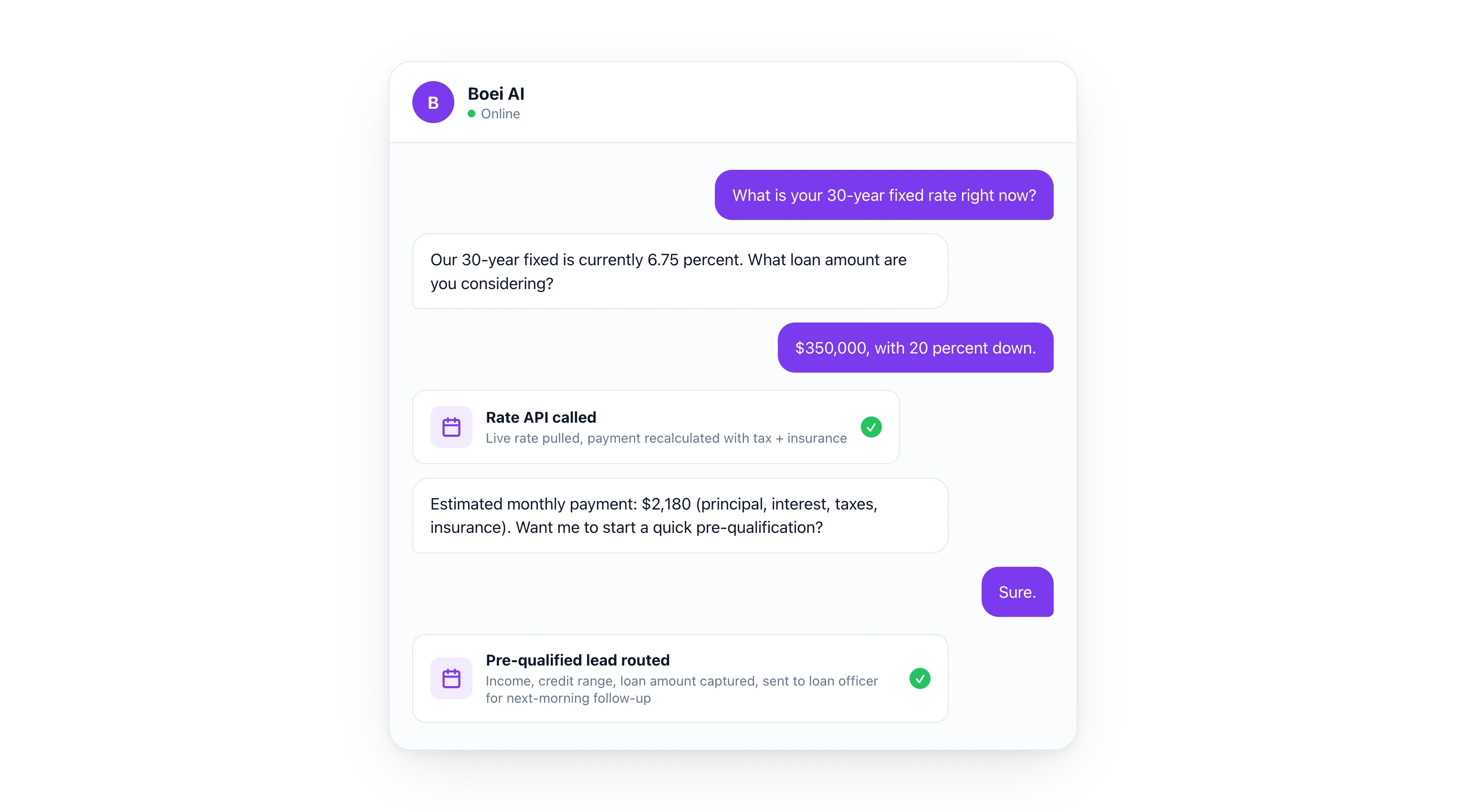
## Comparison: AI Chatbot Options for Financial Services
Compliance, security, and data handling matter more in finance than in most industries. Here is how the main options stack up.
| Feature | Boei | Intercom | Drift | LivePerson | Freshchat |
|---------|------|----------|-------|------------|-----------|
| Starting price | $19/mo | $74/mo | Custom | Custom | $19/mo |
| EU-based (GDPR native) | Yes | No (US) | No (US) | No (US) | No (India) |
| No cookies | Yes | No | No | No | No |
| AI Agent (connects to your APIs) | Yes | Yes | Yes | Yes | Limited |
| No-code setup | Yes | Partial | No | No | Yes |
| WhatsApp channel | Yes | Add-on | No | Yes | Yes |
| Multilingual (100+ languages) | Yes | Limited | Limited | Yes | Limited |
| Appointment booking | Yes | Custom | Custom | Custom | No |
| Free trial (no credit card) | Yes | No | No | No | Yes |
| Rate calculator integration | Yes | Custom | Custom | Custom | No |
For most financial advisors, independent brokers, and small banks, Boei's Growth plan at $49/month covers everything: 3 chatbots (one for lending, one for banking, one for investments), 7,000 AI credits, API access, and a deal pipeline. Enterprise banks with compliance teams may need the Business plan at $129/month for white-label branding and custom domains.
> **Compare plans in detail.** Check the [pricing page](/pricing/) or start your free 7-day trial to test it with your own content.
## Use Cases by Institution Type
### Banks and Credit Unions
Banks handle the widest range of financial products. A chatbot on the main website can triage visitors to the right department (personal banking, business banking, lending, investments) and answer product-specific questions along the way.
Credit unions have an advantage here: their membership model means they can offer more personalized service. An AI chatbot that knows your membership requirements, dividend rates, and community programs reinforces that personal touch at scale.
Common chatbot scenarios for banks:
- Account comparison (checking vs. savings, different tiers)
- Loan pre-qualification for mortgages, auto, and personal loans
- Branch and ATM locator
- New account document requirements
- Wire transfer instructions and fees
### Mortgage Brokers and Lenders
Mortgage is the highest-value use case for AI chatbots in finance. A single mortgage lead can be worth thousands in origination fees. And mortgage shoppers are the most time-sensitive: they are comparing 3-5 lenders simultaneously.
The chatbot that shows live rates, calculates payments, and starts pre-qualification in the first conversation wins the lead. The lender that sends a "we received your inquiry" email and calls back Tuesday loses.
For mortgage brokers, the [AI chatbot](/ai-chatbot/) can be trained on products from multiple lenders, helping match borrowers to the right program based on their credit profile, down payment, and property type.
### Financial Advisors and Wealth Management
Financial advisors sell trust and expertise, not products. The chatbot's role here is different: it qualifies prospects and books consultations.
Key chatbot functions for advisors:
- Explain your services and fee structure
- Ask qualifying questions (investable assets, financial goals, timeline)
- Book initial consultations directly
- Share educational content (retirement planning guides, market updates)
- Capture leads from visitors who are not ready to book but want to stay informed
The chatbot should feel like a knowledgeable assistant, not a salesperson. Train it on your firm's philosophy and approach so it represents your brand accurately.
### Insurance Companies and Brokers
Insurance is another high-value, comparison-heavy industry. Prospects are shopping multiple providers and the questions are predictable: coverage types, premium estimates, claims process, deductibles.
An AI chatbot can:
- Explain different policy types (term vs. whole life, HMO vs. PPO)
- Collect information for quote requests
- Answer claims process questions
- Route complex inquiries to the right specialist
- Book policy review appointments
### Fintech and Neobanks
Fintech companies typically have younger, more tech-savvy customers who expect chat-first communication. An AI chatbot fits naturally into the digital-first experience. For fintechs serving international markets, [multilingual support](/ai-chatbot/multilingual/) and WhatsApp integration are essential.
## GDPR and Compliance: Why It Matters for Finance
Financial services operate under strict regulatory frameworks. GDPR in Europe, various state-level privacy laws in the U.S., PCI DSS for payment data. Your chatbot needs to respect all of them.
Boei is built as a [European AI chatbot](/european-ai-chatbot/) with GDPR compliance at its core:
- **EU-based**: Data stays in the EU. No transfers to US servers under questionable legal frameworks
- **No cookies**: Boei does not use cookies for tracking, which simplifies your cookie consent requirements
- **Data minimization**: Only collects what you configure it to collect
- **Right to erasure**: Client data can be deleted on request
- **Audit trail**: Every conversation is logged and searchable for compliance reviews
For financial institutions, this is not just a nice feature. It is a requirement. Using a US-based chatbot provider means navigating data transfer agreements, Privacy Shield replacements, and regulatory uncertainty. An EU-based solution eliminates that complexity.
### Required Disclosures
Configure your chatbot to include required disclosures automatically:
- Rate quotes include "rates subject to change" disclaimers
- Investment discussions include "past performance" disclaimers
- Pre-qualification results include "not a commitment to lend" language
- The chatbot identifies itself as AI, not a licensed advisor
This consistent disclosure is actually an advantage over human agents, who might forget disclaimers when they are busy.
## How to Set Up an AI Chatbot for Financial Services
### Step 1: Define Your Scope
Decide what the chatbot should handle vs. what requires a human. A good starting point:
**Chatbot handles:**
- Product information and comparisons
- Rate quotes and payment calculations
- Pre-qualification conversations
- Appointment booking
- Branch/ATM information
- Document requirement lists
**Route to human:**
- Existing account issues (authentication required)
- Complex compliance situations
- Complaints and disputes
- Large transaction approvals
### Step 2: Train on Your Content
Point the AI at your product pages, rate sheets, FAQ pages, and compliance documents. Boei crawls your content and learns it. For financial services, pay special attention to training it on your disclaimers and required disclosures.
You can train on up to 1,000 pages (Starter), 3,500 pages (Growth), or 10,000 pages (Business).
### Step 3: Connect Your Systems
Use the AI Agent to connect to your rate APIs, scheduling tools, and product databases. Describe the connection in plain English:
- "Connect to our rate API so visitors can get current mortgage rates and calculate monthly payments"
- "Connect to our product database so the chatbot explains different account types based on the visitor's needs"
- "When someone asks about a loan, collect their income, credit score range, and loan amount, then show pre-qualification estimates"
### Step 4: Set Up the Lead Pipeline
Configure the pipeline so every qualified lead flows from chatbot to inbox to CRM:
- Chatbot captures contact information and product interest
- AI playbooks in your [inbox](/team-inbox/) tag and categorize leads
- Hot leads (pre-qualified borrowers, high-value prospects) get priority routing
- Automated follow-up sequences nurture leads who are not ready to commit
- Deal pipeline tracks leads from first conversation to closed deal
### Step 5: Configure [Security](/ai-chatbot/security/) Settings
For financial services, take extra steps:
- Enable conversation encryption
- Set data retention policies that match your regulatory requirements
- Configure which data fields the chatbot can and cannot collect
- Set up IP-based access controls if needed
- Review and approve all AI Agent integrations before they go live
## Measuring ROI in Financial Services
Track these metrics to quantify your chatbot's impact:
- **Lead volume**: Number of qualified leads captured per month (expect 3-5x increase over forms)
- **Response time**: From visitor question to first answer (should be under 5 seconds)
- **Pre-qualification rate**: Percentage of chatbot conversations that complete pre-qualification
- **Appointment booking rate**: Tours, consultations, and meetings booked through the chatbot
- **Call center deflection**: Reduction in phone calls for routine questions
- **Cost per lead**: Compare chatbot-generated leads vs. paid advertising leads
- **Conversion rate**: Chatbot leads that become clients vs. form leads that become clients
Financial institutions typically see the strongest ROI in mortgage and lending, where each lead has high lifetime value and speed-to-response directly correlates with conversion.
## FAQ
### Is an AI chatbot compliant for financial services?
Yes, when configured correctly. Boei is EU-based, GDPR compliant, and does not use cookies. You control what data the chatbot collects and retains. Required disclaimers can be built into every response. The chatbot identifies itself as AI, and complex situations are routed to licensed professionals.
### Can the chatbot give financial advice?
The chatbot provides product information, rate quotes, and calculations based on your published data. It does not give personalized financial advice. For advisory conversations, it qualifies the prospect and books a meeting with a licensed advisor. This keeps you compliant while still providing instant value.
### How much does it cost?
Boei starts at $19/month (annual billing) for the Starter plan. Most financial services firms use the Growth plan at $49/month, which includes API access for rate integrations, 3 chatbots, and a deal pipeline. There is a 7-day free trial with no credit card required. See the [pricing page](/pricing/) for details.
### Can it handle multiple languages?
Yes. Boei supports 100+ languages natively. This is especially important for financial institutions serving diverse communities or international clients. The AI detects the visitor's language automatically and responds in kind.
### What happens when the chatbot cannot answer a question?
It routes to a human agent with full conversation context. The client does not have to repeat themselves. You can configure routing rules by topic (lending questions go to loan officers, investment questions go to advisors) and by urgency.
### Can we use it for existing clients, not just prospects?
Yes, with appropriate safeguards. For existing client inquiries that do not require authentication (branch hours, general product questions, document requirements), the chatbot handles them directly. For account-specific questions, it can route to your authenticated client portal or connect them with an agent.
### How does it compare to building a custom chatbot?
Building a custom financial services chatbot typically costs $50,000-$200,000 and takes 6-12 months. Boei is live in 15-30 minutes at $19-$129/month. The AI Agent handles custom integrations that would normally require development work. For most institutions outside the top 50 banks, a configurable platform is faster, cheaper, and easier to maintain than a custom build.
> **Join 17,000+ businesses using Boei.** Financial advisors, banks, and lenders are already automating client communication. Start your free 7-day trial, no credit card needed.
---
## Build an AI Chatbot From Your PDF Knowledge Base
URL: https://boei.help/blog/ai-chatbot-from-pdf/
Summary: Learn how to turn PDFs into an AI chatbot that answers questions from your documents. Step-by-step guide with tools compared.
---
**TL;DR:** You can turn any PDF into an AI chatbot that answers questions from your documents. Boei lets you upload PDFs, train an AI agent on the content, and deploy it on your website or WhatsApp in under 10 minutes. Pricing starts at $19/mo. Alternatives like Chatbase ($40/mo) and CustomGPT ($89/mo) offer similar features but cost more and lack multichannel deployment.
Your company already has the answers to most customer questions. They are sitting in product manuals, HR handbooks, support documentation, and training materials. The problem is that nobody reads them. An [AI chatbot](/ai-chatbot/) trained on your PDFs can surface those answers instantly, 24/7, without your team lifting a finger.
This guide walks you through turning your existing PDF knowledge base into a working AI chatbot. We will cover which tools to use, how the technology works behind the scenes, and practical tips for getting better answers from your documents.
## Why PDFs Are Perfect for AI Chatbots
PDFs are the most common format for business documentation. Think about what your company already has:
- **Product manuals** with specs, troubleshooting steps, and installation guides
- **HR policies** covering onboarding, benefits, time off, and compliance
- **Legal documents** like terms of service, contracts, and privacy policies
- **Training materials** for new employees or partner onboarding
- **Support documentation** with FAQs, how-to guides, and known issues
All of this content is already written, reviewed, and approved. Instead of manually copying it into a chatbot builder question by question, you can upload the PDFs directly and let AI handle the rest.
The result is an AI agent that can answer questions like "What is the return policy for international orders?" or "How do I reset the firmware on model X?" by pulling the exact information from your documents.
## How PDF-to-AI Chatbot Technology Works
When you upload a PDF to an AI chatbot platform, a few things happen behind the scenes. Understanding this process helps you get better results.
### Step 1: Text Extraction
The platform extracts all readable text from your PDF. This includes headings, paragraphs, tables, and lists. Most platforms handle standard text-based PDFs well. Scanned PDFs (essentially images) require OCR (optical character recognition) first, which some platforms include and others do not.
### Step 2: Chunking
The extracted text gets split into smaller pieces called "chunks." Think of it like cutting a book into paragraphs. Each chunk is small enough for the AI to process but large enough to retain context.
Why does this matter? If your PDF has a 50-page product manual, the AI does not read all 50 pages for every question. It finds the most relevant chunks and focuses on those. Good chunking means better answers. Bad chunking means the AI might miss important context or combine unrelated information.
### Step 3: Embedding and Indexing
Each chunk gets converted into a mathematical representation (called an embedding) that captures its meaning. These embeddings are stored in a vector database. When someone asks a question, the system converts the question into an embedding too, then finds the chunks with the closest meaning.
### Step 4: Answer Generation
The AI reads the most relevant chunks and generates a natural language answer. It cites the source material, so users can verify the information. This is called Retrieval-Augmented Generation (RAG), and it is the standard approach for document-based AI chatbots.
The key benefit: the AI only answers based on your documents. It will not make up information or pull from general internet knowledge. If the answer is not in your PDFs, the chatbot says so.
## Step-by-Step: Build a PDF Chatbot With Boei
[Boei](/ai-chatbot/) makes it straightforward to go from PDF to working chatbot. Here is the process:
### 1. Create Your AI Agent
Sign up for Boei (7-day free trial, no credit card required) and create a new AI agent. Give it a name and set the tone of voice. You can make it formal for legal documents or conversational for customer support.
### 2. Upload Your PDFs
Go to the training section and upload your PDF files. Boei supports multiple PDFs per agent, so you can combine your product manual, FAQ document, and support guides into one chatbot. The platform extracts the text, chunks it, and indexes it automatically.
You can also train on website pages, plain text, and other document formats alongside your PDFs. This lets you build a comprehensive knowledge base from multiple sources. Learn more about all supported formats on the [document training page](/chat-with-documents/).
### 3. Test and Refine
Use the built-in chat preview to test questions against your documents. Ask the kinds of questions your customers or employees would ask. Check that the answers are accurate and that the chatbot cites the right sections.
If certain answers are not accurate enough, you can add custom instructions to guide the AI. For example: "When asked about pricing, always mention the current promotion" or "If the user asks about warranty claims, direct them to the support email."
### 4. Deploy on Your Website
Add the Boei widget to your website with a single line of code. The chatbot appears as a chat button that visitors can click to ask questions. It works on any website platform: WordPress, Shopify, Wix, Squarespace, or custom-built sites.
### 5. Enable WhatsApp and Email
With Boei, the same AI agent that answers questions on your website can also respond on WhatsApp and email. Customers send a WhatsApp message, the AI reads their question, searches your PDFs, and replies automatically. No extra setup required.
This multichannel approach means your PDF knowledge base is accessible everywhere your customers are, not just on your website.
> **Ready to turn your PDFs into an AI chatbot?** Start your free 7-day trial and upload your first document in minutes. No credit card needed.
## Tips for Better AI Answers From PDFs
Not all PDFs are created equal when it comes to AI training. Here are practical tips to get the most out of your documents.
### Which PDFs Work Best
**High performers:**
- Well-structured documents with clear headings and subheadings
- FAQ-style documents with distinct questions and answers
- Product manuals with numbered steps and organized sections
- Policy documents with labeled clauses and definitions
**Lower performers:**
- Scanned documents without OCR processing
- PDFs that are mostly images, charts, or diagrams with minimal text
- Documents with heavy formatting, watermarks, or overlapping text layers
- Spreadsheet-style PDFs with complex table layouts
### How to Structure Documents for Better Answers
If you have the ability to update your source documents, these changes improve AI performance:
1. **Use descriptive headings.** "Section 4.2" tells the AI nothing. "How to Process a Return" tells it everything.
2. **Keep paragraphs focused.** One topic per paragraph. If a paragraph covers returns and exchanges, split it into two.
3. **Include the question in the answer.** Instead of "See above," write "The return window is 30 days from the date of purchase."
4. **Avoid abbreviations without definitions.** Write "Service Level Agreement (SLA)" the first time, not just "SLA" throughout.
5. **Use consistent terminology.** If your product is called "Widget Pro" in one section and "the device" in another, the AI may treat them as different things.
### Managing Multiple PDFs
When training on several documents, keep these principles in mind:
- **Remove duplicates.** If the same information exists in three PDFs, the AI may get confused about which version is correct.
- **Version control matters.** Upload the latest version of each document. Outdated PDFs lead to outdated answers.
- **Separate by topic when possible.** A single 200-page PDF works, but five focused 40-page PDFs often produce better results because the chunking aligns with natural topic boundaries.
## Comparison: PDF Chatbot Tools
Here is how the main options compare for building an AI chatbot from PDFs.
| Feature | Boei | ChatGPT | Chatbase | CustomGPT |
|---------|------|---------|----------|-----------|
| PDF upload | Yes | Yes (per session) | Yes | Yes |
| Multiple PDFs per bot | Yes | No (single conversation) | Yes | Yes |
| Website widget | Yes | No | Yes | Yes |
| WhatsApp deployment | Yes | No | No | No |
| Email auto-reply | Yes | No | No | No |
| Starting price | $19/mo | $20/mo (Plus) | $40/mo | $89/mo |
| Free trial | 7 days | Limited free tier | 20 messages | 7 days |
| Source citations | Yes | Yes | Yes | Yes |
| Custom instructions | Yes | Yes (system prompt) | Yes | Yes |
| GDPR compliant | Yes (EU-based) | No (US-based) | No (US-based) | No (US-based) |
### Boei
[Boei](/ai-chatbot/) is an AI agent platform used by 17,000+ businesses. Upload your PDFs, and the AI trains on the content automatically. The standout feature is multichannel deployment: the same AI agent works on your website, WhatsApp, email, and SMS. Pricing starts at $19/mo on the Starter plan with 100 training pages. The Growth plan ($49/mo) supports 3,500 training pages, which covers most document libraries.
Boei is EU-based and GDPR compliant, which matters if your PDFs contain customer data or employee information. The platform also supports website scraping, plain text, CSV, and Google Sheets as training sources alongside PDFs. Check all [AI chatbot features](/ai-chatbot/features/) for a complete overview.
### ChatGPT
ChatGPT lets you upload PDFs and ask questions in a conversation. It works well for personal use, but it is not designed for customer-facing chatbots. There is no website widget, no way to share the trained chatbot with your team or customers, and each conversation is isolated. Upload a PDF in one chat, and the next chat does not know about it.
For internal research or one-off document analysis, ChatGPT is useful. For building a chatbot that customers interact with on your website, it is not the right tool.
### Chatbase
Chatbase is a chatbot builder that supports PDF training. Upload documents, customize the chatbot appearance, and embed it on your website. The Hobby plan is $40/mo ($32/mo on annual billing) with 500 message credits and 5M character training data. Chatbase cut the Hobby allowance from 2,000 to 500 credits in 2026. It uses a credit-based pricing model where premium AI models consume more credits per response.
Chatbase is website-only. There is no WhatsApp or email integration. If you need multichannel support, you will need additional tools.
### CustomGPT
CustomGPT focuses specifically on building chatbots from documents. It supports PDFs, websites, and other file types. The Standard plan starts at $89/mo with 1,000 pages and 5,000 queries per month. It includes a website widget and API access.
CustomGPT is more expensive than alternatives and primarily targets enterprise use cases. The platform offers strong document processing capabilities but lacks the multichannel deployment that smaller businesses often need.
> **Boei handles PDFs, websites, and spreadsheets in one platform.** Try it free for 7 days and see how your documents perform as an AI chatbot.
## Common Use Cases
### Customer Support
Upload your support documentation, FAQ pages, and troubleshooting guides. The AI chatbot handles common questions instantly, reducing ticket volume. When it cannot answer, it collects the customer's contact details and routes the conversation to your team. This [speed-to-lead approach](/ai-chatbot/) means customers get immediate responses even outside business hours.
### HR and Internal Knowledge
Upload employee handbooks, policy documents, benefits guides, and onboarding materials. New employees can ask "How many vacation days do I get in my first year?" and get an instant answer instead of waiting for HR to respond. Deploy it on an internal page or through a shared WhatsApp number.
### Product Documentation
Upload product manuals, spec sheets, and installation guides. Customers shopping on your website can ask "Does model X support Bluetooth?" and get an answer pulled directly from the product manual. This reduces pre-sale questions and helps customers make buying decisions faster.
### Legal and Compliance
Upload terms of service, privacy policies, and compliance documentation. Internal teams can quickly check "What is our data retention policy for EU customers?" without searching through multiple documents. This is particularly useful for teams that need to reference policies frequently.
### Training and Education
Upload training materials, course content, and certification guides. Students or trainees can ask questions about the material and get AI-powered answers with source references. This works well as a study companion or quick reference tool.
## Pricing for PDF Chatbot Platforms
The cost of running a PDF-based chatbot depends on two factors: how much content you need to train on and how many conversations your chatbot handles.
| Plan | Boei | Chatbase | CustomGPT |
|------|------|----------|-----------|
| Entry-level | $19/mo (100 pages) | $40/mo (5M chars) | $89/mo (1,000 pages) |
| Mid-tier | $49/mo (3,500 pages) | $100/mo (10M chars) | $299/mo (5,000 pages) |
| Channels included | Web + WhatsApp + Email | Web only | Web + API |
| Overage pricing | $9/mo per 1K AI credits | $12-14 per 1K credits | Custom |
For most small businesses with a handful of PDFs totaling under 100 pages, Boei's Starter plan at $19/mo covers the basics. Growing businesses with larger document libraries will find the Growth plan at $49/mo sufficient for up to 3,500 training pages. See [full pricing details](/pricing/).
## FAQ
### How many PDFs can I upload to an AI chatbot?
It depends on the platform and your plan. Boei's Starter plan supports 100 training pages, while the Growth plan handles 3,500 pages. Most platforms measure by total content size rather than number of files, so one 100-page PDF counts the same as ten 10-page PDFs.
### Do scanned PDFs work with AI chatbots?
Scanned PDFs need OCR (optical character recognition) to convert images to text first. Some platforms handle this automatically, while others require you to run OCR separately before uploading. Text-based PDFs (created digitally, not scanned) always work better.
### Can the AI chatbot answer questions not covered in my PDFs?
A well-configured AI chatbot will only answer based on the documents you provide. If someone asks a question that is not covered, the chatbot should say it does not have that information and offer to connect the user with a human. This prevents hallucinated answers.
### How accurate are AI answers from PDFs?
Accuracy depends on the quality of your source documents and how well they are structured. Well-organized PDFs with clear headings and focused paragraphs produce highly accurate answers. Boei includes source citations so users can verify the information themselves.
### Can I update the PDFs after the chatbot is live?
Yes. Upload new versions of your documents, and the AI retrains on the updated content. With Boei, you can add, remove, or replace training documents at any time without rebuilding the chatbot.
### Is my PDF data secure?
Look for platforms that offer encryption at rest and in transit, data isolation between accounts, and GDPR compliance if you handle EU data. Boei is EU-based and GDPR compliant. Your documents are used only for training your chatbot and are not shared with other users or used to train general AI models.
### How long does it take to set up a PDF chatbot?
With Boei, you can go from PDF upload to live chatbot in under 10 minutes. Upload your documents, test a few questions, and deploy the widget on your site. More complex setups with multiple documents and custom instructions might take 30 minutes to an hour.
### Can the chatbot handle multiple languages?
If your PDFs are in multiple languages, the AI can answer in those languages. Boei supports multilingual conversations, so a visitor can ask a question in Spanish and get an answer from an English PDF, translated automatically.
> **Turn your PDFs into an AI employee that works 24/7.** Start free with Boei and deploy on your website, WhatsApp, and email in minutes. Plans start at $19/mo.
---
## AI Chatbot Cost Per Message: Real Prices Across 8 Platforms (2026)
URL: https://boei.help/blog/ai-chatbot-message-credits-pricing-comparison/
Summary: How much does an AI chatbot really cost per message? Real prices for Chatbase, Dante, FastBots, SiteGPT and 4 more, normalized per response.
---
> **Quick answer:** AI chatbots cost **$0.01 to $0.10 per response** on entry-level paid plans, and can reach $0.50 per response on premium models like Claude Opus once credit multipliers kick in. Boei is the cheapest at $0.0095 flat, any model. Jump to the [normalized cost per response comparison](#normalized-cost-per-response-comparison) for the number on each of the 8 platforms.
**TL;DR:** AI chatbot platforms use three pricing models for responses: flat messages, credit-based with multipliers, and unlimited. Boei offers the lowest cost per response at $0.0095 with flat pricing regardless of AI model. Credit-based platforms like Chatbase, Dante AI, and FastBots can cost 5-50x more per response on premium models, with Chatbase auto-recharge now costing $40 per 1,000 credits and Dante charging 25 credits for a single Claude Opus reply. Prices range from $19/month (Boei Starter) to $500+/month at scale.
*Prices last verified against live vendor pricing pages on 2026-07-19. AI chatbot pricing changes often, especially on credit-based platforms; expect the numbers below to drift within a few months.*
## How Much Does an AI Chatbot Cost Per Message?
An AI chatbot costs **$0.01 to $0.10 per response** on entry-level paid plans, and $0.05 to $0.50 per response once you switch to premium models like GPT-5 or Claude Opus on credit-based platforms. Boei is at the low end at $0.0095 per response with flat pricing (any model, same price), while Chatbase, Dante AI, and FastBots start similarly cheap on budget models but climb sharply because each premium response consumes more credits. The [normalized comparison tables](#normalized-cost-per-response-comparison) further down show the actual per-response cost on each of the 8 platforms across budget, mid-tier, premium, and top-tier AI models.
Training data limits tell you how much your [AI chatbot](/ai-chatbot/) can learn. But the other half of the equation, and often the bigger cost driver, is how many responses your chatbot can actually give. Every platform handles this differently, and the differences can mean paying 10x more per customer conversation depending on which AI model you use.
I spent a few hours going through the pricing pages, documentation, and support chatbots of 8 leading AI chatbot platforms to figure out what each response actually costs. For Boei's straightforward pricing, see the [AI chatbot pricing](/ai-chatbot/pricing/) page. The platforms I reviewed: **Boei**, **Chatbase**, **Dante AI**, **FastBots**, **SiteGPT**, **CustomGPT**, **ChatNode**, and **Wonderchat**.
For each platform, I dug into their credit systems, checked the multipliers for different AI models, calculated cost per response at different tiers. Tested their own chatbots to confirm details that weren't clear from the pricing pages alone. Here's what I found.
## Three Pricing Models for Chatbot Responses
AI chatbot platforms use three fundamentally different approaches to limit and charge for chatbot responses.
### 1. Flat messages (1 response = 1 message, regardless of model)
The simplest approach. Every chatbot response counts as exactly one message, no matter which AI model generates it. You know exactly how many customer conversations you can handle.
Platforms using this model: **Boei**, **SiteGPT**
### 2. Credit-based with model multipliers
Each response consumes a variable number of credits depending on the AI model used. A response from a budget model might cost 1 credit. The same response from a premium model could cost 5, 20, or even 330 credits. Your advertised credit count can be misleading because it depends entirely on which model you run.
Platforms using this model: **Chatbase**, **Dante AI**, **FastBots**
### 3. Unlimited responses
Some platforms advertise unlimited messages, removing response limits entirely. The trade-off is usually a higher base price or limits elsewhere (like fewer chatbots or less training data).
Platforms using this model: **Dante AI** (Enterprise only), **CustomGPT** (within query limits)
## The Credit Multiplier Problem
The credit-based model creates a significant transparency issue. When Chatbase advertises "2,000 message credits" on their Hobby plan, most people assume that means 2,000 customer conversations. The reality depends heavily on which AI model powers those responses.
### Chatbase Credit Costs Per Response
Chatbase's Hobby plan ($32/mo) includes just 500 message credits, cut sharply from the 2,000 credits they used to offer at this tier. Here is what that translates to in real responses:
| AI Model | Credits Per Response | Real Responses from 500 Credits |
|----------|---------------------|---------------------------------|
| Budget models (GPT-4o Mini, Gemini Flash, budget-tier variants) | 1 credit | 500 responses |
| GPT-5.2 / Gemini 3 Pro / other frontier models | 2 credits | 250 responses |
| Claude Sonnet 4.5 / 4.6 | 3 credits | ~167 responses |
| Grok 4 / GPT-5.5 | 4 credits | 125 responses |
| Claude Opus 4.5 / 4.6 | 5 credits | 100 responses |
| Claude Opus 4.7 | 6 credits | ~83 responses |
The Hobby plan gives you 500 responses on the cheapest models and just 83 responses on Claude Opus. That is a 6x difference in value from the same plan. Chatbase's multipliers themselves are moderate, but the 500-credit floor makes cost-per-response worse than every other platform in this comparison at the entry tier. Extra credits and auto-recharge now cost **$40 per 1,000 credits**, roughly triple what Chatbase charged in early 2026. If you enable auto-recharge (which most businesses need to avoid their chatbot going silent), those overage costs can double your bill in a busy month.
### Dante AI Credit Costs Per Response
Dante AI restructured heavily in 2026. The Starter plan is now $40/mo and includes 2,000 credits (down from $29/3,000 credits earlier in the year). The multiplier system was simplified from a 12-tier range to six tiers, and the extreme 330-credit tier for Claude Opus is gone:
| AI Model | Credits Per Response | Real Responses from 2,000 Credits |
|----------|---------------------|-----------------------------------|
| GPT-4o Mini / GPT-4.1 Nano / GPT-5.4 Nano | 1 credit | 2,000 responses |
| GPT-4.1 Mini / Gemini Flash / GPT-5 Mini | 2 credits | 1,000 responses |
| Gemini 3 Flash / Claude Haiku 4.5 / GPT-5.4 Mini / GPT-5.6 Luna | 5 credits | 400 responses |
| GPT-4o / GPT-4.1 / GPT-5 / GPT-5.4 / GPT-5.6 Terra / Gemini 3.1 Pro | 10 credits | 200 responses |
| Claude Sonnet 4.6 | 15 credits | ~133 responses |
| Claude Opus 4.6 / 4.7 / GPT-5.5 / GPT-5.6 Sol | 25 credits | 80 responses |
Dante used to charge 330 credits for a single Claude Opus response, which meant your $29 Starter plan gave you only 9 Opus replies for the entire month. That tier is retired: Opus is now 25 credits, so you get 80 responses on the $40 Starter. Better than before, still expensive. Extra credits cost $20 per 1,000 through the dashboard.
### FastBots Credit Costs Per Response
FastBots keeps their multiplier system simple. Their Essential plan is now $33/mo (down from $39) and includes 2,000 messages. In 2026 they added a Claude Sonnet tier at 10 credits, so the multiplier range widened from 5x to 10x:
| AI Model | Credits Per Response | Real Responses from 2,000 Messages |
|----------|---------------------|-------------------------------------|
| GPT-4o Mini / GPT-4.1 Mini / GPT-4.1 Nano / GPT-5 Mini / GPT-5 Nano / Claude 3.5 Haiku / Gemini 2.5 Flash / o4 Mini | 1 credit | 2,000 responses |
| GPT-4o / GPT-4.1 / GPT-5 / GPT-5.2 / o3 / Gemini 2.5 Pro | 5 credits | 400 responses |
| Claude 4.5 Sonnet | 10 credits | 200 responses |
FastBots is still more straightforward than Dante AI: three tiers instead of six. Budget models cost 1 credit, most frontier models cost 5, Claude Sonnet costs 10. Your 2,000 messages drop to 400 on GPT-5 or 200 on Claude Sonnet. FastBots also added new tiers in 2026 (a $75/mo plan with 5,000 credits and a $333/mo plan with 30,000 credits) alongside the existing $165 Premium plan (down from $199).
## Platforms With Flat Message Pricing
### SiteGPT
SiteGPT offers two model choices (GPT-4.1 and GPT-4.1 Mini) and counts messages, not credits. Their Starter plan ($39/mo) includes 4,000 messages per month. GPT-4.1 Mini gives roughly 10x more messages per dollar than GPT-4.1 through SiteGPT's calculator, but there is no complex credit system to navigate. Extra messages cost $39 per 5,000 messages.
### Boei
Boei uses the simplest model of all: each chatbot gets 2,000 AI replies per month, regardless of which AI model generates the response. GPT-5, Claude Opus 4.7, Gemini Pro, all count as one message. No multipliers, no credit tiers, no auto-recharge surprises. The Starter plan is $19/mo billed annually ($25 monthly) and includes 2,000 AI credits with email, WhatsApp, and SMS automation built in. Additional chatbots cost $6/mo (annual) each, also with 2,000 AI replies included. If you need more responses, you simply add another chatbot or upgrade to Growth ($49/mo annual, 7,000 credits) or Business ($129/mo annual, 20,000 credits).
## Normalized Cost Per Response Comparison
This is where it gets interesting. The table below shows the actual cost per response on each platform's entry-level paid plan, calculated for both a budget model and a premium model.
### Using a Budget Model (GPT-4o Mini or equivalent)
| Platform | Plan Price | Included Credits/Messages | Responses (Budget Model) | Cost Per Response |
|----------|-----------|--------------------------|-------------------------|-------------------|
| **Boei** | $19/mo | 2,000 messages | 2,000 (flat, any model) | $0.0095 |
| **SiteGPT** | $39/mo | 4,000 messages | 4,000 (GPT-4.1 Mini) | $0.0098 |
| **FastBots** | $33/mo | 2,000 messages | 2,000 (Mini models at 1x) | $0.0165 |
| **Dante AI** | $40/mo | 2,000 credits | 2,000 (GPT-4o Mini at 1x) | $0.0200 |
| **Chatbase** | $32/mo | 500 credits | 500 (budget models at 1x) | $0.0640 |
Boei is now the value leader even on budget models, tied with SiteGPT within a rounding error. Chatbase's 2026 cut to 500 credits on the Hobby plan pushes its cost per response to over $0.06, the worst in this comparison. Dante AI used to be the runaway budget-model winner earlier in 2026 (nano models cost 0.15 credits), but the current 1-credit floor moves it into the middle of the pack.
### Using a Mid-Tier Model (GPT-4.1 Mini or 4o Mini equivalent, 1-2 credit tier)
| Platform | Plan Price | Responses (Mid-Tier Model) | Cost Per Response |
|----------|-----------|---------------------------|-------------------|
| **Boei** | $19/mo | 2,000 (flat, any model) | $0.0095 |
| **SiteGPT** | $39/mo | 4,000 (GPT-4.1 Mini) | $0.0098 |
| **FastBots** | $33/mo | 2,000 (Mini at 1x) | $0.0165 |
| **Dante AI** | $40/mo | 1,000 (GPT-4.1 Mini at 2x) | $0.0400 |
| **Chatbase** | $32/mo | 500 (at 1x) | $0.0640 |
Boei stays flat because switching model does not change the price. Every credit-based platform loses ground here compared to their budget-model rows, because their entry plans do not include enough headroom for even mid-tier usage.
### Using a Premium Model (GPT-5 or GPT-4o tier)
| Platform | Plan Price | Responses (Premium Model) | Cost Per Response |
|----------|-----------|--------------------------|-------------------|
| **Boei** | $19/mo | 2,000 (flat, any model) | $0.0095 |
| **SiteGPT** | $39/mo | 4,000 (GPT-4.1) | $0.0098 |
| **FastBots** | $33/mo | 400 (GPT-5 at 5x) | $0.0825 |
| **Chatbase** | $32/mo | 250 (GPT-5 at 2x) | $0.1280 |
| **Dante AI** | $40/mo | 200 (GPT-5 at 10x) | $0.2000 |
This is where credit-based pricing really hurts. On GPT-5, Dante AI reaches $0.20 per response, Chatbase $0.13, FastBots $0.08. Boei's $0.0095 is 8x cheaper than FastBots, 13x cheaper than Chatbase, 21x cheaper than Dante at this tier. And Boei's price does not change when you switch to Claude Sonnet or GPT-5.4, whereas Dante charges 15 credits for Sonnet and Chatbase charges 3.
### The Extreme Case: Top-Tier Models (Claude Opus)
For businesses that want to use the most capable model available (Claude Opus 4.5 or 4.6), credit-based platforms remain the most expensive option even after Dante's 2026 restructure. Dante retired its old 330-credit Opus tier during 2026, so a Claude Opus response no longer eats your entire monthly budget in a handful of replies. But at 25 credits per response, Opus on Dante Starter still costs 50x more per response than any answer on Boei.
| Platform | Model | Responses on Entry Plan | Cost Per Response |
|----------|-------|------------------------|-------------------|
| **Boei** ($19/mo) | Claude Opus 4.7 (or any other model) | 2,000 responses | $0.0095 |
| **Chatbase** ($32/mo) | Claude Opus 4.5/4.6 (5 credits) | 100 responses | $0.32 |
| **Chatbase** ($32/mo) | Claude Opus 4.7 (6 credits) | ~83 responses | $0.39 |
| **Dante AI** ($40/mo) | Claude Opus 4.6/4.7 (25 credits) | 80 responses | $0.50 |
| **FastBots** ($33/mo) | Claude Sonnet 4.5 (10 credits) | 200 responses | $0.165 |
FastBots does not currently expose Claude Opus at all on the Essential tier, so its top-tier row uses Claude Sonnet 4.5 for reference. Boei is the only entry-plan option in this comparison that gives you Claude Opus at flat pricing: your 2,000 monthly messages work identically whether the AI model is a $0.15/million-token Nano or a $75/million-token Opus.
## The Hidden Cost: Overage Pricing
Running out of credits mid-month is where costs can really spike.
**Chatbase** now charges **$40 per 1,000 extra credits**, up sharply from the $12-14 range earlier in 2026. With auto-recharge enabled (which most businesses need to avoid their chatbot going silent), this adds up fast. On Claude Opus, 1,000 auto-recharge credits at $40 gives you around 170 responses, which works out to $0.24 per response on top of whatever you are already paying for your plan.
**FastBots** sells extra message add-ons through their pricing page. Predictable per-block cost, but the total climbs quickly at premium-model multipliers.
**Dante AI** charges **$20 per 1,000 credits** through the dashboard for extra credit top-ups. Predictable, but on Claude Opus at 25 credits per response, $20 buys you 40 extra Opus replies.
**Boei** does not charge overage. Ever. If you need more responses, you add another chatbot at $6/mo (with 2,000 additional responses), or upgrade to Growth ($49/mo annual) for 7,000 AI credits. There is no auto-recharge, no per-1,000-credit surprise bill, no model multiplier to worry about. Scaling costs are completely predictable, which matters when your chatbot volume spikes during a launch or seasonal peak.
**SiteGPT** charges $39 per extra 5,000 messages, which is a clean and predictable overage model.
## What "Unlimited" Actually Means
Some platforms advertise unlimited messages, but this deserves scrutiny.
Dante AI only offers truly unlimited responses on their Enterprise plan (custom pricing, typically $1,000+/mo). Their standard plans (Starter $40, Advanced $120, Pro $400) all have credit limits.
CustomGPT includes query allowances within their plans, but reaching higher limits requires jumping from $99/mo to $499/mo.
In practice, no platform at the $19-100/mo range offers genuinely unlimited AI responses. They all have limits, just expressed differently.
## Practical Scenarios
### Small Business: ~500 customer conversations per month
A small business website with moderate traffic, getting about 500 chatbot conversations monthly. Average conversation length: 3-4 exchanges (so roughly 500 responses per month if counting single responses, or 1,500-2,000 if counting full conversation threads).
At 500 responses/month using a mid-tier model:
- **Boei** ($19/mo Starter): Comfortably within the 2,000 limit. Cost: $19/mo
- **SiteGPT** ($39/mo): Well within 4,000 limit. Cost: $39/mo
- **FastBots** ($33/mo): Within 2,000 limit at 1x. Cost: $33/mo
- **Dante AI** ($40/mo): 500 x 2 = 1,000 credits at Mini rates. Within 2,000 limit. Cost: $40/mo
- **Chatbase** ($32/mo): 500 responses at 1 credit each hits the Hobby plan's 500-credit ceiling exactly. Any spike triggers auto-recharge at $40/1,000 credits. Cost: $32/mo baseline, unpredictable in practice.
Boei is the cheapest at $19/mo. Chatbase, once middle-of-pack for this size of business, is now the riskiest option at this volume because the 500-credit ceiling leaves zero headroom.
### Growing Business: ~2,000 conversations per month
A growing e-commerce store or SaaS product with 2,000 chatbot responses monthly using a premium model (GPT-5 tier):
- **Boei** ($19/mo Starter): Exactly at the 2,000 limit. Add one extra chatbot for safety: $25/mo total
- **SiteGPT** ($39/mo): Within 4,000 limit. Cost: $39/mo
- **Dante AI** ($40/mo): 2,000 x 10 credits = 20,000 credits needed. Starter has 2,000. Would need Pro plan at $400/mo (30,000 credits) or Advanced at $120/mo (8,000, still not enough)
- **FastBots** ($33/mo): 2,000 x 5 = 10,000 credits needed. Essential has 2,000. Would need Premium plan at $165/mo (10,000 credits)
- **Chatbase** ($32/mo): 2,000 x 2 = 4,000 credits needed. Hobby has 500. Would need Standard plan at $120/mo (4,000 credits)
At premium-model volume, the credit multiplier forces upgrades to much more expensive plans. Boei and SiteGPT stay on their entry plans because they do not penalize model choice. Boei at $25/mo versus Dante AI at $400/mo for the same 2,000 GPT-5 responses is a 16x difference on the same workload.
### High-Volume: ~5,000 conversations per month
A busy support operation handling 5,000 responses monthly on a premium model:
- **Boei**: Growth plan ($49/mo annual) for 7,000 AI credits, or Starter + extras ($19 + $6 + $6 = $31/mo) for 6,000 responses
- **SiteGPT**: Growth plan at $79/mo for 10,000 messages
- **FastBots**: 5,000 x 5 = 25,000 credits. Premium at $165/mo covers 10,000; needs the higher $333/mo tier (30,000 credits) or extras
- **Chatbase**: 5,000 x 2 = 10,000 credits. Would need Standard ($120/mo, 4,000) plus significant auto-recharge, or Pro ($400/mo, 15,000)
- **Dante AI**: 5,000 x 10 = 50,000 credits. Would need Pro plan at $400/mo (30,000) plus $400 in overage credits
At high volume with premium models, the spread becomes enormous. Boei at $31-49/mo versus Dante AI or Chatbase Pro at $400/mo for the same 5,000 responses is roughly a 10x difference on identical output.
## The Model Quality Trade-Off
Credit-based platforms create a real dilemma: you can use a cheap model to maximize your response count, but your customers get lower-quality answers. Or you can use a premium model for better answers but burn through your credits in days.
This trade-off does not exist on flat-pricing platforms. On Boei, switching from a budget model to a premium model does not cost you anything extra. Your 2,000 responses stay the same. This means you can always choose the best model for your use case without worrying about credit consumption.
The question to ask yourself: will you actually use a budget model in production? If your chatbot handles customer support, sales inquiries, or any high-stakes conversation, you probably want the best model you can get. And if you are going to use a premium model anyway, flat pricing platforms offer dramatically better value.
## Key Findings
1. **Credit-based pricing is inherently unpredictable, and the disparities widened in 2026.** All three credit-based platforms in this comparison (Chatbase, Dante AI, FastBots) raised Claude Sonnet multipliers between 2x and 3x during 2026. The same plan can give you anywhere from 80 to 2,000 responses depending on model choice.
2. **Boei offers the lowest cost per response at $0.0095 on the Starter plan. It stays flat regardless of model.** No other platform at this price point matches this combination of low cost and model flexibility. On Claude Opus, Boei is 50x cheaper per response than the next-closest credit-based option.
3. **Chatbase cut its Hobby credit allowance from 2,000 to 500 in 2026 and tripled auto-recharge to $40 per 1,000 credits.** The Hobby plan is no longer competitive on cost-per-response: 500 credits at 1 per response means the plan runs dry inside 500 replies, and the overage burn is severe.
4. **Dante AI retired its 330-credit Opus tier, but its overall pricing moved up.** Starter went from $29 to $40, credit allowance dropped from 3,000 to 2,000, and premium-model multipliers roughly doubled. Better on Opus, worse everywhere else.
5. **FastBots kept the cleanest credit system** and dropped Essential from $39 to $33, but added a 10-credit tier for Claude Sonnet that puts Sonnet at $0.165 per response on the entry plan.
6. **SiteGPT offers strong value with simple pricing** at $39 Starter and $79 Growth. Prices held steady through 2026.
7. **Overage charges can make any platform expensive.** Chatbase's auto-recharge at $40/1,000 credits and Dante's $20/1,000 credits add up quickly during busy months. Boei has no overage: add a chatbot at $6/mo for 2,000 more responses, or upgrade to Growth ($49/mo annual) or Business ($129/mo annual) to keep scaling predictable.
8. **Always calculate cost per actual response, not cost per credit.** A plan with "8,000 credits" could mean 8,000 responses or 320 responses depending on the model. The credit number on the pricing page is almost meaningless without knowing which model you will use.
## How to Compare Platforms Yourself
When evaluating any AI chatbot platform's message pricing, ask these questions:
1. How many credits or messages does the plan include?
2. Which AI model will I actually use in production?
3. How many credits does that specific model consume per response?
4. What is the real cost per response (plan price / actual responses)?
5. What happens when I run out? What do overages cost?
6. Can I switch models without changing my budget?
Run these numbers with the model you plan to use, not the cheapest model the platform offers. That gives you the true cost comparison. For the other side of the equation, see our companion article on [AI chatbot training data limits compared](/blog/ai-chatbot-page-definitions-competitor-analysis/). And if you want to understand the broader value of adding a chatbot, read about [AI chatbot benefits](/blog/ai-chatbot-use-cases/).
## FAQ
### What is a message credit in AI chatbot pricing?
A message credit is a unit that platforms use to measure chatbot responses. On some platforms, one credit equals one response. On others, a single response can consume 1 to 330 credits depending on which AI model generates it. Always check the credit multiplier for the model you plan to use.
### Why does the AI model affect the price per response?
Different AI models have different costs to run. Budget models like GPT-4o Mini are cheap to operate, while premium models like Claude Opus cost much more. Credit-based platforms pass this cost difference to you through multipliers. Flat-pricing platforms like Boei absorb it.
### How many AI chatbot responses does a small business need per month?
Most small business websites need 300-1,000 responses per month. A mid-size e-commerce store or SaaS product might need 2,000-5,000. Start with an entry-level plan and track your actual usage for the first month before upgrading.
### What happens when I run out of message credits?
It depends on the platform. Some stop your chatbot from responding until the next billing cycle. Others auto-charge for extra credits, and those auto-charges have climbed in 2026: Chatbase auto-recharge is now $40 per 1,000 credits, up from $14 earlier in the year. Boei lets you add another chatbot at $6/month for 2,000 more responses, or upgrade to a higher tier (Starter $19/mo, Growth $49/mo, Business $129/mo, annual billing), keeping costs predictable with no auto-recharge surprises.
---
## AI Chatbot Training Data Limits Compared (2026)
URL: https://boei.help/blog/ai-chatbot-page-definitions-competitor-analysis/
Summary: I compared how 10 AI chatbot platforms measure training data: characters, pages, MB, and words. See normalized costs per dollar.
---
**TL;DR:** AI chatbot platforms measure training data in four different ways: characters, pages, megabytes, and words. There is no industry standard. Dante AI offers the most raw data per dollar at entry level (862K chars/$1). Boei at $19/month provides 5M characters across 1,000 pages with aggressive content cleaning. Most small business websites fit comfortably on any entry-level paid plan.
When choosing an [AI chatbot](/ai-chatbot/) platform, one of the most confusing aspects is understanding how much training data you actually get. Every platform measures and advertises their limits differently, making apples-to-apples comparisons nearly impossible.
I spent a few hours going through pricing pages, documentation. Support chatbots of 10 leading AI chatbot platforms to understand exactly how they measure training data. The platforms I reviewed: **Boei**, **Chatbase**, **Dante AI**, **FastBots**, **SiteGPT**, **CustomGPT**, **DocsBot AI**, **ChatNode**, **Wonderchat**, and **LiveChatAI**.
For each one, I checked their pricing pages, read through help docs, and when something wasn't clear, I asked their own chatbot or support team. Then I normalized everything into comparable units so you can actually see what you get for your money.
## Four Different Measurement Approaches
AI chatbot platforms use four distinct approaches to measure training data limits:
1. **Characters per page** - converting characters into a "page" count (SiteGPT, DocsBot, Boei)
2. **Raw character limits** - total characters with no abstraction (Dante AI, FastBots, ChatNode, Wonderchat)
3. **File size in MB/KB** - measuring storage by data size (Chatbase)
4. **Word-based limits** - total words stored (CustomGPT)
This inconsistency makes it hard for customers to compare platforms at a glance. So I did the work of normalizing everything into one comparable unit.
## Platform-by-Platform Breakdown
### Platforms That Use "Pages" (Characters Per Page)
| Platform | Definition | Entry Paid Price |
|----------|-----------|-----------------|
| **SiteGPT** | 2,500 cleaned chars = 1 page | $39/mo |
| **DocsBot AI** | ~5,000 cleaned chars = 1 page | $19/mo (Hobby) |
| **Boei** | 5,000 cleaned chars = 1 page | $19/mo (Starter) |
SiteGPT uses the smallest page definition at 2,500 characters. This means the exact same content would show as 200 pages on SiteGPT but only 100 pages on DocsBot or Boei. When a platform advertises a page limit, always check the underlying character definition.
DocsBot also notes that UTF-8 languages like Chinese, Japanese, and Korean may use more characters per page due to encoding differences.
### Platforms Using Raw Character Limits
| Platform | Free Tier | Entry Paid Tier | Mid Tier | High Tier |
|----------|-----------|----------------|----------|-----------|
| **Dante AI** | 500K chars | 25M chars ($29/mo) | 50M chars ($149/mo) | 200M chars ($299/mo) |
| **FastBots** | 500K chars | 12M chars ($39/mo) | 15M chars ($89/mo) | 25M chars ($399/mo) |
| **ChatNode** | 500K chars | 12.5M chars ($35/mo) | 12.5M chars ($89/mo) | 12.5M chars ($377/mo) |
| **Wonderchat** | N/A | 500K chars ($29/mo) | 3M chars ($99/mo) | 12M chars ($299/mo) |
These platforms are the most transparent since you see the exact character count you are working with.
### Chatbase: File Size (MB/KB)
Chatbase stands out by measuring training data in file size rather than characters or pages:
| Plan | Storage Per Agent | Price |
|------|------------------|-------|
| Free | 400 KB | $0 |
| Hobby | 33 MB | $40/mo |
| Standard | 40 MB | $150/mo |
| Pro | 60 MB | $500/mo |
This is a different approach from most competitors. MB-based limits factor in file overhead, encoding, and metadata, not just the cleaned text content. Roughly speaking, 1 MB of plain text equals approximately 1 million characters, but actual results vary depending on file format, language, and encoding. A PDF or DOCX file will "cost" more MB than raw text because of formatting metadata.
Some older Chatbase reviews still reference character counts (like 11M or 33M characters), likely from their previous measurement system before they switched to MB/KB.
### CustomGPT: Word-Based Limits
CustomGPT uses a completely different system, measuring in "words stored" and counting "pages" as individual resources (one webpage, one document, one file):
| Plan | Words Stored | Pages (Resources) | Price |
|------|-------------|-------------------|-------|
| Standard | 60M words | 5,000 | $99/mo |
| Premium | 300M words | 20,000 | $499/mo |
Words stored are shared across all bots on the account. A rough conversion: 1 word averages about 5-6 characters, so 60 million words translates to roughly 300-360 million characters.
## The Normalized Comparison
To make a fair comparison, I converted every platform's entry-level paid plan into estimated millions of characters. For MB-based platforms, I used the approximation that 1 MB of cleaned text is roughly 1 million characters. For word-based platforms, I used 5.5 characters per word on average.
| Platform | Entry Paid Price | Metric Shown | Estimated Characters | Est. Chars per Dollar |
|----------|-----------------|-------------|---------------------|----------------------|
| **Dante AI** | $29/mo | 25M chars | ~25M | ~862K chars/$1 |
| **CustomGPT** | $99/mo | 60M words | ~330M | ~3.3M chars/$1 |
| **Chatbase** | $40/mo | 33 MB | ~33M | ~825K chars/$1 |
| **FastBots** | $39/mo | 12M chars | ~12M | ~308K chars/$1 |
| **ChatNode** | $35/mo | 12.5M chars | ~12.5M | ~357K chars/$1 |
| **Boei** | $19/mo | 1,000 pages | ~5M | ~263K chars/$1 |
| **DocsBot AI** | $19/mo | 1,000 pages | ~5M | ~263K chars/$1 |
| **SiteGPT** | $39/mo | Pages (varies) | Varies by plan | Varies |
| **Wonderchat** | $29/mo | 500K chars | ~0.5M | ~17K chars/$1 |
**Important caveats about this comparison:**
- Chatbase's MB limit includes file formatting overhead, so the actual usable text may be lower than the raw conversion suggests
- CustomGPT's massive word count looks generous, but their starting price is also significantly higher ($99/mo vs $29-40/mo for others)
- "Cleaned characters" varies by platform. Some strip only HTML tags, while others go further. Boei, for example, strips HTML, navigation, headers, footers, and boilerplate content, then converts the remaining content into clean Markdown before counting characters. This means the character count reflects only the actual readable content that matters for chatbot training, not the surrounding page structure. Other platforms may be less aggressive in their cleaning, meaning more of your character allowance gets consumed by non-content markup
- These numbers reflect per-agent/per-bot limits for most platforms, but some share limits across all bots. For instance, Chatbase and FastBots set storage limits per individual agent, meaning each bot gets its own allowance. Boei takes a different approach with a single shared limit per account, so your total page budget is spread across all your chatbots. CustomGPT also shares word storage at the account level. This distinction matters if you plan to run multiple chatbots: per-bot limits give each bot a guaranteed allocation. Per-account limits offer more flexibility to distribute data unevenly across bots based on need
### Mid-Tier Plan Comparison (~$89-150/mo range)
| Platform | Price | Metric Shown | Estimated Characters |
|----------|-------|-------------|---------------------|
| **Dante AI** | $149/mo | 50M chars | ~50M |
| **Chatbase** | $150/mo | 40 MB | ~40M |
| **FastBots** | $89/mo | 15M chars | ~15M |
| **ChatNode** | $89/mo | 12.5M chars | ~12.5M |
| **Wonderchat** | $99/mo | 3M chars | ~3M |
| **DocsBot AI** | $49/mo | 5,000 pages | ~25M |
## How Platforms Count Crawled Pages
There is another layer of complexity that the headline numbers do not reveal: how platforms count pages when they crawl your website.
Some platforms count every URL as exactly 1 page, regardless of how much content is on it. A 200-word "About Us" page and a 10,000-word comprehensive guide would both count as 1 page. This can work in your favor for content-heavy sites. It can also waste your quota on thin pages like privacy policies or nearly-empty category pages.
Other platforms, like SiteGPT, ignore the URL entirely and convert all crawled content into character-based pages using their conversion ratio (2,500 chars = 1 page in their case).
Boei uses a hybrid approach: 1 crawled URL counts as a minimum of 1 page. If the cleaned content exceeds 5,000 characters, it counts as additional pages. So a 12,000-character guide would cost 3 pages, while a short contact page with 800 characters still costs 1 page. This approach is straightforward and predictable, though it means thin pages use a full page credit.
### Re-crawling and syncing
A hidden cost on some platforms is how re-crawling works. Certain platforms track cumulative data indexed over time. If you re-crawl 100 pages because your content changed, they might count that as 200 total pages used (the old version plus the new one). Boei and others that track total stored content avoid this problem entirely. A re-sync simply replaces the old content, so your page count stays the same.
## What 5,000 Characters Actually Looks Like
Since Boei uses 5,000 characters as its page definition, here is some context for what that represents:
- A typical blog post or help article: 1 page
- A product landing page (cleaned text): 0.5-1 page
- A detailed FAQ page: 1-3 pages
- A 10-page PDF document: 3-6 pages (after cleaning)
- A full website with 50 content pages: roughly 30-80 pages
The 5,000-character definition aligns well with what most people intuitively consider "a page of content." A standard printed page with normal margins contains about 2,000-3,000 characters. Web content tends to include more text per logical page. The 5,000-character unit captures one complete piece of content, whether that is a blog post, a help article, or a product description.
## How Much Training Data Does Your Business Actually Need?
The raw numbers in the tables above can feel abstract. Here are some real-world scenarios to help you estimate what plan you would need across platforms.
### Small business marketing website (30 pages)
A typical small business site with a homepage, services pages, about page, contact page, blog posts, and FAQ. After cleaning, this usually adds up to around 100,000-200,000 characters.
- On Boei (5,000 chars/page): ~20-40 pages used, well within the Starter plan's 1,000 pages ($19/mo)
- On SiteGPT (2,500 chars/page): ~40-80 pages used
- On Chatbase: well under 1 MB
- On character-based platforms: well under 1M characters
**Verdict:** Almost any paid plan on any platform handles this comfortably. Even most free tiers would cover it.
### SaaS product with 100 help docs
A software company with a knowledge base of 100 help articles, each averaging 4,000 characters after cleaning. Total: roughly 400,000 characters.
- On Boei (5,000 chars/page): ~100 pages used, fits easily in the Starter plan's 1,000 pages ($19/mo)
- On SiteGPT (2,500 chars/page): ~160 pages used
- On Chatbase: under 1 MB
- On character-based platforms: under 1M characters
**Verdict:** Still fits comfortably on entry-level paid plans. Free tiers would be tight on some platforms.
### E-commerce store with 500 products
An online store with 500 product pages, each containing a description, specs, and reviews. Average cleaned content per product: 2,000-3,000 characters. Plus 20 informational pages (shipping, returns, FAQ, about). Total: roughly 1.2-1.7 million characters.
- On Boei (5,000 chars/page): ~500-540 pages used (each product is 1 page minimum), fits in the Starter plan's 1,000 pages ($19/mo)
- On SiteGPT (2,500 chars/page): ~500-680 pages used
- On Chatbase: roughly 1.5-2 MB
- On character-based platforms: 1.2-1.7M characters
**Verdict:** Entry-level paid plans on most platforms still cover this. However, if product descriptions are lengthy or you have thousands of SKUs, you will start hitting limits on cheaper plans.
### Large documentation site (1,000+ pages)
Enterprise software documentation, government sites, or content-heavy publishers with 1,000+ pages averaging 5,000 characters each. Total: roughly 5 million+ characters.
- On Boei (5,000 chars/page): ~1,000+ pages used, would need a second chatbot ($20/mo total) for 2,000 pages
- On SiteGPT (2,500 chars/page): ~2,000+ pages used
- On Chatbase: roughly 5+ MB
- On character-based platforms: 5M+ characters
**Verdict:** You will need mid-tier or higher plans on most platforms. This is where the differences in pricing and limits start to matter significantly.
## Training Data Is Only Half the Equation
This article focuses on training data limits, but most platforms also cap the number of messages or responses your chatbot can handle per month. A platform might offer generous training data but restrict you to 1,000 messages per month. Could be a bigger bottleneck than the data limit for high-traffic sites.
When comparing platforms, make sure to evaluate both dimensions: how much data you can train on AND how many conversations your chatbot can handle. For a deep dive into message credit pricing, read our [AI chatbot message credits pricing comparison](/blog/ai-chatbot-message-credits-pricing-comparison/).
## Key Findings
### 1. There Is No Industry Standard
Four completely different measurement systems exist across just 10 platforms. Characters, pages, megabytes, and words all represent the same underlying concept but are presented differently to customers.
### 2. "Pages" Can Mean Very Different Things
SiteGPT's page (2,500 chars) is half the size of Boei's and DocsBot's (5,000 chars). A plan advertising "500 pages" on SiteGPT contains the same amount of data as a plan advertising "250 pages" on Boei.
### 3. MB-Based Limits Add Complexity
Chatbase's MB-based system introduces a variable that pure character counts avoid: file format overhead. A 1 MB PDF might contain only 500K characters of actual text because the rest is formatting data. This makes it harder for customers to predict how much content they can actually store.
### 4. Free Tiers Converge Around 400-500K Characters
Nearly every platform with a free tier lands in the 400K-500K character range. This appears to be the industry consensus for a meaningful test, enough for a small site with 50-100 pages.
### 5. Dante AI Offers the Most Raw Data Per Dollar at Entry Level
At $29/month for 25 million characters, Dante AI provides significantly more raw training capacity than competitors at similar price points. However, data capacity is only one factor. Response quality, integrations, and support matter too.
### 6. Transparency Varies Wildly
Platforms showing raw character counts (Dante, FastBots, ChatNode) are the easiest to understand and compare. Page-based systems require knowing the conversion factor. MB-based systems require understanding file format overhead. Word-based systems require a characters-per-word assumption.
## What to Look For When Comparing Platforms
When evaluating AI chatbot platforms for training data limits, ask these questions:
1. **What unit do they use?** Characters, pages, MB, or words? Find the underlying definition.
2. **Are characters "cleaned" or raw?** Cleaned characters (without HTML/code) give you more usable content per unit.
3. **Are limits per bot or per account?** Some platforms share limits across all bots, others give each bot its own allocation.
4. **Does file format matter?** On MB-based platforms like Chatbase, a PDF costs more storage than raw text for the same content.
5. **What happens when you hit the limit?** Some platforms stop indexing new data, others stop responding entirely.
6. **How does retraining/syncing count?** Some platforms count retraining against your limit, others treat it as a refresh of existing data.
Understanding these details before committing will help you avoid surprises and choose the platform that genuinely fits your needs. If you are new to AI chatbots, our guide on [how to build an AI chatbot](/blog/how-to-build-an-ai-chatbot/) walks through the setup process step by step.
## FAQ
### How much training data does a small business website need?
A typical small business site with 30 pages uses about 100,000-200,000 characters after cleaning. This fits easily on any entry-level paid plan. Even most free tiers can handle it. You only need bigger plans if you have hundreds of product pages or large documentation sites.
### What does "cleaned characters" mean for chatbot training?
Cleaned characters are the actual readable text after removing HTML tags, navigation menus, headers, footers, and other boilerplate content. Some platforms count raw page content including all markup. Others, like Boei, strip everything except useful text before counting.
### Do I lose my training data if I re-crawl my website?
It depends on the platform. Some count re-crawled pages as new data on top of the old version. Boei and similar platforms replace old content with the updated version, so your page count stays the same after a re-sync.
### Why do platforms measure training data in different units?
There is no industry standard. Each platform chose a measurement system based on their architecture. Characters and pages are the most common. MB-based limits add file format overhead, and word-based limits require conversion assumptions. Always normalize to characters when comparing platforms.
---
## AI Chatbot for Real Estate Agents (2026 Guide)
URL: https://boei.help/blog/ai-chatbot-real-estate/
Summary: AI chatbot for real estate answers property questions, books viewings, and captures leads 24/7. See how agents automate sales in 2026.
---
An AI chatbot for real estate handles property inquiries, books viewings, and captures buyer leads while you are showing houses across town. Buyers typically message 3 to 5 agents at the same time, and 78% go with the first agent who responds with a helpful answer (InsideSales). This guide shows you how to set up an AI chatbot that searches listings, calculates mortgage estimates, and fills your viewing calendar automatically.
> **Want to capture more buyer leads?** Try Boei free for 7 days and automate your real estate inquiries today.
## Why Real Estate Agents Need an AI Chatbot in 2026
Real estate runs on speed. A buyer sees a listing on Zillow at 9pm. They have questions. How many bedrooms? Is the backyard fenced? What are the HOA fees? What would their monthly payment be?
They message you. They also message two other agents with similar listings. **The first agent who responds with a useful answer wins the client.** Not the agent with the best reviews. Not the agent with the most experience. The fastest one.
Here are the numbers that prove it:
- **78% of buyers work with the first agent who responds** (InsideSales)
- **21x more likely to qualify a lead** when you respond within 5 minutes compared to 30 minutes (InsideSales)
- **50% of buyer inquiries happen after 6pm** when most agents are off the clock (NAR, 2025)
- **The average agent takes 15 hours to respond** to a new lead (MIT/Keller Williams study). That is not a typo. Fifteen hours.
Think about what happens in those 15 hours. The buyer already toured another property with a faster agent. They already started imagining their furniture in that living room. You lost before you even replied.
An AI chatbot responds in seconds. Every time. At any hour.
### What Makes Real Estate AI Different
A generic chatbot answers basic questions. A real estate chatbot needs to do more:
- **Search property listings** by price, bedrooms, neighborhood, and square footage
- **Calculate mortgage payments** based on price, down payment, and current rates
- **Book property viewings** directly on your calendar
- **Answer neighborhood questions** about schools, commute times, and amenities
- **Capture buyer preferences** and qualify leads automatically
This is where [Boei's AI Agent](/ai-chatbot/) changes the game. You do not need a developer to build these connections. You describe what you want in plain English, and the agent builds the integration.
## How the AI Agent Works for Real Estate
The [AI Agent](/ai-chatbot/lead-generation/) is what separates Boei from basic chatbot tools. Instead of writing code or hiring a developer, you tell the agent what you need. It researches the API, builds the integration, and tests it. Think of it as an [AI employee](/ai-employee/) handling your front desk while you focus on closings and showings.
Here are the exact use cases that matter for your real estate business.
### 1. Property Listings Search
Tell the agent: **"Connect to our MLS listings so visitors can search properties by price, bedrooms, neighborhood, and square footage."**
The agent connects to your MLS feed or IDX system. A buyer visits your website and types "Show me 3-bedroom homes in Riverside under $450,000." The chatbot pulls matching listings with photos, descriptions, and key details. Not a generic response. Your actual listings, updated as inventory changes.
This works with any MLS or IDX provider that has an API. The agent handles the technical connection. You just describe what you want.
### 2. Mortgage Payment Calculator
Tell the agent: **"When someone finds a property they like, calculate their estimated monthly mortgage payment based on current rates and their down payment."**
The chatbot does the math in real time. A buyer is looking at a $385,000 home. They put in $50,000 as their down payment. The chatbot calculates: "$2,180/month at 6.75% for 30 years, including estimated property tax and insurance." The buyer has a number. They know if they can afford it. They stay engaged.
No waiting for a loan officer callback. No downloading a mortgage calculator app. The answer appears in the same conversation where they found the property. That seamless experience keeps buyers on your site instead of bouncing to a competitor.
### 3. Viewing Bookings
Tell the agent: **"Connect to Google Calendar so buyers can book viewings directly."**
The chatbot checks your availability and offers time slots. The buyer picks Saturday at 2pm. They get a confirmation with the property address and your contact info. You get a notification with the buyer's details and what properties they want to see. Done.
No phone tag. No "I will check my schedule and get back to you." No three-day email chain to find a time that works. The buyer books while they are still excited about the listing.
### 4. Neighborhood Information
Tell the agent: **"Train on our neighborhood guides and local area data."**
Buyers want to know about schools, restaurants, parks, commute times, and crime stats. Your chatbot pulls from your neighborhood guides and responds with detailed local knowledge.
"Riverside Heights has 3 elementary schools rated 8+ on GreatSchools. The average commute to downtown is 22 minutes. There is a Whole Foods, two parks within walking distance, and a new community center opening in 2027."
This is the kind of answer that builds trust. The buyer feels like they are working with a knowledgeable local agent, even if the chatbot is doing the talking at 11pm.
### 5. The Full Pipeline (This Is Where It Gets Powerful)
Here is how all the pieces work together:
1. **Buyer visits your website** and asks the chatbot about homes in Oak Park
2. **Chatbot searches listings** and shows 12 matching properties with photos
3. **Buyer clicks on a 4-bedroom colonial** and asks about monthly payments
4. **Chatbot calculates** $2,450/month with 20% down at current rates
5. **Buyer asks about the neighborhood.** Chatbot shares school ratings, commute data, and nearby amenities
6. **Chatbot captures lead info.** Name, phone, email, budget range, and preferred neighborhoods
7. **Buyer books a viewing** for Saturday at 10am
8. **Lead appears in your [Boei CRM](/chatbot-crm/)** with the full conversation, property interests, and budget
9. **AI sends a confirmation** via WhatsApp with the viewing details and your contact card
All automatic. All from one conversation. The buyer never waited. You open your phone to a fully qualified lead with budget, preferences, and a confirmed viewing on your calendar.
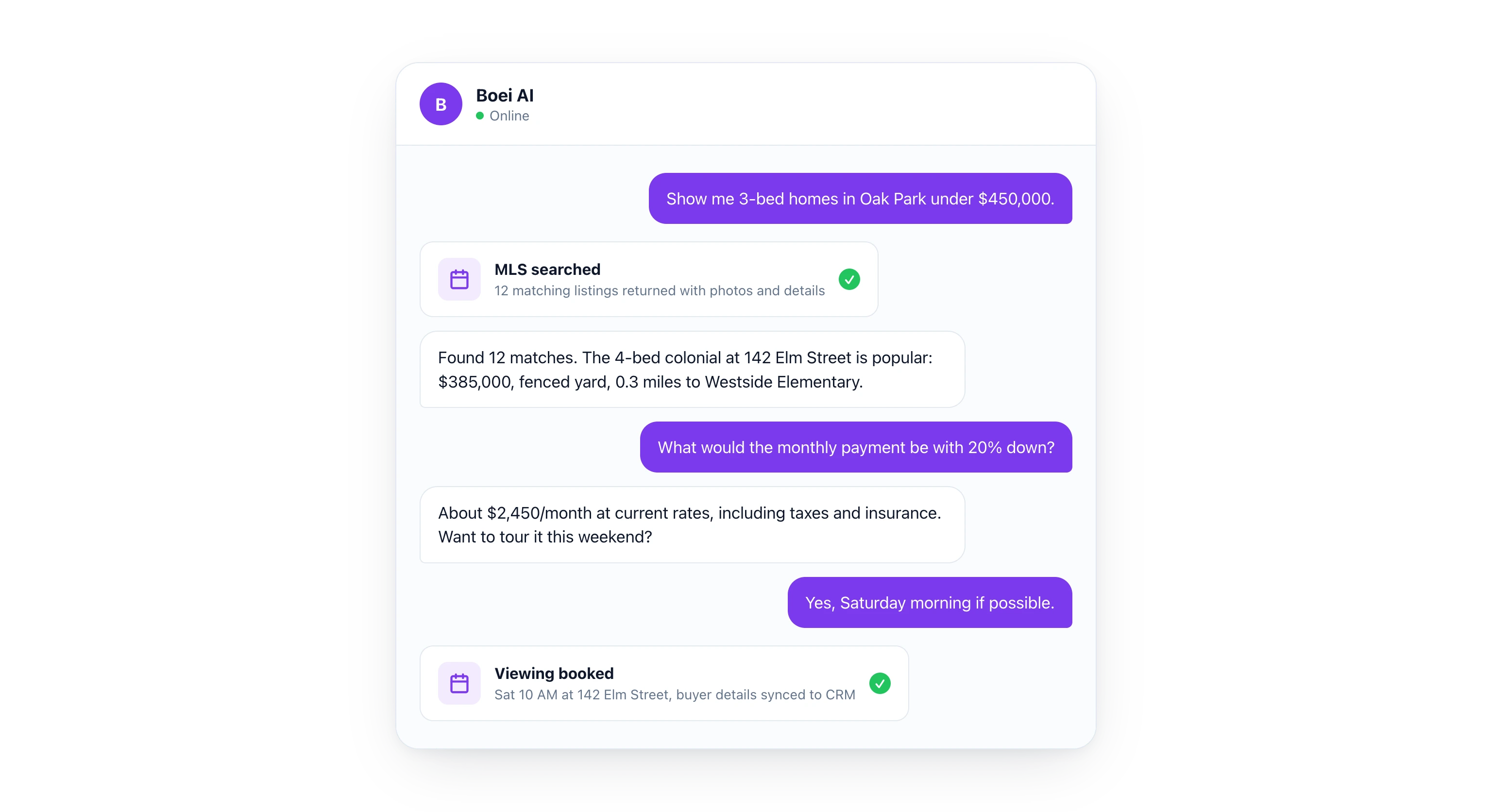
## After-Hours Lead Capture: Your Biggest Money Maker
Here is a truth most agents ignore. **Your best leads come in after you leave the office.** Buyers browse listings in the evening. They scroll Zillow on the couch. They find your website at 10pm and have questions.
Without a chatbot, those buyers hit a contact form. Maybe 20% of them fill it out. The rest bounce. By morning, they forgot about your listing and moved on to another agent who had a chatbot that answered their questions at 10pm.
| Task | Without Chatbot | With AI Chatbot |
|------|----------------|-----------------|
| Property search | Browse static listings page | Interactive search by price, beds, location |
| Pricing questions | "Contact us for details" | Instant mortgage estimates |
| Viewing requests | Contact form, reply next day | Booked and confirmed in 60 seconds |
| Neighborhood info | Not available online | Detailed local data instantly |
| Lead capture | Basic form, 70% bounce | Conversational, 3x higher completion |
| After-hours response | None until morning | Full conversation instantly |
| Language support | English only | 100+ languages automatically |
| Follow-up | Manual email next business day | Automatic WhatsApp confirmation |
The conversion difference is significant. Real estate agents using AI chatbots report **2 to 4x more leads from their website** compared to contact forms alone.
> **Missing after-hours leads?** Start your free trial and let the AI handle buyer inquiries while you sleep.
## WhatsApp for Property Updates and Viewing Confirmations
Email open rates in real estate hover around 20%. WhatsApp open rates are **98%** (MessageBird). That is not a small difference. That is the difference between a buyer seeing your message and a buyer never opening it.
Boei's [WhatsApp integration](/whatsapp/) lets your chatbot stay in touch with buyers:
- **New listing alerts.** "Hi Sarah, a new 3-bed home just listed in Oak Park at $389,000. It matches your criteria. Want to see it?"
- **Viewing confirmations.** "Your viewing at 142 Elm Street is confirmed for Saturday at 2pm. Reply YES to confirm or CHANGE to reschedule"
- **Price drop notifications.** "The home on Maple Drive you liked just dropped from $425,000 to $399,000. Want to schedule a second viewing?"
- **Open house invitations.** "Open house this Sunday 1 to 4pm at 88 River Road. We saved you a spot. Want directions?"
- **Post-viewing follow-up.** "How did you feel about the Elm Street property? I can pull comparable sales data if you want to discuss an offer"
Buyers respond to WhatsApp. They open it. They engage. And every response feeds back into your [Boei inbox](/team-inbox/) so you have the full conversation history in one place.
## Qualifying Buyers Before You Spend Time on Viewings
Not every website visitor is a serious buyer. Some are browsing for fun. Some are 18 months away from buying. Some cannot afford anything in your market.
Your time is valuable. You should not spend Saturday afternoon showing houses to someone who is not pre-approved and has no timeline. An AI chatbot qualifies buyers before they ever reach your calendar.
Here is how to set up buyer qualification:
1. **Budget range.** "What is your budget for a home purchase?"
2. **Pre-approval status.** "Are you pre-approved for a mortgage? If so, with which lender?"
3. **Timeline.** "When are you looking to move?"
4. **Current situation.** "Are you a first-time buyer, or do you have a home to sell?"
5. **Must-haves.** "What are your top 3 requirements? (bedrooms, location, school district, etc.)"
The chatbot collects all of this before the buyer books a viewing. When you show up on Saturday, you know exactly who you are meeting: a pre-approved buyer with a $400,000 budget, looking to move in 3 months, who needs 3 bedrooms near Westside Elementary.
That is a qualified lead. That is worth your Saturday afternoon.
## Comparison: AI Chatbot Platforms for Real Estate
How does Boei compare to other options real estate agents use?
| Feature | Boei | Tidio | Intercom | Drift |
|---------|------|-------|----------|--------|
| Starting price | $19/mo | $29/mo | $74/mo | Custom ($$$$) |
| AI property search | Yes (via Agent) | No | No | No |
| Mortgage calculator | Yes (via Agent) | No | No | No |
| Calendar booking | Yes | Yes | Yes | Yes |
| WhatsApp integration | Yes | Yes (paid) | No | No |
| MLS/IDX connection | Yes (via Agent) | No | No | No |
| Built-in CRM | Yes | No | Yes | Yes |
| Languages | 100+ | 12 | 45 | 25 |
| GDPR compliant | Yes (EU-based) | Yes | Yes | Yes |
| Free trial | 7 days | 7 days | 14 days | No |
The key difference is the AI Agent. Other platforms give you a chatbot that answers questions. Boei gives you an agent that connects to your MLS, calculates mortgage payments, and books viewings. No coding. No developer. You describe the integration in plain English.
## Setting Up Your Real Estate Chatbot (Step by Step)
Getting started takes less than 15 minutes. Here is the process:
### Step 1: Create Your Boei Account
Sign up for a free 7-day trial. No credit card required. You get access to all features including the AI Agent.
### Step 2: Train on Your Content
Point the chatbot at your website, listing pages, neighborhood guides, and any documentation you have. The AI reads everything and learns your market.
### Step 3: Connect Your Listings
Tell the AI Agent: "Connect to our MLS feed so buyers can search properties by price, bedrooms, and location." The agent handles the integration.
### Step 4: Set Up Mortgage Calculator
Tell the agent: "When a buyer asks about a property, calculate their estimated monthly payment based on the listing price, their down payment, and current mortgage rates." The chatbot handles the math automatically.
### Step 5: Enable Viewing Bookings
Tell the agent: "Connect to Google Calendar so buyers can book property viewings." The chatbot shows your available times and handles confirmations.
### Step 6: Add to Your Website
Drop the Boei widget onto your site. It works with any platform: WordPress, Squarespace, Wix, or custom. One line of code and your real estate chatbot is live.
### Step 7: Set Up WhatsApp Follow-Ups
Connect your WhatsApp Business number. The chatbot can send viewing confirmations, new listing alerts, and follow-up messages automatically.
## ROI: The Numbers Behind AI Real Estate Chatbots
Let us do the math for a solo agent handling 20 leads per month.
| Metric | Before AI Chatbot | After AI Chatbot |
|--------|-------------------|------------------|
| Website inquiries | 20/month | 20/month |
| Response time | 2 to 15 hours | Under 1 minute |
| Leads that engage | 8 (40%) | 16 (80%) |
| Qualified leads | 4 | 10 |
| Viewings scheduled | 3 | 8 |
| Deals closed (3% conversion) | 0.6/month | 2.4/month |
| Average commission | $8,500 | $8,500 |
| Monthly revenue | $5,100 | $20,400 |
| Boei cost | $0 | $49/month |
Even conservative estimates show a massive ROI. If the chatbot helps you close one extra deal per quarter, that is $8,500 in commission for a $49/month tool. That is a 5,700% return.
And the time savings matter too. You are not spending 2 hours per day answering the same questions about square footage and school districts. The chatbot handles that. You spend your time on showings, negotiations, and closings.
## Boei Pricing for Real Estate Agents
[Boei starts at $19/month](/pricing/) on the annual plan. Here is what matters for real estate:
- - **Starter ($25/mo):** 2,000 AI credits, lead collectors, email chatbot. Handles moderate inquiry volume
- **Growth ($49/mo):** 3 chatbots, 7,000 AI credits, API access, deal pipeline. Best for active agents with multiple listings
- **Business ($129/mo):** 10 chatbots, 20,000 AI credits, white-label, custom domain. For brokerages and teams
All plans include a 7-day free trial with no credit card required. Over 17,000 businesses use Boei, and the platform is fully EU/GDPR compliant.
Compare that to real estate specific chatbot tools like Structurely ($179+/month) or Ylopo AI ($300+/month). Boei gives you similar AI capabilities with the added flexibility to customize integrations through the AI Agent.
## Open Houses: Capture Every Visitor
Open houses generate foot traffic. But most agents collect leads with a paper sign-in sheet. Half the visitors write illegibly. A third give fake email addresses. And you have no way to follow up with context.
Set up a QR code at your open house that opens the Boei chatbot. Visitors scan it and:
1. Enter their name, email, and phone number
2. Answer quick qualifying questions (budget, timeline, pre-approval status)
3. Get instant property details, floor plans, and neighborhood data
4. Book a private follow-up viewing if interested
5. Opt in for WhatsApp notifications about similar properties
You leave the open house with qualified leads, contact info, and buyer preferences. All in your [CRM](/chatbot-crm/). All organized. No paper sheets.
## Common Objections (And Why They Are Wrong)
### "Real estate is personal. Buyers want a human."
They do. For the important conversations: negotiations, contract reviews, emotional decisions about where to raise their kids. But they do not need a human to answer "How many bedrooms does this house have?" at 9pm. The chatbot handles the routine so you can focus on the personal.
### "My buyers are not tech-savvy."
If your buyers can text, they can use a chatbot. The interface is a simple messaging window. No apps to download. No accounts to create. Type a question, get an answer. Buyers aged 25 to 65 all use messaging apps daily.
### "I already get leads from Zillow and Realtor.com"
Those leads go to multiple agents. You are competing on speed. The agent who responds first wins. Having a chatbot on your own website means those leads are exclusively yours, and they get instant responses.
### "It is too expensive"
Boei starts at $19/month. One closed deal from a chatbot lead pays for 15 years of the service. The question is not whether you can afford it. The question is whether you can afford to keep losing after-hours leads to faster agents.
> **Ready to capture more real estate leads?** Start your 7-day free trial and see how Boei works for your listings.
## FAQ
### How does an AI chatbot for real estate work?
An AI real estate chatbot uses natural language processing to understand buyer questions and respond with accurate property information. It connects to your MLS or listing database, calculates mortgage estimates, books viewings on your calendar, and answers questions about neighborhoods, schools, and amenities 24/7.
### Can an AI chatbot replace a real estate agent?
No. An AI chatbot handles the repetitive parts of lead engagement: answering property questions, qualifying buyers, calculating payments, and scheduling viewings. You handle negotiations, contracts, showings, and the relationship building that closes deals. The chatbot makes you more productive, not obsolete.
### How long does it take to set up a real estate chatbot?
With Boei, a basic chatbot takes under 15 minutes to set up. Connecting it to your MLS feed and calendar takes an additional 30 to 60 minutes, depending on your systems.
### Can the chatbot search my actual listings?
Yes. Boei's AI Agent connects to your MLS, IDX, or any listing database with an API. Buyers can search your properties by price, bedrooms, location, square footage, and other criteria directly in the chat.
### What if a buyer asks something the chatbot cannot answer?
The chatbot transfers the conversation to you with full context. You get the buyer's questions, their property interests, and their contact info. You pick up right where the chatbot left off. No information lost.
### Does the chatbot work on mobile?
Yes. The chatbot is fully responsive and works on any device. Most real estate browsing happens on phones, so the mobile experience is optimized for touch interaction and fast loading.
### How much does an AI real estate chatbot cost?
Boei starts at $19/month on the annual plan. Dedicated real estate chatbot platforms typically cost $179 to $300+ per month. Boei provides comparable AI capabilities at a lower price point because it is a flexible platform, not a niche tool with industry-specific markup. Check the [pricing page](/pricing/) for current plan details.
### Is it GDPR compliant?
Yes. Boei is an EU-based company and fully GDPR compliant. Buyer data is stored securely, and the platform supports data deletion requests and consent management. This is especially important if you operate in European markets or handle data from EU citizens visiting your [for real estate page](/for/real-estate/).
---
## AI Chatbot for Recruitment: Screen Faster (2026)
URL: https://boei.help/blog/ai-chatbot-recruitment/
Summary: AI chatbot for recruitment screens candidates 24/7, answers job questions, and books interviews. See how recruiters automate hiring in 2026.
---
An AI chatbot for recruitment screens candidates around the clock, answers questions about open roles, and books screening calls automatically. Top candidates are off the market in 10 days (Robert Half, 2025), so every hour you wait to respond is a candidate lost to a faster competitor. This guide shows you how to set up an AI chatbot that filters applicants, answers company culture questions, and fills your interview calendar without manual effort.
> **Want to hire faster?** Try Boei free for 7 days and automate your candidate screening today.
## Why Recruiters Need an AI Chatbot in 2026
Hiring is a race. The best candidates apply to multiple companies at the same time. They expect fast responses. And they will accept the first good offer they get.
Here is the problem: **78% of candidates accept an offer from the first company that responds** (InsideSales). If your recruiter takes 48 hours to reply to an application, three other companies already moved that candidate to the phone screen stage.
The numbers make this painfully clear:
- **10 days.** That is how long top talent stays available before accepting an offer (Robert Half)
- **21x more likely.** Contacting a candidate within 5 minutes makes you 21 times more likely to engage them compared to waiting 30 minutes (InsideSales)
- **60% of candidates** abandon applications that take too long or have no response (CareerBuilder, 2025)
- **$4,700.** The average cost per hire in the US (SHRM). Every lost candidate means you spend that again
Now multiply this across dozens of open roles. Your recruitment team is drowning in applications, screening questions, interview scheduling, and candidate follow-ups. They simply cannot respond to every applicant within 5 minutes.
An AI chatbot can.
### What Makes Recruitment AI Different
A generic chatbot answers basic questions. A recruitment chatbot needs to do more:
- **Show open positions** filtered by department, location, and experience level
- **Pre-screen candidates** with qualifying questions before they reach your team
- **Schedule interviews** directly on your calendar
- **Answer company culture questions** about benefits, remote work, and team structure
- **Provide application status updates** so candidates do not email your inbox 10 times
This is where [Boei's AI Agent](/ai-chatbot/) changes the game. You do not need a developer to build these integrations. You describe what you want in plain English, and the agent builds the connection.
## How the AI Agent Works for Recruitment
The [AI Agent](/ai-chatbot/lead-generation/) is what separates Boei from basic chatbot tools. Instead of writing code or hiring a developer, you tell the agent what you need. It researches the API, builds the integration, and tests it. Think of it as an [AI employee](/ai-employee/) that handles your hiring funnel while your team focuses on final interviews and offers.
Here are the exact use cases that matter for your recruitment team.
### 1. Job Openings Search
Tell the agent: **"Connect to our ATS so the chatbot shows open positions filtered by department, location, and experience level."**
The agent connects to your applicant tracking system. A candidate visits your careers page and types "Show me engineering jobs in Berlin." The chatbot pulls your current openings and displays matching roles with descriptions, requirements, and salary ranges. Not a static list. Your actual open positions, updated in real time.
This works with popular ATS platforms like Greenhouse, Lever, Workday, BambooHR, and any system with an API. The agent handles the connection. You just describe what you want.
### 2. Candidate Pre-Screening
Tell the agent: **"When a candidate finds a role they like, collect their name, email, resume link, and availability for an interview."**
The chatbot runs through your screening questions conversationally. Not a boring form. A natural conversation that feels like texting with a recruiter.
For a senior developer role, the chatbot might ask:
1. "How many years of experience do you have with Python?"
2. "Are you authorized to work in the EU?"
3. "What is your expected salary range?"
4. "When could you start?"
5. "Please share a link to your resume or LinkedIn profile"
Candidates who do not meet your minimum requirements get a polite response explaining next steps. Qualified candidates move forward instantly. Your recruiter opens their [inbox](/team-inbox/) in the morning to find a list of pre-screened candidates instead of 200 unfiltered resumes.
### 3. Interview Scheduling
Tell the agent: **"Connect to Google Calendar so candidates can self-schedule screening calls."**
The chatbot checks your recruiter's availability and offers time slots. The candidate picks one. Both parties get a confirmation. Done. No email chains. No phone tag. No "Can you do Tuesday at 3? No? How about Wednesday at 10?"
This alone saves hours per week. The average recruiter spends **30% of their time on scheduling** (Yello). That is time they could spend evaluating candidates and closing offers.
### 4. Company Culture and Benefits FAQ
Tell the agent: **"Train on our careers page, employee handbook, and benefits documentation."**
Candidates ask the same questions over and over. Does your company offer remote work? What is the parental leave policy? Do you sponsor visas? What does the interview process look like?
The chatbot answers all of these instantly, pulling from your actual documentation. It stays consistent. It never gets tired of answering the same question for the 50th time. And it gives detailed, accurate answers at 11pm when your HR team is asleep.
### 5. The Full Pipeline (This Is Where It Gets Powerful)
Here is how all the pieces work together:
1. **Candidate visits your careers page** and asks the chatbot about open roles
2. **Chatbot shows matching positions** based on skills, location, and experience
3. **Candidate finds a role** and the chatbot starts pre-screening
4. **Screening questions** filter for minimum requirements (experience, authorization, availability)
5. **Qualified candidate books a screening call** directly on your recruiter's calendar
6. **Lead appears in your [Boei inbox](/team-inbox/)** with the full conversation and screening answers
7. **Candidate data syncs to your ATS** with all details attached
8. **AI sends a confirmation email** with interview details and preparation tips
All automatic. All from one conversation. The candidate never waited. Your recruiter gets a pre-screened, scheduled interview instead of an unread application sitting in a queue.
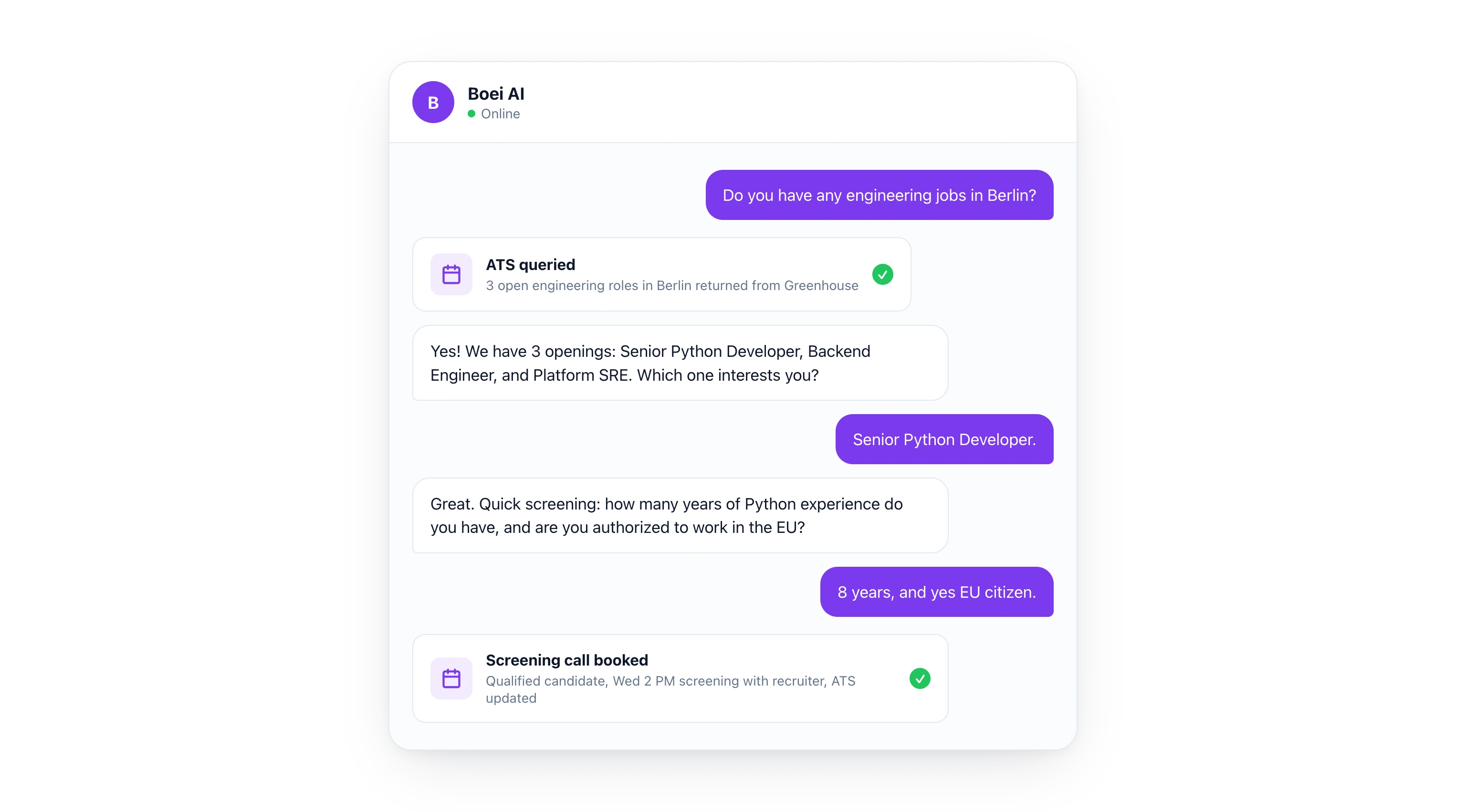
## Speed-to-Lead: Why 5 Minutes Changes Everything
Let me be direct. **Speed is the single biggest factor in hiring top talent.** Not your employer brand. Not your perks. Not your ping pong table. Speed.
The data is overwhelming:
| Response Time | Candidate Engagement Rate | Outcome |
|---------------|--------------------------|---------|
| Under 5 minutes | 21x higher engagement | Candidate feels valued, stays interested |
| 5 to 30 minutes | 10x higher engagement | Still competitive |
| 30 minutes to 2 hours | 4x higher engagement | Losing ground to faster companies |
| 2 to 24 hours | Baseline | Most candidates already engaged elsewhere |
| Over 24 hours | 60% drop-off | Candidate assumes you are not interested |
Most recruitment teams respond in **24 to 72 hours.** That is not competitive. Your competitors using AI respond in seconds.
Think about it from the candidate's perspective. They apply to five jobs on a Monday evening. One company responds in 30 seconds with helpful answers and a screening call booked for Wednesday. The others send an automated "We received your application" email on Tuesday morning. Who made the better impression?
## Comparison: Traditional Hiring vs AI Chatbot Recruitment
| Task | Without Chatbot | With AI Chatbot |
|------|----------------|-----------------|
| Showing open positions | Static careers page | Dynamic search by department, location, level |
| Candidate questions | Email replies in 24-48 hours | Instant answers 24/7 |
| Pre-screening | Manual resume review | Automated qualifying questions |
| Interview scheduling | Email chains (3-5 days) | Self-service booking in 60 seconds |
| After-hours applications | No response until morning | Full screening and scheduling instantly |
| Application status | "We will get back to you" | Real-time updates in the chatbot |
| Language support | Limited to team languages | 100+ languages automatically |
| Candidate experience | Slow, impersonal | Fast, conversational, helpful |
| Cost per screen | $15-25 per candidate (recruiter time) | Under $1 per candidate |
| Monthly volume | 50-100 screens per recruiter | Unlimited |
The cost difference alone justifies the investment. If your recruiter spends 15 minutes per phone screen at $40/hour, that is $10 per screen. With 200 applicants per month, you spend $2,000 just on initial screening. An AI chatbot handles all of that for a fraction of the cost.
## Multilingual Recruiting Without Extra Effort
If you hire internationally, language is a barrier. Your German office gets applications in German, English, Turkish, and Polish. Your recruiters speak two of those languages.
Boei's chatbot speaks [100+ languages](/ai-chatbot/multilingual/) automatically. A candidate in Madrid applies in Spanish. A candidate in Warsaw applies in Polish. Both get the same quality screening experience. Both get their questions answered accurately. No translation tools. No bilingual recruiters needed for the first touchpoint.
This is especially valuable for companies hiring in multiple countries or building diverse teams.
## Reducing Candidate Drop-Off
Candidate drop-off is the silent killer of recruitment. **60% of candidates abandon applications** because the process is too slow or unresponsive (CareerBuilder). They do not tell you they lost interest. They just disappear.
An AI chatbot reduces drop-off at every stage:
- **Careers page.** Instead of scrolling through a long job board, candidates search and filter with the chatbot. They find relevant roles faster
- **Application.** Instead of filling out a 20-field form, they have a conversation. Conversational applications see **3x higher completion rates** compared to traditional forms (Phenom)
- **Post-application.** Instead of silence, candidates get instant acknowledgment and next steps
- **Scheduling.** Instead of waiting for an email, they book their own interview slot immediately
- **Between stages.** Candidates can ask the chatbot "What is the status of my application?" instead of sending anxious follow-up emails
Each touchpoint where you reduce friction keeps more candidates in your pipeline.
## What Questions Should Your Recruitment Chatbot Answer?
Here are the most common questions candidates ask, and how your chatbot should handle them:
### Job Openings and Requirements
- "What jobs are available in marketing?"
- "Do you have any remote positions?"
- "What qualifications do I need for the senior developer role?"
- "What is the salary range for this position?"
The chatbot pulls answers from your ATS and job descriptions. Always current. Always accurate.
### Application Process
- "How do I apply?"
- "What does the interview process look like?"
- "How long does the hiring process take?"
- "I applied last week. What is my status?"
The chatbot walks candidates through each step. For status questions, it checks your ATS and provides a real update.
### Company Culture and Benefits
- "Do you offer remote work?"
- "What is the parental leave policy?"
- "Tell me about your company culture"
- "Do you sponsor work visas?"
Train the chatbot on your employee handbook, benefits guide, and careers page. It gives detailed, consistent answers.
### Interview Preparation
- "What should I prepare for the technical interview?"
- "How should I dress for the interview?"
- "Where is your office located?"
- "Can I reschedule my interview?"
Helpful, practical answers that reduce no-shows and improve candidate experience.
## Setting Up Your Recruitment Chatbot (Step by Step)
Getting started takes less than 15 minutes. Here is the process:
### Step 1: Create Your Boei Account
Sign up for a free 7-day trial. No credit card required. You get access to all features including the AI Agent.
### Step 2: Train on Your Careers Content
Point the chatbot at your careers page, job descriptions, employee handbook, and benefits documentation. The AI reads everything and learns your company.
### Step 3: Connect Your ATS
Tell the AI Agent: "Connect to our Greenhouse account so candidates can search open positions." The agent handles the API integration. No coding required.
### Step 4: Set Up Interview Scheduling
Tell the agent: "Connect to Google Calendar so candidates can book screening calls with our recruiters." The chatbot will show available time slots and handle confirmations.
### Step 5: Configure Pre-Screening Questions
Set up qualifying questions for each role. The chatbot asks them conversationally and flags candidates who meet your criteria.
### Step 6: Add to Your Careers Page
Drop the Boei widget onto your website. It works with any platform. One line of code and your recruitment chatbot is live.
### Step 7: Monitor from the Inbox
All conversations appear in your [Boei inbox](/team-inbox/). See every candidate interaction, screening result, and scheduled interview in one place.
> **Hiring for multiple roles?** Start your free trial and let the AI Agent screen candidates while your team focuses on interviews.
## ROI: The Numbers Behind AI Recruitment
Let us do the math for a mid-size company hiring 10 people per month.
| Metric | Before AI Chatbot | After AI Chatbot |
|--------|-------------------|------------------|
| Applications received | 500/month | 500/month |
| Response time | 24-48 hours | Under 1 minute |
| Pre-screening completed | 100 (20%) | 400 (80%) |
| Qualified candidates identified | 30 | 50 |
| Interviews scheduled | 20 | 45 |
| Time to schedule | 3-5 days | Under 2 minutes |
| Recruiter hours on screening | 80 hrs/month | 15 hrs/month |
| Cost per hire | $4,700 | $3,200 |
| Time to fill position | 36 days | 24 days |
The time savings alone are significant. But the real value is in the candidates you would have lost. Those top performers who applied at 9pm and got an instant response instead of waiting until tomorrow.
## Boei Pricing for Recruitment Teams
[Boei starts at $19/month](/pricing/) (annual plan). Here is what matters for recruitment:
- - **Starter ($25/mo):** 2,000 AI credits, lead collectors, email chatbot. Handles moderate hiring volume
- **Growth ($49/mo):** 3 chatbots, 7,000 AI credits, API access, deal pipeline. Best for teams with 5+ open roles
- **Business ($129/mo):** 10 chatbots, 20,000 AI credits, white-label, custom domain. For agencies and large HR teams
All plans include a 7-day free trial with no credit card required. Over 17,000 businesses use Boei, and the platform is fully EU/GDPR compliant, which matters when you are handling candidate data.
Compare that to dedicated recruitment chatbot software like Paradox ($1,000+/month) or Olivia AI (enterprise pricing only). Boei gives you the same AI screening capability at a fraction of the cost.
## Common Objections (And Why They Are Wrong)
### "Candidates want to talk to a real person"
They do. Eventually. But they want instant answers first. 72% of candidates prefer self-service for initial questions (Talent Board). They do not want to wait for a recruiter to answer "Is this role remote?" The chatbot handles the early stage. Your recruiters handle the human conversations that matter.
### "We already have an ATS with a chatbot"
Most ATS chatbots are basic. They follow scripts and cannot handle unexpected questions. They cannot calculate anything. They cannot connect to your calendar. And they definitely cannot pre-screen candidates with nuanced qualifying questions. The difference between a scripted chatbot and an AI agent is the difference between a phone tree and a conversation.
### "Our hiring volume is too low"
Even if you hire 2 people per month, the chatbot improves candidate experience, answers after-hours questions, and saves your recruiter from repetitive tasks. At $19/month, it pays for itself if it saves one hour of recruiter time.
### "What about bias in AI screening?"
Boei's chatbot asks the same questions to every candidate in the same order. It does not make judgments based on names, photos, or backgrounds. It evaluates answers against your defined criteria. This is actually more consistent than human screening, where unconscious bias affects decisions.
## Integration With Your Existing Tools
Boei connects to the tools your recruitment team already uses:
- **ATS platforms:** Greenhouse, Lever, Workday, BambooHR, and any system with an API
- **Calendars:** Google Calendar, Outlook, Calendly
- **Communication:** Email, WhatsApp, SMS
- **CRM:** [Boei's built-in CRM](/chatbot-crm/) or sync to your existing system
- **Notifications:** Slack, Microsoft Teams, email alerts for new qualified candidates
The AI Agent builds these connections for you. No developer needed.
> **Ready to screen candidates faster?** Start your 7-day free trial and see how Boei automates your recruitment pipeline.
## FAQ
### How does an AI chatbot for recruitment work?
An AI recruitment chatbot uses natural language processing to understand candidate questions and respond with accurate answers. It pulls data from your ATS, job descriptions, and company documentation. It can pre-screen candidates, schedule interviews, and answer questions about open roles, benefits, and company culture 24/7.
### Can an AI chatbot replace recruiters?
No. An AI chatbot handles the repetitive, time-consuming parts of recruitment: answering FAQs, pre-screening, scheduling, and providing status updates. Your recruiters focus on evaluating candidates, conducting interviews, negotiating offers, and building relationships. The chatbot makes recruiters more effective, not obsolete.
### How long does it take to set up a recruitment chatbot?
With Boei, you can have a basic recruitment chatbot running in under 15 minutes. Training it on your careers content and connecting it to your ATS takes an additional 30 to 60 minutes, depending on your setup.
### Is AI screening legal?
Yes, when done properly. AI screening that asks standardized questions and evaluates answers against defined criteria is legal in most jurisdictions. Boei does not make hiring decisions. It collects and organizes information for your human recruiters to evaluate.
### What languages does the chatbot support?
Boei supports 100+ languages automatically. Candidates can interact in their preferred language without any additional setup. This is especially valuable for international hiring.
### How much does an AI recruitment chatbot cost?
Boei starts at $19/month on the annual plan. Dedicated recruitment chatbot platforms typically start at $500 to $1,000+ per month. Boei offers comparable AI capabilities at a fraction of the price because it is a general-purpose AI platform, not a niche recruitment tool with inflated pricing.
### Can the chatbot connect to my existing ATS?
Yes. Boei's AI Agent connects to any ATS with an API, including Greenhouse, Lever, Workday, and BambooHR. You describe the connection in plain English, and the agent builds the integration for you. Visit our [for recruitment page](/for/recruitment/) for more details on how this works.
---
## AI Chatbot for Restaurants: Automate Reservations (2026)
URL: https://boei.help/blog/ai-chatbot-restaurants/
Summary: AI chatbot for restaurants handles reservations, menu questions, and catering leads 24/7. See how restaurants automate guest communication in 2026.
---
An AI chatbot for restaurants handles reservations, menu questions, and catering inquiries 24/7, even when your staff is busy with a full dining room. With 60% of restaurant bookings happening outside business hours (OpenTable, 2025), every unanswered message is a missed reservation. This guide shows you exactly how to set up an AI chatbot that books tables, answers dietary questions, and captures catering leads automatically.
> **Want to stop missing reservations?** Try Boei free for 7 days and automate your restaurant's guest communication today.
## Why Restaurants Need an AI Chatbot in 2026
Restaurant margins are thin. Labor is expensive. And your customers expect instant answers.
Here is the reality: **75% of diners check menus online before visiting** (National Restaurant Association). They have questions. What are the prices? Do you have gluten-free options? Is there parking? Can I book a table for 8 on Saturday?
If your website does not answer these questions instantly, they pick a different restaurant. It is that simple. Diners typically check 2-3 restaurants before deciding, and 78% of customers go with whoever responds first (Lead Connect). While your contact form sits unopened, the restaurant across town already confirmed a reservation.
The most common questions restaurants get over and over:
- **"What are your hours?"** (including holiday hours, which change constantly)
- **"Can I see the menu?"** (with prices, please)
- **"Do you have options for allergies?"** (gluten-free, nut-free, dairy-free)
- **"Is there parking nearby?"**
- **"Can I make a reservation?"**
- **"Do you do private events or catering?"**
- **"Are you open on [specific holiday]?"**
- **"Do you have a kids menu?"**
Your staff answers these questions hundreds of times per week. An AI chatbot answers them instantly, accurately, every single time. That frees your team to focus on the people actually sitting in your restaurant.
## How the AI Agent Works for Restaurants
The [AI Agent](/ai-agent/) is what makes Boei different from a basic FAQ bot. You tell it what you need in plain English. It researches the connection, builds the integration, and tests it. No developer. No coding.
Here are the specific setups that work for restaurants.
### 1. Reservation Booking
Tell the agent: **"Connect to our reservation system so visitors can check availability and book a table."**
The chatbot shows open time slots and confirms bookings. A guest types "Table for 4, Friday at 7pm" and gets an instant response. If that slot is taken, the chatbot suggests alternatives. "Friday at 7pm is fully booked. We have openings at 6:30pm and 8pm. Which works better?"
No phone call. No waiting on hold. No email that sits unanswered for hours. Just a confirmed reservation in seconds.
This works with your existing [booking system](/ai-chatbot/booking/) or a simple Google Calendar setup.
### 2. Live Menu with Prices and Dietary Info
Tell the agent: **"When someone asks about the menu, show our current menu with prices and dietary info. Connect to our Google Sheet with the menu."**
You keep your menu in a Google Sheet. One column for the dish name, one for the price, one for dietary tags (vegan, gluten-free, contains nuts). The chatbot serves it live.
A guest asks "Do you have gluten-free pasta?" The chatbot responds: "Yes! Our Rigatoni Primavera ($18) is available gluten-free. We also have Gluten-Free Penne Bolognese ($16) and GF Margherita Pizza ($15)."
Update the Google Sheet when you change the menu. The chatbot reflects it immediately. No website edits needed.
### 3. Accurate Hours and Location Info
Tell the agent: **"Connect to Google Business so the chatbot knows our hours, location, and holiday closures."**
This sounds simple, but it prevents the most frustrating guest experience. Someone drives 20 minutes to your restaurant only to find you are closed for a private event. Or they show up on a holiday expecting regular hours.
The chatbot pulls real-time data from your Google Business Profile. Holiday hours, temporary closures, special events. Always accurate. Always current.
### 4. Catering Lead Qualification
Tell the agent: **"When someone asks about catering, collect their event date, guest count, and budget, then send us the details via webhook."**
Catering inquiries are high-value leads. But they need information before you can quote a price. The chatbot handles the qualification:
1. "What type of event?" (wedding, corporate, birthday, other)
2. "How many guests?"
3. "What date?"
4. "Do you have a budget range?"
5. "Any dietary restrictions we should know about?"
All collected in a natural conversation. The details land in your [Boei inbox](/team-inbox/) as a qualified lead with everything you need to send a proposal. No phone tag. No lost emails.
### 5. The Full Guest Journey
Here is how everything works together for a typical guest:
1. **Guest visits your website** at 10pm on a Wednesday
2. **Asks about the menu.** Chatbot shows dishes, prices, and dietary options from your Google Sheet
3. **Asks about allergies.** "My daughter has a nut allergy." Chatbot flags nut-free options
4. **Wants to book a table.** Chatbot shows Saturday openings
5. **Books a table for 4 at 7pm.** Gets instant confirmation
6. **Reservation appears in your system** and your [Boei CRM](/chatbot-crm/)
7. **Guest gets a WhatsApp reminder** the day before: "See you tomorrow at 7pm! Reply to modify your reservation"
8. **After dining, guest gets a follow-up.** "How was your meal? Leave us a review"
All automatic. The guest felt taken care of at every step. Your staff did not touch a single message. Most restaurants can't afford a full-time receptionist just to handle calls and messages. An AI employee costs $19/month and works every shift, including holidays.
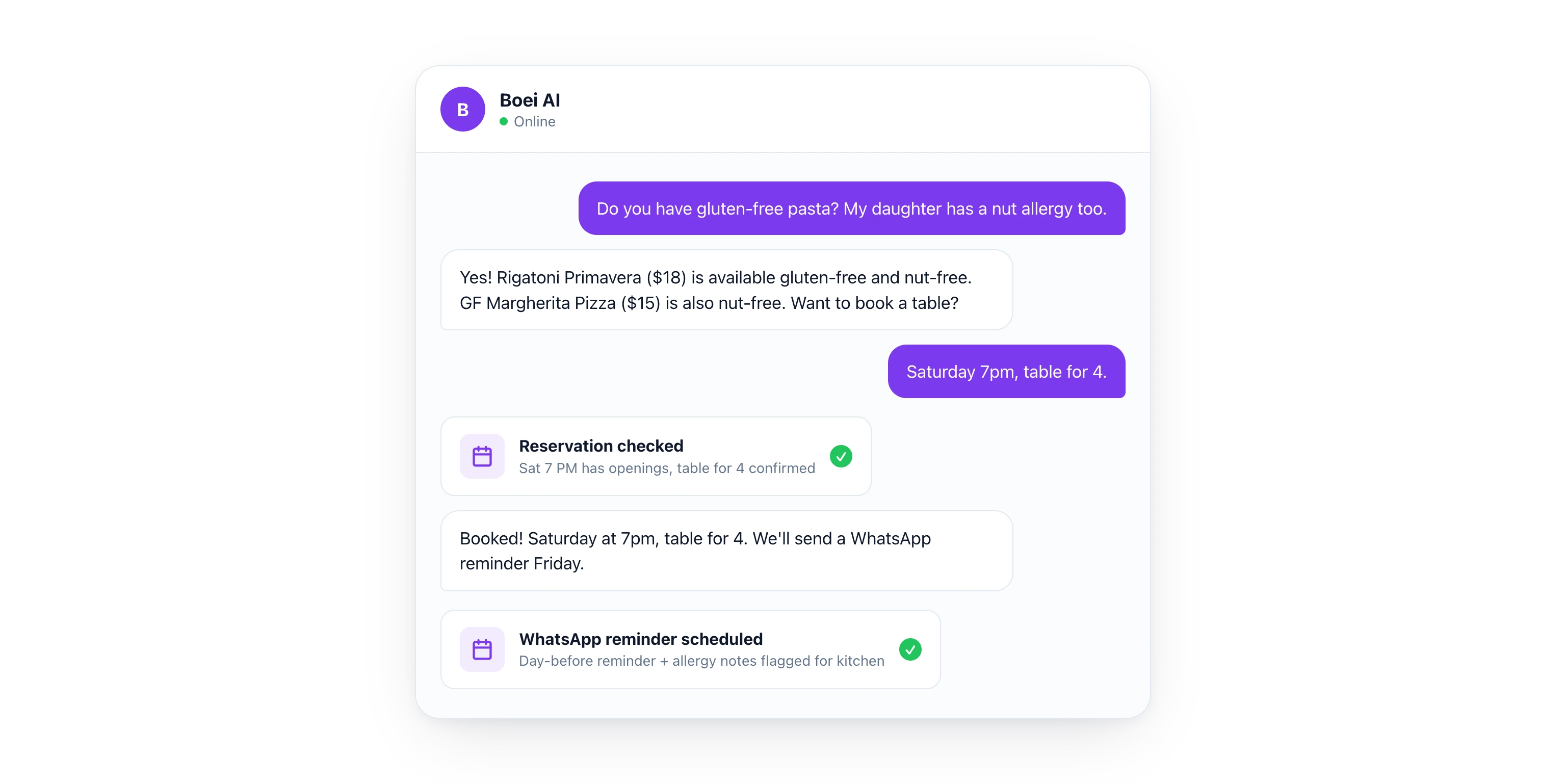
## WhatsApp: The Channel Restaurants Are Missing
Most restaurants only use their website and phone for communication. That is a mistake. [WhatsApp](/whatsapp/) is where your customers already are.
Here is how restaurants use WhatsApp with Boei:
- **Reservation confirmations.** "Your table for 4 on Saturday at 7pm is confirmed. See you then!"
- **Day-before reminders.** "Reminder: you have a reservation tomorrow at 7pm for 4 guests. Reply CANCEL to cancel or CHANGE to modify"
- **Waitlist updates.** "Great news! A table just opened up. Can you be here in 15 minutes?"
- **Order status for takeout.** "Your order is being prepared. Estimated pickup: 6:45pm"
- **Post-visit feedback.** "Thanks for dining with us! How was everything? Reply 1-5"
WhatsApp messages have a **98% open rate** (MessageBird). Compare that to email at 20% or SMS at 45%. Your messages actually get read.
And because Boei handles WhatsApp with AI, the chatbot responds to incoming messages too. A customer sends "Are you open tomorrow?" on WhatsApp at midnight. The AI responds instantly with accurate hours.
## Multilingual Support for Tourist Areas
If your restaurant is in a tourist area, you serve guests who speak dozens of languages. A seafood place in Barcelona gets visitors from Germany, France, the UK, Japan, and the US. Every day.
The [AI chatbot](/ai-chatbot/) detects the guest's language and responds naturally. A Japanese tourist asks about the menu in Japanese and gets a response in Japanese with dish names, descriptions, and prices. A German couple asks about allergens in German and gets a detailed answer.
No multilingual staff needed. No awkward translation apps. **100+ languages** supported automatically.
This is not just a nice feature. For tourist-area restaurants, it directly increases covers. A guest who can communicate comfortably is a guest who books a table.
## Comparison: Restaurant Chatbot Options in 2026
| Feature | Boei | OpenTable Chat | Yelp Messaging | Toast Chatbot |
|---------|------|---------------|----------------|---------------|
| AI chatbot | Yes, trained on your restaurant | No AI, basic messaging | No AI, basic messaging | Limited AI |
| Reservation booking | Yes, via AI Agent | Yes, native | No | Yes, native |
| Menu display | Yes, from Google Sheet | No | No | Limited |
| Dietary/allergy info | Yes, automatic filtering | No | No | No |
| Catering lead capture | Yes, with qualification flow | No | No | No |
| WhatsApp channel | Yes, with AI replies | No | No | No |
| SMS channel | Yes | No | No | Yes |
| Email channel | Yes, AI replies | No | No | No |
| Multilingual | 100+ languages | Limited | Limited | English only |
| Works on any website | Yes | OpenTable widget only | Yelp page only | Toast sites only |
| [CRM included](/chatbot-crm/) | Yes, with guest history | Reservation history only | No | Basic |
| Starting price | $19/month | Free (with commission) | Free | Included with Toast |
**The key difference.** OpenTable, Yelp, and Toast lock you into their platforms. OpenTable takes a commission per cover. Yelp only works on your Yelp page. Toast only works if you use their POS system.
Boei works on **any website**, connects to **any reservation system**, and gives you AI-powered responses across every channel. For $19/month, that is hard to beat.
> **See how other restaurants use Boei.** Visit our [restaurant page](/for/restaurants/) for examples and setup guides.
## How to Set Up Your Restaurant Chatbot (Step by Step)
You can have this running before the dinner rush. Here is the process:
**Step 1: Create your account.** Start a free 7-day trial. No credit card required.
**Step 2: Train the AI on your restaurant.** Add your website URL. The AI learns your menu, hours, location, and policies. Upload your menu PDF or connect your Google Sheet for live menu data.
**Step 3: Set up AI Agent integrations.** Tell the agent to connect to your reservation system, Google Business Profile, and menu Google Sheet. Each takes a few minutes.
**Step 4: Turn on your channels.** Enable live chat for your website, [WhatsApp](/whatsapp/) for messaging, and email for inquiries. All managed from one inbox.
**Step 5: Configure catering lead capture.** Set up the qualification flow: event type, guest count, date, budget, dietary needs. Leads go straight to your [inbox](/team-inbox/).
**Step 6: Install on your website.** One line of code. Works with WordPress, Squarespace, Wix, or any website builder. Takes 2 minutes.
**Step 7: Test the full flow.** Ask about the menu. Book a reservation. Submit a catering inquiry. Make sure everything works before your guests try it.
## What Results Can Restaurants Expect?
Based on industry benchmarks and Boei customer data:
- **Reservation no-shows drop 25-30%** with WhatsApp reminders (compared to email-only reminders)
- **After-hours bookings increase 2x** because every website visitor gets a response
- **Staff saves 10+ hours per week** on phone calls and repetitive questions
- **Catering lead volume increases 50%** because the chatbot qualifies leads 24/7
- **Guest satisfaction improves** because questions get instant, accurate answers
For a restaurant doing $50,000/month in revenue, even a 5% increase in covers from better booking capture is $2,500/month. The chatbot costs $19-$69/month. The math works.
## Email and SMS: Keep Guests Coming Back
A chatbot captures the reservation. But the best restaurants build relationships beyond the booking. Boei includes email and SMS in the same platform.
Here is a simple retention flow:
- **Booking confirmation** via email with your menu and parking info
- **Day-before reminder** via WhatsApp or SMS
- **Post-visit thank you** with a link to leave a Google review
- **Monthly special** via email: "Our new spring menu is here. Book your table"
You manage all of this from one [inbox](/team-inbox/). No separate email marketing tool. No third-party SMS service. The chatbot captures the guest's info. The follow-up channels keep them engaged.
For restaurants that do [catering and events](/ai-chatbot/lead-generation/), this is even more powerful. A catering inquiry that came in at midnight gets a professional follow-up email at 9am with your catering menu attached. All automatic.
## Common Mistakes Restaurants Make with Chatbots
**1. Outdated menu information.** If your chatbot shows last season's menu, you lose trust instantly. Use a Google Sheet connection so updates happen in real time.
**2. No reservation integration.** A chatbot that says "call us to book" defeats the purpose. Connect to your reservation system so guests can book directly.
**3. Ignoring WhatsApp.** Your guests use WhatsApp daily. If you only have a chatbot on your website, you miss the channel where people are most responsive.
**4. Generic responses about allergies.** Allergy questions are serious. Train your chatbot on your actual ingredients. A wrong answer about nuts or gluten is not just bad service. It is dangerous. Always include a disclaimer to confirm with staff for severe allergies.
**5. Forgetting about private events.** Private dining and catering are your highest-margin services. Make sure the chatbot can qualify these leads instead of just saying "email us."
## FAQ
### How much does an AI chatbot cost for a restaurant?
Boei starts at **$19/month** on the annual Starter plan. Most single-location restaurants use Starter ($19/month). Multi-location restaurants use Growth at **$49/month** for 3 chatbots and CRM access. Compare that to hiring an extra host just to answer phones. [See all plans](/pricing/).
### Can the chatbot take reservations?
Yes. The [AI Agent](/ai-agent/) connects to your reservation system (Google Calendar, Resy, custom system, or any platform with an API). Guests check availability and book directly in the chat. They get instant confirmation. You get the booking in your system.
### What if someone has a serious food allergy?
The chatbot can flag dishes that contain common allergens based on your menu data. For serious allergies, you should train the chatbot to always add: "For severe allergies, please confirm with our staff when you arrive." This gives helpful information while keeping guests safe.
### Does it work with my existing website?
Yes. Boei works with **any website**. WordPress, Squarespace, Wix, Webflow, or a custom-built site. You paste one line of code and the chat widget appears. No design changes needed.
### Can it handle multiple languages for tourist guests?
Absolutely. Boei supports **100+ languages** automatically. The AI detects the guest's language from their message and responds in the same language. No separate setup needed. Perfect for restaurants in tourist areas or diverse neighborhoods.
### What happens when the chatbot cannot answer a question?
It transfers to live chat if someone from your team is available. During busy hours or after closing, the chatbot collects the guest's question and contact info so you can follow up. You set the rules for when to escalate and when to capture for later.
## The Bottom Line
Your restaurant answers the same questions hundreds of times per week. Hours, menu, allergies, reservations, parking, private events. An AI chatbot handles all of it. Instantly. In any language. At 2am or 2pm.
The [AI Agent](/ai-agent/) lets you connect to your reservation system, live menu, and Google Business Profile without writing a single line of code. Describe what you need. The agent builds it.
Start with a free 7-day trial and set up your restaurant chatbot before tonight's dinner service. Your phone will finally stop ringing with questions the AI can answer.
---
## AI Chatbot for Schools & Universities (2026)
URL: https://boei.help/blog/ai-chatbot-schools-universities/
Summary: AI chatbot for schools and universities answers enrollment questions, books tours, and supports multilingual students 24/7.
---
An AI chatbot for schools and universities answers prospective student questions instantly, around the clock. Universities receive over 10,000 repetitive inquiries per enrollment cycle (NACAC). With 60% of students researching on mobile devices (EDUCAUSE), your admissions website needs to work like a 24/7 recruitment office. This guide shows how to set up an AI chatbot that handles enrollment questions, books campus tours, and supports international students in any language.
> **Want to capture more student leads?** Try Boei free for 7 days and set up your school's AI chatbot in minutes.
## Why Schools Need an AI Chatbot in 2026
Higher education is competitive. Every university is fighting for the same pool of prospective students. And those students expect instant answers.
Here is how enrollment inquiries typically go wrong:
- A high school senior visits your admissions page at 11pm to check application deadlines. Your admissions office is closed. They move on to a school that answers immediately
- An international student in a different time zone asks about visa requirements and English proficiency scores. Nobody responds for two business days. They apply elsewhere
- A parent wants to compare tuition costs between your programs. The information is scattered across 15 different pages. They give up
**78% of prospective students choose the institution that responds first** (Lead Connect). That statistic applies to education just as much as it applies to car sales or real estate. Speed matters.
The problem is scale. A mid-size university might have 5 admissions counselors handling hundreds of inquiries per week during peak enrollment. They are answering the same questions over and over:
- "What is the application deadline?"
- "How much is tuition?"
- "Do you offer housing?"
- "What financial aid is available?"
- "Can I schedule a campus tour?"
An AI chatbot handles all of these instantly. Not in hours. Not tomorrow. Right now, at 2am on a Sunday, in 100+ languages.
### Education Is Behind on AI (That Is Your Advantage)
Most universities still rely on email forms and FAQ pages. Some have live chat staffed during office hours. Very few have AI chatbots that actually connect to their systems and take actions.
If you set up a smart AI chatbot now, you are ahead of most competitors. A prospective student who gets an instant, helpful answer from your website is far more likely to apply than one who sends an email and waits three days.
## What an AI Chatbot Does for Schools and Universities
A basic FAQ chatbot is fine. But an [AI chatbot](/ai-chatbot/) that connects to your actual systems is transformative. Here is the difference.
### 1. Enrollment and Admissions Questions
The biggest volume of questions at any school is about admissions. Deadlines, requirements, document checklists, acceptance rates.
With Boei's AI Agent, you describe the integration in plain English: "Connect to our student info system so the chatbot answers enrollment questions with real deadlines and requirements." The AI builds the connection. No coding, no IT tickets, no months of implementation.
The chatbot pulls live data. If your application deadline changes from March 1 to March 15, the chatbot knows immediately. No manual updates needed.
### 2. Course and Program Search
Prospective students want to explore programs, but your course catalog might have hundreds of options. Scrolling through a 40-page PDF is not a good experience.
Tell the AI Agent: "Connect to the course catalog so prospective students can search programs by field, duration, and campus." Now a student can type "What business programs do you offer that are under two years?" and get a filtered, accurate answer.
This is especially powerful for schools with multiple campuses or satellite locations. The chatbot can filter by location, start date, format (online vs. in-person), and tuition range.
### 3. Campus Tour Booking
Campus visits are one of the strongest predictors of enrollment. Students who visit are significantly more likely to apply. But booking a tour through a form and waiting for a confirmation email is friction.
Connect to Google Calendar so visitors can book campus tours directly in the chat. The student picks a date and time, the chatbot confirms it, and both parties get a calendar invite. Done. No back-and-forth emails, no phone calls.
### 4. International Student Support
International students make up a significant portion of enrollment at many universities. They often have different questions (visa requirements, English proficiency tests, housing for international students) and they are in different time zones.
This is where [multilingual AI](/ai-chatbot/multilingual/) becomes critical. Boei supports 100+ languages out of the box. A student in Seoul can ask questions in Korean at 3am your time and get accurate, natural responses. You can also enable WhatsApp as a channel, which is the preferred messaging platform for international students in most countries.
### 5. Financial Aid and Tuition Questions
After "How do I apply?", the next most common question is "How much does it cost?" Students and parents want clear answers about tuition, fees, scholarships, and financial aid options.
Your chatbot can answer general tuition questions from your published data. For financial aid, it can explain the application process, list available scholarships, and point students to the FAFSA or equivalent forms. For more complex questions, it routes to a financial aid counselor with full context of the conversation.
### 6. The Full Pipeline (Where It Gets Powerful)
Individual features are nice. The real value is the complete pipeline: chatbot captures the lead, the conversation lands in your [inbox with AI playbooks](/team-inbox/), and promising prospects move to your CRM as deals with automated follow-up sequences.
Here is how it works for a university:
1. A prospective student asks about your nursing program at 10pm
2. The AI chatbot answers their questions about prerequisites, tuition, and clinical placements
3. The chatbot asks if they want to schedule a campus tour or receive an application guide
4. The student's information (name, email, program interest, questions asked) flows into your admissions inbox
5. An AI follow-up sequence sends a personalized email the next morning with links to the nursing program page and financial aid info
6. The admissions team sees a warm lead with full context, not a cold form submission
That is the difference between a website with a contact form and a website with an AI employee. One waits. The other recruits.
## Comparison: AI Chatbot Options for Education
Not all chatbots are built for education. Here is how the main options compare.
| Feature | Boei | Intercom | Drift | LivePerson | Tidio |
|---------|------|----------|-------|------------|-------|
| Starting price | $19/mo | $74/mo | Custom | Custom | $29/mo |
| Multilingual (100+ languages) | Yes | Limited | Limited | Yes | Limited |
| WhatsApp channel | Yes | Add-on | No | Yes | No |
| AI Agent (connects to your systems) | Yes | Yes | Yes | Yes | No |
| No-code setup | Yes | Partial | No | No | Yes |
| Campus tour booking | Yes | Custom | Custom | Custom | No |
| GDPR compliant | Yes (EU-based) | Yes | Yes | Yes | Yes |
| Free trial | 7 days | 14 days | No | No | 7 days |
| No credit card for trial | Yes | No | N/A | N/A | Yes |
Boei starts at $19/month (annual) for the Starter plan. For most small to mid-size schools, the Growth plan at $49/month covers 3 chatbots (one for admissions, one for current students, one for parents), 7,000 AI credits, and 3 agents. Compare that to hiring even a part-time admissions assistant.
> **See full pricing details.** Start your 7-day free trial or check the [pricing page](/pricing/) for plan breakdowns.
## Real Use Cases by Institution Type
### K-12 Schools
K-12 schools face different challenges than universities. Parents are the primary audience, not students. Common chatbot use cases:
- Answering enrollment questions for new families
- Sharing school calendar, holiday schedules, and event information
- Handling transportation and bus route questions
- Directing parents to the right department (admissions, administration, guidance)
- After-school program registration
For K-12, the chatbot acts as a digital front desk. Parents get answers without calling the main office, which frees up administrative staff for tasks that actually require a human.
### Community Colleges
Community colleges often serve non-traditional students: working adults, career changers, and part-time learners. These students research programs outside of business hours because they have jobs during the day.
A chatbot that responds at 9pm with accurate program details, costs, and enrollment steps captures leads that would otherwise be lost. Community colleges can also use the chatbot to explain transfer agreements with four-year universities.
### Large Universities
Large universities can deploy multiple chatbots for different departments:
- Admissions chatbot on the main recruitment pages
- Student services chatbot for current students (IT help desk, registration questions)
- Housing chatbot for residential life inquiries
- International office chatbot with multilingual support
Boei's Growth plan supports 3 chatbots on 3 domains, and the Business plan supports 10 chatbots on 10 domains. Each can be trained on different content and connected to different systems.
### Online and Hybrid Programs
Online programs compete nationally (or globally), which means more competition for every prospective student. Response speed is even more critical because students have no geographic loyalty. They will enroll at whichever school responds first and makes the process easy.
An AI chatbot on your online program pages can answer questions about technology requirements, asynchronous vs. synchronous formats, and time commitments, then guide the student straight to the application.
## How to Set Up an AI Chatbot for Your School
Setting up Boei for education takes about 15 minutes. No IT department required.
### Step 1: Train on Your Content
Point the AI at your admissions pages, course catalog, financial aid information, and FAQ pages. Boei crawls and learns your content. You can train it on up to 100 pages on the Starter plan and up to 10,000 pages on the Business plan.
### Step 2: Connect Your Systems
This is where the AI Agent shines. Describe what you want in plain English:
- "Connect to our student info system so the chatbot answers enrollment questions with real deadlines and requirements"
- "Connect to the course catalog so prospective students can search programs by field, duration, and campus"
- "Connect to Google Calendar so visitors can book campus tours"
The AI Agent builds these connections. You do not need a developer.
### Step 3: Enable Your Channels
Most schools start with the website widget. But consider enabling WhatsApp for international student inquiries. It is the most popular messaging app in the world and many international students prefer it over email.
You can also enable email and SMS channels so the AI responds across every communication method your students use.
### Step 4: Set Up the Lead Pipeline
Configure your [onboarding flow](/ai-chatbot/onboarding/) so every chatbot conversation captures the student's name, email, program interest, and enrollment timeline. These leads flow into your inbox where AI playbooks can automatically:
- Tag leads by program interest
- Send follow-up emails with relevant program information
- Escalate hot leads (students ready to apply) to admissions counselors
- Schedule campus tours or virtual info sessions
### Step 5: Customize the Experience
Match the chatbot to your school's brand colors and tone. Set up a welcome message that is friendly and helpful: "Hi! I'm here to help you explore our programs, check admissions requirements, or book a campus tour. What can I help you with?"
## Measuring Success
Track these metrics to measure your chatbot's impact:
- **Lead capture rate**: How many website visitors become identified leads? Most schools see a 3-5x increase over contact forms
- **Response time**: Should be under 5 seconds for the AI. Compare to your previous average (often 24-48 hours by email)
- **Tour bookings**: Track how many campus tours are booked through the chatbot vs. other channels
- **Enrollment conversion**: The ultimate metric. Are chatbot leads converting to enrolled students at a higher rate?
- **Support ticket deflection**: How many repetitive questions does the chatbot handle that would have gone to your admissions team?
Responding within 5 minutes makes you 21x more likely to qualify a lead (InsideSales). An AI chatbot responds in seconds. That is the kind of advantage that compounds over an entire enrollment cycle.
## Common Concerns (and Honest Answers)
### "What about student data privacy?"
Valid concern. Boei is EU-based, fully GDPR compliant, and does not use cookies for tracking. Student data stays secure. For schools subject to FERPA (U.S.) or similar regulations, the chatbot handles prospective student inquiries (not protected educational records) and you control exactly what data it accesses.
### "Will students know they are talking to AI?"
Yes. Transparency matters in education. The chatbot identifies itself as AI. If a student needs a human (complex financial aid situations, accessibility accommodations, emotional support), the chatbot routes them to the right person with full conversation context.
### "We do not have technical staff to maintain this."
That is the point. Boei requires no coding and no IT support. If you can fill out a form, you can set up the chatbot. Updates to your website content are automatically picked up. It is like hiring a team member who never sleeps and costs $19/month.
### "Our current CMS/SIS won't integrate."
The AI Agent connects to any system with an API. Most modern student information systems (Banner, PeopleSoft, Slate, etc.) have APIs. Describe the connection you want, and the AI builds it.
## FAQ
### How much does an AI chatbot cost for a school?
Boei starts at $19/month (annual billing) for the Starter plan with 1 chatbot, 50 AI credits, and 100 training pages. Most schools use the Growth plan at $49/month, which includes 3 chatbots, 7,000 AI credits, and 3,500 training pages. There is a 7-day free trial with no credit card required.
### Can the chatbot handle multiple languages for international students?
Yes. Boei supports 100+ languages natively. The AI detects the visitor's language and responds accordingly. You can also enable WhatsApp as a channel, which is preferred by international students in most regions. Learn more about [multilingual capabilities](/ai-chatbot/multilingual/).
### Does it work during enrollment season when traffic spikes?
Yes. Unlike human staff, the AI chatbot scales automatically. Whether you have 10 or 10,000 concurrent visitors asking questions, every person gets an instant response. No hiring temporary staff for peak season.
### Can we use it for current students, not just prospective ones?
Absolutely. Many schools deploy separate chatbots for admissions (prospective students) and student services (current students). The student services chatbot can handle IT help desk questions, registration issues, and campus resource inquiries.
### How long does it take to set up?
Most schools are live within 15-30 minutes. Training the AI on your content is the longest step, and it is automated (you point it at your pages and it learns). No IT department involvement needed.
### Can the chatbot book campus tours?
Yes. Connect it to Google Calendar or your scheduling tool, and prospective students can pick a date and time directly in the chat. Both parties receive confirmation. No email chains required.
> **Ready to modernize your school's communication?** Join 17,000+ businesses already using Boei. Start your free 7-day trial, no credit card needed.
---
## AI Chatbot for Startups: Do More With Less (2026)
URL: https://boei.help/blog/ai-chatbot-startups/
Summary: AI chatbot for startups: capture leads, qualify buyers, and support customers 24/7 from $19/mo. No support hires needed.
---
You started a company to build a product, not to answer the same three support questions 50 times a week. But here you are, switching between Slack, email, and live chat while your roadmap collects dust. An AI chatbot for startups fixes this by handling support, lead capture, and sales qualification around the clock so your tiny team can focus on what actually moves the needle.
In this post, I'll walk through why startups specifically benefit from an [AI chatbot](/ai-chatbot/), what to look for, and how to set one up without burning your runway.
## Why Startups Need an AI Chatbot
Startups operate under a unique set of constraints that make AI chatbots not just useful but essential.
### The Founder-Does-Everything Problem
In a typical seed-stage startup, the founding team wears 10 hats. You're the CEO, the product manager, the sales rep, the support agent, and the office manager. Every minute you spend answering "What are your pricing plans?" is a minute you're not shipping features or closing deals.

A 2025 survey by Tidio found that 64% of small businesses plan to adopt chatbot technology by 2026. The reason is simple: it's the cheapest way to stop being the bottleneck.
### Speed-to-Lead: Your Biggest Competitive Disadvantage
Here's a number that should worry every startup founder: the average B2B company takes 42 hours to respond to a lead. Harvard Business Review found that companies that respond within 5 minutes are 100x more likely to connect with a prospect than those that wait 30 minutes.
Big competitors have dedicated sales teams that pick up leads in minutes. Your startup has you, checking your inbox between product demos. An AI chatbot levels the playing field by responding to every visitor instantly, qualifying them, and routing hot leads to your phone.
When a potential customer lands on your site at 2am in a different timezone, your AI chatbot is already there. It answers their questions, collects their contact info, and scores them based on your criteria. By the time you open your laptop in the morning, you have a qualified lead sitting in your [CRM](/chatbot-crm/) with full context.
### The Cost Math Is Obvious
Let's be direct about the numbers:
- Hiring a part-time support agent: $20,000+ per year
- Outsourcing to a BPO: $1,500+ per month
- AI chatbot like Boei: from $19 per month
For a pre-revenue or early-revenue startup, the difference between $19/month and $20,000/year is the difference between staying alive and burning through your seed round on overhead.
## What an AI Chatbot Actually Does for Startups
Not all chatbots are built the same. The old-school ones follow scripts and frustrate visitors. Modern AI chatbots powered by agentic AI take real actions on behalf of your business.
Here's what a properly set up AI chatbot handles for a startup:
### 1. Answers Customer Questions 24/7
Train the AI on your docs, your website, and your FAQ. It answers questions in 95+ languages using natural conversation, not robotic menus. When it doesn't know the answer, it collects the question and routes it to you.
### 2. Captures and Qualifies Leads
Every visitor who asks a question is a potential customer. The AI collects their name, email, and company. It asks qualifying questions you define: "What's your team size?" or "What problem are you trying to solve?" Then it scores the lead and drops it into your pipeline.
### 3. Books Meetings Automatically
Instead of the back-and-forth email chain to find a time, your AI chatbot connects to your calendar and books meetings directly. The prospect picks a time, gets a confirmation, and shows up. You just show up too.
### 4. Takes Real Actions via API
This is where agentic AI separates itself from basic chatbots. An [AI agent](/ai-chatbot/) can connect to your tools and execute tasks:
**SaaS startup example:** Connect your AI agent to Stripe so visitors can check their subscription status, see invoice history, and upgrade their plan directly in the chat. No support ticket needed.
**Marketplace startup example:** Connect your AI agent to your API so buyers can search active listings, check availability, and sellers can view their stats, all through the chat widget.
**E-commerce startup example:** Connect to your order management system so customers can track shipments, initiate returns, and check product availability without waiting for your team.
### 5. Works Across Every Channel
Your customers aren't just on your website. They're on WhatsApp, email, and SMS. A good AI chatbot handles all of these from one inbox. One AI, trained once, responding everywhere.
> **Ready to stop being your startup's support team?** Start your free 7-day trial and set up your AI chatbot in under 5 minutes. No credit card required.
## Choosing the Right AI Chatbot for Your Startup
Startups have different needs than enterprises. You need something that's fast to set up, cheap to run, and grows with you. Here's what to prioritize:
### Must-Have Features
1. **AI that trains on your content** so you don't spend hours writing scripts
2. **Lead capture built in** so every conversation becomes a potential deal
3. **Multi-channel support** because your customers aren't all in one place
4. **CRM or pipeline integration** so leads don't fall through the cracks
5. **Flat-rate pricing** so you know exactly what you're paying as you scale
### Nice-to-Have Features
1. **API actions** (agentic AI) for connecting to your product
2. **White-label options** if you serve clients
3. **Team inbox** for when you hire your first support person
4. **Analytics** to understand what customers actually ask about
### Red Flags to Avoid
1. **Per-conversation pricing** that spikes when you get traction
2. **Per-seat pricing** that penalizes you for growing your team
3. **No AI training** on your own data (generic responses frustrate customers)
4. **6-month contracts** that lock you in before you know if it works
## AI Chatbot Comparison for Startups
I've tested the four most relevant chatbot platforms for startups. Here's how they compare on what actually matters when you're early-stage.
| Feature | Boei | Intercom | Crisp | tawk.to |
|---|---|---|---|---|
| **Starting price** | $19/mo | $74/seat/mo | Free (Pro: $25/mo) | Free |
| **AI included** | Yes (2,000 credits) | $0.99/resolution | Limited MagicReply | No AI |
| **Trains on your content** | Yes (auto) | Yes | Partial | No |
| **Lead capture** | Built-in | Built-in | Basic | Manual |
| **CRM/Pipeline** | Built-in | Separate product | No | No |
| **Channels** | Website, WhatsApp, email, SMS | Website, email | Website, email | Website |
| **API actions (agentic)** | Yes | Yes (Enterprise) | No | No |
| **Setup time** | 5 minutes | 30-60 minutes | 10 minutes | 15 minutes |
| **Free trial** | 7 days | 14 days | Free tier | Free forever |
| **Best for** | Overall startup value | Funded startups | EU bootstrappers | Zero budget |
| **Remove branding** | $14/mo add-on | Included | $95/mo | $19/mo |
### Boei: Best Overall for Startups
Boei is built for small teams that need a complete customer communication stack without enterprise complexity. Starting at [$19/month](/pricing/), you get an [AI chatbot](/ai-chatbot/) that trains on your website, captures leads into a built-in pipeline, and works across your website, WhatsApp, email, and SMS.
The AI Agent feature is what sets it apart for startups. You can connect it to your product's API so the chatbot doesn't just answer questions but takes actions. Check order status, look up account details, run calculations. It's like hiring a support agent who already knows your entire product.
Over 17,000 businesses already use Boei. It's EU-hosted and GDPR compliant, which matters if you serve European customers.
**Best for:** Startups that want one tool for support, lead capture, and sales qualification on flat plan pricing.
### Intercom: Powerful but Expensive
Intercom is the gold standard for SaaS customer communication. Their Fin AI agent is genuinely impressive at understanding context and resolving issues.
The problem for startups? Pricing starts at $74 per seat per month, plus $0.99 per AI resolution. If you're a 3-person team handling 500 conversations a month, you're looking at $700+/month. That's fine when you've raised a Series A. It's painful when you're pre-revenue.
Intercom also requires significant setup time. The platform is powerful but complex. Expect to spend a full day configuring workflows.
**Best for:** Funded startups (Series A+) that prioritize support quality and have budget for per-seat pricing.
### Crisp: Solid Free Tier, Limited AI
Crisp offers a generous free tier that includes basic live chat and a shared inbox. The MagicReply AI feature can generate suggested responses, but it's not a full AI agent. It won't take actions, connect to your APIs, or handle multi-step conversations autonomously.
The Pro plan at $25/month adds useful features like chatbot flows and integrations. But the AI capabilities lag behind dedicated AI chatbot platforms. If AI is your primary reason for adding a chatbot, Crisp will feel limited.
**Best for:** EU-based bootstrapped startups that want basic live chat with some AI assistance.
### tawk.to: Free but No AI
tawk.to is completely free for live chat. It's the most popular live chat tool on the internet by install count. But it has no AI capabilities. Zero. You get live chat, a basic ticketing system, and that's about it.
For a solo founder, "free" doesn't matter if you're the one answering every chat. You'll spend hours on repetitive conversations that an AI chatbot would handle automatically. The true cost isn't the subscription, it's your time.
Branding removal costs $19/month, which brings it close to Boei's Starter plan price but without any AI features.
**Best for:** Startups with zero budget that just need a live chat widget and plan to answer everything manually.
## How to Set Up an AI Chatbot for Your Startup
Here's the practical playbook. This takes about 15 minutes total.
### Step 1: Sign Up and Install the Widget
Create a free Boei account (no credit card required). Copy the one-line script and paste it into your website. Works on any platform: React, Next.js, WordPress, Shopify, Webflow, or plain HTML.
If you're on a specific platform, check the [installation guides](/help/) for step-by-step instructions.
### Step 2: Train the AI on Your Business
Point the AI at your website and documentation. It crawls your pages and learns your product, pricing, and policies. You can also upload PDFs, add custom Q&A pairs, or paste in your support docs.
The key here: be specific. Don't just give it your homepage. Give it your pricing page, your FAQ, your product documentation, and your onboarding guide. The more context the AI has, the better it handles edge cases.
### Step 3: Set Up Lead Capture
Configure what information you want to collect: name, email, company, team size, use case. Set up qualification criteria so the AI can score leads automatically. A visitor who says "I need this for my 50-person sales team" should be flagged differently than someone asking about your free tier.
Connect your [lead pipeline](/chatbot-crm/) so qualified leads flow directly into your sales workflow.
### Step 4: Connect Your Channels
Add WhatsApp, email, and SMS so your AI chatbot handles conversations everywhere. One training, one AI personality, multiple channels. Customers pick their preferred channel and get the same quality experience.
### Step 5: Set Up AI Agent Actions
This is optional but powerful. If your startup has an API, connect it so the AI agent can take actions. Think about the 5 most common support requests that require looking something up or changing something. Automate those first.
> **Your first AI hire is waiting.** Try Boei free for 7 days and see what your startup looks like when support runs itself.
## Real Startup Use Cases
### SaaS: Reducing Churn with Instant Support
A B2B SaaS startup with 200 customers was losing 3-4 accounts per month because support tickets took 24+ hours to resolve. After setting up an AI chatbot trained on their documentation, 60% of support questions were resolved instantly. The founder went from spending 2 hours daily on support to checking the [inbox](/team-inbox/) once in the morning.
The AI agent was connected to Stripe, so customers could check billing, update payment methods, and even upgrade plans without creating a ticket. Monthly churn dropped measurably within two months.
### Marketplace: Scaling Without Scaling the Team
A two-person marketplace startup handling 1,000+ monthly active users was drowning in repetitive questions: "How do I list an item?" "When do I get paid?" "How do I contact a seller?"
They trained the AI on their help center and connected it to their API. Buyers could search listings and check order status through the chat. Sellers could view their earnings and listing performance. Support volume dropped by 70%, and the founders redirected that time to growth.
### Agency: White-Labeling for Clients
A digital marketing agency with 15 [small business clients](/for/small-business/) was spending 10+ hours per week managing client chatbots individually. They switched to a platform with white-label support, set up one AI chatbot per client, and managed everything from a single dashboard.
Each client's chatbot was trained on their specific business. The agency charged clients $99/month for "AI support" while paying a fraction of that per chatbot. It became a profit center instead of overhead.
## Startup AI Chatbot Metrics to Track
Once your chatbot is live, track these numbers weekly:
1. **Resolution rate:** What percentage of conversations does the AI resolve without human help? Target: 55-70%.
2. **Lead capture rate:** Of visitors who chat, how many give their email? Target: 30-50%.
3. **Speed-to-lead:** How fast does a new lead get their first response? Target: under 10 seconds (AI handles this automatically).
4. **Deflection rate:** How many support tickets did the AI prevent? Compare total conversations vs tickets that still need you.
5. **Qualification accuracy:** Of the leads the AI flags as "qualified," how many actually convert? Tune your qualification criteria based on this.
## Common Mistakes Startups Make with AI Chatbots
### 1. Not Training the AI Properly
Garbage in, garbage out. If you only give the AI your homepage, it'll only know your homepage. Feed it everything: documentation, pricing details, common objections, competitor comparisons. The first hour you spend on training saves you 100 hours of correcting bad AI responses.
### 2. Hiding the Chatbot
Some startups add the chatbot and then worry it'll annoy visitors. They make the widget tiny, hide it behind a submenu, or disable proactive messages. This defeats the purpose. Your chatbot should be visible on every page. A well-timed proactive message on your pricing page can capture a lead that would otherwise bounce.
### 3. Not Connecting It to Your Workflow
A chatbot that captures leads but dumps them into a spreadsheet you check weekly isn't helping. Connect it to your CRM, your email, your Slack. When a hot lead comes in at 3pm, you should know about it at 3pm, not next Monday.
### 4. Choosing Based on Price Alone
Free tools cost you time. The cheapest option usually means you're the one doing all the work the AI should be doing. Evaluate based on total cost of ownership: subscription price plus your time spent managing it, training it, and handling what it can't.
## FAQ
### How much does an AI chatbot cost for a startup?
Prices range from free (basic live chat with no AI) to $74+/seat/month for enterprise tools. For most startups, a flat-rate AI chatbot like Boei at $19/month provides the best balance of features and affordability. Avoid per-conversation pricing models that spike when you get traction. Check the full [pricing comparison](/ai-chatbot/pricing/) for details.
### Can an AI chatbot actually replace a support hire?
For early-stage startups, yes. An AI chatbot handles 55-70% of customer questions without human help. It works 24/7 across every channel. You'll still need to handle complex or sensitive issues yourself, but the volume drops dramatically. Most [startups](/for/startups/) find they can delay their first support hire by 6-12 months.
### How long does it take to set up an AI chatbot?
With a modern platform, 5-15 minutes for basic setup. The AI trains on your website automatically. You can refine it over the next few days by adding custom Q&A for questions it handles poorly. Full setup including lead capture, channel connections, and API actions takes about an hour.
### Will an AI chatbot annoy my website visitors?
Only if you configure it badly. Don't auto-open the chat with a generic "Hi there!" message 2 seconds after someone lands on your page. Do use proactive messages on high-intent pages (pricing, features, demo) after a delay. Let visitors initiate on low-intent pages. Modern chatbots feel helpful, not intrusive, when set up correctly.
### Is an AI chatbot GDPR compliant?
It depends on the provider. Boei is EU-hosted and fully GDPR compliant. Some US-based providers store data on US servers, which may be a compliance issue if you serve European customers. Always check where your data is stored and whether the provider offers a Data Processing Agreement.
### Can I use an AI chatbot on WhatsApp and email too?
Yes, if your platform supports multi-channel. Boei handles website chat, WhatsApp, email, and SMS from one [unified inbox](/team-inbox/). You train the AI once and it responds consistently across all channels. This is especially valuable for startups with customers in different regions who prefer different messaging apps.
### How is an AI chatbot different from ChatGPT?
ChatGPT is a general-purpose AI assistant. An AI chatbot for your startup is trained specifically on your business data and connected to your tools. It knows your pricing, your product features, and your policies. It captures leads into your CRM, books meetings on your calendar, and takes actions through your API. ChatGPT can't do any of that for your website visitors.
> **17,000+ businesses already use Boei to capture leads and support customers.** Start your free 7-day trial and give your startup its first AI employee.
---
## AI Chatbot Template Guide: 8 Copy-Paste Prompts (2026)
URL: https://boei.help/blog/ai-chatbot-templates-guide/
Summary: AI chatbot template guide with 8 copy-paste prompts for support, sales, booking, and lead gen. Ready-to-use system prompts you can launch in minutes.
---
> Verified 2026-08-05: All 8 template prompts tested against Boei's current AI Agent. Pricing references use the $19/mo Starter annual price. Public template galleries verified live on this date: Landbot ([landbot.io/templates](https://landbot.io/templates), 50+ templates) and Jotform (348+ AI chatbot templates).
**Short answer:** the three most useful AI chatbot template categories are customer support (deflects FAQs), lead qualification (BANT-style scoring), and booking (calendar-synced scheduling), and each one is a system prompt plus lead-flow fields plus one integration. Below are 8 copy-paste templates you can drop into [Boei's AI chatbot builder](/ai-chatbot/) and go live inside a free 7-day trial with no credit card. Every template includes the system prompt, the lead fields to collect, and the recommended AI Agent integrations, and pairs with other common [AI chatbot use cases](/blog/ai-chatbot-use-cases/) if you want to extend beyond templates.
Most businesses want the same things from their chatbot: answer support questions, collect leads, book meetings, or help with sales. The difference between a chatbot that converts and one that frustrates visitors usually comes down to the initial prompt and lead flow configuration.
In this guide, I share 8 ready-to-use [AI chatbot](/ai-chatbot/) templates you can copy and paste today. Each one includes the system prompt, recommended lead flow fields, and suggested integrations for your AI Agent. Public template galleries like Landbot's list 50+ ready-made bots and Jotform's lists 348+ (verified 2026-08-05), all built around the same handful of use cases: support, leads, bookings, and sales.
## What Is a Chatbot Template?
A chatbot template is a pre-configured combination of three things:
1. **System prompt**: The instructions that tell your AI chatbot how to behave, what tone to use, and what goals to pursue
2. **Lead flow fields**: The information your chatbot collects from visitors (name, email, phone, company size, budget)
3. **Integrations**: The tools and APIs your AI Agent connects to (calendar, CRM, inventory, email)
Think of it as a starter kit. You get a working chatbot in minutes instead of spending days fine-tuning every detail. Then you customize the template to match your brand, products, and workflow.
Templates work especially well with AI Agents because the agent can take actions beyond just chatting. It can book meetings, look up orders, calculate prices, and send follow-up emails. The template tells it when and how to do each of those things.
## Why Templates Matter
A blank prompt is intimidating. You stare at an empty text field and wonder: what should I tell the chatbot to do? How specific should I be? What if I forget something important?
Templates solve this by giving you proven starting points. They include:
- **Tested conversation flows** that guide visitors toward a goal
- **Qualification questions** that filter serious buyers from casual browsers
- **Escalation rules** that know when to hand off to a human
- **Tone guidelines** that keep your brand voice consistent
According to Salesforce, 69% of customers prefer chatbots for quick communication with brands. But "quick" only works if the chatbot knows what it's doing from the first message. A poorly configured chatbot drives people away. A well-templated one converts them.
> Ready to skip the setup hassle? Start your free 7-day trial and use these templates with Boei's AI Agent today. No credit card required.
## 8 AI Chatbot Templates You Can Copy Today
Each template below includes the full system prompt, the lead fields to configure, and recommended AI Agent integrations. Copy the prompt into your [chatbot builder](/ai-chatbot/), adjust the bracketed sections, and you are ready to go.
### 1. Customer Support Bot
**Goal**: Answer frequently asked questions and escalate complex issues to a human agent.
**Best for**: SaaS companies, service businesses, any team with a help center.
**System Prompt**:
```
You are a friendly customer support assistant for [COMPANY NAME].
Your job is to help visitors find answers to their questions quickly.
Rules:
- Answer questions using only the information from your training data (website, help docs, FAQ).
- If you are not sure about something, say so honestly. Never make up information.
- For billing issues, account access problems, or complaints, collect the customer's name and email, then tell them a human agent will follow up within [X hours].
- Keep responses concise. Use bullet points for multi-step instructions.
- Tone: helpful, professional, warm. No jargon.
When a visitor seems frustrated, acknowledge their frustration before offering a solution.
Always end with: "Is there anything else I can help with?"
```
**Lead Flow Fields**: Name, Email, Issue Category (dropdown: billing, technical, general)
**AI Agent Integrations**:
- Connect to your help center or knowledge base for real-time article suggestions
- Set up a webhook to create support tickets in your helpdesk (Zendesk, Freshdesk, or email)
- Add an escalation trigger that notifies your team on Slack when the chatbot can't resolve an issue
### 2. Lead Qualification Bot
**Goal**: Collect visitor information, score leads based on fit, and route hot leads to sales. Pairs well with our [lead generation chatbot playbook](/blog/lead-generation-chatbot/).
**Best for**: B2B companies, agencies, consultants, anyone who needs to qualify before selling.
**System Prompt**:
```
You are a friendly sales assistant for [COMPANY NAME]. Your goal
is to understand what the visitor needs and determine if they are
a good fit for our [PRODUCT/SERVICE].
Conversation flow:
1. Greet the visitor and ask what brought them to our website today.
2. Ask about their company size (1-10, 11-50, 51-200, 200+).
3. Ask about their current solution or process for [PROBLEM YOU SOLVE].
4. Ask about their timeline: are they looking to start within 30 days?
5. Ask about their budget range.
Scoring:
- Hot lead: company size 11+, timeline under 30 days, has budget
- Warm lead: meets 2 of 3 criteria
- Cold lead: just researching, no timeline, no budget
For hot leads, offer to book a demo call immediately.
For warm leads, offer to send a case study or pricing guide.
For cold leads, offer to add them to the newsletter.
Tone: conversational, not pushy. Ask one question at a time.
```
**Lead Flow Fields**: Name, Email, Company Name, Company Size, Timeline, Budget Range, Lead Score
**AI Agent Integrations**:
- Calendar integration for instant demo booking ([booking chatbot](/ai-chatbot/booking/))
- CRM webhook to create and tag contacts automatically
- Email trigger to send relevant case studies based on the visitor's industry
### 3. Booking Bot
**Goal**: Check availability and schedule meetings without back-and-forth emails.
**Best for**: Consultants, agencies, healthcare practices, salons, any appointment-based business.
**System Prompt**:
```
You are a scheduling assistant for [COMPANY NAME]. Your job is to
help visitors book a [meeting/appointment/consultation] as quickly
as possible.
Steps:
1. Ask what type of [meeting/appointment] they need.
2. Ask for their preferred date and time (offer 2-3 available slots).
3. Collect their name, email, and phone number.
4. Confirm the booking details and send a confirmation.
Rules:
- Always check availability before suggesting times.
- If no slots are available on the requested date, offer the next
3 available dates.
- For cancellations or rescheduling, collect the booking reference
and process the change.
- Time zone: always confirm the visitor's time zone before booking.
Tone: efficient, friendly, professional.
```
**Lead Flow Fields**: Name, Email, Phone, Appointment Type, Preferred Date/Time
**AI Agent Integrations**:
- Google Calendar or Outlook sync for real-time availability
- SMS confirmation via Boei's SMS channel
- Reminder webhook that sends a follow-up 24 hours before the appointment
Speed-to-lead matters here. Research from Harvard Business Review shows that responding within 5 minutes makes you 21x more likely to qualify a lead. An AI booking bot responds in seconds.
### 4. Sales Bot (BANT Qualification)
**Goal**: Qualify leads using the BANT framework (Budget, Authority, Need, Timeline) and share pricing.
**Best for**: B2B sales teams, SaaS companies, high-ticket service providers.
**System Prompt**:
```
You are a sales assistant for [COMPANY NAME]. Use the BANT
framework to qualify visitors naturally through conversation.
BANT Questions (ask naturally, not as an interrogation):
- Budget: "Do you have a budget range in mind for [SOLUTION]?"
- Authority: "Are you the person who would make the final decision,
or is there a team involved?"
- Need: "What specific problem are you trying to solve?"
- Timeline: "When are you hoping to have this up and running?"
After qualifying:
- If BANT-qualified: share our pricing page [PRICING_LINK] and
offer to schedule a call with sales.
- If partially qualified: share a relevant case study and offer
to send more information via email.
- If not qualified: provide helpful resources and suggest they
check out our blog.
Important:
- Never pressure visitors. If they are not ready, that is okay.
- Share pricing openly when asked. Our plans start at $19/mo.
- For enterprise or custom needs, connect them with sales.
Tone: consultative, knowledgeable, confident but not aggressive.
```
**Lead Flow Fields**: Name, Email, Company, Role, Budget, Timeline, BANT Score
**AI Agent Integrations**:
- Pricing calculator that adjusts based on company size and needs
- CRM integration to check if the visitor is an existing contact
- Automated follow-up email sequence triggered by lead score
> Want a [sales chatbot](/ai-chatbot/sales/) that qualifies leads while you sleep? Try Boei free for 7 days and set up your BANT bot in under 10 minutes.
### 5. Ecommerce Bot
**Goal**: Help shoppers find products, check order status, and answer pre-purchase questions.
**Best for**: Online stores, marketplaces, D2C brands.
**System Prompt**:
```
You are a shopping assistant for [STORE NAME]. Help visitors find
the right products and answer questions about orders.
Capabilities:
- Product search: When a visitor describes what they need, suggest
matching products from our catalog with names, prices, and links.
- Order status: Ask for the order number and email, then look up
the current status.
- Size/fit guidance: Use our size chart data to recommend the right
size based on the visitor's measurements.
- Returns: Explain our return policy ([X days], [conditions]).
Rules:
- Always show product prices including any current discounts.
- If a product is out of stock, suggest similar alternatives.
- For complaints about orders, collect details and create a
support ticket. Do not offer refunds directly.
- Upsell naturally: if someone buys shoes, mention matching
accessories. Never be pushy.
Tone: enthusiastic, helpful, knowledgeable about our products.
```
**Lead Flow Fields**: Name, Email, Order Number (optional), Product Interest
**AI Agent Integrations**:
- Product catalog sync via CSV or Google Sheets (auto-updating)
- Order management API for real-time status lookups
- Shipping calculator that estimates delivery based on location
### 6. Onboarding Bot
**Goal**: Guide new users through product setup and suggest next steps to increase activation.
**Best for**: SaaS products, apps, platforms with a setup process.
**System Prompt**:
```
You are an onboarding guide for [PRODUCT NAME]. Your job is to
help new users complete their setup and discover key features.
Onboarding checklist:
1. Welcome the user and ask what they want to achieve with
[PRODUCT NAME].
2. Guide them through initial setup: [LIST YOUR SETUP STEPS].
3. Show them the 3 most valuable features for their use case.
4. Point them to relevant help articles or video tutorials.
5. Ask if they want to schedule a walkthrough with our team.
Rules:
- Adapt your guidance based on what the user says they need.
- If they get stuck on a step, provide detailed instructions
with screenshots where available.
- Track which steps they have completed and remind them about
remaining ones.
- Celebrate small wins: "Great, you have connected your website!
Now let us set up your first automation."
Tone: encouraging, patient, clear. Assume zero technical knowledge.
```
**Lead Flow Fields**: Name, Email, Use Case, Setup Progress
**AI Agent Integrations**:
- Product API to check the user's current setup status
- Help center integration for contextual article suggestions
- Webhook to notify customer success when a user gets stuck
### 7. FAQ Bot
**Goal**: Answer common questions instantly and reduce support ticket volume.
**Best for**: Any business with a help center, knowledge base, or documentation site.
**System Prompt**:
```
You are a helpful assistant for [COMPANY NAME]. Your primary job
is to answer frequently asked questions accurately and quickly.
Rules:
- Answer only from your training data. If a question is not
covered, say: "I do not have information about that yet. Let
me connect you with our team."
- For common questions, provide a direct answer first, then link
to the full article for more details.
- Group related information: if someone asks about pricing, also
mention our free trial and money-back guarantee.
- Keep answers under 3 paragraphs unless the topic requires more
detail.
- If the same question gets asked differently, recognize the
intent and give the same accurate answer.
Suggested responses for top questions:
- Pricing: "Our plans start at $19/mo. [See full pricing](/pricing/)"
- Free trial: "Yes, we offer a 7-day free trial. No credit card
needed."
- Integrations: "We integrate with [LIST TOP INTEGRATIONS]."
- Data security: "We are EU-based and fully GDPR compliant."
Tone: clear, concise, helpful. No filler words.
```
**Lead Flow Fields**: Name, Email (only if escalating to human)
**AI Agent Integrations**:
- Knowledge base sync for automatic answer updates
- Analytics webhook to track which questions come up most often
- Escalation trigger for questions with negative sentiment
### 8. Feedback Collection Bot
**Goal**: Gather customer reviews, NPS scores, and route complaints to the right team.
**Best for**: Service businesses, SaaS, ecommerce, any company that wants structured feedback.
**System Prompt**:
```
You are a feedback assistant for [COMPANY NAME]. Your goal is to
collect honest feedback from customers in a friendly, low-pressure
way.
Conversation flow:
1. Thank the customer for their time with [COMPANY NAME].
2. Ask them to rate their experience on a scale of 1-10.
3. Based on their score:
- 9-10 (Promoters): Ask what they loved most. Invite them to
leave a review on [REVIEW PLATFORM].
- 7-8 (Passives): Ask what would make their experience a 10.
- 1-6 (Detractors): Apologize sincerely. Ask what went wrong.
Collect details and create an urgent support ticket.
4. Ask if there is a specific feature or improvement they would
like to see.
5. Thank them and confirm their feedback has been recorded.
Rules:
- Never argue with negative feedback. Listen and acknowledge.
- For detractors, always offer to connect them with a manager.
- Keep the survey to under 2 minutes.
- Do not ask for a review from detractors.
Tone: grateful, empathetic, genuine. No corporate speak.
```
**Lead Flow Fields**: Name, Email, NPS Score, Feedback Category, Comments
**AI Agent Integrations**:
- CRM update to tag customers with their NPS score
- Slack notification for detractor feedback (urgent)
- Review platform redirect for promoters (Google, Trustpilot, G2)
## How to Customize Any Template
These templates are starting points. Here is how to make them yours in four steps.
### Step 1: Replace the Brackets
Every template has `[BRACKETED]` placeholders. Replace them with your actual company name, product details, pricing, and policies. The more specific you are, the better your chatbot performs.
### Step 2: Adjust the Tone
The default tone in these templates is professional and friendly. If your brand is more casual, add instructions like "Use humor when appropriate" or "Write like you are texting a friend." If you are more formal, add "Maintain a professional tone at all times."
### Step 3: Add Your Knowledge Base
Templates provide the behavior. Your training data provides the knowledge. Upload your website content, help docs, product catalog, and FAQ to give the chatbot accurate information to draw from. With Boei, you can train your AI Agent on up to 10,000 pages depending on your plan.
### Step 4: Configure Lead Fields
Each template suggests specific lead flow fields. In your [chatbot builder](/ai-chatbot/templates/), set these fields to required or optional based on your needs. For lead generation, email is usually the minimum required field. For booking, you will need name, email, and phone.
| Template | Primary Goal | Key Lead Fields | Best Integration |
|---|---|---|---|
| Customer Support | Reduce tickets | Email, Issue Type | Help desk webhook |
| Lead Qualification | Generate leads | Email, Company, Budget | CRM + Calendar |
| Booking | Schedule meetings | Email, Phone, Date | Google Calendar |
| Sales (BANT) | Qualify and close | Email, Budget, Timeline | CRM + Pricing API |
| Ecommerce | Help shoppers buy | Email, Product Interest | Product catalog |
| Onboarding | Activate users | Email, Use Case | Product API |
| FAQ | Answer questions | Email (optional) | Knowledge base |
| Feedback | Collect reviews | Email, NPS Score | Slack + Review site |
## Combining Templates
You do not need to pick just one. Many businesses use multiple templates together:
- **Support + FAQ**: The FAQ bot handles common questions. When something falls outside the FAQ, it switches to support mode and collects ticket information.
- **Lead Qualification + Booking**: The bot qualifies the visitor first. If they are a hot lead, it immediately offers to book a meeting.
- **Ecommerce + Feedback**: After a purchase, the bot follows up to collect a review.
With Boei's AI Agent, you can build these combined flows because the agent understands context. It knows when a visitor shifts from browsing products to needing support, and it adapts automatically.
## What Makes a Good Chatbot Template
After helping 17,000+ businesses set up their chatbots, here are the patterns that separate high-performing templates from the rest:
**1. One clear goal per interaction**. The best chatbot conversations have a single purpose. Trying to qualify a lead AND collect feedback AND book a meeting in one conversation overwhelms the visitor.
**2. Progressive disclosure**. Ask one question at a time. Do not dump five form fields on someone immediately. Let the conversation flow naturally.
**3. Escape hatches**. Always give visitors a way to reach a human. The chatbot should never feel like a trap.
**4. Specific instructions beat vague ones**. "Be helpful" tells the AI nothing. "Answer billing questions using our pricing page data and always mention the 7-day free trial" gives it clear direction.
**5. Test with real questions**. After setting up your template, ask it the 10 most common questions your customers have. Fix any gaps before going live.
> Get started with Boei's [AI chatbot templates](/ai-chatbot/templates/) and launch your first bot today. Plans start at $19/mo with a free 7-day trial.
## FAQ
### How do I use these chatbot templates?
Copy the system prompt from the template that matches your use case. Paste it into your chatbot builder's system prompt field. Replace the bracketed placeholders with your company details. Configure the suggested lead flow fields, connect your integrations, and publish.
### Can I combine multiple templates into one chatbot?
Yes. AI Agents like Boei understand context and can handle multiple conversation types. You can merge the instructions from two or three templates into a single system prompt. Just make sure each section is clearly labeled so the AI knows when to switch modes.
### Do I need technical skills to set up a chatbot template?
No. These templates are copy-and-paste ready. With Boei, you paste the prompt, toggle your lead fields on or off, and connect integrations through a visual interface. No coding required. The setup takes under 10 minutes.
### How do I train the chatbot on my specific content?
After setting up the template, add your training data. This includes your website pages, help docs, product information, and FAQ. Boei can crawl up to 10,000 pages automatically depending on your plan. The AI uses this training data to answer questions accurately.
### What is the difference between a template and building from scratch?
A template gives you a tested starting point with proven conversation flows, qualification questions, and escalation rules. Building from scratch means figuring all of this out through trial and error. Templates save days of setup time and avoid common mistakes like forgetting to add escalation rules or asking too many questions at once.
### Which template is best for lead generation?
The [Lead Qualification Bot](/ai-chatbot/lead-generation/) template (Template 2) is designed specifically for lead generation. It uses progressive questioning to collect contact information and qualify leads based on company size, timeline, and budget. For ecommerce lead capture, combine it with the Ecommerce Bot template.
### How many AI chatbot templates can I run at once?
With Boei, you can run multiple chatbots depending on your plan. The Starter plan includes 1 chatbot, Starter includes 1, Growth includes 3, and Business includes 10. Each chatbot can use a different template tailored to a specific page or use case. See our [pricing page](/pricing/) for full plan details.
### Can I change the template after going live?
Absolutely. You can update the system prompt, add or remove lead fields, and connect new integrations at any time. Changes take effect immediately. We recommend testing changes with a few sample conversations before making them permanent.
---
## 10 Common AI Chatbot Use Cases With Real Examples (2026)
URL: https://boei.help/blog/ai-chatbot-use-cases/
Summary: 10 common AI chatbot use cases across support, sales, e-commerce, HR and IT. Real examples, ROI metrics, and how to pick the right use case for your business.
---
AI chatbots have evolved from simple FAQ responders to sophisticated business tools that handle complex workflows across every department. But which use cases actually deliver ROI, and how do successful businesses implement them?
After analyzing implementations across 17,000+ businesses, I've identified the use cases that consistently deliver measurable value. This guide covers 10 common applications with real examples, implementation strategies, and ROI data to help you identify the best opportunities for your business.
## Understanding AI Chatbot Use Cases: Beyond Basic FAQ
Modern AI chatbots do far more than answer simple questions. The [best AI chatbot platforms](/ai-chatbot/) combine natural language processing, machine learning, and business logic to handle complex multi-step workflows. For a quick overview, see our [AI chatbot use cases page](/ai-chatbot/use-cases/).
A successful chatbot use case addresses a clear business problem with repetitive workflows and measurable outcomes. The best implementations have sufficient training data available and include an escalation path for complex cases that need human expertise via [live chat escalation](/ai-chatbot/).
Modern AI chatbots operate at three distinct levels of sophistication. About 70% of use cases involve information retrieval - answering questions from knowledge bases, providing product information, and sharing business details. Another 25% handle transaction processing like taking orders, updating account information, or processing returns. The most advanced 5% provide complex decision support through product recommendations, multi-criteria qualification, and personalized advice based on user profiles.
A growing category is **agentic AI actions**: chatbots that go beyond answering questions to actually perform tasks. For example, an AI chatbot can check order status via API, calculate insurance quotes based on user input, look up inventory in real time, or trigger a webhook to create a support ticket. Platforms like [Boei](/ai-chatbot/) support tool-calling that lets the AI execute these actions mid-conversation, turning the chatbot from a knowledge resource into a true AI employee.
Let's explore how businesses use AI chatbots across these levels to transform their operations.
## 1. Customer Support Automation & Ticket Deflection
Meet Jennifer, the customer support manager at a growing SaaS company. Her team of five agents was drowning in 3,500 support tickets monthly, with an average response time of 4 hours and customer satisfaction hovering at 72%. The problem wasn't her team's competence - they spent 60-80% of their time answering the same questions repeatedly about password resets, billing inquiries, and basic feature explanations.
After implementing Boei's AI chatbot, Jennifer's world changed dramatically. The AI now handles 2,450 inquiries automatically (70% of total volume), allowing her to reduce staffing to just two full-time agents. Response time dropped to instant for AI-handled queries and 30 minutes for escalated issues. Customer satisfaction jumped to 89%, and she's saving $10,500 monthly ($126,000 annually).
The transformation came from identifying the top 20 support questions that accounted for 60-70% of inquiry volume. The AI was trained on help documentation, past tickets, and FAQs, with clear escalation triggers set for questions requiring human judgment. Weekly reviews of conversation transcripts allowed continuous refinement of the AI's capabilities.
**Key metrics to track** include deflection rate (percentage of inquiries handled without human intervention), resolution accuracy (how helpful customers find the AI responses), time to resolution, and cost per conversation. Jennifer monitors these weekly, using insights to expand what the AI can handle confidently.
**Implementation tip:** Start with your highest-volume, simplest questions. Use [AI chatbot training](/blog/how-to-build-an-ai-chatbot/) based on actual customer language, not internal documentation. Enable live chat escalation for smooth handoffs when AI reaches its limits, and review "couldn't answer" transcripts weekly to improve training.
The best platforms for customer support automation include Boei, Intercom Fin, and Zendesk Answer Bot, each offering different strengths depending on your existing support infrastructure.
## 2. Lead Qualification & Sales Prospecting
Marcus runs sales for a B2B software company. His team was spending 40 hours weekly on initial qualification calls, manually reviewing 500 website inquiries monthly. The frustration mounted as only 15% of leads converted to opportunities - his talented salespeople were wasting half their time on prospects who weren't ready to buy.
The [AI lead qualification chatbot](/ai-chatbot/lead-generation/) changed everything. Now the chatbot engages all 500 website visitors and successfully qualifies 380 of them (76%). Hot leads representing 20% of qualified prospects get routed to sales within 5 minutes. Warm leads (50%) enter automated nurture sequences with relevant content. Cold leads (30%) receive self-service resources and monthly check-ins.
The results speak volumes. The opportunity rate increased to 28% - an 87% improvement over manual qualification. Response time to hot leads dropped from 2 days to 5 minutes. Marcus's team freed 40 hours weekly for actual selling instead of qualification calls.
The qualification framework asks just four strategic questions. First, "What brings you here today?" categorizes visitors as evaluating solutions, researching pricing, or just browsing. Second, "What's your current situation?" identifies pain points and urgency. Third, "What's your timeline for implementation?" scores urgency as immediate (hot), 1-3 months (warm), or exploring (cold). Finally, "What's your team size and budget range?" determines product fit.
Lead scoring becomes automatic: 80+ points triggers immediate sales handoff plus calendar booking, 50-79 points enters email nurture with case study delivery. Below 50 points receives self-service resources with monthly check-ins.
**ROI calculation:** Lead qualification time saved amounts to 40 hours weekly at $75/hour, totaling $3,000 weekly in direct savings. The 87% improvement in conversion rate creates substantial additional revenue. Hot leads contacted within 5 minutes are 21x more likely to be qualified than those contacted 30 minutes later (Harvard Business Review, "The Short Life of Online Sales Leads").
**Best practices:** Keep qualification to 3-5 questions maximum to avoid interrogation fatigue. Ask open-ended questions to gather rich data rather than simple yes/no answers. Offer immediate value like a guide, demo, or pricing information to maintain engagement. Use conversational language that feels like a helpful assistant, not a gatekeeper.
Integration with your CRM passes lead data automatically, while alerts for hot leads via Slack, SMS, or email ensure immediate sales response. A/B testing different question sequences helps optimize conversion rates over time.
Boei, Drift, and Intercom lead the pack for lead qualification use cases, each offering solid integration options with popular CRM systems.
## 3. E-commerce Product Recommendations & Shopping Assistance
Online shopping presents a paradox: unlimited product selection creates decision paralysis. Rachel learned this running a fashion e-commerce store with a discouraging 2% conversion rate, $125 average order value, and crushing 72% cart abandonment. Returns hit 32%, mostly from customers selecting wrong products.
Her AI shopping assistant became the personal stylist every customer needed but couldn't afford. Conversion rate jumped to 3.8% (90% improvement), average order value increased to $187 (50% increase), cart abandonment dropped to 58% (19% reduction). Returns fell to 23% (28% improvement).
Learn more about [AI chatbots for e-commerce](/ai-chatbot/ecommerce/). The monthly impact tells the real story: 50,000 visitors times 1.8% additional conversion equals 900 extra orders. Those 900 orders at $187 each generate $168,300 in additional monthly revenue. Platform cost starts at $19/month (Boei Starter, annual) — so even after factoring in setup time and training, the platform pays for itself in the first hour of the first day.
The chatbot handles four critical e-commerce workflows. For product discovery, it asks about style preferences (casual, formal, sporty), budget range to filter appropriately. Brand preferences for personalization, then shows 3-5 relevant products with "Shop Now" buttons. Size and fit assistance asks about usual sizes in specific brands, guides through measurements, and shows fit reviews from similar customers.
Cart abandonment recovery proved especially powerful. The AI detects when users stop on the cart page and engages with "Need help completing your order?" It addresses common concerns about shipping costs, return policies, and sizing questions. When appropriate, it offers incentives like "Use code SAVE10 for 10% off" to close the sale.
Post-purchase support extends the relationship beyond the transaction. The chatbot handles order tracking ("Where's my order?"), returns ("Need to return something?"), product care ("How do I clean this?"). Strategic upsells ("Based on your order, you might also like...").
**Implementation strategy** follows a four-week rollout. Week one trains the AI on product descriptions, specs, and FAQs, enabling basic search and filtering tested against 50 common questions. Week two implements preference questions and recommendation logic with A/B tested question sequences. Week three sets up cart detection and recovery conversation flows with incentive testing. Week four analyzes conversation transcripts to refine recommendations and improve conversion paths.
Critical features include visual product cards with images, prices. "Add to Cart" buttons, inventory awareness to avoid disappointing customers with out-of-stock recommendations, order tracking integration for status updates, clear return policy guidance to reduce friction, and [live chat escalation](/ai-chatbot/) for complex sizing or product compatibility questions.
**Metrics to monitor:** engagement rate (percentage of visitors who interact), conversion rate comparing chatbot users versus non-users, average order value for assisted versus unassisted orders, cart recovery rate showing abandoned carts successfully recovered, and product recommendation click-through rates.
Advanced e-commerce applications include virtual try-on guidance to help customers visualize products, gift finders that ask recipient questions to suggest perfect gifts, bundle builders for creating custom product packages. Loyalty program integration for points questions and reward redemption.
Boei trains on 10,000+ products automatically, while Tidio and Gorgias offer strong e-commerce integrations for stores of different sizes. See our guide on [AI chatbots for e-commerce](/for/ecommerce/) for more examples.
## 4. Appointment Scheduling & Booking Management
Dr. Sarah runs a dental practice where her receptionist spent 4 hours daily handling 60 scheduling calls. The 28% no-show rate frustrated everyone, lost bookings from missed calls hurt revenue, and after-hours callers couldn't book appointments at all.
The AI scheduling chatbot transformed operations. Now 80% of bookings happen online via chatbot, the receptionist handles just 12 calls daily (complex cases only). The no-show rate plummeted to 11% thanks to automated reminders. The practice books appointments 24/7, with 35% of bookings happening outside office hours.
The results freed 3.5 hours daily for patient care instead of phone work, generated 215% more after-hours bookings. Reduced no-shows by 17 percentage points - that's 52 additional appointments monthly. At $200 per appointment, that's $10,400 in additional monthly revenue that was previously lost to no-shows.
The appointment chatbot conversation flows naturally through four steps. Service selection asks "What type of appointment do you need?" and lists options like cleaning, checkup, emergency, or cosmetic. Availability checking asks "When works best for you?" and offers this week, next week, or specific date options while displaying real-time available time slots. Information collection determines if patients are new or returning, then gathers name, phone, email, insurance if applicable, and any special concerns. Confirmation books the appointment in the calendar, sends confirmation email or SMS, adds to reminder sequences (3 days and 1 day before). Provides cancellation or rescheduling links.
**Implementation requirements** include calendar integration with Google Calendar, Outlook, or practice management systems for real-time availability checking, automatic booking and updates, and buffer time between appointments. The reminder system uses SMS (98% open rate), email backups, multiple touchpoints at 3 days and 1 day before appointments. Easy rescheduling links to reduce no-shows.
The use case extends across industries. Healthcare providers (dentists, doctors, therapists) handle appointment booking with insurance verification, symptom checking with urgency routing, form pre-population before visits, and prescription renewal reminders. Professional services (consultants, lawyers, accountants) manage discovery call scheduling, service selection and scoping, document collection before meetings, and automatic meeting preparation reminders.
Home services (plumbers, electricians, cleaners) verify service areas, collect problem descriptions with photo uploads, provide price estimations based on issues. Route technicians based on availability and specialty. Beauty and wellness businesses (salons, spas, gyms) handle service and stylist selection, package booking for multiple services, membership questions and sign-ups, plus class scheduling and waitlist management.
**Advanced features** include waitlist management to fill cancellations automatically, package booking for multiple appointments in sequence, group bookings coordinating multiple participants, payment collection taking deposits to secure bookings. Resource allocation matching bookings to specific rooms or equipment.
Boei includes calendar integrations out of the box, while Acuity Scheduling and Calendly can be enhanced with chatbot capabilities for appointment-focused businesses.
## 5. FAQ Handling & Knowledge Base Navigation
Tom manages customer success at a software company with an excellent knowledge base that nobody used. Despite 200+ helpful articles, customers submitted 1,200 "how do I..." tickets monthly. Adding a [FAQ widget](/features/faq-widget/) alongside the AI chatbot further reduced ticket volume. Average resolution took 2 hours, and 40% of tickets were duplicates of questions already answered in the knowledge base.
The AI knowledge base chatbot changed everything. Now 1,020 of those questions (85%) get instant answers with step-by-step guidance. Only 180 tickets reach support (15%), and even those resolve in 5 minutes because the AI quickly finds the relevant article.
The impact staggers: 2,040 hours monthly of support time saved (1,020 tickets × 2 hours each) equals $102,000 monthly in cost savings at $50 per hour. Customer satisfaction soared because instant help beats 2-hour waits every time.
Customers don't use knowledge bases for clear reasons: poor search makes finding the right article impossible, articles are too long and technical to parse quickly, solving one problem requires reading five different articles. People prefer asking directly in their own words rather than searching through documentation.
AI chatbots fix these problems by understanding questions in natural language, pulling relevant sections from multiple articles. Concise answers with "Read more" links for details, and handling follow-up questions in context without forcing customers to start new searches.
Consider this conversation example. A customer asks "How do I export my data?" The AI responds with three clear options: full account export (downloads everything, takes 15-30 minutes), specific project export (faster, just one project). Scheduled exports (set up automatic exports). It asks which the customer prefers.
When the customer chooses full account export, the AI provides step-by-step instructions: go to Settings, Data & Privacy, click Export Account Data, select your preferred format (CSV, JSON, or Excel), and click Start Export. It explains they'll receive an email when ready (usually 15-30 minutes) and the link remains valid for 7 days.
A follow-up question about format availability gets detailed explanation: CSV works best for Excel or Google Sheets, JSON serves developers integrating with other tools. Excel provides formatted spreadsheets with separate sheets per data type. The AI notes CSV is most common for regular backups while JSON is best for platform migrations.
**Training your FAQ chatbot** starts with a content audit listing all help articles, FAQs. Documentation while identifying gaps where customers ask but no article exists. Content preparation breaks long articles into specific topics with clear headers, examples, screenshots, and updated information. AI training uploads the knowledge base plus internal documentation, includes common question variations, and uses actual customer language patterns. Testing and refinement validates against 100 common customer questions, identifies "couldn't answer" gaps, reviews transcripts for improvements, and updates training data weekly.
**Types of FAQs perfect for AI** span product and service questions ("How does this feature work?", "What's the difference between plan A and plan B?"), account and billing matters ("How do I update payment method?", "When is my subscription renewing?"), troubleshooting ("Why isn't this feature working?", "I'm getting an error message"). Getting started guidance ("How do I begin?", "What are the first steps?").
Know when to escalate to humans for complex technical issues, account-specific problems, billing disputes, and feature requests that need human judgment and empathy.
**Advanced FAQ features** include contextual answers that know the user's account type, reference their specific data ("You have 3 active projects"). Personalize based on previous questions. Interactive troubleshooting asks diagnostic questions, walks through step-by-step testing, and identifies root causes before escalating. Video and visual guidance embeds tutorial videos in responses, shows screenshots for complex steps, and links to visual guides. Multi-step processes break complex tasks into simple steps, check completion at each stage, and provide next-step guidance.
Boei crawls knowledge bases automatically, while Intercom and Help Scout offer strong FAQ automation for different company sizes and needs.
## 6. Multi-Language Customer Support
GlobalTech's support team only handled English inquiries well. With 40% of inquiries coming from non-English speakers, they relied on Google Translate for poor-quality responses that frustrated customers. Many international prospects simply left to find competitors with native language support.
Their multilingual AI chatbot detects customer language automatically and responds instantly in 95+ languages. The quality matches native English support across Spanish, French, German, Portuguese, Dutch, Italian, Japanese, and Chinese. International customer satisfaction jumped from 54% to 87%, support coverage increased from 60% to 100%. They eliminated $3,000 monthly in translation costs while accelerating expansion into new markets.
Multilingual chatbots use two approaches. Training in each language separately uses native content for highest accuracy but requires substantial content creation in each language. Automatic translation trains in one language (typically English), translates user questions to English for processing, generates responses in English, then translates back to the user's language. [Platforms like Boei](/ai-chatbot/) use automatic translation to support 95+ languages efficiently.
The most commonly supported languages reflect global commerce patterns: Spanish (559M speakers), French (280M), German (134M), Portuguese (258M), Dutch (25M), Italian (85M), Japanese (125M), Chinese (1.3B). Arabic (420M) cover the vast majority of international business interactions.
**Implementation strategy** begins by testing with high-priority languages - identify your top 3 customer languages, test automatic translation quality, and verify technical terms translate correctly. Content localization translates product and service names, localizes currency and date formats, and adapts cultural references. Expanding language coverage adds languages based on customer demographics while monitoring quality per language and adjusting as needed.
Quality considerations matter for success. Factual information, product specifications, process instructions, and common questions translate excellently through AI. Marketing copy with idioms, legal disclaimers, cultural-specific advice, and complex technical explanations need human review to ensure nuance translates correctly.
**ROI of multilingual support** shows dramatic cost savings. Traditional approaches require hiring 5 language specialists at $4,000 monthly ($20,000 total), while an AI chatbot like [Boei](/ai-chatbot/pricing/) starts from $19 monthly. That's over $19,000 monthly savings while actually improving service quality and availability.
Revenue growth comes from serving new markets without hiring, reducing international customer churn, improving conversion rates in local languages. Faster expansion into new regions with confidence in support capabilities.
Industries where multilingual support matters most include e-commerce serving international shipping customers, SaaS with global user bases, travel and hospitality serving international travelers, education supporting international students. Financial services helping expats and international clients.
Boei supports 95+ languages out of the box, while Tidio and Intercom offer strong multilingual capabilities for businesses at different scales.
## 7. After-Hours Support & 24/7 Availability
Michael's B2B software company offered support from 9am to 5pm, five days weekly. His team missed 400 inquiries monthly from after-hours callers who waited an average 14 hours for next-business-day responses. Lost leads from international time zones hurt revenue, and weekend inquiries sat unanswered until Monday morning.
The 24/7 AI chatbot handles 320 after-hours inquiries automatically (80%), while 80 complex cases get collected with full context for morning follow-up. Response time became instant for AI-handled questions or 30 minutes for human follow-up the next morning. Most importantly, they captured 45 qualified leads monthly that previously went to competitors who answered faster. Weekend support now matches weekday availability.
The results came with zero additional staffing costs. Those 45 recovered leads at $5,000 average deal value created $225,000 in additional monthly pipeline. Customer satisfaction improved with comments like "Finally, someone answers!" and international market expansion became feasible with round-the-clock support coverage.
After-hours use cases vary by industry needs. Emergency triage for healthcare, home services. Security assesses urgency with qualifying questions, dispatches immediate help for true emergencies, schedules next-day appointments for non-emergencies, and provides self-help resources for common issues. A plumbing company asks "Is water actively flowing or flooding?" - yes means emergency dispatch, no means first appointment tomorrow. "Need a temporary fix?" provides DIY guidance videos.
Lead capture and qualification prevents losing prospects to faster-responding competitors by qualifying leads with key questions. Immediate value through pricing guides or demo videos, scheduling consultations for next business day, and sending notifications to sales teams for morning follow-up.
Order taking and transactions recognize that e-commerce and restaurants never sleep - take orders 24/7, process payments automatically, confirm delivery or pickup times. Handle special requests without human intervention.
Status updates and tracking acknowledge customers check order status at all hours. Questions like "Where's my order?" get instant tracking info, "When will you deliver?" receives estimated times. "How do I track my shipment?" provides direct tracking links.
**Implementation strategy** sets clear expectations in greetings. Example: "Hi! I'm Boei's AI assistant, available 24/7 for instant help. For complex issues outside 9am-5pm EST, I'll collect your details for our team to follow up first thing tomorrow." This manages expectations while providing immediate value.
Prioritize off-hours workflows by identifying the most common after-hours questions, focusing training on these specific scenarios. Escalation paths for morning follow-up, and ensuring time zone detection adjusts response expectations with callbacks scheduled at appropriate local times.
**ROI calculation** shows dramatic savings. Night shift coverage (6pm-6am) requires 3 agents at $4,000 monthly ($12,000 total), while weekend coverage needs 2 agents at $3,500 monthly ($7,000 total). Total traditional staffing costs $19,000 monthly ($228,000 yearly). An AI chatbot platform costs $19-$129/month annual (Boei Starter through Business), saving $226,000+ annually — a 99% cost reduction — while capturing additional leads and orders that would have been lost.
Industries benefiting most include global B2B SaaS with customers in all time zones, e-commerce where shopping happens 24/7, healthcare for symptom checking and appointment scheduling, home services for emergency detection and dispatch. Financial services for account questions and lost card reporting.
Boei and other cloud-hosted platforms provide truly 24/7 availability without limits or additional costs for off-hours usage.
## 8. Internal IT Helpdesk Automation
Jennifer manages IT for a 500-employee company drowning in 800 monthly tickets. Her three-person team spent 60% of their time on level-1 support - password resets, software access requests, and "how do I..." questions. Average resolution took 4 hours, and employee productivity suffered while waiting for IT help.
The IT chatbot handles 560 tickets automatically (70%), leaving 240 tickets escalated to IT staff. Resolution time became instant for AI-handled requests or 1 hour for escalated issues. Jennifer's team now focuses on strategic projects instead of repetitive tasks.
The value staggers: IT staff time freed equals 60% of 3 people (1.8 FTE) worth $144,000 annually in productive capacity. Employee satisfaction jumped from 65% to 88%, and IT can finally focus on security, infrastructure, and strategic initiatives instead of endless password resets.
Password resets alone account for 20-40% of IT helpdesk tickets across enterprises (Gartner estimate, widely cited across HDI and Forrester helpdesk research). The traditional process has employees email IT, who verify identity, reset the password, send a temporary password, then wait for the employee to change it - 30 minutes plus wait time. The AI chatbot asks "Need to reset your password?", verifies identity through 2-factor authentication, sends reset links instantly, guides through password requirements. Completes in 2 minutes with no waiting.
Software access requests traditionally require filling out forms, manager approval, IT review and provisioning over 2-3 days. The AI chatbot asks "What software do you need access to?", checks if approval is required, auto-approves standard software, provisions immediately or routes for approval. Completes in 2 minutes or same-day with approval needed.
Common troubleshooting guides employees through diagnostic questions. "My email isn't working" becomes a series of questions: Is your internet working? Can you access the login page? Are you getting an error message? The AI walks through common fixes and escalates if issues persist.
New employee onboarding automates the IT setup checklist: creating accounts (email, Slack, project tools), provisioning software licenses, setting up device access, sending welcome guides, and scheduling IT orientation. The AI chatbot guides new hires through first login instructions, password setup, software download links, security training modules. Common questions without consuming IT staff time.
**Implementation strategy** phases rollout carefully. Weeks 1-2 integrate with identity management systems, set up self-service password reset, train on the 10 most common tasks, and test with pilot groups. Weeks 3-4 upload IT documentation, train on troubleshooting guides, add common error messages, and enable screenshot sharing for complex issues. Weeks 5-6 connect to ServiceNow, Jira, or Zendesk for automatic ticket creation on escalations, include full conversation context, and set up categorization and routing. Ongoing optimization analyzes "couldn't answer" cases, adds new workflows based on demand, A/B tests conversation flows, and measures time saved.
**Security considerations** are paramount. Identity verification uses multi-factor authentication for sensitive requests, SSO integration for automatic identification, security questions for password resets, and access logs for audit compliance. Data protection ensures no storage of passwords or sensitive data, encrypted conversations, compliance with IT security policies, and regular security audits. Access controls define what the chatbot can auto-approve, require manager approval for high-value items, escalation for unusual requests, and role-based permissions.
**ROI calculation** for a 500-employee company with 800 monthly tickets shows level-1 IT support requiring 2 staff at $65,000 annually ($130,000 total), with 60% spent on repetitive tasks ($78,000 in wasted salary). Employee productivity loss from 4-hour average waits adds significant hidden costs. With a chatbot handling 70% (560 tickets) automatically, IT staff time freed equals 60% of 2 people times $65,000 ($78,000 yearly). Platform cost of $49-$129/month annual (Boei Growth or Business, depending on domains and AI credit needs) delivers net benefit well over $76,000 annually plus improved employee experience and reduced turnover.
Boei with IT integrations, Moveworks, and Espressive lead the internal IT helpdesk automation space with different strengths depending on company size and existing infrastructure.
## 9. Banking & Financial Services Inquiries
First National Bank handles 150,000 customers and fielded 45,000 customer service calls monthly with 20-minute average handle times. That's 15,000 hours of agent time monthly costing $350,000 in call center operations - just to answer mostly repetitive questions about account balances, transaction inquiries, and basic product information.
Their AI chatbot now handles 31,500 inquiries automatically (70%), leaving the call center to focus on 13,500 complex calls. Average handle time dropped to 12 minutes because the AI pre-qualifies issues before escalation. Call center costs fell to $150,000 monthly while customer satisfaction jumped from 73% to 91%. The 24/7 availability (previously 8am-6pm only) and improved fraud detection with real-time alerts sealed the transformation.
The $200,000 monthly savings ($2.4M annually) came with better service quality - a rare combination in financial services. Customers get instant answers to account questions any time of day, while complex issues receive faster, better-informed human attention.
Common banking chatbot workflows handle straightforward scenarios efficiently. Account information requests like "What's my account balance?" verify identity through 2-factor authentication, then show current balance, recent transactions, and pending charges in seconds. Transaction inquiries like "Why was I charged $X?" show transaction details, explain fee types, provide merchant information, and offer dispute processes if needed.
Card services handle urgent needs instantly. "I lost my card" immediately freezes the card, orders a replacement, provides a temporary virtual card for continued use. Updates delivery tracking - all without waiting on hold for an agent.
Loan information requests like "What's my mortgage balance?" display current balance, payment history, interest rate, payoff amount, and next payment due date. Application assistance for "How do I apply for a loan?" explains loan types, runs pre-qualification checks, lists required documentation, guides through applications, and provides status updates.
Fraud prevention becomes proactive. "Is this transaction legitimate?" triggers transaction verification, fraud pattern detection, real-time alerts, card lock or unlock options. Dispute initiation if needed - catching fraud faster than traditional methods.
**Compliance and security requirements** are non-negotiable in financial services. Identity verification uses multi-factor authentication, security questions, device fingerprinting, and biometric verification (fingerprint, face ID). Data protection ensures end-to-end encryption, no storage of sensitive data, PCI DSS compliance, and GDPR or privacy law compliance. Regulatory compliance includes disclaimers on all financial advice, record keeping for audit trails, fair lending compliance, and consumer protection law adherence.
Understanding what AI can versus cannot handle prevents regulatory issues. AI confidently handles account balance inquiries, transaction history, general product information, fee explanations, fraud alerts and card locking, application status checks, branch or ATM locations, and routing or account numbers. However, financial advice (requires licensed advisor), complex disputes, loan modifications, account closures, unusual activity investigation, legal matters. Compliance exceptions must escalate to qualified human staff.
**Implementation follows phased rollout** to manage risk. Phase 1 handles balance inquiries and transaction history (low-risk). Phase 2 adds card services and fraud alerts (medium-risk). Phase 3 introduces application assistance (higher-risk). Phase 4 provides personalized financial insights. Each phase undergoes security penetration testing, compliance review, user acceptance testing, pilot programs with select customers, and gradual rollout by feature.
[Live chat escalation](/ai-chatbot/) to licensed staff for complex queries, clear disclaimers on all financial information, secure authentication for all transactions, regular security audits. Incident response procedures mitigate risk throughout operations.
**ROI drivers** span multiple dimensions. Cost reduction comes from call center volume reduction, average handle time reduction, eliminated after-hours staffing, and reduced branch traffic. Revenue growth stems from improved lead conversion through 24/7 availability, cross-sell opportunities via product recommendations, reduced customer churn from better service. New customer acquisition attracted by superior experience. Risk reduction improves through faster fraud detection, better compliance, reduced errors, and consistent information delivery.
Custom development with [Boei foundation](/ai-chatbot/) or enterprise banking chatbot vendors serve the financial services sector with varying levels of customization and compliance support.
## 10. HR Benefits Questions & Policy Explanations
Maria leads HR for an 800-employee company where her two-person team fielded 600 inquiries monthly. They spent 50% of their time answering repetitive questions about benefits enrollment, policy interpretations, time-off requests, and payroll details. Benefit enrollment errors hit 15%, and policy confusion created compliance headaches across the organization.
The HR chatbot handles 480 inquiries automatically (80%), leaving 120 complex cases for Maria's team. Benefit enrollment errors dropped to 4%, and policy compliance improved company-wide as employees got instant, accurate answers instead of waiting days for HR email responses.
The value is substantial: HR time saved equals 50% of 2 people (1 FTE) worth $70,000 annually in productive capacity. Reduced benefit enrollment errors save $50,000 yearly (errors cost an average $3,000 each to correct). Employee satisfaction jumped from 68% to 84%. Maria's team finally focuses on retention, culture development, and strategic HR initiatives instead of answering the same benefits questions repeatedly.
Benefits information requests dominate HR chatbot usage. During open enrollment, questions like "What health insurance plans do we offer?" get instant responses with plan comparisons including costs, provider network information, prescription drug coverage, and dependent coverage rules. Benefits usage questions like "How do I submit a medical claim?", "What's covered under dental?", "Can I use FSA for this?". "What's my deductible?" get immediate answers from the employee handbook and benefits documentation.
Life events trigger specific guidance. "I'm getting married - how do I add my spouse?", "I had a baby - what do I do?". "I'm moving - do I need to change anything?" each receive personalized checklists with required actions, deadlines, and necessary documentation.
Time off and attendance questions like "How many vacation days do I have?" access the HRIS to show personal balances. Leave requests for "How do I request time off?", "What's our sick leave policy?", "Am I eligible for parental leave?". "What's FMLA and do I qualify?" get policy explanations tailored to the employee's situation and tenure.
Payroll questions about "When do I get paid?" provide pay schedules, payday calendars, direct deposit setup instructions, and pay stub access. "Why is my paycheck different?" explanations cover tax withholding changes, benefits deductions, 401k contributions, and overtime calculations based on the employee's specific payroll data.
Company policy questions like "What's our remote work policy?", "Can I work from home?", "What's the dress code?". "What's our vacation blackout policy?" search across the entire employee handbook to find relevant policy sections, explain policies in plain language, and link to full policy documents for reference.
**Implementation strategy** phases carefully. Weeks 1-2 identify the top 20 HR questions (usually 60% of volume), train AI on these specific questions, include the complete employee handbook. Test with the HR team. Weeks 3-4 connect to the benefits administration system, personalize based on each employee's plan, add enrollment guidance, and test during open enrollment. Weeks 5-6 integrate with HRIS (Workday, BambooHR, ADP), enable PTO balance checking, add payroll FAQs, and test with pilot groups. Ongoing expansion adds onboarding workflows, integrates learning management systems, adds performance review guidance, and continuously improves based on feedback.
**Privacy and compliance** protect employee data rigorously. HIPAA compliance for health information, SOC 2 for security standards, GDPR for EU employees, and state-specific privacy laws govern implementation. The AI accesses general policy information, employee's own benefits data, employee's own PTO balance. Employee's own payroll info - but cannot access other employees' personal information, salary data (except the employee's own), performance reviews, disciplinary records, or medical information beyond enrollment details.
Know when to escalate: discrimination complaints, harassment reports, salary negotiations, termination questions, complex leave situations, legal or compliance issues. Interpersonal conflicts always go to human HR staff. The AI confidently handles general policy questions, benefits explanations, time-off balance inquiries, payroll date questions, enrollment procedures, and company holiday calendars.
**Key integrations** include HRIS systems (Workday, BambooHR, ADP, Namely, Gusto), benefits administration (Benefitfocus, Zenefits, Employee Navigator, PlanSource), payroll systems (ADP, Paychex, Gusto, Rippling). Learning management (Udemy Business, LinkedIn Learning, Skillsoft).
**ROI calculation** shows 600 monthly inquiries at 30 minutes average equals 300 hours monthly. With 80% automated, that's 240 hours saved. At $50 per hour, that's $12,000 monthly or $144,000 annually in HR time savings. Reduced errors add substantial value: benefit enrollment errors cost $3,000 per error on average. Reducing errors from 15% to 4% (11% improvement) across 800 employees equals 88 fewer errors annually. That's $264,000 in error-related cost savings yearly. Total ROI reaches $408,000 annually against a platform cost of $49-$129/month annual (Boei Growth through Business).
Boei with HRIS integrations, Paradox Olivia, and Talla serve the HR chatbot space with different strengths depending on company size and existing HR technology stack.
## Use Cases for Complex Conversations With Chatbots
The 10 use cases above cover the bulk of high-ROI chatbot work, but a smaller category of use cases needs mention: complex, multi-turn conversations where the AI has to hold context across several steps, call tools mid-conversation, and reason about ambiguous input.
Examples of complex-conversation use cases:
- **Insurance quote generation.** The AI collects vehicle details, driver history, coverage preferences, and geography across 8-12 turns, calls a rating engine mid-conversation, presents 2-3 quote options, and answers follow-up questions about coverage differences.
- **Multi-product B2B qualification.** The AI adapts its questions based on the prospect's industry, uncovers 2-3 distinct pain points, maps those to the right product mix, and books the demo with the right specialist.
- **Diagnostic troubleshooting for technical products.** The AI walks the user through a decision tree that adapts based on their answers (error message + device + software version + network state), suggests fixes in order of likelihood, and escalates with full context if none work.
- **Medical symptom triage.** The AI asks follow-up questions to narrow the differential, applies red-flag rules to route emergencies to human intake, and produces a summary for the clinician.
- **Financial planning intake.** The AI collects income, expenses, goals, and risk tolerance across a structured conversation, then produces a starting-point plan that a human advisor refines.
The common thread: these conversations can't be scripted top-to-bottom, so the AI needs three things at once — tool-calling to fetch data mid-conversation, memory of what the user said 4 turns ago, and clear escalation triggers for when the ambiguity exceeds what the AI should confidently handle. Boei's agentic actions are built for exactly this shape of workflow.
## How to Choose the Right Chatbot Use Case for Your Business
Not every use case is a fit for every business. Three questions decide which of the 10 use cases above (or the complex-conversation category) should be your first chatbot project:
1. **Where is the highest-volume repetitive question load today?** Ask the team that fields inquiries (support, sales, HR, IT). The use case with the highest ticket count is almost always where the fastest ROI lives.
2. **Is the training data already written down?** Use cases with existing help docs, FAQ pages, or past ticket transcripts train fast. Use cases that live only in senior staff's heads need to be documented before a chatbot can help.
3. **What's the cost of an AI mistake in that use case?** Customer support FAQ answers can be wrong without much damage. Financial advice, medical triage, and legal interpretation cannot. Start with low-mistake-cost use cases and expand to higher-stakes ones only once the AI has a track record.
The 3 use cases most businesses should start with:
1. **Customer support FAQ automation** (use case 1) — highest volume, clearest training data, immediate cost savings.
2. **Lead qualification** (use case 2) — highest revenue impact for B2B, especially with the 21x speed-to-lead advantage.
3. **24/7 availability coverage** (use case 7) — captures orders and leads that would otherwise be lost outside business hours.
## FAQ
### What is the best AI chatbot use case to start with?
Customer support FAQ automation is the most common starting point. About 70% of businesses begin here because it has high volume, clear training data, and delivers immediate cost savings. Lead qualification is the second most popular choice for B2B companies.
### How many customer inquiries can an AI chatbot actually handle?
Most businesses see 60-80% of routine inquiries resolved by AI without human help. The exact number depends on your industry and how well you train the chatbot. Complex questions still need human agents through live chat escalation.
### Do I need technical skills to set up an AI chatbot?
No. Platforms like Boei offer no-code setup in about 5 minutes. The AI trains on your existing website content automatically. You paste one line of code on your site and the chatbot starts working right away.
### How do I measure the ROI of an AI chatbot?
Track four key metrics: deflection rate (inquiries handled without humans), resolution accuracy, time to resolution, and cost per conversation. Multiply your current inquiry volume by time per inquiry by hourly cost. Then compare that to your chatbot subscription cost.
## Conclusion: Choosing the Right Use Cases for Your Business
AI chatbots deliver measurable ROI across customer service, sales, operations, and internal support. The key is starting with high-impact, high-volume use cases that have clear training data and escalation paths.
**Prioritizing use cases** begins with calculating potential impact: multiply current volume of inquiries by time spent per inquiry by cost per hour of handling. This gives you the impact score to compare opportunities.
Next, assess feasibility. High feasibility means clear, repetitive questions with available training data. Medium feasibility involves some complexity requiring good escalation. Low feasibility means highly variable scenarios requiring judgment and lacking training data - avoid these initially.
The quick wins matrix guides implementation sequencing. Start with high impact plus high feasibility cases for immediate wins. Phase 2 tackles high impact plus medium feasibility opportunities. Future phases address medium impact plus high feasibility scenarios. Avoid low impact or low feasibility cases until you've mastered the fundamentals.
**Most common starting points** show clear patterns. About 70% of businesses start with customer support FAQ because high volume and clear questions deliver immediate cost savings and easy success measurement. Around 60% of B2B companies choose lead qualification due to direct revenue impact, competitive advantage, and clear qualification criteria. Service businesses gravitate toward appointment scheduling for its high transaction volume, 24/7 booking need, and no-show reduction benefits.
**Implementation best practices** emphasize starting small and scaling fast. Launch with 1-2 use cases, perfect those workflows, then add new use cases monthly while building on success. Measure everything: resolution rate, time saved, cost reduction, customer satisfaction, and ROI by use case. Iterate constantly by reviewing "couldn't answer" cases weekly, updating training data, refining conversation flows, and adding new capabilities based on actual usage patterns.
**Getting started with Boei** makes implementing any of these use cases straightforward. 5-minute setup requires no technical expertise, automatic training crawls your website and documents, all features are included without per-conversation limits or hidden costs, [live chat escalation](/ai-chatbot/) enables smooth handoff to humans when needed, 95+ languages provide global support built-in. The same AI works on WhatsApp too. Auto-replying to incoming messages and delivering conversations to your [shared inbox](/team-inbox/).
**Next steps** guide your journey. First, identify your top 3 use cases from this guide based on your business needs and pain points. Second, calculate potential ROI using your current volume and costs to build a business case. Third, review [pricing options](/blog/chatbot-pricing-comparison-2026/) to find the right plan for your needs and budget. Fourth, [start a free trial](/ai-chatbot/) to test with your specific use case and data. Fifth, [learn how to build](/blog/how-to-build-an-ai-chatbot/) your perfect chatbot for maximum effectiveness.
The businesses seeing the biggest wins aren't waiting - they're implementing AI chatbots now and gaining competitive advantage. Which use case will you start with?
---
*Looking for more guidance? Check out our guides on [comparing AI chatbot platforms](/blog/best-ai-chatbots-for-customer-service/) and [understanding pricing models](/blog/chatbot-pricing-comparison-2026/).*
## AI Chatbot for Your Website
Ready to add an AI chatbot? [Try Boei's AI chatbot](/ai-chatbot/): 2,000 AI messages, 50+ channels, from $19/mo.
### More AI Chatbot Guides
- [Best AI Chatbots for Customer Service](/blog/best-ai-chatbots-for-customer-service/)
- [How to Build an AI Chatbot](/blog/how-to-build-an-ai-chatbot/)
---
## AI Chatbot vs Live Chat: Which One Do You Need in 2026?
URL: https://boei.help/blog/ai-chatbot-vs-live-chat/
Summary: AI chatbot or live chat? I break down the real differences in cost, response time, customer satisfaction, and when to use each. Plus how to combine both.
---
The AI chatbot vs live chat debate is everywhere right now. Every SaaS blog has a take. But most of them miss the point: it's not either/or. Most businesses in 2026 need both, and the real question is how much of each.
I've spent years building [Boei's AI chatbot](/ai-chatbot/) and [live chat](/live-chat/) tools, and I've seen hundreds of businesses struggle with this decision.
**TL;DR:** Most businesses need both AI chatbot and live chat, not one or the other. AI chatbots handle ~70% of simple questions instantly at flat pricing ($19-200/month), while live chat excels at complex and emotional issues. The hybrid approach. AI handles first contact, humans handle escalations. Delivers the best customer experience. Boei includes both AI chatbot and live chat from $19/month with no per-seat AI fees.
Some go all-in on AI and frustrate customers with dead-end bot conversations. Others stick with live-chat-only and burn out their support team answering "what are your business hours?" for the thousandth time.
This guide covers the real differences between chatbots and live chat: cost, response time, customer satisfaction, scalability. And shows you how to combine both for the best results.
## AI Chatbot vs Live Chat: Quick Comparison
Before diving into the details, here's the high-level overview of how AI chatbots and live chat compare across the dimensions that matter most:
| Dimension | AI Chatbot | Live Chat |
|---|---|---|
| **Response time** | Instant (under 2 seconds) | 30 seconds to 10+ minutes depending on queue |
| **Availability** | 24/7/365 | Limited to agent working hours |
| **Cost** | Flat fee, typically $19-200/mo | Per-agent, typically $20-100/agent/mo |
| **Simple questions** | Excellent. Handles FAQs fast | Overqualified. Wastes agent time |
| **Complex issues** | Limited. Can struggle with nuance | Excellent. Empathy and judgment |
| **Personalization** | Good with training data | Great. Human intuition |
| **Scalability** | Handles 10 or 10,000 chats the same | Requires hiring more agents |
| **Setup time** | Minutes to hours | Days to weeks (recruiting + training) |
| **Languages** | Auto-translates to 100+ languages | Limited to languages agents speak |
| **Customer satisfaction** | High for quick answers | Higher for emotional/complex issues |
Neither column is all green. That's the point. Each approach has clear strengths and weaknesses, which is why the hybrid approach wins for most businesses. But let's break each one down first.
## What Is an AI Chatbot?
An AI chatbot is software that uses natural language processing (NLP) and large language models (LLMs) to understand customer questions and generate responses automatically. Modern AI chatbots in 2026 are not the rule-based bots from 2020 that could only match keywords. They actually understand context, remember previous messages in a conversation, and pull answers from your knowledge base.
A good AI chatbot trains on your website content, help docs, and product information. When a customer asks a question, the chatbot retrieves the relevant information and generates a natural, conversational response. A technique called Retrieval-Augmented Generation (RAG). If you're curious about the technical side, I wrote a detailed guide on [how to build an AI chatbot](/blog/how-to-build-an-ai-chatbot/).
### AI Chatbot Pros
- **Instant responses, 24/7.** No waiting, no queue, no "our agents are currently busy." A customer at 3 AM on a Sunday gets the same speed and quality as one at 10 AM on a Tuesday.
- **Consistent answers.** The chatbot doesn't have bad days. It gives the same accurate answer whether it's the first conversation of the day or the ten-thousandth.
- **Massive scalability.** Whether you get 10 chats or 10,000 chats in a day, the AI handles them all simultaneously with no degradation in response time.
- **Lower cost at scale.** Flat monthly pricing (Boei charges [from $19/month](/ai-chatbot/pricing/)) means your cost per conversation drops as volume grows. Compare that to hiring agents at $20-100/month each.
- **Multilingual by default.** Modern AI chatbots auto-translate, so a business in Amsterdam can serve customers in Japanese, Portuguese, and Arabic without hiring multilingual agents.
- **Lead capture while helping.** AI chatbots can collect contact information, qualify leads, and route them to sales — all while answering the customer's actual question. See our [contact forms feature](/features/contact-forms/) for how this works in practice.
### AI Chatbot Cons
- **Struggles with truly novel problems.** If a question falls outside the training data, the chatbot may give a generic or incorrect answer. Good chatbots recognize this and escalate to a human.
- **No emotional intelligence.** An angry customer who just lost their order doesn't want to talk to a bot. They want a person who can empathize and take ownership.
- **Can hallucinate.** Even the best LLMs occasionally generate confident-sounding but wrong answers. Proper RAG implementation and guardrails reduce this, but don't eliminate it entirely.
- **Setup quality matters.** A chatbot trained on incomplete or outdated documentation will give bad answers. Garbage in, garbage out.
## What Is Live Chat?
Live chat is real-time messaging between a customer and a human support agent through a widget on your website. The customer types a message, a human reads it, and a human responds. It's the digital equivalent of walking up to a help desk.
Live chat has been around since the mid-2000s and remains the gold standard for complex customer interactions. Platforms like Intercom, LiveChat, Zendesk, and [Boei](/live-chat/) all offer live chat functionality.
### Live Chat Pros
- **Human judgment and empathy.** A skilled agent can read between the lines, pick up on frustration, and adapt their tone. This matters enormously for complaints, refund requests, and sensitive situations.
- **Handles complexity.** Edge cases, multi-step troubleshooting, account-specific issues. Humans can navigate these in ways AI still can't match reliably.
- **Builds trust.** Some customers simply trust a human more than a bot, especially for high-value purchases or financial decisions.
- **Creative problem-solving.** Agents can think laterally, offer workarounds, and make judgment calls that fall outside any knowledge base.
- **Upselling and relationship building.** A human agent can sense when a customer is ready for an upgrade and have a natural conversation about it.
### Live Chat Cons
- **Not available 24/7 (for most businesses).** Unless you're running a large operation with shifts across time zones, live chat has office hours. Customers outside those hours get nothing or a "leave a message" form.
- **Response times vary wildly.** An agent handling 3 conversations simultaneously will be slower than one handling 1. Peak hours create queues. A Gartner study found that average wait time for live chat is 2 minutes 40 seconds, but in practice it can be much longer.
- **Expensive to scale.** Each additional agent costs $20-100/month for the platform seat alone, plus their salary. A 10-person support team is a serious line item.
- **Inconsistent quality.** Different agents give different answers. New hires need training. Knowledge gaps exist. Bad days happen.
- **Agent burnout.** Answering the same repetitive questions day after day is soul-crushing. The average turnover rate in customer support is around 30-45% annually.
- **Language limitations.** Your agents speak the languages they speak. Serving a global customer base requires hiring multilingual staff or using translation tools.
## Detailed Comparison: AI Chatbot vs Live Chat
Now let's go deeper on each dimension, with real numbers where they exist.
### Cost
This is where the chatbot vs live chat comparison gets interesting, because the cost models are fundamentally different.
**AI Chatbot Costs:**
- Boei: [from $19/month flat](/ai-chatbot/pricing/), includes 2,000 AI messages, live chat, and 50+ channels
- Tidio: €29-99/month depending on conversation volume
- Intercom Fin: $0.99 per AI resolution on top of base plan ($39-99/seat/month)
- Drift/Salesloft: Custom pricing, typically $1,000+/month
- Zendesk AI: $1.00 per automated resolution
**Live Chat Costs (per agent, per month):**
- Boei: Included in from $19/month (no per-seat AI fees)
- LiveChat: $20-59/agent/month
- Intercom: $39-99/seat/month
- Freshchat: €15-79/agent/month
- Zendesk: $55-115/agent/month
The math gets stark at scale. A 5-person support team on Intercom pays $195-495/month just for seats. On LiveChat, $100-295/month. On Boei, still from $19/month for the whole team.
For a detailed breakdown, see my [chatbot pricing comparison for 2026](/blog/chatbot-pricing-comparison-2026/).
**Bottom line:** AI chatbots win on cost, especially as your volume grows. Live chat costs scale linearly with team size. AI chatbot costs stay flat or grow slowly.
### Response Time
This is probably the single biggest difference between an AI chatbot and live chat.
**AI Chatbot:** Under 2 seconds. Always. At 3 AM on Christmas Day, same as Monday at 10 AM. No queue, no wait, no "please hold."
**Live Chat:** Varies enormously. Industry benchmarks suggest:
- Best case: 20-30 seconds (dedicated agent, low volume)
- Average: 2-3 minutes
- Worst case: 10+ minutes during peak hours
- Outside business hours: No response at all until the next day
A SuperOffice study found that the average first response time for live chat is 2 minutes 40 seconds. 21% of live chat requests go completely unanswered.
For simple questions like "What are your pricing plans?" or "Do you support Shopify?", a 2-minute wait is absurd when an AI chatbot can answer instantly and accurately.
**Bottom line:** AI chatbots win on response time, hands down. This matters more than most businesses realize. 60% of customers say waiting on hold is the most frustrating part of service.
### Quality for Simple Questions
Simple questions are the bread and butter of customer support: pricing, feature availability, how-to instructions, business hours, return policies, shipping times.
**AI Chatbot:** Excellent. These questions have clear, factual answers that an AI trained on your content will nail every time. The chatbot doesn't need to think, consult a colleague, or look it up. It retrieves the answer and delivers it in seconds.
**Live Chat:** Overqualified. A human agent answering "What are your business hours?" is like using a Ferrari to drive to the mailbox. They'll give the right answer, but their time is wasted. This is the #1 cause of agent burnout. Repetitive questions that could easily be automated.
Research from Tidio suggests that 69% of customer queries are simple enough for a chatbot to handle. That means nearly 7 out of 10 conversations hitting your support team right now could be automated.
**Bottom line:** AI chatbots win for simple questions. Using human agents for FAQ-level queries is a waste of talent and money.
### Quality for Complex or Emotional Issues
This is where the pendulum swings hard in the other direction.
**AI Chatbot:** Limited. Complex issues often require:
- Accessing multiple systems (CRM, billing, inventory)
- Making judgment calls ("should we refund this?")
- Navigating emotional situations ("I'm extremely frustrated")
- Handling multi-step troubleshooting with edge cases
- Creative problem-solving outside standard procedures
Current AI chatbots can handle some of this, but not reliably enough for high-stakes situations. A chatbot that confidently gives the wrong answer to a billing dispute is worse than no chatbot at all.
**Live Chat:** Excellent. A skilled human agent can:
- Empathize genuinely ("I completely understand your frustration, let me fix this right now")
- Escalate internally while keeping the customer informed
- Make exceptions and judgment calls
- Read emotional cues and adjust their approach
- Take ownership and follow through
For complex issues: refund disputes, technical troubleshooting, account recovery, complaints. Human agents consistently outperform AI.
**Bottom line:** Live chat wins for complex and emotional issues. Humans have judgment, empathy, and flexibility that AI can't reliably replicate yet.
### Scalability
**AI Chatbot:** Near-infinite scalability. An AI chatbot handles 1 conversation and 1,000 simultaneous conversations with the same speed and quality. A flash sale that 10x's your traffic? The chatbot doesn't even notice.
**Live Chat:** Linear scaling. More conversations means you need more agents. More agents means more seats, more salaries, more training, more management overhead. Seasonal spikes are especially painful. Do you hire temporary agents who won't know your product, or let wait times explode?
This is why [the best AI chatbots for customer service](/blog/best-ai-chatbots-for-customer-service/) are becoming essential for growing businesses. You can't hire your way out of a scalability problem.
**Bottom line:** AI chatbots win on scalability. If your business has growth ambitions, per-agent pricing will eventually become a bottleneck.
### Customer Preference
What do customers actually want? The data is more nuanced than either side likes to admit.
Key findings from recent research:
- **60% of customers** prefer chat (live or AI) over phone for support
- **70% of customers** are happy to interact with a chatbot for simple questions
- **86% of customers** say there should always be an option to reach a human
- **40% of customers** don't care whether they're helped by AI or a human, as long as their issue is resolved
The takeaway: customers care about outcomes, not channels. They want fast, accurate answers. For simple questions, they're happy with AI. For complex issues, they want a human option. The worst experience is getting stuck in a bot loop with no way to reach a person.
**Bottom line:** It's a tie, but only if you offer both. Customers want AI speed for simple stuff and human help for complex stuff. Offering only one frustrates a significant chunk of your audience.
## The Best Approach: AI Chatbot + Live Chat Together
Here's what actually works in 2026: a hybrid approach where AI handles the first line of contact and seamlessly hands off to human agents when needed.
This isn't a theoretical ideal. It's how most successful customer support operations run today. And the data backs it up: businesses using hybrid AI + human support see 60% fewer tickets reaching human agents while maintaining or improving customer satisfaction scores.
### How the Hybrid Model Works
**Step 1: AI handles first contact.** Every incoming message goes to the AI chatbot first. For the ~70% of questions that are simple and well-covered by your knowledge base, the conversation ends here. Customer gets an instant, accurate answer. Done.
**Step 2: AI recognizes its limits.** When the chatbot encounters something it can't handle confidently: a complex issue, an angry customer, a question outside its training data. It doesn't fake it. It says something like "Let me connect you with a team member who can help with this."
**Step 3: Seamless handoff to human agent.** The conversation transfers to a human agent in a shared inbox. Critically, the agent sees the full conversation history: what the customer asked, what the AI already tried, and any information collected. The customer doesn't have to repeat themselves.
**Step 4: Human resolves the issue.** The agent handles the complex conversation with full context. They can empathize, make judgment calls, and provide the personalized service that builds loyalty.
**Step 5: AI learns.** The best systems feed resolved conversations back into the AI's knowledge base. Over time, the chatbot gets better at handling edge cases, and fewer conversations need human intervention.
### How Boei Implements This
At [Boei](/ai-chatbot/), this hybrid approach is built into the core product:
- **AI chatbot** trained on your website content (up to 10,000+ pages) handles the first line of support
- **Automatic human handoff** when the AI can't answer confidently or the customer requests a person
- **Shared inbox** where all conversations (AI and human) live in one place
- **Full conversation context** preserved during handoff. No customer repetition
- **50+ channels** including website chat, [WhatsApp](/whatsapp/), [email](/email/), [Instagram DM](/instagram-dm/), and more. All flowing into the same system
- **Shared inbox + built-in CRM** so your team can jump in without per-seat AI fees (1 seat on Starter, up to 7 on Scale)
- **All for from $19/month**: AI chatbot, live chat, shared inbox, every channel
The key difference from most competitors: you don't pay extra for AI AND extra for live chat. Both are included. Most platforms charge a base fee for live chat, then add AI as a premium feature, then charge per AI resolution on top. That adds up fast. Check the [pricing breakdown](/ai-chatbot/pricing/) if you want the full comparison.
## When to Choose AI-Only, Live-Chat-Only, or Hybrid
There's no universal answer here. Your choice depends on your business type, volume, and customer expectations.
### Choose AI-Only When:
- You have a high volume of repetitive, simple questions (e-commerce shipping status, SaaS feature questions)
- Your product is self-serve and straightforward
- You can't afford to hire support agents yet (early-stage startup)
- Your customers are primarily asking questions that your docs already answer
- You need 24/7 coverage but can't justify night shifts
**Typical businesses:** Small e-commerce stores, SaaS startups with good documentation, info-product businesses, booking/scheduling services.
**Important:** Even in an AI-only setup, give customers a way to reach a human. Even if it's just an email fallback. A bot loop with zero escape route is the fastest way to lose a customer.
### Choose Live-Chat-Only When:
- Your conversations are almost always complex and high-value (enterprise sales, financial services)
- Your product requires extensive consultation before purchase
- Your customer base is small but each customer is worth a lot
- Regulatory requirements mandate human oversight of every interaction
- Your team is small enough that live chat volume is manageable
**Typical businesses:** High-end consulting firms, financial advisors, luxury brands, B2B enterprise sales with long sales cycles.
**Important:** Even in a live-chat-only setup, consider using AI for after-hours coverage. A chatbot that can answer basic questions at 2 AM is better than a "we're offline, leave a message" form.
### Choose Hybrid (Recommended for Most) When:
- You have a mix of simple and complex questions
- Your volume is growing and you need to scale support without linearly scaling headcount
- You want 24/7 coverage without 24/7 staffing
- You serve customers across multiple time zones
- You want to reduce agent burnout by filtering out repetitive questions
- You care about both response speed AND conversation quality
**Typical businesses:** Most SaaS companies, growing e-commerce brands, service businesses, agencies, education platforms. Basically, most businesses with an online presence.
For ideas on what an AI chatbot can do across different industries, check out [AI chatbot use cases](/blog/ai-chatbot-use-cases/).
## Frequently Asked Questions
### Is a chatbot better than live chat?
Neither is universally better. AI chatbots are better for speed, cost, scalability, and handling simple questions 24/7. Live chat is better for complex issues, emotional situations, and building personal relationships. The best approach for most businesses is a hybrid: AI handles first contact and routine questions, humans handle everything else. See our [live chat features](/live-chat/features/) comparison for what to look for in a platform.
### Can an AI chatbot fully replace live chat agents?
Not in 2026, no. AI chatbots can handle 60-70% of typical support conversations, but the remaining 30-40% still benefit from human judgment, empathy, and creative problem-solving. Fully removing humans risks frustrating customers with complex issues. The smartest strategy is to let AI handle the volume so your human agents can focus on conversations that actually need a human touch.
### What is the cost difference between AI chatbot and live chat?
AI chatbots typically cost $19-200/month as a flat fee regardless of team size. Live chat platforms charge $20-100 per agent per month, so a 5-person team costs $100-500/month just for software. AI chatbot costs stay flat as you scale; live chat costs grow linearly with each hire. For a detailed comparison, see our [chatbot pricing comparison](/blog/chatbot-pricing-comparison-2026/).
### Do customers prefer talking to a chatbot or a human?
It depends on the situation. Research shows 70% of customers are happy using a chatbot for simple questions, but 86% want the option to reach a human. About 40% don't care whether they're talking to AI or a person, as long as their problem gets solved. The key takeaway: offer both, and make the handoff seamless.
### How fast should a live chat response be?
Industry best practice is a first response under 30 seconds. The average is about 2 minutes 40 seconds. Anything over 5 minutes and you're losing customers. AI chatbots respond in under 2 seconds, which is why using AI for first contact. Even if it just acknowledges the message and collects context. Improves the customer experience.
### What is a hybrid chatbot?
A hybrid chatbot combines AI automation with human live chat. The AI handles the initial conversation, answers simple questions, and collects information. When the conversation requires human judgment: complexity, emotion, edge cases. The chatbot hands off to a live agent with full context. This gives customers the speed of AI and the quality of human support.
### Can I add an AI chatbot to my existing live chat setup?
Yes. Most modern platforms either include AI chatbot functionality or integrate with AI tools. With Boei, both AI chatbot and live chat are built into a single platform for [from $19/month](/ai-chatbot/pricing/), so there's nothing extra to integrate. If you're using another platform, check whether their AI features are included or charged separately. Per-resolution fees can add up quickly.
### Which industries benefit most from the hybrid approach?
E-commerce, SaaS, education, real estate, healthcare, and professional services all see strong results with hybrid AI + live chat. Any industry where you have a mix of simple, repeatable questions (pricing, availability, how-to) and complex, high-value conversations (custom quotes, complaints, technical troubleshooting) is a good fit for the hybrid model.
## Conclusion
The AI chatbot vs live chat debate has a clear answer in 2026: use both.
AI chatbots handle the volume: instant responses, 24/7 availability, consistent answers to repetitive questions, no per-agent cost scaling. Live chat handles the quality: complex issues, emotional situations, relationship building, creative problem-solving.
The hybrid approach gives you the best of both worlds: AI handles ~70% of conversations automatically, your human agents focus on the ~30% that truly need a human. Your customers get fast answers regardless of when or why they reach out.
If you're evaluating tools, look for a platform that includes both AI and live chat without charging separately for each. Per-agent fees and per-resolution fees add up fast as you grow. Boei includes [AI chatbot](/ai-chatbot/), [live chat](/live-chat/), a shared inbox + built-in CRM, and 50+ communication channels for from $19/month with no per-seat AI fees. But regardless of which tool you choose, the hybrid approach is the right strategy for most businesses.
Stop choosing between AI and humans. Use both, and let each do what it does best.
---
## AI Email Auto-Reply: Never Miss a Lead Again
URL: https://boei.help/blog/ai-email-auto-reply/
Summary: Learn how AI email auto-reply works, why speed-to-lead matters, and how to set up automated responses that actually convert.
---
The average business takes 47 hours to respond to an email lead. According to Harvard Business Review, by the time you reply, 78% of those prospects have already bought from someone else. AI email auto-reply fixes this by responding instantly with relevant, personalized answers.
This guide covers how AI email auto-reply works, what to look for in a tool, and how the top platforms compare. If you want to stop losing leads to slow response times, keep reading.
**TL;DR:** Boei offers AI email auto-reply starting at $19/month with a trained AI Agent that uses your own content to draft replies. Configurable max replies, custom greeting/signature with variables, silent escalation, and BCC support. 7-day free trial, no credit card needed. For enterprise teams already on Zendesk or Freshdesk, their AI add-ons work but cost 5 to 10x more.
## Quick Comparison: AI Email Auto-Reply Tools
| Tool | Starting Price | AI Email Reply? | Trains on Your Content? | Channels | Best For |
|------|---------------|----------------|------------------------|----------|----------|
| **Boei** | $19/month | Yes (built-in) | Yes | Website, email, WhatsApp, SMS | SMBs wanting all-in-one AI |
| **Freshdesk** | $15/agent/month | Yes (add-on) | Limited | Email, chat, phone | Mid-size support teams |
| **Zendesk** | $55/agent/month | Yes (add-on) | Yes (extra cost) | Email, chat, phone, social | Enterprise support |
| **Help Scout** | $22/user/month | Yes (AI Drafts) | Limited | Email, chat | Email-first support teams |
| **Gmail Smart Reply** | Free | Suggestions only | No | Email only | Solo users, casual use |
### The 5 AI email auto-reply tools covered:
1. [Boei](#1-boei-best-ai-email-auto-reply-for-smbs)
2. [Freshdesk](#2-freshdesk-best-for-mid-size-support-teams)
3. [Zendesk](#3-zendesk-best-for-enterprise)
4. [Help Scout](#4-help-scout-best-for-email-first-teams)
5. [Gmail Smart Reply](#5-gmail-smart-reply-best-free-option)
## Why Speed-to-Lead Matters More Than You Think
The data on response times is brutal for most businesses. A study from Lead Connect found that 78% of customers buy from the company that responds first. Not the cheapest. Not the best. The first.
Harvard Business Review's research backs this up. Companies that respond within an hour are 7x more likely to qualify a lead than those that wait even two hours. And 60x more likely than companies that wait 24 hours or more.
Now think about what happens with email. Most small businesses check email a few times a day. Some have a shared inbox. Some forward leads to a sales manager who is already busy. The result: hours or days of delay on every single inquiry.
AI email auto-reply eliminates this gap entirely. The moment an email arrives, your AI reads it, understands the question, and sends a relevant response. Not a generic "We received your message" template. An actual answer to what the person asked.
For a service business, this is the difference between winning and losing the job. A plumber who responds in 30 seconds with pricing details and availability beats the one who calls back tomorrow morning.
> **Stop losing leads to slow replies.** Try Boei free for 7 days and set up AI email auto-reply in minutes. No credit card required.
## How AI Email Auto-Reply Works
AI email auto-reply is not the same as an autoresponder. Autoresponders send a fixed message regardless of what someone wrote. AI auto-reply actually reads the incoming email, understands intent, and generates a contextual response.
Here is the typical flow:
### Step 1: Email Arrives
A customer or prospect sends an email to your business address. This could be a lead inquiry, support question, appointment request, or general question.
### Step 2: AI Reads and Classifies
The AI Agent analyzes the email content. It identifies what the person is asking about, whether it is a sales inquiry, support request, billing question, or something else. It checks the email against your trained knowledge base.
### Step 3: AI Drafts a Reply
Using your website content, product documentation, pricing pages, and FAQ data, the AI generates a reply that answers the specific question. This is not a generic template. If someone asks "Do you offer weekend appointments?" the AI checks your content and responds with your actual availability.
### Step 4: Send or Queue for Review
Depending on your settings, the AI either sends the reply immediately or queues it for human review. Most businesses start with review mode and switch to auto-send once they trust the quality.
### Step 5: Escalation When Needed
If the AI cannot confidently answer, it silently escalates to a human. The customer never sees "I don't understand." They get a response that says something like "Let me connect you with our team for this specific question" while your staff gets notified.
This entire process happens in seconds. The customer gets a relevant reply before they have time to Google your competitor.
## What Makes a Good AI Email Auto-Reply Tool
Not every AI email tool is worth your money. Here is what separates useful tools from gimmicks.
### Trains on Your Content
The AI must use your actual business information. Generic AI responses like "Thank you for reaching out, we'll get back to you shortly" are worse than no response because they feel automated and impersonal. A good tool lets you train the AI on your website, product pages, pricing, and policies so it gives real answers.
### Adapts to Channel and Tone
Email replies need to be different from chat messages. A website chat response can be two sentences. An email reply needs a proper greeting, structured paragraphs, and a professional sign-off. The best tools adjust automatically.
### Configurable Limits
You should be able to set how many AI replies happen before a human takes over. Some conversations need one AI response. Others can go three or four rounds before escalation. Configurable limits prevent the AI from going in circles.
### Works With Your Existing Inbox
The tool should integrate with how you already work. Whether that is a shared inbox, a forwarded address, or a dedicated support email, the AI should plug into your workflow without forcing you to change everything.
### Transparent Pricing
AI email tools often have hidden costs. Per-resolution fees, per-conversation charges, and AI usage limits that reset monthly can make a $15/month plan cost $200 in practice. Look for flat, predictable pricing.
## 1. Boei: Best AI Email Auto-Reply for SMBs
[Boei](/email/features/) is an AI Agent platform that includes email as one of its built-in channels. Unlike tools that bolt AI onto an existing ticketing system, Boei was built with AI-first communication in mind.
**How the email channel works:**
Boei gives you a full [email inbox](/team-inbox/) with AI auto-reply. When an email comes in, the AI Agent reads it and drafts a response based on your trained content. You can configure:
- **Max replies per conversation** (0 to 100): Set how many AI responses happen before automatic escalation
- **Custom greeting and signature**: Use variables like {name}, {agent}, and {email} to personalize every reply
- **Silent AI escalation**: When the AI is not confident, it hands off to a human without the customer noticing
- **BCC support**: Copy emails to your existing CRM or ticketing system
- **Channel-aware tone**: The AI writes professional, structured replies for email (greeting + body + sign-off) while keeping chat responses short and conversational
The AI trains on your website pages, uploaded documents, and product information. It does not give generic answers. It gives your answers.
**Pricing:** Starts at $19/month (annual) on the Starter plan with 50 AI credits. Growth plan at $49/month includes 7,000 AI credits and 3 chatbots. See the full breakdown on the [pricing page](/pricing/).
**Best for:** Small and mid-size businesses that want AI email auto-reply as part of a complete communication platform (website chat + WhatsApp + email + SMS).
> **See the full email feature set.** Visit the [email features page](/email/features/) or start your free 7-day trial to test it with your own inbox.
## 2. Freshdesk: Best for Mid-Size Support Teams
Freshdesk by Freshworks is a well-known helpdesk that added AI capabilities through their Freddy AI engine. The platform has strong email ticketing built into its DNA.
**How AI email works:**
Freshdesk's AI can suggest reply drafts for support agents. The Freddy AI add-on (available on higher plans) auto-drafts responses based on your knowledge base articles. However, it works primarily as an agent-assist tool rather than a fully autonomous reply system.
**What is good:**
- Mature ticketing system with SLA management
- AI draft suggestions save agent time
- Strong integration ecosystem (500+ apps)
- Good reporting and analytics
**What is not great:**
- AI auto-reply requires the Pro plan ($49/agent/month) plus the Freddy add-on
- Per-agent pricing adds up fast with growing teams
- AI trains primarily on knowledge base articles, not your full website
- Setup and configuration require more time than simpler tools
**Pricing:** Starts at $15/agent/month (Growth plan). AI features require Pro ($49/agent/month) or Enterprise ($79/agent/month). Freddy AI Copilot is an additional cost.
**Best for:** Mid-size support teams (10+ agents) that already use Freshworks products and need AI to supplement human agents rather than replace them.
## 3. Zendesk: Best for Enterprise
Zendesk is the largest customer service platform and their AI capabilities have expanded significantly. Their AI agent (formerly Answer Bot) can handle email conversations autonomously.
**How AI email works:**
Zendesk's AI agent can auto-resolve email tickets by pulling answers from your knowledge base. The system classifies incoming emails by intent and sentiment, then either resolves them automatically or routes them to the right team.
**What is good:**
- Powerful intent detection and routing
- AI can resolve tickets without human involvement
- Extensive customization and workflow automation
- Enterprise-grade security and compliance
**What is not great:**
- Expensive. Starting at $55/agent/month, with AI features requiring Advanced AI add-on ($50/agent/month extra)
- Complex setup that often requires a dedicated administrator
- AI resolution fees on top of subscription costs
- Overkill for businesses under 20 agents
**Pricing:** Suite Team starts at $55/agent/month. Advanced AI is $50/agent/month extra. Per-resolution fees apply on some plans.
**Best for:** Enterprise companies with large support teams that need sophisticated routing, compliance features, and deep analytics.
## 4. Help Scout: Best for Email-First Teams
Help Scout focuses specifically on email-based customer support. Their AI Drafts feature helps agents respond faster by generating reply suggestions.
**How AI email works:**
Help Scout's AI Drafts creates response suggestions based on previous conversations and your documentation. It is designed as an agent-assist tool. The AI drafts a reply and the agent reviews and sends it.
**What is good:**
- Clean, simple interface focused on email
- AI drafts improve agent response time
- Shared inbox works well for small teams
- Reasonable pricing for email-focused use
**What is not great:**
- AI generates drafts for agents, not autonomous replies
- No built-in auto-send capability
- Limited to email and chat (no WhatsApp, no SMS)
- AI features limited on lower plans
**Pricing:** Starts at $22/user/month (Standard plan). AI features included on all plans but with usage limits.
**Best for:** Small support teams (2 to 10 people) that primarily communicate via email and want AI assistance without full automation.
## 5. Gmail Smart Reply: Best Free Option
Gmail Smart Reply is built into every Gmail account. It suggests short reply options at the bottom of incoming emails.
**How AI email works:**
Gmail analyzes the incoming email and generates three short reply suggestions. You tap one and it fills in a brief response. It is not customizable, not trainable, and not designed for business use.
**What is good:**
- Free with any Gmail account
- Zero setup required
- Quick for simple acknowledgment replies
**What is not great:**
- Suggestions are generic and short (usually one sentence)
- Cannot train on your business content
- No auto-send capability
- No knowledge base integration
- Not suitable for professional business communication
**Pricing:** Free with Gmail.
**Best for:** Individual users who want a quick way to acknowledge personal emails. Not suitable for business lead response.
## Boei vs Competitors: The Key Difference
The fundamental difference between Boei and the other tools on this list comes down to one thing: Boei's [AI chatbot](/ai-chatbot/) uses your trained content to generate replies.
Freshdesk and Zendesk are ticketing systems that added AI on top. Help Scout is an email tool with AI assistance. Gmail is a personal email client with basic suggestions.
Boei is an AI Agent that works across email, website chat, WhatsApp, and SMS from day one. The AI is the product, not a feature added to a legacy system.
This matters for email auto-reply because:
- **Your content becomes the source of truth.** The AI references your actual pricing, policies, availability, and product details. Not generic helpdesk language.
- **The tone adapts per channel.** Email replies get professional formatting with greeting and sign-off. Chat gets short, direct answers. WhatsApp gets conversational responses.
- **Flat monthly pricing.** Boei charges a flat monthly rate that bundles agents in by plan, so costs stay predictable.
- **Speed-to-lead is instant.** The AI responds in seconds, not minutes. Your leads get answers before they finish browsing your competitor's website.
## Use Cases for AI Email Auto-Reply
### Lead Inquiries
A visitor fills out your contact form or emails your sales address. The AI immediately responds with relevant pricing information, availability, and next steps. This is the highest-impact use case because speed-to-lead directly affects conversion rates.
### Support Questions
Customers email about order status, return policies, product specifications, or account issues. The AI pulls answers from your knowledge base and resolves the majority of routine questions without human intervention.
### Out-of-Office Coverage
When your team is on vacation, at a conference, or simply after business hours, the AI keeps responding. No more "We'll get back to you on Monday" autoresponders that lose weekend leads.
### Appointment Requests
Service businesses (dentists, consultants, contractors, salons) receive constant appointment requests via email. The AI can confirm availability, share booking links, and collect the information needed to schedule.
### Follow-Up Sequences
After an initial conversation, the AI can send follow-up emails to check if the customer needs anything else. This keeps the relationship warm without adding tasks to your team's plate.
## How to Set Up AI Email Auto-Reply in Boei
Getting started takes about 10 minutes. Here is the process:
1. **Create your Boei account.** Sign up for a free 7-day trial. No credit card needed.
2. **Train the AI.** Add your website URL, upload documents, or paste content. The AI scans your pages and learns your business.
3. **Connect your email.** Add your business email address as a channel. Boei supports forwarding and direct connection.
4. **Configure auto-reply settings.** Set max replies per conversation, customize your greeting and signature, and choose when to escalate.
5. **Test it.** Send a test email with a real question. Review the AI's response. Adjust training content if needed.
6. **Go live.** Switch from review mode to auto-send when you are confident in the responses.
The AI starts working immediately. Every email gets a fast, relevant, personalized reply based on your actual business content.
## Common Concerns About AI Email Auto-Reply
### "Will customers know it is AI?"
With a well-trained AI and proper greeting/signature setup, most customers cannot tell the difference. The replies read like a knowledgeable team member wrote them. If transparency is important to your brand, you can add a note in your signature.
### "What if the AI gets something wrong?"
This is why configurable limits and escalation matter. Set the AI to handle one or two exchanges, then hand off to a human for complex questions. Start with review mode so you approve every reply before it goes out.
### "Is it GDPR compliant?"
Boei is an EU-based company (Netherlands) with GDPR compliance built in. Email data is processed within EU regulations. Check the specific compliance details for any tool you evaluate. This matters especially for European businesses.
### "What about spam?"
The AI only replies to emails that match your configured inbox. It does not reply to spam, newsletter subscriptions, or automated notifications. Most tools include spam filtering as part of the email processing pipeline.
> **17,000+ businesses trust Boei for customer communication.** AI email auto-reply is just one channel. Add website chat, WhatsApp, and SMS to cover every customer touchpoint. Start your free 7-day trial.
## FAQ
### What is AI email auto-reply?
AI email auto-reply is technology that reads incoming emails, understands the content and intent, and generates a contextual response using your business information. Unlike autoresponders that send the same message to everyone, AI auto-reply crafts unique answers based on what each person actually asked.
### How fast does AI email auto-reply respond?
Most AI email tools respond within 5 to 30 seconds of receiving an email. This is significantly faster than the average business response time of 47 hours. Speed-to-lead research shows that responding within the first minute increases conversion by up to 391%.
### Can AI email auto-reply handle complex questions?
AI handles routine questions well: pricing inquiries, product information, availability, return policies, and general business questions. For complex or sensitive topics, good AI tools escalate to a human agent automatically. The goal is not to replace your team entirely but to handle the 60 to 80% of emails that have straightforward answers.
### How much does AI email auto-reply cost?
Costs range widely. Gmail Smart Reply is free but limited. Boei starts at $19/month with AI email included. Help Scout starts at $22/user/month. Freshdesk AI requires $49+/agent/month. Zendesk with Advanced AI costs $105+/agent/month. For most small businesses, a flat-rate tool like Boei offers the best value.
### Is AI email auto-reply different from an autoresponder?
Yes, completely. An autoresponder sends the same pre-written message to every email ("Thanks for contacting us, we'll reply within 24 hours"). AI auto-reply reads the actual email and generates a specific, relevant response. A customer asking about pricing gets pricing details. A customer asking about hours gets your schedule.
### Can I use AI email auto-reply with my existing email address?
Yes. Most tools work with your existing business email through forwarding or direct connection. You do not need to change your email address or ask customers to email a different address. Boei supports connecting your current business email so the AI replies come from the address your customers already know.
### What happens when the AI cannot answer a question?
Good AI email tools have built-in escalation. In Boei, when the AI is not confident in a response, it silently hands the conversation to a human agent. The customer sees a natural message like "Let me check with our team on this" instead of a robotic error. Your team gets notified and can pick up the conversation seamlessly.
---
## What Is an AI Employee? Small Business Use Cases (2026)
URL: https://boei.help/blog/ai-employee-small-business/
Summary: Learn what an AI employee is, how it differs from a chatbot, and why small businesses are adopting AI agents. Real cost data, practical examples, and evaluation tips.
---
Your customers message at 11pm and expect instant replies. Hiring a full-time support agent costs around $40,000/year in the US. An [AI employee](/ai-employee/) costs a fraction of that and never sleeps. It answers questions, collects leads, sends follow-ups, and works across your website, WhatsApp, email, and SMS.
This guide explains what an [AI agent](/ai-agent/) for small business actually means in 2026, how it differs from a basic chatbot, and how to decide if it fits your business.
## What Is an AI Employee?
An AI employee is software that handles real business tasks on its own. It doesn't just answer questions from a script. It reads your website content, understands context, takes actions through APIs, and communicates with customers across multiple channels.
Think of it as the difference between a vending machine and a shop assistant. A vending machine gives you exactly what you select. A shop assistant listens to what you need, suggests options, checks the back room, and processes your payment.
Traditional chatbots are vending machines. AI employees are shop assistants.
The term "AI employee" started gaining traction in 2025 when agentic AI moved from research labs into business tools. According to Gartner, agentic AI will resolve 80% of common customer service issues without human intervention by 2029. We're already seeing this shift. A 2025 survey found that 64% of small businesses plan to adopt chatbot technology by 2026.
But not all chatbots are created equal. The gap between a basic chatbot and an AI employee is massive.
## AI Employee vs Traditional Chatbot
Here's where the confusion lives. Many tools call themselves "AI chatbots" or "AI assistants." But there's a real difference between a chatbot that follows a script and an AI agent that takes actions.
| Feature | Traditional Chatbot | AI Employee |
|---|---|---|
| **How it works** | Follows decision trees and scripts | Uses large language models to understand context |
| **Handles unexpected questions** | Fails or loops back to menu | Answers naturally based on training data |
| **Takes actions** | No, just provides information | Yes, via API calls, webhooks, calculations |
| **Learns from your content** | Manual FAQ entry required | Auto-trains on your website, docs, and products |
| **Channels** | Usually website only | Website, WhatsApp, email, SMS, and more |
| **Languages** | Only what you program | 95+ languages automatically |
| **Issue resolution rate** | ~14% of customer issues | 55-70% of customer issues |
| **Personality** | Robotic, repetitive | Adapts tone to context and channel |
| **Follow-up actions** | None | Sends emails, creates leads, triggers webhooks |
| **Cost** | Free to $50/mo | $19 to $200/mo |
That resolution rate difference is the key number. Traditional chatbots resolve about 14% of customer issues. AI employees using agentic AI resolve 55-70%. That's the difference between a tool your customers tolerate and one they actually find helpful.
The word "agentic" matters here. It means the AI can use tools, not just generate text. An [agentic AI](/ai-agent/) chatbot can call your API to check order status, run a calculation to give a price quote, send data to your CRM via webhook, or trigger a follow-up email. It acts on information instead of just repeating it.
## What Can an AI Employee Actually Do?
Let's get specific. Here are the tasks an AI employee handles for small businesses right now. Not future promises. Things that work today.
### 1. Answer Customer Questions Around the Clock
This is the foundation. Your AI employee reads your website, docs, PDFs, product catalogs, and FAQ pages. When a customer asks a question, it finds the answer from your content and responds naturally.
It works at 2am on a holiday. It works when your whole team is in a meeting. It works in French, Spanish, German, Dutch, and 90+ other languages without any extra setup.
The difference from a basic FAQ bot: it handles follow-up questions. If someone asks "What's your return policy?" and then follows up with "Does that apply to sale items too?" the AI understands the context and gives a relevant answer.
### 2. Take Actions, Not Just Answer Questions
This is where AI employees separate themselves from chatbots. An AI employee can:
- **Look up data** by calling your backend API to check inventory, order status, or account details
- **Run calculations** like generating a price quote based on quantity and shipping location
- **Send information** to your CRM, email system, or project management tool via webhooks
- **Trigger workflows** like sending a follow-up email sequence after capturing a lead
- **Create records** in your deal pipeline when a conversation qualifies as a sales opportunity
For example, a plumbing company's AI employee doesn't just say "We offer emergency services." It asks what the problem is, checks if the customer is in the service area, provides an estimated price range, and books the appointment. All in one conversation.
### 3. Work Across Every Channel
Customers don't stick to one channel. They message on [WhatsApp](/whatsapp/) during lunch, [email](/email/) in the evening, and use the website chat on their laptop the next morning.
An AI employee works across all these channels with the same knowledge and personality. It adapts its style too. Short and conversational on WhatsApp. Professional with a greeting and sign-off on email. Quick and helpful on website chat.
This matters more than most businesses realize. According to Meta's October 2025 policy update, WhatsApp now restricts general-purpose AI but allows AI for customer support and lead capture. That means your AI employee can legitimately handle WhatsApp conversations for your business, answering questions and collecting leads directly in the channel where your customers already spend time.
### 4. Collect and Qualify Leads
Your AI employee doesn't just chat. It identifies sales opportunities. When a visitor asks about pricing, product details, or availability, the AI can naturally gather their name, email, phone number, and company. Not through a cold form pop-up, but through conversation.
The leads show up in your inbox with the full conversation transcript. Some platforms like [Boei](/ai-chatbot/) include a [deal pipeline](/chatbot-crm/) where you can track leads from first contact to closed deal. This creates a complete lead-to-customer journey in one tool: the AI answers questions, collects contact details, qualifies the lead, adds it to your pipeline, and sends automated follow-ups until the deal closes. The AI even scores conversations and flags the hot ones for immediate follow-up.
### 5. Follow Up Automatically
Most small businesses lose leads because follow-up falls through the cracks. You're busy. An AI employee sends follow-up emails and WhatsApp messages on a schedule. It knows to send during business hours. It spaces messages across working days. It stops when the customer responds.
This alone can transform a small business's sales numbers. The difference between following up within 5 minutes versus 24 hours is massive. Leads contacted within 5 minutes are 10x more likely to convert.
### 6. Hand Off to Humans Smoothly
An AI employee knows its limits. When a conversation needs human judgment, the AI transfers it to a live agent with a summary of what was discussed. No "please repeat your issue." The agent sees the full context and picks up where the AI left off.
This is the hybrid approach that works best. The AI handles the volume. Humans handle the complexity. For a deeper look at when to use each, see my comparison of [AI chatbot vs live chat](/blog/ai-chatbot-vs-live-chat/).
## Real Numbers: AI Employee vs Human Employee
Let's talk money. This is where the math gets interesting for small businesses.
| Cost Factor | Human Employee | AI Employee |
|---|---|---|
| **Monthly cost** | ~$3,333/mo (US average) | From $19/mo |
| **Hours available** | 40 hrs/week | 24/7/365 |
| **Languages** | 1-2 | 95+ |
| **Simultaneous conversations** | 1-3 | Unlimited |
| **Vacation/sick days** | 15-25 days/year | None |
| **Training time** | 2-4 weeks | 5 minutes |
| **Consistency** | Varies by mood, day, person | Same quality every time |
| **Channels covered** | Phone + email (usually) | Website, WhatsApp, email, SMS, social |
The average US customer service salary is roughly $40,000 per year. That's $3,333 per month before benefits, taxes, and overhead. The real cost to employ someone is closer to $4,500/month.
An AI employee from a platform like [Boei](/ai-chatbot/pricing/) starts at $19/month on the annual Starter plan. Even the Growth plan at $49/month (which includes 7,000 AI credits, 3 chatbots, and a deal pipeline) costs less than 2% of a human employee.
**But here's the honest part:** an AI employee doesn't replace a human employee. It replaces the repetitive 70% of their workload. That human can now focus on complex issues, building relationships, and closing deals instead of answering "What are your business hours?" for the hundredth time.
A small business with one support person handling 200 conversations per month might see this breakdown:
- **140 conversations** (70%) handled by the AI employee automatically
- **60 conversations** (30%) handed off to the human for complex issues
- **Result:** The human spends their time on high-value work instead of repetitive questions
That's not replacing a job. It's making a job better.
## How to Choose an AI Employee Tool
Not every "AI chatbot" is an AI employee. Here's what to look for when evaluating tools.
### 1. Does It Take Actions or Just Answer Questions?
This is the single most important question. If the tool only generates text responses, it's a chatbot. If it can call APIs, trigger webhooks, send emails, and create records, it's an AI employee. Ask about agentic capabilities. Ask about tool-calling. If the sales page doesn't mention actions, move on.
### 2. What Channels Does It Support?
Your customers aren't all on your website. Look for tools that work on WhatsApp, email, SMS, and social media. Not as separate add-ons with separate pricing. As part of the same platform with the same AI, same training, and same conversation history.
### 3. How Does It Learn Your Business?
The best AI employees auto-train on your website content, docs, and product catalog. You shouldn't need to manually write hundreds of FAQ entries. Look for platforms that crawl your sitemap, import PDFs, and sync product data from spreadsheets or feeds.
[Boei](/ai-chatbot/), for instance, auto-trains on your website pages and lets you upload PDFs, Excel files, and even sync products from Google Sheets on a schedule.
### 4. Is the Pricing Predictable?
Per-conversation pricing is a trap for growing businesses. If you pay $0.50 per AI conversation and volume doubles, your bill doubles. Flat-rate pricing means you know what you'll pay regardless of how many conversations happen.
Compare carefully. Some tools advertise low starting prices but charge per resolution, per seat, or per message. See my [chatbot pricing comparison](/blog/chatbot-pricing-comparison-2026/) for the full breakdown.
### 5. Can It Hand Off to Humans?
Any AI employee needs a smooth escalation path. When the AI can't help, it should transfer the conversation to a live agent with full context. No starting over. No "please describe your issue again." Look for built-in live chat with AI-to-human handoff.
### 6. Is It GDPR Compliant?
If you serve European customers (or you're based in the EU), this matters. Check where the servers are located. Check if the tool uses cookies. Check if data gets transferred outside the EU. GDPR fines are real, and "we didn't know" isn't a defense.
### Quick Evaluation Checklist
Before you sign up for any AI employee platform, run through this list:
- Auto-trains on your existing content (website, docs, products)
- Works on at least 3 channels (website, WhatsApp, email)
- Takes actions via API/webhooks, not just answers questions
- Flat-rate pricing with no per-conversation fees
- Human handoff with full conversation context
- GDPR compliant with EU hosting option
- Free trial without credit card required
- 5-minute setup, not 5-day implementation
## When You Still Need Humans
I'd be lying if I said AI employees can handle everything. They can't. And being honest about this will save you frustration.
**Keep humans for these situations:**
- **Complex complaints** where the customer is frustrated and needs empathy, not efficiency. An AI can be polite, but it can't truly understand why someone is upset about a missed delivery that ruined a birthday surprise.
- **High-value sales conversations** where a $50,000 deal depends on building trust and understanding nuanced requirements. AI can qualify the lead and set up the call. The human closes the deal.
- **Emotional situations** like cancellations, refunds for hardship cases, or complaints that involve personal circumstances. Humans read between the lines. AI reads the lines.
- **Edge cases** that fall outside your training data. If a customer has a problem you've never seen before, the AI won't have a good answer. A human can think creatively and improvise.
- **Legal and compliance issues** that require professional judgment. AI should never give legal advice, financial recommendations, or medical guidance unless specifically built and certified for it.
The goal isn't 100% automation. It's 70% automation with 30% high-quality human interaction. That split gives your customers the best of both worlds: instant answers for simple questions and real human attention for complex ones.
## Getting Started: Your First Week With an AI Employee
Here's a practical plan for small businesses ready to try an AI employee.
### Day 1: Set Up and Train
1. Pick a platform. If you want my recommendation for small businesses, [Boei](/for/small-business/) starts at $19/month with a 7-day free trial
2. Add your website URL. The AI will crawl your pages and learn your business
3. Upload any additional docs (product catalog, FAQ, pricing sheet)
4. Install the code snippet on your website (one line, takes 2 minutes)
### Day 2: Test and Refine
1. Ask your AI employee 20 questions that real customers ask
2. Check the answers. Are they accurate? Helpful? Natural?
3. Add "revised answers" for any questions where the AI got it wrong
4. Test on mobile and on desktop
### Day 3-4: Add Channels
1. Connect WhatsApp if your customers use it
2. Set up email forwarding so the AI handles incoming support emails
3. Configure lead collection fields (name, email, phone, company)
4. Set up notifications so you know when a human needs to step in
### Day 5-7: Monitor and Improve
1. Read through real conversations in your inbox
2. Check which questions the AI couldn't answer. Add that information
3. Look at your lead pipeline. Are qualified leads coming through?
4. Adjust the AI's tone and personality if needed
After one week, you'll have a clear picture of how much the AI handles on its own and where it needs help. Most businesses see 50-60% automation in the first week, climbing to 70%+ within a month as you refine the training data.
## FAQ
### What is the difference between an AI agent and a chatbot?
A chatbot follows scripts and decision trees. It can only handle questions you've specifically programmed. An AI agent (or AI employee) uses large language models to understand context and take actions. It answers unexpected questions, maintains conversation history, calls APIs, sends data to your tools, and works across multiple channels. The resolution rate tells the story: traditional chatbots resolve about 14% of issues. AI agents resolve 55-70%.
### How much does an AI employee cost for a small business?
AI employee platforms range from $19 to $200 per month for small businesses. [Boei](/ai-chatbot/pricing/) starts at $19/month (annual) with 50 AI credits on the Starter plan, or $19/month for the Starter plan with 2,000 AI credits, lead collection, and WhatsApp AI. Compare that to the average US customer service salary of $40,000/year ($3,333/month). Even the most expensive AI employee plan costs less than 5% of a human hire. For a full pricing breakdown, see my [chatbot pricing comparison](/blog/chatbot-pricing-comparison-2026/).
### Can an AI employee handle WhatsApp and email, not just website chat?
Yes. Modern AI employee platforms work across multiple channels. The best ones use the same AI and training data across website chat, WhatsApp, email, and SMS. [Boei supports 50+ channels](/ai-chatbot/) from a single platform, including WhatsApp with AI auto-replies and a shared inbox for all conversations. The AI adapts its reply style by channel: short messages on WhatsApp, professional with greetings on email, quick answers on website chat.
### Will an AI employee replace my support team?
No. AI employees handle the repetitive 70% of customer conversations (shipping questions, pricing inquiries, business hours, basic troubleshooting). Your human team focuses on the 30% that needs empathy, judgment, and creativity. The result is better for everyone: customers get instant answers for simple questions and thoughtful human help for complex ones. Your team spends time on meaningful work instead of answering the same questions repeatedly. Read my [AI chatbot vs live chat guide](/blog/ai-chatbot-vs-live-chat/) for more on this balance.
### What makes an AI employee "agentic"?
"Agentic" means the AI can take actions, not just generate text. An agentic AI employee can call your API to look up order status, run calculations for price quotes, send lead data to your CRM via webhooks, trigger email sequences, and create records in your deal pipeline. It uses a tool-calling loop where it decides which actions to take based on the conversation. This is the key difference between a chatbot that tells you information and an AI employee that does things for you.
### Is an AI employee safe for handling customer data?
It depends on the platform. Look for GDPR compliance, EU server hosting, no-cookie policies, and encrypted conversations. Avoid platforms that store sensitive data or transfer it outside your region without consent. [Boei](/ai-chatbot/) is GDPR compliant with servers in Nuremberg and doesn't use cookies. For industries with strict requirements (healthcare, finance), check for specific certifications before deploying. Always set up proper escalation paths so the AI never handles situations that require professional legal or medical judgment.
## Start With the Work, Not the Hype
AI employees are real. They work today. Small businesses across every industry are using them to handle customer conversations, collect leads, and automate follow-ups for a fraction of what a human hire would cost.
But the technology only matters if it solves a real problem for your business. Start by identifying your biggest bottleneck. Is it after-hours messages going unanswered? Leads slipping through the cracks? Your team drowning in repetitive questions?
Then try an AI employee for that specific problem. Most platforms offer free trials. You'll know within a week if it works. Explore all [Boei features](/features/) to see what's possible.
If you want to explore further, check out these resources:
- [AI chatbot use cases](/blog/ai-chatbot-use-cases/) with real examples and ROI data
- [Best AI chatbots for customer service](/blog/best-ai-chatbots-for-customer-service/)
- [How much does an AI chatbot cost?](/blog/how-much-does-an-ai-chatbot-cost/)
- [Best AI chatbots for small business](/blog/best-ai-chatbot-small-business/)
## AI Employee for Your Website
Ready to try an AI employee? [Start a 7-day free trial with Boei](/ai-chatbot/). 2,000 AI messages, 50+ channels, from $19/mo. No credit card required.
---
## AI Helpdesk vs Traditional Helpdesk (2026)
URL: https://boei.help/blog/ai-helpdesk-vs-traditional/
Summary: AI helpdesk vs traditional helpdesk compared across 12 criteria. See where AI wins, where traditional still leads, and which fits your business.
---
The AI helpdesk market is growing fast, but traditional helpdesks aren't dead. This comparison breaks down where AI helpdesks outperform traditional ones, where they fall short, and which type makes sense for your business in 2026.
If you're evaluating helpdesk software right now, you've probably noticed that every tool claims to be "AI-powered." Some of those claims are real. Others are a chatbot bolted onto a ticket queue. This guide cuts through the noise with an honest comparison across 12 criteria, plus a look at five specific tools.
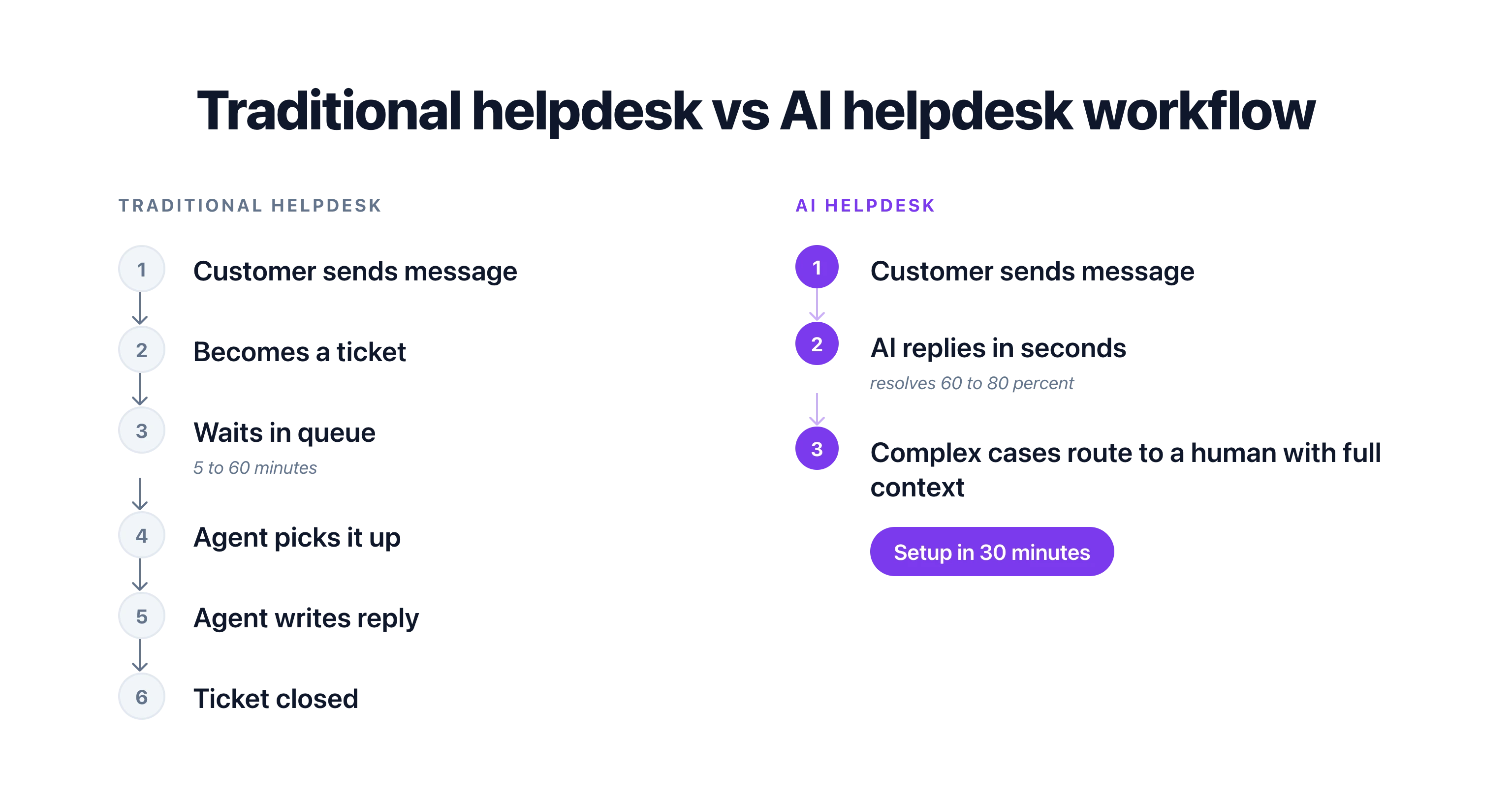
## What Is a Traditional Helpdesk?
A traditional helpdesk is built around tickets. A customer sends a message (email, form, chat). That message becomes a ticket. The ticket enters a queue. A human agent picks it up, responds, and closes it.
The core features of a traditional helpdesk:
- **Ticket queue:** All incoming requests land in a shared queue, sorted by priority, time, or category
- **Manual routing:** Agents claim tickets or managers assign them based on skill, availability, or workload
- **Canned responses:** Pre-written templates for common questions that agents copy, paste, and personalize
- **Agent dashboards:** Each agent sees their assigned tickets, response times, and SLA status
- **Knowledge base:** A library of articles that agents reference (and sometimes share with customers)
- **Reporting:** Metrics like tickets opened, tickets closed, average response time, and agent performance
Traditional helpdesks work. They've powered customer support for 20+ years. Tools like Zendesk, Freshdesk, and Help Scout built billion-dollar businesses on this model.
But the model has limits. It scales linearly: more tickets means more agents. It's reactive: someone has to ask before you can help. And it's slow: even the best teams take minutes to respond, not seconds.
## What Is an AI Helpdesk?
An AI helpdesk replaces or augments the human agent with artificial intelligence. Instead of routing tickets to people, it tries to resolve them automatically. When it can't, it hands off to a human with full context.
The core features of an AI helpdesk:
- **Auto-categorization:** AI reads incoming messages and categorizes them by topic, urgency, and sentiment without manual tagging
- **AI-suggested replies:** The AI drafts responses for agents to review, edit, and send, cutting response time by 50%+
- **Automatic resolution:** For common questions, the AI resolves the conversation entirely without human involvement
- **Smart routing:** When human help is needed, AI routes to the best-fit agent based on topic, language, and availability
- **Conversational interface:** Customers interact through natural chat instead of filling out support forms
- **Learning over time:** The AI improves as it handles more conversations, reducing error rates with each interaction
An AI helpdesk isn't just a traditional helpdesk with a chatbot attached. It fundamentally changes how support operates. The AI is the first responder. Humans are the escalation path.
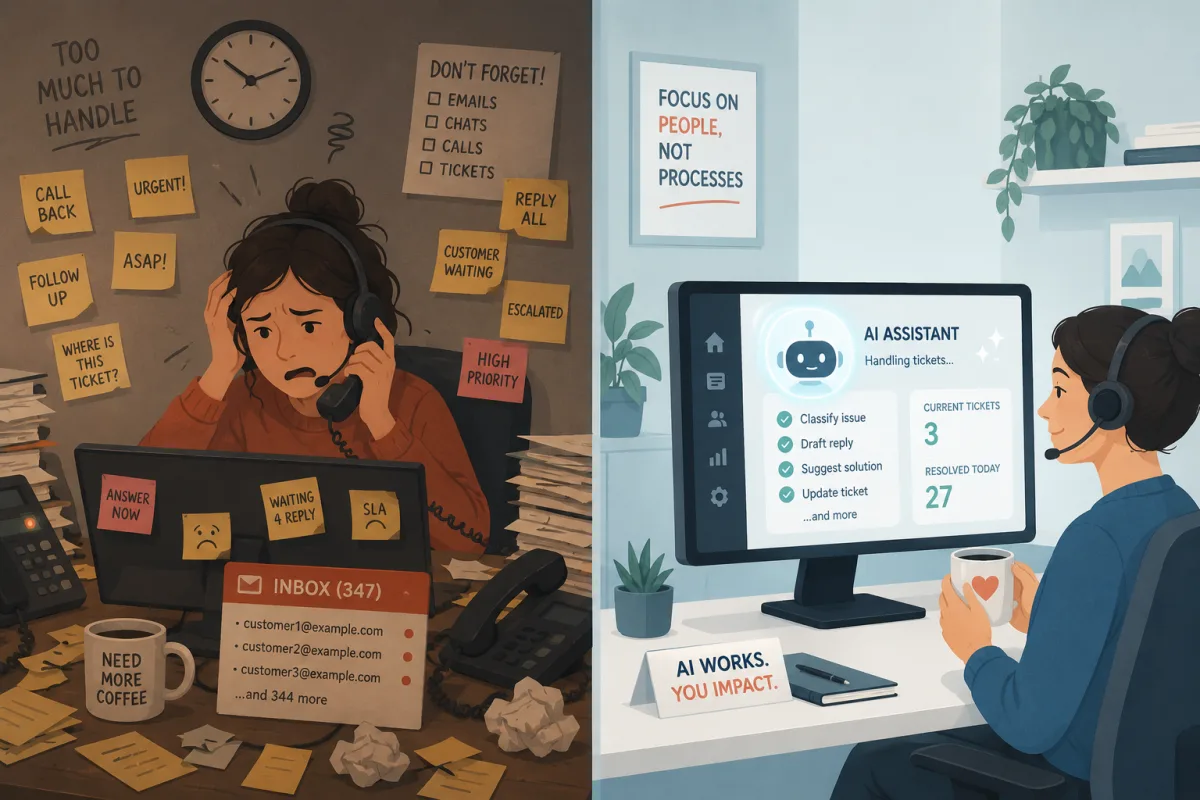
## Head-to-Head Comparison
Here's how AI and traditional helpdesks stack up across 12 criteria that matter for day-to-day operations:
| Criteria | Traditional Helpdesk | AI Helpdesk |
|---|---|---|
| **Setup time** | 1 to 4 weeks (workflows, routing rules, templates) | 30 minutes to 2 hours (point AI at your content) |
| **Monthly cost** | $25 to $150+ per agent | $19 to $80 per workspace |
| **First response time** | 5 to 60 minutes (depends on staffing) | Under 30 seconds |
| **Availability** | Business hours only (unless you hire shifts) | 24/7/365 |
| **Languages supported** | Limited to agents' language skills | 50 to 100+ languages from day one |
| **Scalability** | Linear (more tickets = more agents) | Near-infinite for Tier 1 and 2 questions |
| **Learning curve** | Medium (agents need training on the tool) | Low (AI trains on your existing content) |
| **Personalization** | High (human agents adapt to each customer) | Medium (improving fast with context-aware AI) |
| **Complex issue handling** | Excellent (human judgment and empathy) | Limited (needs human handoff for edge cases) |
| **Audit trail** | Comprehensive (full ticket history, SLA tracking) | Varies by tool (some lack detailed logging) |
| **Integration depth** | Deep (mature ecosystems with 100+ integrations) | Growing (webhooks and API-based, fewer native integrations) |
| **Reporting** | Detailed agent-level metrics and SLA reports | Conversation-level analytics, deflection rates |
The numbers tell a clear story: AI wins on speed, cost, and coverage. Traditional wins on complexity, control, and depth. The right choice depends on what your business needs most.
## When Traditional Helpdesks Win
Traditional helpdesks aren't obsolete. There are real scenarios where they're the better choice:
### Enterprise With Complex SLAs
If you have contractual SLA requirements (respond within 1 hour, resolve within 4 hours, 99.5% uptime), you need the kind of granular tracking that mature traditional helpdesks provide. Zendesk and Freshdesk have spent years building SLA management into every layer of their product.
AI helpdesks are catching up, but most don't offer the SLA precision that enterprise contracts demand. If a missed SLA means financial penalties, go with a tool built for that use case.
### Regulated Industries Needing Audit Trails
Healthcare, finance, legal, and government organizations need detailed audit trails for compliance. Who said what, when, and why. Which agent handled it. What policy was applied. What approvals were given.
Traditional helpdesks excel here because every interaction flows through a ticket with a complete history. Some AI helpdesks lack the granularity required for regulatory audits, especially when the AI resolves a conversation without human review.
### Large Support Teams With Specialized Roles
If you have 50+ agents organized into tiers (L1, L2, L3) with specialized skill sets, traditional routing and queue management still works well. The overhead of managing agents is worth it because each agent handles complex, high-value interactions.
For teams this size, AI typically augments the traditional helpdesk rather than replacing it. AI drafts responses for L1 agents. Humans handle L2 and L3.
### Businesses That Need Deep CRM Integration
If your support workflow depends on pulling customer data from Salesforce, HubSpot, or a custom CRM, traditional helpdesks have more mature integrations. They've had years to build deep, two-way syncs with enterprise CRM platforms.
AI helpdesks connect via APIs and webhooks, which is flexible but requires more setup. If you need out-of-the-box Salesforce integration with custom fields syncing both ways, a traditional tool will get you there faster.
## When AI Helpdesks Win
AI helpdesks shine in specific but increasingly common scenarios:
### SMBs With Small Teams
If you have 1 to 5 people handling customer support, you can't afford to staff a 24/7 helpdesk. An AI helpdesk gives you round-the-clock coverage without hiring extra people. The AI handles the predictable questions (60 to 80% of volume), and your small team focuses on the conversations that actually need a human.
This is where the cost difference is most dramatic. A traditional helpdesk for a 3-person team might cost $150 to $450/mo in agent seats alone. An AI helpdesk like [Boei](/human-control/) starts at $19/mo and handles unlimited AI conversations.
### High-Volume Repetitive Questions
If 70%+ of your inbound questions are variations of the same 20 topics, AI is the clear winner. Traditional helpdesks force your team to answer "What are your hours?" for the thousandth time. An AI handles it instantly without touching your team's queue.
E-commerce businesses, SaaS companies, and service businesses with standard offerings benefit the most. The more repetitive your support volume, the higher the ROI on AI.
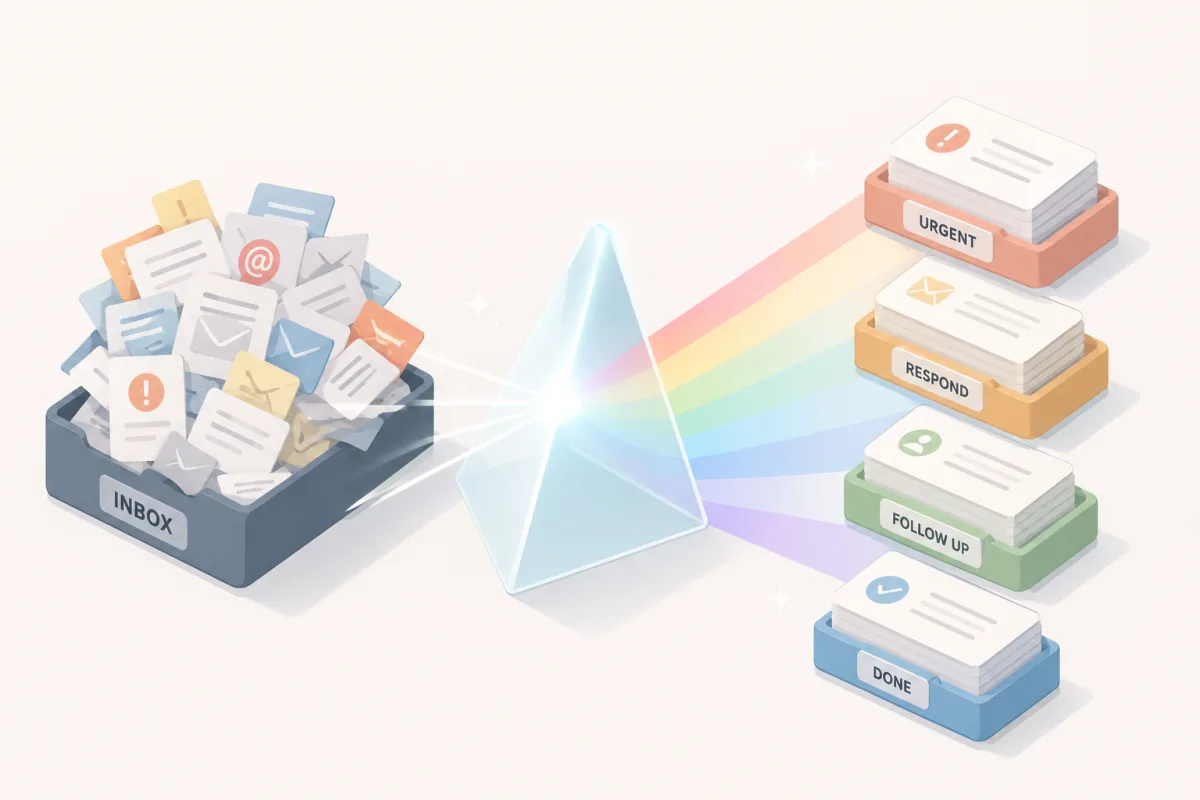
### After-Hours and Weekend Coverage
Your customers don't stop having questions at 5pm on Friday. For businesses that can't justify weekend or evening shifts, an [AI chatbot](/ai-chatbot/) fills the gap. It handles inquiries overnight, qualifies leads at midnight, and captures information that your team reviews in the morning.
The alternative (letting messages pile up until Monday) costs you leads and customer satisfaction. Research shows that 90% of customers rate an "immediate" response as important when they have a support question. Immediate means under 10 minutes.
### Multilingual Support
Hiring support agents who speak German, French, Spanish, Portuguese, and Japanese is expensive. An AI helpdesk handles all of those languages from day one, with no additional cost per language.
For businesses expanding internationally, this is a huge advantage. You don't need to hire country-specific agents until your volume in that language justifies it. The AI covers the long tail of languages automatically.
> **Need 24/7 multilingual support without the headcount?** Try Boei free for 7 days. One AI Agent covers your website, WhatsApp, email, and SMS in 95+ languages. Plans from $19/mo.
### Speed-to-Lead Conversion
When a potential customer visits your website and asks a question, the clock starts ticking. Harvard Business Review research shows that responding within 5 minutes makes you 100x more likely to connect with that lead compared to responding after 30 minutes.
A traditional helpdesk depends on an available agent seeing the message and responding. An AI helpdesk responds in seconds, qualifies the lead, collects contact information, and can even book a meeting. That speed advantage directly impacts revenue.
## Tool Comparison: 5 Helpdesk Platforms
Let's compare five specific tools, ranging from fully traditional to AI-first.
### 1. Boei
**Type:** AI-first helpdesk for SMBs
Boei is built around an [AI Agent](/ai-agent/) that handles customer conversations across website chat, WhatsApp, email, and SMS. The AI trains on your website content and documents, then answers questions, qualifies leads, books appointments, and routes complex issues to your team [inbox](/team-inbox/).
**Strengths:**
- AI resolves 60 to 80% of routine questions without human help
- Unified inbox across all channels (website, WhatsApp, email, SMS)
- [Automation rules](/automation/) for routing and follow-ups
- EU-hosted, GDPR compliant
- Setup in under 30 minutes
**Limitations:**
- No enterprise ticketing system or SLA management
- No ITIL or IT service desk workflows
- Fewer native integrations than mature traditional tools (uses webhooks and API instead)
**Pricing:** From $19/mo (annual). 7-day free trial, no credit card required. Over 17,000 businesses use Boei worldwide.
**Best for:** Small and mid-size businesses that want AI-powered support without enterprise complexity.
### 2. Zendesk
**Type:** Traditional helpdesk with AI add-ons
Zendesk is the industry standard for ticket-based support. It offers a complete suite: ticketing, live chat, knowledge base, phone support, and reporting. In 2025, Zendesk added AI features (auto-reply, suggested articles, sentiment analysis) as add-ons.
**Strengths:**
- Mature ticket management with advanced routing and SLA tracking
- 1,000+ integrations through the Zendesk Marketplace
- Comprehensive reporting and analytics
- ITIL-aligned workflows for IT service desks
- Strong audit trail for compliance
**Limitations:**
- AI features cost extra ($50/agent/mo for AI Advanced)
- Complex setup and admin overhead
- Per-agent pricing adds up fast for growing teams
- Overkill for businesses under 10 agents
**Pricing:** From $19/agent/mo (Support Team). AI add-on from $50/agent/mo. Enterprise plans $115+/agent/mo.
**Best for:** Mid-market and enterprise companies with dedicated support teams and SLA requirements.
### 3. Freshdesk
**Type:** Traditional helpdesk with AI features
Freshdesk offers a similar model to Zendesk but positions itself as more affordable. It includes ticketing, a knowledge base, and community forums. Freshdesk's AI assistant (Freddy AI) handles auto-triage, suggested responses, and canned reply recommendations.
**Strengths:**
- Free tier for up to 10 agents (limited features)
- Clean interface with lower learning curve than Zendesk
- Freddy AI included in higher tiers
- Good marketplace with 1,000+ integrations
- Solid SLA management
**Limitations:**
- AI capabilities limited compared to AI-first tools
- Best features locked behind Pro and Enterprise tiers
- Phone support add-on costs extra
- Freddy AI sometimes generates inaccurate suggestions
**Pricing:** Free (up to 10 agents, basic features). Growth from $15/agent/mo. Pro from $49/agent/mo. Enterprise from EUR 79/agent/mo.
**Best for:** Budget-conscious teams that want traditional ticketing with optional AI features.
### 4. Intercom
**Type:** Hybrid (conversational platform with AI)
Intercom started as a live chat tool and evolved into a full customer platform with AI (Fin). Fin answers questions from your knowledge base and resolves a percentage of conversations automatically. Unresolved conversations route to human agents.
**Strengths:**
- Fin AI resolves a meaningful percentage of conversations
- Strong messenger experience for website and in-app
- Product tours, onboarding, and outbound messaging built in
- Good for SaaS companies with in-app support needs
**Limitations:**
- Expensive: starts at $29/seat/mo, Fin AI charged per resolution ($0.99 each)
- Fin costs add up quickly at high volume (1,000 AI resolutions = $990/mo extra)
- Complex pricing model with multiple add-ons
- Not ideal for non-SaaS businesses
**Pricing:** From $29/seat/mo (Essential). Fin AI $0.99 per resolution. Pro plan $99/seat/mo.
**Best for:** SaaS companies with in-app support needs and budget for per-resolution AI pricing.
### 5. Help Scout
**Type:** Traditional helpdesk with human-first philosophy
Help Scout is a shared inbox tool designed for small teams that value personal customer relationships. It recently added AI features (AI drafts, AI summarize), but positions itself as human-first with AI assistance.
**Strengths:**
- Simple shared inbox that feels like email
- Beacon widget for website chat and help center
- Good docs/knowledge base builder
- AI drafts and summaries for agents
- Clean reporting without overwhelming dashboards
**Limitations:**
- Limited AI automation (no auto-resolution)
- No WhatsApp or SMS support natively
- Fewer integrations than Zendesk or Freshdesk
- Per-user pricing limits scalability
**Pricing:** From $22/user/mo (Standard). Plus from $44/user/mo. Pro from $65/user/mo.
**Best for:** Small teams that want a simple, human-first inbox with light AI assistance.
### Tool Comparison Table
| Feature | Boei | Zendesk | Freshdesk | Intercom | Help Scout |
|---|---|---|---|---|---|
| Starting price | $19/mo | $19/agent/mo | Free (limited) | $29/seat/mo | $22/user/mo |
| AI auto-resolution | Yes (included) | Add-on ($50/agent) | Higher tiers only | $0.99/resolution | No |
| Setup time | 30 minutes | 1 to 4 weeks | 1 to 2 weeks | 1 to 2 weeks | 1 to 3 days |
| Website chat | Yes | Yes | Yes | Yes | Yes |
| WhatsApp | Yes | Add-on | Add-on | Add-on | No |
| Email support | Yes | Yes | Yes | Yes | Yes |
| SMS | Yes | No | No | Add-on | No |
| Multilingual AI | 95+ languages | Limited | Limited | 45+ languages | Limited |
| SLA management | No | Yes | Yes | Yes | Basic |
| Ticket system | No (conversation-based) | Yes | Yes | Yes | Shared inbox |
| Free trial | 7 days | 14 days | 21 days | 14 days | 15 days |
| Best for | SMBs, AI-first | Enterprise | Budget teams | SaaS | Small teams |
## The Hybrid Approach: AI + Human
The most effective support operations in 2026 aren't purely AI or purely traditional. They're hybrid.
Here's how a hybrid approach works in practice:
1. **AI handles the front line.** Every incoming message hits the AI first. It responds instantly, resolves what it can, and collects context for what it can't.
2. **Smart routing for everything else.** Messages the AI can't resolve get routed to the right human based on topic, language, customer value, or complexity.
3. **AI assists human agents.** When a human picks up a conversation, they see an AI-generated summary, suggested responses, and relevant knowledge base articles. This cuts handle time by 30 to 50%.
4. **Continuous learning.** Every conversation the AI handles (or fails to handle) becomes training data. The AI gets better over time without manual updates.
This is the model Boei uses. The [AI Agent](/ai-agent/) resolves Tier 1 and Tier 2 questions automatically. Everything else lands in the team [inbox](/team-inbox/) with full context. Your team spends their time on conversations that genuinely need human judgment, not answering "What are your hours?" for the hundredth time.
> **See the hybrid approach in action.** Start your free 7-day trial and watch how the AI handles routine questions while routing complex ones to your team with full context.
## How to Choose the Right Helpdesk
Ask yourself these five questions:
**1. How big is your support team?**
1 to 5 people? Go AI-first. The cost savings alone justify it. 10+ agents? Consider a traditional tool with AI add-ons, or a hybrid approach.
**2. What percentage of your questions are repetitive?**
If 60%+ of your volume is the same 20 questions, an AI helpdesk will pay for itself in the first month. If most conversations are unique and complex, traditional tools handle that better.
**3. Do you need SLA management?**
If you have contractual SLAs with financial penalties, choose a traditional helpdesk with SLA tracking built in. AI helpdesks are catching up but aren't there yet for enterprise SLA requirements.
**4. How many channels do you support?**
If you need website chat, WhatsApp, email, and SMS in one place, look for tools that include all channels without per-channel add-on fees. Boei includes all four from the base plan.
**5. What's your budget?**
Traditional helpdesks cost $25 to $150 per agent per month and scale linearly. AI helpdesks start lower and scale better because the AI handles volume without adding seats. For SMBs, the cost difference is significant.
## FAQ
### Is an AI helpdesk right for my small business?
If you have fewer than 10 support team members and most of your questions are repetitive, yes. An AI helpdesk handles the predictable volume (FAQ answers, order status, lead qualification) and lets your team focus on complex issues. Most small businesses see 40 to 60% of support volume automated within the first month.
### Can an AI helpdesk fully replace human agents?
No. AI handles Tier 1 and Tier 2 questions well (FAQ, routine requests, data collection). But complex issues, complaints, and high-stakes conversations still need human judgment. The best approach is AI for the front line with human escalation for everything else.
### How much does an AI helpdesk cost compared to traditional?
Traditional helpdesks charge per agent, typically $25 to $150/mo per seat. A 5-person team costs $125 to $750/mo. AI helpdesks like Boei start at $19/mo and don't charge per agent for AI conversations. The cost difference grows as your volume increases because AI handles more without adding seats.
### What about data privacy with AI helpdesks?
Check where the provider hosts data and whether they're GDPR compliant. Boei is EU-hosted and GDPR compliant, meaning customer conversation data stays in Europe and follows EU data protection rules. Not all AI tools offer this, so ask before you sign up.
### How long does it take to switch from a traditional to an AI helpdesk?
Basic setup takes 30 minutes to 2 hours: connect your website, let the AI read your content, and configure your channels. Migrating historical data (old tickets, knowledge base articles) takes longer depending on volume. Most businesses run both tools in parallel for 2 to 4 weeks during the transition.
### Will my CSAT score drop if I switch to AI?
Not if you implement it correctly. Studies show that customers prefer fast AI answers over slow human responses for simple questions. Keep human escalation easy (one click, no repeating themselves) and your CSAT should stay stable or improve. Monitor CSAT weekly during the first month and adjust your AI if scores dip.
### What's the biggest mistake when adopting an AI helpdesk?
Trying to automate everything at once. Start with FAQ answers and self-service (Tier 1). Get that working well. Then expand to routine requests (Tier 2). Save complex workflows for last. Businesses that rush the rollout end up with frustrated customers and abandon the project. Take it one tier at a time.
> **Ready to try an AI helpdesk?** Sign up for Boei's free 7-day trial. Set up takes under 30 minutes, and you'll see results on day one. Over 17,000 businesses already made the switch. [View pricing](/pricing/) to find the right plan for your team.
---
## AI Sales Chatbot: Qualify Leads While You Sleep
URL: https://boei.help/blog/ai-sales-chatbot/
Summary: An AI sales chatbot qualifies leads 24/7, scores prospects, and books meetings automatically. See frameworks, templates, and tool comparisons.
---
An AI sales chatbot qualifies leads around the clock, asks the right questions, and routes hot prospects to your sales team before competitors respond. According to Salesforce, sales teams spend 65% of their time on non-selling activities like data entry, email follow-ups, and manual lead qualification.
That means your salespeople only sell for about 14 hours per week. An AI chatbot takes over the repetitive parts so they can focus on closing.
> **Start qualifying leads automatically.** Try Boei free for 7 days and set up your AI sales chatbot in under 10 minutes.
## The Speed-to-Lead Problem
Here is a stat that should change how you think about sales: 78% of customers buy from the company that responds first (Lead Connect, 2023). Not the company with the best product. Not the cheapest option. The first responder wins.
But the average response time for B2B leads is 42 hours. Almost two full days. By then, your prospect has already talked to three competitors, read ten reviews, and probably started a free trial somewhere else.
This gap between buyer expectation and seller reality is where an [AI sales chatbot](/ai-chatbot/sales/) creates massive value. The AI responds in under two seconds. It qualifies the lead, scores their intent, and either books a meeting or passes the conversation to a human. All while your sales team is in meetings, at lunch, or asleep.
Speed-to-lead is not just about convenience. It is about revenue. Research from InsideSales.com shows that contacting a lead within five minutes makes you 100x more likely to connect than waiting 30 minutes. An AI chatbot does not wait five minutes. It responds instantly.
## How AI Sales Qualification Works
A good AI sales chatbot does not just collect contact information and dump it into a spreadsheet. It runs a qualification framework, scores the lead, and takes the appropriate next action.
### The BANT Framework in Conversation
BANT (Budget, Authority, Need, Timeline) has been the standard sales qualification framework for decades. The problem is that traditional chatbots implement it like an interrogation: "What is your budget? Who is the decision maker? When do you need a solution?"
Nobody wants to answer that. An AI chatbot weaves these questions into natural conversation.
**Budget discovery:**
- Visitor: "How much does your platform cost?"
- AI: "It depends on your team size and what you need. How many people would be using it?"
- Visitor: "About 15"
- AI: "Got it. For a team of 15, our Growth plan at $49/month covers everything. Are you currently spending anything on a similar tool?"
The AI just learned their team size, directed them to the right plan, and opened a budget discussion. No interrogation required.
**Authority check:**
- AI: "Would you be the one setting this up, or should I include anyone else in the information I send over?"
One question reveals whether they are the decision maker or an evaluator, without asking the awkward "Are you authorized to buy this?" question.
**Need identification:**
- AI: "What brought you to our site today? Are you looking to solve a specific problem?"
- Visitor: "Our response times are too slow and we are losing leads."
Now the AI knows their pain point and can tailor the rest of the conversation around speed-to-lead benefits.
**Timeline:**
- AI: "Are you actively evaluating tools right now, or just starting your research?"
- Visitor: "We need something in place before next quarter."
That is a hot lead with a clear timeline. The AI scores this accordingly.
### AI Lead Scoring
Based on the conversation, the AI assigns a score:
| Signal | Score Impact | Example |
|--------|-------------|---------|
| Visits pricing page | +20 | High purchase intent |
| Asks about integrations | +15 | Evaluating seriously |
| Mentions a competitor | +15 | Actively comparing |
| Shares team size 10+ | +10 | Higher deal value |
| Has a timeline under 30 days | +25 | Urgent need |
| Decision maker confirmed | +20 | Can approve purchase |
| Asks generic question only | +5 | Early research |
| Gives email address | +10 | Willing to engage |
A lead scoring 70+ is hot. Between 40 and 69 is warm. Below 40 is cold. The AI routes each differently.
**Hot leads (70+):** Instant notification to sales team, meeting booking link offered, deal created in CRM.
**Warm leads (40-69):** Added to nurture sequence, receives relevant case study via email, gets a follow-up in 48 hours.
**Cold leads (under 40):** Gets helpful answers, receives a resource guide, stays in general marketing pipeline.
With [Boei's AI Agent](/ai-agent/), this scoring and routing happens automatically during the conversation. No manual data entry. No leads falling through cracks.
## The Full Sales Pipeline: From Chat to Close
Here is where AI sales chatbots deliver the biggest ROI. It is not just about qualifying leads. It is about automating the entire pipeline from first message to signed deal.
### Step 1: Chatbot Qualifies the Lead
A visitor lands on your website at 9pm. They ask about your enterprise plan. The AI chatbot engages, asks qualifying questions naturally, and determines this is a hot lead: team of 25, decision maker, needs a solution within 30 days, currently using a competitor.
### Step 2: Deal Created in CRM
The AI automatically creates a deal in your [CRM pipeline](/chatbot-crm/). It fills in the contact name, email, company size, pain points, timeline, and lead score. Your sales rep wakes up to a fully qualified lead with complete context.
### Step 3: AI Drafts Follow-up Email
Within minutes of the conversation, the AI sends a personalized email: "Hi Sarah, great chatting with you about switching from [competitor]. Based on your team of 25, here is a quick overview of our Enterprise plan and how it handles the response time issues you mentioned."
### Step 4: Sales Rep Closes
Your sales rep reviews the conversation transcript, the lead score, and the AI-generated summary. They walk into the call fully prepared. No discovery phase needed. The AI already did it.
This pipeline runs 24/7. Your AI qualifies leads at 3am on Saturday. It creates CRM deals on holidays. It drafts follow-ups while your team focuses on the calls that actually close revenue.
Manage every step from the [unified inbox](/team-inbox/) so nothing gets missed.
## AI Agent for Sales: Practical Examples
Boei's AI Agent takes sales chatbots beyond simple Q&A. By connecting to your APIs and tools, the AI becomes an active sales assistant.
### Example 1: Dynamic Pricing Quotes
Connect your chatbot to your pricing API so the chatbot gives accurate quotes based on the customer's requirements.
**How it works:** The visitor says they need 5 chatbots, 3 domains, and WhatsApp support. The AI Agent calls your pricing endpoint, calculates the exact monthly cost, and presents it: "Based on your needs, the Growth plan at $49/month covers all of that. Want me to set up a trial?"
No more "check our pricing page" responses. The AI gives real numbers based on real requirements.
### Example 2: Availability and Inventory Check
Connect your chatbot to your backend so it checks real-time availability.
**How it works:** For service businesses, the AI checks your calendar for available slots. For e-commerce, it checks inventory. The visitor asks "Can we start next week?" and the AI responds with actual availability, not a vague "let me check with the team."
### Example 3: Competitor Comparison
Connect your chatbot to a competitor data sheet so it handles objections intelligently.
**How it works:** When a visitor mentions they are evaluating a competitor, the AI pulls relevant comparison data. "You mentioned you are looking at Drift. Here is how we compare: Boei includes CRM and WhatsApp in every plan, while Drift starts at $2,500/month and charges extra for those channels."
### Example 4: Meeting Booking
Connect your chatbot to your calendar API so it books meetings without friction.
**How it works:** The AI qualifies a hot lead and says "Want to schedule a quick 15-minute demo? I can see that your account manager has openings tomorrow at 10am and 2pm." The visitor picks a slot. Done. No email ping-pong. No scheduling links to external tools.
## Sales Qualification Playbook: Copy-Paste Template
Here is a ready-to-use prompt for your AI sales chatbot. Customize the bracketed sections for your business.
```
You are a sales assistant for [YOUR COMPANY]. Your goal is to understand what the visitor needs, qualify them as a lead, and guide them toward the right next step.
QUALIFICATION QUESTIONS (weave naturally into conversation):
1. What problem are they trying to solve?
2. How many people or users do they need?
3. Are they the person who would make this decision?
4. When do they need a solution?
5. Are they evaluating other tools?
6. What is their current setup?
LEAD SCORING:
- Hot (take action immediately): Has budget, timeline under 30 days, decision maker, clear need
- Warm (nurture): Interested but researching, no timeline, or not decision maker
- Cold (help and move on): Just browsing, no clear need, student or personal use
ACTIONS BY SCORE:
- Hot: Offer to book a demo or start a trial. Create a deal in CRM with all details.
- Warm: Send relevant case study or comparison guide. Add to follow-up sequence.
- Cold: Answer their questions helpfully. Share relevant blog posts or docs.
RULES:
- Never ask more than one qualification question in a row
- Always provide value before asking for information
- If they ask about pricing, give a real answer (do not say "it depends")
- If they mention a competitor, acknowledge it honestly and highlight your strengths
- End every conversation with a clear next step
TONE: Professional but conversational. Like a knowledgeable colleague, not a pushy salesperson.
```
This template works with Boei. Paste it into your chatbot instructions and customize the company details. The AI will follow this framework while keeping conversations natural.
## Comparison: AI Sales Chatbot Tools
Here is an honest comparison of the top AI sales chatbot platforms.
| Feature | Boei | Drift | Qualified | Intercom |
|---------|------|------|-----------|-----------|
| **AI qualification** | Yes, conversational AI | Yes, advanced AI | Yes, with intent data | Yes, Fin AI |
| **Lead scoring** | Via AI Agent logic | Built-in scoring | Advanced, with 6sense data | Basic |
| **[CRM included](/chatbot-crm/)** | Yes, deal pipeline | No (integrates with Salesforce) | No (requires Salesforce) | No (separate product) |
| **WhatsApp channel** | Yes, with AI replies | No | No | No |
| **Email channel** | Yes, with AI replies | Yes | No | Yes |
| **SMS channel** | Yes | No | No | Yes (add-on) |
| **Live chat fallback** | Yes | Yes | Yes | Yes |
| **Meeting booking** | Via AI Agent | Built-in | Built-in | Add-on |
| **Custom AI actions** | Yes, webhooks + API calls | Limited | Limited | Limited |
| **Multi-language** | 100+ languages | Limited | Limited | 45 languages |
| **Target market** | SMBs and mid-market | Enterprise | Enterprise (Salesforce users) | Mid-market to enterprise |
| **Setup time** | Under 10 minutes | Weeks | Weeks | Days |
| **Starting price** | $19/month | $2,500/month | Custom (enterprise only) | $39/seat/month |
**When to choose Boei:** You are an SMB or mid-market company that needs AI sales qualification without enterprise pricing. You want built-in CRM, multi-channel support (WhatsApp, email, SMS), and fast setup. At $19/month, you can test and iterate without a major financial commitment. Over 17,000 businesses already use Boei for exactly this. Check [pricing](/pricing/) for the full breakdown.
**When to choose Drift:** You are an enterprise B2B company with a Salesforce-heavy sales stack and budget for a premium conversational marketing platform. You need advanced ABM features and have a team to manage the implementation.
**When to choose Qualified:** You are a Salesforce customer that wants deep CRM integration and buyer intent data from 6sense. You sell to enterprise accounts and need account-based routing.
**When to choose Intercom:** You need a combined support and sales platform with strong product tour capabilities. You have a mid-market budget and want AI chatbot plus help desk in one tool.
> **Qualify leads 24/7 for $19/month.** Start your free Boei trial and see your first qualified lead within 24 hours.
## Setting Up Your AI Sales Chatbot with Boei
### Step 1: Create Your Sales Chatbot
Sign up for Boei and create a new chatbot. Choose the sales assistant template or start from scratch. Train it on your website, pricing page, and product documentation.
### Step 2: Add the Sales Playbook
Paste the qualification prompt template (from earlier in this article) into your chatbot instructions. Customize your qualification questions, scoring criteria, and actions.
### Step 3: Connect Your Tools
Use the AI Agent to connect:
- Your CRM (or use Boei's built-in pipeline) for deal creation
- Your calendar for meeting booking
- Your email system for automated follow-ups
- Any custom API for pricing, availability, or inventory checks
### Step 4: Set Up [Lead Generation](/ai-chatbot/lead-generation/)
Configure your chatbot to collect contact information naturally during conversation. Boei captures name, email, phone, and company without interrupting the flow.
### Step 5: Install and Test
Add the Boei widget to your website. Test it with realistic scenarios: a hot enterprise lead, a price-shopper, a researcher, a competitor customer. Refine your prompts based on how the AI handles each.
### Step 6: Monitor from Your Inbox
All conversations flow into Boei's [unified inbox](/team-inbox/). Review transcripts, check lead scores, and see which questions come up most. Use this data to improve your chatbot prompts and sales process.
> **Build your sales pipeline on autopilot.** Sign up for Boei and connect your AI chatbot to CRM, email, and WhatsApp in minutes.
## Common Sales Chatbot Mistakes
### Asking for Contact Info Too Early
The number one reason visitors abandon chat: the bot asks for their email before providing any value. Lead with answers. Give the visitor what they need first. The contact information comes naturally once they trust you.
### Not Having Real Pricing Available
"Contact us for pricing" is a conversion killer. If a visitor asks how much your product costs, the AI should give a real answer. Connect your pricing API or hardcode your pricing tiers into the chatbot's knowledge base.
### Treating Every Lead the Same
A Fortune 500 CTO evaluating your platform needs a different experience than a freelancer asking about your free tier. AI lead scoring prevents this by routing different quality leads to different paths.
### Ignoring Non-Business Hours
Half of all B2B website traffic happens outside business hours (HubSpot). If your chatbot goes offline at 5pm or defaults to "Leave a message," you are throwing away qualified leads. An AI sales chatbot works the same at midnight as it does at noon.
### No Human Handoff
AI should qualify, not close complex deals. When a hot lead is ready for a deep conversation, the AI should seamlessly hand off to a human with full context. "I am connecting you with Alex, our account manager. I have shared the details of our conversation so you do not have to repeat anything."
## The ROI of an AI Sales Chatbot
Let us calculate the return for a typical B2B company.
**Current state (no AI chatbot):**
- 5,000 website visitors per month
- 2% lead capture rate = 100 leads
- Average response time: 4 hours
- 20% qualification rate = 20 qualified leads
- 25% close rate = 5 new customers
- Average deal value: $500/month
- New monthly revenue: $2,500
**With AI sales chatbot:**
- 5,000 website visitors per month
- 5% lead capture rate = 250 leads (conversational vs. forms)
- Average response time: 2 seconds
- 35% qualification rate = 88 qualified leads (better questions, no drop-off)
- 25% close rate = 22 new customers
- Average deal value: $500/month
- New monthly revenue: $11,000
That is $8,500 more per month from the same traffic. $102,000 per year. The Boei Growth plan costs $49/month.
Even conservative estimates, like increasing lead capture from 2% to 3% and qualification from 20% to 25%, add meaningful revenue with almost zero additional cost.
## FAQ
### How much does an AI sales chatbot cost?
Boei starts at $19/month with AI qualification capabilities. Enterprise alternatives like Drift start at $2,500/month and Qualified offers custom enterprise pricing only. For SMBs, Boei provides the core qualification features at a fraction of the cost.
### Can an AI chatbot really qualify leads as well as a human?
For initial qualification, yes. AI chatbots are consistent (they never skip questions), available 24/7, and process responses instantly. They follow your exact qualification framework every time. For complex discovery and relationship building, humans are still better. The ideal setup: AI qualifies, humans close.
### How quickly can I set up an AI sales chatbot?
With Boei, the basic setup takes under 10 minutes. Training the AI on your product, adding the sales playbook, and connecting your CRM takes about 1 to 2 hours total. You can be qualifying leads the same day.
### Will an AI chatbot annoy my website visitors?
Only if you set it up badly. The key is making the chatbot helpful, not pushy. Do not auto-open with "Can I help you?" within two seconds of page load. Let visitors engage on their terms. When they do engage, provide value first and qualify second.
### Does the AI work in multiple languages?
Yes. Boei supports 100+ languages automatically. If a prospect writes in Spanish, the AI responds in Spanish using the same qualification framework. This is especially valuable for businesses with international traffic. No separate chatbot or translation setup needed.
### Can I see the full conversation before calling a lead?
Yes. Every conversation is saved in Boei's inbox with a full transcript. Your sales rep can read exactly what the prospect said, what questions they asked, and how the AI scored them before picking up the phone. This is EU/GDPR compliant with data stored in Europe.
### How does the AI handle prospects who mention competitors?
The AI acknowledges the competitor honestly and highlights your strengths without being negative. For example: "Drift is a solid platform for enterprise teams. If you are looking for similar AI qualification with built-in CRM and WhatsApp support at a lower price point, that is exactly what Boei offers." You can customize these responses in your chatbot instructions.
---
## Analyze Spreadsheets With AI: CSV & Excel Guide
URL: https://boei.help/blog/analyze-spreadsheets-ai/
Summary: Use AI to analyze spreadsheets, chat with CSV and Excel data, and let website visitors search your product catalog via chatbot.
---
**TL;DR:** AI tools can read and analyze your spreadsheets so you (and your website visitors) can ask questions in plain English instead of writing formulas. Boei connects to CSV files and Google Sheets with auto-sync, trains an AI agent on your data, and shows product cards with thumbnails and prices in chat. Starting at $19/mo. Alternatives like ChatGPT require manual uploads per session, while Julius AI and SheetAI focus on personal analytics rather than customer-facing use.
Most business data lives in spreadsheets. Product catalogs, pricing tables, inventory lists, customer databases, financial reports. The data is there, but getting answers out of it usually means writing formulas, building pivot tables, or asking someone who knows how to use VLOOKUP. AI changes that by letting you ask questions in plain language and get instant answers.
This guide covers how to use AI to [analyze spreadsheets](/chat-with-csv/), with a focus on making that data accessible to your website visitors through an AI chatbot.
## What "Analyze Spreadsheets With AI" Actually Means
There are two distinct use cases for AI and spreadsheets, and they require different tools.
### Personal Analysis
You upload a spreadsheet and ask questions about it yourself. "What was our top-selling product in Q1?" or "Show me the trend in customer acquisition cost." This is useful for data exploration, quick insights, and avoiding complex formulas.
### Customer-Facing Data Access
You connect your spreadsheet to an AI chatbot on your website. Visitors ask questions like "Do you have this sofa in blue?" or "What is the price for 500 units?" and the AI searches your data and responds with accurate, up-to-date information. This turns a static spreadsheet into an interactive product finder or knowledge base.
Both are valid, but they need fundamentally different tools. ChatGPT handles personal analysis well. For customer-facing use, you need a platform like [Boei](/ai-chatbot/) that can embed on your website and sync with your data automatically.
## Use Cases for AI-Powered Spreadsheet Analysis
### Product Catalogs (Ecommerce)
An online furniture store has 2,000 products in a Google Sheets catalog with columns for name, category, dimensions, color, material, price, and stock status. Instead of making customers browse through filter menus, an AI chatbot lets them type "I need a wooden dining table for 6 people under $800" and get matching products instantly.
### Pricing Tables
A B2B company has tiered pricing based on volume, contract length, and product bundle. The pricing spreadsheet has dozens of combinations. An AI chatbot can answer "What is the price per unit if we order 500 widgets on a 2-year contract?" without the prospect needing to wait for a sales quote.
### Inventory and Availability
A wholesaler tracks inventory across three warehouses in a spreadsheet. Sales reps can ask the AI "How many units of SKU-4521 are available in the Berlin warehouse?" and get a real-time answer based on the latest sync.
### Financial Reports
A finance team uploads monthly reports to analyze trends. "What was our gross margin in March compared to February?" or "Which department had the highest expense growth this quarter?" The AI reads the spreadsheet and calculates the answer.
### Customer Data
A support team has a spreadsheet tracking customer accounts, subscription tiers, and renewal dates. They can ask "Which enterprise customers have renewals in the next 30 days?" instead of sorting and filtering manually.
## How Boei Handles Spreadsheet Data
[Boei](/ai-chatbot/) treats spreadsheets as a training source for your AI agent, just like PDFs or website content. But with spreadsheets, it goes further with structured data features designed for ecommerce and product-heavy businesses.
### Upload CSV or Connect Google Sheets
You have two options for getting spreadsheet data into Boei:
1. **CSV upload:** Export your spreadsheet as a CSV file and upload it directly. Best for static data that does not change frequently.
2. **Google Sheets connection:** Paste a public Google Sheets URL and Boei reads the data directly. Best for data that changes regularly.
Both methods work with the same AI training pipeline. The data gets processed, indexed, and made available for your chatbot to reference.
### Auto-Sync With Google Sheets
This is where Boei stands out for businesses with changing data. When you connect a Google Sheet, you can set the sync frequency:
- **Hourly:** For fast-moving inventory or frequently updated pricing
- **Daily:** For product catalogs that change regularly
- **Weekly:** For data that updates in batches
- **Monthly:** For relatively stable reference data
The AI agent automatically retrains on the latest data at your chosen interval. Update a price in Google Sheets, and your chatbot reflects the change on the next sync. No manual re-uploading required.
### Product Cards in Chat
When your spreadsheet contains product data (name, price, image URL, description, availability), Boei can display product cards directly in the chat. Instead of a plain text response like "We have the Oak Dining Table for $649," the chatbot shows a visual card with:
- Product thumbnail image
- Product name and short description
- Price and availability status
- Link to the product page
This turns a simple Q&A chatbot into a product discovery tool. Visitors search by describing what they want, and the AI shows matching products as browsable cards with all the key details.
> **Connect your Google Sheets catalog and let visitors search your products via AI chat.** Start your 7-day free trial with Boei. No credit card required.
## Step-by-Step: Set Up Spreadsheet AI With Boei
### 1. Prepare Your Spreadsheet
Structure matters. Your spreadsheet should have:
- **Header row:** Clear column names like "Product Name," "Price," "Category," "Description," "Image URL," "Stock"
- **One item per row:** Each row represents one product, one record, or one entry
- **Consistent formatting:** Prices as numbers (not "$649" and "649.00" mixed), dates in one format, no merged cells
- **No empty rows:** Remove blank rows between data sections
If you are using Google Sheets, make sure the sheet is set to "Anyone with the link can view."
### 2. Connect to Boei
In your Boei dashboard, go to your AI agent's training section. Choose "Spreadsheet" as the source type. Either upload a CSV file or paste your Google Sheets URL. Select the sync frequency if using Google Sheets.
### 3. Map Your Columns
Boei reads your column headers to understand the data structure. For product catalogs, it recognizes common column names like "name," "price," "description," "image," "url," and "availability." If your columns use different names, you can map them in the settings.
### 4. Configure Product Cards
If your data represents products, enable the product card display. This tells the chatbot to show visual cards when referencing items from your spreadsheet instead of plain text responses. You can customize which fields appear on the card.
### 5. Test With Real Questions
Open the chat preview and ask questions the way your customers would:
- "Show me all sofas under $500"
- "Do you have the Nordica bookshelf in walnut?"
- "What are your most popular kitchen tables?"
- "Is the BX-200 printer in stock?"
Check that the AI returns accurate results and that product cards display correctly. Adjust your data structure or column mappings if needed.
### 6. Deploy
Add the Boei widget to your website. The same AI agent also works on [WhatsApp and email](/chat-with-documents/), so customers can search your catalog from any channel.
## Comparison: AI Spreadsheet Tools
Here is how the main options compare for analyzing spreadsheets with AI.
| Feature | Boei | ChatGPT | Julius AI | SheetAI |
|---------|------|---------|-----------|---------|
| CSV/Excel upload | Yes | Yes (per session) | Yes | Google Sheets only |
| Google Sheets sync | Yes (auto-sync) | No | No | Yes (in-sheet) |
| Sync frequency | Hourly/Daily/Weekly/Monthly | N/A | N/A | Real-time (in-sheet) |
| Website chatbot widget | Yes | No | No | No |
| WhatsApp/Email deployment | Yes | No | No | No |
| Product cards in chat | Yes | No | No | No |
| Customer-facing use | Yes | No | No | No |
| Data visualization | Via chat responses | Charts and graphs | Charts and graphs | No |
| Starting price | $19/mo | $20/mo (Plus) | $20/mo | $10/mo |
| Free trial | 7 days | Limited free tier | Free tier | Free tier |
| GDPR compliant | Yes (EU-based) | No (US-based) | No (US-based) | No (US-based) |
### Boei
[Boei](/ai-chatbot/) is an AI agent platform used by 17,000+ businesses. Connect your CSV or Google Sheets, and the AI trains on your data automatically. The key differentiator is customer-facing deployment: your website visitors, WhatsApp contacts, and email senders can all search and ask questions about your spreadsheet data. Product cards make it visual. Auto-sync keeps it current.
Pricing starts at $19/mo (Starter) with 100 training pages. The Growth plan at $49/mo supports 3,500 pages, which covers large product catalogs. See [full pricing](/pricing/).
### ChatGPT
ChatGPT is excellent for personal spreadsheet analysis. Upload a CSV or Excel file and ask questions in natural language. It can create charts, run calculations, identify trends, and summarize data. The limitation is that every session is isolated. Upload a file in one chat, and the next chat does not have access to it. There is no way to embed it on your website or connect it to live data.
Best for: one-off analysis, internal research, exploring unfamiliar datasets. Not suitable for customer-facing use or data that changes regularly.
### Julius AI
Julius AI is a data analysis platform designed for researchers and analysts. Upload spreadsheets and get AI-powered visualizations, statistical analysis, and natural language querying. It handles complex analytical tasks well, including regression analysis, correlation detection, and trend forecasting.
Best for: personal data analysis, research, and creating visualizations. Like ChatGPT, it is not designed for customer-facing chatbots. There is no website widget or auto-sync with external data sources.
### SheetAI
SheetAI works directly inside Google Sheets as an add-on. It adds AI functions to your spreadsheet, so you can use formulas like `=SHEETAI("summarize this column")` or `=SHEETAI("categorize this text")` right in your cells. It is useful for enriching data, generating content from spreadsheet data, and automating cell-level tasks.
Best for: in-spreadsheet automation and data enrichment. It does not create chatbots or customer-facing interfaces. The AI runs inside your Google Sheet, not on your website.
> **Boei is built for customer-facing spreadsheet AI.** Try it free for 7 days and connect your first Google Sheet in minutes.
## Practical Example: Furniture Store With Google Sheets
Here is a real-world scenario showing how this works end to end.
**The business:** A furniture store with 800 products sold online and in-store. Their product catalog lives in a Google Sheet maintained by the purchasing team.
**The spreadsheet:** Columns include Product Name, Category (Living Room, Bedroom, Dining, Office), Material, Color, Dimensions, Price, Stock Status, Image URL, and Product Page URL.
**The setup:** The store connects their Google Sheet to Boei with daily sync. Product cards are enabled, showing the image, name, price, and a "View Product" link.
**Customer interaction:**
A visitor opens the chat on the furniture store's website and types: "I need a desk for a small home office, preferably walnut or oak, under $400."
The AI searches the spreadsheet, filters by Category (Office), Material (walnut, oak), and Price (under $400), then responds with three matching product cards:
1. **Nordica Writing Desk** - Walnut, 120x60cm, $349, In Stock
2. **Compact Oak Workstation** - Oak, 100x50cm, $299, In Stock
3. **Heritage Corner Desk** - Walnut, 130x130cm, $389, Low Stock
The visitor clicks "View Product" on the Compact Oak Workstation and goes directly to the product page. No browsing through categories, no filtering, no scrolling. The AI matched their natural language request to structured spreadsheet data in seconds.
**The result:** The store handles 40% of product questions through the chatbot, freeing up their small support team to focus on complex orders and custom requests. The daily sync means new products and price changes appear in the chatbot within 24 hours.
## Tips for Better Results With Spreadsheet AI
### Data Quality Matters Most
The AI is only as good as your data. Clean, consistent spreadsheets produce accurate answers. Here are the most impactful improvements:
1. **Standardize values.** Use "In Stock" and "Out of Stock," not "Yes," "Available," "in stock," and "y."
2. **Fill every cell.** Empty cells create gaps in the AI's knowledge. If a product has no color variant, write "N/A" rather than leaving it blank.
3. **Use full descriptions.** "Blue linen sofa, 3-seat, removable covers" gives the AI much more to work with than "Sofa - BL."
4. **Keep one sheet per topic.** A sheet with products, pricing, and store locations mixed together confuses the training. Use separate sheets or separate files.
5. **Include units.** "180cm" is better than "180." "$49.99" is better than "49.99."
### Optimize for Natural Language Questions
Think about how people actually ask questions, then make sure your data supports those queries:
- If customers ask about colors, make sure your Color column has user-friendly names ("Navy Blue" not "NB-003")
- If customers ask about size, include dimensions in a readable format ("120 x 60 x 75 cm")
- If customers ask about compatibility, include a column for compatible models or systems
- If customers ask about price ranges, ensure prices are numeric values the AI can compare
### Handle Large Datasets
For spreadsheets with thousands of rows:
- Break them into logical sheets (by category or product line) if your platform supports multiple sources
- Prioritize the columns that matter most for customer questions
- Remove internal-only columns (cost price, supplier codes) that customers do not need
- Test extensively with edge cases: "Show me the cheapest item" or "What is in stock in category X?"
## Pricing Comparison for Spreadsheet AI
| Plan tier | Boei | ChatGPT | Julius AI | SheetAI |
|-----------|------|---------|-----------|---------|
| Entry-level | $19/mo (100 pages) | $20/mo (Plus) | Free (limited) | Free (limited) |
| Mid-tier | $49/mo (3,500 pages) | $20/mo (same) | $20/mo (Pro) | $10/mo |
| Auto-sync | Yes (hourly to monthly) | No | No | In-sheet only |
| Customer-facing | Yes (web + WhatsApp + email) | No | No | No |
| Product cards | Yes | No | No | No |
For personal analysis, ChatGPT at $20/mo or Julius AI's free tier works well. For customer-facing spreadsheet access with auto-sync and product cards, Boei is the only option in this comparison that supports it. The [Starter plan](/pricing/) at $19/mo covers small catalogs, and the Growth plan at $49/mo handles larger product databases.
## FAQ
### Can AI read Excel files directly?
Most AI tools accept CSV files, which you can export from Excel in one click (File > Save As > CSV). Some platforms, including ChatGPT and Julius AI, accept .xlsx files directly. Boei works with CSV uploads and Google Sheets connections. For [Excel-specific workflows](/chat-with-excel/), exporting to CSV or syncing through Google Sheets are the two easiest paths.
### How often does the data sync?
With Boei's Google Sheets integration, you choose the sync frequency: hourly, daily, weekly, or monthly. CSV uploads are manual and require re-uploading when data changes. ChatGPT and Julius AI have no sync capability; you upload fresh data each session.
### Can the AI handle formulas and calculated fields?
AI reads the values in your spreadsheet, not the formulas behind them. If cell B2 contains `=A2*1.21`, the AI sees the result (e.g., "121"), not the formula. This means calculated fields work fine as long as the spreadsheet has been saved with current values. Google Sheets always shows current values, so this is never an issue with live connections.
### How large can my spreadsheet be?
Boei measures training data in pages rather than rows. A spreadsheet with 1,000 rows and 10 columns uses roughly 100 training pages depending on content length. The Starter plan supports 1,000 pages, Growth supports 3,500 pages, and Business supports 10,000 pages. For most product catalogs under 5,000 items, the Growth plan is sufficient.
### Is my spreadsheet data private?
With Boei, your data is encrypted and stored in EU data centers. It is used only to train your specific AI agent and is not shared with other users or used for general model training. This matters if your spreadsheets contain pricing, customer data, or proprietary product information. Boei is GDPR compliant by design.
### Can visitors download or export the spreadsheet data?
No. The AI chatbot reads your data and answers questions, but it does not expose the raw spreadsheet to visitors. Customers can ask about specific products or data points, but they cannot access, download, or browse the underlying spreadsheet. Your data structure stays private.
### Does the chatbot work with Google Sheets formulas like IMPORTRANGE?
Yes. Boei reads the visible output of your Google Sheet, not the underlying formulas. If you use IMPORTRANGE, QUERY, or other formulas to pull data from multiple sheets, Boei sees the final result. As long as the data appears correctly in your Google Sheet, the AI can train on it.
### Can I combine spreadsheet data with other sources?
Yes. Boei lets you train a single AI agent on multiple sources: spreadsheets, PDFs, website pages, and plain text. A common setup is a product catalog from Google Sheets combined with support documentation from PDFs and FAQ content from your website. The AI searches across all sources to answer questions.
> **Your spreadsheet data is more useful as an AI chatbot.** Start free with Boei and let customers search your catalog, check prices, and find products through natural conversation. Plans from $19/mo.
---
## How to Set WhatsApp Auto Reply Message: Ultimate Guide 2026
URL: https://boei.help/blog/autoreply-whatsapp/
Summary: Discover how to set up auto-reply messages in WhatsApp Business App. Use the power of WhatsApp to automate your reply.
---
Managing customer communication while running a business can be overwhelming. Fortunately, setting up auto-replies on WhatsApp helps you stay responsive, save time, and deliver great customer service. Even when you’re offline.
In this guide, we’ll show you how to set up auto-replies for both personal and [WhatsApp Business accounts](/blog/whatsapp-business-web/), share useful tips. Give you creative examples to engage your audience.
Want to take it a step further? Check out our [WhatsApp chat widget for websites](/whatsapp/).
### Table of contents
## What is a WhatsApp auto reply message?

An automated reply on WhatsApp is a pre-written message that is sent automatically in response to certain triggers. These triggers can include keywords, specific phrases, specific contacts, or time intervals.
An automated reply on WhatsApp is like having a personal robot assistant. Just like a robot, it can be programmed to do specific tasks based on certain triggers.
Imagine you're on vacation and receiving lots of messages about your trip. Instead of responding to each one manually, you can set up a fun automated reply like, "Hello there! I'm currently soaking up the sun on a tropical island and sipping on a delicious coconut drink. I'll get back to you as soon as I return to the real world. Cheers!"
If you're a business owner, you can set up an automated reply that says, "Hello! Our team is currently busy making amazing products. Please hold tight and we'll get back to you ASAP."
See, setting up automated replies can be a fun and creative way to respond to messages and make people smile!
## Why you need an auto-reply for WhatsApp
Automated replies on WhatsApp help businesses and individuals save time, improve customer service, manage expectations, and maintain a professional image. For a full overview of WhatsApp automation capabilities, see our [WhatsApp features page](/whatsapp/features/).
### Saving time
Automated replies save time for anyone who receives many WhatsApp messages. Instead of typing out each response manually, set up automated replies for quick, efficient responses.
### Improving customer service
Automated replies help businesses provide better customer service. They acknowledge inquiries and let customers know their message has been received. For example with a [welcome message](/blog/whatsapp-business-greeting-message-example/). This can help build trust and strengthen the relationship between businesses and their customers.
### Managing expectations
Automated replies can help manage expectations by informing people when they can expect a response. This can help reduce frustration and prevent misunderstandings.
### Maintaining professionalism
Automated replies help businesses maintain a professional image. Messages are always responded to, even when employees are not available.
## Set up automated messages on your personal WhatsApp account

To send an automated reply on WhatsApp, you can use a third-party application that offers this functionality. One popular app for this purpose is called "[AutoResponder for WA - Auto Reply Bot](https://play.google.com/store/apps/details?id=tkstudio.autoresponderforwa&hl=en_US&gl=US)," which is available for Android devices on the Google Play Store.
Here's how to set up automated replies using AutoResponder for WA:
1. Install the app from the Google Play Store and launch it.
2. Grant the app permission to access your WhatsApp account.
3. Tap the "+" button to create a new rule for automated replies.
4. Choose the trigger for your rule. This could be a specific keyword or phrase, a certain contact or group, or a time interval.
5. Enter the message you want to send as an automated reply.
6. Save your rule and enable it.
Now, whenever a message that matches your rule's trigger is received, your automated reply will be sent automatically. It's important to note that some WhatsApp users may have turned off the read receipts feature or may have disabled the option to receive messages from non-contacts. Could affect the delivery of your automated replies.
## Setting up an autoreply on WhatsApp Business App without WhatsApp Business API
WhatsApp for Business is a separate application designed for businesses to communicate with their customers. It includes additional features such as automated replies, quick replies, and labels to help businesses manage their conversations efficiently.
Here's how to set up automated replies in WhatsApp for Business:
1. Download and install WhatsApp Business from the Google Play Store or App Store.
Here are the links to download WhatsApp for Business:
For Android: https://play.google.com/store/apps/details?id=com.whatsapp.w4b&hl=en
For iOS: https://apps.apple.com/us/app/whatsapp-business/id1386412985
Please note that WhatsApp for Business is a separate app from the regular WhatsApp app. It is designed specifically for businesses to communicate with their customers.
2. Set up your business profile and verify your phone number.
3. Go to Settings and select Business Settings.
4. Tap on Away Messages or Greeting Messages, depending on what type of automated reply you want to set up.
5. Tap Add a Message and enter the message you want to send.
6. Choose when you want the automated reply to be sent (always, outside business hours, or custom schedule).
7. Save your message and enable it.
Now, whenever a customer sends a message to your WhatsApp Business account, they will receive your automated reply according to the schedule you have set up. You can also set up quick replies to save time on common customer inquiries, and labels to help you organize and prioritize your conversations.
### Use an AI chatbot for WhatsApp auto-replies
If you want truly intelligent auto-replies on WhatsApp. Not just canned messages. Consider using [Boei's AI chatbot on WhatsApp](/whatsapp/). Boei's AI trains on your website content automatically and responds to incoming WhatsApp messages around the clock. It qualifies leads, answers FAQs, and escalates warm prospects to your team with an AI summary.
All WhatsApp conversations land in the [Boei inbox](/team-inbox/). Your team can see the full context, take over from the AI when needed, and manage WhatsApp alongside 50+ other channels. No WhatsApp Business API setup required. Just connect your number and the AI handles the rest.
## Example auto replies on WhatsApp

Here are some examples of automated replies that you can use as a starting point.
## Away Message
This type of automated reply is sent when you are not available to respond to messages. You can set up an away message with a personalized greeting and a message that informs the person that you will not be able to respond immediately.
Example: "Hi there! Thank you for your message. I'm currently away from my phone and will not be able to respond immediately. I'll get back to you as soon as possible. Thank you for your patience!"
## Greeting Message
This type of automated reply is sent as soon as someone sends a message to your WhatsApp Business account. You can use this message to [welcome the person](/blog/whatsapp-business-greeting-message-example/), introduce your business, and provide additional information or a call to action.
Example: "Hello! Thank you for reaching out to [Your Business Name] on WhatsApp. We're here to help you with any questions or concerns you may have. Our business hours are from Monday to Friday, 9am-5pm. If you need immediate assistance, please visit our website or give us a call. Thank you for choosing [Your Business Name]!"
## Who needs WhatsApp auto-reply feature?
Anyone who receives a large number of messages on WhatsApp or wants to improve their communication can benefit from using automated replies.
1. **Business owners:** Businesses can use automated replies to improve customer service and manage expectations. For example, set up replies with business hours, FAQs, or acknowledgment messages.
2. **Freelancers and entrepreneurs:** Freelancers receiving many WhatsApp messages can use automated replies to save time. For example, let clients know when you're available or away on vacation.
3. **Event organizers:** Event organizers can use automated replies to share schedules, directions, and contact information. They can also answer FAQs or confirm that messages have been received.
4. **Personal users:** Personal users can let contacts know they're busy or away. They can also send personalized messages in response to specific keywords.
## Conclusion for WhatsApp auto-reply messages
And there you have it - the magic of autoreplies on WhatsApp! Whether you're a busy business owner, a freelancer, or an event organizer, autoreplies can save the day.
So, the next time you're feeling overwhelmed by your inbox, just remember that you don't have to go it alone - your trusty autoreply is here to help. And who knows, with a little creativity and humor, you might just make someone's day with your witty autoreply message.
Just don't forget to turn off your autoreply when you're ready to dive back in. And trust us, robots aren't great at making small talk.
And lastly, consider adding [Instagram Business](/blog/business-chat-instagram/) and [Facebook Messenger chat](/blog/facebook-messenger-website/) too.
## FAQ for auto-reply in WhatsApp
### How Do I Set Up Auto Replies in WhatsApp Business?
To set up auto replies, open the WhatsApp Business app, go to 'Settings', and then choose 'Business Settings'. You'll find the 'Away Message' option there.
### Is Using WhatsApp Business Better Than a Regular WhatsApp Account?
For business owners wanting specialized features like automated messages, the WhatsApp Business app is free and more comprehensive.
### What Are Automated Away Messages?
Automated away messages will be triggered when your business is closed, based on the business hours mentioned in your Business Profile.
### How to Integrate WhatsApp Business API?
The WhatsApp Business API allows advanced functionalities and can be integrated through a series of steps. You'd need a WhatsApp API account to get started.
### Can I Use Auto-Reply Messages in WhatsApp Without the Business App?
The auto reply feature is specialized for the WhatsApp Business platform and is not available in the regular WhatsApp account.
### What Messages Will Be Sent If Any Reply is Received Post Business Hours?
Away messages will be triggered and sent if any reply is received after your mentioned business hours.
### How to Use the WhatsApp Chatbot?
You can build a WhatsApp bot using WhatsApp's Business APIs, or use a no-code tool like [Boei](/whatsapp/) that connects an AI chatbot to your WhatsApp number directly. Boei's AI trains on your website and documents, then auto-replies to incoming WhatsApp messages. Qualifying leads and answering questions around the clock.
### What Do I Need to Know About WhatsApp Business Solution?
The WhatsApp Business app allows for better management of customer relationships, message scheduling, and provides detailed analytics among other features.
### How to Connect Your WhatsApp Account for Business Use?
To connect your WhatsApp account, download the WhatsApp Business app and follow the on-screen instructions.
### What Steps to Set Up an Auto-Reply Feature in WhatsApp?
Open the WhatsApp Business app, go to 'Business Settings', followed by 'Away Message' and 'Greeting Message' to set up an auto-reply feature.
### How Do I Send an Automated Message on WhatsApp?
Set up away messages or use the WhatsApp bot for sending automated messages on WhatsApp.
### Why Do I Need a WhatsApp Business App?
If you're a business owner who wants to automate replies and benefit from analytics, then the WhatsApp Business app is tailored for you.
### Learn How to Set WhatsApp Auto-Reply Messages
You can learn how to set up auto-reply messages in WhatsApp by visiting the 'Business Settings' and configuring your 'Away Message'.
### Is WhatsApp Business API Different from the App?
Yes, WhatsApp Business API allows for more complex integrations and is generally used by larger organizations.
### How to Set Up Auto-Reply on WhatsApp for After Hours?
Configure your business hours in your Business Profile, and set up away messages that will be triggered when the business is closed.
## WhatsApp for Your Website
Add WhatsApp to your website with [Boei's WhatsApp widget](/whatsapp/). AI-powered, 5-minute setup.
### More WhatsApp Guides
- [WhatsApp Greeting Message Examples](/blog/whatsapp-business-greeting-message-example/)
- [WhatsApp Business Web Guide](/blog/whatsapp-business-web/)
- [How to Share Your WhatsApp Number](/blog/how-do-i-share-my-whatsapp-number/)
---
## Best AI Chatbot for Ecommerce: 7 Tools Compared (2026)
URL: https://boei.help/blog/best-ai-chatbot-ecommerce/
Summary: Short answer: Boei wins for most stores at $19/mo flat. Compare 7 AI chatbots for Shopify and WooCommerce on cart recovery, order tracking, and pricing.
---
**Short answer:** For most ecommerce stores in 2026, [Boei](/ai-chatbot/) is the best AI chatbot at $19/month flat, because it handles cart recovery on WhatsApp (98% open rate vs 20% email) and unifies 50+ channels into one inbox. For deep Shopify-native product sync, Tidio is the runner-up from about $24/month annual. For high-volume Shopify support teams, Gorgias handles ticket volume but per-ticket and per-AI-interaction pricing scales fast.
> **Verified 2026-08-05.** Pricing and feature data below were checked against each vendor's live pricing page on August 5, 2026. Sources: [boei.help/pricing/](/pricing/), [tidio.com/pricing](https://www.tidio.com/pricing/), [gorgias.com/pricing](https://www.gorgias.com/pricing), [reamaze.com/pricing](https://www.reamaze.com/pricing), [chatbase.co/pricing](https://www.chatbase.co/pricing), [livechat.com/pricing](https://www.livechat.com/pricing/), [chatbot.com/pricing](https://www.chatbot.com/pricing/), [freshworks.com/live-chat-software/pricing](https://www.freshworks.com/live-chat-software/pricing/).
Running an ecommerce store is different from running a regular website. Your customers ask "Where is my order?", "Does this come in size L?", "Can I return this?", and the biggest one, they leave items in their cart and never come back. Cart abandonment rates hover around 70% across the industry. I tested 7 AI chatbots specifically for ecommerce use cases (cart recovery, order tracking, product recommendations, sizing help, post-purchase support) on live Shopify and WooCommerce stores. Here is what actually works in 2026.
**How I evaluated these tools:** I tested each chatbot on a live Shopify and WooCommerce store, measuring setup time, AI accuracy for product questions, integration depth, cart recovery capabilities, pricing transparency, and multi-channel support. My priority was finding tools that increase revenue while reducing support workload.
If you want a broader overview of AI chatbots beyond ecommerce, check out the [best AI chatbots for 2026](/blog/best-ai-chatbots-2026/) or our [AI chatbot solution page](/ai-chatbot/). Selling on Shopify specifically? See the [9 best AI chatbot apps for Shopify](/blog/best-ai-chatbot-shopify-plugins/).
## Quick Comparison: Best Ecommerce AI Chatbots
| Feature | Boei | Tidio | Gorgias | Re:amaze | Chatbase | LiveChat + ChatBot | Freshchat |
|---------|------|-------|---------|----------|----------|-------------------|-----------|
| **Starting Price** | from $19/mo flat (annual) | from ~$24/mo annual | $10/mo + $0.90/AI interaction | $26.10/user/mo annual | Free 50/mo; Hobby $32/mo | $19/agent + $19/user | $19/agent/mo annual |
| **Shopify Integration** | Yes | Deep native | Deep native | Yes | Manual | Yes | Yes |
| **WooCommerce Support** | Yes | Yes | No | Yes | Manual | Yes | Yes |
| **AI Included** | 2,000 messages | Lyro add-on (tiered) | Per-interaction add-on | Included (5-20/user/mo) | 50 free / 700 Hobby | AI resolutions per plan | Freddy add-on |
| **Cart Recovery** | Via WhatsApp/SMS | Built-in flows | Via automation | Via workflows | No | Via ChatBot | Via Freshmarketer |
| **Product Recommendations** | AI-trained | Lyro AI | Macro-based | FAQ-based | AI-trained | Template-based | Limited |
| **Multi-Channel** | 50+ channels | Limited | Email + social | 5 channels | Website only | Website + FB | 5 channels |
| **Live Chat Escalation** | Yes, with context | Yes | Yes | Yes | No | Yes | Yes |
**Bottom line:** For most ecommerce stores, Boei offers the best value with flat pricing and 50+ channels. For Shopify-heavy stores needing deep product integrations, Tidio's Lyro AI is strong. For large Shopify operations with dedicated support teams, Gorgias handles volume well but costs add up.
### The 7 best AI chatbots for ecommerce:
1. [Boei](#1-boei-best-multi-channel-for-ecommerce)
2. [Tidio](#2-tidio-best-shopify-integration)
3. [Gorgias](#3-gorgias-best-for-large-shopify-stores)
4. [Re:amaze](#4-re-amaze-best-for-multi-brand-stores)
5. [Chatbase](#5-chatbase-best-ai-only-for-product-faqs)
6. [LiveChat + ChatBot.com](#6-livechat-chatbot-com-best-live-chat-first-approach)
7. [Freshchat](#7-freshchat-best-for-freshworks-users)
## 5 Things Ecommerce Buyers Should Check Before Picking an AI Chatbot
Not every AI chatbot handles the specific shape of ecommerce support. Before you pick one, verify these five capabilities against your actual store.
1. **Product-catalog integration.** Can the chatbot ingest your full product feed (Shopify Products API, WooCommerce REST, or a CSV crawl of 1,000+ SKUs) and answer questions about size, color, stock, and price without manual FAQ entry? Boei crawls up to 1,000 product pages automatically. Tidio syncs the Shopify catalog natively. Chatbase requires manual uploads.
2. **Cart-abandonment triggers.** Does the tool fire a message when a cart sits idle for 15-60 minutes, and can it send that message on WhatsApp or SMS (much higher open rates than email) instead of an on-site popup only? Boei triggers cart-recovery via WhatsApp. Tidio has built-in cart flows. Chatbase does not support cart triggers at all.
3. **Order-status queries.** When a customer asks "where is my order," does the bot look up the actual order (via Shopify Order API, WooCommerce webhook, or Shippo/AfterShip) or does it deflect to a support form? Gorgias and Tidio pull real order data natively. Boei answers via order-confirmation links. Chatbase cannot answer order-status questions.
4. **Multilingual support.** If you sell across borders, does the bot auto-detect the visitor's language and reply in it, or does it force English? Boei auto-translates across 50+ languages in real time. Freshchat supports 33 languages. Chatbase supports 80+ but requires manual per-language training.
5. **GDPR compliance.** Where is chat data stored, is a signed DPA available, and can you delete a customer's conversation history on request (GDPR Article 17)? Boei stores data in the EU and offers a signed DPA on the Scale plan. Tidio is EU-hosted. Gorgias defaults to US hosting; confirm DPA before storing EU customer data.
## The 7 Best AI Chatbots for Ecommerce (Ranked & Reviewed)
### 1. Boei: Best Multi-Channel for Ecommerce

*Best for: Stores that sell across multiple platforms and want customers to reach them on any channel*
Most ecommerce chatbots only cover the website, while customers are messaging on WhatsApp, Instagram DM, Facebook Messenger, and email. Conversations that go unanswered for hours. Boei solves this by unifying 50+ channels in one widget.
Boei works on [Shopify](/ai-chatbot/shopify/), WooCommerce, and any other ecommerce platform. The AI trains on your entire product catalog by crawling up to 1,000 pages. It can answer questions about sizing, materials, availability, and shipping without you manually inputting every product detail.
**What makes Boei work for ecommerce:**
- **[WhatsApp order updates](/whatsapp/ecommerce/)**. Customers can ask "where is my order?" on WhatsApp and get an instant AI reply. WhatsApp messages have a 98% open rate compared to 20% for email
- **50+ communication channels** including WhatsApp, Instagram DM, Facebook Messenger, SMS, email, and live chat. All in one shared inbox
- **AI product recommendations** based on what visitors are browsing
- **Automatic website crawling** that picks up product pages, shipping policies, return policies, and FAQs
- **Lead capture during conversations**. The AI qualifies visitors while helping them
- **Auto-translation** for international stores selling across borders
- **Live chat escalation** with full conversation context preserved when the AI cannot handle a complex question
- **5-minute setup** with no coding on any platform
**Ecommerce-specific strengths:**
The real advantage for ecommerce is the channel coverage. When a customer asks about sizing on Instagram DM at 11 PM, the AI handles it instantly. When someone wants to check stock on WhatsApp before reordering, they get an answer in seconds. Cart recovery messages via WhatsApp consistently outperform email because people actually read their WhatsApp messages.
**Pricing:** from $19/month flat. That includes 2,000 AI messages, 50+ channels, shared inbox, built-in CRM, and the full widget. No per-ticket pricing that punishes you for growing. No per-seat AI fees. [Compare pricing in detail](/ai-chatbot/pricing/) or see our [chatbot pricing comparison](/blog/chatbot-pricing-comparison-2026/).
**Limitations:** No native Shopify order lookup (customers need to use their order confirmation link). The AI is trained on your website content, so your product pages need to be well-written for the best results.
**Best for:** Small to mid-sized [ecommerce](/for/ecommerce/) stores selling on multiple channels who want one tool instead of five.
---
### 2. Tidio: Best Shopify Integration

*Best for: Shopify stores that want deep product-level AI and visual chatbot flows*
Tidio has carved out a strong position in the Shopify ecosystem. Their Lyro AI is trained specifically for ecommerce conversations and can pull product information directly from your Shopify catalog. The visual flow builder lets you create cart abandonment sequences, product recommendation paths, and order status flows without writing code.
**Ecommerce-specific strengths:**
- **Deep Shopify integration** that reads product data, inventory levels, and order status directly
- **Lyro AI** understands product-specific questions and can recommend alternatives when items are out of stock
- **Pre-built ecommerce flows** for cart recovery, order tracking, and product discovery
- **Visual chatbot builder** that non-technical store owners can use
- **Discount code delivery** within chat conversations to close hesitant buyers
**Where Tidio falls short:**
The Lyro AI is a tiered add-on that scales by conversation volume, so real monthly cost climbs quickly for busy stores. The base chatbot without Lyro uses rule-based flows that feel dated.
WooCommerce support exists but is not as deep as the Shopify integration. Multi-channel coverage is limited compared to dedicated omnichannel tools.
**Pricing (verified 2026-08-05):** Starter plan around $24/month on annual billing with 100 included conversations. The Lyro AI add-on is priced separately in tiers of 50, 100, 150, 200, 300, 500, 750, or 1000+ conversations per month. Free tier available with very limited features. Source: [tidio.com/pricing](https://www.tidio.com/pricing/).
**Best for:** Shopify stores that want the tightest possible product catalog integration and are willing to pay for AI volume.
---
### 3. Gorgias: Best for Large Shopify Stores

*Best for: High-volume Shopify stores with dedicated support teams processing hundreds of tickets daily*
Gorgias is not really a chatbot in the traditional sense. It is a full helpdesk built around Shopify. Where it excels is pulling order data, processing returns, editing orders, and managing refunds directly from within the support interface. Their AI automate feature handles repetitive questions so agents can focus on complex issues.
**Ecommerce-specific strengths:**
- **Deep Shopify data access**. Agents (and AI) can see order history, tracking info, and customer details without switching tabs
- **Automated order status responses** that pull real-time data from Shopify
- **Revenue attribution** showing exactly how much revenue support conversations generate
- **Macro system** for common ecommerce scenarios (returns, exchanges, order modifications)
- **Social media integration** pulls in comments and DMs from Instagram and Facebook
**Where Gorgias falls short:**
The stacked per-ticket + per-AI-interaction pricing is the biggest drawback. At $0.90 per AI Agent interaction on annual billing (and each interaction also consumes a ticket from your plan allowance), costs escalate quickly. A store handling 2,000 AI-automated tickets per month pays $1,800 in AI fees on top of the plan.
Gorgias is Shopify-only for deep integration. WooCommerce and other platforms get a much weaker experience. There is no standalone chatbot widget. It is designed as a helpdesk with chat features, not a chatbot with helpdesk features.
**Pricing (verified 2026-08-05):** Starter $10/mo (50 tickets), Basic $50/mo (300 tickets), Pro $300/mo (2,000 tickets), Advanced $750/mo (5,000 tickets), all on annual billing. Ticket overages $0.36-$0.40. AI Agent add-on $0.90 per automated interaction on annual, $1.00 on monthly, $1.50 for overages, and each AI interaction counts as one ticket. Source: [gorgias.com/pricing](https://www.gorgias.com/pricing).
**Best for:** Shopify stores doing $1M+ in revenue with a support team of 3+ agents who need deep order management capabilities. Not ideal for small stores watching their budget.
---
### 4. Re:amaze: Best for Multi-Brand Stores

*Best for: Businesses running multiple storefronts that need unified customer support with integrated FAQ*
Re:amaze combines live chat, chatbot, FAQ, and help center into one platform. For ecommerce businesses operating multiple brands or storefronts, the multi-brand support is a standout feature. Manage all your stores from one dashboard with brand-specific responses.
**Ecommerce-specific strengths:**
- **Multi-brand management** from a single dashboard
- **Integrated FAQ and help center** that the chatbot draws answers from
- **Shopify and WooCommerce integrations** with order data access
- **Automated workflows** for common ecommerce scenarios
- **Cues feature** that triggers proactive messages based on visitor behavior (time on page, cart value, exit intent)
- **Status page integration** for communicating shipping delays or site issues
**Where Re:amaze falls short:**
The AI capabilities feel a generation behind dedicated AI chatbots. Responses are more FAQ-matching than genuine conversational AI. The per-agent pricing means costs scale linearly with your team size, which hurts growing businesses.
The interface is functional but not modern. Setup takes longer than simpler tools, and the learning curve is steeper for non-technical users.
**Pricing (verified 2026-08-05):** Basic $26.10/user/mo, Pro $44.10/user/mo, Plus $62.10/user/mo, all on annual billing. Starter is a flat $59/month for unlimited team members capped at 500 conversations/month. Re:amaze AI Agent is included with tiered monthly resolution caps (5/10/20 per user on Basic/Pro/Plus); extra resolutions $0.85 each. A 5-agent team on Basic costs about $130/month. Source: [reamaze.com/pricing](https://www.reamaze.com/pricing).
**Best for:** Multi-brand ecommerce operations that need a combined help center and chat solution and have the team to manage it.
---
### 5. Chatbase: Best AI-Only for Product FAQs

*Best for: Stores that want pure AI responses trained on their product catalog without complex integrations*
Chatbase takes a different approach. Instead of building ecommerce-specific features, it focuses on creating the best possible AI chatbot trained on your data. Upload your product catalog, point it at your website, feed it your return policy, and it creates an AI that answers product questions accurately.
**Ecommerce-specific strengths:**
- **Train on any data source**: product catalogs, PDFs, website pages, spreadsheets
- **High AI accuracy** for product-specific questions when trained properly
- **Simple embed** on any ecommerce platform (Shopify, WooCommerce, BigCommerce, custom)
- **Lead capture** within conversations
- **Custom persona** that matches your brand voice
- **API access** for custom integrations with your order management system
**Where Chatbase falls short:**
No native ecommerce integrations. It cannot pull order status, check inventory, or process returns. There is no cart recovery, no proactive messaging, and no multi-channel support. It is purely a website chatbot that answers questions based on its training data.
At 50 messages per month on the free plan and 700 messages on Hobby, high-traffic stores will hit limits quickly. Extra credits cost $40 per 1,000 messages. If you want to learn more about how AI chatbot pricing by message credits works, see our [message credits comparison](/blog/ai-chatbot-message-credits-pricing-comparison/).
**Pricing (verified 2026-08-05):** Free tier with 50 messages/month and 1 chatbot. Hobby $32/month (700 messages). Standard $120/month (4,000 messages). Pro $400/month (15,000 messages). Annual billing discounts ~20%. Extra credits $40 per 1,000 messages. Source: [chatbase.co/pricing](https://www.chatbase.co/pricing).
**Best for:** Stores that primarily need an AI to answer product questions (materials, compatibility, specifications) and do not need order management or cart recovery.
---
### 6. LiveChat + ChatBot.com: Best Live Chat First Approach

*Best for: Ecommerce teams with dedicated support agents who want AI to handle overflow*
LiveChat is one of the most established live chat platforms, and their companion product ChatBot.com adds AI automation. Together, they create a system where AI handles the first response and routine questions, then escalates seamlessly to human agents for complex issues.
**Ecommerce-specific strengths:**
- **Polished agent interface** that support teams actually enjoy using
- **Product cards in chat**. Agents can send product recommendations with images and prices directly in the conversation
- **Shopify and WooCommerce plugins** with customer data displayed alongside chats
- **Automated greetings** based on pages visited, cart contents, or traffic source
- **Rich analytics** showing which products generate the most chat inquiries
- **Chat surveys** that capture customer satisfaction after purchase-related conversations
**Where LiveChat falls short:**
You need two subscriptions: LiveChat and ChatBot.com. In 2026 ChatBot.com moved from per-chat pricing to a per-user + AI-resolutions model, so the meaningful cost lives in the AI-resolution allowance rather than raw chat volume. The combined cost still adds up quickly for teams, and the ChatBot AI is decent but not on the level of dedicated AI-first platforms.
The setup requires more configuration than simpler tools. Building effective chatbot flows takes time and testing. Multi-channel support exists but is add-on territory for most channels.
**Pricing (verified 2026-08-05):** LiveChat Starter $19/person/mo annual ($25 monthly). Team $49/person/mo annual. Business $79/person/mo annual. ChatBot.com Essential $19/user/mo annual (10 AI resolutions), Growth $79/user/mo annual (200 AI resolutions), extra 50 resolutions $49.50. Sources: [livechat.com/pricing](https://www.livechat.com/pricing/), [chatbot.com/pricing](https://www.chatbot.com/pricing/).
**Best for:** Ecommerce stores with 3+ support agents who want a mature, reliable live chat platform with AI augmentation rather than an AI-first approach.
---
### 7. Freshchat: Best for Freshworks Users

*Best for: Businesses already using Freshdesk, Freshsales, or other Freshworks products*
Freshchat makes the most sense when you are already in the Freshworks ecosystem. The tight integration with Freshdesk for ticketing, Freshsales for CRM, and Freshmarketer for campaigns creates a unified customer engagement platform. On its own, it is capable but expensive compared to focused alternatives.
**Ecommerce-specific strengths:**
- **Freshdesk integration** converts chat conversations into support tickets with full context
- **Freshmarketer integration** enables cart abandonment campaigns triggered by chat behavior
- **Bot builder** with ecommerce templates for order tracking and product discovery
- **Shopify integration** with customer and order data
- **IntelliAssign** routes conversations to the right agent based on skills and availability
- **Multilingual support** for international ecommerce stores
**Where Freshchat falls short:**
The per-agent pricing at $79/agent/month for the Enterprise plan (which includes the meaningful AI features) makes it one of the more expensive options. A 4-agent team pays $316/month before any add-ons.
The AI (Freddy) is improving but still trails behind purpose-built AI chatbots in conversational quality. WooCommerce support is limited compared to Shopify. Setup and configuration within the Freshworks ecosystem has a learning curve.
**Pricing (verified 2026-08-05):** Free tier for up to 10 agents with limited features. Growth $19/agent/mo annual. Pro $49/agent/mo annual. Enterprise $79/agent/mo annual with full AI capabilities. Freddy AI is a tier-dependent add-on. Source: [freshworks.com/live-chat-software/pricing](https://www.freshworks.com/live-chat-software/pricing/). See our [chatbot pricing comparison](/blog/chatbot-pricing-comparison-2026/) for more details.
**Best for:** Businesses already paying for Freshdesk or Freshsales who want to add chat without introducing another vendor. Not the best standalone choice.
---
## Key Features to Look for in an Ecommerce Chatbot
Not every chatbot feature matters for ecommerce. Here are the ones that directly impact revenue and customer satisfaction:
### Platform Integration Depth
The chatbot needs to work with your ecommerce platform, not just sit on top of it. Check whether it can access product data, order information, and customer history natively. Shallow integrations that only embed a chat widget miss the point. For [Shopify stores](/ai-chatbot/shopify/) and [WooCommerce stores](/blog/best-ai-chatbot-wordpress-plugins/), verify the specific integration capabilities before committing.
### Cart Recovery Capabilities
This is where ecommerce chatbots earn their keep. Look for:
- **Exit-intent triggers** that detect when a visitor is about to leave with items in their cart
- **Multi-channel recovery** via WhatsApp, SMS, or email. Not just an on-site popup
- **Discount code delivery** within the recovery conversation
- **Timing controls** to follow up hours or days after abandonment
### Product Recommendation AI
A chatbot that can recommend products based on what visitors are browsing or asking about can significantly increase average order value. The best tools train on your full catalog and understand product relationships, alternatives, and upsell opportunities.
### Multi-Channel Support
Your customers are not only on your website. They message you on WhatsApp, Instagram, Facebook, and email. An ecommerce chatbot that only works on your website misses 60%+ of customer conversations. Look for tools that unify all channels in one inbox with consistent AI responses across each. Check out our guide on [multi-channel AI chatbot setups](/ai-chatbot/) for more on this.
### Handoff to Human Agents
AI handles routine questions well but complex issues like damaged orders, wrong items shipped, or custom requests need human attention. The handoff should preserve full conversation context so customers do not repeat themselves. This is critical for maintaining customer satisfaction during escalation.
### Pricing Model
Per-ticket and per-conversation pricing punishes growth. A store going from 200 to 2,000 monthly conversations should not see a 10x cost increase. Flat pricing or generous included volumes protect your margins as your store scales.
## Ecommerce Chatbot Use Cases That Drive Revenue
Here are the specific use cases where AI chatbots deliver the highest ROI for ecommerce stores:
### Cart Abandonment Recovery
The highest-impact use case. A visitor adds items to their cart, starts to leave, and the chatbot triggers a conversation. Done well, this recovers 5-15% of abandoned carts. The key is timing and channel. A WhatsApp message sent 30 minutes after abandonment outperforms an email sent 24 hours later.
### Order Tracking and Status Updates
"Where is my order?" accounts for 30-40% of all ecommerce support inquiries. An AI chatbot that answers this instantly. Pulling tracking data and estimated delivery dates. Eliminates the most common support ticket overnight.
### Product Recommendations and Discovery
"I need a gift for my wife, budget around $50" or "Which laptop bag fits a 15-inch MacBook?". These conversations are sales opportunities. AI trained on your product catalog can make personalized recommendations that feel helpful rather than pushy.
### Returns and Exchange Processing
A clear, AI-guided return process reduces frustration and support load. The chatbot walks customers through return eligibility, generates return labels, and offers exchanges as alternatives. All without human intervention.
### Sizing and Fit Assistance
For fashion and apparel stores, sizing questions are constant. "I usually wear a medium in Nike, what size should I get?" An AI trained on your size charts and fit guides reduces returns caused by sizing mistakes. Directly impacts your bottom line.
### Pre-Purchase Questions
Shoppers with questions that go unanswered leave. Material composition, compatibility, warranty details, shipping times to specific regions. These are all questions that an AI chatbot handles in seconds, keeping the purchase momentum going.
### Post-Purchase Follow-Up
Checking in after delivery to confirm satisfaction, asking for reviews, and offering complementary products. This turns a one-time buyer into a repeat customer. Automated post-purchase flows on WhatsApp or email keep the relationship alive.
## Frequently Asked Questions
### Which AI chatbot is best for Shopify stores?
For deep Shopify integration, Tidio offers the tightest native connection with product data access and order tracking. For multi-channel coverage at a lower price point, [Boei](/ai-chatbot/shopify/) works on Shopify and adds 50+ communication channels for from $19/month. For large Shopify operations with dedicated support teams, Gorgias provides the most comprehensive helpdesk features.
### Can AI chatbots recover abandoned carts?
Yes, but the method matters. On-site popups recover some carts, but the highest recovery rates come from multi-channel follow-up via WhatsApp or SMS sent 30-60 minutes after abandonment. Tools like Boei and Tidio support cart recovery through messaging channels where open rates exceed 90%.
### How much does an ecommerce chatbot cost?
Ecommerce chatbot pricing ranges from $19/month (Boei, flat rate) to $750+/month (Gorgias Advanced) plus per-AI-interaction fees. Gorgias charges $0.90 per AI Agent interaction on annual billing (and each interaction also consumes a ticket from your plan allowance), which adds up fast for busy stores. Per-user models like Re:amaze ($26.10-$62.10/user/mo) and Freshchat ($19-$79/agent/mo) scale with team size. See our full [chatbot pricing comparison](/blog/chatbot-pricing-comparison-2026/) for detailed breakdowns.
### Do I need a chatbot if I already have email support?
Email support has average response times of 12-24 hours. Ecommerce shoppers make purchasing decisions in minutes. A chatbot provides instant responses to product questions, sizing queries, and shipping inquiries at the moment they matter most. Stores that add AI chat typically see 15-30% increases in conversion rates from chat-assisted purchases.
### Can AI chatbots handle product recommendations?
The best ecommerce chatbots can recommend products based on your catalog data. Tools like Boei and Chatbase train on your entire product catalog and can suggest alternatives, upsells, and complementary products during conversations. The quality depends on how well your product pages describe each item.
### Which chatbot works on both Shopify and WooCommerce?
Boei, Tidio, Re:amaze, and LiveChat work on both platforms. However, integration depth varies. Most tools have deeper Shopify integrations than WooCommerce. Boei provides equal support across both platforms since it trains on your website content rather than relying on platform-specific APIs. For WordPress and WooCommerce specifically, see our [best AI chatbot WordPress plugins](/blog/best-ai-chatbot-wordpress-plugins/) guide.
### How long does it take to set up an ecommerce chatbot?
Setup time ranges from 5 minutes (Boei) to several hours (Gorgias, Freshchat). Simpler tools that crawl your website automatically are fastest. Platforms requiring manual product catalog imports, custom flow building, or complex integrations take longer but may offer deeper functionality. Most stores see meaningful results within the first week.
### Is WhatsApp or live chat better for ecommerce support?
Both serve different purposes. Live chat captures visitors while they are actively shopping on your site. WhatsApp works better for post-purchase support, order updates, and reaching customers who have left your site. The best approach is combining both. Which is why [multi-channel tools](/ai-chatbot/) that include WhatsApp and live chat in one platform deliver the strongest results for ecommerce.
## Conclusion: Which Ecommerce Chatbot Should You Choose?
The right AI chatbot for your ecommerce store depends on your platform, team size, and priorities:
- **Choose [Boei](/ai-chatbot/ecommerce/)** if you want the most channels at the lowest cost. from $19/month flat for 50+ channels including WhatsApp, Instagram DM, live chat, and AI. Works on Shopify, WooCommerce, and any other platform.
- **Choose Tidio** if you run a Shopify store and want the deepest native product integration with AI-powered conversations
- **Choose Gorgias** if you run a large Shopify operation and need a full helpdesk with order management, refund processing, and revenue tracking
- **Choose Re:amaze** if you manage multiple storefronts and need multi-brand support with an integrated help center
- **Choose Chatbase** if you only need an AI that answers product questions on your website and nothing else
- **Choose LiveChat + ChatBot** if you have a dedicated support team and want a proven live chat platform with AI automation
- **Choose Freshchat** if you are already in the Freshworks ecosystem and want to keep everything under one vendor
For most ecommerce stores under $5M in revenue, starting with a flat-rate tool that covers multiple channels makes the most financial sense. You can always add specialized tools as you scale. The worst decision is paying per-ticket from day one and watching costs balloon as your business grows.
Ready to try an AI chatbot on your store? [Start a free 7-day trial with Boei](/ai-chatbot/). No credit card required, and setup takes less than 5 minutes on any ecommerce platform.
---
## 9 Best AI Chatbot Apps for Shopify in 2026 (Tested & Compared)
URL: https://boei.help/blog/best-ai-chatbot-shopify-plugins/
Summary: The 9 best AI chatbot apps for Shopify in 2026. Real comparison of product Q&A, abandoned cart recovery, multi-channel support, and pricing for ecommerce stores.
The best AI chatbot apps for Shopify answer product questions in real time, recover abandoned carts across web and WhatsApp, and lift conversion by 0.5 to 2 percentage points. After installing, testing, and shipping orders through 16 chatbot apps in the Shopify App Store, here are the 9 worth your time in 2026.
> **Average ecommerce conversion rate sits at 1.5 to 2.5%, leaving 97-98% of store visitors as missed revenue.**
> Source: Forrester / Shopify Conversion Benchmarks
> **Shopify powered over 4.6 million live stores in 2024, making chat-driven product Q&A one of the largest unsolved conversion levers.**
> Source: BuiltWith Shopify Usage Statistics
## What Does an AI Chatbot for Shopify Actually Do?
A real Shopify chatbot does more than answer "what are your hours?". The high-impact use cases are:
1. **Product Q&A from the catalog.** "Does this come in size 12?" / "Is this dishwasher safe?" Answered in seconds without making the customer search.
2. **Order status lookups.** "Where's order #1042?" Authenticated lookup, real-time tracking link, eta.
3. **Abandoned cart recovery.** Follow up on carts via chat, WhatsApp, or email with a personalized message and a discount.
4. **Sizing, shipping, return policy questions.** The 80% of repetitive support that doesn't need a human.
5. **Lead capture for high-ticket products.** Furniture, jewelry, B2B equipment: capture intent, qualify, and book a sales call.
6. **Multi-language storefronts.** Auto-translate replies for international stores.
> **Key takeaway:** Pick a chatbot based on what your store actually needs. A jewelry store needs sizing AI and lead capture. A subscription box needs cancellation flows and order status. The "best" chatbot is the one that fits your conversion bottleneck.
## Quick comparison: Shopify chatbot apps at a glance
| App | Best for | AI replies | Multi-channel | Starting price |
|-----|----------|------------|---------------|---------------|
| **Boei** | Multi-channel businesses | Yes (trained on store + content) | Web, WhatsApp, IG, email | $19/mo |
| Tidio | Small to mid stores | Yes (Lyro) | Web, IG, FB, email | $29/mo |
| Gorgias | Support-heavy stores | Add-on (Gorgias Automate) | Web, email, social | $10/mo |
| Shopify Inbox | Bare minimum | Limited | Web, email | Free |
| Re:amaze | Service-focused stores | Yes | Web, WhatsApp, FB, IG | $29/mo |
| Zendesk for Shopify | Enterprise | Yes (Advanced AI add-on) | Web, email, social | $55/agent/mo |
| Chatfuel | Instagram-led DTC | Yes | IG, FB, web | $19.99/mo |
| Tiledesk | Open-source teams | Yes | Web, WhatsApp | Free + paid |
| Drift Conversational AI | B2B Shopify Plus | Yes | Web | $2,500/mo |
## 1. Boei (best for multi-channel ecommerce, EU-hosted)

Boei plugs into Shopify and trains the AI on your storefront (products, FAQ, shipping policy, blog) plus extra knowledge you upload. Same AI runs across web chat, WhatsApp, Instagram DMs, email, and SMS. EU-hosted in Nuremberg with GDPR by default, important for EU stores and Shopify Markets selling cross-border.
**Strengths:** Live product variant lookups, order status via authenticated chat, abandoned cart follow-ups across channels, anti-hallucination safeguards, 95+ languages, EU servers, flat pricing.
**Weaknesses:** Not a full helpdesk replacement. For ticket SLAs and large support teams, pair with Gorgias or Zendesk.
**Best for:** Stores selling across web, WhatsApp, and Instagram that want one AI brain and predictable pricing.
**Pricing:** Starter $19/mo, Growth $49/mo, Business $129/mo.
Start free trial
## 2. Tidio (best for small to mid stores)

Tidio is the most popular chatbot on the Shopify App Store with 5,000+ reviews. Lyro AI handles common questions, the live-chat side handles human escalations, and the order lookup feature is solid.
**Strengths:** Easy install, mature Shopify integration, decent AI, good order tracking flow.
**Weaknesses:** Pricing scales fast (Lyro AI conversations cost extra). Limited cross-channel features compared to dedicated tools.
**Best for:** Small to mid-sized Shopify stores wanting an established option with strong reviews.
Tidio (see [Tidio alternatives](/blog/best-tidio-alternatives/) for direct comparison)
## 3. Gorgias (best for support-heavy stores)

Gorgias is the helpdesk-of-choice for many Shopify stores. The Gorgias Automate add-on extends ticket automation with AI-powered self-service and chat. Best if you already have a support team and 100+ tickets/day.
**Strengths:** Deep Shopify integration. Strong macro and rule system. AI Automate handles common ticket types.
**Weaknesses:** Per-conversation pricing on Automate gets expensive. Built for support teams, not lean stores.
**Best for:** Established Shopify stores with high ticket volume and dedicated support staff. See our [Gorgias vs Zendesk comparison](/blog/gorgias-vs-zendesk/) for context.
Gorgias
## 4. Shopify Inbox (best free option)

Shopify Inbox is Shopify's native chat tool. Free, integrated into the admin, and capable of basic auto-replies and product cards.
**Strengths:** Free. Native Shopify integration. No third-party app needed.
**Weaknesses:** AI is limited (intent detection only, not generative). No real cross-channel beyond web chat and email forwarding. Auto-replies are template-based.
**Best for:** New Shopify stores wanting basic chat without paying for an app.
Shopify Inbox
## 5. Re:amaze (best for service-focused stores)

Re:amaze positions itself as a help desk + chatbot for ecommerce. Strong messaging features, decent AI, and good cross-channel support including SMS.
**Strengths:** Multi-channel (web, FB, IG, WhatsApp, SMS, email). AI-powered FAQ responses. Decent Shopify integration.
**Weaknesses:** UX feels dated. AI is less sophisticated than newer tools. Pricing per agent.
**Best for:** Service-heavy stores (subscription boxes, customizable products) wanting an all-in-one helpdesk.
Re:amaze
## 6. Zendesk for Shopify (best for enterprise)

Zendesk's Shopify integration plus their Advanced AI add-on gives enterprise stores a full support automation suite. Strong intent recognition, ticket routing, and AI-powered article suggestions.
**Strengths:** Mature platform, deep customization, enterprise-ready.
**Weaknesses:** Per-agent pricing scales fast. Advanced AI is a $115/agent/mo add-on. Overkill for most stores.
**Best for:** Shopify Plus enterprise stores with dedicated CX teams. See [Zendesk alternatives](/blog/best-zendesk-alternatives/) for context.
Zendesk
## 7. Chatfuel (best for Instagram-led DTC)

Chatfuel pivoted from Facebook to focus on Instagram and WhatsApp commerce. If most of your traffic comes from Instagram (creator brands, fashion, beauty), Chatfuel's flow builder is purpose-built.
**Strengths:** Instagram and WhatsApp commerce flows. Shopify product catalog integration in chat.
**Weaknesses:** Web chat is secondary. Less polished than Tidio for general Shopify use.
**Best for:** DTC brands selling primarily through Instagram. See [Chatfuel alternatives](/blog/best-chatfuel-alternatives/) and [Chatfuel vs ManyChat](/blog/chatfuel-vs-manychat/) for context.
Chatfuel
## 8. Tiledesk (best for open-source teams)

Tiledesk is an open-source live chat and chatbot platform. Self-host or use the cloud version. Decent AI, full customization, and a growing Shopify integration.
**Strengths:** Open-source flexibility, free tier, can be self-hosted for full data control.
**Weaknesses:** Less polished UX. Shopify integration less mature than commercial competitors. Setup requires technical knowledge.
**Best for:** Stores with technical teams that want full control over their chat stack.
Tiledesk
## 9. Drift Conversational AI (best for B2B Shopify Plus)

Drift is the conversational marketing platform built for high-ticket B2B. For Shopify Plus stores selling to businesses (B2B wholesale, custom equipment), Drift's account-based playbooks are unmatched.
**Strengths:** Account-based playbooks, real-time visitor identification, strong sales handoff.
**Weaknesses:** Expensive ($2,500+/mo). Overkill for B2C stores. Not focused on order status or product Q&A.
**Best for:** B2B Shopify Plus stores with high contract values. See our [Drift vs Intercom comparison](/blog/drift-vs-intercom/).
Drift (see [Drift alternatives](/blog/best-drift-alternatives/))
## How Do You Install and Configure a Shopify Chatbot?
The setup pattern is similar across all 9 tools:
1. **Install the app** from the Shopify App Store (1 click).
2. **Authorize** the chatbot to access your products, orders, and customer data.
3. **Connect your knowledge base** (FAQ pages, shipping policy, return policy). The chatbot trains on this content.
4. **Set up your auto-reply prompts** for common scenarios (greeting, after-hours, order status).
5. **Test the most common questions** your support team answers (sizing, shipping, returns).
6. **Configure handoff to humans** for cases the AI can't resolve.
7. **Add the widget** to your storefront theme.
8. **Optional: connect WhatsApp / Instagram / email** if your tool supports cross-channel.
For Boei specifically, the entire flow is around 5 minutes. The AI auto-trains on your storefront content during install. See the [Shopify chatbot integration guide](/ai-chatbot/shopify/) for step-by-step.
> **Try it yourself:** Start the 7-day free trial and connect your Shopify store in under 5 minutes. No credit card required.
## Which Shopify Chatbot Should You Pick?
**Choose Boei if:** You sell across web, WhatsApp, and Instagram. You want one AI brain across all channels. You want flat pricing without per-conversation fees. You're 1 to 50 employees with under 200 tickets/day.
**Choose Tidio if:** You're a small to mid Shopify store wanting the most popular App Store option with proven reviews.
**Choose Gorgias if:** You have a real support team and 100+ tickets/day. You want best-in-class Shopify helpdesk integration.
**Choose Shopify Inbox if:** You're new, on a tight budget, and just need basic chat.
**Choose Re:amaze if:** You're service-heavy (subscriptions, custom products) and want an all-in-one helpdesk.
**Choose Zendesk if:** You're Shopify Plus with a dedicated CX team and budget for enterprise tooling.
**Choose Chatfuel if:** Instagram is your primary traffic source.
**Choose Tiledesk if:** You're technical and want open-source control.
**Choose Drift if:** You're B2B Shopify Plus with high contract values.
## The conversion math: chatbot vs no chatbot
Run the numbers on your own store. Take last 30 days:
- Site visitors: e.g. 10,000
- Conversion rate: 2% (industry benchmark)
- Orders: 200
- Average order value: $80
- Revenue: $16,000
Now assume an AI chatbot lifts conversion by 0.5 percentage points (Tidio's published case studies cite 1 to 2 points; we're being conservative):
- New conversion rate: 2.5%
- Orders: 250
- Revenue: $20,000
- Lift: $4,000/month
The chatbot costs $19 to $49/mo. ROI is north of 80x.
> **Want to test it on your store?** Start a 7-day free trial and measure conversion lift directly. No credit card required.
## FAQ
### Does Shopify have a built-in chatbot?
Yes, Shopify Inbox is the native chat tool, included free. It's basic (template auto-replies, intent detection, product cards) but works for new stores. For real AI replies and cross-channel automation, you need a third-party app.
### Will a chatbot slow down my Shopify store?
Not if you pick a well-built tool. All 9 in this list load asynchronously and don't block page rendering. Look for tools that publish their performance impact (Boei, Tidio, Gorgias all score well on Lighthouse). Avoid older or unmaintained chatbot apps.
### Can the chatbot answer questions about specific products?
Yes, when connected to your Shopify catalog. The AI pulls product titles, descriptions, variants (size, color), prices, and inventory in real-time. Ask "do you have this in red size M?" and it checks live. Boei, Tidio, Gorgias, and Re:amaze all support this.
### How does abandoned cart recovery via chatbot work?
When a customer abandons a cart, the chatbot can follow up across the channel they originated from (web chat session, WhatsApp if they messaged you, email). The follow-up includes the cart contents, a personalized message, and optionally a discount. Conversion rates on chatbot-driven cart recovery are typically 2 to 4x higher than email-only.
### Can the chatbot speak multiple languages?
Yes. Modern AI chatbots auto-detect the visitor's language and reply accordingly. For Shopify Markets stores selling internationally, this is critical. Boei supports 95+ languages out of the box. Tidio and Gorgias support most major languages but with varying quality.
### Does it work with Shopify Plus?
Yes, all 9 tools support Shopify Plus. For Plus stores, the typical pick is Gorgias (helpdesk-led), Zendesk (enterprise), Drift (B2B), or Boei (multi-channel). Each has Plus-specific features.
### How do I see if a chatbot is right for my store?
Run a 7-day trial. Install on a non-production page or staging theme. Test with real customer questions from your last 30 days of support tickets. Measure: response accuracy, time-to-first-reply, deflection rate (% of questions resolved without human), conversion lift. If the numbers don't move, switch tools. [Boei has a free 7-day trial](/pricing/) with no credit card required.
## Midjourney Prompt
A modern ecommerce checkout scene on a laptop, a smartphone next to it showing a Shopify storefront with an active chatbot widget answering a product question, soft daylight, minimalist desk with a coffee mug and a small succulent, photorealistic, depth of field, warm and trustworthy mood, 16:9 aspect ratio --ar 16:9 --v 6
---
## Best AI Chatbot for Small Business: 8 Affordable Picks (2026)
URL: https://boei.help/blog/best-ai-chatbot-small-business/
Summary: Affordable AI chatbot picks for small business: 8 tools ranked by price, setup, and value. Boei from $19/mo flat with AI included. Free trial, no card.
---
**Short answer:** For most small businesses, [Boei](/ai-chatbot/) is the best AI chatbot at $19/month flat (annual), with 2,000 AI messages, 50+ channels, and 5-minute setup. Free tools like Tawk.to and Tidio look cheaper on paper but add $29+/month once you turn on AI. Chatbase, Kommunicate, and ChatBot.com run $25-$99/month for narrower feature sets. Pick Boei if you want AI + live chat + WhatsApp in one flat bill; pick Tawk.to only if your budget is truly zero.
I have been building [Boei's AI chatbot](/ai-chatbot/) for the past few years and tested dozens of competitors along the way. Most enterprise tools are incredible, but built for 200-person support teams and six-figure software budgets. That is not most small businesses.
If you are running a small business, you probably need a chatbot that:
- Costs less than €50/month (ideally much less)
- Takes minutes to set up, not weeks
- Handles the repetitive questions that eat up your day
- Does not require a developer on staff
- Actually sounds helpful, not robotic
I tested 8 AI chatbots that fit this profile and ranked them based on what matters most to small business owners: real cost, setup time, AI quality, and value for money. If you want a deeper breakdown of pricing models, check out my [chatbot pricing comparison for 2026](/blog/chatbot-pricing-comparison-2026/). For the full picture across all business sizes, see my [12 best AI chatbots in 2026](/blog/best-ai-chatbots-2026/). And if WhatsApp is important to your customers, I also compared the [best WhatsApp AI chatbots](/blog/best-whatsapp-ai-chatbots/).
**TL;DR:** Boei is our top pick for small business, offering AI, live chat, and 50+ channels for a flat from $19/month. Prices across these 8 tools range from free (Tawk.to, Tidio) to $99/user/month (ChatBot.com Growth), but "free" tools often cost more once you add AI features. For most small businesses spending under €50/month, Boei delivers the best value with 2,000 AI messages included.
> **Pricing verified 2026-08-05** (live vendor pricing pages): Boei from $19/mo annual (2,000 AI msgs, 50+ channels); Tidio free + Lyro AI from €29/mo; Chatbase free (50 msgs/mo), Hobby $32/mo (700 msgs), Standard $120/mo (4,000 msgs); Kommunicate $40/mo (~250 conversations); ChatBot.com Essential $19/user/mo annual (10 AI resolutions), Growth $79/user/mo annual (200 resolutions). Tawk.to, Crisp and HubSpot pricing not re-verified this cycle; check current on vendor pages before committing.
## Quick Comparison: 8 Best AI Chatbots for Small Business
Before we dive into the details, here is how all 8 stack up side by side:
| Chatbot | Starting Price | AI Included? | Setup Time | Best For |
|---------|---------------|--------------|------------|----------|
| **Boei** | from $19/mo flat | Yes (2,000 msgs) | 5 minutes | Best overall value |
| **Tidio** | Free (AI from €29/mo) | Extra cost | 15 minutes | Beginners on a budget |
| **Crisp** | Free (AI from €29/mo) | Extra cost | 10 minutes | EU-based startups |
| **Tawk.to** | Free forever | AI add-on ($29/mo) | 10 minutes | Zero-budget basics |
| **HubSpot** | Free CRM bot | Limited AI | 20 minutes | HubSpot users |
| **Chatbase** | $32/mo | Yes (pay per msgs) | 10 minutes | Custom GPT chatbots |
| **Kommunicate** | $40/mo | Yes | 15 minutes | AI-first automation |
| **ChatBot.com** | $19/user/mo annual | Template + AI resolutions | 20 minutes | Visual bot builders |
**Key takeaway:** "Free" tools often become expensive once you add AI features. A from $19/mo flat-rate tool with AI included can be cheaper than a "free" tool with paid add-ons.
### The 8 best AI chatbots for small business:
1. [Boei](#1-boei-best-overall-value-for-small-business)
2. [Tidio](#2-tidio-best-for-absolute-beginners)
3. [Crisp](#3-crisp-best-for-eu-based-startups)
4. [Tawk.to](#4-tawk-to-best-zero-budget-option)
5. [HubSpot](#5-hubspot-best-if-you-are-already-a-hubspot-user)
6. [Chatbase](#6-chatbase-best-for-custom-gpt-powered-chatbots)
7. [Kommunicate](#7-kommunicate-best-ai-first-affordable-option)
8. [ChatBot.com](#8-chatbot-com-best-for-visual-bot-builders)
Now let me walk you through each one in detail.
---
## 1. Boei. Best Overall Value for Small Business

**Pricing:** from $19/month flat (paid annually) | 7-day free trial, no credit card required
When I started building Boei, I was running a small business and paying over €200/month for a combination of live chat, chatbot, and messaging tools. Most of the features I was paying for went unused, and the AI capabilities were either nonexistent or locked behind enterprise tiers. I wanted to build something that a solo founder or a five-person team could set up in minutes and actually afford.
**What you get for from $19/month:**
- **2,000 AI messages** per month. Enough for most small businesses
- **50+ communication channels** including WhatsApp, Facebook Messenger, Instagram DM, Telegram, SMS, email, and live chat
- **Shared inbox + built-in CRM**. All channels in one inbox, leads auto-flow into a visual deal pipeline. No per-seat AI fees
- **Automatic website crawling** that trains the AI on your content (up to 10,000+ pages)
- **Lead capture and qualification** built into every conversation
- **Auto-translation** so you can serve customers in any language
- **GDPR compliant** with servers in Nuremberg
**Setup experience:** I timed this with a fresh account. Copy a code snippet, paste it into your website, and the AI starts crawling your pages. Within 5 minutes, you have a working AI chatbot that knows your business. No coding, no complex configuration. If you are on WordPress, we have a [dedicated plugin](/ai-chatbot/wordpress/) that makes it even simpler (see our [WordPress plugin roundup](/blog/best-ai-chatbot-wordpress-plugins/) for comparisons).
**What small businesses love about it:**
The flat pricing is the big one. With Boei, from $19/month means from $19/month. You do not get surprise bills when your chatbot handles more conversations than expected. You do not pay extra when you add a team member to help with live chat. And you do not need to upgrade to an enterprise plan to unlock basic AI features.
The multi-channel approach is the other standout. Most small businesses communicate with customers across [WhatsApp](/whatsapp/), [email](/email/), social media, and their website. Boei handles all of these from a single [inbox](/team-inbox/) instead of requiring separate tools for each channel.
**Where Boei could improve:**
- The AI model selection (OpenAI or Claude) is powerful but might feel like too many choices for non-technical users
- Reporting and analytics are functional but not as deep as enterprise tools like Intercom
- No phone support. Everything is handled through chat and email
**Real-world results:** Our small business clients typically see a 60% reduction in repetitive support questions within the first month. The AI handles things like "What are your opening hours?", "Do you ship to Germany?". "How do I return a product?" without any human involvement.
**Best for:** Small businesses that want everything in one affordable package. AI chatbot, live chat, multi-channel messaging. Without worrying about per-seat or per-conversation costs.
[Try Boei free for 7 days](/ai-chatbot/)
---
## 2. Tidio. Best for Absolute Beginners

**Pricing:** Free plan available | Lyro AI from €29/month | Growth plan from €59/month
Tidio is one of the most popular chatbot platforms for small business, and for good reason. Their free plan is genuinely usable, their interface is intuitive, and their AI assistant (Lyro) has improved significantly over the past year.
**What makes Tidio work for small businesses:**
- **Visual chatbot builder** that anyone can use without coding
- **Lyro AI** scans your FAQ pages and learns your business automatically
- **Shopify and WooCommerce integrations** that are well-maintained
- **Visitor tracking** so you can see who is on your site in real time
- **Canned responses** for your most common questions
**The pricing reality:**
Tidio's free plan gives you 50 live chat conversations per month and basic chatbot flows. That is fine for a brand-new website with minimal traffic. But once you want AI responses, you need the Lyro add-on starting at €29/month for 50 AI conversations. If your chatbot handles 200 AI conversations per month, you are looking at higher tiers.
Compare that to a flat from $19/month for 2,000 AI messages with Boei, and the math gets interesting quickly.
**Where Tidio shines:**
The onboarding experience is excellent. Tidio walks you through setup with templates tailored to your industry. If you run an e-commerce store, you get pre-built flows for order tracking, shipping questions, and product recommendations. For someone who has never set up a chatbot before, this hand-holding is valuable.
**Where Tidio falls short for small business:**
- AI conversations are capped and can get expensive
- Per-operator pricing kicks in as you add team members (€29/operator/month on paid plans)
- Advanced features like analytics and departments require higher-tier plans
- The free plan has Tidio branding on the widget
**Best for:** Complete beginners who want to start with a free plan and gradually add AI capabilities as they grow.
Learn more about Tidio
---
## 3. Crisp. Best for EU-Based Startups

**Pricing:** Free plan available | Pro from €25/month | Unlimited from €95/month
Crisp is a French company that has built a solid all-in-one customer messaging platform. For EU-based small businesses that care about data privacy and GDPR compliance, Crisp is a strong contender.
**What makes Crisp appealing:**
- **EU-hosted** with strong GDPR compliance
- **Free plan** includes 2 seats and basic live chat
- **Shared inbox** for email, chat, and social messages
- **Knowledge base** builder included in paid plans
- **Clean, modern interface** that feels polished
**The AI situation:**
Crisp introduced AI features through their MagicReply tool, available on the Unlimited plan (€95/month per workspace). The AI uses your knowledge base articles to suggest responses. It works, but it is not as sophisticated as dedicated AI chatbot platforms. On lower plans, you get the chatbot builder but not the AI-powered responses.
**Where Crisp works well for small business:**
The free plan is one of the more generous ones available. Two seats, basic live chat, and a contact form. Enough to get started if you are pre-revenue or just launching. The upgrade path to Pro at €25/month adds the knowledge base and automated messages, which covers most small business needs without AI.
**Where Crisp falls short:**
- Full AI features require the €95/month Unlimited plan. Steep for a small business
- The chatbot builder is more limited than Tidio's visual approach
- Fewer integrations with e-commerce platforms compared to competitors
- Phone and WhatsApp integration only on higher plans
**Best for:** EU-based startups and small businesses that prioritize data sovereignty and want a clean, affordable messaging platform with room to grow.
Learn more about Crisp
---
## 4. Tawk.to. Best Zero-Budget Option

**Pricing:** Free forever (with branding) | Branding removal $19/month | AI Assist $29/month
Tawk.to's pitch is simple: free live chat, forever. They make money through paid add-ons and their Hired Agents service. For small businesses with literally zero software budget, it is hard to argue with free.
**What you get for free:**
- **Unlimited agents**. Add your entire team at no cost
- **Unlimited chat history**. No message caps or conversation limits
- **Ticketing system** included
- **Knowledge base** builder
- **Mobile apps** for iOS and Android
- **Basic chatbot triggers** and automated messages
**The catch:**
The free version shows "Powered by tawk.to" branding on the widget. Removing it costs $19/month. If you want AI-powered responses (AI Assist), that is an additional $29/month. So a "free" tool with AI and no branding costs $48/month. More than three times what Boei charges for a more feature-rich package.
**Where tawk.to works for small business:**
If you genuinely cannot spend any money on software right now, tawk.to gets you a working live chat with no expiration date. The knowledge base is surprisingly good for a free tool. You can create FAQ pages that help customers self-serve before they even start a chat.
**Where tawk.to falls short:**
- The interface feels dated compared to newer competitors
- AI capabilities are basic and cost extra
- No native WhatsApp, Instagram, or Messenger integration on the free plan
- The widget design options are limited
- Support response times can be slow (they are a free product, after all)
- Analytics and reporting are minimal
**Best for:** Businesses with zero software budget that need basic live chat functionality right now and plan to upgrade later.
Learn more about Tawk.to
---
## 5. HubSpot. Best If You Are Already a HubSpot User

**Pricing:** Free CRM bot | Starter from $20/month | Professional from $800/month
HubSpot offers a free chatbot builder as part of their free CRM. If you are already using HubSpot for marketing, sales, or support, adding their chatbot is a easy choice. If you are not already in the HubSpot ecosystem, this probably is not where you should start.
**What the free chatbot includes:**
- **Basic bot flows** for lead qualification and meeting booking
- **CRM integration** that logs every conversation automatically
- **Live chat** with basic routing
- **Ticket creation** from chat conversations
- **Mobile app** access
**The AI reality:**
HubSpot's AI chatbot features (ChatSpot and the AI-powered customer agent) are impressive, but they sit firmly in the paid tiers. The free chatbot is rule-based. You build decision trees, not AI conversations. For AI responses that understand context and learn from your content, you need Professional ($890/month) or higher. That is not a small business price.
**Where HubSpot works for small business:**
If you are already using HubSpot's free CRM to manage contacts and deals, the chatbot slots right in. Conversations become contacts, chats become deals, and everything is tracked in one place. The lead qualification bot can ask visitors a few questions and route them to the right person without any AI needed.
**Where HubSpot falls short for small business:**
- The free chatbot is rule-based, not AI-powered
- AI features require enterprise-level pricing
- The chatbot is not a standalone product. It is a feature of the larger HubSpot platform
- Setup requires understanding the HubSpot ecosystem (contacts, deals, pipelines)
- Overkill if you just want a simple AI chatbot on your website
**Best for:** Small businesses already invested in the HubSpot ecosystem that want to add basic chat functionality without switching platforms.
Learn more about HubSpot Chatbot
---
## 6. Chatbase. Best for Custom GPT-Powered Chatbots

**Pricing:** Free plan (50 msgs/mo) | Hobby $32/month (700 msgs) | Standard $120/month (4,000 msgs) - verified 2026-08-05
Chatbase takes a different approach from traditional chatbot platforms. Instead of building a full customer support suite, they focus on one thing: letting you create a custom ChatGPT-like bot trained on your data. Upload documents, paste your website URL, and get an AI chatbot that speaks your business.
**What makes Chatbase different:**
- **Train on any data source**. PDFs, website URLs, text files, Notion pages
- **GPT-5 powered** responses that sound natural
- **Embeddable widget** for your website
- **API access** for custom integrations
- **Lead capture** built into the chat interface
- **Multiple chatbot support** on higher plans
**The pricing model:**
Chatbase uses message credits. The free plan gives you 50 messages per month (essentially useless for anything real). The Hobby plan at $32/month gives you 700 messages. The Standard plan at $120/month bumps that to 4,000. If you need more, prices go up from there. For a detailed pricing breakdown of message credit models, read my [chatbot pricing comparison](/blog/chatbot-pricing-comparison-2026/).
**Where Chatbase shines for small business:**
If you have a lot of product documentation, FAQs, or knowledge base content and you want an AI that can answer detailed questions about your specific business, Chatbase is genuinely good at this. The training process is straightforward, and the AI responses are usually accurate and relevant.
**Where Chatbase falls short:**
- No live chat or human handoff. It is AI-only
- No multi-channel support (no WhatsApp, Messenger, etc.)
- Message credits can run out mid-month on busy sites
- Limited customization of the chat widget design
- No built-in ticketing or team inbox
- You are building a chatbot, not a customer support system
**Best for:** Small businesses that want a focused AI Q&A bot trained on their specific content and do not need live chat, ticketing, or multi-channel support.
Learn more about Chatbase
---
## 7. Kommunicate. Best AI-First Affordable Option

**Pricing:** Starts at $40/month | Enterprise pricing available
Kommunicate positions itself as an AI-first customer service platform, and they deliver on that promise. Their integration with various AI models (including GPT-5 and their own fine-tuned models) is solid, and their pricing is more transparent than many competitors.
**What Kommunicate offers:**
- **AI chatbot** with knowledge base training
- **Human handoff** when the AI cannot answer
- **Multi-language support** across 100+ languages
- **Integrations** with Zendesk, Freshdesk, and other help desks
- **Bot-to-human routing** based on conversation context
- **Analytics dashboard** for tracking AI performance
**The value proposition:**
At $40/month, Kommunicate is not the cheapest option, but you get a genuinely capable AI chatbot with human handoff. Something the cheaper tools often lack or charge extra for. The AI trains on your website and help docs, and the handoff to human agents is smooth.
**Where Kommunicate works for small business:**
If you want an AI chatbot that can handle the majority of questions but still route complex issues to your team, Kommunicate does this well. The balance between automation and human support is thoughtfully designed. Their analytics also help you understand what questions the AI struggles with so you can improve your training data.
**Where Kommunicate falls short:**
- $40/month is more than double what Boei charges for similar features
- The widget design feels less polished than newer competitors
- Limited channel support compared to multi-channel platforms
- Setup is more involved than simpler tools. Expect 15-20 minutes
- Per-agent pricing on higher tiers adds up for growing teams
**Best for:** Small businesses that want a dedicated AI-first chatbot with reliable human handoff and are willing to pay a bit more for it.
Learn more about Kommunicate
---
## 8. ChatBot.com. Best for Visual Bot Builders

**Pricing:** Essential $19/user/month annual ($25 monthly, 10 AI resolutions) | Growth $79/user/month annual ($99 monthly, 200 AI resolutions) | 14-day free trial - verified 2026-08-05
ChatBot.com (part of the LiveChat family) offers a visual drag-and-drop chatbot builder with pre-made templates. It is designed for people who want to build conversation flows visually rather than relying purely on AI.
**What ChatBot.com offers:**
- **Visual flow builder** with drag-and-drop interface
- **Pre-built templates** for common use cases (support, lead gen, e-commerce)
- **Integration with LiveChat** for human handoff
- **AI Assist** that suggests responses based on your data
- **Multiple communication channels** through integrations
- **Testing tools** to preview conversations before going live
**The pricing reality:**
In 2026, ChatBot.com repriced to a per-user + AI-resolution model. Essential starts at $19/user/month annual (or $25 monthly) with 10 AI resolutions per month included; Growth is $79/user/month annual (or $99 monthly) with 200 resolutions. That means a solo operator starts cheap, but costs scale fast the moment you add a teammate or blow past the AI-resolution cap. Compared to Boei's flat $19/month with 2,000 AI messages, ChatBot.com is competitive at 1 seat and low volume, expensive above that.
**Where ChatBot.com works for small business:**
If you prefer building specific conversation paths rather than relying on AI to figure things out, the visual builder is excellent. You can create precise flows for common scenarios. Like qualifying a lead, booking a demo, or troubleshooting a specific product issue. The templates save time and give you a working bot quickly.
**Where ChatBot.com falls short:**
- Per-user + AI-resolution pricing gets expensive fast beyond 1-2 seats
- The visual builder is powerful but has a learning curve
- AI features feel bolted on rather than native
- Full functionality requires a LiveChat subscription on top (separate cost)
- Building and maintaining visual flows takes ongoing effort
- 10 AI resolutions on Essential runs out quickly on any real-traffic site
**Best for:** Small businesses that want precise control over conversation flows and prefer a visual building approach over AI-driven responses.
Learn more about ChatBot.com
---
## How to Choose the Right AI Chatbot for Your Small Business
With 8 solid options on the table, here is how to narrow it down based on your specific situation.
### How to Get an Affordable Chatbot for a Small Business
The fastest route to an affordable AI chatbot is a flat-priced tool that includes AI in the base plan. Here is the concrete path:
1. Pick a flat-priced tool with AI included (Boei at $19/mo is the reference point). Avoid "free" tools that gate AI behind a $29+/month add-on unless your budget is truly zero.
2. Start on the smallest plan and only upgrade when a real usage cap breaks. Most small businesses never exhaust 2,000 AI messages/month.
3. Skip per-agent and per-conversation pricing entirely. Both punish growth and make monthly cost impossible to predict.
4. Use a free trial (7-14 days on most tools) to confirm the AI can actually handle your top 10 questions before committing to a yearly plan.
5. Prefer annual billing when the tool is a keeper. Most SMB tools discount 20-30% for annual (Boei goes from $25 monthly to $19 monthly on annual).
The total cost of ownership matters more than the sticker price. A $19/mo flat tool with AI included is cheaper than a "free" tool that becomes $48-$58/month once you add AI and remove branding.
### Start With Your Budget
Be honest about what you can spend monthly on a chatbot tool:
- **€0/month:** Tawk.to (free live chat) or Tidio (free tier with basic chatbot)
- **Under €40/month:** Boei (from $19/mo with AI included) or Chatbase ($32/mo for AI-only)
- **€20-50/month:** Kommunicate ($40/mo) or Crisp Pro (€25/mo without AI)
- **€50+/month:** ChatBot.com ($79/user/mo annual on Growth) or Tidio with Lyro AI
Remember to factor in hidden costs. A "free" tool with $48/month in add-ons is more expensive than a from $19/month tool that includes everything.
### Consider Your Must-Have Features
**If you need AI that learns your business:** Boei, Chatbase, or Kommunicate all train on your content automatically. Tidio's Lyro does this too but at a higher price point.
**If you need multi-channel support:** Boei is the standout here with 50+ channels. Crisp and Tidio offer some multi-channel features but with limitations on lower plans. For more on specific channels, check out our guides on setting up [WhatsApp](/whatsapp/), [Facebook Messenger](/facebook-messenger/), or [Instagram DM](/instagram-dm/) chatbots.
**If you need human handoff:** Boei, Tidio, Kommunicate, and ChatBot.com (with LiveChat) all support smooth AI-to-human transitions. Chatbase does not.
**If you need e-commerce integration:** Tidio and Boei have the strongest Shopify and WooCommerce integrations.
**If GDPR compliance matters:** Boei (Nuremberg servers) and Crisp (French hosting) are your safest bets for EU data residency.
### Think About Your Growth Path
The chatbot you choose today should still work when your business doubles in size. Watch out for:
- **Per-agent pricing** that punishes you for growing your team
- **Per-conversation caps** that get expensive as traffic increases
- **Feature gates** that force upgrades for basic functionality
- **Vendor lock-in** that makes migration painful
Flat-rate pricing with generous limits (like Boei's from $19/month for 2,000 AI messages with shared inbox and built-in CRM, no per-seat AI fees) gives you the most predictable costs as you scale.
---
## 5 Quick Implementation Tips for Small Business
Getting a chatbot live on your website does not need to be a multi-week project. Here is how to get results fast.
### 1. Start With Your Top 10 Questions
Look at your email inbox or support history. What are the 10 questions you answer most often? These are your chatbot's first training data. Most AI chatbots can learn these from your existing FAQ page or website content. If you want a step-by-step guide, read [how to build an AI chatbot](/blog/how-to-build-an-ai-chatbot/) from scratch.
### 2. Set Up Business Hours Automation
Configure your chatbot to handle all conversations outside business hours. Even if you prefer to handle chats personally during the day, having AI cover evenings, weekends, and holidays means you never miss a customer question. This alone can increase your lead capture by 30-40%.
### 3. Add Lead Capture Early in the Conversation
Configure your chatbot to ask for an email address or phone number within the first few exchanges. Something like "I'd be happy to help! Can I get your email so I can follow up if we get disconnected?" This ensures you capture contact details even if the conversation drops off.
### 4. Connect Your Most-Used Channels First
Do not try to set up all channels at once. Start with your website chat and your busiest messaging platform (usually WhatsApp or Facebook Messenger). Add more channels as you get comfortable. For ideas on which channels to prioritize, explore our [AI chatbot use cases](/blog/ai-chatbot-use-cases/).
### 5. Review and Improve Weekly
Spend 15 minutes each week reviewing your chatbot's conversations. Look for questions it could not answer, responses that felt off, and opportunities to improve. The best chatbots are not the ones with the fanciest AI. They are the ones that get continuously refined based on real conversations.
---
## Frequently Asked Questions
### How much should a small business spend on a chatbot?
Most small businesses can get a fully functional AI chatbot for $19-50/month. If you are spending more than €100/month, you are likely paying for enterprise features you do not need. Start with a tool that fits your current budget and has a clear upgrade path. For a detailed breakdown of what different price points get you, see my [chatbot pricing comparison](/blog/chatbot-pricing-comparison-2026/).
### Can an AI chatbot really replace a customer service employee?
Not entirely, and that is not the goal. An AI chatbot handles the repetitive questions that take up 60-80% of your support time. Things like opening hours, shipping information, return policies, and product details. This frees up your team (or you, if you are a solo founder) to handle complex issues that actually need a human touch. Think of it as a first line of defense, not a full replacement.
### How long does it take to set up an AI chatbot?
With modern tools, anywhere from 5 to 30 minutes for a basic setup. Boei and Chatbase can have a working AI chatbot on your site in under 10 minutes. More complex setups with custom flows (like ChatBot.com) or CRM integration (like HubSpot) take longer. The AI training itself. Where the chatbot learns your business. Typically happens automatically in the background.
### Do I need technical skills to set up a chatbot?
No. Every tool on this list can be set up without writing code. Most require nothing more than copying a snippet of code and pasting it into your website. If you use WordPress, Shopify, Wix, or similar platforms, most chatbots offer one-click plugins or app store installations. Read our guide on [how to build an AI chatbot](/blog/how-to-build-an-ai-chatbot/) if you want a walkthrough of the full process.
### What is the ROI of an AI chatbot for small business?
A typical small business handling 100-300 support requests per month can expect the AI to handle 60-70% of those automatically. If each manual response takes 5 minutes, that is 5-17 hours saved per month. At a standard support agent cost, a from $19/month chatbot pays for itself many times over. The real ROI often comes from lead capture. Chatbots that engage visitors 24/7 typically generate 20-40% more leads than a static contact form.
### Are free chatbots good enough for small business?
Free plans from Tidio, Crisp, and Tawk.to are fine for getting started. They come with significant limitations: conversation caps, branding on the widget, limited AI capabilities, and restricted features. Most small businesses outgrow free plans within 1-3 months. If you can budget from $19/month from day one, you will save time on migration and get better results from the start.
### How do I know if my chatbot is working well?
Track three metrics: **response accuracy** (are customers getting helpful answers?), **deflection rate** (what percentage of conversations are resolved without human involvement?). **customer satisfaction** (are visitors rating conversations positively?). Most chatbot platforms provide these analytics. Aim for a 60%+ deflection rate within the first month and improve from there.
### Can a chatbot work on WhatsApp and social media, not just my website?
Yes, but not all chatbots support this. Boei covers 50+ channels including WhatsApp, Facebook Messenger, Instagram DM, Telegram, SMS, and more. All from a single inbox. Tidio and Crisp offer some multi-channel support on paid plans. Chatbase and ChatBot.com are primarily website-focused. If your customers reach out through multiple channels, make sure your chatbot supports them.
---
## What Makes a Chatbot Affordable for Small Businesses?
An affordable chatbot for a small business is not just the tool with the lowest sticker price. It is the tool whose total monthly cost stays low as your usage grows. Three things determine that:
- **Flat pricing that includes AI.** Tools that meter AI messages, AI resolutions, or per-agent seats look cheap on the small plan and get expensive fast. Boei's $19/mo flat with 2,000 AI messages is affordable because the bill does not change when a busy week doubles your chat volume.
- **No add-on tax for basic features.** Watch for tools that charge separately for branding removal, extra channels (WhatsApp, SMS), or team members. Those add-ons turn a "free" tool into a $48-$58/month tool once you actually use it.
- **A trial that lets you validate before committing.** 7-14 day free trials (no credit card) let you confirm the AI can handle your real support questions before you pay anything.
For most small businesses, an affordable AI chatbot lands in the $19-$40/month range with AI included, no per-agent or per-conversation surprises, and a shared inbox that handles at least the channels your customers already use. Below that budget, you are looking at zero-AI free tiers; above it, you are usually paying for enterprise features an SMB does not need.
## The Bottom Line
Choosing an AI chatbot for your small business comes down to three factors: what you can afford, how quickly you need it running. What channels your customers use.
If you want my honest recommendation:
- **Best overall value:** [Boei at from $19/month](/ai-chatbot/) gives you AI, live chat, 50+ channels, shared inbox, and built-in CRM. No per-seat AI fees. See the [pricing page](/ai-chatbot/pricing/) for full plan details
- **Best free starting point:** Tidio's free plan gets you started with basic chatbot flows and the option to add AI later
- **Best zero-budget option:** Tawk.to is free forever if you can live with the branding
- **Best for HubSpot users:** HubSpot's free chatbot is a natural extension of their CRM
- **Best for AI-only needs:** Chatbase at $32/month builds a focused GPT-powered bot trained on your content
Whatever you choose, the most important thing is to start. A basic AI chatbot running on your site today is infinitely more valuable than a perfect chatbot you are still researching next month. Your customers are asking questions right now. Give them answers.
Ready to see how an [AI chatbot for small business](/for/small-business/) works in practice? Most of these tools offer free trials, so you can test before committing. And if you want to compare pricing more carefully, my [full pricing comparison](/blog/chatbot-pricing-comparison-2026/) breaks down the real costs of 10+ platforms.
---
## 7 Best AI Chatbot Plugins for WordPress (Tested 2026)
URL: https://boei.help/blog/best-ai-chatbot-wordpress-plugins/
Summary: I tested 7 WordPress chatbot plugins for 3 weeks. Only 2 use real AI. See pricing, features, and which ones actually convert website visitors.
---
Your website visitors expect instant answers. Especially when they're ready to buy. Without an AI chatbot, you're losing customers to competitors who respond faster.
I tested the top 7 AI chatbot plugins for WordPress over three weeks. Here's what actually works in 2026. For a quick overview of how to install an AI chatbot on WordPress, see our [AI chatbot for WordPress](/ai-chatbot/wordpress/) page.
**TL;DR:** Boei is our top pick for WordPress AI chatbots, offering GPT-5.1/Claude models and 2,000 AI messages for $19/month. Double the AI messages of Tawk.to ($29/month) at half the price. Prices across these 7 plugins range from $39/year (WPBot with your own API key) to $76/month (LiveChat + ChatBot combo). For most WordPress sites, an AI chatbot with automatic website training and live chat escalation delivers the best ROI.
**Testing methodology:** I evaluated setup time, AI accuracy, real support scenarios, multi-channel capabilities, pricing transparency, and lead generation performance.
## What is the Best AI Chatbot for WordPress?
The best AI chatbot for WordPress is Boei. Offers GPT-5.1 and Claude AI models, automatic website training up to 1,000 pages, and live chat escalation. It starts at $19/month for 2,000 AI messages and includes the full widget with 50+ contact channels.
For budget options, WPBot offers WordPress-native AI starting at $39/year with unlimited messages (you provide your own API key).
## Quick Comparison: Best WordPress AI Chatbot Plugins
| Feature | Boei | Tidio | WPBot | Tawk.to | IBM Watson | Jotform AI | LiveChat |
|---------|------|-------|-------|---------|------------|------------|----------|
| **Setup Time** | 5 minutes | 10 minutes | 15 minutes | 10 minutes | 30 minutes | 10 minutes | 15 minutes |
| **AI Model** | GPT-5.1/Claude | Lyro AI | Multiple | Apollo AI | IBM Watson | Custom AI | Custom |
| **Website Training** | 1,000 pages | Manual | Yes | 500 pages | Yes | Yes | Yes |
| **AI Messages/Month** | 2,000 | 50-1,000 | Unlimited* | 1,000 | Limited | 1,000 | 1,000 |
| **Live Chat Escalation** | With context | Yes | No | Yes | No | No | Yes |
| **Multi-Channel** | 50+ channels | Limited | Limited | No | No | No | Limited |
| **Starting Price** | $19/month | $39/month | $39/year | $29/month | Free tier | $34/month | $76/month |
*Uses your own API key - you pay AI provider directly
**Top Pick:** For most sites, AI-powered solutions with automatic training and live chat escalation deliver the best ROI.
## How Much Does an AI Chatbot for WordPress Cost?
WordPress AI chatbot costs range from:
- **$19/month:** Boei (2,000 AI messages, 1,000 pages, + 50+ contact channels included)
- **$29/month:** Tawk.to AI Assist (1,000 AI messages, 500 pages)
- **$34/month:** Jotform AI Chatbot (1,000 AI messages)
- **$39/month:** Tidio with Lyro AI (50 renewable conversations - scales to $700/month for 1,000)
- **$39/year:** WPBot (unlimited AI messages using your own API key)
- **$76/month:** LiveChat + ChatBot ($24 LiveChat + $52 ChatBot = 1,000 chats/month)
## Do I Need an AI Chatbot on My Website?
You need an AI chatbot if you're losing leads outside business hours, spending excessive time answering repetitive questions, or your competitors respond faster than you do.
Modern AI chatbots resolve 70-85% of customer inquiries automatically while escalating complex questions to human agents.
## AI Chatbots vs Live Chat: Which is Better?
AI chatbots work 24/7 and handle unlimited conversations simultaneously, while live chat requires human agents to be online. The best solution combines both. AI handles routine questions while escalating complex issues to humans.
Hybrid solutions like Boei offer both AI automation and live chat escalation with full conversation context. For a deeper breakdown, read our [AI chatbot vs live chat](/blog/ai-chatbot-vs-live-chat/) comparison.
## Free vs Paid AI Chatbots: What's the Difference?
**Free AI chatbots** like Tawk.to's basic live chat and WPBot's basic version offer limited AI responses, manual knowledge base setup, and basic features. They work for small sites with simple questions.
**Paid AI chatbots** ($15-76/month) provide advanced AI models like GPT-5.1, automatic website training, multi-channel support, live chat escalation, and higher message limits. Worth it for businesses serious about conversion.
If you specifically need WhatsApp integration, check out our [WordPress WhatsApp plugins comparison](/blog/top-whatsapp-wordpress-plugins/). For detailed [AI chatbot pricing](/ai-chatbot/pricing/), see our pricing page.
## Best Free WordPress Chatbot Plugins
Looking for a free chatbot for WordPress? Here are your best options for a free WordPress chatbot plugin:
1. **WPBot Free Version**. The most capable free WordPress chatbot. Includes basic AI responses, FAQ builder, and simple conversations. Limitations: No advanced AI models, limited customization, requires your own API key for AI features.
2. **Tawk.to Free Live Chat**. Not AI-powered, but offers unlimited free live chat with human agents. Good starting point if you want to add chat to WordPress without cost. Upgrade to AI Assist ($29/month) for automated responses.
3. **IBM Watson Free Tier**. Production-ready AI through IBM Cloud Lite account. Powerful NLP but requires technical setup. Best free option for developers comfortable with API integration.
4. **Boei 7-Day Free Trial**. Full-featured AI chatbot trial with all Starter features unlocked. Test GPT-5.1/Claude AI, automatic website training, and 50+ channels before committing. Best way to evaluate premium AI chatbot capabilities for free.
**Important:** Free chatbot plugins for WordPress typically limit AI messages, lack automatic website training, and don't include live chat escalation. For businesses serious about conversion, paid options ($14-39/month) deliver significantly better ROI.
### The 7 best AI chatbot plugins for WordPress:
1. [Boei](#1-boei-best-comprehensive-ai-chatbot-for-wordpress)
2. [Tidio](#2-tidio-popular-wordpress-option-with-lyro-ai)
3. [WPBot](#3-wpbot-versatile-wordpress-native-solution)
4. [Tawk.to](#4-tawk-to-ai-chat-starting-at-29-month)
5. [IBM Watson](#5-ibm-watson-enterprise-ai-technology-for-wordpress)
6. [Jotform AI Chatbot](#6-jotform-ai-chatbot-ai-powered-forms-and-chat)
7. [LiveChat + ChatBot](#7-livechat-live-chat-automation-combo)
## The 7 Best WordPress AI Chatbot Plugins (Ranked & Reviewed)
### 1. Boei - Best Comprehensive AI Chatbot for WordPress

Boei is a [comprehensive AI chatbot solution for WordPress](https://boei.help/ai-chatbot/) trusted by 17,000+ businesses with 160+ five-star reviews. Unlike single-purpose chatbots, it combines latest AI models with multi-channel support and live chat escalation.
**Key features:**
- GPT-5.1 and Anthropic Claude AI models
- 2,000 AI messages per month (vs 1,000 for Tawk.to at $29/month)
- Website crawling up to 1,000 pages (vs 500 for Tawk.to)
- Zero hallucinations. Only answers based on your actual content
- Automatic responses 24/7 with live chat escalation when needed
- 50+ communication channels included (WhatsApp, Messenger, SMS, Telegram, email)
- **AI chatbot works on WhatsApp too**. Incoming WhatsApp messages get automatic AI replies and land in your shared inbox
- Lead qualification that converts support into sales opportunities
- 5-minute, no-code setup
- Auto-translation to 95+ languages
- White-label options and agency pricing
- GDPR compliant with Nuremberg-based servers
**What sets it apart:** At $19/month, you get double the AI messages and double the page training compared to Tawk.to's $29/month plan. Plus the full widget with 50+ contact channels is included. The AI resolves 70-85% of inquiries without human intervention. For complex questions, live chat escalation ensures no customer gets stuck.
**Best for:** Growing businesses, e-commerce stores, SaaS companies, agencies managing multiple clients.
**Pricing:** 7-day free trial (250 AI messages) | From $19/month (2,000 AI messages, 1,000 pages) | Agency pricing available
[Read more about this AI chatbot solution](/ai-chatbot/)
------
### 2. Tidio - Popular WordPress Option with Lyro AI

Tidio has built a solid reputation in WordPress, and their Lyro AI brings genuine artificial intelligence to live chat. Straightforward implementation with decent AI performance.
**Key features:**
- Lyro AI Agent resolves 67% of questions automatically
- Natural language processing that understands intent
- Knowledge base integration for accurate responses
- Shared inbox combining live chat, email, Messenger, Instagram
- WordPress plugin that installs in minutes
- Multi-language support
- Mobile apps for iOS and Android
**Limitations:** Conversation-based pricing gets expensive fast. $39/month gets you only 50 renewable conversations, scaling to $700/month for 1,000 conversations. Compare to Boei at $19/month for 2,000 AI messages. Limited to 10 agents maximum on most plans.
**Best for:** Very small businesses with under 50 conversations/month.
**Pricing:** Free (50 one-time AI conversations) | $39/month (50 conversations) | $75/month (100) | $700/month (1,000)
Read more
------
### 3. WPBot - Versatile WordPress-Native Solution

WPBot is WordPress-native with support for multiple AI providers including OpenAI ChatGPT, DialogFlow. Various models through OpenRouter (GPT, Claude, Gemini, Grok, Cohere, DeepSeek, Mistral, Llama).
**Key features:**
- Multiple AI provider support. Use OpenAI, DialogFlow, or OpenRouter
- No-code plug-and-play installation
- Multilingual support with translation
- WooCommerce integration with shopping assistant
- Conversational forms for lead capture
- Messenger and WhatsApp integration (Pro)
- 24/7 automated support
**Important:** WPBot uses your own API key, so conversations are unlimited. You pay your AI provider (OpenAI, Dialogflow, etc.) directly per API call. This gives you flexibility but requires managing API costs separately.
**Drawbacks:** Some users report resource-intensive performance. Security concerns mentioned in reviews including SQL injection vulnerabilities requiring frequent updates.
**Best for:** WordPress developers, agencies managing multiple sites, businesses wanting AI provider flexibility and control over API costs.
**Pricing:** Free version | $39/year (1 site, unlimited AI with your API key) | $99/year (2 sites) | Lifetime deals available
Read more
------
### 4. Tawk.to - AI Chat Starting at $29/Month

Tawk.to offers live chat with AI capabilities through their Apollo AI Assist. Their Growth plan with AI costs $29/month.
**AI Assist features:**
- Apollo AI Bot answers based on your data
- Knowledge base integration
- 1,000 AI messages per month
- 500 pages of website training
- 24/7 automated availability
- Plain text training
- Visitor tracking showing who's on your site
- Custom triggers based on user behavior
- Mobile apps for iOS and Android
**Important:** At $29/month, Tawk.to AI Assist provides 1,000 AI messages and 500 pages training. Compare this to Boei at $19/month which includes 2,000 AI messages (double), 1,000 pages (double), and the full widget with 50+ contact channels. All for nearly half the price.
**Best for:** Businesses already using Tawk.to for live chat who want to add AI capabilities.
**Pricing:** AI Assist Growth: $29/month (1,000 AI messages, 500 pages)
Read more
------
### 5. IBM Watson - Enterprise AI Technology for WordPress

IBM Watson brings production-ready AI to WordPress through watsonx Assistant. Serious AI technology from one of the industry leaders in machine learning and NLP.
**Key features:**
- IBM Watson's sophisticated NLP capabilities
- Rich response support including images and clickable buttons
- Full customization of appearance and behavior
- Shortcode embedding to place chatbot inline
- Personalization using customer account data
- 24/7 real-time support powered by Watson
- IBM Cloud Lite account allows free usage
**Challenges:** Requires more technical knowledge than plug-and-play solutions. Steeper learning curve for setup and training.
**Best for:** Enterprise websites, technically sophisticated teams, businesses needing advanced NLP.
**Pricing:** Free with IBM Cloud Lite | Paid IBM Cloud tiers for higher volume
Read more
------
### 6. Jotform AI Chatbot - AI-Powered Forms and Chat

Jotform AI Chatbot combines conversational AI with form-building capabilities, allowing you to create intelligent chatbots that collect information and answer questions.
**Key features:**
- AI-powered conversations with 1,000 monthly AI messages
- Conversational form builder with drag-and-drop
- Pre-built templates for common use cases
- Lead capture and qualification
- Integration with Jotform's form ecosystem
- Payment collection capabilities
- Analytics for measuring performance
**What sets it apart:** Unlike pure form tools, Jotform includes actual AI to answer questions, not just collect data. The AI can provide information while also gathering leads.
**Best for:** Businesses wanting both AI chat and form functionality, lead generation campaigns, appointment booking.
**Pricing:** $34/month (1,000 AI conversations)
Read more
------
### 7. LiveChat - Live Chat + Automation Combo

LiveChat combines human live chat with ChatBot.com for both automated and human support. Designed for businesses wanting balance between AI automation and human touchpoints.
**Key features:**
- Dual approach. AI automation when appropriate, humans when needed
- Pre-built templates for common scenarios
- Easy switching between bot and human
- WordPress integration via official plugin
- 60-day to unlimited chat history depending on plan
- Agent groups for routing conversations
**Pricing structure:** ChatBot ($52/month billed annually) is separate from LiveChat ($24/month per agent). Minimum total cost is $76/month for 1 agent + ChatBot. The ChatBot plan includes unlimited AI replies within fair use (1,000 chats/month).
**Pricing catch:** You need both subscriptions. 1 agent + AI = $76/month. 5 agents + AI = $172/month ($120 LiveChat + $52 ChatBot).
**Best for:** Teams already using LiveChat who want to add AI automation.
**Pricing:** $24/agent/month (LiveChat) + $52/month (ChatBot) = $76/month minimum | 1,000 chats/month
Read more
------
## How to Choose the Right AI Chat Plugin
### **For Most WordPress Sites:**
Choose **Boei**. Combination of latest AI models, automatic website training, multi-channel support, live chat escalation, and transparent pricing delivers best overall value. No chatbot builder experience required. The AI learns from your website automatically.
### **For Tight Budget + Basic Needs:**
**WPBot** at $39/year for basic AI. Understand the limitations. You're trading features for cost.
### **For Lead Generation Focus:**
**Boei** for AI-powered lead qualification, or **Jotform AI Chatbot** if you specifically need AI combined with form-building.
### **For Agencies Managing Multiple Clients:**
**Boei** with white-label options, subaccounts, and agency pricing for custom chatbot solutions. **WPBot** lifetime deals also work for many sites.
### **For Enterprise with Technical Resources:**
**IBM Watson** provides most sophisticated NLP. Requires technical expertise but delivers production-ready results.
### **For Multi-Channel Customer Communication:**
**Boei** is the only solution offering 50+ channels (WhatsApp, Messenger, Telegram, SMS, email) with unified AI intelligence.
## WordPress Chatbot Integration: How to Install
Integrating a chatbot with WordPress is straightforward with most modern plugins:
**Plugin Installation (Easiest):**
1. Go to WordPress Admin → Plugins → Add New
2. Search for your chatbot plugin (Boei, Tidio, WPBot, etc.)
3. Click Install → Activate
4. Configure settings in the plugin dashboard
**Script Installation (For non-plugin chatbots):**
1. Copy the chatbot's JavaScript snippet
2. Go to Appearance → Theme Editor → footer.php (or use a header/footer plugin)
3. Paste before the closing ` ` tag
4. Save changes
**WooCommerce Chatbot Integration:**
For e-commerce sites, look for chatbots with WooCommerce-specific features:
- Product recommendations based on browsing history
- Order status lookups
- Cart abandonment recovery
- Inventory and pricing queries
Boei and WPBot both offer WooCommerce integration, with Boei providing automatic product catalog training.
## Real AI Chatbot Conversation Examples
Here's what your visitors will actually experience:
### **E-commerce Support:**
> **Visitor:** "Does this laptop support Linux?"
>
> **AI Chatbot:** "Yes! The XPS 15 fully supports Linux. Customers commonly install Ubuntu, Fedora, and other distributions. The hardware drivers are well-supported. Would you like me to send you our Linux installation guide?"
The AI answers based on your product documentation. Providing accurate information that moves customers toward purchase.
### **Live Chat Escalation:**
> **Visitor:** "I'm getting an error code E-4492 when trying to export data."
>
> **AI Chatbot:** "I don't have specific information about error code E-4492. This needs investigation from our technical team. Let me connect you with a support specialist who can help. They'll have access to our full conversation so you won't need to repeat anything."
>
> **[Transfers to human agent with full context]**
This is where AI shines. Handling what it can, escalating what it can't, and ensuring humans receive full context.
## Implementation Best Practices
### **1. Train Your AI Thoroughly**
Upload FAQs, product documentation, support articles, and policy pages. Better trained AI = fewer "I don't know" responses. Boei's automatic 1,000-page crawling handles this; manual solutions require upfront work.
### **2. Set Clear Expectations in Greeting**
First message should clarify capabilities: "Hi! I'm your AI assistant. I can answer questions about our products, pricing, shipping, and policies. How can I help?"
### **3. Configure Live Chat Escalation**
Don't leave customers stuck. Configure clear escalation paths for complex questions. Ensure human agents receive full conversation context.
### **4. Monitor and Improve**
Review analytics weekly. Which questions work well? Which fail? Use data to improve training content.
### **5. Test on Mobile First**
Over 65% of interactions happen on mobile. Test the entire flow on your phone before launch.
## Final Recommendations
**Launching a new business website:** [Boei](https://boei.help/ai-chatbot/) (7-day trial, then $19/month for 2,000 AI messages + 50+ channels)
**Running an e-commerce store:** [Boei for WooCommerce](https://boei.help/ai-chatbot/wordpress/) with multi-channel support
**Managing an agency:** [Boei Agency](https://boei.help/agency/) with white-label features and subaccounts
**Very tight budget:** WPBot free version, accepting limitations
**Enterprise NLP needs:** IBM Watson for sophisticated language understanding
Learn more about [AI chatbot benefits](/blog/ai-chatbot-use-cases/) and [how to build an AI chatbot](/blog/how-to-build-an-ai-chatbot/) for your business.
## Final Thoughts
The best AI chatbot plugin isn't the one with the longest feature list. It's the one that actually converts visitors into customers while reducing support workload.
Start with a free trial or free version. Test with real traffic for 1-2 weeks. Pay attention to AI accuracy, conversation completion rates, lead quality, and customer feedback.
AI chatbots should enhance human support, not replace authentic relationships. Handle routine questions instantly, escalate complex situations to humans smoothly.
Today's AI chatbots powered by GPT-5.1 and Claude are genuinely helpful. Not the frustrating bots from five years ago. Choose a solution with modern AI models, transparent pricing, and room to grow.
For most WordPress sites in 2026, start with [Boei's 7-day free trial (250 AI messages)](https://boei.help/ai-chatbot/). Test latest AI models, multi-channel support, and live chat escalation with your real traffic. At $19/month for 2,000 AI messages and 50+ contact channels, it delivers double the AI messages of Tawk.to ($29/month for 1,000) at half the price.
Check out our [AI chatbot pricing comparison](/blog/chatbot-pricing-comparison-2026/) and explore [18 proven AI chatbot use cases](/blog/ai-chatbot-use-cases/).
## Frequently Asked Questions
### What is the best free AI chatbot plugin for WordPress?
WPBot's free version is the most capable free option. It includes basic AI responses and an FAQ builder. If you want full AI features for free temporarily, Boei's 7-day trial gives you 250 AI messages with GPT-5.1/Claude models to test before committing.
### How many AI messages do I need per month?
Most small business websites use 500-2,000 AI messages per month. A "message" is one AI response to a visitor question. If you get 50 visitors per day and 10% start a chat with 3-4 messages each, that is about 450-600 messages/month. Boei includes 2,000 messages for $19/month, which covers most sites.
### Will an AI chatbot slow down my WordPress site?
Lightweight plugins like Boei and WPBot add minimal load because they use small scripts that load asynchronously. Avoid plugins that bundle heavy JavaScript frameworks. Always test your page speed after installing any new plugin.
### Can an AI chatbot handle WooCommerce product questions?
Yes. Boei and WPBot both integrate with WooCommerce. The AI can answer questions about product details, pricing, shipping, and availability by training on your product pages. Boei crawls up to 1,000 pages automatically, including your product catalog.
### Do I need coding skills to add an AI chatbot to WordPress?
No. Most modern WordPress AI chatbot plugins install through the standard WordPress plugin directory. You search for the plugin, click install, activate it, and configure settings in the dashboard. Boei and Tidio both take under 10 minutes to set up with zero coding.
---
## Switching from a Specific Tool?
- [Best Tidio Alternatives](/blog/best-tidio-alternatives/)
- [Best Chatbase Alternatives](/blog/best-chatbase-alternatives/)
- [Best Botpress Alternatives](/blog/best-botpress-alternatives/)
- [Best Crisp Alternatives](/blog/best-crisp-alternatives/)
- [Compare All Tools](/alternatives/)
---
## 13 Best AI Chatbot Builders for Websites 2026 (Tested)
URL: https://boei.help/blog/best-ai-chatbots-2026/
Summary: I installed 13 AI chatbot platforms on the same website and compared setup, AI quality, pricing, and channels. Here's which one actually works best for your site.
---
Adding an AI chatbot to your website in 2026 should be simple. Instead, you're faced with hundreds of platforms, confusing pricing pages, and half the tools still running decision trees from 2018 behind an "AI-powered" label.
So I did the work. I installed 13 AI chatbot platforms on the same WordPress test site, trained them on identical knowledge bases, and ran real visitor conversations through each one. I tracked setup time, AI response quality, pricing at different volumes, and how well each chatbot actually integrates with a live website.
This is my honest breakdown of the best AI chatbots you can add to your website right now. If you want a deeper dive on pricing specifically, check out my [chatbot pricing comparison for 2026](/blog/chatbot-pricing-comparison-2026/). For customer service-specific use cases, see my list of the [best AI chatbots for customer service](/blog/best-ai-chatbots-for-customer-service/). Running a small business? I also wrote a focused guide on the [best AI chatbots for small business](/blog/best-ai-chatbot-small-business/). And if WhatsApp is your main channel, see my [WhatsApp AI chatbot comparison](/blog/best-whatsapp-ai-chatbots/).
**TL;DR:** The best AI chatbot for most websites in 2026 is Boei — from $19/month flat with 2,000 AI messages, 50+ channels, and works on WordPress, Shopify, Wix, or any site. For enterprise, Intercom's Fin AI leads in quality at $29/seat (Essential), $85/seat (Advanced)/month plus $0.99/resolution. Tidio offers the best free starting point for ecommerce. Prices range from free to $2,500+/month, but most website owners pay between from $19 and €100/month. The biggest trend: flat-rate pricing replacing per-conversation models, so you know what your chatbot costs before it goes live.
> **All prices below verified against each vendor's live pricing page in July 2026.** Where a vendor's pricing is behind sales (Drift/1Mind, HubSpot Hub tiers, Freshchat detail tiers), that is stated explicitly rather than guessed. Sources: chatbase.co/pricing, chatbot.com/pricing/, livechat.com/pricing/, kommunicate.io/pricing, zendesk.nl/pricing/, intercom.com/pricing, salesloft.com/platform/drift (fetched 2026-07-11).
## Quick Comparison: 13 Best AI Chatbots for Websites
**Which AI chatbot is the best for a website in 2026?** Boei ranks #1 for overall value ($19/mo flat, 50+ channels, works on any site). Intercom leads on enterprise AI quality (Fin AI at $0.99 per resolution). Chatbase leads on custom GPT-style bots ($32/mo Hobby with 500 message credits). The right pick depends on channel mix and budget, not raw feature count.
| Platform | Starting Price | AI Model | Best For | AI Messages Included | Setup Time | Works On |
|---|---|---|---|---|---|---|
| **Boei** | from $19/mo flat | GPT-5 | Overall value | 2,000/mo | 5 min | Any website |
| **Tidio** | Free (AI: €0.50/channels/) | Lyro AI | Ecommerce beginners | Pay per use | 15 min | Shopify, WordPress, Wix |
| **Intercom** | $29/seat (Essential), $85/seat (Advanced)/mo | Fin AI | Enterprise SaaS | $0.99/resolution | 30-60 min | Any website |
| **Freshchat** | Free (Enterprise: €79/agent) | Freddy AI | Freshworks users | Varies by plan | 20 min | Any website |
| **Zendesk** | $55/agent/mo | Zendesk AI | Existing Zendesk users | $1.00/resolution | 30 min | Any website |
| **Crisp** | Free (Pro: €25/mo) | MagicReply | EU startups | Limited | 10 min | Any website |
| **ChatBot.com** | $19/user/mo annual | Proprietary | Template-based flows | 10 AI resolutions/mo | 20 min | WordPress, Shopify |
| **Drift** | Custom (contact sales) | Custom AI | Enterprise B2B sites | Custom | 60+ min | Any website |
| **HubSpot** | Free chatbot (Hub tiers custom) | ChatSpot AI | HubSpot CRM users | Varies | 15 min | Any website |
| **LiveChat** | $19/agent/mo annual | ChatBot add-on | Live chat-first teams | Separate product | 10 min | Any website |
| **Kommunicate** | $40/mo | Multiple LLMs | Budget AI-first | 500/mo | 15 min | Any website |
| **YourGPT** | $39/mo annual (Essential, $59 monthly) | Your pick, credit-weighted | No-code AI agents | Credits, not messages | 10 min | Web, WhatsApp, Instagram, Telegram, Messenger, Slack, voice |
| **Chatbase** | Free (Hobby: $32/mo annual, $40 monthly) | Advanced models | Custom GPT bots | 700 credits/mo (Hobby) | 10 min | Embed or API |
### The 13 best AI chatbots for your website in 2026:
1. [Boei](#1-boei-best-overall-value)
2. [Tidio](#2-tidio-best-for-beginners)
3. [Intercom](#3-intercom-best-for-enterprise)
4. [Freshchat](#4-freshchat-best-for-freshworks-users)
5. [Zendesk](#5-zendesk-best-for-existing-zendesk-users)
6. [Crisp](#6-crisp-best-for-eu-based-startups)
7. [ChatBot.com](#7-chatbot-com-best-for-template-based-flows)
8. [Drift](#8-drift-salesloft-best-for-enterprise-marketing)
9. [HubSpot](#9-hubspot-best-for-hubspot-crm-users)
10. [LiveChat](#10-livechat-best-live-chat-with-ai-add-on)
11. [Kommunicate](#11-kommunicate-affordable-ai-first-option)
12. [YourGPT](#12-yourgpt-best-no-code-ai-agent-builder)
13. [Chatbase](#13-chatbase-best-for-custom-gpt-chatbots)
Now let me walk through each one in detail.
> **$19 vs $0.99 per resolution.** As of July 2026, flat-rate AI chatbot pricing ranges from $19/mo (Boei Starter, LiveChat Starter annual, ChatBot.com Essential annual) at the entry tier, while usage-based platforms like Intercom's Fin AI charge $0.99 per resolved conversation. For a site handling 500 resolved AI conversations per month, the usage-based path costs ~$495 vs $19 flat. That gap is the single biggest reason SMBs churn off usage-priced platforms in 2026. *Sources: [intercom.com/pricing](https://www.intercom.com/pricing), [chatbot.com/pricing/](https://www.chatbot.com/pricing/), [livechat.com/pricing/](https://www.livechat.com/pricing/), verified 2026-07-11.*
## 1. Boei - Best Overall Value

**Pricing:** from $19/month flat (Starter plan) | 7-day free trial, no credit card required
**AI model:** GPT-5
**Channels:** 50+ (WhatsApp, Instagram, Facebook Messenger, live chat, email, phone, and more)
**Best for:** [Small to mid-sized businesses](/for/small-business/) that want AI chat without complexity or surprise bills
### What Boei does well
Boei is an AI employee for small and mid-sized businesses. It runs on your website and connects to 50+ communication channels, handling customer conversations, collecting leads, managing deals, and automating follow-ups via email, WhatsApp, and SMS. You get 2,000 AI messages per month included in the from $19/month Starter plan. No per-conversation fees. No surprise invoices.
The setup takes about five minutes. You add a script to your site, upload your knowledge base (URLs, documents, or FAQs), and the AI starts answering visitor questions. It works on [WordPress](/ai-chatbot/wordpress/), [Shopify](/ai-chatbot/shopify/), Wix, Squarespace, and pretty much any website.
What I hear most from customers is that they appreciate the simplicity. You don't need to build conversation flows or program decision trees. The AI reads your content and responds naturally. It handles multiple languages automatically and routes conversations to the right team member when human help is needed.
Key things that set Boei apart:
- **Flat pricing:** from $19/month covers everything. No per-conversation or per-resolution fees.
- **50+ channels in one widget:** WhatsApp, Instagram DM, Facebook Messenger, Telegram, Viber, SMS, phone, email, and more. All from one button on your site. Email and SMS are full bidirectional channels with AI auto-reply.
- **Agentic AI actions:** The chatbot can call webhooks, check order status via API, calculate quotes, and look up data in real time. Not just Q&A.
- **Shared inbox + built-in CRM:** All channels in one inbox, leads auto-flow into a visual deal pipeline. No per-seat AI fees.
- **Dark mode and themes:** Three widget themes with dark mode and gradient options to match any brand.
- **GDPR compliant:** Servers in Nuremberg. No data transfers to the US unless you want that.
- **2,000 AI messages/month:** More than enough for most small businesses. Scale up if you need more.
For a deeper look at what you can do with AI chatbots, check out the [AI chatbot use cases](/blog/ai-chatbot-use-cases/) I wrote about.
### Where Boei falls short
Boei is not an enterprise help desk. If you need ticket management, SLA tracking, or a full knowledge base portal, you'll want a larger platform like Zendesk or Intercom. Boei is focused on being the best first point of contact, not a complete customer service suite.
The 2,000 AI message limit is generous for small businesses, but high-volume sites (10,000+ conversations/month) will need a custom plan.
**Verdict:** If you want an AI chatbot that works across all your channels for one predictable price, Boei is hard to beat. [Try it free for 7 days](/ai-chatbot/).
## 2. Tidio - Best for Beginners

**Pricing:** Free plan available | Lyro AI overage: €0.50 per conversation | Starter plan from €25/mo
**AI model:** Lyro (proprietary, fine-tuned)
**Channels:** Website chat, email, Instagram, Messenger
**Best for:** Small ecommerce stores and businesses just getting started with chatbots
### What Tidio does well