Drupal & WeChat FAQ
How do I add WeChat to my Drupal site?
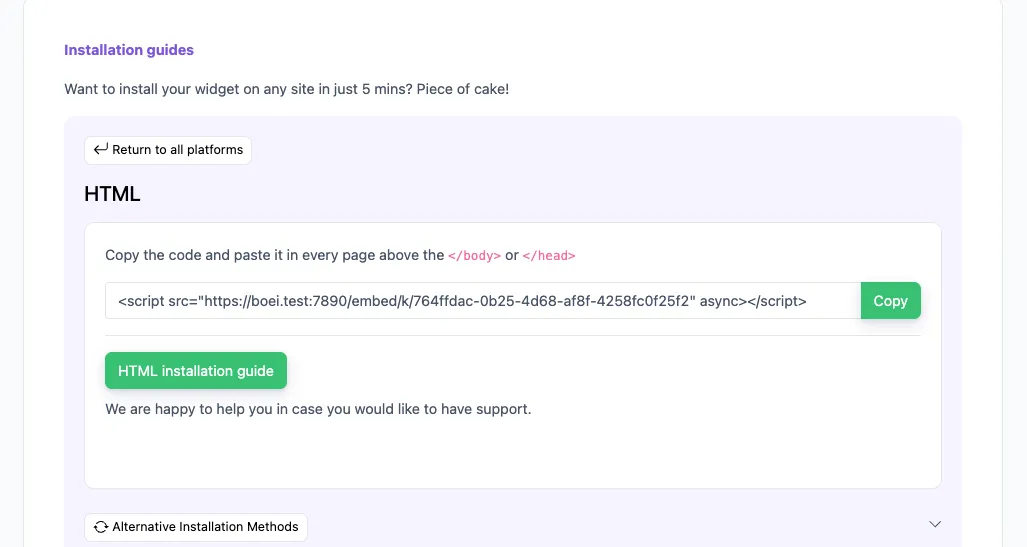
You can add WeChat to your Drupal site by installing the Boei extension or adding a single line of code to your site. Then, customers can scan your WeChat QR Code and start chatting with you.
Do I need a extension to use WeChat on Drupal?
Yes, you can use the Boei extension to easily integrate WeChat into your Drupal site. Alternatively, you can use an iFrame or a single line of code.
What type of businesses should use WeChat on Drupal?
Any business that wants to engage with customers in real-time and boost lead generation should consider using WeChat on their Drupal site. It's especially useful for businesses with a large audience on WeChat.
What is WeChat?
WeChat is a multi-purpose app that offers messaging, social media, and mobile payment features. It's widely used for personal and business communication.
How popular is WeChat?
WeChat has over 1.2 billion monthly active users, making it one of the most popular apps globally.
How can I use shortcodes and links on WeChat?
You can create shortcodes and links to share your WeChat account or specific content. For example, use a QR code to let users quickly follow your account.
How can I get more leads using WeChat?
Engage with your audience through regular updates, promotions, and personalized messages. Use WeChat's advertising options to reach more potential customers.
Should I use WeChat for my business?
Yes, especially if you want to reach Chinese consumers or leverage a platform with a large user base. WeChat offers many tools for businesses.
Is WeChat secure?
WeChat uses encryption and other security measures to protect user data. However, it's always good to follow best practices for online security.
How does WeChat handle privacy?
WeChat has privacy settings that allow users to control who can see their information and messages. Businesses should respect user privacy and follow relevant regulations.
In what countries is WeChat used?
WeChat is used globally but is most popular in China. It has a growing user base in other countries as well.
What is the pricing for using WeChat?
WeChat is free to download and use. However, businesses may incur costs for advertising and other premium features.
What is Drupal?
Drupal is an open-source content management system (CMS) that allows you to build and manage websites easily. It is known for its flexibility, security, and scalability.
How much does Drupal cost?
Drupal itself is free to download and use. However, you may incur costs for hosting, premium themes, and additional modules.
Does Drupal have a free plan?
Yes, Drupal is completely free to use. It is open-source software, which means you can download, use, and modify it without any cost.
Is Drupal a good CMS?
Yes, Drupal is highly regarded for its security, flexibility, and scalability. It is used by many large organizations and high-traffic websites.
How often is Drupal used?
Drupal is used by over 1.5 million websites worldwide, making it one of the most popular CMS platforms.
How can I get more leads with Drupal?
You can get more leads with Drupal by optimizing your site for SEO, using lead capture forms, and integrating communication tools like Boei to engage visitors in real-time.






















 AI Chatbot with Live Chat
 WhatsApp
 Click to Call / Phone
 SMS / Text Message
 Facebook Messenger
 Instagram DM
 Telegram
 Discord
 Signal
 from Utrecht
The voice of 17,000+ Boei fans
Meet the inspiring entrepreneurs making their dream businesses a reality with Boei
Dr. Kirk Sanford
CEO & Founder, Longevity Medical Institute
Susan Jones
Founder/CEO, WebMaxSEO
Marcel Hogenhout
Managing Director, Orangebeard
Koen Rens
Owner, Luxe Kattenhotel
David K.
CEO Small-Business (50 or fewer emp.)
Seif Ahmed
@seif588
Neu
@siddharthaneu
Irfan
@mak_web_media
Peter C
@peter_c1
Andrew Lee
@fromlife89
Grzegorz G.
Joshua G.
Ronald D.
Director Small-Business (50 or fewer emp.)
Fahd T.
Founder Small-Business (50 or fewer emp.)
David S.
CEO/Founder Small-Business (50 or fewer emp.)
Vance W.
Julien V.
Développeur d'e-commerce Small-Business (50 or fewer emp.)
Grant
Hansie
Chandra Kusuma
Pepe
Arjun E.
José Manuel D.
Cristian Trappolini
Daniel Gyger
Nitesh Manav
Renaat Sioncke
Dr. Kirk Sanford
CEO & Founder, Longevity Medical Institute
Susan Jones
Founder/CEO, WebMaxSEO
Marcel Hogenhout
Managing Director, Orangebeard
Koen Rens
Owner, Luxe Kattenhotel
David K.
CEO Small-Business (50 or fewer emp.)
Fran Tully
Proinsias M.
Gavin S.
Sara Hall
Mike Foston
Lukáš H.
Bikram K. S.
Jay F.
Ilias A.
SEO Specialist
Jon
Weboo.gr
Roscoe Houston
Dieter Staudinger
Jeremy Smith
Brendah Akoth
Alexander Martenson
Sheeny
Nuno
Robert-Jan
CEO/Founder
CyberCooker
Eddine
Jairo R.
Account Executive
Jaime M.
Co-Founder
Stefan M.
CEO
Albert H.
Trainer
Andres S.
Director
Fran Tully
Proinsias M.
Gavin S.
Sara Hall