Domain Settings
Configure the metadata Boei uses to represent your website: name, language, business hours, time zone, and contact details.
How to get there: Go to Setup → Business in the top menu → click a website to edit it.
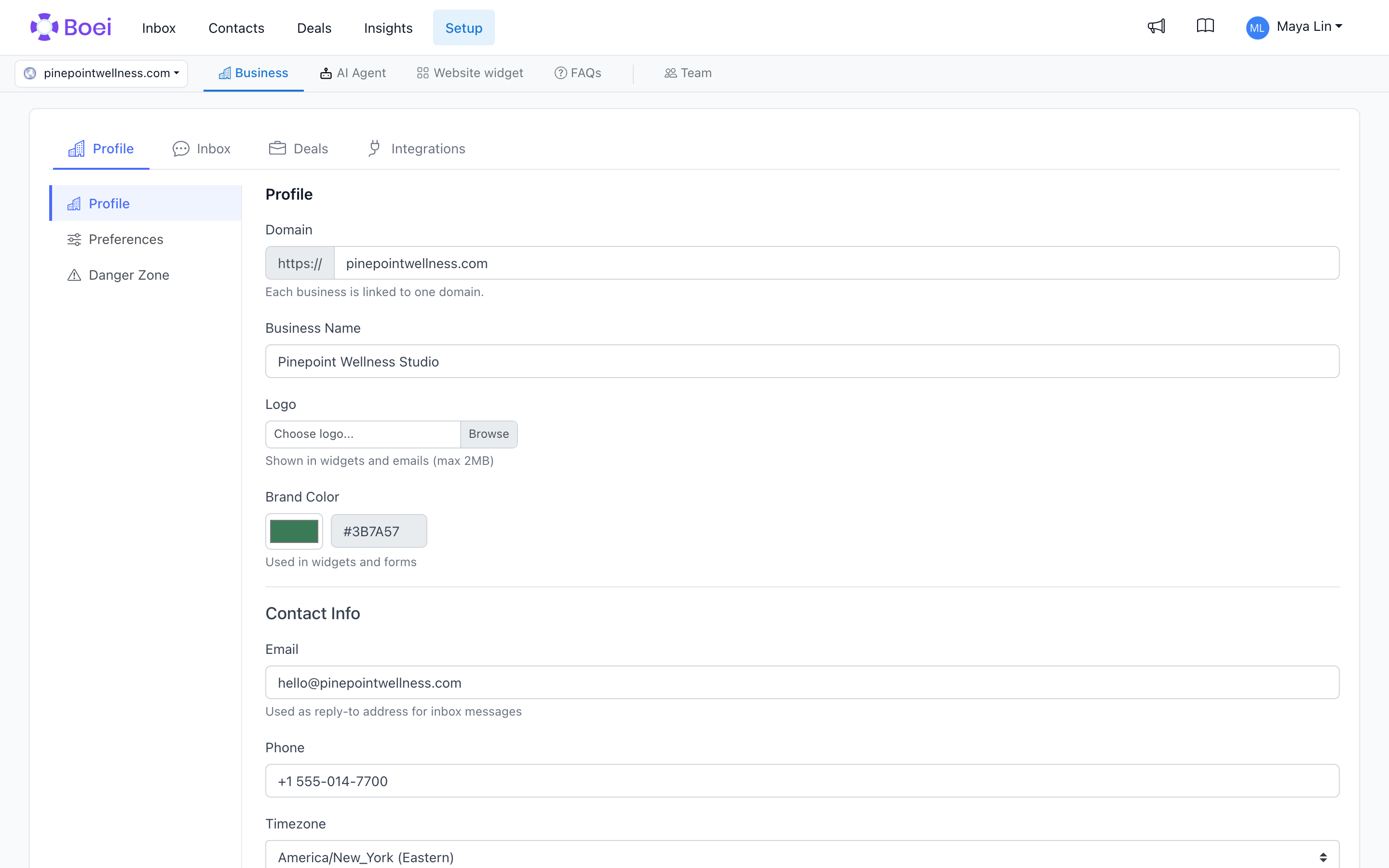
Business Name
The display name shown in the widget header, emails, and notifications. This does not have to match the domain.
Default Language
The language Boei uses for the widget UI and for the AI chatbot's default responses. Boei detects this automatically when you add the website, but you can override it.
Visitors can switch to a different language using browser detection or the translation system. The default language is the fallback when no other signal is available.
Time Zone
Used for:
- Business hours scheduling (see below)
- Analytics charts (when grouped by hour or day)
- Email send times
Pick the time zone where your support team works.
Business Hours
Define when your team is available. During business hours, channels like "Call me back" or "Live chat" show as available. Outside hours, the widget can hide those channels or show an "away" message.
See Business Hours for the full configuration.
Contact Email
The contact email is used as the reply-to address for Inbox messages. Chatbot transcript recipients are set separately in each notification rule under Setup → AI Agent → Notifications. See Customize Chatbot Transcript Emails to change recipients, email content, logos, and sender settings.
Industry
Selecting an industry helps the AI chatbot calibrate its tone and the lead fields it asks for. For example, an e-commerce industry weights order-tracking and return questions higher than a SaaS industry.
Preferred Customer Identity
Found under the Preferences tab. This setting controls what Boei shows first for deals from this website.
- Automatic uses the choice Boei detected from your website.
- Person shows the individual contact first.
- Company shows the company first when one is available.
This setting only changes how customer information is shown. People and companies remain available in the CRM.
Remember Visitors
Found under the Profile tab → Preferences → Visitor Experience. On for websites added since September 2025, off for websites added before then.
When on, a chatbot conversation continues on every page of your website and for returning visitors up to 4 days after their last message. Boei stores one small cookie on your website for this. When off, every page load starts a fresh chat.
See Remember Visitors for details, cookie consent guidance, and troubleshooting.
Moving from a Staging Site to Production
You can test Boei on a staging or development website and move it to your live site later. Your chatbot, training data, and installation code stay the same.
If your production domain is different from your staging domain, update the domain in Setup → Business → click the website → change the domain. Your widget code does not change.