Display Conditions
Control which widget displays based on the domain, page URL, language, or other criteria. Show different widgets on different pages or hide widgets entirely.
How to get there: Go to Setup → Website widget → Conditions.
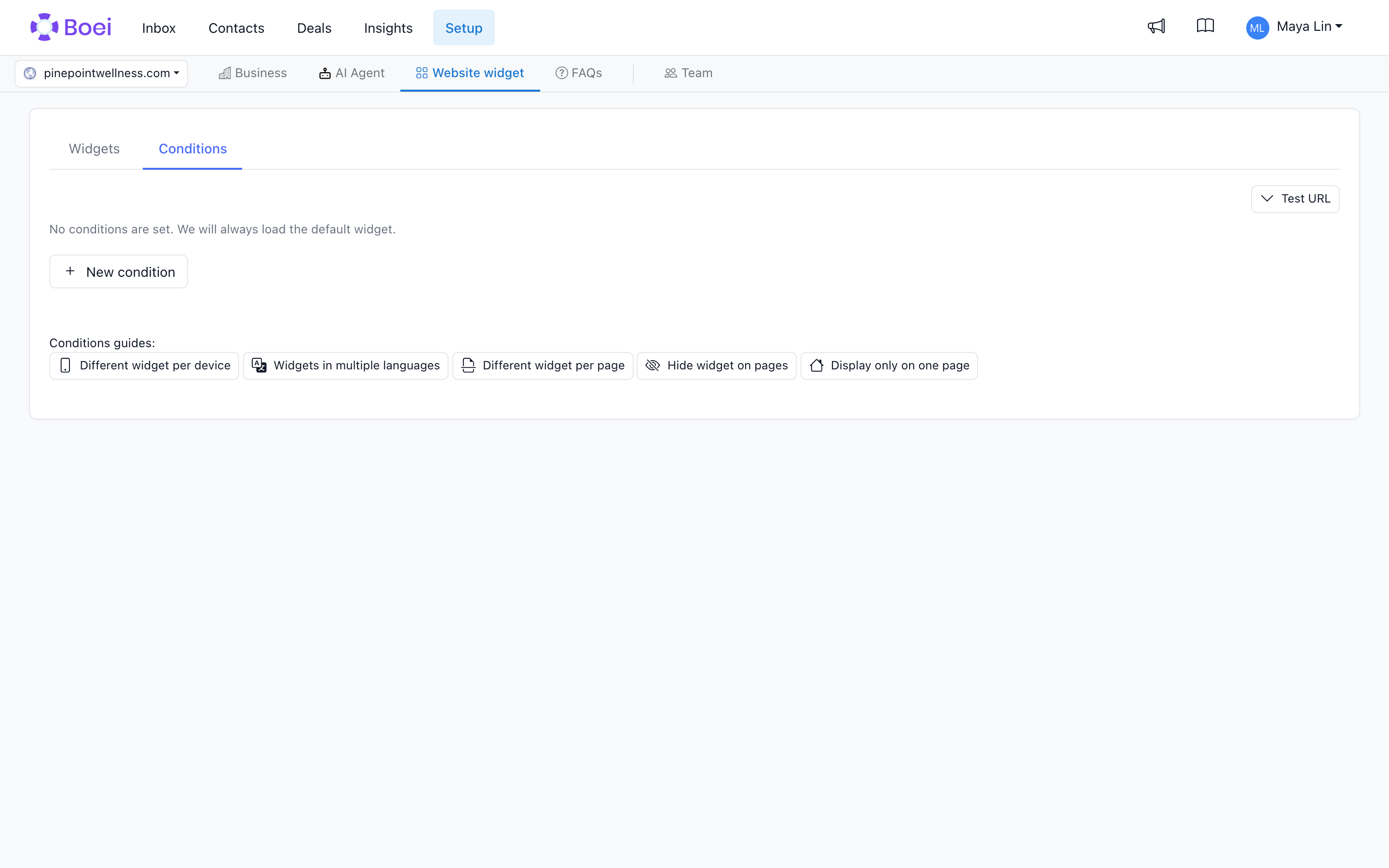
How Conditions Work
Conditions let you:
- Hide widgets on specific pages (like checkout)
- Show different widgets for different languages
- Display targeted widgets based on URL patterns
Creating a Condition
- Go to your widget list
- Click New Condition
- Name your condition (not visible to customers)
- Click Edit to configure
Condition Settings
If Rule
The rule that checks the condition:
Page-based rules:
- Page URL contains - Matches when URL includes specific text
- Page URL does not contain - Matches when URL doesn't include specific text
- Page URL is exactly - Exact URL match
- Page URL is exactly not - Doesn't match exact URL
Domain-based rules:
- Domain is exactly - Matches every page on one exact domain, such as
app.boei.help - Domain is exactly not - Matches every page on other domains
Subdomains are separate: app.boei.help does not match boei.help or other.app.boei.help.
Device-based rules:
- Visitor is on mobile - Matches mobile devices
- Visitor is not on mobile - Matches desktop devices
Location-based rules:
- Visitor country is - Matches specific country
- Visitor country is not - Excludes specific country
Has Value
For page rules, enter the page path or text to match. For domain rules, this field is called Domain. Enter a domain such as app.boei.help. If you paste a full URL, Boei saves just its domain. International domains are supported and saved in their browser form (for example, müller.de becomes xn--mller-kva.de). Local hosts such as localhost and intranet are supported too.
Then Display Widget
Which widget to show (or none to hide).
Common Use Cases
Different Widget per Subdomain
To show a support widget in your app and your default widget on your website:
- Create the support widget.
- Add a condition with Domain is exactly.
- Enter
app.boei.helpin Domain. - Choose the support widget and save.
Use Test URL with a full URL, including the domain. Then check the real widget on both domains.
Hide on Checkout Page
Don't distract customers during checkout:
- Create a condition named "Hide on checkout"
- Set rule: Page URL contains
- Set value:
/checkout - Set widget: None
This hides the widget on:
- yoursite.com/checkout
- yoursite.com/checkout/payment
Multi-Language Widgets
Show translated widgets based on URL:
- Create widgets for each language (English, Dutch, etc.)
- Set English as default
- Create conditions for other languages:
For Dutch:
- Rule: Page URL contains
- Value:
/nl/ - Widget: Dutch widget
- Repeat for other languages
Page-Specific Widgets
Show different channels on different pages:
- Sales widget on pricing page
- Support widget on help pages
- General widget elsewhere
Country-Specific Widgets
Display different widgets based on where your visitors are located:
Example: Show local support per country
- Create widgets for each country (Dutch support, German support, etc.)
- Set your main widget as default
- Create country conditions:
For Netherlands:
- Rule: Visitor country is
- Country: Netherlands
- Widget: Dutch support widget
For Germany:
- Rule: Visitor country is
- Country: Germany
- Widget: German support widget
Why use this:
- Show local phone numbers and support teams
- Display region-specific offers
- Present content in the visitor's language
- Hide features not available in certain regions
Default Widget
The default widget loads when:
- No conditions are set
- No conditions match the current page
How Country Detection Works
Boei automatically detects your visitor's country based on their location. This works instantly and respects privacy - we only detect the country, not the exact location.
Tips
- Use URL patterns that won't accidentally match other pages
- Test conditions on different pages
- Set a sensible default widget
- Conditions are evaluated in order - first match wins
- Put specific rules first. A Domain is exactly not rule matches every other domain and can prevent later rules from being used.
Related
- Widget Branding - Customize appearance
- Business Hours - Time-based display