AI Reply Suggestions
Get intelligent response suggestions powered by AI. When you're replying to customer messages, the AI can draft responses based on the conversation context and your knowledge base.
How to get there: Go to Inbox in the top menu → open a conversation → click the Generate (stars ✨) button in the reply toolbar.
How It Works
- Open a conversation in your Inbox
- Click the Generate (stars ✨) button in the reply toolbar
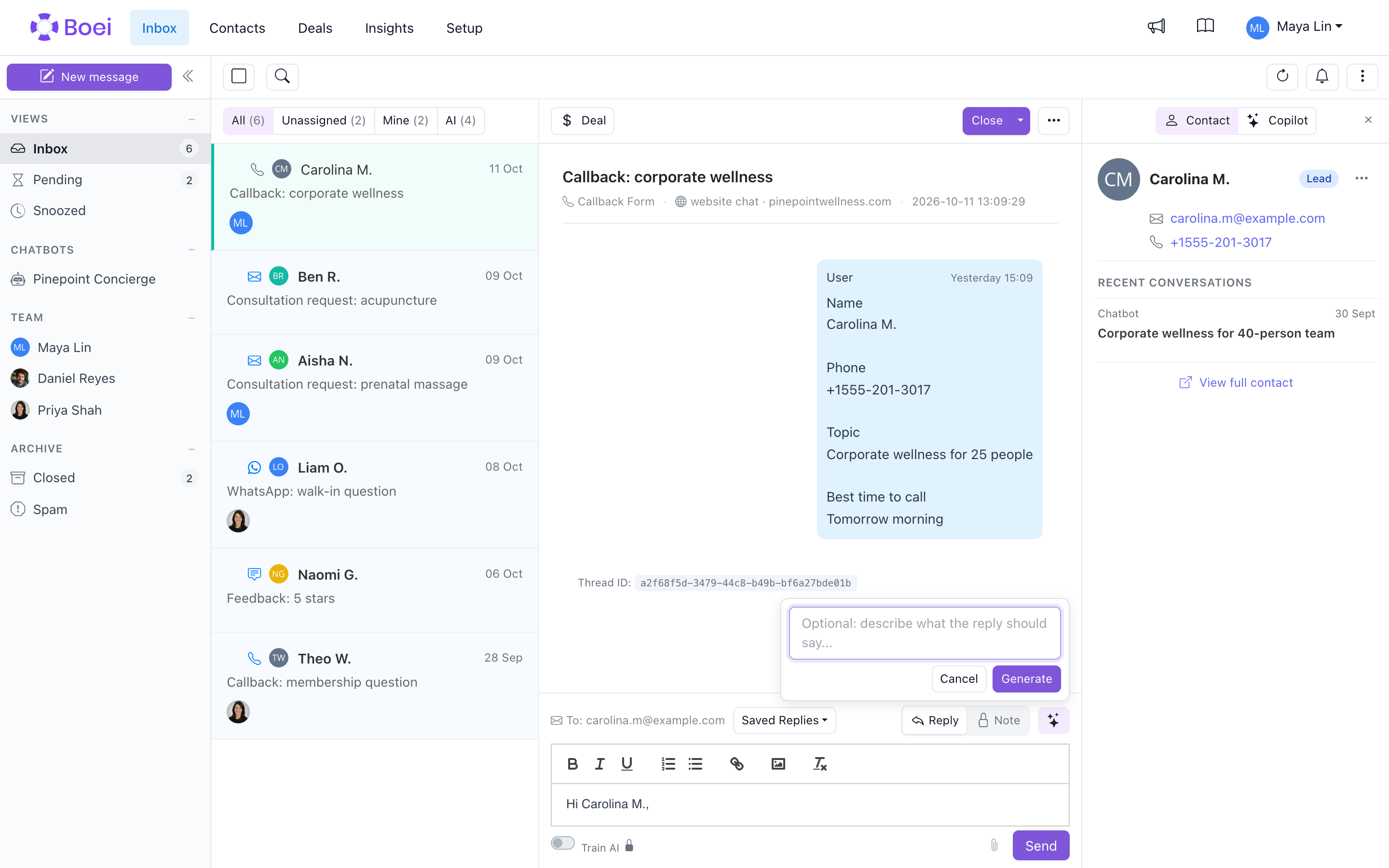
3. Optionally type a short instruction telling the AI what the reply should say
4. Click Generate
5. The AI analyzes the conversation and your trained content and drops a draft into the reply field
6. Edit as needed and send
Email channels can also generate this reply automatically when a customer email arrives. Under What should the AI do?, choose Draft to place it in the reply field for review, or Send to send it immediately. See Email Forwarding.
What the AI Considers
The AI generates replies based on:
- Conversation history - What's been discussed
- Customer question - The specific inquiry
- Your knowledge base - Content from your trained chatbot
- Tone settings - Your configured communication style
Using AI Suggestions
Accept and Send
If the draft looks good:
- Review the text in the reply field
- Click Send
Edit First
If the draft needs adjustment:
- Edit the text in the reply field
- Click Send when it's ready
Generate Another
If the draft doesn't fit:
- Click the Generate button again
- Optionally add or refine your instruction (e.g. "shorter", "friendlier tone")
- Click Generate to try a different approach
Best Practices
Review Before Sending
Always read AI suggestions before sending:
- Check for accuracy
- Ensure it answers the question
- Verify any specific details
Add Personal Touch
Make responses feel human:
- Include the customer's name
- Reference their specific situation
- Add context when helpful
Use as Starting Point
AI suggestions work best as drafts:
- Save time on structure
- Add your expertise
- Customize for the customer
Improving Suggestions
Better AI training leads to better suggestions:
- Keep your chatbot training updated
- Add more content to your knowledge base
- Review and refine your AI agent settings
Related
- Inbox Overview - Managing all conversations
- Training Your Chatbot - Improve AI knowledge
- Saved Replies - Pre-written responses